Web
本文旨在介绍如何设置 Apple 身份验证,让您的网页可以使用 Player Network 登录鉴权服务通过 Apple 渠道登录。
前提条件
1. 在 Apple Developer 上配置 iOS 应用
1. 创建 Services ID
如果您使用的是现有的 Services ID,在 Identifiers 页面中点击对应的 Services ID,在 Edit your Services ID Configuration 下打开 Sign in with Apple 选项后,点击 Configure 并继续步骤6。
-
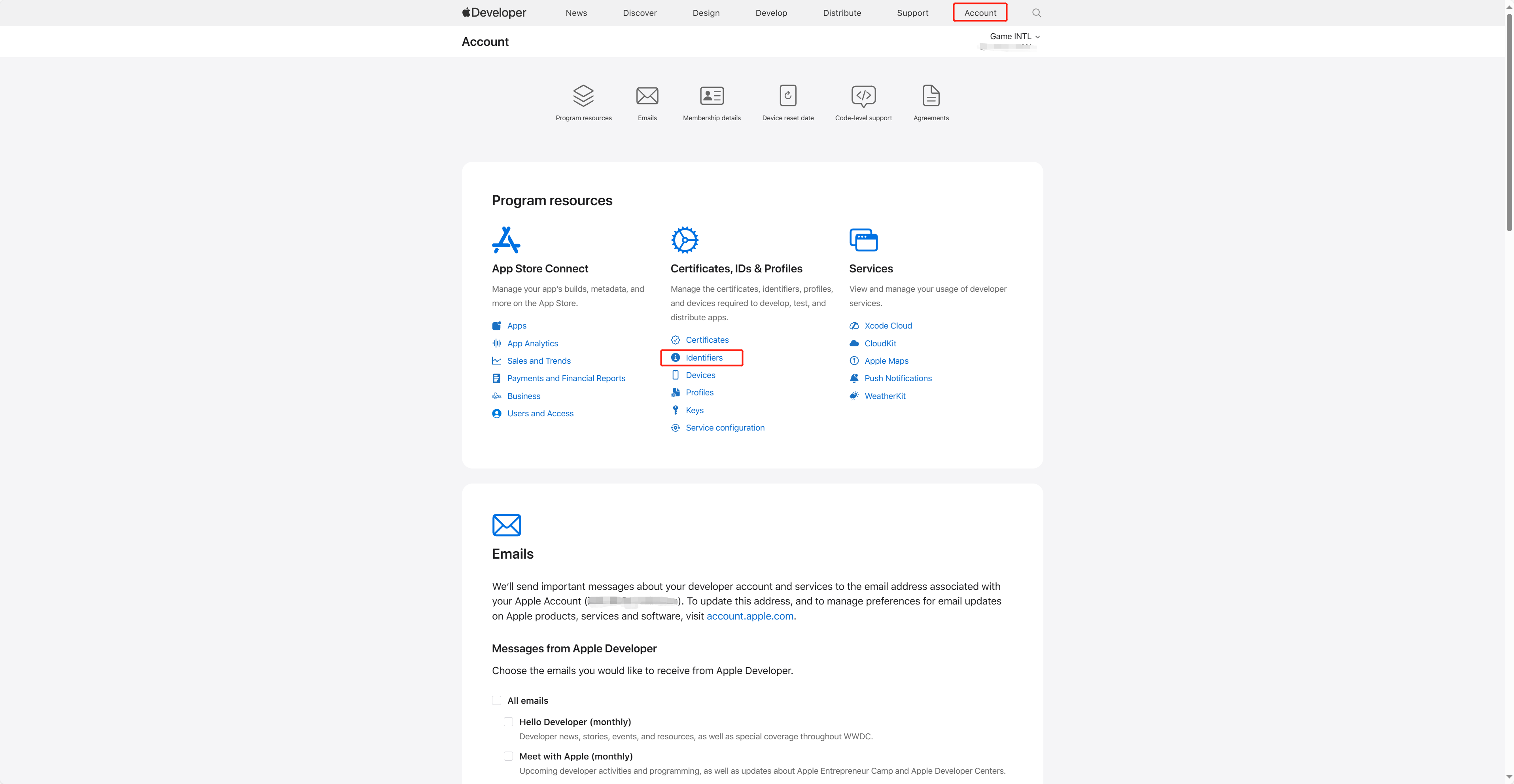
登录 Apple Developer,并在在顶部导航栏中点击 Account,并选择 Certificates, IDs & Profiles 下的 Identifiers。
-
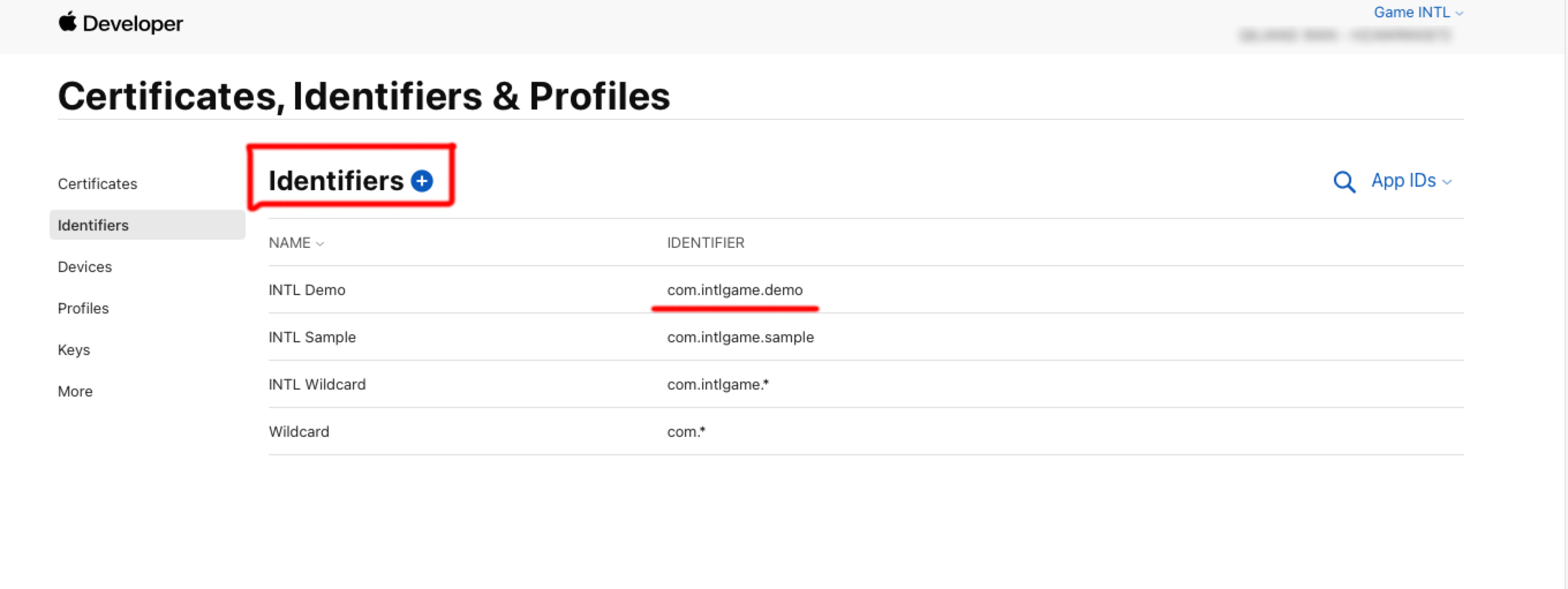
点击蓝色添加图标(+)。
-
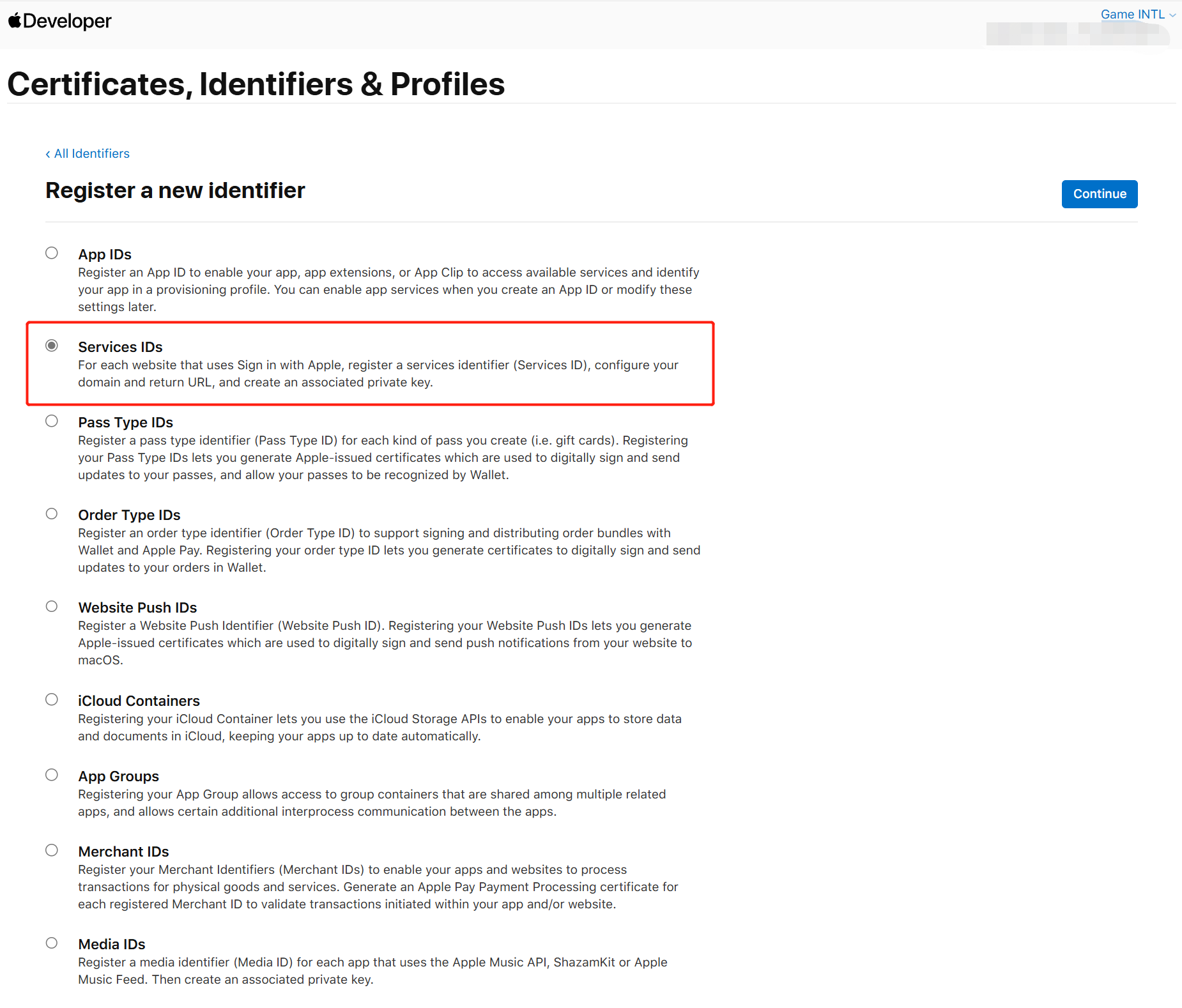
选择 Services IDs 后,点击 Continue。
-
输入 Description 和 Identifier。
- Description:游戏应用的名称或描述。
- Identifier:网页应用的唯一标识符。

-
在 Capabilities 下打开 Sign in with Apple 选项后,点击 Configure。
-
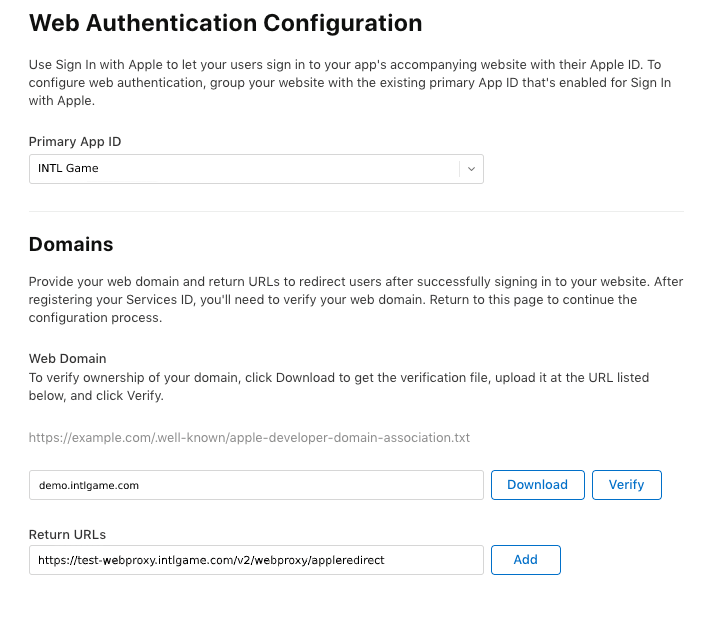
在 Return URLs 下,添加 Player Network 提供的重定向链接后,点击 Save。
- North America:https://na-webproxy.intlgame.com/v2/webproxy/appleredirect
- Singapore and other regions:https://sg-webproxy.intlgame.com/v2/webproxy/appleredirect
- Testing:https://test-webproxy.intlgame.com/v2/webproxy/appleredirect
- aws-North America:https://aws-na-webproxy.intlgame.com/v2/webproxy/appleredirect
-
点击 Continue > Register,创建网页登录的 Services ID。
2. 创建用于访问服务的密钥
创建用于计算 client_secret 的密钥和相应的 Key ID。
-
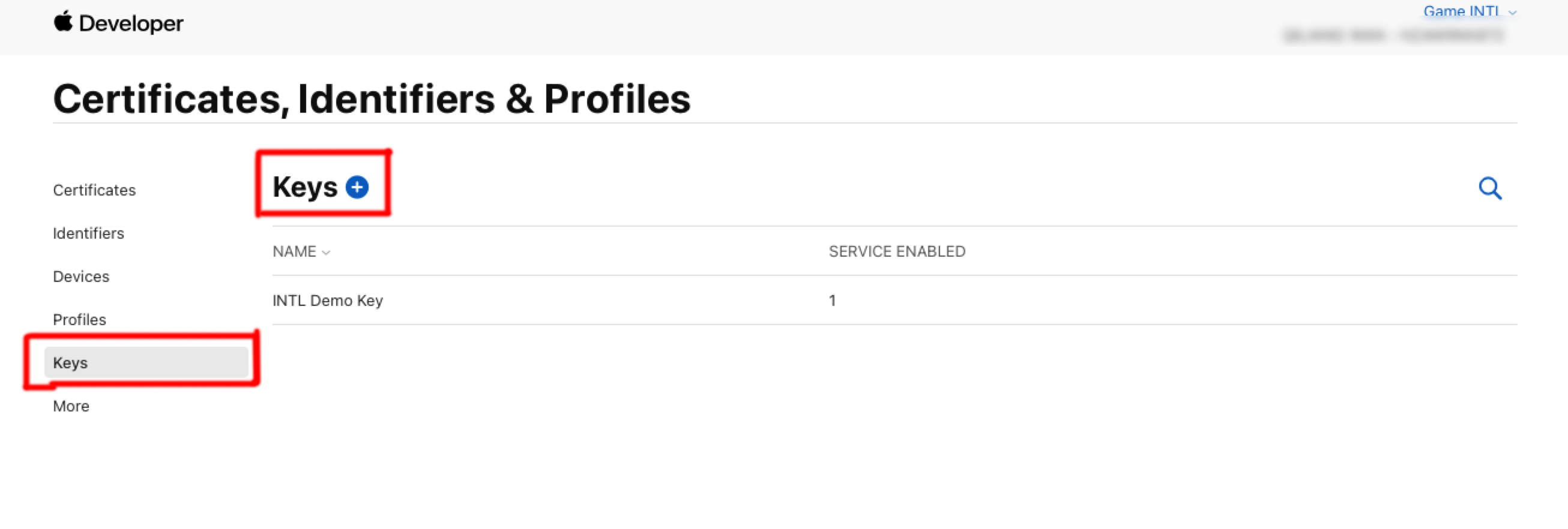
在 Certificates, Identifiers & Profiles 侧边栏中,点击 Keys。
-
点击蓝色添加图标(+)。
-
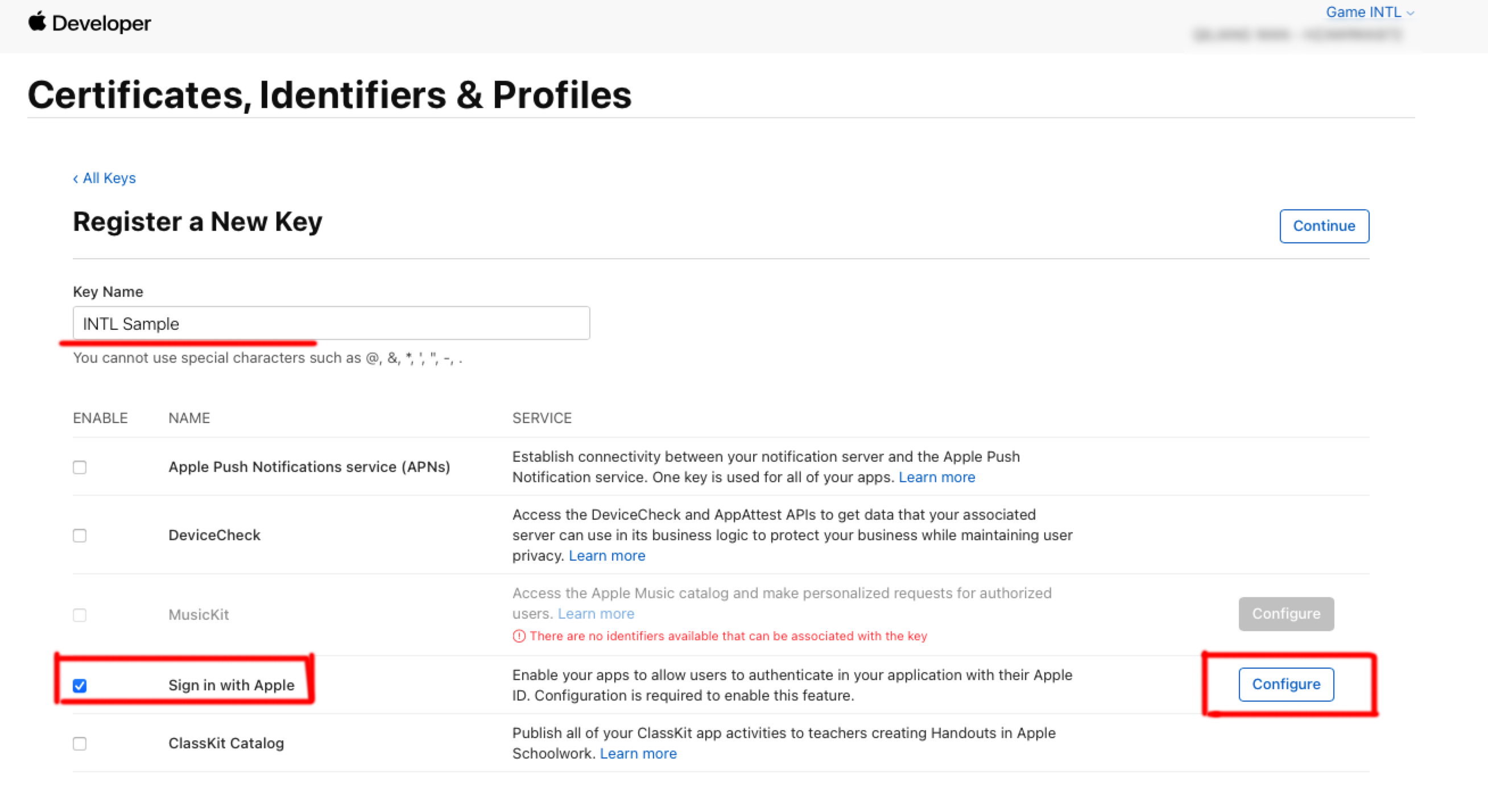
在 Key Name 下,输入密钥的唯一名称。
-
选择 Sign in with Apple 旁边的复选框,然后点击 Configure。
-
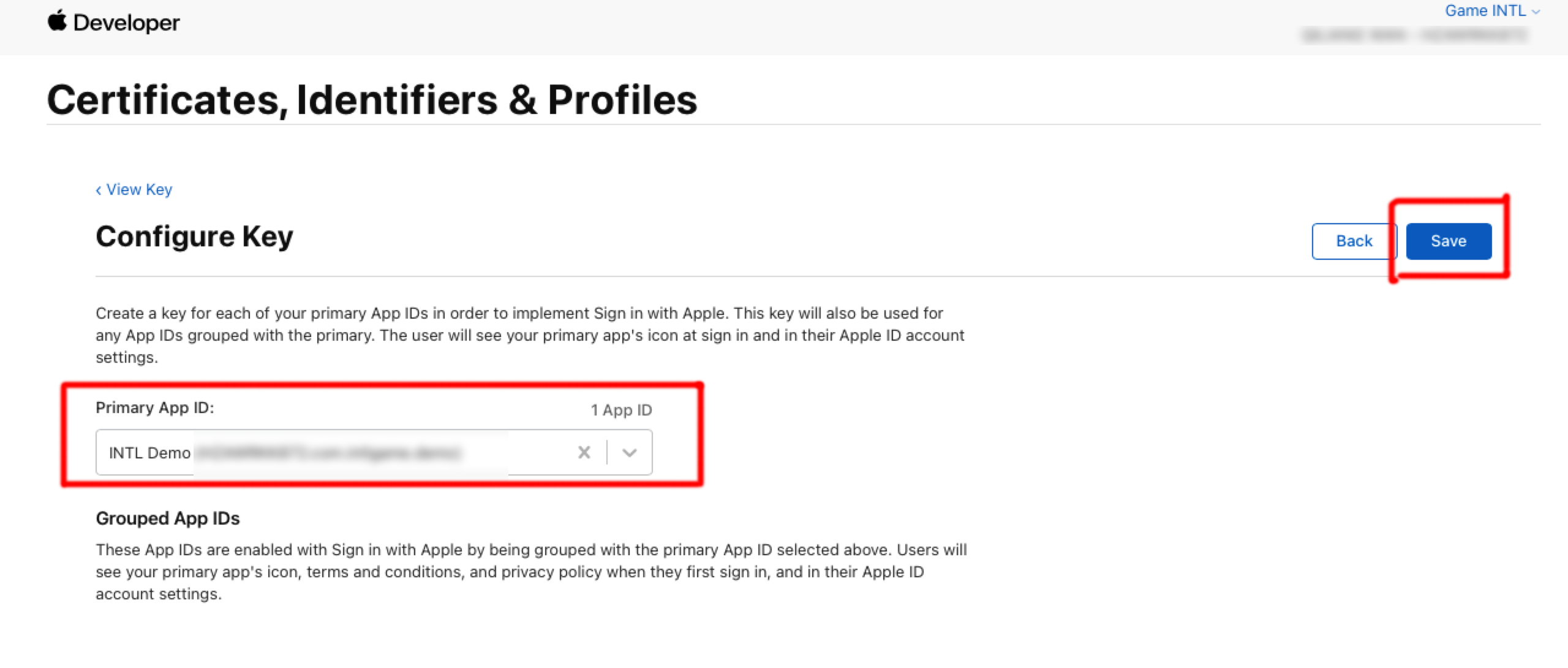
在 Primary App ID 下,选择在 上一步 中创建的 Service ID,然后点击 保存。
-
点击 Continue。
-
点击 Register 生成密钥,并记下 Key ID。
-
点击 Download 下载密钥文件(只能下载一次,切勿丢失),该文件保存为文件后缀 .p8 的文本文件。
3. 获取 Team ID
-
登录 Apple Developer。
-
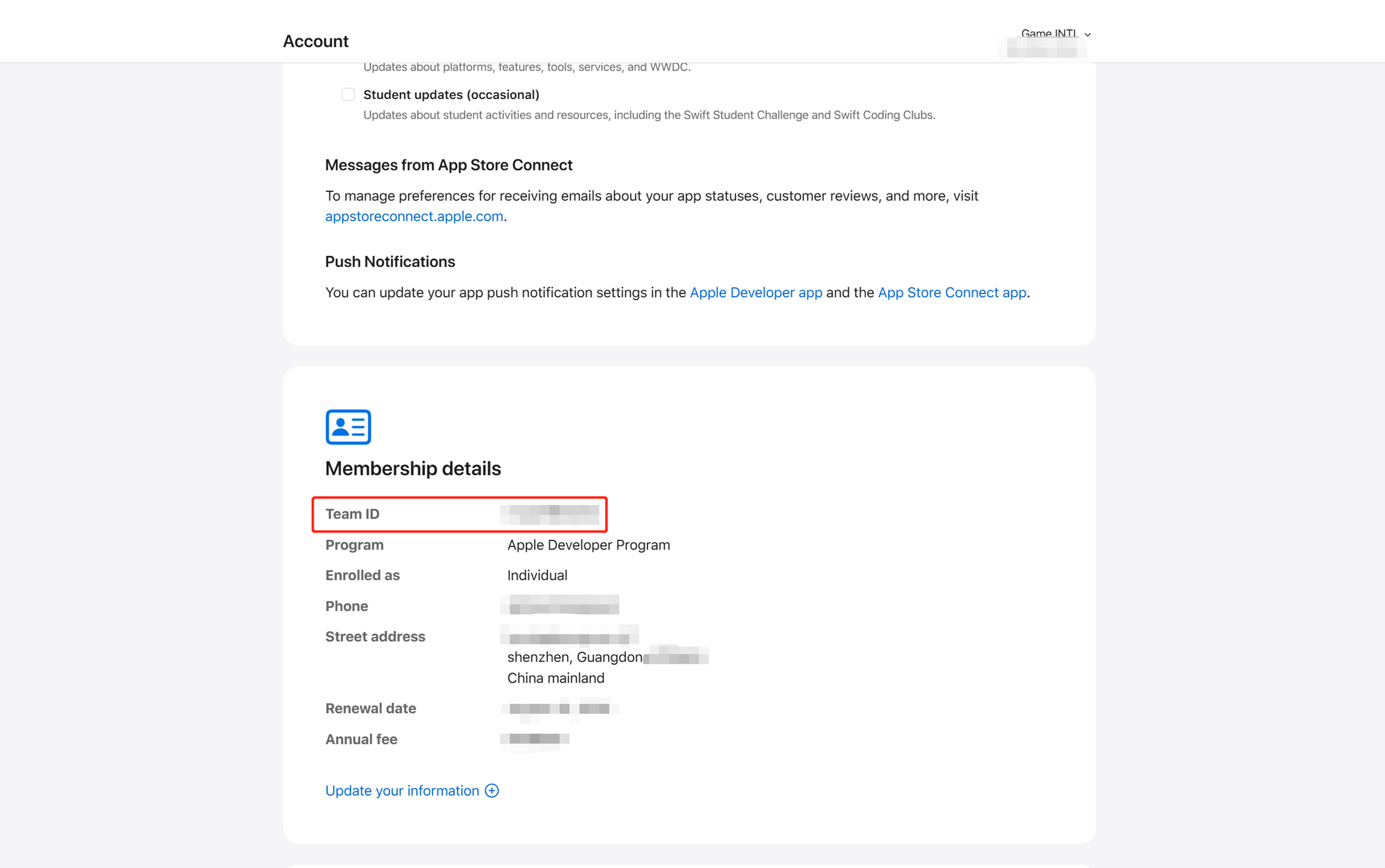
在顶部导航栏中,点击Account下滑找到Membership details以查看Team ID。
有关 Apple Developer配置的更多信息,请参见 What the Heck is Sign In with Apple?。
更多关于其他第三方渠道接入 SDK 的信息,请参见 JavaScript SDK。
步骤1:引⼊ JavaScript SDK
项目联调阶段可以引⼊ SDK 联调版本包,该包仅用于集成测试。项目上线须引⼊ SDK 正式版本包。
目前已支持 npm 包方式和 CDN 方式。
- npm
- CDN
$ npm install @intlsdk/account-api
// SDK 联调版本包
<script src="https://test-common-web.intlgame.com/sdk-cdn/account-api/latest/index.umd.js"></script>
// SDK 正式版本包
<script src="https://common-web.intlgame.com/sdk-cdn/account-api/latest/index.umd.js"></script>
步骤2:使用 SDK
在集成测试时,将 env 设置为测试环境;项目上线时,将 env 设置为相应的正式环境。
const accountApi = new IntlgameAccountApi({
  env: "test", // SDK environment
  gameID: 11,
});
| 参数 | 类型 | 描述 | 备注 |
|---|---|---|---|
| env | string | SDK 环境 更多信息,请参见 获取部署集群信息。 | 必填 |
| gameID | number | Player Network 游戏唯一标识 ID | 必填 |
步骤3:实现网页登录
实例化 accountApi 组件后,调用 thirdAuthorize 接口申请 Apple 渠道的访问令牌。
accountApi.thirdAuthorize({
    third_type: 'apple',
    extra: {
        appleAppId: 'xxxxx', // Required for apple login
    }
}).then(
(res) => {
    console.log(res);
});
当 Apple 返回访问令牌后,调用 intlAuthorize 接口获取 Player Network SDK OpenID 和令牌登录网站。
accountApi.intlAuthorize({
    third_type: 'apple',
    channel_info: {
        code: "EAAI2lTrXAZBwBAC"
        user_name: "EAAI2lTrXAZBwBAC"
    }
}).then(
(res) => {
    console.log(res);
});
调用 intlLogout 接口登出网站。
accountApi.intlLogout({
    token: '4567xsdfsd',
    openid: 'xxxxxxxx',
    channel_id: 11,
}).then(
(res) => {
    console.log(res);
});

