LEVEL INFINITE PASS
Client
Will upgrading to LI PASS cause existing player accounts to be lost or other login issues?#
No.When logging into LI PASS, it will verify whether the email is already registered in the custom account.LI PASS will automatically create new OpenID or migrate the old OpenID.It also supports rolling back to the original account service to avoid account loss.
Will upgrading to LI PASS confuse players and cause user attrition? #
Players will receive clear prompts to minimize experience fluctuations.
Are there new phases or steps (such as age verification again) leading to user attrition? #
No new phases.LI PASS includes a complete set of user interface interactions, including account registration, login, and compliance services.It ensures consistency of brand concept and reduces game development and integration costs.Compliance services support minor age verification and cross-game verification status migration, reducing player attrition due to repeated age verification and real-name verification processes.
How are LI PASS players (from other games) attracted to your game?Are there compliance risks or reputation risks? #
Games send marketing emails to LI PASS players via SmartLink or occupy LI PASS website marketing resources to promote games and guide downloads.LI PASS privacy agreement must explain how player data is used, and the legal team must approve the privacy agreement to avoid compliance risks and reputation risks.
INTLConfig.ini supports configuring multilingual URLs for terms of service and privacy agreements? #
No, INTLConfig.ini does not support multilingual; please configure on the corresponding HTML5 page yourself.
How to modify the country/region list of LI PASS? #
Follow the steps below to modify the country/region list of LI PASS V1.06 and earlier versions.For versions V1.07 and later, see the UpdateCountryList API.
- Unity
- Unreal Engine
- Contact the Player Network liaison to submit modifications to the country/region list.
- Use the
AssetBundlefile provided by R&D to overwrite theAssetBundlefile in the directory{Project}\Assets\StreamingAssets\INTLGameNative\.
-
Manually delete the following 32-bit and 64-bit LUAC files with the same name as the LUA files.
{Project}\LevelInfinite\Content\INTLGameNative\LevelInfinite\Luac\MinorsCertificate\Region32.luac{Project}\LevelInfinite\Content\INTLGameNative\LevelInfinite\Luac\MinorsCertificate\Region64.luac
-
Place
Region.luaat the original LUAC file location{Project}\LevelInfinite\Content\INTLGameNative\LevelInfinite\Luac\MinorsCertificate.
How to solve the compilation error after importing LI PASS in Unity? #
Error message reference:
Assets\LevelInfinite\Scripts\INTLGameNative\Scripts\LuaObject\Unity\INTLLua_UnityEngine_SystemInfo.cs(1836,16): error CS0619: ' SystemInfo.supportsGPUFence' is obsolete: 'SystemInfo.supportsGPUFence has been deprecated, use SystemInfo.supportsGraphicsFence instead ( UnityUpgradable) -> supportsGraphicsFence'
This is because the LuaObject code generated by sLua does not match the current engine version, and needs to be regenerated.In the Unity menu bar, select INTLLua > All > Clear > Make, see Importing the LevelInfinite plugin for details.
Does LI PASS support customization of the compliance program? #
Support for customizing the compliance process for third-party channels, but not for customizing the LI PASS compliance process.
LI PASS After turning off hot shifts, how should a business clear old resources to load local resources? #
For mobile services, players should be prompted to uninstall and reinstall, and for PC, they should clear the Player Network SDK cache directory.
If the game does not call the SetDefaultUserStorage interface, the default path to the cached data in the PC Player Network SDK is %ProgramData%\INTL\{game id}\{application name}\.For example, if the game id is 11 and the application name is INTLSDKDemo, the cached data will be saved in %ProgramData%\INTL\11\INTLSDKDemo.
For more information, see the SetDefaultUserStorage API.
SetRewardExtraJson interface input parameter parsing failed, is the SDK compatible with the input parameter? #
The SDK layer is compatible with scenarios where the input parameter is not passed a value or "", but the business needs to add standard JSON format validation on its own.Interface inputs in a non-standard JSON format will cause the SDK to fail to parse them.
When you log in with a LI PASS password on the Windows platform, the language is automatically switched to Chinese.When you enter a letter followed by a number, the password falls back and clears the previous character. #
This is not a problem with the Player Network SDK component, but is caused by switching the input method language to Chinese in the system settings.When the text of the password input box changes, characters other than alphanumeric and supported symbols are eliminated from the text.
Just switch the default input method language in the system settings to English.
When does the configuration take effect on the client side when I send it down using the Player Network console cloud control feature? #
The Cloud Control feature does not guarantee that it will always be available to every player, depending on the player's current network quality.
For example, the first time a player installs a game on iOS they will need to authorize the network, and without player authorization, the downlaod often won't work.After the player authorizes the network, the cloud control pull is performed each subsequent time the client is launched and takes effect on the next launch.
For services with multi-channel package configuration, it is recommended to configure the information of different channels when packaging to avoid problems such as untimely updates caused by the timing of the Player Network console being sent down to take effect.
GameNative sdk get config failed!, ret:1006, msg:gameid not valid! #
To access LI PASS for the first time, you need to activate the GameNative privilege, please contact the Player Network assistant to activate it.
Windows triggers an error in the Editor when calling ULevelInfiniteAPI::OpenLoginPanel after importing LI PASS in Unreal Engine. #
Error message reference:
[UE]: INTLGameNative::Lua error: .... .elInfinite\Lua\Lua_unreal\AuthWindow\AuthWindowPanel.lua:565: attempt to index a nil value (field 'TextBlock_SendCodeButtonText')
LI PASS calls CloseLI on its own initiative when a Windows program exits, but it can't be triggered in the Editor, so you need to call CloseLI before initializing the Editor mode, to clean up the residual data from the last run of the Lua VM.
"ret":1018, "msg": "sigkey not found" #
Caused by inconsistent INTL_URL and ACCOUNT_URL environment information in the INTLConfig.ini configuration file.After modifying the INTLConfig.ini configuration file, if it still does not take effect, it is recommended to delete the following cache file under the LOG path:
- ApasRemoteConfig
- IntlCustomConfig.tmp
- IntlRemoteConfig
- LipassRemoteConfig
How do I disable the LuaProfiler performance checking tool used by LI PASS? #
-
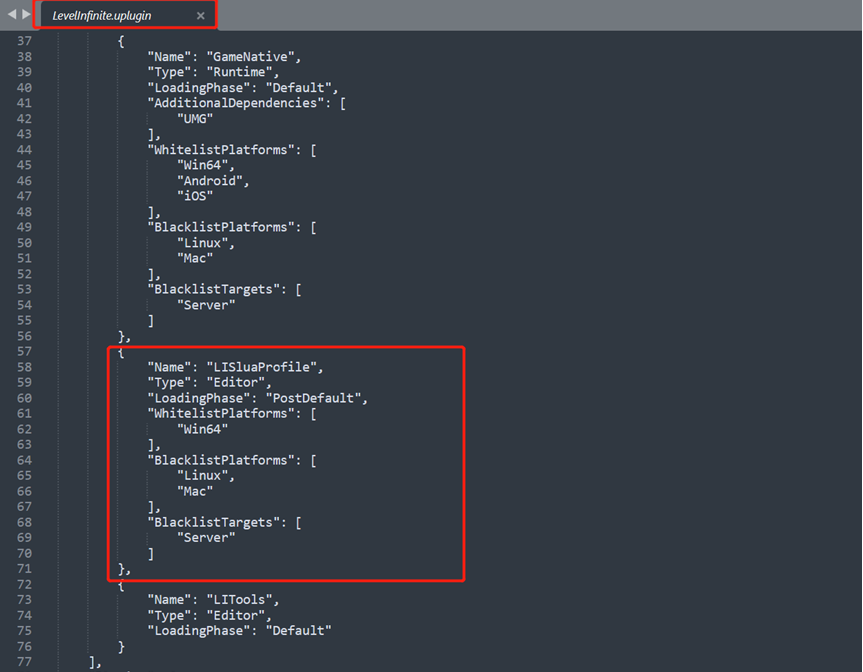
After removing the contents of
LISluaProfilefrom theLevelInfinite.upluginfile,LuaProfilerno longer runs
-
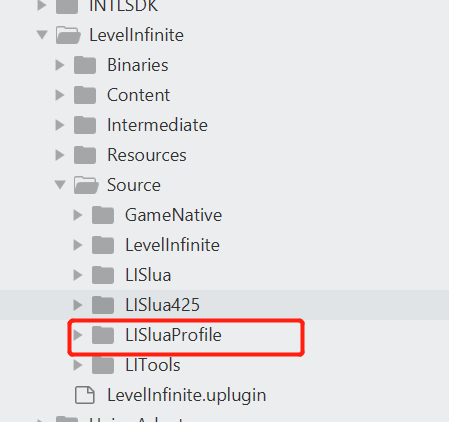
Delete the folder corresponding to the
LuaProfilercode
Calling INTLAPI.SetAuthEncryptData to start the game in debug mode causes Unity to crash. #
You need to initialize Player Network SDK before initializing LI PASS.
LI PASS login crash error "backtrace:intl::SecurityCheckUtil" #
Add the configuration switch SECURITY_FLAG = 0 to the INTLConfig.ini file.For more information, see Player Network SDK Reporting
Build Error:Assets\Levellnfinite\Runtime\/NTLGameNative\Scripts\LuaObject\Unity\INTLLua_UnityEngine_Application.cs(529,28):error CS0117 :'Application' does not contain a definition for 'Setll2cppMonitorAlloc' #
Ensure that the version of Unity used to generate the LuaObject is the same as the version used to package it.
FileNotFoundException: Could not load the file 'Assembly-CSharp-Editor" when generating LuaObject in Unity. #
LI PASS cannot find the Editor folder because the assembly has not yet been compiled, and it usually occurs in new projects or projects with no content.
Just manually create an Editor folder and add a blank script to it.
LI PASS Does changing the password kick out players who are already logged in on the client? #
No, but you can have other devices forced offline within the account center.
LI PASS login error:Network error, please try again later [error_4_77] #
This error is usually due to a missing INTL network library certificate, you can check if there is a cacert.pem file under the INTLSDK/Source/INTLFoundation/Libs/Win/X86_64 path.
NSLog appears as <private> in Console.app #
According to Apple's iOS 26 Release Note, NSLog is hidden as <private> in Console.app.Adjust iOS SDK v5.4.6 is affected by this issue, which will be fixed in the next Adjust SDK release.
No callback received after calling the LI interface #
Please check the output directory path of the Plugin DLL.
Unable to launch the LI login screen #
Please check whether the LI resource files are included in the package.
web-based
LI PASS Web Component Interface Position Display Issue #
You can change the renderMode parameter to modal to enable modal window mode. For details, refer to Config Instructions.
When logging in with third-party channels in the Web component, the LI PASS bind popup does not show quick bind email #
Whether or not to enter the fast-binding process when binding will be determined by the status of the channel and the player's account:
- Whether the business has turned on the ability to get mailboxes from that channel (whether the business has authorization)
- Ability to get the player's email from that source (whether the player has authorization or not)
- Obtained email address, whether or not it is registered with LI PASS, whether or not it has an OpenID for that game (can it be tied)
Only if all of the above conditions are met will it enter the quick bind process, otherwise it will ask the player to manually enter their email address.
Compliance authentication does not behave as expected when logging into LI PASS on the web#
The Player Network console may not have the relevant compliance authentication steps turned on, and it is recommended that you check the Player Network console's compliance authentication provisioning.
LI PASS Package Reward Issuance
What is the difference in configuration between binding gift pack and first login gift pack? #
The main difference is whether the game side needs to call the SendBindReward interface.Bound rewards are automatically issued, first login rewards need to be manually triggered.In the AMS backend, both are independent reward activities with the same configuration process.
What is the integration and testing process for LI PASS gift pack reward function? #
-
Configure the event for the item in AMS.
-
Complete interface debugging in the LI PASS backend.
-
Integrate the interface into the game client and package the test version.
-
On the test environment, complete binding/login with LI PASS account and check if the test gift pack is correctly received.
-
If the game supports multiple languages, check if the function works in different language modes.
-
Check if rewards are credited properly, whether there is any delay, and if the delay is within acceptable limits.
Who provides the multilingual copy for mail and item names? #
The business party provides all required language versions and clearly states which is the default language.Provided to LI PASS account joint debugging team for multilingual email configurations and more.
Login authentication
Frequently Asked Questions about login failures #
After checking the network condition and eliminating the login failure caused by unstable network, check the Player Network SDK logs according to the system time.
-
A record with a
method_idof 102 or 101 was found in the log.{"ret":0, "msg": "success", "method_id":102, "ret_code":0, "ret_msg": "Success",...} -
ret_codeis the client error code, see Client Error Code. -
"ret_code":9999is a third-party channel error, see Third-Party Channel Error Code. -
"ret_code":5is a backend error, see Backend Error Code.
Can I clear my account data? #
The test environment can be cleared by contacting the Player Network assistant.
Official environment account data cannot be cleared for archiving.
How to get the information of the bound account after the account is successfully bound? #
After successful login, the BindList of the INTLAuthResult result of the QueryUserInfo callback is the information of the bound account.
Can I bind two accounts of the same channel?For example, a visitor account tied to 2 Facebook accounts, or a Facebook account tied to another Facebook account? #
No, you can only bind one account per channel.
Binding failed with error code:retCode: 5, thirdCode: 1403. #
It could be caused by the following:
- Accounts that have been tied to this channel
- The bound account has already been bound.
- Bound account logged in
The reason is 2 or 3 if there is no account in the BindList for the bound channel, or 1 otherwise.
Does the OpenID change when a guest account is linked to a channel account? #
No, the OpenID will not change.
Does the visitor account reset after uninstalling the game? #
SDK V1.7 and later do not have this problem, and the account can be reset by calling ResetGuest.V1.6 and earlier versions will reset your account when you uninstall the game.
If binding fails after third-party login, you cannot switch accounts or log out #
Please clear the browser data and then log out the third party channel account in the browser, then clear the app data and try to bind again.
What is the intl_cluster parameter for deletion? #
The base64URL encoding of INTL_URL in INTLConfig.ini.
How to clear cache of Android games? #
The order of operations varies from phone to phone, and the steps to clear the game cache are shown below using the Google Pixel 4a phone as an example.
- Open your phone and find Settings.
- Select Storage > Internal Shared Storage > Games and then select the game for which you want to clear the cache.
- Click Clear Storage and Clear Memory.
[Unity] MiniJson deserialization returned a null INTLAuthResult #
Check to see if Managed Stripping Level is low in Unity's Project Setting.If you must use another level, contact the Player Network assistant.
Is the OpenID generated for the same third-party account in different environments the same? #
Unlike that, the same third-party account will generate different OpenIDs in different environments.
Auto login failed, error code: retCode: 5, thirdCode: 11002 #
Automatic login fails because the login token has expired and been deleted (30 days after default login).When an error occurs, the game may pull up the login screen again to allow the player to log back in.
UI interface, password box and background blend together issue. #
Set ForceVolatile in UIRoot.
Web Game Configuration Issues #
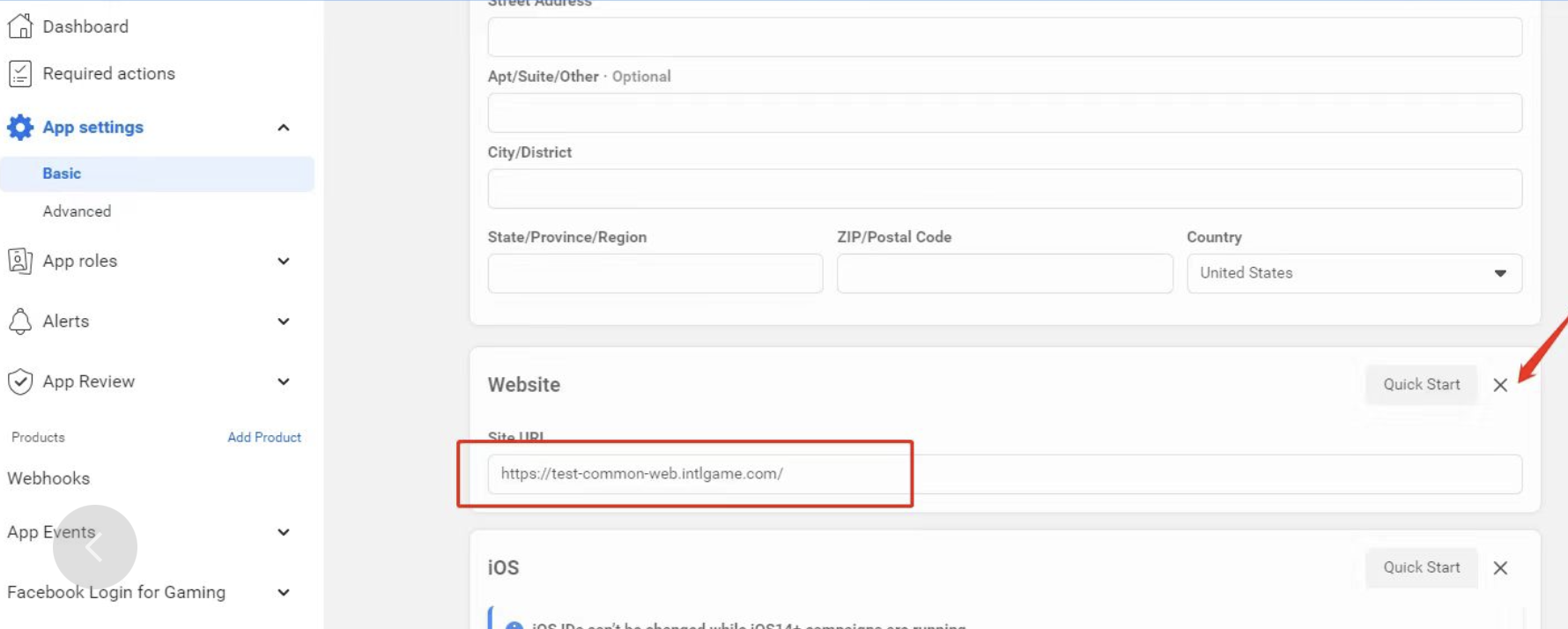
Please check that the Facebook administrator has filled out the Website configuration shown in the image, which means that there is a web version of the game.If there is no network version, delete this configuration.If not filled out correctly, the game will be banned from Facebook.
[iOS] System sharing to Facebook shows images that are not ImagePath images. #
The iOS system shares the flow of the processing of the content resulting.Because both Link and ImagePath images are provided, iOS first gets an image from inside the Link.
[System] Share text, links and images at the same time, but the text is not displayed. #
When there is an image or link, the text is not displayed and the text needs to be entered manually.
[Discord] When querying friends, is the information pulled limited to same-playing friends? #
No, Discord looks up platform friends, not playmates.
[Discord] Multi-store channel packs, if the Discord appid is different for each channel pack, does Discord get friends with isolated data for each channel pack? #
It's not.
Why doesn't login trigger a callback? #
Problems with callback logic:
- You need to listen to the
AuthResultObservermethod when you open the interface.
- Unity
- Unreal Engine
public override void Start()
    {
        base.Start();
        INTLAPI.AddAuthResultObserver(OnAuthResultEvent);
}
For more information, see AuthResultObserver.
void ULevelInfiniteWindow::OnOpen()
{
  Super::OnOpen();
  FocusSampleUI();
  AuthResultObserver = UINTLSDKAPI::GetAuthResultObserver(). AddUObject(this, &ULevelInfiniteWindow::OnAuthResult_Callback);
}
For more information, see AuthResultObserver.
- Initialization requires a call to this interface:
- Unity
- Unreal Engine
public void OnLIPASSInitClick()
    {
        isVMStart = true;
        var activityName = INTLAPI.GetConfig(LevelInfinite.DefaultActivityKey, "LILandscape");
        ShowLogInNewLine(string.Format("Init:\nLI plugin ver:[{0}] \ndefault activity:[{1}]", LevelInfinite.Version, activityName));
        LevelInfinite.InitLIP( font,LI_Sample_APP_VERSION);
        LevelInfinite.SetUIRoot(uiRoot);
        SetupCanvasResolution();
}
void ULevelInfiniteWindow::LIInit()
{
    FString Version = LI_Sample_APP_VERSION;
    // FString Version = FApp::GetBuildVersion();
  UE_LOG(LogTemp, Display, TEXT(">>>>> LIInit, Version:%s"), *Version);
//#if PLATFORM_WINDOWS || PLATFORM_ANDROID || PLATFORM_IOS
  UE_LOG(LogTemp, Display, TEXT("> >>>> call ULevelInfiniteAPI::InitLIP"));
  ULevelInfiniteAPI::InitLIP(GetGameInstance <UGameInstance>(), Version);
  ULevelInfiniteAPI::SetUIRoot(INTLGN_ LIActivity);
#if PLATFORM_ANDROID || PLATFORM_IOS
    ULevelInfiniteAPI::SetUICustomScale(1.44f);
#elif PLATFORM_WINDOWS
    ULevelInfiniteAPI:. SetUICustomScale(1.0f);
#endif
//#endif
}
Login error 5_1401 or 5_30004. #
Verify that the LI PASS configuration has been successfully published in the Player Network console.
Visitor login failed with error code:retCode: 5, thirdCode: 1104. #
Visitor login is not enabled in Player Network's login and account service, please go to Player Network to enable visitor login.
The bindlist returned after successful binding is empty, there is no information about the successfully bound account. #
You need to call QueryUserInfo to return bindlist, after that auto login will come with bindlist.
How do I reset my visitor account? #
SDK V1.7 and later requires a call to ResetGuest to reset the guest.Uninstalling and reinstalling the game on V1.6 and earlier will reset the visitor account.
Guest login crashed #
LI PASS V1.16 or later:
Checks if INTLAPI.InitLIP() is called to initialize the SDK.
LI PASS V1.06 ~ V1.15:
Check whether to call INTLAPI.InitLI() to initialize SDK.
LI PASS V1.05 or earlier:
Checks if INTLAPI.Init() is called to initialize the SDK.
Login failed, return retCode:5, msg:CURLCode for more details #
Check if Unity package reads INTLSDK.bundle or if UnityFramework is missing INTLSDK.bundle.
Why is the same Visitor OpenID used on multiple iPhones? #
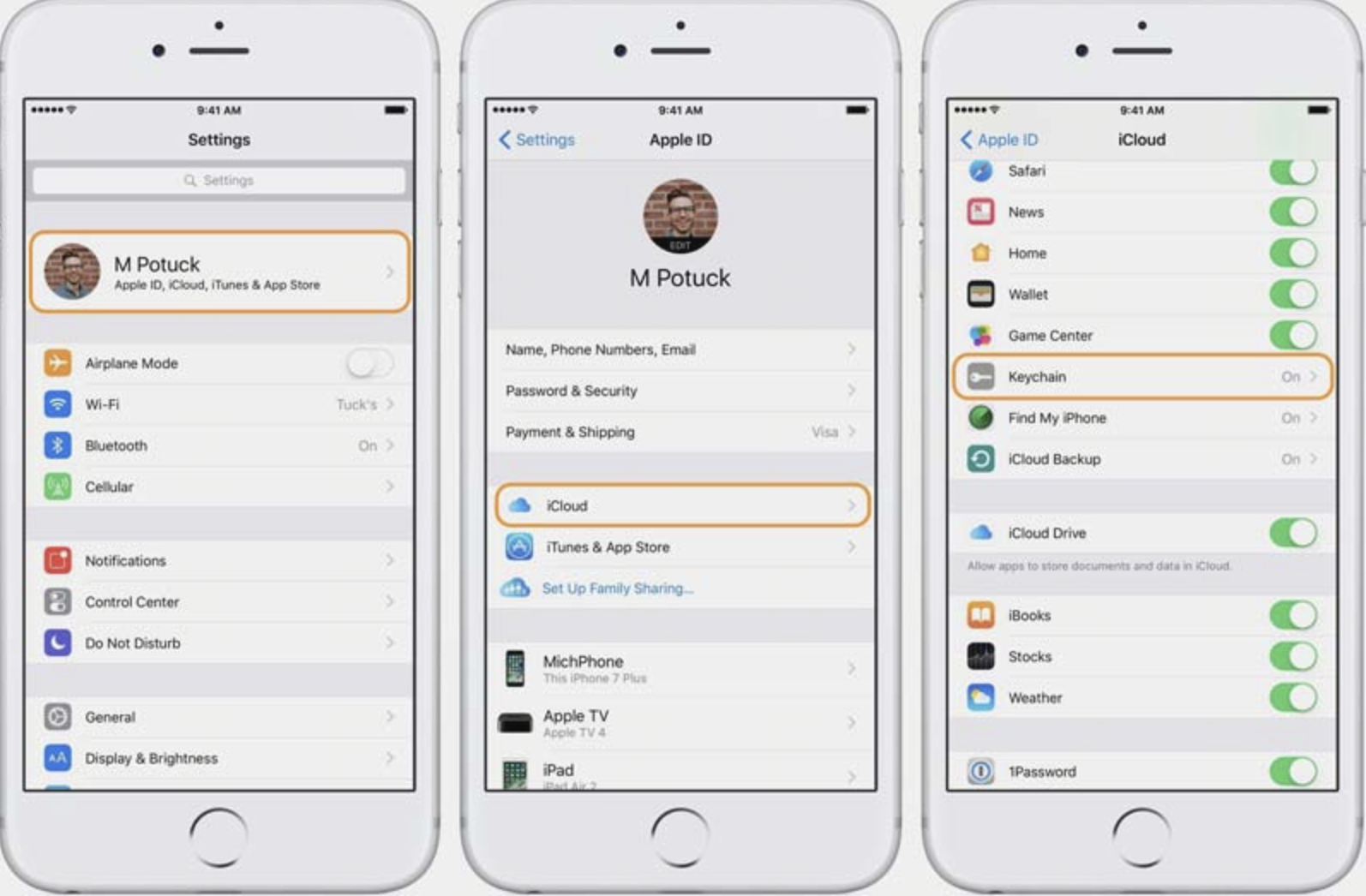
OpenID is synchronized with iCloud.Check that the iPhone is logged into the same iCloud account and has the keychain switch turned on.
On iOS, Device A generates a UID for guest login, but when Device B logs in as a guest, it shows the same UID as Device A #
iOS's Keychain Security Synchronization may be enabled, causing multiple devices to have the same Device ID or OpenID.
iOS device ID data is stored in a keychain, which Player Network SDK reads by default without modifying or deleting the data.If multiple devices are signed in to the same Apple account, and the Keychain item in iCloud Cloud Backup is turned on, iOS will sync the OpenID to all devices.As a result, it is possible for multiple devices to get the same device ID, and for guest logins to get the same OpenID.
If the game has a kick-out feature, it may produce visitor accounts kicking each other.Players can go to iCloud Cloud Backup to disable Keychain Sharing, uninstall the app and reinstall it to solve the problem.
For more details, see Keychain Security Synchronization.
PC login failed. The network API request returned error code: ret:77, msg:CURLCode for more details #
Because Player Network SDK V1.21.02 upgraded libcurl for Windows, but did not synchronize some configurations of the previous version, there is a problem to read the certificate path on non-UTF8 Windows systems.
Optionally, you can upgrade to Player Network SDK V1.22.00 and later, or replace the INTLFoundation.dll file.For more information, contact the Player Network assistant.
Login failed. The network API request returned error code: ret:28, msg:the timeout time was reached #
You can try the following troubleshooting steps:
- Check the network connection to make sure it is stable, or try restarting the router.
- Clear your browser cache and cookies, or try using Trace Free Mode.
- Try using a different browser or device.
- If you are using a VPN, close the VPN and try again.
- Check the status of the server, for example, by viewing the relevant status page to confirm that the service is up and running.
- Retry logging in later, the server may cause timeout issues when the load is high.
When logging in with an account that does not meet the age limit for the game, the login screen keeps displaying Loading. #
You can try the following troubleshooting steps:
- Check the auto-login interface listener logic handling to see if it is listening to
INTLMethodID.INTL_AUTH_LOGOUT, which triggers auto-login after the logout callback. - The game's Loading page may be blocking the note displayed by LI PASS, causing login to fail. It is recommended to remove the game's Loading page after pulling up the LI PASS login.
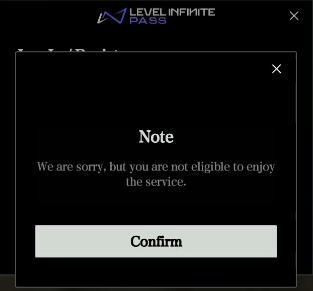
AddWidgetToNode in callback reports missing a2 parameter when autologging with an account that doesn't meet the age limit for the game. #
The timing of the SetUIRoot call is wrong, it is recommended to call it before the LI PASS interface is opened to ensure that the root node object is normal.
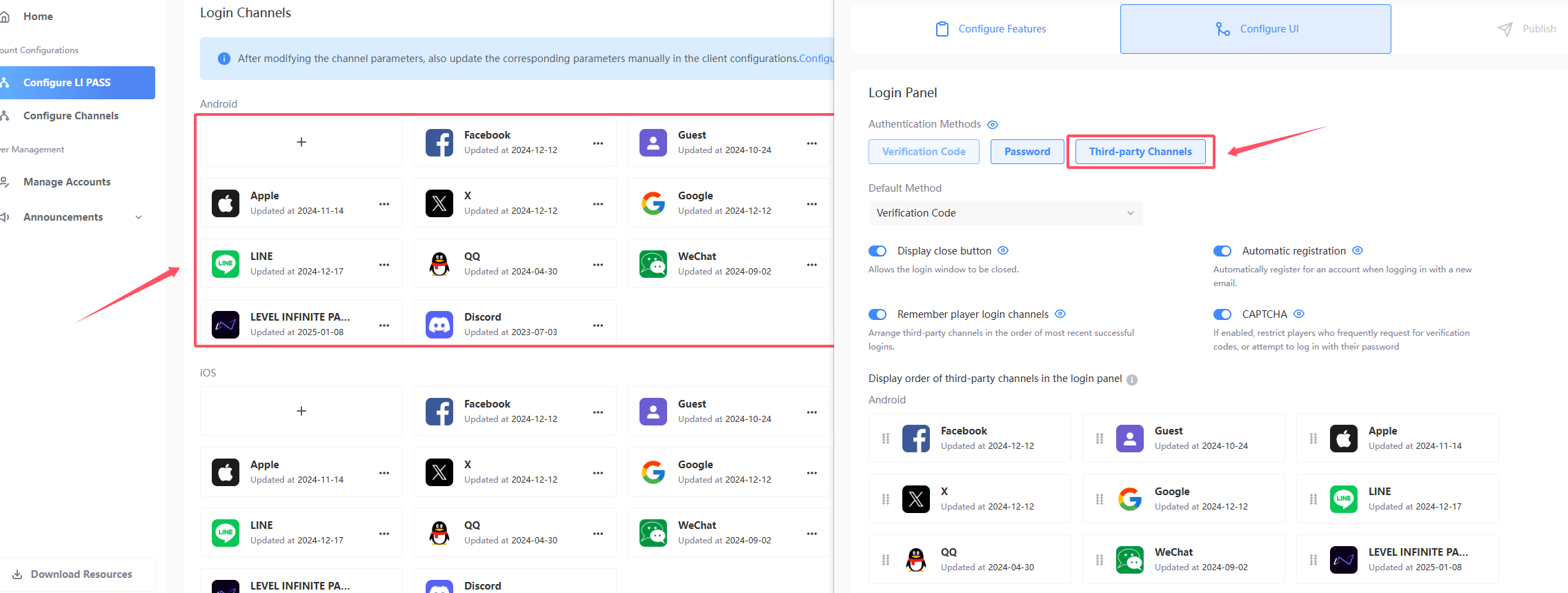
How do I block three-way channel logins? #
- Check that the project turns on and off the configuration of the three-way channel on the Player Network console, if it is turned on, it needs to be turned off.
- Check that the
ACCOUNT_THIRD_CHANNEL_ANDROID/IOS/WINDOWSfield in the localIntlconfig.inifile is configured with a three-way channel.See ACCOUNT_THIRD_CHANNEL for details. - Add
ACCOUNT_FLOW_SWITCH = 8to the localIntlconfig.inifile.See ACCOUNT_FLOW_SWITCH for details.
Calling the /v2/auth/decrypt_aes API resulted in a cross-origin error CORS error #
Check the way the interface is called, this interface does not support calling in the browser, you need to use the background call.
For more information, see the Backend API Overview.
After configuring INTL_URL with the production domain, the logs still show the Test environment #
Checks if the updateConfig interface is called.
Huawei Hongmeng system uninstall reinstallation profile will not be deleted, you need to go to the application to manually delete the storage and cache.
Two Android devices generated the same guest account #
Check the history of the device for behaviors such as "migrating, cloning, ADB copying, or backing up related data".These behaviors can potentially lead to XWID multiplexing caching, resulting in two devices using the same visitor account equally.
Generally resetting the system data can directly restore the original situation of the device to solve the problem.
Apple
Apple error code #
For more information on Apple error codes, see Apple Error Codes (ASAuthorizationError).
For all channel error codes, see Channel Error Codes.
Login failed, error code: 4 #
- Check if
UnityFrameworkcontainsINTLSDK.bundle. - Check if
Unity-iPhonecontainsINTLSDK.bundle.
Login failed, error code: retCode: 5, thirdCode: 1202 #
Check that the channel configuration BundleID in Player Network is correct.The BundleID format should be similar to com.company.name.
Login failed, error code: retCode: 5, thirdCode: 1006, msg: invalid gameid or channelid #
- Check whether the SDK Environment configuration in the iOS INTLConfig.ini is correct.
- Check that Login and Account Services channel information is configured correctly in the Player Network console.
Does Apple Logger support landscape or auto screen rotation? #
The Apple SDK does not support landscape settings or automatic screen rotation.For more information, see Apple's Layout
How to get Key ID and PrivateKey? #
After registering your project's publishing certificate and developer certificate in KeyStore, you need to contact O2000 (Oteam Unified Technical Support) to apply for AppleID as the login method for your application.
After the operation is completed, you will get the Key ID and PrivateKey, and you can configure the corresponding Key ID and PrivateKey to the Player Network SDK console by refreshing the certificates in the KeyStore.
Login failed, error code: retCode: 9999, thirdCode: 1000, msg: Error Domain=com.apple.AuthenticationServices.AuthorizationError #
Troubleshooting steps:
- Apple login cannot be tested on the re-signing package, it is recommended to use TestFlight or add a device whitelist to make sure the device is in the allowed list.
- Ensure that
com.apple.developer.applesigninis present and configured correctly in the.entitlementsfile, and check that the Sign In with Apple permission is turned on. - The permission statements in the provisioning profile must match those in the
.entitlementsfile.
Login failed, error: invalid request: Invalid client id or web redirect URL.#
-
Check if the Apple Developer's Identifier aligns with
APPLE_WEB_APP_IDin INTLConfig.ini.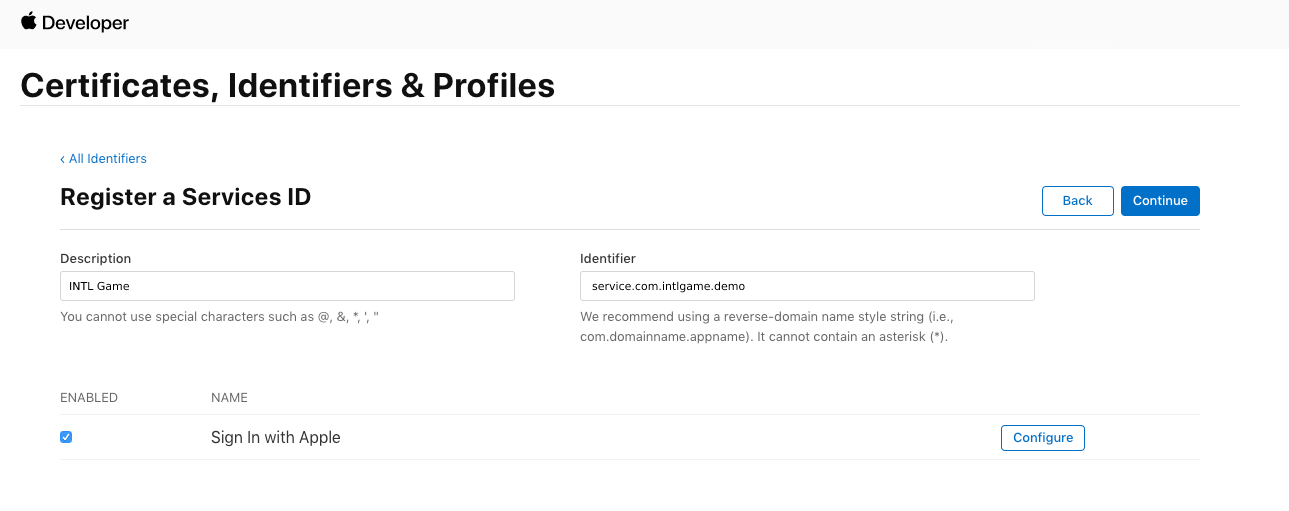
-
Check that the Apple Developer's Identifier aligns with the Bundleld for Web configured in the Player Network console Apple channel.

Apple channel signing certificate configuration error: No profile for team '6H9S4KQ3C9' matching 'com.tencent.uc Production SignProvision' found #
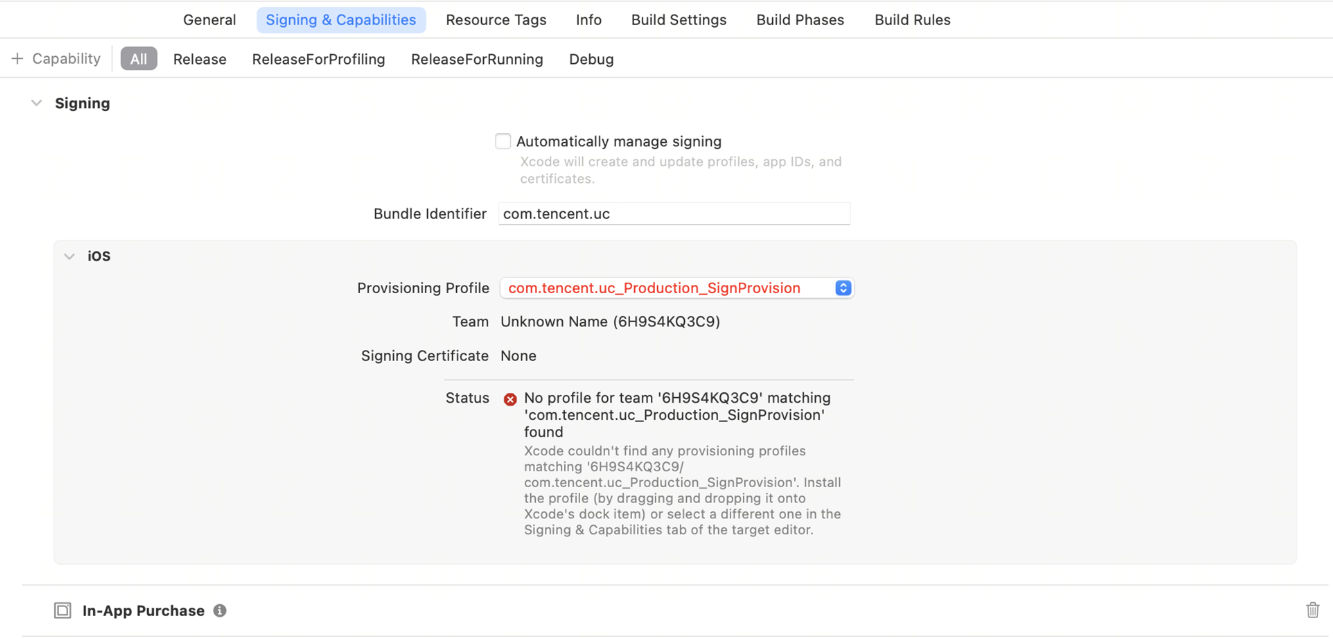
Troubleshooting steps:
- Downloading and installing the profiles (provisioning profile)
- Way 1:Download from Apple's developer site
- Visit Apple Developer.
- Go to Certificates/Certifiers & Profiles → Profiles.
- Locate and download the configuration file named
com.tencent.uc Production SignProvisionand make sure its status is Active (not expired). - Double-click the file after downloading to automatically install it into Xcode.
- Way 2:Manual Drag & Drop Installation
- Drag the
.mobileprovisionfile directly onto the Xcode icon in the Dock bar.
- Drag the
- Way 1:Download from Apple's developer site
- If the developer account and certificate check are OK, you can try deleting the Xcode cache and restarting Xcode or reinstalling the app configuration file.
Discord
Discord login error Unauthorized #
You need to log in to the Discord app first.
iOS Discord fails to return to the game after login #
You need to check the CFBundleURLSchemes configuration in the projmods file.
Discord shows error code "ret":10040602 after successful login. #
Check the AppKey configuration of the Discord channel on the Player Network console, it should be filled with the CLIENT SECRET provided by Discord.
Discord channel login error 9999 -1 #
Internal Discord issue, probably a service issue with Discord at the time.
DMM
DMM Error Codes #
- Unity
- Unreal Engine
void CheckThirdCode(INTLAuthResult result)
{
  if(result.RetCode == 9999)
  {
    switch(result.ThirdCode):
    {
        case 2000:
        // The logged-in user has no profile registered.
        break;
        case 300:
        // Failed to get the DMM member ID
        break;
        case 2002:
        // User who withdraws from membership
        break;
        default:
        // Unknown error code
        break;
    }
  }
}
void CheckThirdCode(FINTLAuthResult result)
{
  if(result.RetCode == 9999)
  {
    switch(result.ThirdCode):
    {
        case 2000:
        // The logged-in user has no profile registered.
        break;
        case 300:
        // Failed to get the DMM member ID
        break;
        case 2002:
        // User who withdraws from membership
        break;
        default:
        // Unknown error code
        break;
    }
  }
}
| error code | error message |
|---|---|
| 300 | Failed to get DMM member ID |
| 400 | false request |
| 403 | OAuth authentication failed |
| 500 | DMM Gaming Platform Error |
| 1000 | Failed to get application information |
| 2000 | Logged in user is not registered |
| 2001 | User is already on the blacklist |
| 2002 | Delete DMM Account |
Epic
Login error 9999_5, msg: EOS_AccessDenied #
Insufficient permissions result in the use of an account that needs to be added as a member in the Epic Developer Portal and given developer role permissions.
For more details, see the Epic Organization Pages tab.
Facebook
Facebook Frequently Asked Questions #
For more information about Facebook error codes, see Facebook Error Codes.
For all channel error codes, see Channel Error Codes.
Facebook login failed, no timeout, returned error code: 6 (timeout) #
Check that Facebook has been configured in INTLConfig.ini LIFECYCLE.For more information, see INTLConfig.ini Configuration.
pntdocs\pntdocs\i18n\zh\docusaurus-plugin-content-docs\current\account\playernetwork\thirdparties\Facebook\Android.mdx
No avatar is returned after logging into Facebook. #
If the Facebook application type is Gaming Service, you need to update to Player Network SDK V1.7 or later to return to avatars.
Facebook login failed, error code: retCode: 5, thirdCode: 1202 #
This issue is caused by an incorrect Facebook configuration. Please check that the Facebook-related settings in the Facebook Developer Platform, the local INTLConfig.ini, and the Player Network Console are all correctly configured and consistent with each other. Using iOS as an example, see Third Parties Tutorials-Facebook-iOS
Facebook login fails with error message:Key Hashes not configured or not matched. #
Facebook console configuration error.To verify Key Hashes are configured correctly, see Configure Apps (iOS) / Configure Apps (Android).
Facebook login failed, SERVER_ERROR: [code] 1675030 [message]: Error during query execution. [extra]: #
Check that the account has been added to the Facebook Login Allowed list for the test environment.Setting the Allowed List
-
On the Server Editor page, click Whitelist.
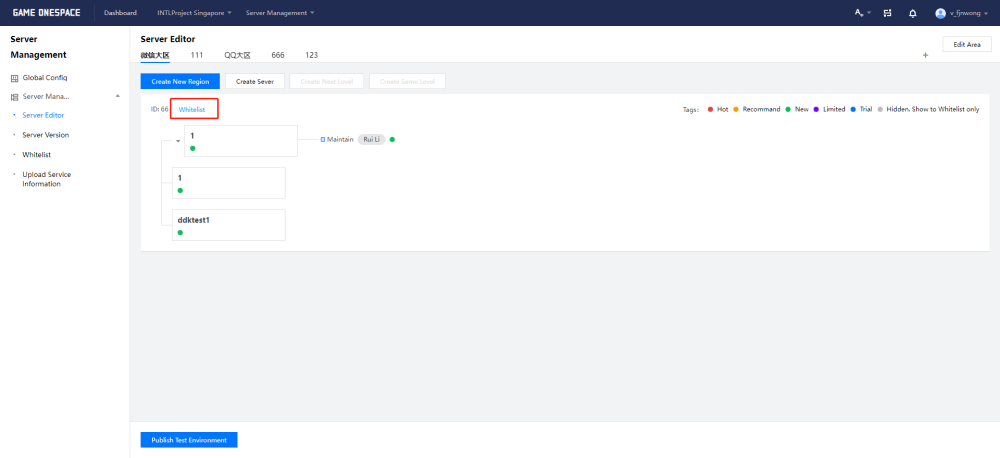
-
In the Select Whitelist popup, select the allowed list for the region.

Configure an allow list for each zone.This permission list is used for the entire region.
Allowed list content can be added, deleted or edited on the Whitelist page.
Facebook Login Disabled Popup Alert:The Facebook login feature embedded in the browser has been disabled for account security. #
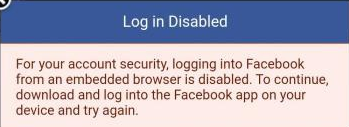
Install the Facebook app and sign in.If you need to log in through a browser, Facebook requires users to install a browser that supports custom tabs, such as Chrome.
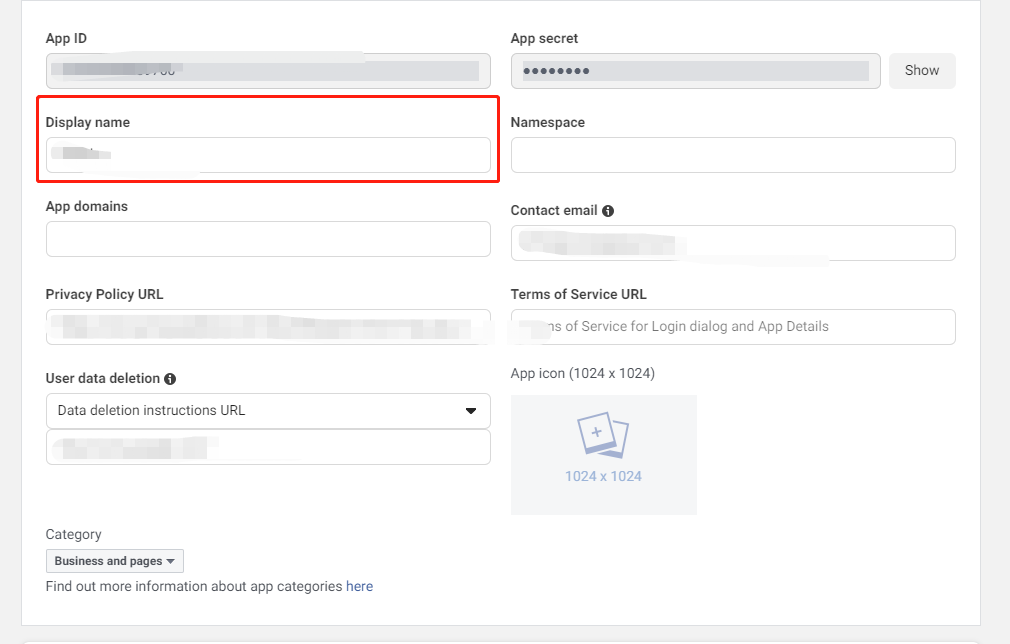
How do I change the name of the app displayed on the Facebook consent screen? #
Make changes on the Facebook Application Configuration page.
Facebook login fails with "App not active" error. #
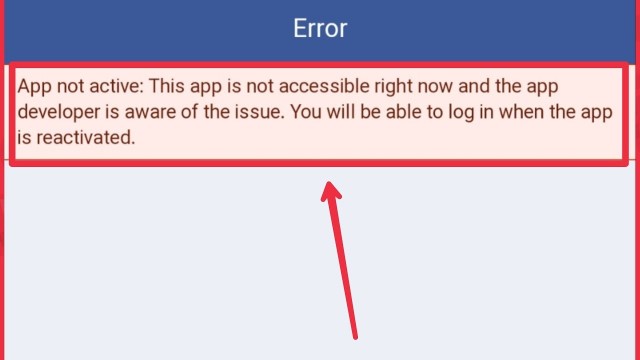
If the game is ready for release, change the App Mode from Development to Live.For more information, see Publish Checklist - Facebook. If the game is being tested internally, add the required users as Testers.For more information, see Getting Started Guide - Facebook - Add User Permissions.
Facebook login fails, web login succeeds but reports the error "Invalid Claims". #
- Ensure that the mandatory fields below have been completed.
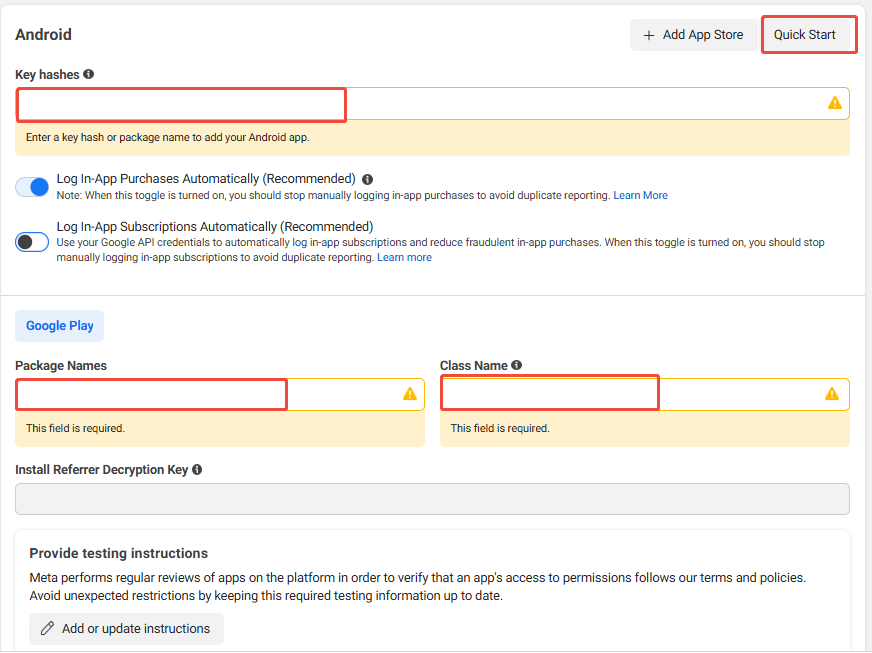
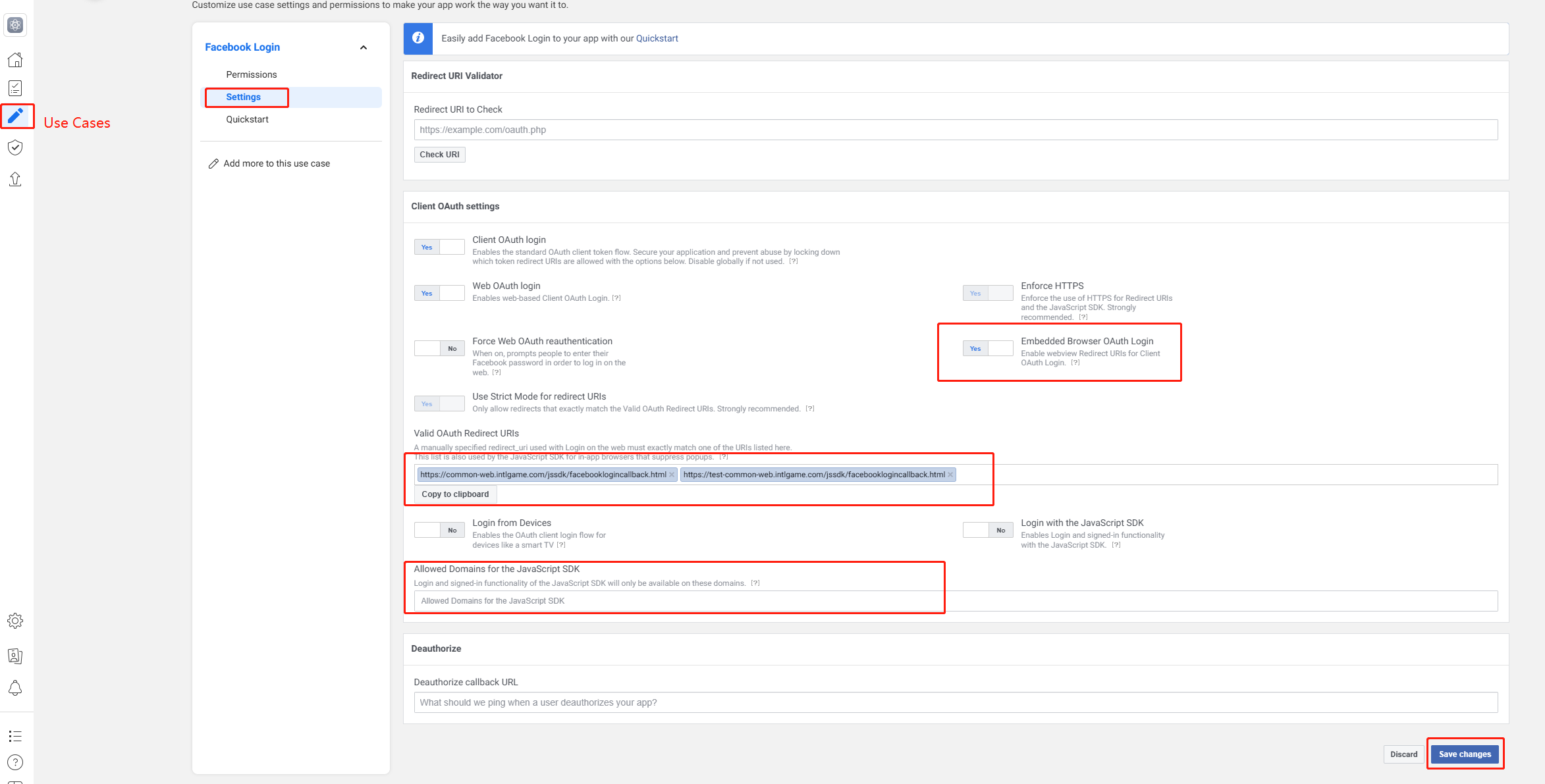
- Check that the
appidis correct and that there are no extra spaces.
How to generate Facebook Key Hash? #
When your app is published to the store, the integration with Facebook may not work properly unless a publish key hash is generated in your Facebook app ID and added to the Android settings.This ensures that the information exchanged between Facebook and your app is verified.
For more information, see Creating a Publishing Key Hash.

-
Get App Signing Key Hash from Google Play
Google's Play App Signing does not provide a keystore, while configuring it on Facebook requires a keystore to generate the key hash.Follow these steps to get the hash value required by Facebook:
-
Open the Google Play Console and select Release > Setup > App integrity.
-
In the App signing key certificate section, copy the SHA-1 value.
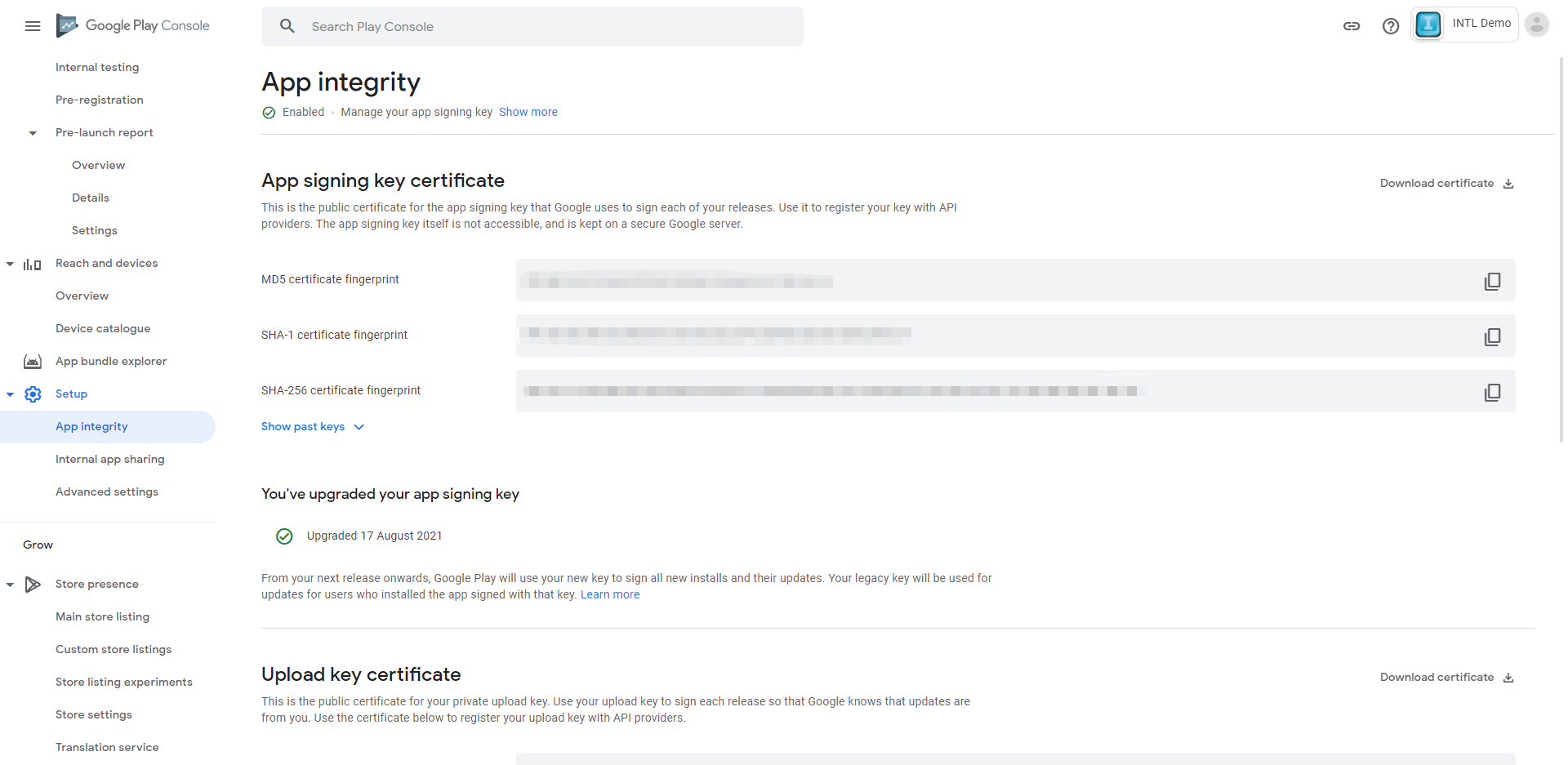
-
Open Terminal/Bash on Windows (e.g. Git Bash) and enter the following command to get the hash.
echo {INTL_SHA-1_KEY} | sed s/\\://g | xxd -r -p | base64
-
APK key hashing is only used for APK testing.Use Google Play's Application Signing Key Hash for public distribution.
-
Get APK key hash from keystore
- Mac
- Windows
To generate a hash for the keystore, run the following command:
keytool -list -printcert -jarfile [path_to_your_apk] | grep "SHA1: " | cut -d " " -f 3 | xxd -r -p | openssl base64For Windows, you will need the following:
- Key and Certificate Management Tool (keytool) in the Java Development Kit
- Google Code Archive for OpenSSL for Windows Library
To generate a hash value for the keystore, run the following command from a command prompt in the Java SDK folder and replace
KEY_ALIASandKEY_PATH:of the keystore accordinglykeytool -exportcert -alias <KEY_ALIAS> -keystore <KEY_PATH> | PATH_TO_OPENSSL_LIBRARY\bin\openssl sha1 -binary | PATH_TO_OPENSSL_LIBRARY\bin\openssl base64Make sure to use the password you set when you first created the key.
-
Get APK key hash from APK package
- Mac
- Windows
To generate a hash for the keystore, run the following command and replace
KEY_ALIASandKEY_PATHof the keystore accordingly:keytool -exportcert -alias <KEY_ALIAS> -keystore <KEY_PATH> | PATH_TO_OPENSSL_LIBRARY\bin\openssl sha1 -binary | PATH_TO_OPENSSL_LIBRARY\bin\openssl base64For Windows, you will need the following:
- Key and Certificate Management Tool (keytool) in the Java Development Kit
- Google Code Archive for OpenSSL for Windows Library
- Gitbash
To generate a hash for the keystore, use Gitbash to run the following command at the command prompt in the Java SDK folder:
keytool -list -printcert -jarfile [path_to_your_apk] | grep -Po "(? <=SHA1:) . *" | xxd -r -p | openssl base64Make sure to use the password you set when you first created the key.
-
Copy the key hash to Facebook
This command generates a string of 28 characters.Copy and paste the key hash into your Android settings in your Facebook app ID.
Check that the Android settings in the Facebook app ID also contain the correct Android package name and main active class.
Facebook login prompts "Login Error". #
keyhash configuration error.
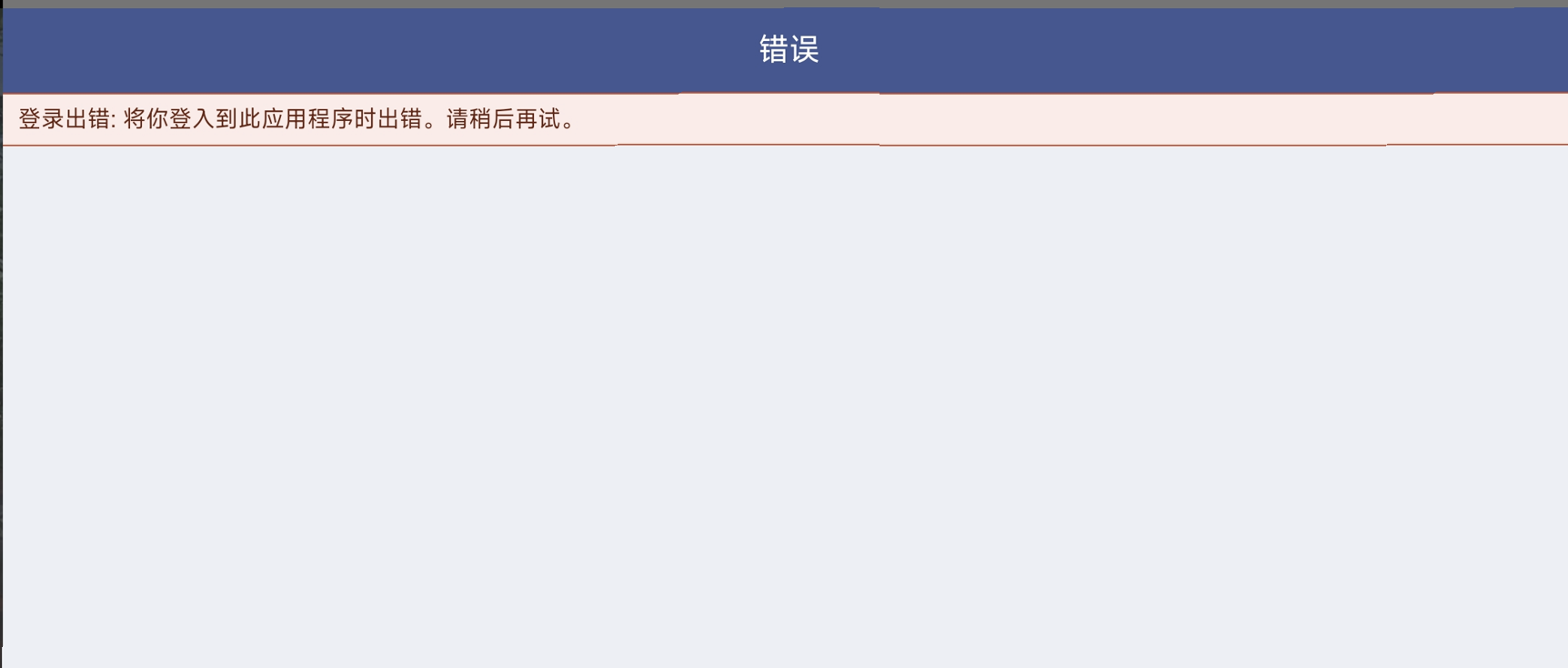
- Check if Facebook App Dashboard is configured with
keyhash - Verify that the
keyhashis calculated correctly. - Google will also need to update the signing key if the Google Store is used
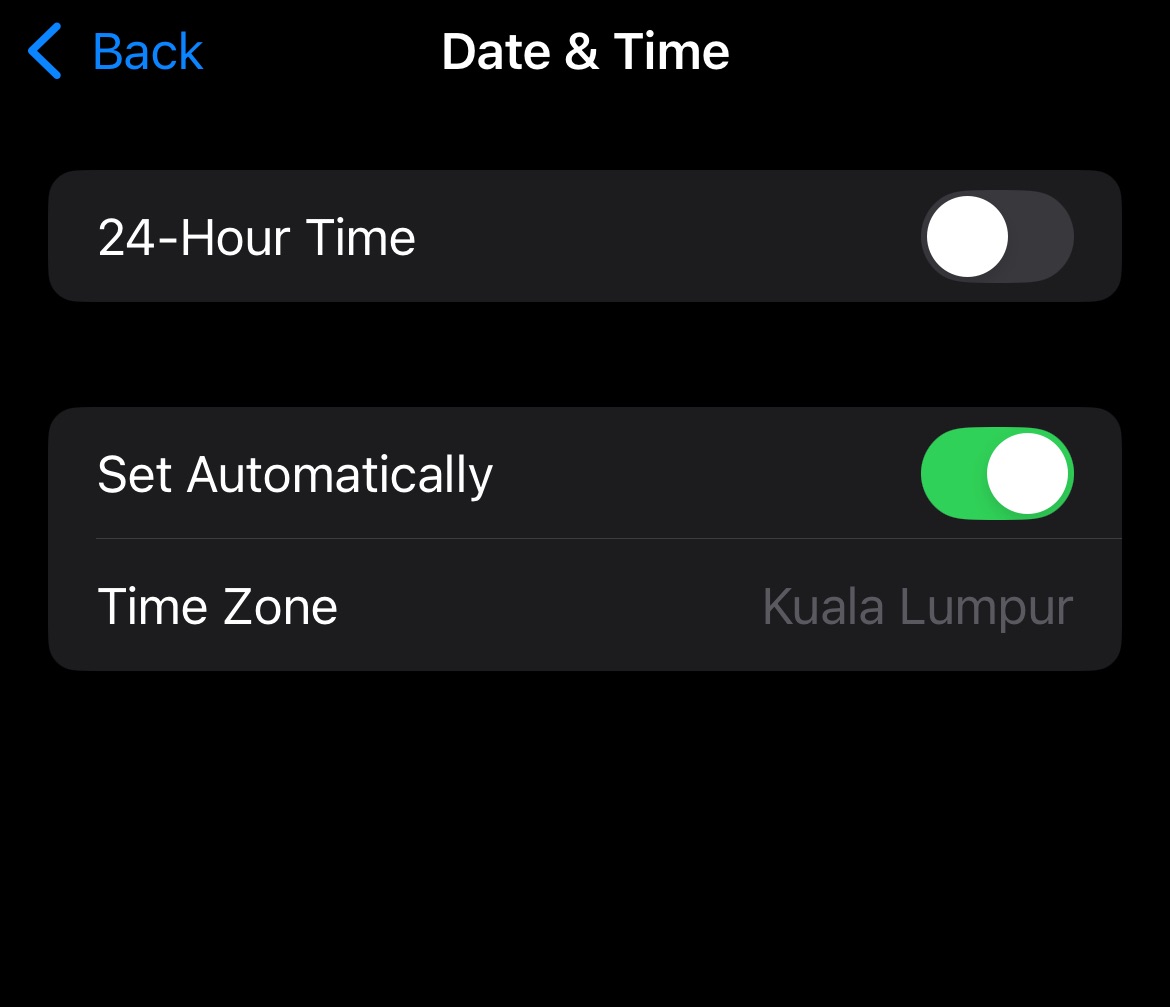
Facebook app login error Invalid ID token from login response, iOS 9999-309/Android 9999 -1. #
The phone failed Facebook's security check due to a modified system time.After finding the date and time settings in your phone's settings, turn on Set time automatically.
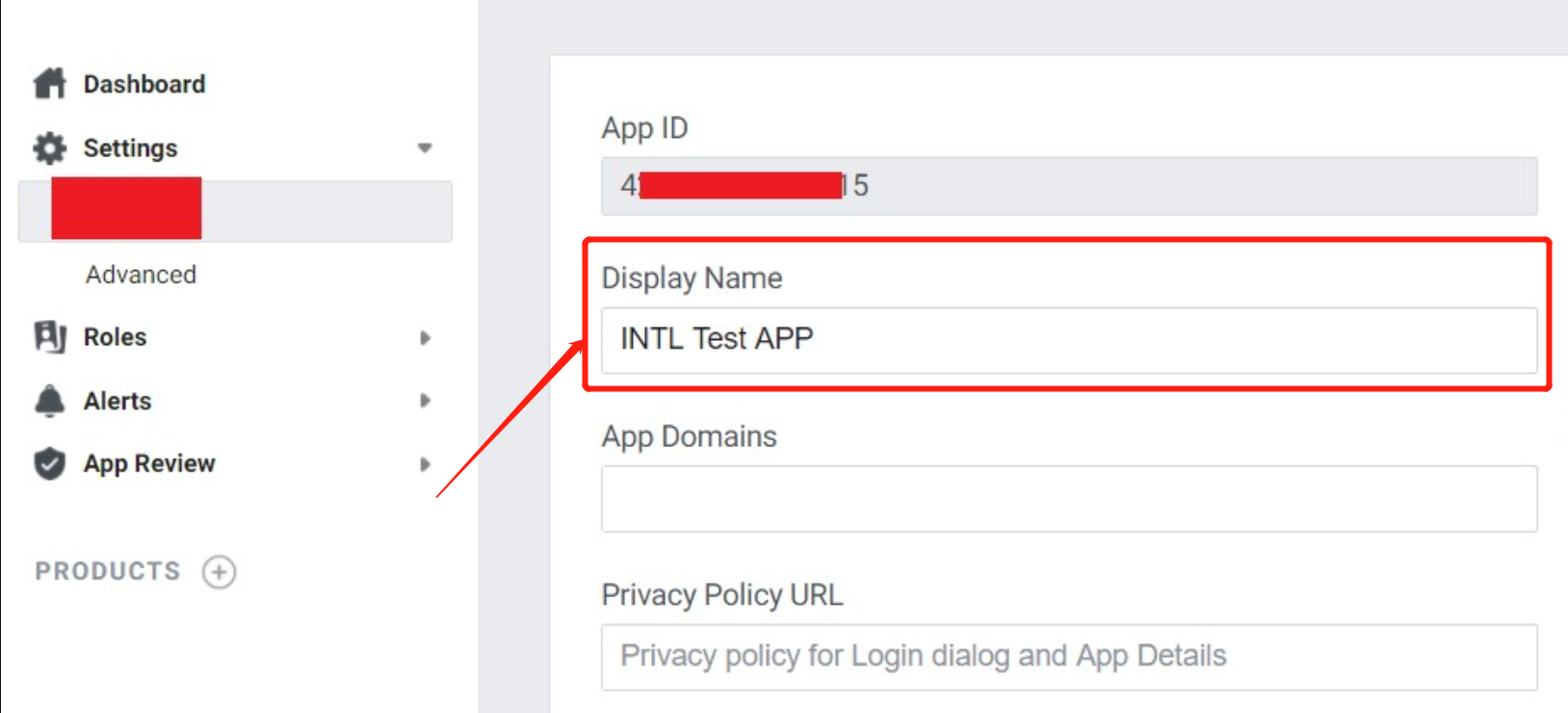
iOS Facebook link sharing succeeded, but image sharing failed, and the image does not appear on the Facebook app profile page #
-
Verify that the app name configured in the Facebook Developer Management Platform exactly matches the
FACEBOOK_DISPLAYNAMEinINTLConfig.ini. -
Facebook does not officially give clear requirements for app names and suggests not to use special symbols.
Facebook channel to share images fails.Error:"ret":-1, "msg": "Need Messenger installed or login!", "method_id":201, "ret_code":15, "ret_msg": "Need install app" #
-
Check that the Facebook app is installed.
-
Install Messenger, open Messenger and confirm that you are logged in.
-
Confirm the
AndroidManifest.xmlfile declaration inside the installation package, if not, you can't tell if the Facebook app is installed on your system.
-
Test if the app is installed on your phone with the demo feature:
- Select Tool > isAppInstalled.
- Enter the package name in channel. extraJson is not required.
To test Facebook, for example, enter:com.facebook.katan.
How do I change the app name on the Facebook channel login consent page for iOS? #
The Apple ASWebAuthenticationSession used by the Facebook iOS SDK for authentication gets the display name from the TargetName in the Xcode project, not the CFBundleName/CFBundleDisplayName.
If you want to adjust the application name, modify the TargetName in your Xcode project.
For a discussion of ASWebAuthenticationSession, see Display Name Issues for ASWebAuthenticationSession and SFAuthenticationSession.
Notes on switching the Facebook app type from Game to Gaming Services #
- Login permissions are changed, and the default permissions
gaming_profileneed to be passed in. - The domain name of the backend access API provided by Facebook has been changed, so you need to notify the Player Network backend students [v_fyjzhan] to change the domain name of the Player Network backend to access Facebook.
Notes on Facebook’s invitation feature (GameRequest) #
- Avoid sending invitations too often, as this may result in invitations not being received
- There is a certain time delay
- Facebook admin can block messages
- If the Facebook app hasn't been released yet, invitees will also need to have test access to receive an invite
- During testing, try to use a test account to avoid the above problems
Facebook login does not open the Facebook app for authentication #
Disabling App Tracking Transparency (ATT) on iOS 17 and later devices triggers Facebook's [Restricted Login] (https://developers.facebook.com/docs/facebook-login/limited-login/ios?locale=zh_CN) mode and app switching is not supported.Please use WebView for login authentication.
Facebook Android SDK is incorrectly displayed as V0.x.x in Facebook App Dashboard with the message "Needs upgrade" #
Facebook Android SDK V16.x.x has a problem with version information showing up in the Facebook App Dashboard, and business can replace the Gradle version to fix it.
From V1.21.00 onward, Player Network SDK uses Facebook Android SDK V16.1.3 and may be affected by this issue. For version details, see SDK Version Relations.

For more information on the issue, see [issue #1191] (https://github.com/facebook/facebook-android-sdk/issues/1191) on the Github facebook-android-sdk.
Facebook login shows "You can't sign in to this app with your Facebook account" #
If a mini-game product is added within the Facebook Developer Platform, it is possible that this error will result.Please remove the mini-game product before trying to log in again.
Facebook Developer Platform indicates the Graph API version is deprecated; it needs to be updated to V15.0 or higher #
The Player Network SDK has been updated to version V19.0 of the backend Facebook Graph API.The PNT account platform will continuously maintain and automatically upgrade the Facebook Graph API version to ensure full compliance with official Meta requirements.Developers don't need to worry about version expiration alerts in the Meta backend, which won't affect any of the game client's Facebook login, data reporting, etc.For the latest version compatibility information, please refer to [SDK Release Notes] (/docs/resources/KnowledgeBase/Common/SDK).
Cannot log in to the game after enabling 2FA on Facebook #
If a player has 2FA enabled on Facebook and selects No, it's not me when logging in to the game using Facebook, the page will jump to the main Facebook page without successfully logging in.
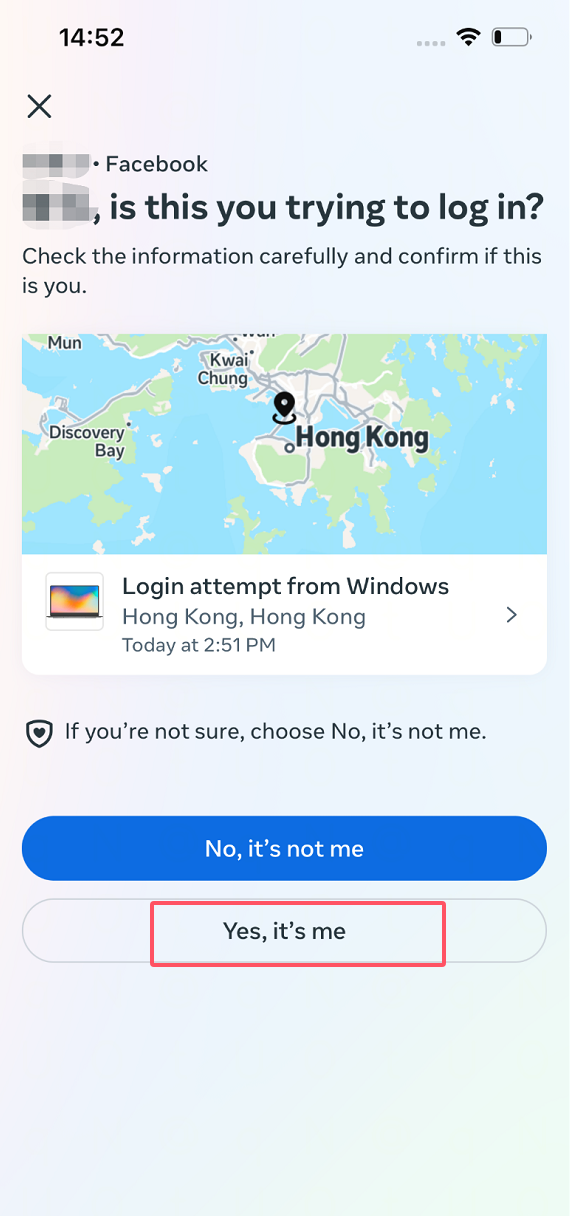
It is recommended that players select Yes, it's me to complete the 2FA certification.If you still fail to log in, you can temporarily disable 2FA and re-enable 2FA after successfully logging in the game.
Facebook shows "Problem URL detected" when switching to live mode #
This is because Facebook was unable to find the corresponding Google Apps package name in Google Play, making the link inaccessible.Make sure the Google Play Store link is accessible.Once the link is fixed, you can switch to online mode.
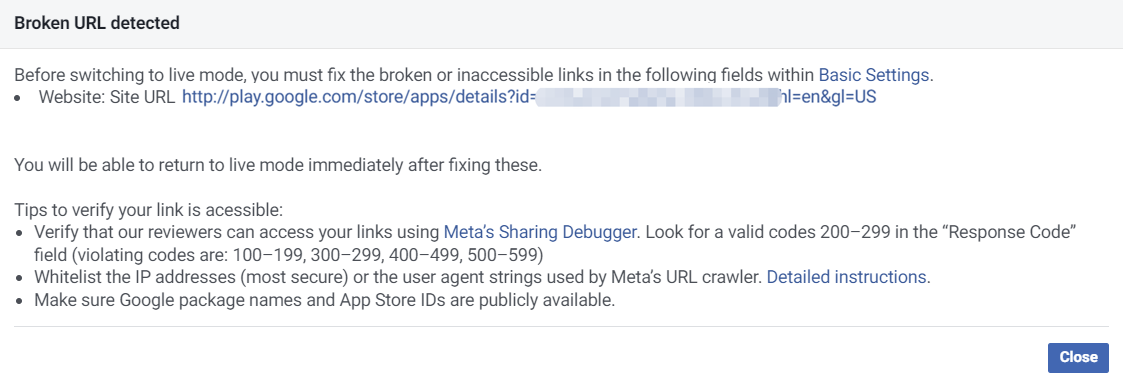
Google Play Link Format:http://play.google.com/store/apps/details?id= <package_name> `
- Examples of accessible links can be found at:
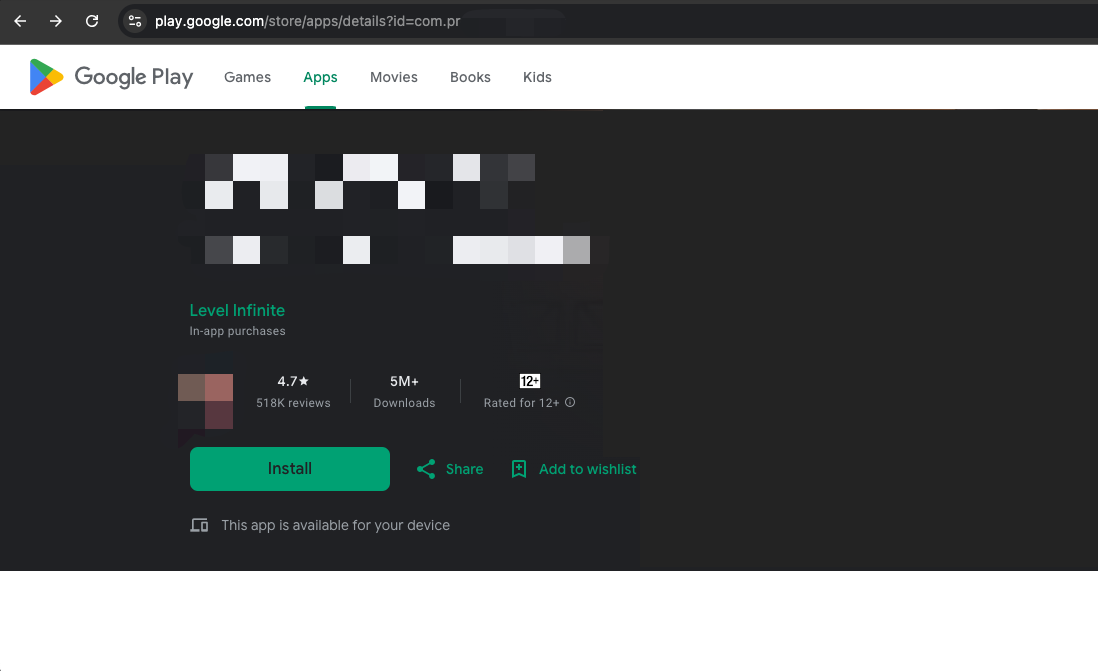
- Inaccessible link reference:
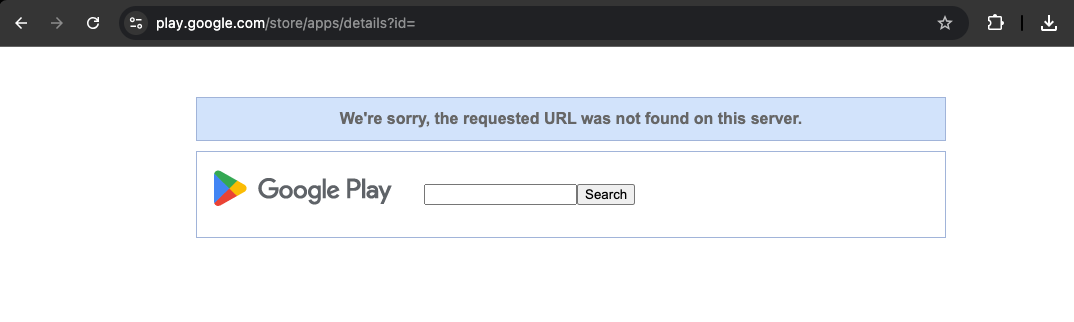
It takes up to 1 hour for your developer page URL to be previewed after the Google app is on the shelf and 24 hours to be shown to Google Play users.For more details, see Create or Update a Developer Page.
There may be a delay of up to 7 days in updating App Store app information.For more information, see Verifying Meta Audience Network Application Ownership (https://www.facebook.com/business/help/718352112419262?id=211412110064838&locale=zh_CN).
Facebook login error: Feature Unavailable: Facebook Login is currently unavailable for this app, since we are updating additional details for this app. #
The gaming_profile permission on the Facebook channel requires an advanced permission Advanced Access to be requested.
When using the Facebook login feature, you need to switch the access level of gaming_profile to advanced Advanced Access and apply it in Permissions and Features.
The Facebook Login authorization interface does not display language according to the mobile system language setting. #
The language used for the Facebook authorization interface will prioritize the language set within the Facebook app.
When using Facebook Login in a Project, if you stay on the login screen for a long time and return to the Project, abnormal status or crashes may occur. #
Reason: The mobile system automatically clears background apps due to insufficient memory.When the Project switches to the Facebook Login interface, the Project runs in the background. If it stays for too long, the system may automatically close it to free up memory.
Solution: Turn off the phone's "power saving mode". Clear other applications running in the background to ensure sufficient memory.
Game Center
Game Center Error Code #
For more information on GameKit error field error codes, see GKError.Code.
- Unity
- Unreal Engine
void CheckThirdCode(INTLAuthResult result)
{
  if(result.RetCode == 9999)
  {
    switch(result.ThirdCode):
    {
        case 6:
        //GKError.Code.notAuthenticated. The system can't complete the requested operation because the system hasn't authorized the player.
        break;
        case 15:
        // GKError.Code.gameUnrecognized: The system can't complete the requested operation because Game Center doesn't recognize the app.
        break;
        case 3:
        // GKError.Code.communicationsFailure: The system can't complete the requested operation due to an error communicating with the server.
        break;
        default:
        // Unknown error code
        break;
    }
  }
}
void CheckThirdCode(FINTLAuthResult result)
{
  if(result.RetCode == 9999)
  {
    switch(result.ThirdCode):
    {
        case 6:
        //GKError.Code.notAuthenticated : The system can't complete the requested operation because the system hasn't authorized the player.
        break;
        case 15:
        // GKError.Code.gameUnrecognized: The system can't complete the requested operation because Game Center doesn't recognize the app.
        break;
        case 3:
        // GKError.Code.communicationsFailure: The system can't complete the requested operation due to an error communicating with the server.
        break;
        default:
        // Unknown error code
        break;
    }
  }
}
No callback after Game Center login or binding #
If the user cancels the login or tethering operation three times, the Game Center login screen will not be opened.
Callbacks are returned on the first request only if the Game Center login or binding API is called by the game process.Therefore, when a user is unable to open the Game Center login box within the game, they will need to manually login to Game Center at Settings > Game Center.
Garena
Login failed, response timed out. #
Check if requestExchangeFacebookToken in the log was returned successfully.If the return fails, please contact the person in charge of Garena.
Login often times out, how can I change the login timeout? #
The default value for the login timeout is 30 seconds.Please set the login timeout using SDK_AUTH_OVERTIME and WEB_AUTH_OVERTIME in INTLConfig.ini.
SDK_AUTH_OVERTIME is to pull up the application login and WEB_AUTH_OVERTIME is to pull up the web login.It is recommended that both be configured at the same time.
Google Internet company
Google Frequently Asked Questions #
- Unity
- Unreal Engine
void CheckThirdCode(INTLAuthResult result)
{
  if(result.RetCode == 9999)
  {
    switch(result.ThirdCode):
    {
      case 9 :
        //The version of the Google Play services installed on this device is not authentic.
        break;
      case 3:
        //The installed version of Google Play services has been disabled on this device
        break;
      case 10;
        //The application is misconfigured. This error is not recoverable and will be treated as fatal
        break;
      case 7:
        //The application is misconfigured. . This error is not recoverable and will be treated as fatal
        break;
      case 16:
        //One of the API components you attempted to connect to is not available. The API will not work on this device, your API will not be available. will not work on this device, your app or this account, and updating Google Play services will not likely solve the problem
        break;
      default:
          // Google handle error
          break;
    }
  }
}
void CheckThirdCode(FINTLAuthResult result)
{
  if(result.RetCode == 9999)
  {
    switch(result.ThirdCode):
    {
      case 9 :
        //The version of the Google Play services installed on this device is not authentic.
        break;
      case 3:
        //The installed version of Google Play services has been disabled on this device
        break;
      case 10;
        //The application is misconfigured. This error is not recoverable and will be treated as fatal
        break;
      case 7:
        //The application is misconfigured. . This error is not recoverable and will be treated as fatal
        break;
      case 16:
        //One of the API components you attempted to connect to is not available. will not work on this device, your app or this account, and updating Google Play services will not likely solve the problem
        break;
      default:
          // Google handle error
          break;
    }
  }
}
ConnectionResult
| error code | error message |
|---|---|
| 5 | Invalid account |
| 7 | network error |
| 10 | misconfiguration |
| 13 | Canceled by user |
| 16 | The requested API is disabled. |
For more information, see ConnectionResult.
GamesActivityResultCodes
| error code | error message |
|---|---|
| 10001 | Reconnect to GoogleApiClient. |
| 10002 | Login failed. |
| 10003 | The user is not authorized to play the game. |
| 10004 | Gaming Services configuration error. |
| 10006 | The server request failed due to a network error. |
For more information, see GamesActivityResultCodes.
For all channel error codes, see Channel Error Codes.
Configuration crash #
Crash occurs if App ID and Server Client Key are not configured properly:
Caused by: java.lang.IllegalStateException: A fatal developer error has occurred. Check the logs for further information.
  at com.google.android. gms.common.internal.zzf$zza.zzb(Unknown Source)
  at com.google.android.gms.common.internal.zzf$zza.zzu(Unknown Source)
  at com.google.android.gms. common.internal.zzf$zze.zzxH(Unknown Source)
  at com.google.android.gms.common.internal.zzf$zzd.handleMessage(Unknown Source)
  ...
GMS Updates and Version Compatibility #
Earlier versions of Google Play Services do not work together due to version compatibility issues.Currently, Player Network SDK supports GMS version 16.0.1 and Firebase version 16.0.5.
DEVELOPER_ERROR Error #
Do not use the Android client key here or DEVELOPER_ERROR will appear.Ensure that the signature used for debugging matches the signature of the application uploaded to Google console.
GOOGLE_CLIENT_KEY is the Network Client Key required by the Player Network SDK.
Cannot log in to Google, returned third-party error code 10 #
The third-party error code 10 indicates DEVELOPER_ERROR, caused by a configuration problem.
You need to make sure that:when generating the installation package
- Google Cloud Platform Configuration matches Player Network configuration
GOOGLE_CLIENT_KEY_ANDROIDin INTLConfig.ini contains the Web Client ID for Google Cloud Platform- The generated installation package name and
SHA-1are consistent with the Google Cloud Platform configuration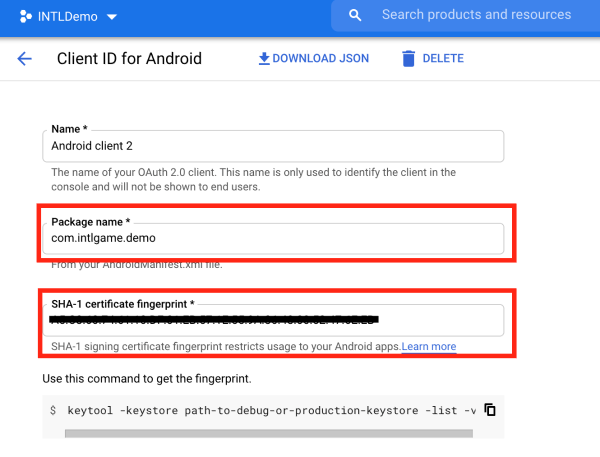
When uploading AAB packages to Google Play, Google Play may re-sign the package body, resulting in the SHA-1 of the actual downloaded AAB packages being inconsistent with that of the upload.
Google Play's App signing key certificate can be updated manually by following these steps:
- Go to Google Play Console and select Setup > App integrity in the left navigation bar.
- Select App signing.
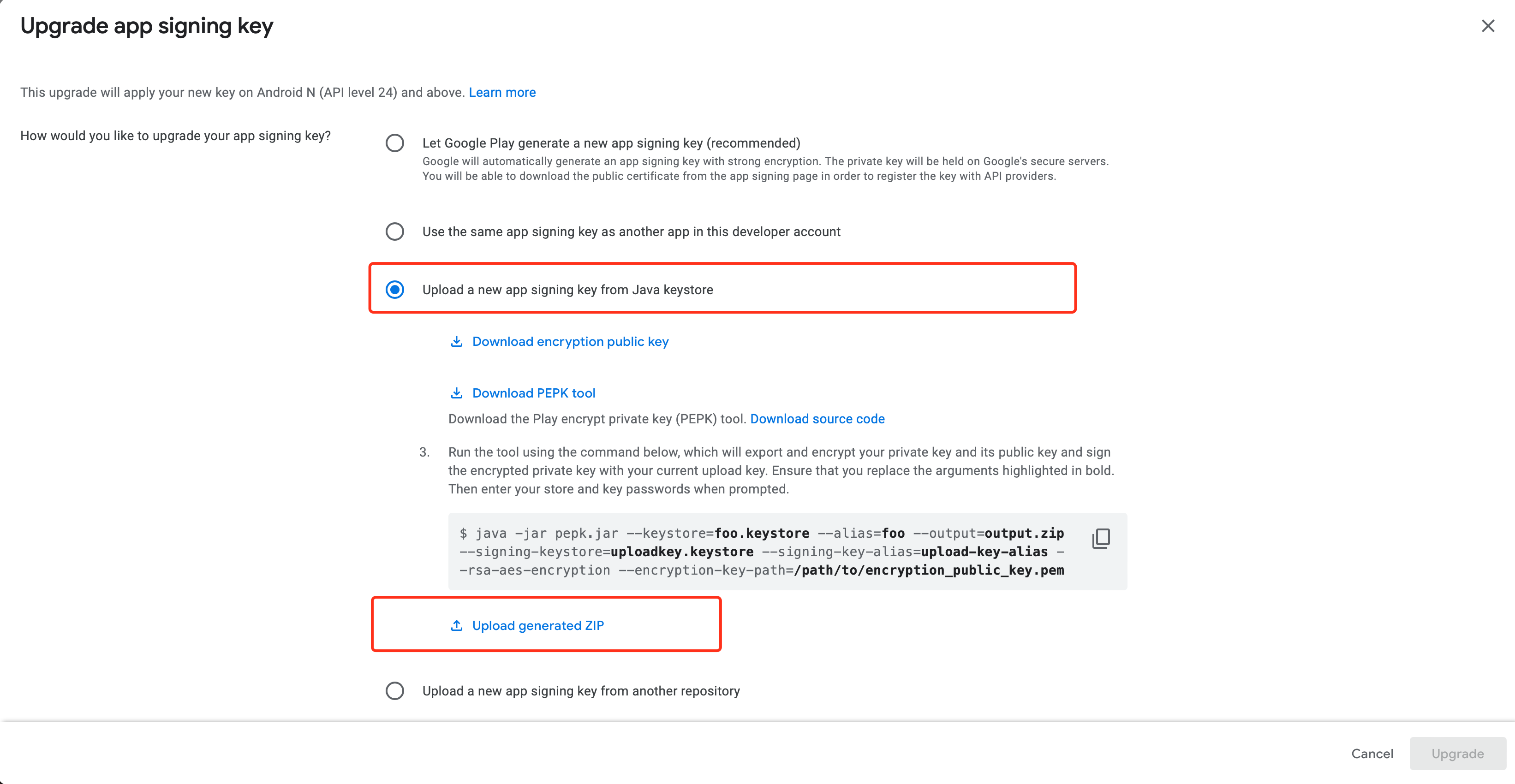
- Click Request key upgrade.
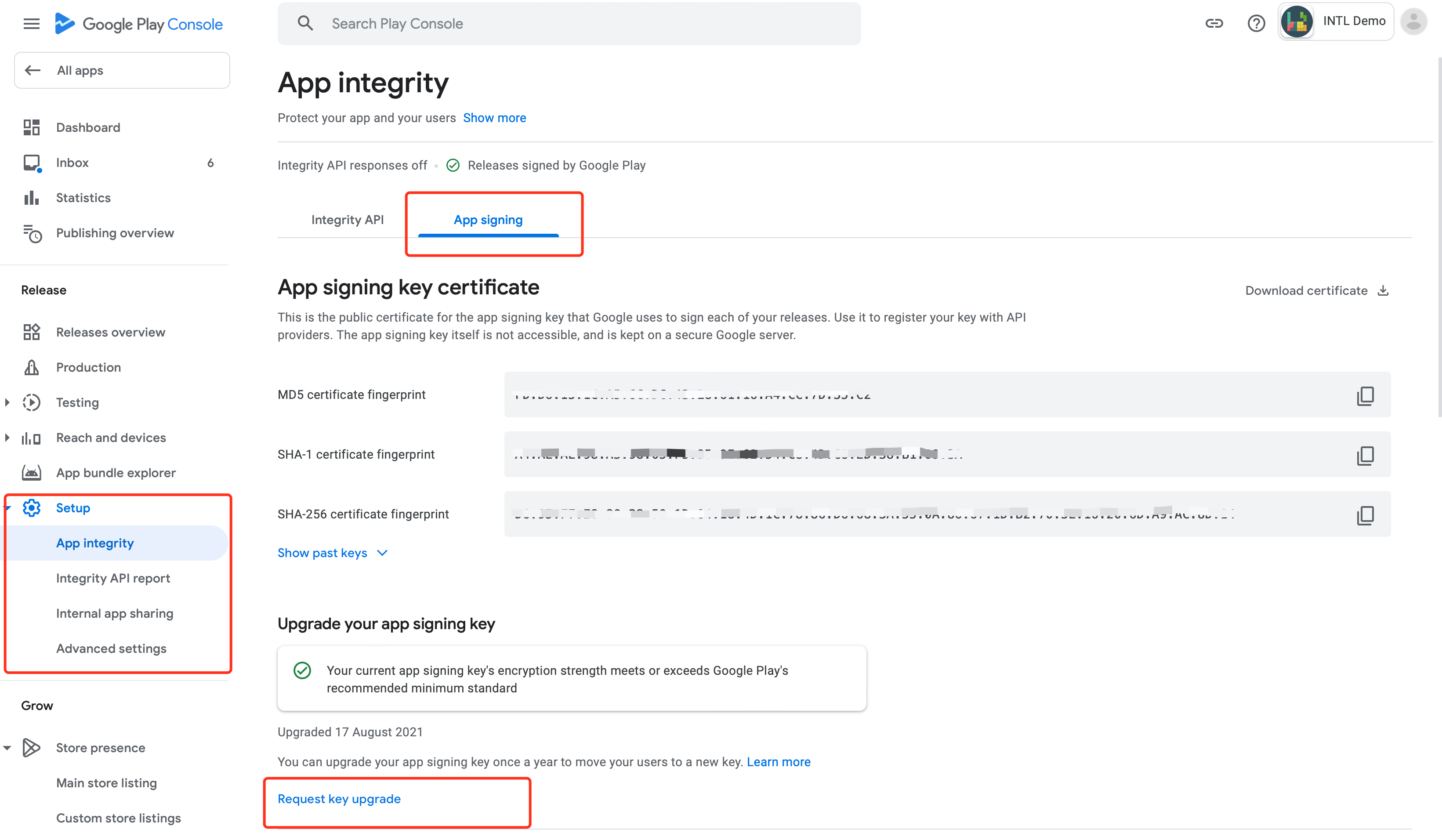
- Select Upload a new app signing key from Java keystore.
- Follow the steps provided by Google to download the key generation tool and upload the generated
ZIP keyfile. - Once uploaded, click Upgrade > Upgrade Google signing key certificate in the bottom right corner.
Does Google return an account avatar when I sign in for my Google account? #
Yes, the Player Network SDK will return a Google account avatar.See PictureUrl for AuthResult in Unity SDK or Unreal Engine SDK.
Google can't log in, after selecting email, the login popup shows "Loading" until the login times out. #
In the Google API console, set "Publishing status" to "PUBLISH APP".For more information, see Production Environment Configuration.
iOS app unexpectedly closes on startup #
Go to Plist Configuration and check if GoogleService-Info.plist is configured.
Google login authorization error (403) #
Google API Console is not yet authorized.The application is still under development.Add a test user to the Google API console or set "Publishing status" to "PUBLISH APP".
On Android devices, tapping Google login does not open the authorization screen; error code: ret_code:9999 #
- Check that your phone has access to the Internet.
- Check if your cell phone can access international (non-Mainland China) websites.
- Check that the GMS is correctly installed.See How to install GMS.
On iOS devices, Google login fails with error: You must specify clientID for GIDSignIn #
Check if the main target has INTLSDK.bundle.If it is missing, add it manually.
On iOS devices, I am unable to sign in via Google with the error message:Audience is not a valid client ID. #
Check that the GOOGLE_CLIENT_KEY_ANDROID configuration in INTLConfig.ini is correct.Follow the instructions in INTLConfig.ini Configuration to complete the iOS setup.
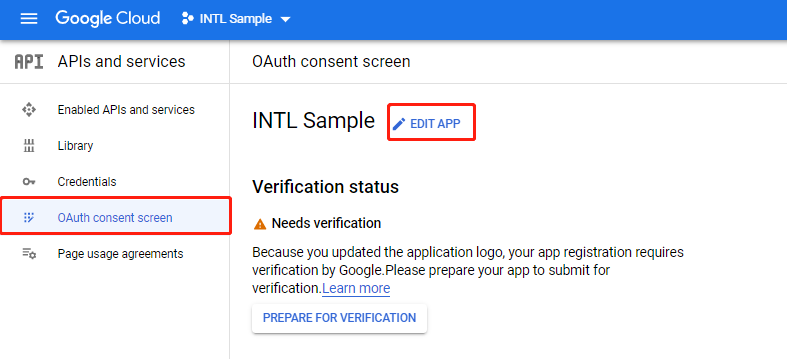
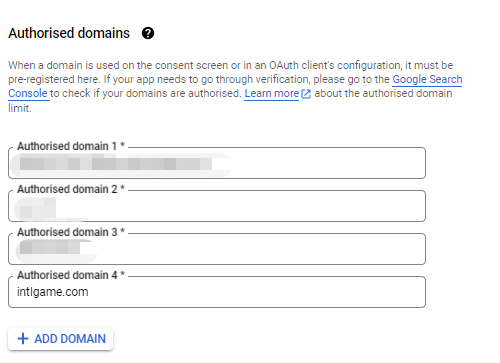
How do I change the name of the application displayed on the Google Web Consent page? #
Make the change in [Authorized domain] on the OAuth Consent screen page.

Google login authorization error Error 400: redirect_uri_mismatch #
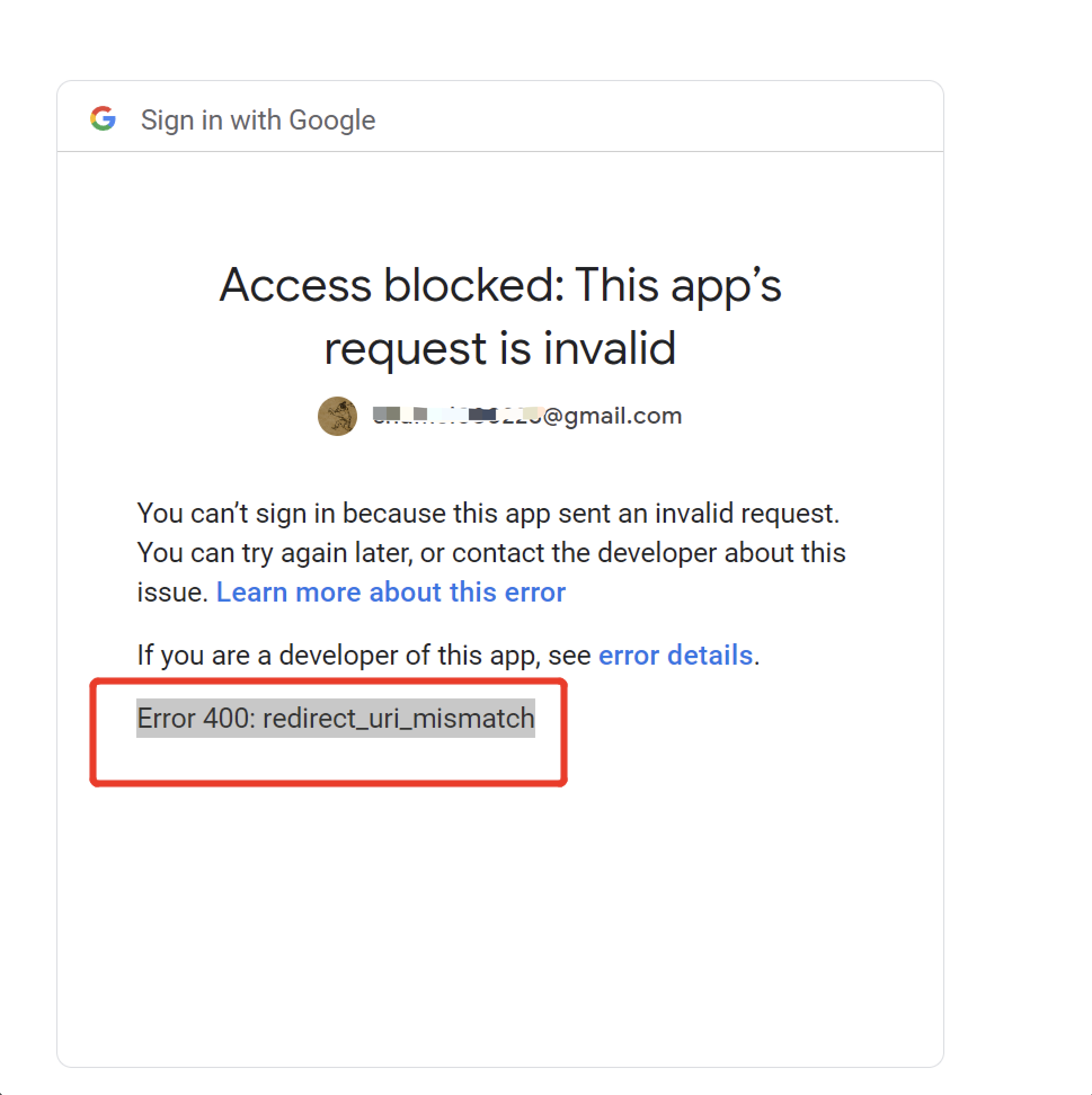
This may be caused by a mismatch between the redirect URI in the application settings and the authorized redirect URI, or by using a URI other than the one specified for the client ID in the Google API console.
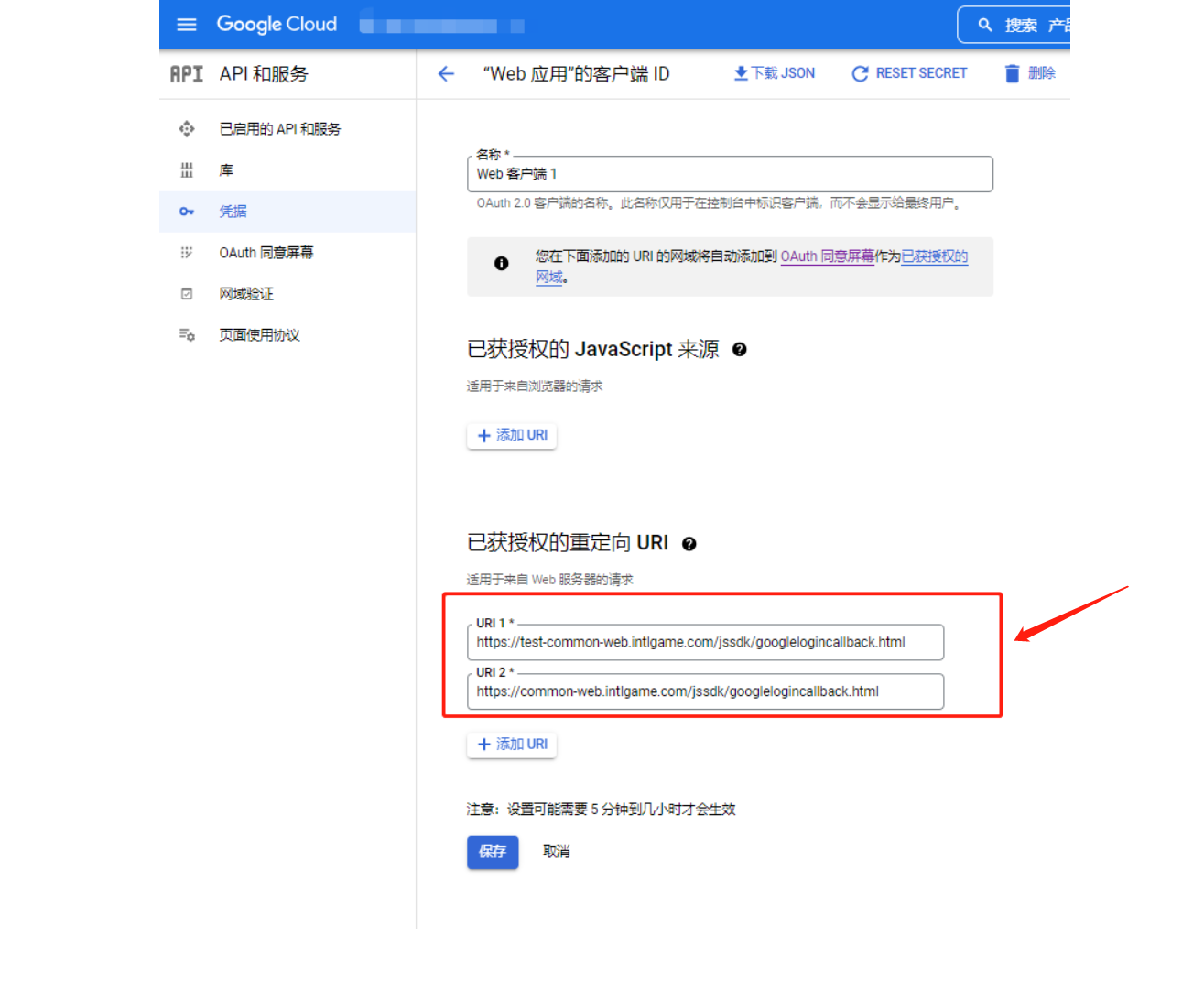
Google login error 1281 #
idtoken expired.Google gets idtoken after login, idtoken itself contains token validity information.
If you set your phone's local time back to a past date and wait about an hour before logging in to Google, the token won't refresh and you'll get a 1281 error if you request it again.
The Google channel for iOS platform has been configured with GOOGLE_CLIENT_KEY_IOS, do I still need to configure GOOGLE_REVERSED_CLIENT_ID? #
The GOOGLE_REVERSED_CLIENT_ID field is deprecated and does not need to be configured. iOS platforms need to configure the GOOGLE_CLIENT_KEY_IOS and GOOGLE_CLIENT_KEY_ANDROID fields.
The GOOGLE_CLIENT_KEY_IOS field is the iOS Client key for the Google channel and is required for the iOS platform.
The GOOGLE_CLIENT_KEY_ANDROID field is the Android Web Client key for Google Channels and is required for both iOS and Android platforms.
For more information, see Google channel SDK configuration.
After failing to bind the Google channel, the Google account authorization screen cannot be opened again #
This issue has been optimized in SDK V1.26.00.
After logging out of the game, choosing Google login immediately returns authorization success and does not open the Google account authorization screen for account switching #
In the case of non-Google login scenario for Android devices, the login state stored when binding to Google is not completely cleared when logging out of the game.
Either log out of the game again after logging in on the Google channel, clear the Google login state, or change the configuration GOOGLE_EVERY_LOGIN_CHOICE_USER = 1 in the INTLConfig.ini file.
Google Login error "ret":13,"msg":"Google AppID or ClientID not set" #
Please check whether the INTLConfig.ini file is included in the package.
LINE
LINE error code #
For more information on LINE error codes, see LINE iOS Error Codes and LINE Android Error Codes
For all channel error codes, see Channel Error Codes.
LINE login screen error 400 #
- Check adaptation to Swift-LINESDK.
- Check that the configuration file, package name and
LINE_CHANNEL_IDare entered correctly. - Check the
INTLLINEKit.projmodsfile. - Check the LINE Developers Console callback URL.
LINE login, cannot jump back to the game from Webview or LINE app after clicking "Allow". #
In the Player Network SDK V1.10 AndroidManifest file, if the Android:taskaffinity property value is null, the LINE WebView will not be able to redirect after login.
Deleting this code solves the LINE login problem.
There is no icon on the LINE login screen. #
Enter [LINE PLATFORM] (https://developers.line.biz/console) to set the application icon.
LINE login prompts Error, cannot process properly. #
This may be caused by a network problem, please try again using a different network environment.
LINE login failed, error code: 3016, with error message similar to: CryptoError: Verification failed for key: Swift.KeyPath<LINESDK.JWT.Payload, Swift.Optional<Foundation.Date>>. Got: 2022-04-19 12:15:12 +0000, expected earlier than 2022-04-19 12:10:47 +0000 #
This error occurs when the user modifies the device time.
Cannot access LINE webpage on iOS China; no callback occurs after opening LINE and logging in #
This is a known issue with the LINE SDK.
How do I change the name of the application displayed on the LINE consent screen? #
Make changes on the [LINE App Basic Settings] (https://developers.line.biz/console) page.

Logging in to the LINE channel gives a 403 forbidden error. #
The IP you are using may have been blocked by LINE. We suggest you try changing your IP, switching accounts, switching networks, clearing your cache and logging in again.
If the issue is still not resolved, please contact the LINE team for more information.
PS5
Sony has three environments dev, QA and product.What kind of environment does Player Network SDK use? If the game is currently in development, do I need to make any adjustments to the Player Network SDK configuration for later review and release? #
Sony's environment can be switched on the development engine.The SDK will automatically recognize the Sony environment and notify the SDK server, and the SDK server will access the different Sony servers based on the environment ID. Regardless of the environment, Player Network SDK can automatically switch from development to quality assurance to the official environment with no additional setup.
Login error "ret":-2137653242 #
Check whether permissions includes psn:s2s openid id_token:psn.basic_claims. See Login permissions in Add PS5 Login.
Login error "ret":-2141913082 #
Check if your PS5 local account is logged in online, if your PS5 account is logged in, try logging out and logging back in.
QQ
Login error "ret":1204, "msg": "ret[-3], msg[app has no privilege to use this api] #
This is caused by a missing login permission for the interface called by the QQ channel. See the QQ Connect OpenAPI capability is_login permission section in the iOS and Android tutorials under Prerequisites on the Configure QQ Login page.
Steam
Login failed, error code: 5, third error code: 1206 #
This is due to a broken Steam connection.Open Steam and reconnect.
Steam login failed in the UE editor #
Please place the steam_appid.txt file in the same directory where UE4Editor.exe is running, i.e. the yourEngine/Engine/Binaries/Win64 directory.
How to locate the program input point in the editor Steam login error? #
Place the steam_appid.txt file in the same directory where UE4Editor.exe is running, i.e. the yourEngine/Engine/Binaries/Win64 directory.If the app has its own ID, replace it with your own, if not use 480.
The game starts with a message that SteamAPI_Init failed, e.g. ret:17, retMsg "SteamAPI_Init failed. Please check your Steam client status".Due to Steam API #
The initialization function does not distinguish between error categories in detail, please follow these steps to try to troubleshoot:
- Verify that the Steam client is launched and logged in.
- Make sure that the Windows account you are using has administrator privileges.
- Uninstall and reinstall the Steam client, replace the device.
- Go to Steam Community for more solutions.
ret:33, retMsg "Please launch app by Steam Client" #
The game is not launching normally from the Steam client, delete steam_appid.txt from the game executable directory and retry.
ret:35, retMsg "STEAM_USER_NOT_LOGINED" #
The player is not logged in to the Steam Client causing the error, we recommend checking if the player's Steam Client is logged in successfully and if they are online.
Network error, error code: 5, third error code: 1200 #
The network timeout from the Player Network backend to the Steam backend can be reached by contacting the business interface person.
User key, publisher key, which of the two Steam Web API keys should I use? #
Integration of the Player Network SDK must use a publisher key because the SDK requires access to application-level data and authentication services to which only the publisher key has access.
The user key:is associated with an individual Steam account and can be used to access limited data associated with that user.Usually used for personal or non-commercial projects.
The publisher key:is associated with a Steamworks partner account and can be used to access broader application-level data such as game ownership, authentication, and user statistics for published games.
For more information about Steam Web API keys, see Authorization with Web API Keys.
Do I need to configure an IP whitelist for my Steam Web API key? #
In general, there is no need to configure an IP whitelist for Steam Web API keys.If the whitelist of keys is empty, Player Network's servers will be able to access and call the relevant interfaces normally.
If any of the IPs in the whitelist exist, the key will be restricted to allow only the whitelisted IPs to access the interface, and requests from other IPs will return a 403 - Forbidden error.The server IP of Player Network needs to be added to the whitelist to ensure that it can be accessed properly.
If you need to add Player Network's server IP to the whitelist, please contact the Player Network assistant.
Steam channel login on Web returned error e87 #
You can try the following troubleshooting steps:
- Check the network connection to make sure it is stable, or try restarting the router.
- Clear your browser cache and cookies, or try using Trace Free Mode.
- Try using a different browser.
- If you are using a VPN or proxy, try shutting it down and retrying.
- Check the official Steam status page to make sure there's no maintenance or downtime.
- Try logging in on a different device or account.
If the above does not work, we recommend contacting Steam Customer Service for further support.
Steam login failed OnlineIdentitySubsystem login complete fail, Server error #
- Check the stability of your network connection to ensure that you can access the Steam servers properly.It is recommended to restart the router or switch the network environment to test.
- The Steam user session may have expired and require a new authorization login.Please log out of your current account and log back in to verify.
- Older versions of the application resources may not have been completely removed resulting in conflicts.It is recommended to completely uninstall and reinstall the latest version of the client.
- Check if the
APP IDin the localsteam_appid.txtfile matches the current app.Verify profile integrity and update to the correctAPP IDif necessary.
Steam shows error when launching the game "msg":"error from steam: errcode=102, msg=Ticket for other app", cannot log in to the game #
The reason for the error is that the ticket obtained by the Steam interface is not part of the steam app id configured in the backend.
- Verify that the
steam_appidused by the UE4 plugin matches the steam app id configuration of the Steam channel of the Player Network console. - Check if the
APP IDin the localsteam_appid.txtfile matches the current app.Verify profile integrity and update to the correctAPP IDif necessary.
X
X Error Codes #
For more information on X error codes, see X response and error codes.
For all channel error codes, see Channel Error Codes.
- Unity
- Unreal Engine
void CheckThirdCode(INTLAuthResult result)
{
  if(result.RetCode == 9999)
  {
    switch(result.ThirdCode):
    {
        case 401:
        /*
            Unauthorized: There was a problem authenticating your request.
            This could be due to missing or incorrect authentication credentials.
        */
        break;
        case 500:
        /*
            Internal Server Error : Something is broken.
            This is usually a temporary error, for example in a high load situation or if an endpoint is temporarily having issues.
        */
        break;
        case 503:
        // Service Unavailable: The Twitter servers are up, but overloaded with requests. Try again later.
        break;
        default:
        // Unknown error code
        break;
    }
  }
}
void CheckThirdCode(FINTLAuthResult result)
{
  if(result.RetCode == 9999)
  {
    switch(result.ThirdCode):
    {
        case 401:
        /*
            Unauthorized: There was a problem authenticating your request.
            This could be due to missing or incorrect authentication credentials.
        */
        break;
        case 500:
        /*
            Internal Server Error : Something is broken.
            This is usually a temporary error, for example in a high load situation or if an endpoint is temporarily having issues.
        */
        break;
        case 503:
        // Service Unavailable: The Twitter servers are up, but overloaded with requests. Try again later.
        break;
        default:
        // Unknown error code
        break;
    }
  }
}
On Android devices, if a user logs out of X after logging in and then clicks Sign Up the next time they log in, a network error is reported. #
This happens because the https://.api.twitter cookie has not been cleared.On Android devices, cookies can only be cleared by the RemoveAllCookie method, but this will remove cookie information from all websites.This issue is currently unresolved.
The X login screen continually shows "Loading". #
- Check that the X console is configured with a callback allow list.
- Check that the Player Network
keyandsecretare correct.
How do I change the name of the application displayed on the X consent page? #
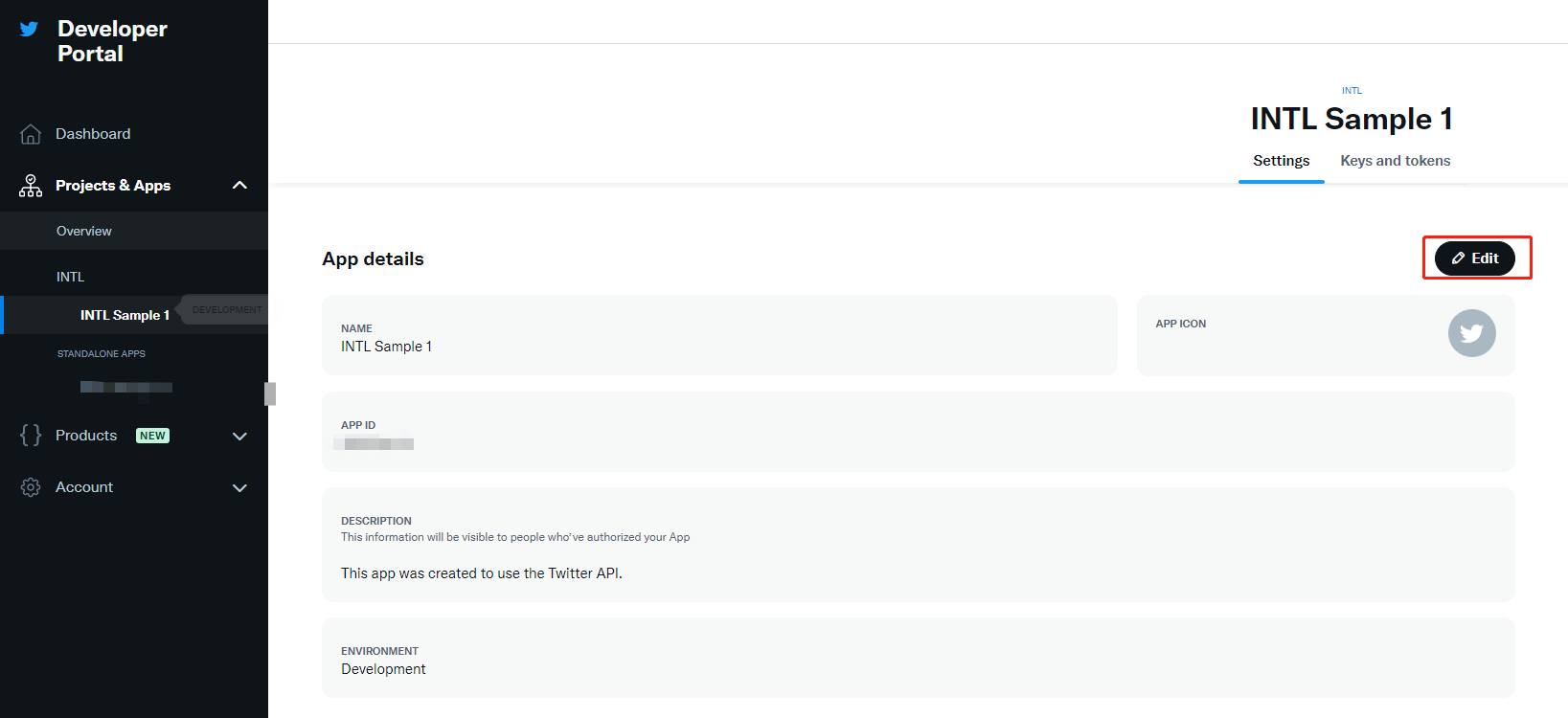
Make changes on the X Developer Portal page.
X limits sharing when there are too many shares in a short period of time.Please check in the log to see if the sharing interface is restricted.If the log shows X API error: Your account is suspended and is not permitted to access this feature (code 64), the interface has been restricted. #
On iOS devices, versions of Player Network SDK before V1.18 do not support switching X accounts. Only the first shared account can be used for sharing; to switch accounts, reinstall the game package.
X iOS sharing error ret_code: 9999, third_code: 32 #
The login state of the X SDK is invalid.This issue has been resolved after V1.16.05.If this problem persists after V1.16.05, configure {"login_first":1} in extra_json.For more information, see X Friends Known Issues.
Cannot log in to the game after enabling 2FA on X #
If a player has 2FA enabled on X, logging in to the game using their X account may fail and the page jumps to the main X page without successfully logging in.Players are advised to temporarily disable 2FA and re-enable it after completing the login process to improve account security.
Ubisoft
Ubisoft Error Codes #
- Unity
- Unreal Engine
void CheckThirdCode(INTLAuthResult result)
{
  if(result.RetCode == 9999)
  {
    switch(result.ThirdCode):
    {
    case 0:
    //success
    break;
    case -4:
    //Request Uplay Roaming Profile failed
    break;
    case -6:
    //Create Roaming Profile failed
    break;
    case -1:
    //Create Guest user failed
    break;
    case -8:
    //Create Roaming session failed (Flow2 login)
    break;
    default:
    // Unknown error code
    break;
    }
  }
}
void CheckThirdCode(INTLAuthResult result)
{
  if(result.RetCode == 9999)
  {
    switch(result.ThirdCode):
    {
    case 0:
    //success
    break;
    case -4:
    //Request Uplay Roaming Profile failed
    break;
    case -6:
    //Create Roaming Profile failed
    break;
    case -1:
    //Create Guest user failed
    break;
    case -8:
    //Create Roaming session failed (Flow2 login)
    break;
    default:
    // Unknown error code
    break;
    }
  }
}
| Error Code List | clarification |
|---|---|
| 0 | successes |
| -1 | Failed to create visitor user |
| -2 | Failed to create visitor session |
| -3 | Failed to create UplayRoaming session |
| -4 | Request for Uplay Roaming Profile failed |
| -5 | Failed to create Roaming user |
| -6 | Failed to create Roaming Profile |
| -7 | Failed to create Roaming session (Flow 1 first login) |
| -8 | Failed to create Roaming session (Flow 2 login) |
| -9 | Failed to create Roaming session (Flow 3 auto-login) |
| -10 | Failed to rename user |
| -11 | Automatic login without user data |
| -12 | Automatically logging in invalid users |
| -13 | Invalid binding parameter |
| -14 | Guest Facade is empty or Session is invalid |
| -15 | Uplay Facade is empty or Session is invalid |
| -17 | Login Cancel |
| -18 | link Cancel |
| -10000 | Visitor binding official account, the user through WebAuth login success, UbiservicesSDK request Ubiserver to determine that the official account can be bound. |
| -10001 | The visitor binds the official account. After the user logs in successfully via WebAuth, ubiservicesSDK requests ubiserver to determine that the official account is not bindable. |
| -20000 | After the user has successfully logged in via WebAuth, the UbiservicesSDK detects that there is an existing local Guest account and lets the user choose whether to bind to the current Guest account. |
WeChat
iOS login error 9999_9999, "call WX api sendReq return failure" #
Check the WECHAT_UNIVERSAL_LINK_IOS configuration in the local INTLConfig.ini file.
In Web scenarios, selecting a third-party login in the WeChat app cannot redirect back to the activity page or shows a blank screen #
WeChat login currently only supports WeChat channel authorization, the rest of the channels will be due to WeChat's built-in WebView component does not support third-party channel login resulting in a white screen or unable to jump back to the event after successful authorization.For more details, see Implementing Third-Party Channel Login.
Social
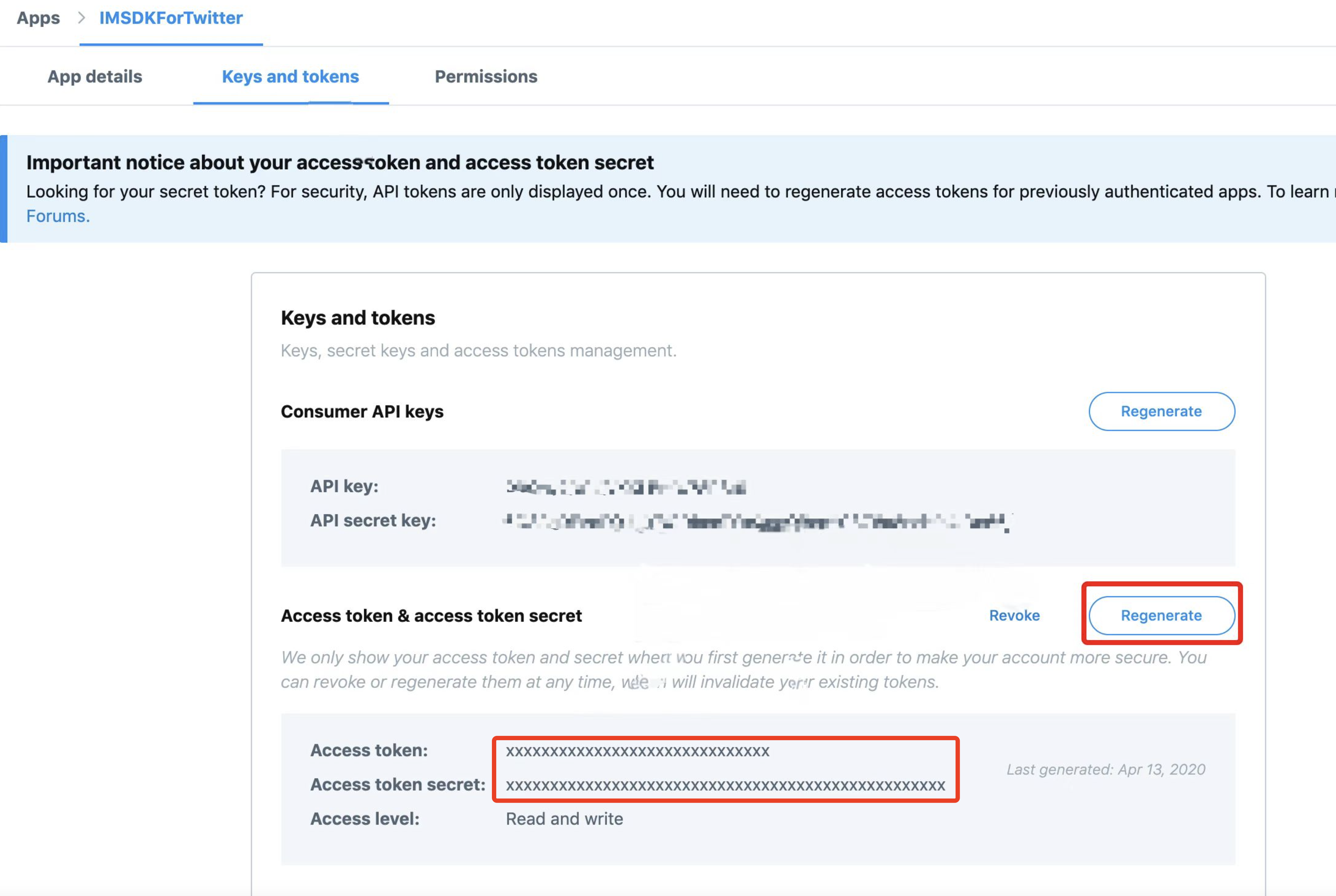
X sharing failed, errors -1011, NSLocalizedDescription=Request failed: unauthorized (401) #
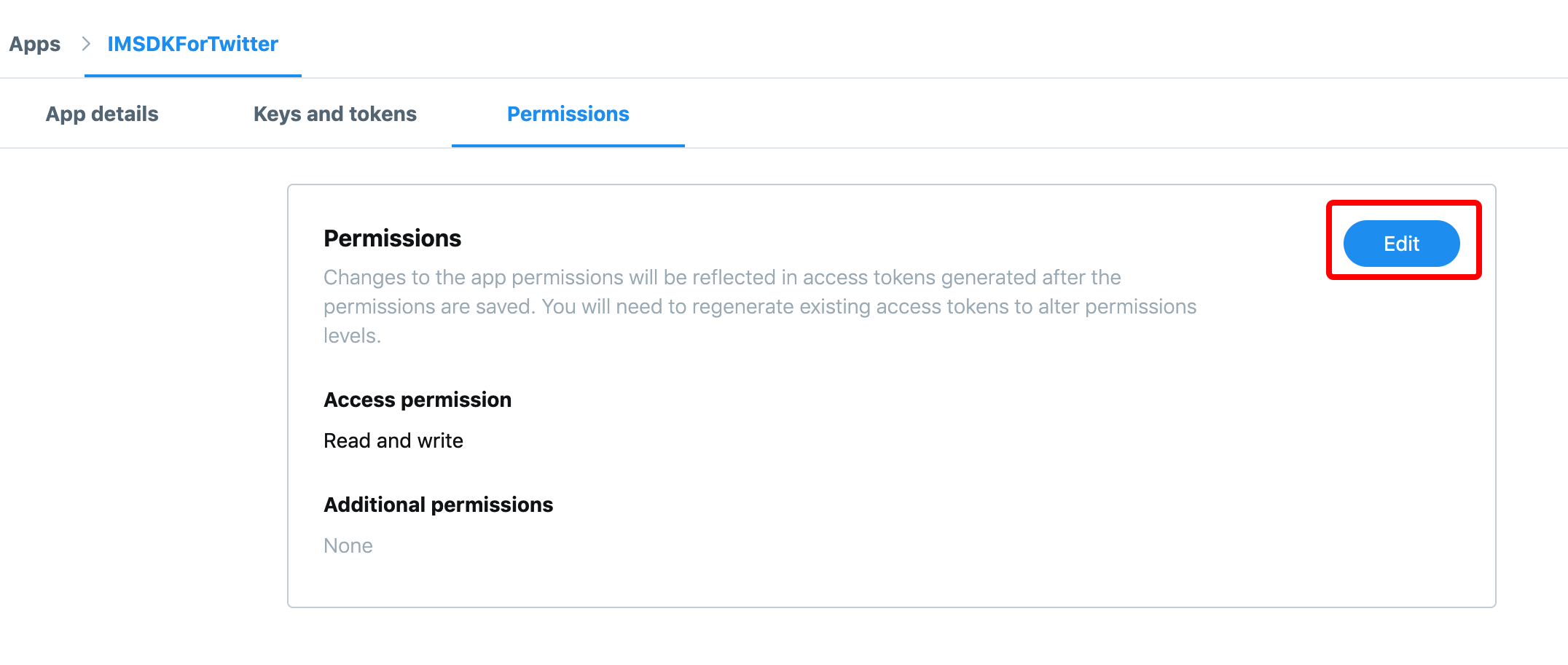
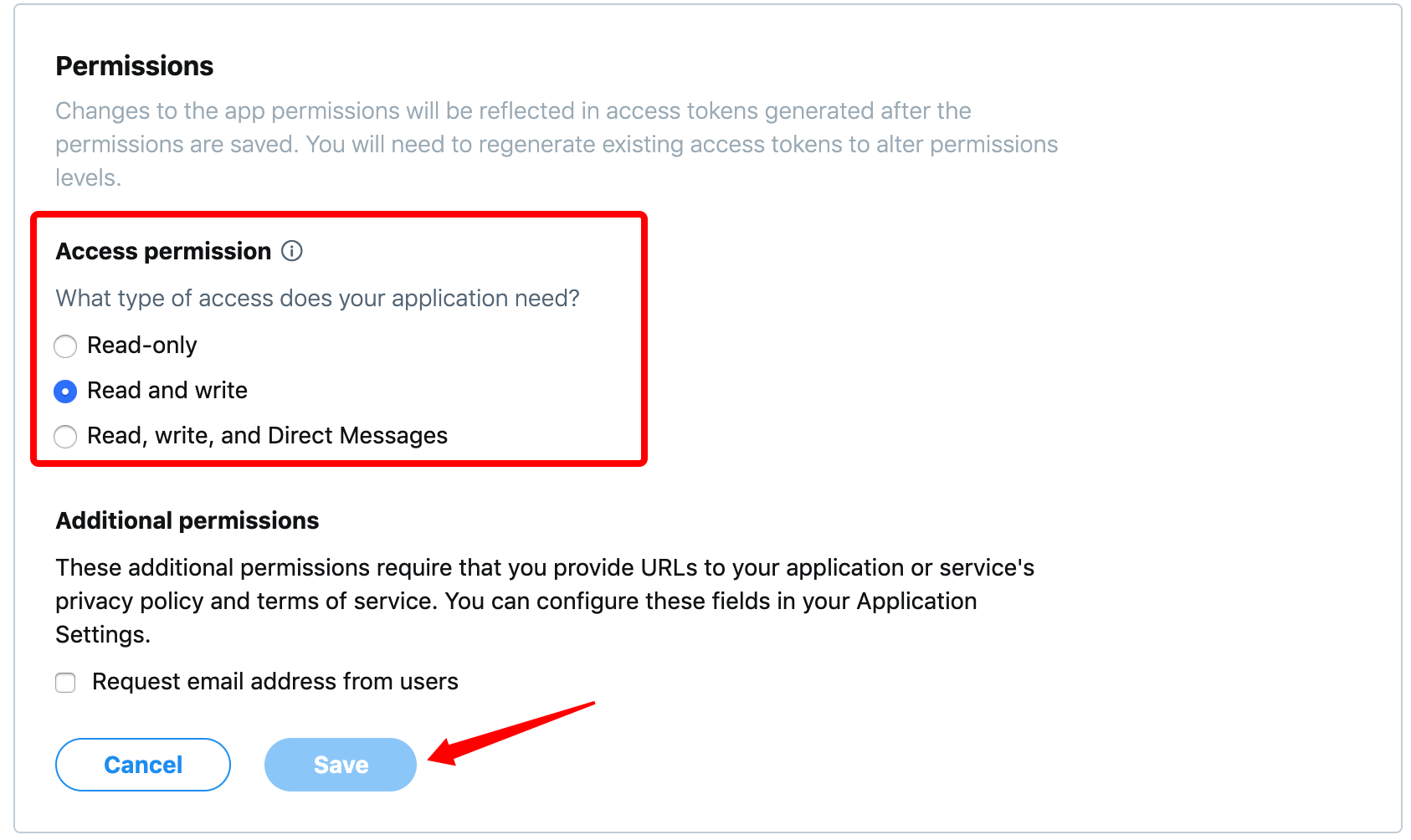
If permissions are changed from Read and write to Read on the X Developer Platform, players will not be able to share content.
-
Go to the Permissions page of the X Developer Platform.
-
Click Edit.
-
Under Access permission, select Read and write and click Save.
-
X regenerates the access token and access token secret.
Due to changes in the access token and access token secret, players will need to reopen X and log in to share content again.
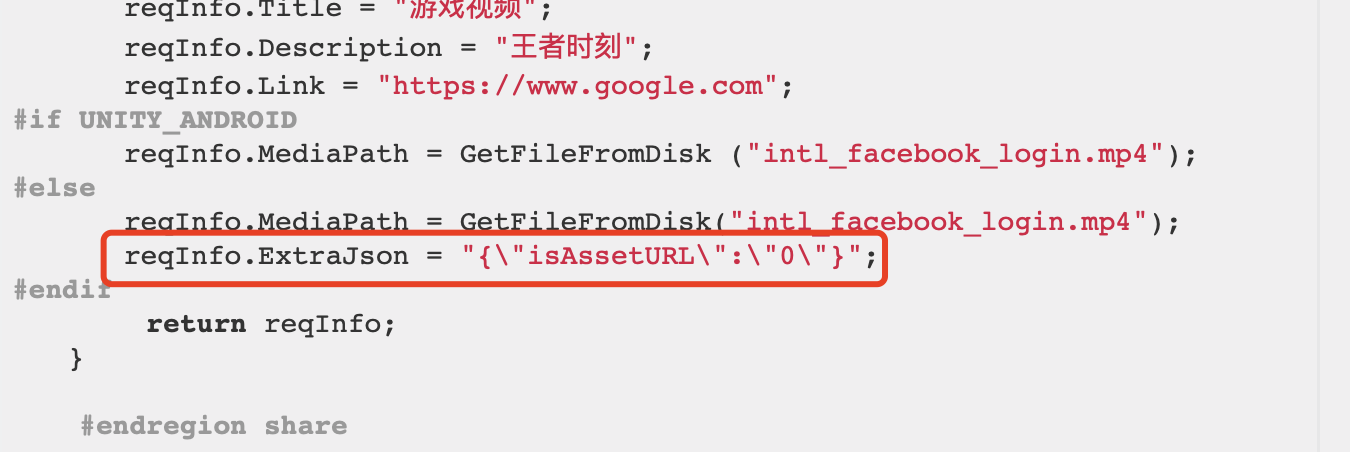
Facebook video sharing failed on iOS (401) #
The INTLFriendReqInfoHelper.cs file is missing.
Announcement
Why can't I get the announcement? #
- Check if the RequestNoticeData API is called.
- Check whether the notice is in force
- Check that the time zone is set correctly
- Checking the language passing parameters for standardization
- Check if the area pass reference is standardized
- Check that the environment configured for the announcement is the same as the client (test/formal environment).
Old notice still retrieved after modifying the notice #
Clear cached notices by restarting the game or modifying the cache configuration NOTICE_INTERVAL.
Cannot retrieve Portuguese notices #
The correct language type for Portuguese passes the reference pt.For updated information, see the [[Language Type Definitions]] of notices (/docs/resources/KnowledgeBase/Common/LangType).
No callback when a notice is published or taken offline #
Announcements need to be obtained manually.
Which field of the notice is used to distinguish custom values #
Distinguished by INTLNoticeInfo of ExtraData.
The relationship between the parameters passed when retrieving notice data and the notice callback information #
The callback information INTLNoticeInfo is returned by the request parameter region and the list of content to which the notice belongs ContentList is returned by the request parameter langType.
Example:
- Bulletins are configured only in Portuguese (pt), but using English (en) to pull the bulletin will pull an
INTLNoticeInfo, but theContentListwill be empty.
Can't receive the PictureList of the announcement? #
Both INTLNoticeInfo and INTLNoticeContent contain PictureList.Check that PictureList is configured in the correct data structure.
What's the difference between Player Network's announcements, face shots, and news? #
News is not pulled through the SDK, face slaps (popups) and announcements are the same.
Push
Why can't I receive remote push notifications? #
- Check the configuration and credentials of the Firebase Console, the
GoogleService-Info.plistused for packaging and thegoogle-services.jsonfile of the Google Play Console for consistency. - Check your network and make sure your phone can use Google services.
- iOS.
- Verify that the
Firebaseproject is configured withAPNscertificates. - iOS project adds
Push Notification capability. - Unity exported iOS project
UNITY_USES_REMOTE_NOTIFICATIONSto 1. - Whether
RegisterPush, the push authorization pop-up window whether to select consent.
- Verify that the
- Android.
- Firebase project configuration
keystorefingerprint. - Whether the phone has Google Mobile Service (GMS) installed or not
- Firebase project configuration
Failed to register for Firebase push. #
Replace your cell phone or VPN.
Test pushes are received with pushToken, but formal pushes are not received. #
Check if there are multiple registration pushes, 1 registration push call is sufficient.If not, please contact Firebase to submit a work order for processing.
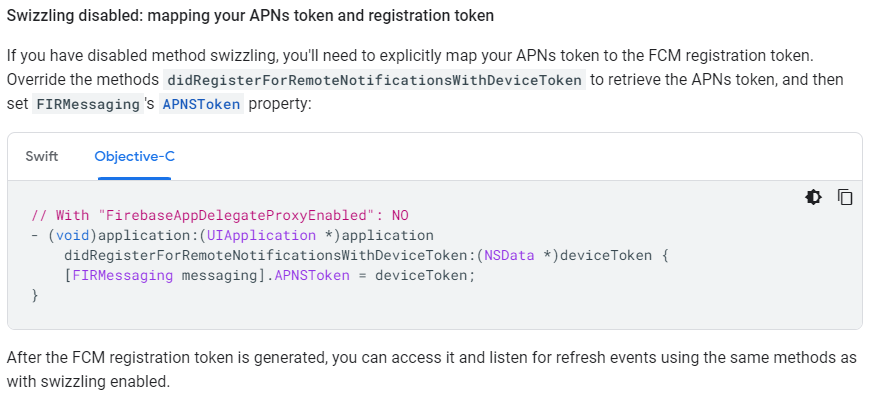
iOS Firebase is not receiving pushes. #
Because FirebaseAppDelegateProxyEnable : NO is configured in info.plist.This deactivates the mapping of method provisioning:APNs tokens to FCM registration tokens.See Get current registration token to resolve the problem.
iOS cannot receive remote push after re-signing with an enterprise certificate. #
Use the enterprise certificate to re-sign the IPA, i.e., it is not signed by the original development certificate, and the existing push certificate does not match with the re-signed IPA, so you cannot receive the push.
The Icon Badge showing the number of push messages does not disappear. #
Configure iOS according to Clearing App Badges via iOS Remote Push.
The game backs out into the background and doesn't receive pushbacks. #
The game can receive callbacks in the foreground and in the background callbacks are pushed to the notification bar.
The iOS AddPushBaseResultObserver also has no callbacks. #
Change UNITY_USES_REMOTE_NOTIFICATIONS to 1.
Local push can't receive messages. #
- Enable mobile notification push permission
- Configure
ANDROID_LOCAL_NOTIFICATION_ENABLEinINTLConfig.inifor Android platform to 1.
Not receiving local push after closing apps in Android 12. #
Android 12 and above adds permission control to AlarmManager alarm clock API, Player Network SDK relies on delay trigger mechanism to realize local push.When the app is closed, the system restricts the triggering of the relevant alarms, resulting in the push not being delivered properly.
We have researched the issue.To enable the local push to be triggered even after closing the app, you need to apply the USE_EXACT_ALARM permission to ensure that the Precision Alarm Clock feature is available.However, according to Google Play policy, applying for this permission may result in a failed review, so this option is not recommended.
How to implement push messages in different languages for different regions? #
Firebase can only send one tag per push, and pushes are sent in different languages for different regions.
No images are shown in the iOS Remote Push. #
To receive and work with notification images in the Apple app, you must add the Notification Services extension.For more information, see Sending Pictures in Notification Loads.
Android Push does not show an icon. #
- Android push icons need to have transparent channels
- Troubleshooting icon image resources to see if they are being overwritten by other images
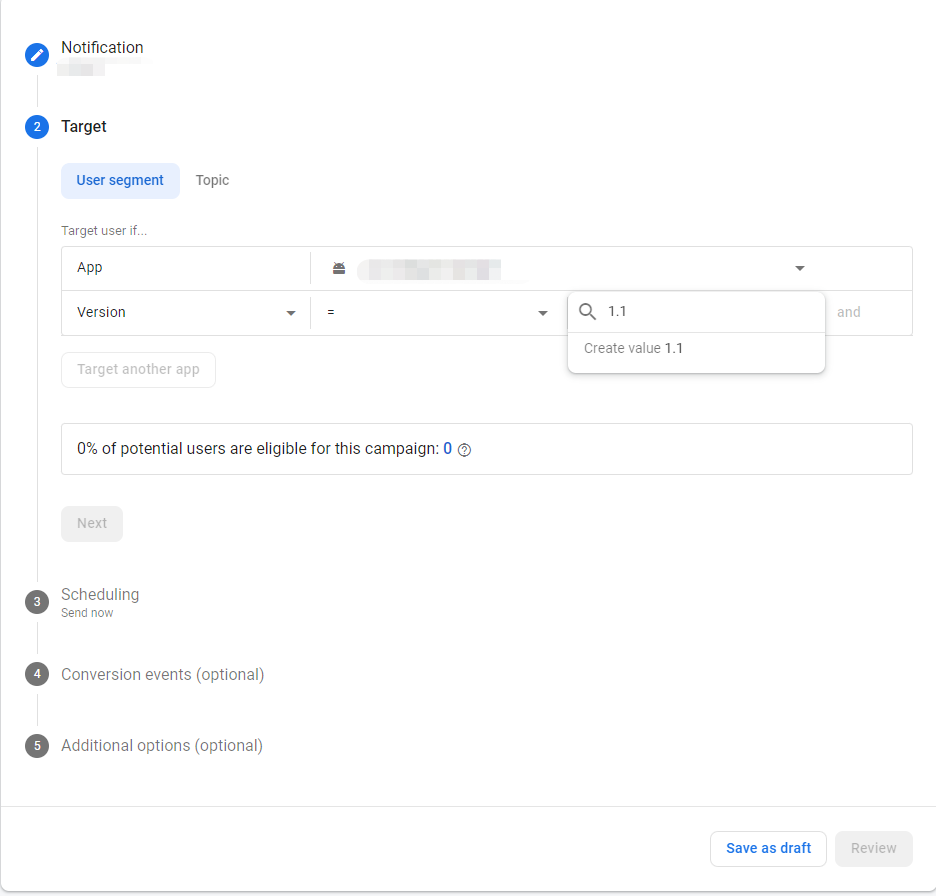
How do I send a push to an unreleased version of a game? #
Firebase Messaging can create versions when editing pushes.
How to implement Repeat Cycle Push in Android without RepeatType field? #
Android does not support repeated cycle pushes.
How will the set FireTime timestamps handle time zones if the player is in a different region? #
FireTime timestamps are in UTC time and notifications are pushed regardless of the player's time zone.
What do the Android SmallIcon parameter, and the iOS Badge parameter represent? #
Android:small icons support customization via the SmallIcon parameter, which uses app icon by default.The system of domestic models needs to harmonize the small icon with the app icon, so the setting is invalid in some models.(Test models with Samsung, Vivo, older Xiaomi devices, etc. can change the small icon)
iOS:does not support changing icons. The Badge field is the number of push corners, which defaults to 0, i.e. no corners are shown.
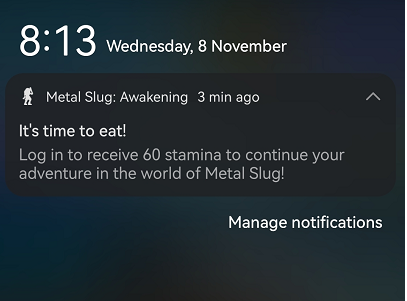
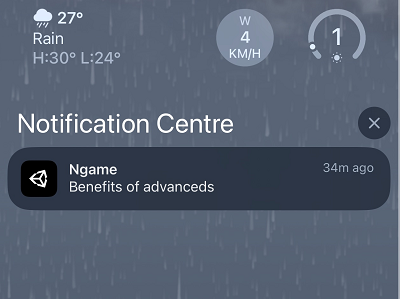
iOS remote push not received, error: Error Domain=NSCocoaErrorDomain Code=3000 "no valid 'aps-environment' entitlement string found for application" #
You need to add the aps-environment attribute to the Info.plist file, refer to the step:
- Open the application's
Info.plistfile in Xcode. - If the
aps-environmentkey does not exist, click the + buttons to add a new key. - Set the key name to
aps-environmentand the type toString. - Set the keys according to the current environment,
developmentfor development environment,productionfor production environment.
Push notification certificates from the Apple Developer Center should correspond to environments, with development certificates being used for the development and testing phases and production certificates being used for official releases after publishing to the App Store.
- Save the
Info.plistfile and rebuild your application.
Firebase failed to get FCM Token, error: Error Domain=NSURLErrorDomain Code=-1001 "request timed out" #
A network request timeout error occurs when an iOS app tries to obtain a Firebase Cloud Messaging (FCM) device token:
[INTLPushFirebase.mm:346] firebase register, get fcmToken failed, error msg:
Error Domain=NSURLErrorDomain Code=-1001 "Request timed out."
UserInfo={
    _kCFStreamErrorCodeKey=-2103,
    _NSURLErrorFailingURLSessionTaskErrorKey=LocalDataTask...
    }
Reference steps:
- Check the network connection, if it is a domestic environment, check the Google service can be accessed normally, you need to configure the proxy VPN and so on.
- Verify the Firebase configuration to ensure that the
GoogleService-Info.plist fileexists in the project root directory, that the Bundle ID matches the Xcode project exactly, etc. - Check the Firebase console, check for application
Bundle IDmatches, see if console usage and quotas are over the limit, etc.
Firebase push error: Failed to open database (SQLite Error Code 10) #
Firebase Analytics fails to open the SQLite database during initialization, triggering a disk I/O error (SQLite error code 10) as follows:
[FirebaseAnalytics][I-ACS810001] Failed to open database (Init):
Error Domain=com.google.gmp.measurement.ErrorDomain Code=3
"Database operation 'validate database' failed with sqlite code 10 and error message 'disk I/O error'"
UserInfo=
{
    NSLocalizedDescription=Database operation " validate database" failed with sqlite code 10 and error message "disk I/O error",APMMonitorContext=validate database,10,A
}
Firebase relies on SQLite to store local data, the following scenarios may cause this error:
- SQLite library conflict (common on iOS):Firebase uses the iOS system library
sqlite3.tbdby default, if the project introduces other SQLite versions (e.g.:UE's SQLiteCore), it will lead to symbol conflict. - Storage Problems:Insufficient storage space on the device, corrupted database files (caused by an abnormal exit).
- Permission Issues:Application sandbox directory write permission exception (iOS), storage access denied (Android).
Firebase activated_app events are repeatedly reported, with counts exceeding screen_view events.#
This phenomenon is usually caused by the background synchronization mechanism within the Firebase SDK and is a known issue.Most of the repeatedly reported activated_app events are "synchronized synthetic events" and do not represent actual user app launches.
Troubleshooting steps:
- Check the number of in-app calls, enable INTL logs, and verify if the actual invocation count of
FirebaseAnalytics.logEvent("activated_app", ...)matches expectations. - Enable Firebase Debug mode to analyze real-time logs, and check the reporting of activated_app in firebase debug adb logs (if the event name includes an extra _syn field and lacks an xwid parameter, it is a duplicate event generated synchronously by the SDK internally).
- Disable Debug View in Firebase Console, and compare the total volume of screen_view events and activated_app events reported.
This issue is discussed in detail in the GitHub Issue for the Firebase Android SDK.
WebView
Android cannot open the privacy policy, showing no permission granted #
If you have access to MiMaster or configured a network license list, you need to add the domain name of the privacy protocol to the license list in the network_security_config.xml file.
iOS WebView failed to open, error: Could not find specified service #
This will not affect function.
Opening the built-in WebView on Android shows a blank screen #
Please use https://.
On Android, calling OpenUrl to open the built-in WebView causes the game to hang on the main thread #
Calling the OpenUrl interface starts a new process, not a thread, and the process where the WebView is located goes to the foreground, while the app cuts to the background.The game logic is handled in the same way as if the game was cut to the background.
How can I tell if the player is opening the H5 page through the game's built-in browser? #
The userAgent can be obtained similarly through the getUserAgent interface in INTLWebViewSample.html.If the page is opened using INTLWebView, the word INTLBrowser will be returned.
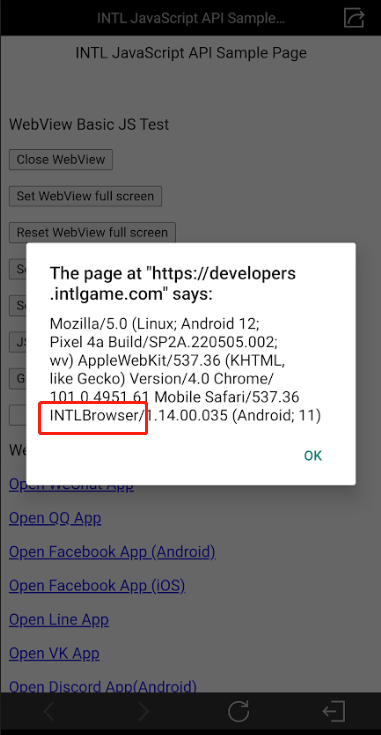
When opening a web page (OpenUrl), encoding space adds an extra % symbol #
Currently when OpenUrl is called, encode encodes space as %%20, which should normally be %20.This is just a log printing error and does not affect the actual URL opened.If you need to use the URL in the log, remove the extra %.
There is no WebView module plugged in, why is there a WebView error when compiling? #
Please check if you are logged in to X.X login depends on the Player Network SDK WebView module, and accessing only X without WebView will result in errors.
INTLWebView causes the game window to shrink. #
2 configurations need to be added to the INTLConfig.ini file:
WEBVIEW_DPI_AWARENESS_ENABLE = 0WEBVIEW_DYNAMIC_RESOLUTION_ENABLE = 1.
How do I block the sharing feature? #
Either set visibleShareMore to false or set WEBVIEW_SHARE_CHANNEL to NONE.
visibleShareMore: Whether or not to show the sharing feature, with higher priority, as detailed in the OpenUrl extension field configuration of Unity SDK or Unreal Engine SDK.
WEBVIEW_SHARE_CHANNEL: When the sharing feature is enabled, specifies which sharing channels are supported. If set to NONE, the share option will not be shown. See Configure Webview Module for details.
Code example:
visibleShareMore:false
WEBVIEW_SHARE_CHANNEL:Facebook, System
visibleShareMore:true
WEBVIEW_SHARE_CHANNEL:NONE
Why does the web page appear blank when opened in the Unity Editor, and the close button not respond? #
The built-in browser cannot be used within the Unity editor, so it is recommended to use the system browser.
Do I need to reconnect when the game opens the Android Webview and then closes the Webview to return to the game? #
No reconnection is required if using same process mode.If you are using multiprocess mode, you will need to reconnect after the game disconnects.
The INTLWebView interface on Windows shows a white screen, and the log contains CraftSDLUserInterface SDL_CreateRenderer return NULL error: Couldn't find matching render driver #
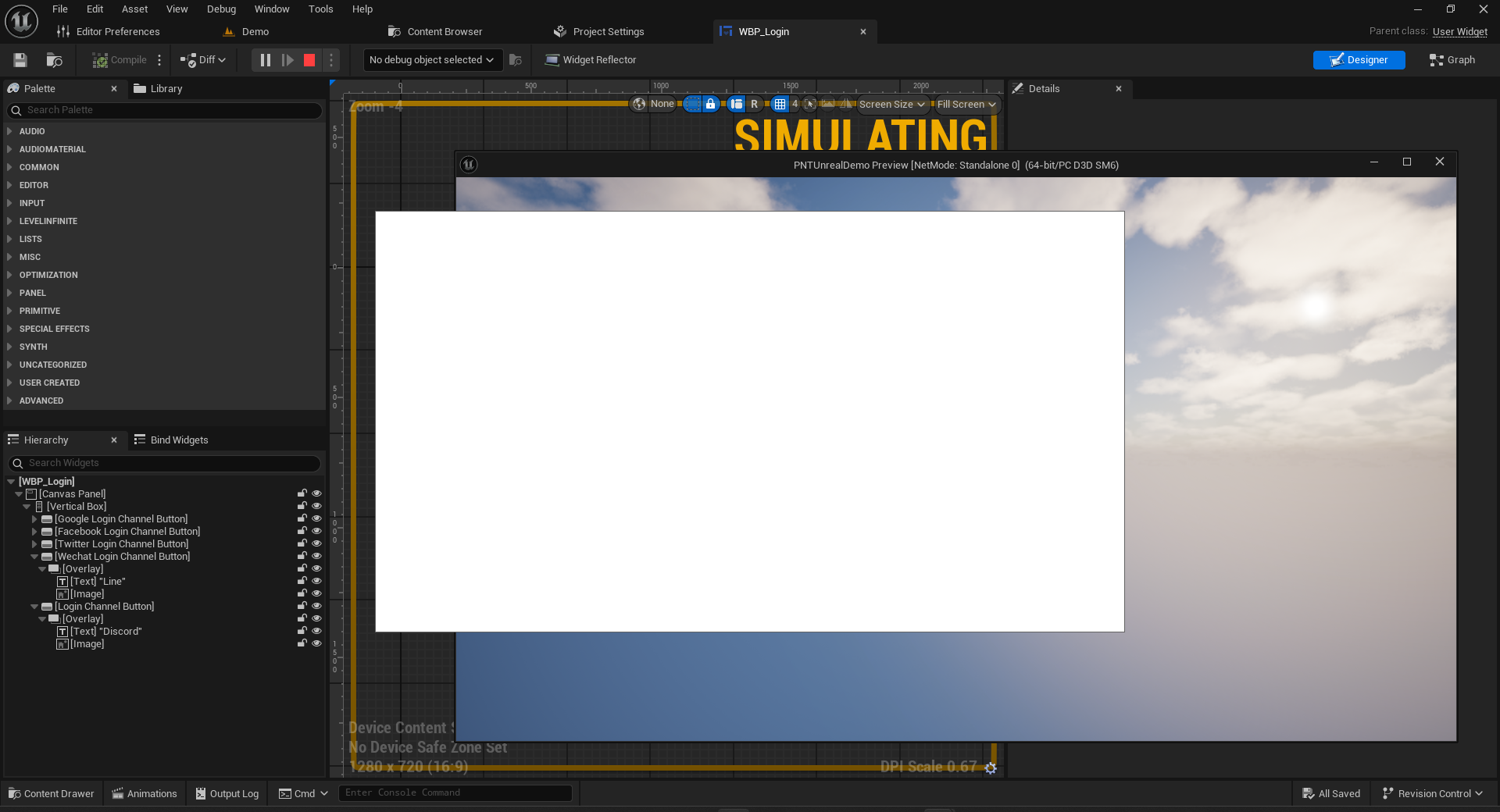
The issue may occur in Unity or Unreal Engine scenes. You need to add the following WebView configuration in the INTLConfig.ini file:
[WebView]
WEBVIEW_NAVIGATION_BUTTON_DISABLE = 0
WEBVIEW_UI_COLOR_THEME = Dark
WEBVIEW_VIEWPORT_DPI = 96
For operations using Unreal Engine, you will also need to delete the following folders to clear the cache and rebuild the scripts.
WebView flickering issue on PC #
This issue is not caused by the WebView component itself, but by the dynamic resolution used by the game, which causes the WebView to flicker when rendered.By default, games usually use a fixed resolution, with dynamic resolution enabled for only a few scenarios.Therefore, the default configuration of WebView is in fixed resolution mode.If flickering occurs, add the parameter WEBVIEW_DYNAMIC_RESOLUTION_ENABLE = 0 to INTLConfig.ini to force dynamic resolution to be disabled.
Opening INTL WebView on a PC platform causes a crash and fails to initially load qbcore.dll. #
INTL WebView may load a component during initialization that conflicts with the runtime environment that qbcore.dll depends on (e.g., the CEF that comes with UE4.27), causing qbcore.dll to fail to load or to initialize abnormally and cause the program to crash.
To avoid such compatibility issues, we strongly recommend using WebView2 as the WebView solution for the PC platform. See Microsoft Edge WebView2 for details.
Some Android phones will have a black screen when opening specific links. #
Update or uninstall and reinstall Android System WebView.
Setting INTLWebViewOrientation via screenOrientation does not work when opening the URL privacy protocol via OpenUrl in Unreal Engine games. #
The SDK handles the Unreal Engine differently than the Unity Engine, which locks orientation with the application settings.
Why does the app show a push corner when I open WebView after turning on the desktop corner setting on my device? #
This is normal.WebView's foreground service notifications (and corner markers) automatically disappear when the protocol window closes normally.
Data Insight
Firebase Crash backend was never initialized #
The Firebase backend will be initialized only after the client has reported 1 crash successfully.
How do I turn off Firebase Crash reporting? #
Android.
-
Check that the console configuration, certificate, .plist, and .json files are aligned.
-
In the
applicationsection of theAndroidManifest.xmlfile, add the meta-data flag to turn off auto-collection<meta-data
android:name="firebase_crashlytics_collection_enabled"
android:value="false" />
For more information, see Customizing Firebase Crashlytics Crash Reports.
iOS:
Add new key-value pair to Info.plist file:
- Key:
FirebaseCrashlyticsCollectionEnabled - Value:
false
For more information, see Customizing Firebase Crashlytics Crash Reports.
Firebase Crash stack trace was not restored #
The business needs to upload a symbol table.
Logging errors on Windows platforms fail to create Custom.log files. #
This is due to the fact that there are no read/write permissions to the directory and CrashSight does not currently provide a way to change the path.
Error reported on editor Unable to get ReportException function from library.Player Network SDK error code: 9999, Windows error code: 126 #
Crashsight does not support editors at this time.
Firebase push scenario issues #
Once the client has access to Player Network SDK push, the remote push message is configured in the Firebase Console and the client receives it.
Firebase provides a backend API, the business can develop these functions themselves, through the backend API interface, let Firebase to send push messages, you can send notifications to the client.
For more information, see the Firebase backend API documentation (https://firebase.google.com/docs/cloud-messaging/server).
Warning appears when integrating Facebook iOS SDK #
If FacebookAutoLogAppEventsEnabled and FacebookAdvertiserIDCollectionEnabled are not configured, the Facebook SDK will prompt with a Warning.
<Warning>: Please set a value for FacebookAutoLogAppEventsEnabled. Set the flag to TRUE if you want to collect app install, app launch, and in-app purchase events automatically. Set the flag to TRUE if you want to collect app install, app launch, and in-app purchase events automatically. To request user consent before collecting data, set the flag value to FALSE, then change it to TRUE once user consent is received. more: https://developers.facebook.com/docs/app-events/getting-started-app-events-ios#disable-auto-events.
<Warning>: You haven't set a value for FacebookAdvertiserIDCollectionEnabled. Set the flag to TRUE if you want to collect Advertiser ID for better advertising and analytics results. To request user consent before collecting data, set the flag value to FALSE, then change it to TRUE once user consent is received. request user consent before collecting data, set the flag value to FALSE, then change it to TRUE once user consent is received. Learn more: https:// developers.facebook.com/docs/app-events/getting-started-app-events-ios#disable-auto-events.
For details, see Event reporting instructions.
Facebook reporting requires enabling tracking for the iOS app #
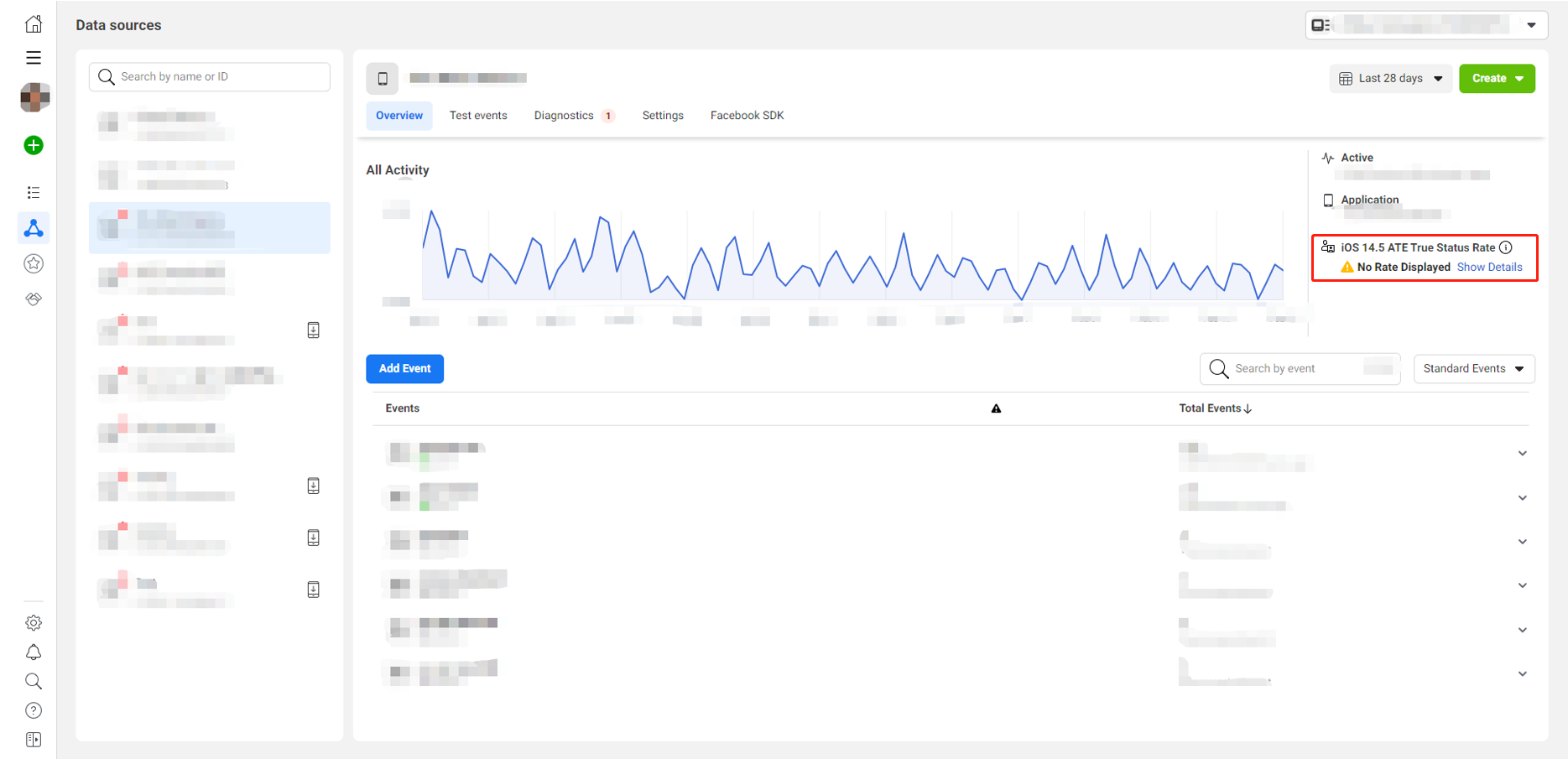
Facebook reporting after iOS 14.5 requires iOS app tracking to be turned on.Before reporting Facebook events, the RequestTrackingAuthorization API must be called.
Facebook data reporting fails in the Facebook App Dashboard event reporting feature is not associated with the game app. #
Since the project account is not tied to and authorized with the company's account, no data feeds will be displayed in Facebook Events Manager.Please complete Facebook Business Verification first.
Troubleshooting steps:
-
Check the local configurations in INTLConfig.ini, such as
ANALYTICS_REPORT_CHANNELandANALYTICS_AUTH_REPORT_ENABLE -
To verify whether local reporting was successful, search for
ReportEvent with channel = Facebook, eventName = xxin the INTL logs
For more details, see Data Reporting Acceptance.
Does the Adjust token field need to be defined? #
The reported event must use the token field of the Adjust console, implementation definition needed.
Adjust initialization failed? #
If initialization fails, it's generally due to incomplete configuration of the Adjust project STAT_ADJUST_APP_TOKEN and ADJUST_INFO1.
Adjust supports two methods: callback parameters and partner parameters. #
- For more information, see ReportEvent Reporting Interface.
- For access examples, see Analytics.
Cannot see data updates in Adjust. #
It is recommended to enable sandbox mode for Adjust channel event reports.The update of management terminal data depends on the real-time nature of background calculations.Generally, updates can be completed within minutes to a dozen minutes, but there are also cases of daily updating.If no data update is seen within half an hour, please check again the next day.
AppsFlyer event reporting restrictions #
-
For the same device and same app, if the reporting interval for an event is within 10 seconds, it will only display once.
-
Different devices for the same event do not have this limitation; all will be recorded in real-time.
This restriction is set by AppsFlyer based on statistical data, as normal users would not perform the same event multiple times within 10 seconds.
AppsFlyer organic/non-organic installation methods #
Organic and non-organic data are both recorded in the AppsFlyer dashboard.
- Organic installation means installing directly without using AppsFlyer's promotional ad links.
Organic installation's corresponding in-app events will not appear in the report of directly downloaded in-app events from our control panel, as in-app events downloaded are information corresponding to non-organic installations. - Non-organic installation refers to installation via AppsFlyer's promotional ad links.
AppsFlyer Official Documentation#
-
Integration documentation
- For Android integration, see AppsFlyer Integration Official Site (Android).
- For iOS integration, see AppsFlyer Integration Official Site (iOS).
-
Testing documentation before publishing to the app market
- For testing on Android before publishing to the Google Play Store, see AppsFlyer Testing (Android) (before releasing to store).
- Before publishing to the App Store, for iOS testing, see Manual SDK Application Integration Testing (iOS) (unreleased).
-
Testing documentation after publishing to the app market
- After publishing to the Google Play Store, for Android testing, see Manual SDK Application Integration Testing (Android) (unreleased).
- After publishing to the App Store, for iOS testing, see Manual SDK Application Integration Testing (iOS) (unreleased).
AppsFlyer Packaging#
If you need to contact AppsFlyer to troubleshoot data, please provide the following data:
- App ID
- Time period viewed
- Event ID
- Device IDFA
- Package name
PID field in test link, e.g., id1089079153 inhttps://app.appsflyer.com/id1089079153?pid=locky0508-2&idfa=A56EC65B-DF48-42F4-B74C-DCE6B818E729. Not bundleID or package name.
AppsFlyer Android Platform Depends on Google Services#
For Android platform, using AppsFlyer requires Google Services to be installed on the phone, so test AppsFlyer integration on devices with Google Services.
AppsFlyer Packaging#
AppsFlyer no longer supports ANT packaging.
Facebook Error Codes#
| Error code | error message |
|---|---|
| 1 | Unknown error |
| 4 | Application's request limit reached |
| 10 | Application does not have permission for this action. |
| 17 | User's request limit reached |
| 100 | Invalid parameters |
| 200 | Permission error |
For more information, refer to Facebook Error Codes.
TikTok Cannot see data updates?#
The TikTok channel event reporting default enables Debug mode.The update of management terminal data depends on the real-time nature of background calculations.Generally, updates can be completed within minutes to a dozen minutes, but there are also cases of daily updating.If no data update is seen within half an hour, please check again the next day.
Utilities
How should I test the RequestIPInfo interface? #
You can switch VPN zones for testing.
iOS in-app rating prompt issue #
- The comments screen can be pulled up at any time during development.
- TestFlight package, can't pull up the comments screen.
- After launching on the App Store, each user will be able to pull up the comments screen a maximum of 3 times in 365 days.
For more information, see requestReview.
Compliance Assurance
Minor compliance failed, error code: 30010 #
The region passed the parameter incorrectly.Check the country area code, [ISO 3166-1] (https://www.iso.org/obp/ui/#search/code/) standard, for the corresponding three-digit code.
For example,:region passed the wrong parameter, 76 should be written as 076.
Minor compliance failed, error code: 30004 #
The compliance program may not be configured, contact the Player Network assistant.
Email verification failed, unable to click the Agree button #
Please clear your browser cache and try again.
Does it record information about the player's chosen country? #
Yes, the region selected by the player will be recorded in the region field of the callback.
After successful self-authentication, will subsequent launches of the game ask if the player is an adult? #
The ParentCertificateStatusExpiration is returned only after email and credit card authentication. Self-authentication returns a ParentCertificateStatusExpiration of 0, which will lead you directly to the game.
Multiple emails sent to parents, which email authentication is primary? #
When multiple parent authentication emails are received, only the first email authentication takes effect.After the first email authentication, re-authentication of other emails will not change the parental authentication status of the first email.
I can't go back after clicking on the privacy agreement in the credit card payment process for underage authentication? #
Because the credit card payment process is uninterrupted and a user return would result in unsuccessful authentication, the business needs to add back button processing to the privacy agreement screen.
What is the difference between the ComplianceQueryUserInfo interface and the ComplianceQueryUserStatus interface? #
Although the ComplianceQueryUserStatus interface returns the same data structure as the ComplianceQueryUserInfo interface, which returns the compliance status of the current Openid, the ComplianceQueryUserStatus interface also includes the ability to set the region The ComplianceQueryUserStatus interface also includes the ability to set the region.
Since the function of setting the region is already implemented with other interfaces, it is recommended to use the ComplianceQueryUserInfo interface to query the compliance status of the Openid.
For more information, see the ComplianceQueryUserStatus API and the ComplianceResult API.
Why is the username in the deletion email shown as empty? #
Deletion emails are sent via Account Logout Process, where the user_name field needs to be passed the name of the in-game character.Passing an empty string will cause the character's name to appear blank in the email and may cause players to misunderstand.
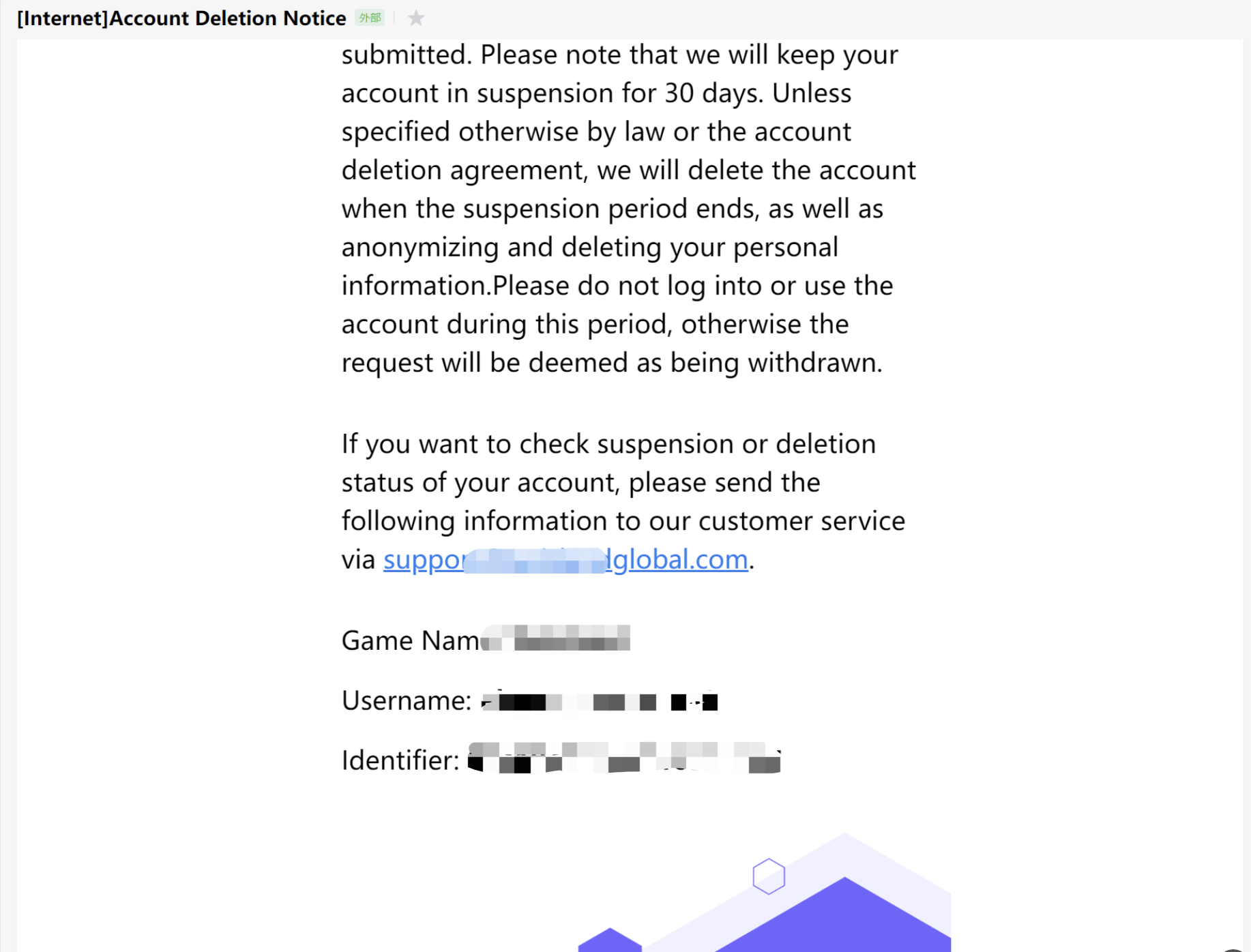
Account logout screen, pulling up the deleted number through the customer service center reports error "ret": 10007, "msg": "decrypt input empty". #
The player must be logged in for encryptEnable in OpenUrl to be passed automatically.This scenario is due to the fact that the business enters the game directly through the admin command, skipping the login process of the Player Network SDK.Since the SDK does not have a local login state, accessing the customer service area does not carry the encodeParam login state, resulting in an error when entering the account logout screen.
When performing credit card authentication in the United States, a [Scene-credit-card] Page Error: failed to fetch [game_name,terms_of_service] - Please contact Customer Service. error appears#
The credit card authentication is not configured; please contact Player Network Assistant.
Multi-Store Channel Package Building
What is a multi-store channel package?#
Each channel package has a different package name, and apps with different package names are uploaded to stores like Amazon, Samsung, Google Play, etc.
Why consider multi-store channel packages?#
Business Perspective: When publishing multiple identical package names, only one can be installed on a single phone.Therefore, the Samsung channel installer already installed on a player's Samsung phone might be overwritten by the Google Play channel installer when the player uses Google Play to update the game.This situation is also known as package washing.Because the revenue sharing in stores like Amazon, Samsung, Google Play differs, package washing affects the profit sharing of the game.Therefore, different package names are needed to solve the package washing problem.
Can accounts be synchronized across multi-store channel packages?#
Yes, the current Player Network SDK solution can generate the same OpenID with the same Game ID to enable account synchronization.
What is the development workload for multi-store channel packages?#
You need to assess the adaptation of various SDKs under different package names:
- Player Network SDK already supports adaptation for multi-store channel packages, game development only needs to code once and then package according to different channel configurations.
- Mi Master SDK needs access to different channel packages, game development needs to call the payment SDK according to different channels and package according to different channel configurations.
Please contact the Mi Master team to confirm details. - For other component SDKs, please have the game contact the respective team.
Does the business integrated with Player Network SDK support upgrading to multi-store channel packages?Will it cause functional abnormalities?#
This supports unpublished games to avoid account issues before CBT goes online after file clearance.It is recommended to use this method, considering the multi-store channel package right from the game's initial integration.It also supports published games in upgrading to multi-store channel packages without player awareness.
Using this solution will impose certain functional restrictions, such as no support for the LoginWithConfirmCode feature in Unity SDK and Unreal Engine SDK.
For new projects, should multi-store channel packaging be considered from the beginning?#
Yes, it is recommended that businesses consider multi-store channel packages from the initial integration and adopt the multi-store channel package approach to facilitate future account synchronization.
Is there a packaging tool platform to support multi-store channel packaging?#
You can contact the Player Network Assistant.
SDK Platform Specific
iOS
Why are iOS AppDelegate callback methods not being triggered?#
Typical scenarios include:
- After Facebook app authorization login, the
OpenURLmethod in AppDelegate cannot be invoked. - Firebase SDK's automatic method swizzling fails, and the AppDelegate's
didRegisterForRemoteNotificationsWithDeviceTokenmethod cannot be invoked.
Please check all third-party libraries introduced in the iOS App for incorrect use of Objective-C automatic method swizzling and other dynamic features that may interrupt the callback execution chain of AppDelegate methods.A known issue with GluAppTracking.framework requires resolution based on the specific game engine.
Why can't the iOS side receive Facebook channel's Deferred DeepLink?#
To properly receive Deferred DeepLinks on iOS, both the Facebook app and the game itself must have ad tracking enabled.
If ad tracking is disabled in either, the Facebook Deferred DeepLink feature cannot be used normally.
Enable ad tracking in the Facebook app:
- Click Allow when the ATT prompt appears in the Facebook app.
- Alternatively, go to Settings > Privacy > Tracking and toggle the switch for the Facebook app.
Enable ad tracking in the game:
- Call the
RequestTrackingAuthorizationAPI.For more details, refer to theRequestTrackingAuthorizationAPI in the Unity SDK or Unreal Engine SDK.
Error "Could not find or use auto-linked library. Undefined symbols for architecture arm64" when packaging iOS#
iOS Swift modules cannot be directly added to Unreal Engine. You must modify engine configurations and add a bridge/bridging layer.
For more details, please refer to Swift SDK Bridging.
iOS app crashes at the logo page with "Watchdog Violation"#
Watchdog Violation is an iOS system protection that terminates the process after a period of lag.The crash is caused by incompatibility between Unity Mobile Notifications and Firebase SDK.
You can choose to remove the Firebase SDK, or follow the steps in Unity Issue Tracker to update Unity Mobile Notifications.
For more error information, see iOS 15 crash with build on Xcode 13.
Login failure when LINE or Facebook login does not trigger AppDelegate application:openURL:options callback#
Typical scenarios include:
-
Cannot return to the game after LINE web authorization.
-
LINE app authorization returns to game, channel error
Code 3003 (userCancelled). -
Facebook opens the web page and jumps to Facebook app, after authorization returns to the game, the web interface cannot be closed.
-
Check the configuration of the LINE and Facebook platform apps.
-
LINE channel error
Code 3003 (userCancelled), check app status; if in Developing mode, only channel administrators and testers can use the LINE login feature.For detailed steps on adding testers, refer to Add user permissions under the LINE app configuration steps. -
Check whether the game manually modified the event definition of Unreal Engine
FIOSCoreDelegates::OnOpenURL.If theapplication:openURL:optionsmethod is implemented inIOSAppDelegate.cppand the event is broadcasted throughFIOSCoreDelegates::OnOpenURL, modifyINTLAppDelegate.mmto ensure proper invocation ofapplication:openURL:options.
Does Player Network directly depend on sensitive iOS permissions requested by INTLCore?#
Permission descriptions:
- NSPhotoLibraryUsageDescription - Access player's photo library, typically used to select photos as player avatars, or to choose images/videos for sharing.
- NSCameraUsageDescription - Use the camera function, generally used for taking photos to upload as player avatars, or in customer service systems for photo or video uploads.
- NSLocationWhenInUseUsageDescription - Obtain player's location, generally used to find nearby players.
- NSPhotoLibraryAddUsageDescription - Add photos to the photo library, typically used to save images in the game, such as highlights or match results.
- NSMicrophoneUsageDescription - Use of microphone/recording functionality, generally used for in-game voice communication.
Player Network does not directly rely on these permissions.If the game needs to save images to the photo library or read from it, NSPhotoLibraryUsageDescription and NSPhotoLibraryAddUsageDescription should be retained.
After opening the H5 page to deactivate a LI PASS account, why can photos be uploaded via the photo library without authorization?#
H5 photo access permissions are independent from client-side photo permissions; when the game accesses files/photos through an H5 page, it won't trigger an authorization popup and will be directly granted private access without authorization.
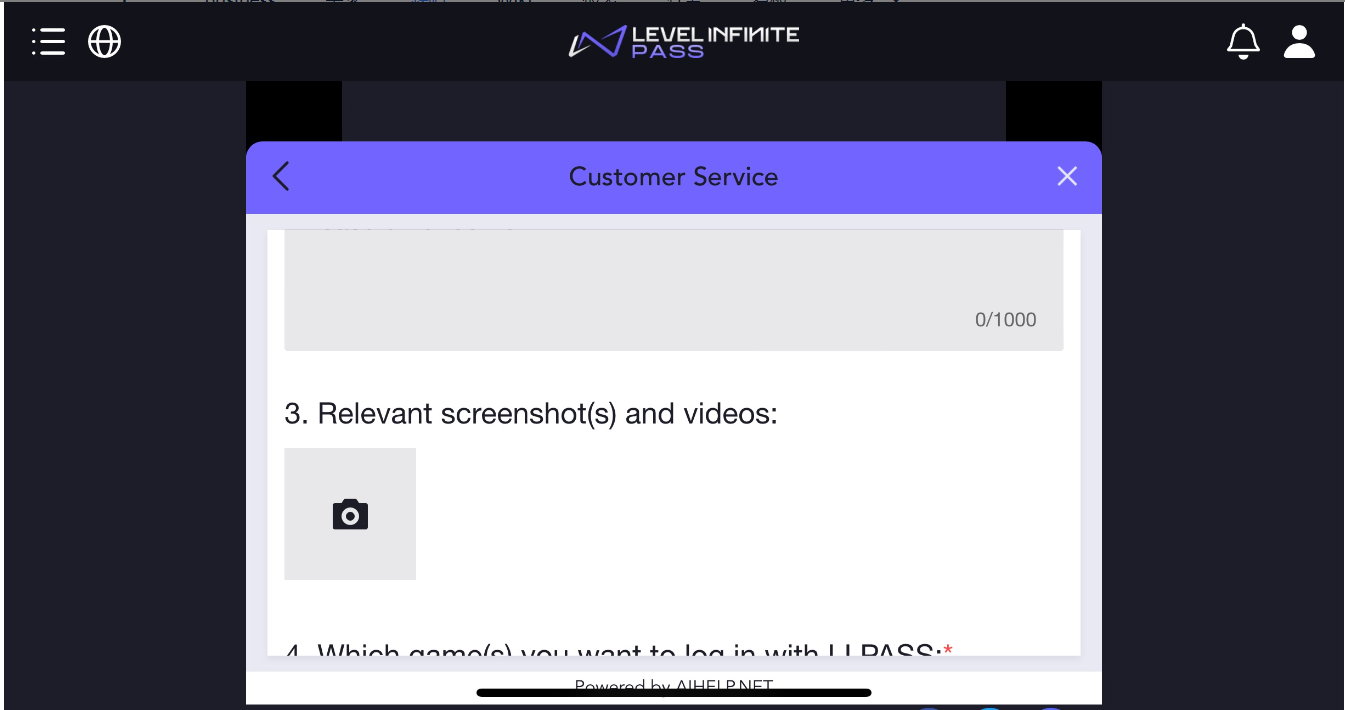
Can .swift files be placed in the INTLCoreLib directory?How to select project Target during compilation?#
Starting from PlayerNetwork V1.28.00, it is recommended to place iOS bridging files (including UE.swift and the automatically generated project_name-Bridging-Header.h) in the Source directory of the game project, at the same level as the main module.
It is no longer recommended to put them in the INTLCoreLib directory.If using the old directory structure, you must manually add the search path in INTLCore.Build.cs, such as PublicIncludePaths.Add(Path.Combine(ModuleDirectory,"Lib"));.
Main Target (Main Target) is the final target to build; when compiling, choosing the main project Target usually does not require specifically checking _Index and _Build.
When submitting the IPA to the App Store, the following error occurs: Missing Code Signing Entitlements. Validation failed.#
Complete error message:
Missing Code Signing Entitlements. Validation failed. Error Domain=ITunesSoftwareService Code=19241, status=409, code=STATE_ERROR_VALIDATION_ERROR. Missing Code Signing Entitlements. No entitlements found in bundle 'intlgame.INTLWebViewResource' for executable 'Payload/YourApp.app/INTLWebViewResource.bundle/INTLWebViewResource'
INTLWebViewResource.bundle is a pure resource file package. The file WebViewResource.bundle/NITUWebViewResource inside it is recognized by the system as either an executable file or a dynamic library, which triggers Apple’s strict signature verification mechanism.
Delete the executable file in the INTLWebViewResource.bundle to resolve the issue, or upgrade to Player Network SDK V1.29.00 or above.
Android
Generate Android key hash#
With OpenSSL tool
-
Download OpenSSL.
-
Configure OpenSSL environment variables.
-
Configure JDK to use keytool.
-
Generate key hash
- To generate a key hash on a Mac, run the following command:
keytool -exportcert -alias androiddebugkey -keystore ~/.android/debug.keystore | openssl sha1 -binary | openssl base64- To generate a key hash on Windows, run the following command:
keytool -exportcert -alias androiddebugkey -keystore %HOMEPATH%\.android\debug.keystore | openssl sha1 -binary | openssl base64 -
After entering the keystore password, you will receive a 28-character string, which is the desired hash.
For Unity, the default Debug keystore is located at:C:\Users\XXXXX\.android\debug.keystore. -
Supplement the information of the default
debug.keystore
The information of the defaultdebug.keystoreis as follows:Keystore name: "debug.keystore"
Keystore password: "android"
Key alias: "androiddebugkey"
Key password: "android"
CN: "CN=Android Debug,O=Android,C=US"
Android get SHA1 / MD5 value#
Get SHA1 using keytool
Keytool is a tool that comes with JDK.The steps to obtain SHA1 using keytool are as follows:
- Enter the console
- cd to the project's keystore directory
- Enter the command:
keytool -list -v -keystore android.keystoreandroid.keystoreis the keystore for your APK - Enter the keystore password
In Android systems, Unity has a black screen issue on 12+ (API 31+) systems.#
This is an issue with Unity itself.Try resolving the issue by clicking Mute Other Audio Sources in Player Settings.
For more information, refer to Unity Forum Android 12 Telephony Crash and Unity Documentation PlayerSettings.muteOtherAudioSources.
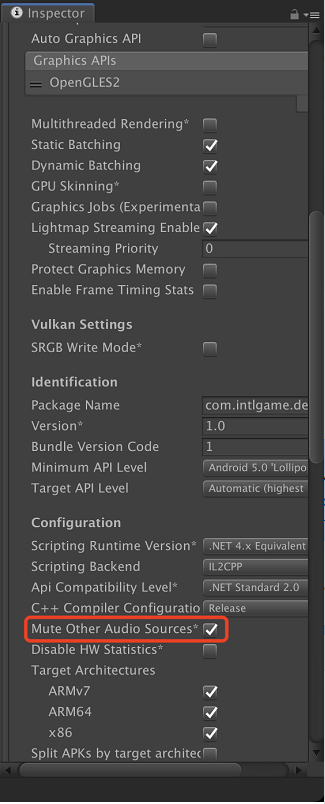
Android startup crash with error "java.lang.NoClassDefFoundError: Failed resolution of: Lcom/google/android/gms/common/api/Apiszzf at com.google.android.gms.games.Games,<clinit>(Unknown Source:0)"#
In Unreal Engine, upgrade the Google version in the aar-imports file to V1.17.
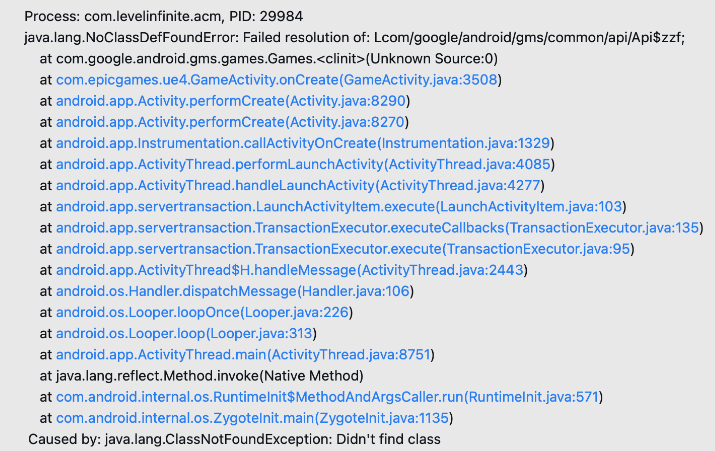
Does including duplicate .so files in different AAR plugins affect the size of the build?#
No.From version V1.24.00 onwards, the Player Network SDK includes the .so files the AAR plugin depends on, such as the INTLUnityAdapter.aar plugin that contains the INTLCore.so file.Thus, pickFirst has been defined in the gradle file to avoid duplicate .so files, so the final product APK will not contain multiple duplicates and will not affect the package size.
Player Network SDK V1.24.01 has removed other .so files from AAR plugins.
Google Play review prompts indicate that permissions violate policy: Your app doesn't adhere to Google Play Developer Programme Policies. #
Starting October 31, 2024, Google Play will impose stronger restrictions on apps requesting photo and video permissions, such as android.permission.READ_MEDIA_IMAGES and android.permission.READ_MEDIA_VIDEO.These permissions generally relate to media file access (such as channel sharing functions), but are no longer used in the current version.
If your current SDK version is V1.22.01 to V1.24.00, please remove these permissions from the AndroidManifest file or upgrade to V1.24.01 or later.
<manifest xmlns:android="http://schemas.android.com/apk/res/android"
          xmlns:tools="http://schemas.android.com/tools"
          ... >

    <uses-permission android:name="android.permission.WRITE_EXTERNAL_STORAGE" tools:node="remove" />
    <uses-permission android:name="android.permission.READ_EXTERNAL_STORAGE" tools:node="remove" />
    <uses-permission android:name="android.permission.READ_MEDIA_IMAGES" tools:node="remove" />
    <uses-permission android:name="android.permission.READ_MEDIA_VIDEO" tools:node="remove" />

    ...
</manifest>
For more information, see Android channel permission statement and Detailed information on Google Play's photo and video permission policy.
Execution error on File > Build And Run in Unity Editor #
Error message:
FAILURE: Build failed with an exception.
* Where:
Build file '/Users/***/launcher/build.gradle' line: 1
* What went wrong:
A problem occurred evaluating project ':launcher'.
> Failed to apply plugin 'com.android.internal.application'.
   > The option 'android.enableR8' is deprecated.
     It was removed in version 7.0 of the Android Gradle plugin.
     Please remove it from `gradle.properties`.
The enableR8 configuration has been deprecated after AGP 7.0, and R8 is enabled by default.
In Edit > Project Settings > Player > Android > Publishing Settings > Minify, simply check Use R8 to allow Build And Run to work properly.
Unity 2021 build fails during the mergeDex stage#
Error message:
> Task :launcher:mergeDexDebug FAILED
AGPBI: {\"kind\":\"error\",\"text\":\"com.android.tools.r8.kotlin.H\",\"sources\":[{}],\"tool\":\"D8\"}

com.android.tools.r8.kotlin.H

Execution failed for task ':launcher:mergeDexDebug'.
> Could not resolve all files for configuration ':launcher:debugRuntimeClasspath'.
   > Failed to transform play-services-measurement-api-21.5.0.aar (com.google.android.gms:play-services-measurement-api:21.5.0) to match attributes {artifactType=android-dex, asm-transformed-variant=NONE, dexing-enable-desugaring=true, dexing-is-debuggable=true, dexing-min-sdk=16, org.gradle.status=release, org.gradle.usage=java-runtime}.
      > Execution failed for DexingWithClasspathTransform: /Users/diemliang/.gradle/caches/transforms-3/e44e9aeb559794f90081ea4f47c131bc/transformed/jetified-play-services-measurement-api-21.5.0-runtime.jar.
         > Error while dexing.
This issue is caused by Unity 2021 specifying R8 version 4.0.48, which is incompatible with AGP 7.1.2. According to Google’s official documentation, the recommended R8 version to use with AGP 7.1.2 is 3.1.51.
You need to modify the R8 version in settingsTemplate.gradle to 3.1.51:
dependencies {
    // classpath(\"com.android.tools:r8:4.0.48\")
    classpath(\"com.android.tools:r8:3.1.51\")    // Change to 3.1.51
}
After upgrading to Player Network SDK V1.24, Assets/Plugins/Android/settingsTemplate.gradle has already updated R8 to version 3.1.51, so no modification is required.
Compilation error: 'shortService' is incompatible with attribute foregroundServiceType (attr) flags#
Both compileSdkVersion and targetSdkVersion must be upgraded to 34.
Windows
Network error 60, CURLCode for more details#
For CA certificate problem, you can delete the cacert.pem file and download the cacert.pem file again from Player Network console.


How does the client get a list of friends? #
Currently the client only supports the Epic channel for friend lists.Other channels require backend retrieval, see the QueryFriends API for details.