LEVEL INFINITE PASS
Client
Will upgrading to LI PASS result in the loss of existing player accounts or other login issues? #
No.When logging into LI PASS, it will verify whether the email is already registered in the custom account.LI PASS will automatically create new OpenID or migrate the old OpenID.It also supports rolling back to the original account service to avoid account loss.
Will upgrading to LI PASS confuse players and lead to user churn? #
Players will receive clear prompts to minimize experience fluctuations.
Are there any new stages or steps (such as another age verification) that are causing user churn? #
No new phases.LI PASS includes a complete set of user interface interactions, including account registration, login, and compliance services.It ensures consistency of brand concept and reduces game development and integration costs.Compliance services support minor age verification and cross-game verification status migration, reducing player attrition due to repeated age verification and real-name verification processes.
How are LI PASS players (from other games) attracted to your game? Are there any compliance risks or reputational risks? #
Games send marketing emails to LI PASS players via SmartLink or occupy LI PASS website marketing resources to promote games and guide downloads.LI PASS privacy agreement must explain how player data is used, and the legal team must approve the privacy agreement to avoid compliance risks and reputation risks.
Does INTLConfig.ini support configuring multilingual URLs for the Terms of Service and Privacy Policy? #
No, INTLConfig.ini does not support multilingual; please configure on the corresponding HTML5 page yourself.
How do I edit the country/region list for LI PASS? #
Follow the steps below to modify the country/region list of LI PASS V1.06 and earlier versions.For versions V1.07 and later, see the UpdateCountryList API.
- Unity
- Unreal Engine
- Contact the Player Network representative to request a list of countries/regions for bill of lading amendments.
- Contact your Player Network representative to request a list of countries/regions for the bill of lading. 2. Use the
AssetBundlefiles provided by R&D to overwrite theAssetBundlefiles in the directory{Project}\Assets\StreamingAssets\INTLGameNative\.
- Manually delete the 32-bit and 64-bit LUAC files that have the same names as the LUA files.
{Project}\LevelInfinite\Content\INTLGameNative\LevelInfinite\Luac\MinorsCertificate\Region32.luac{Project}\LevelInfinite\Content\INTLGameNative\LevelInfinite\Luac\MinorsCertificate\Region64.luac
- Place
Region.luain the original LUAC file location{Project}\LevelInfinite\Content\INTLGameNative\LevelInfinite\Luac\MinorsCertificate.
How can I resolve compilation errors after importing LI PASS into Unity? #
Error message reference:
Assets\LevelInfinite\Scripts\INTLGameNative\Scripts\LuaObject\Unity\INTLLua_UnityEngine_SystemInfo.cs(1836,16): error CS0619: 'SystemInfo.supportsGPUFence' is obsolete: 'SystemInfo.supportsGPUFence has been deprecated, use SystemInfo.supportsGraphicsFence instead (UnityUpgradable) -> supportsGraphicsFence'
This is because the LuaObject code generated by sLua does not match the current engine version, and needs to be regenerated.In the Unity menu bar, select INTLLua > All > Clear > Make, see Importing the LevelInfinite plugin for details.
Does LI PASS support compliance procedure customization? #
Support for customizing the compliance process for third-party channels, but not for customizing the LI PASS compliance process.
After LI PASS hot update is disabled, how should the business clear old resources to load local resources? #
For mobile services, players should be prompted to uninstall and reinstall, and for PC, they should clear the Player Network SDK cache directory.
If the game does not call the SetDefaultUserStorage interface, the default path to the cached data in the PC Player Network SDK is %ProgramData%\INTL\{game id}\{application name}\.For example, if the game id is 11 and the application name is INTLSDKDemo, the cached data will be saved in %ProgramData%\INTL\11\INTLSDKDemo.
For more information, see the SetDefaultUserStorage API.
SetRewardExtraJson Failed to parse API input parameters. Is the SDK compatible with the input parameters? #
The SDK layer is compatible with scenarios where the input parameter is not passed a value or "", but the business needs to add standard JSON format validation on its own.Interface inputs in a non-standard JSON format will cause the SDK to fail to parse them.
On the Windows platform, when logging in with a LI PASS password, the language automatically switches to Chinese. If you enter a letter followed by a number, the password cursor will move back and clear the previous characters. #
This is not a problem with the Player Network SDK component, but is caused by switching the input method language to Chinese in the system settings.When the text of the password input box changes, characters other than alphanumeric and supported symbols are eliminated from the text.
Just switch the default input method language in the system settings to English.
When do configurations pushed via the Player Network Console's cloud management feature take effect on the client? #
The Cloud Control feature does not guarantee that it will always be available to every player, depending on the player's current network quality.
For example, the first time a player installs a game on iOS they will need to authorize the network, and without player authorization, the downlaod often won't work.After the player authorizes the network, the cloud control pull is performed each subsequent time the client is launched and takes effect on the next launch.
For services with multi-channel package configuration, it is recommended to configure the information of different channels when packaging to avoid problems such as untimely updates caused by the timing of the Player Network console being sent down to take effect.
An error occurred when launching the game: " : GameNative SDK failed to retrieve configuration!, ret:1006, msg: game ID is invalid!" #
To access LI PASS for the first time, you need to activate the GameNative privilege, please contact the Player Network assistant to activate it.
After importing LI PASS into Unreal Engine on Windows, an error is triggered in the Editor when calling ``,ULevelInfiniteAPI::OpenLoginPanel, or . #
Error message reference:
[UE]: INTLGameNative::Lua error: ...elInfinite\Lua\Lua_unreal\AuthWindow\AuthWindowPanel.lua:565: attempt to index a nil value (field 'TextBlock_SendCodeButtonText')
LI PASS calls CloseLI on its own initiative when a Windows program exits, but it can't be triggered in the Editor, so you need to call CloseLI before initializing the Editor mode, to clean up the residual data from the last run of the Lua VM.
"ret":1018,"msg":"sigkey not found" #
Caused by inconsistent INTL_URL and ACCOUNT_URL environment information in the INTLConfig.ini configuration file.After modifying the INTLConfig.ini configuration file, if it still does not take effect, it is recommended to delete the following cache file under the LOG path:
- ApasRemoteConfig
- IntlCustomConfig.tmp
- IntlRemoteConfig
- LipassRemoteConfig
How do I disable the performance monitoring tools used by LI PASS— , LuaProfiler, and ? #
-
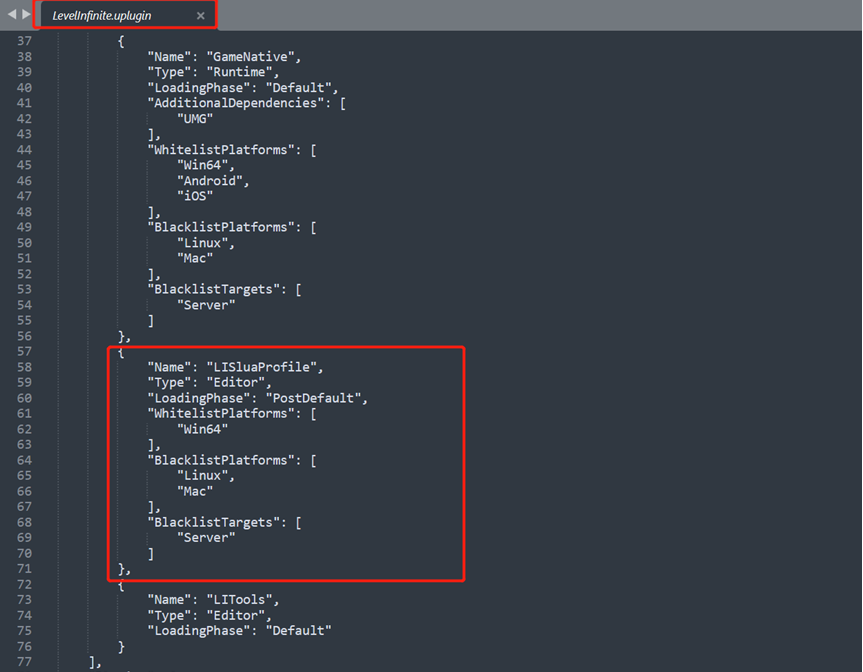
After removing the contents of
LISluaProfilefrom theLevelInfinite.upluginfile,LuaProfilerno longer runs
-
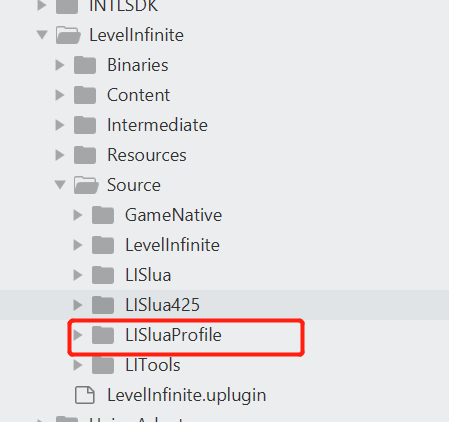
Delete the folder corresponding to the
LuaProfilercode
Calling `` orINTLAPI.SetAuthEncryptData causes Unity to crash when the game is launched in debug mode. #
You need to initialize Player Network SDK before initializing LI PASS.
LI PASS crashes immediately upon login with the error message: " " "backtrace:intl::SecurityCheckUtil" #
Add the configuration switch SECURITY_FLAG = 0 to the INTLConfig.ini file.For more information, see Player Network SDK Reporting
Build error: Assets\\Levellnfinite\\Runtime\\/NTLGameNative\\Scripts\\LuaObject\\Unity\INTLLua_UnityEngine_Application.cs(529,28): error CS0117: 'Application' does not contain a definition for 'Setll2cppMonitorAlloc' #
Ensure that the version of Unity used to generate the LuaObject is the same as the version used to package it.
When creating a LuaObject in Unity, the following error occurs: " " "FileNotFoundException: Could not load the file 'Assembly-CSharp-Editor'" #
LI PASS cannot find the Editor folder because the assembly has not yet been compiled, and it usually occurs in new projects or projects with no content.
Just manually create an Editor folder and add a blank script to it.
LI PASS: Will changing a password log out players who are currently logged in on the client? #
No, but you can have other devices forced offline within the account center.
LI PASS Login Error: Network error, please try again later [error_4_77] #
This error is usually due to a missing INTL network library certificate, you can check if there is a cacert.pem file under the INTLSDK/Source/INTLFoundation/Libs/Win/X86_64 path.
NSLog appears in Console.app as " <private>" #
According to Apple's iOS 26 Release Note, NSLog is hidden as <private> in Console.app.Adjust iOS SDK v5.4.6 is affected by this issue, which will be fixed in the next Adjust SDK release.
No callback was received after calling the LI interface #
Please check the output directory path of the Plugin DLL.
LI login fails to display the login screen #
Please check whether the LI resource files are included in the package.
Username Rules #
Usernames must begin with a letter and consist of lowercase letters, underscores, and numbers (a-z_0-9), with a length of 6–16 bytes.
Password Rules #
Password validation supports uppercase and lowercase letters, numbers, and certain special characters (including !@#$%^ &*()+=\-_/? <>,.:;|), with a length of 8 to 20 characters.
Linking Self-Created Accounts and Accounts from Other Channels #
If a game offers multiple login options—including in-game accounts, third-party services, or guest login—you can link your in-game account to these other options. The next time you log in, you can choose to log in using any of the linked options and still be logged into the same account.
When a player has already logged in through another channel and linked their self-created account, that self-created account must never have been logged into before.
Is there a way to disable Levellnfinite's LuaState-related code? #
LevelInfinite supports disabling the Lua virtual machine by calling the following API:
ULevelInfiniteAPI::CloseLI();
After disabling it, you will no longer be able to continue using LIP-related login and user center features
It is recommended to return to the lobby and reinitialize LevelInfinite by calling the following API:
ULevelInfiniteAPI::InitLIP(GetGameInstance<UGameInstance>(), Version, TEXT("en"));
After returning to the lobby, the user center can be used normally.
web-based
Display Issue with the LI PASS Web Component Interface Position #
You can set the `` andrenderModeparameters to and `` to use the modal mode ( ). Please refer to the Config Documentation.
When logging in via a third-party channel in Web Components, the "Quick Bind Email" option does not appear in the LI PASS pop-up window. #
Whether or not to enter the fast-binding process when binding will be determined by the status of the channel and the player's account:
- Whether the business has turned on the ability to get mailboxes from that channel (whether the business has authorization)
- Ability to get the player's email from that source (whether the player has authorization or not)
- Obtained email address, whether or not it is registered with LI PASS, whether or not it has an OpenID for that game (can it be tied)
Only if all of the above conditions are met will it enter the quick bind process, otherwise it will ask the player to manually enter their email address.
When logging into LI PASS via the web interface, compliance verification does not behave as expected #
The Player Network console may not have the relevant compliance authentication steps turned on, and it is recommended that you check the Player Network console's compliance authentication provisioning.
Third-Party Channel Authorization (thirdAuthorize): How to Support Non-Popup Mode #
Support for non-popup mode is available in two ways:
-
Configuration parameters: windowopen_type: '_self', callbackurl: redirect address after login success.
Applicable scenarios: Mobile, browsers where opening a new window is forbidden, WeChat Official Accounts authorization, or any scenario that requires staying on the current page.
Applicable scenarios: Mobile devices, browsers that do not allow new windows to open, WeChat Official Account authorizations, and other scenarios where the process must take place on the current page. -
Configuration parameters: extra.uxMode: 'fullScreen'.
Applicable scenarios: You want to open a new window, but not as a small centered popup, rather as a normal tab/large window.
Applicable scenario: You want to open a new window, but not a small centered pop-up window—instead, a normal tab/large window.
LI PASS Package Reward Issuance
What is the difference between the binding gift pack and the first-login gift pack in terms of their contents? #
The main difference is whether the game side needs to call the SendBindReward interface.Bound rewards are automatically issued, first login rewards need to be manually triggered.In the AMS backend, both are independent reward activities with the same configuration process.
What is the integration and testing process for the LI PASS gift pack distribution feature? #
-
Configure the event for the item in AMS.
-
Complete interface debugging in the LI PASS backend.
-
Integrate the interface into the game client and package the test version.
-
On the test environment, complete binding/login with LI PASS account and check if the test gift pack is correctly received.
-
If the game supports multiple languages, check if the function works in different language modes.
-
Check if rewards are credited properly, whether there is any delay, and if the delay is within acceptable limits.
Who provides the multilingual text for emails and item names? #
The business party provides all required language versions and clearly states which is the default language.Provided to LI PASS account joint debugging team for multilingual email configurations and more.
Login authentication
Frequently Asked Questions About Login Failures #
After checking the network condition and eliminating the login failure caused by unstable network, check the Player Network SDK logs according to the system time.
-
A record with a
method_idof 102 or 101 was found in the log.{"ret":0,"msg":"success","method_id":102,"ret_code":0,"ret_msg":"Success",...} -
ret_codeis the client error code, see Client Error Code. -
"ret_code":9999is a third-party channel error, see Third-Party Channel Error Code. -
"ret_code":5is a backend error, see Backend Error Code.
Can I reset my account data? #
The test environment can be cleared by contacting the Player Network assistant.
Official environment account data cannot be cleared for archiving.
After successfully linking an account, how do I retrieve information about the linked account? #
After successful login, the BindList of the INTLAuthResult result of the QueryUserInfo callback is the information of the bound account.
Can I link two accounts from the same platform? For example, can a guest account be linked to two Facebook accounts, or can a Facebook account be linked to another Facebook account? #
No, you can only bind one account per channel.
Binding failed. Error codes: retCode: 5 , thirdCode: 1403 . #
It could be caused by the following:
- Accounts that have been tied to this channel
- The bound account has already been bound.
- Bound account logged in
The reason is 2 or 3 if there is no account in the BindList for the bound channel, or 1 otherwise.
Will the OpenID change after a visitor's account is linked to a channel account? #
No, the OpenID will not change.
Will my guest account be reset after I uninstall the game? #
SDK V1.7 and later do not have this problem, and the account can be reset by calling ResetGuest.V1.6 and earlier versions will reset your account when you uninstall the game.
If account binding fails after successful authorization through a third-party channel, you will be unable to switch accounts or log out #
Please clear the browser data and then log out the third party channel account in the browser, then clear the app data and try to bind again.
What do the parameters " " and "intl_cluster " mean when deleting an account? #
The base64URL encoding of INTL_URL in INTLConfig.ini.
How do I clear the cache for an Android game? #
The order of operations varies from phone to phone, and the steps to clear the game cache are shown below using the Google Pixel 4a phone as an example.
- Open your phone and find Settings.
- Select Storage > Internal Shared Storage > Games and then select the game for which you want to clear the cache.
- Click Clear Storage and Clear Memory.
[Unity] The `` andINTLAuthResultvalues obtained from MiniJson deserialization ( ) are null. #
Check to see if Managed Stripping Level is low in Unity's Project Setting.If you must use another level, contact the Player Network assistant.
Are the OpenIDs generated for the same third-party account the same across different environments? #
Unlike that, the same third-party account will generate different OpenIDs in different environments.
Automatic login failed. Error code: retCode: 5 , thirdCode: 11002 #
Automatic login fails because the login token has expired and been deleted (30 days after default login).When an error occurs, the game may pull up the login screen again to allow the player to log back in.
UI Interface: Issue with the password field blending into the background. #
Set ForceVolatile in UIRoot.
Web Game Configuration Issues #
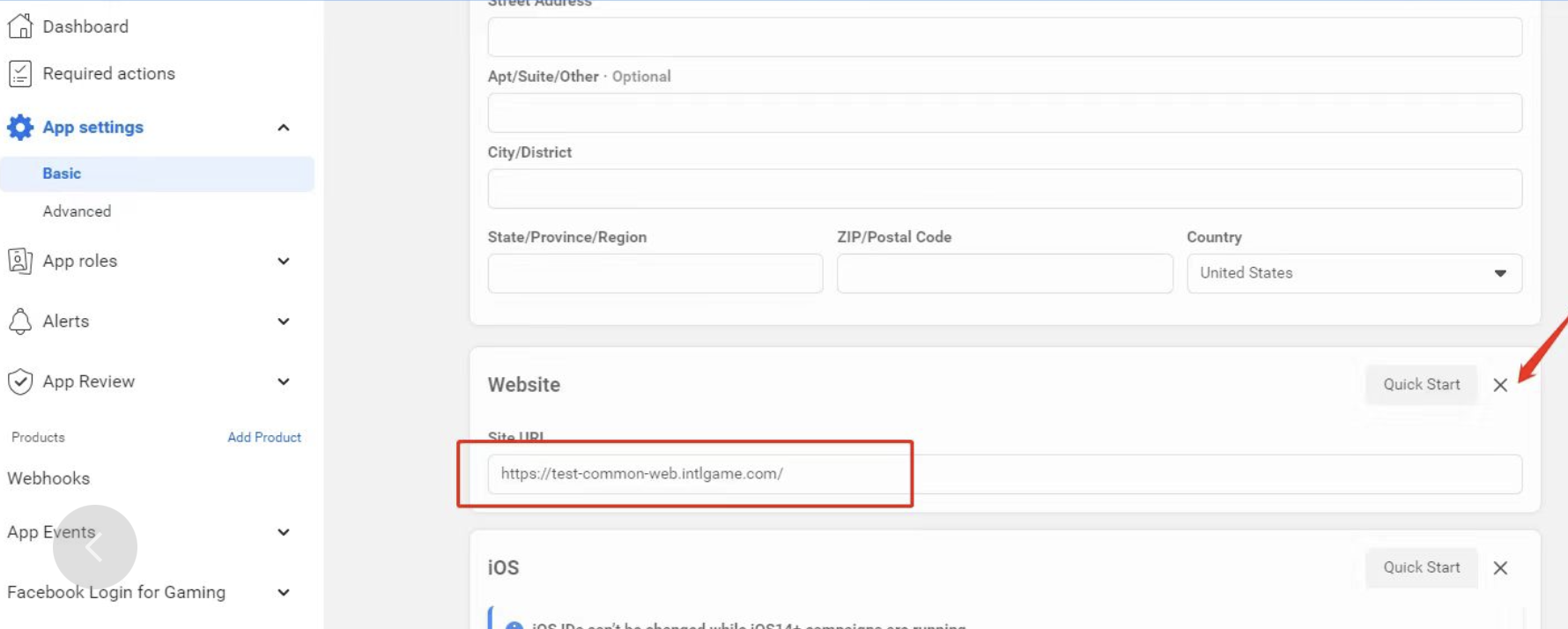
Please check that the Facebook administrator has filled out the Website configuration shown in the image, which means that there is a web version of the game.If there is no network version, delete this configuration.If not filled out correctly, the game will be banned from Facebook.
[iOS] The image displayed when sharing to Facebook via the system is not the one specified by ImagePath . #
The iOS system shares the flow of the processing of the content resulting.Because both Link and ImagePath images are provided, iOS first gets an image from inside the Link.
[System] I'm sharing text, links, and images at the same time, but the text isn't showing up. #
When there is an image or link, the text is not displayed and the text needs to be entered manually.
[Discord] When searching for friends, is the information retrieved limited to friends you've played with? #
No, Discord looks up platform friends, not playmates.
[Discord] Multi-store channel packages: If the Discord and appid differ for each channel package, are the friends retrieved by Discord isolated by channel package? #
It's not.
Why isn't the callback triggered when I log in? #
Problems with callback logic:
- You need to listen to the
AuthResultObservermethod when you open the interface.
- Unity
- Unreal Engine
public override void Start()
    {
        base.Start();
        INTLAPI.AddAuthResultObserver(OnAuthResultEvent);
    }
For more information, see AuthResultObserver.
void ULevelInfiniteWindow::OnOpen()
{
  Super::OnOpen();
  FocusSampleUI();
  AuthResultObserver = UINTLSDKAPI::GetAuthResultObserver().AddUObject(this, &ULevelInfiniteWindow::OnAuthResult_Callback);
}
For more information, see AuthResultObserver.
- Initialization requires a call to this interface:
- Unity
- Unreal Engine
public void OnLIPASSInitClick()
    {
        isVMStart = true;
        var activityName = INTLAPI.GetConfig(LevelInfinite.DefaultActivityKey, "LILandscape");
        ShowLogInNewLine(string.Format("Init:\nLI plugin ver:[{0}] \ndefault activity:[{1}]", LevelInfinite.Version, activityName));
        LevelInfinite.InitLIP(font,LI_Sample_APP_VERSION);
        LevelInfinite.SetUIRoot(uiRoot);
        SetupCanvasResolution();
    }
void ULevelInfiniteWindow::LIInit()
{
    FString Version = LI_Sample_APP_VERSION;
    // FString Version = FApp::GetBuildVersion();
  UE_LOG(LogTemp, Display, TEXT(">>>>> LIInit, Version:%s"), *Version);
//#if PLATFORM_WINDOWS || PLATFORM_ANDROID || PLATFORM_IOS
  UE_LOG(LogTemp, Display, TEXT(">>>>> call ULevelInfiniteAPI::InitLIP"));
  ULevelInfiniteAPI::InitLIP(GetGameInstance<UGameInstance>(), Version);
  ULevelInfiniteAPI::SetUIRoot(INTLGN_LIActivity);
#if PLATFORM_ANDROID || PLATFORM_IOS
    ULevelInfiniteAPI::SetUICustomScale(1.44f);
#elif PLATFORM_WINDOWS
    ULevelInfiniteAPI::SetUICustomScale(1.0f);
#endif
//#endif
}
Login error: 5_1401 or 5_30004 . #
Verify that the LI PASS configuration has been successfully published in the Player Network console.
User login failed. Error codes: retCode: 5 , thirdCode: 1104 . #
Visitor login is not enabled in Player Network's login and account service, please go to Player Network to enable visitor login.
The `` andbindlist returned after successful binding are empty; there is no account information for the successfully bound account. #
You need to call QueryUserInfo to return bindlist, after that auto login will come with bindlist.
How do I reset a guest account? #
SDK V1.7 and later requires a call to ResetGuest to reset the guest.Uninstalling and reinstalling the game on V1.6 and earlier will reset the visitor account.
Crash during visitor login #
LI PASS V1.16 or later:
Checks if INTLAPI.InitLIP() is called to initialize the SDK.
LI PASS V1.06 ~ V1.15:
Check whether to call INTLAPI.InitLI() to initialize SDK.
LI PASS V1.05 or earlier:
Checks if INTLAPI.Init() is called to initialize the SDK.
Login failed. Please visit retCode:5 , msg:CURLCode for more details #
Check if Unity package reads INTLSDK.bundle or if UnityFramework is missing INTLSDK.bundle.
Why is the same guest OpenID used on multiple iPhones? #
OpenID is synchronized with iCloud.Check that the iPhone is logged into the same iCloud account and has the keychain switch turned on.
When a guest logs in on iOS Device A, a UID is generated; when a guest logs in on Device B, Device A’s UID is displayed as well #
iOS's Keychain Security Synchronization may be enabled, causing multiple devices to have the same Device ID or OpenID.
iOS device ID data is stored in a keychain, which Player Network SDK reads by default without modifying or deleting the data.If multiple devices are signed in to the same Apple account, and the Keychain item in iCloud Cloud Backup is turned on, iOS will sync the OpenID to all devices.As a result, it is possible for multiple devices to get the same device ID, and for guest logins to get the same OpenID.
If the game has a kick-out feature, it may produce visitor accounts kicking each other.Players can go to iCloud Cloud Backup to disable Keychain Sharing, uninstall the app and reinstall it to solve the problem.
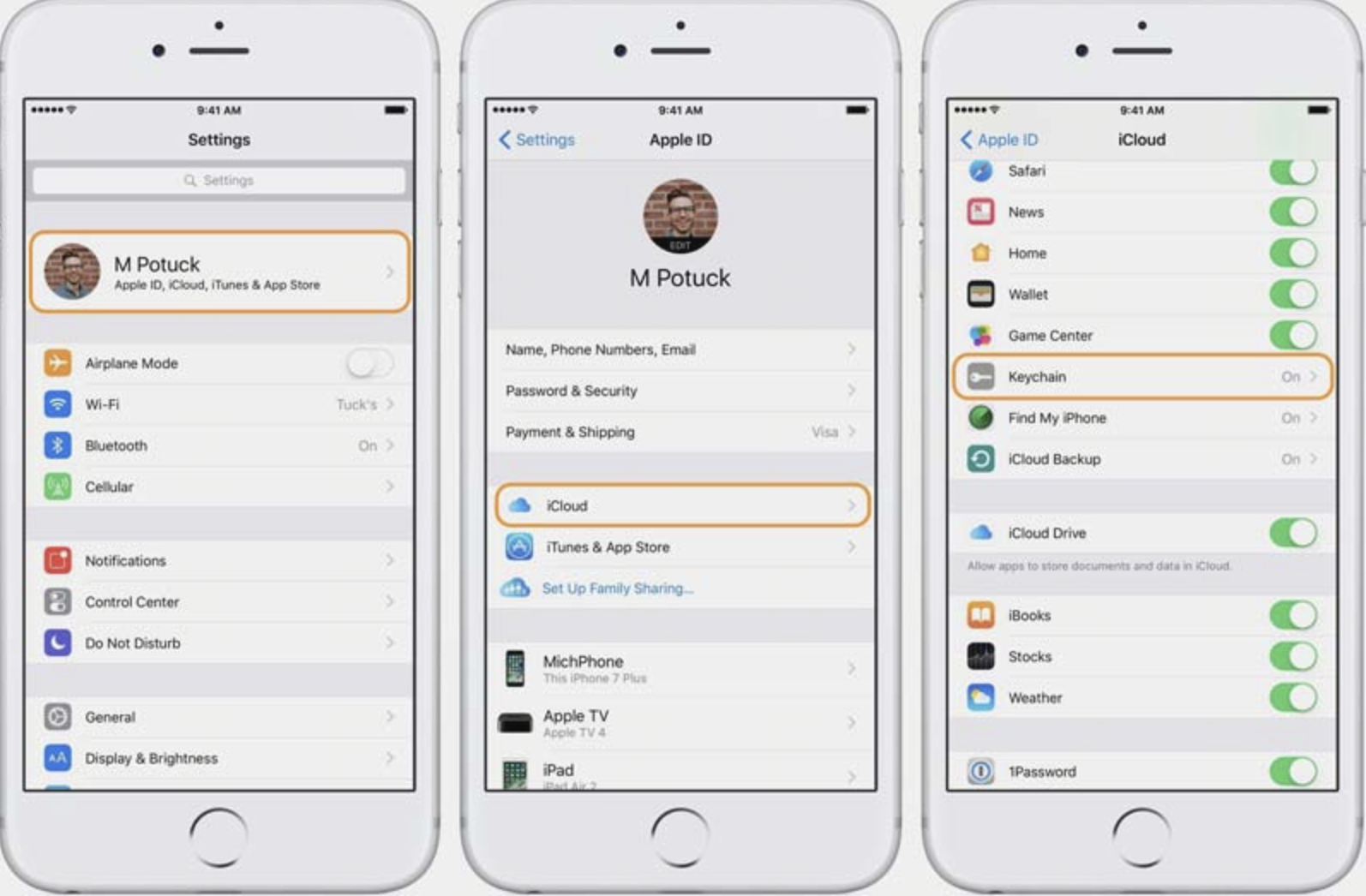
For more details, see Keychain Security Synchronization.
Failed to log in on the PC. The network API request returned the following error code: ret:77 , msg:CURLCode for more details #
Because Player Network SDK V1.21.02 upgraded libcurl for Windows, but did not synchronize some configurations of the previous version, there is a problem to read the certificate path on non-UTF8 Windows systems.
Optionally, you can upgrade to Player Network SDK V1.22.00 and later, or replace the INTLFoundation.dll file.For more information, contact the Player Network assistant.
Login failed. The network API request returned the following error code: ret:28 , msg: the timeout was reached #
You can try the following troubleshooting steps:
- Check the network connection to make sure it is stable, or try restarting the router.
- Clear your browser cache and cookies, or try using Trace Free Mode.
- Try using a different browser or device.
- If you are using a VPN, close the VPN and try again.
- Check the status of the server, for example, by viewing the relevant status page to confirm that the service is up and running.
- Retry logging in later, the server may cause timeout issues when the load is high.
When logging in with an account that does not meet the game's age restrictions, the login screen continuously displays Loading. #
You can try the following troubleshooting steps:
- Check the auto-login interface listener logic handling to see if it is listening to
INTLMethodID.INTL_AUTH_LOGOUT, which triggers auto-login after the logout callback. - The game's Loading page may be blocking the note displayed by LI PASS, causing login to fail. It is recommended to remove the game's Loading page after pulling up the LI PASS login.
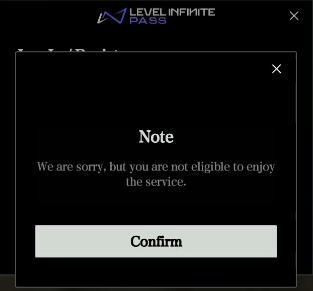
When automatically logging in with an account that does not meet the game's age restriction, the following errors occur in the callback: " " and "AddWidgetToNode" , reporting that the a2 parameter is missing. #
The timing of the SetUIRoot call is wrong, it is recommended to call it before the LI PASS interface is opened to ensure that the root node object is normal.
How do I block logins through third-party channels? #
- Check whether the configuration for third-party channels has been enabled and pushed via the Player Network console; if so, disable it.
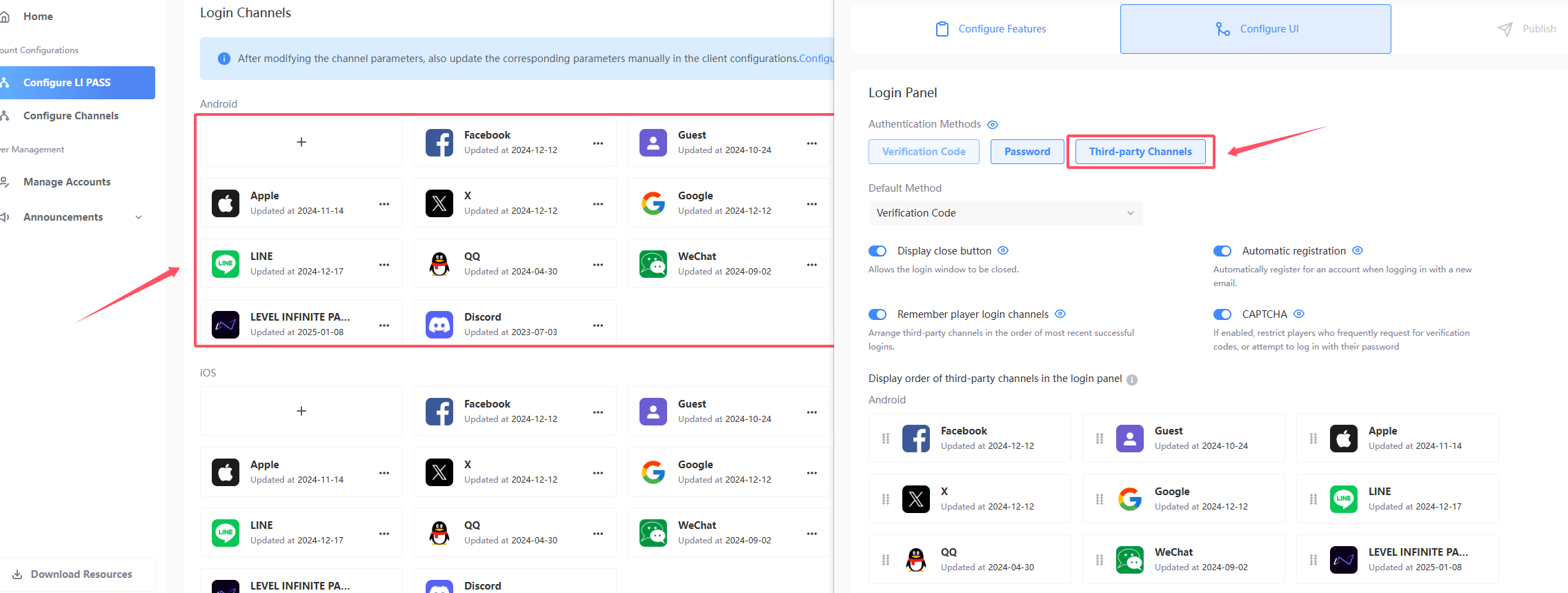
- Check that the
ACCOUNT_THIRD_CHANNEL_ANDROID/IOS/WINDOWSfield in the localIntlconfig.inifile is configured with a three-way channel.See ACCOUNT_THIRD_CHANNEL for details. - Add
ACCOUNT_FLOW_SWITCH = 8to the localIntlconfig.inifile.See ACCOUNT_FLOW_SWITCH for details.
When calling the /v2/auth/decrypt_aes API, a cross-origin error occurs: " " CORS error #
Check the way the interface is called, this interface does not support calling in the browser, you need to use the background call.
For more information, see the Backend API Overview.
After configuring INTL_URL to the production domain, the logs still show the Test environment #
Checks if the updateConfig interface is called.
Huawei Hongmeng system uninstall reinstallation profile will not be deleted, you need to go to the application to manually delete the storage and cache.
Two Android devices generated the same guest account #
Check the history of the device for behaviors such as "migrating, cloning, ADB copying, or backing up related data".These behaviors can potentially lead to XWID multiplexing caching, resulting in two devices using the same visitor account equally.
Generally resetting the system data can directly restore the original situation of the device to solve the problem.
Apple
Apple Code Error #
For more information on Apple error codes, see Apple Error Codes (ASAuthorizationError).
For all channel error codes, see Channel Error Codes.
Login failed, error code: 4 #
Check if UnityFramework contains INTLSDK.bundle.
Check if Unity-iPhone contains INTLSDK.bundle.
Login failed, error code: retCode: 5 , thirdCode: 1202 #
Check that the channel configuration BundleID in Player Network is correct.The BundleID format should be similar to com.company.name.
Login failed, error code: retCode: 5 , thirdCode: 1006 , msg:invalid gameid or channelid #
- Check whether the SDK Environment configuration in the iOS INTLConfig.ini is correct.
- Check that Login and Account Services channel information is configured correctly in the Player Network console.
Does the Apple Sign-In App support landscape mode or automatic screen rotation? #
The Apple SDK does not support landscape settings or automatic screen rotation.For more information, see Apple's Layout
How do I obtain the Key ID and the PrivateKey ? #
After registering your project's publishing certificate and developer certificate in KeyStore, you need to contact O2000 (Oteam Unified Technical Support) to apply for AppleID as the login method for your application.
After the operation is completed, you will get the Key ID and PrivateKey, and you can configure the corresponding Key ID and PrivateKey to the Player Network SDK console by refreshing the certificates in the KeyStore.
Login failed, error code: retCode: 9999 , thirdCode: 1000 , msg: Error Domain=com.apple.AuthenticationServices.AuthorizationError #
Troubleshooting steps:
- Apple login cannot be tested on the re-signing package, it is recommended to use TestFlight or add a device whitelist to make sure the device is in the allowed list.
- Ensure that
com.apple.developer.applesigninis present and configured correctly in the.entitlementsfile, and check that the Sign In with Apple permission is turned on. - The permission statements in the provisioning profile must match those in the
.entitlementsfile.
Login failed. Error code: invalid request. Invalid client ID or web redirect URL. #
-
Check if the Identifier in Apple Developer matches the
APPLE_WEB_APP_IDin INTLConfig.ini.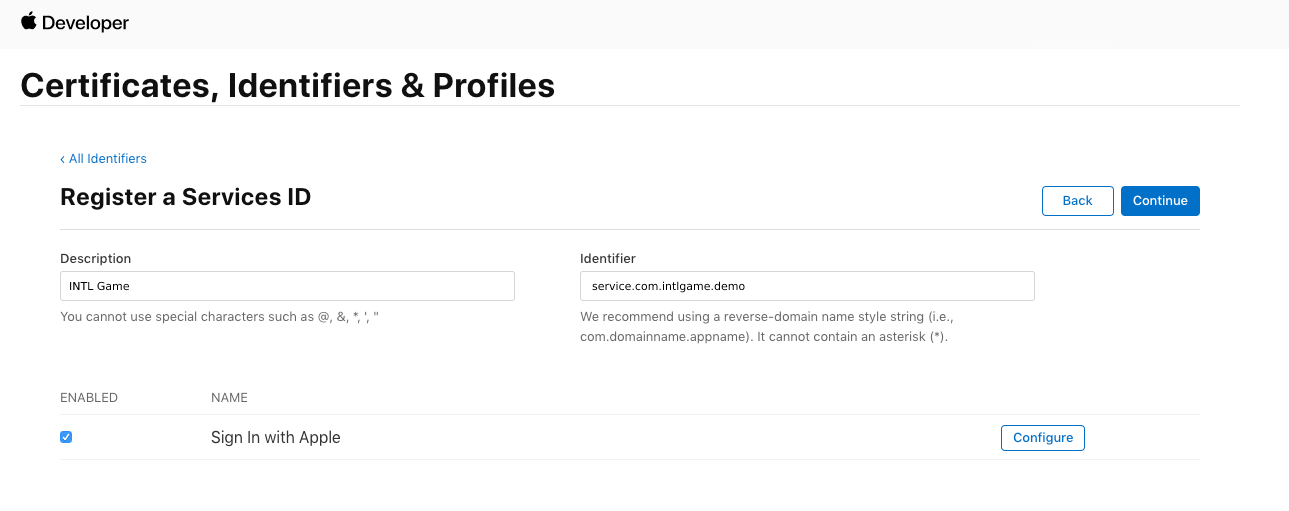
-
Check whether the Identifier in Apple Developer matches the BundleId for Web in the Apple channel configuration of the Player Network console.

Apple Channel Signing Certificate Configuration Notice: No profile for team '6H9S4KQ3C9' matching 'com.tencent.uc Production SignProvision' found #
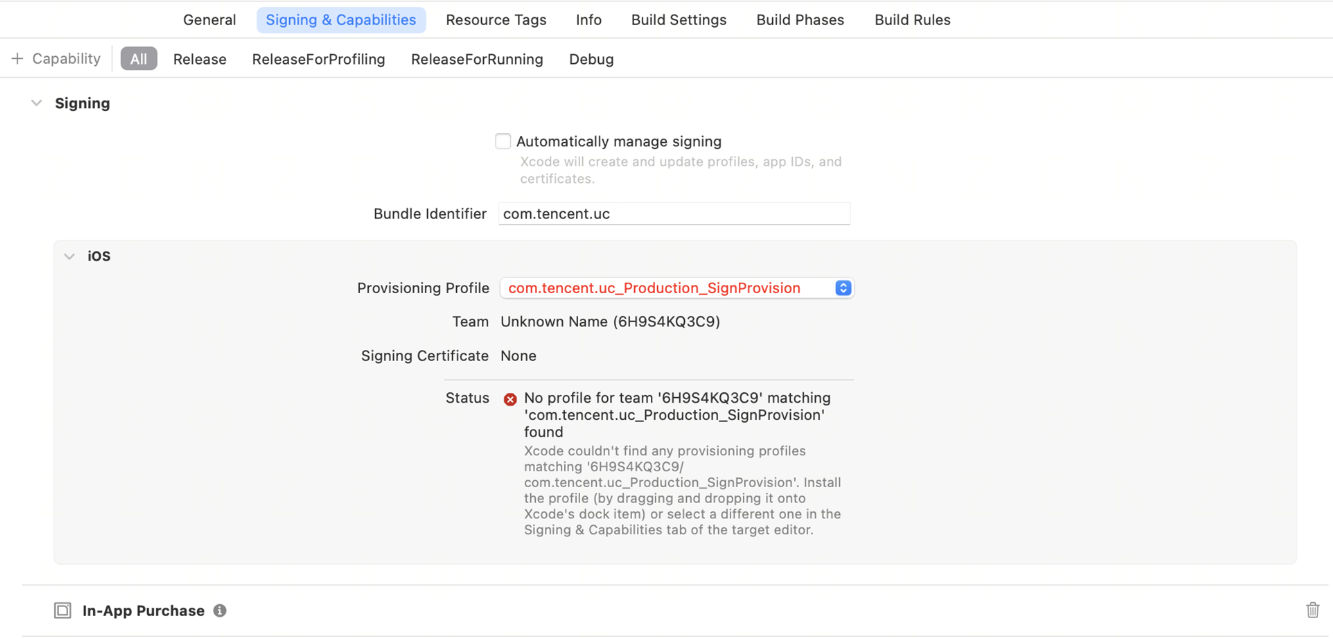
Troubleshooting steps:
- Download and install the provisioning profile
- Method 1: Download from the Apple Developer website
- Visit Apple Developer.
- Go to Certificates/ldentifiers & Profiles → Profiles.
- Find and download the provisioning profile named
com.tencent.uc Production SignProvision, and make sure its status is Active (not expired). - After downloading, double-click the file to automatically install it in Xcode.
- Method 2: Manual drag-and-drop installation
- Drag the
.mobileprovisionfile directly onto the Xcode icon in the Dock. - If there are no issues found with the developer account and certificate checks, you can try clearing the Xcode cache and restarting Xcode, or reinstalling the app provisioning profile.
Discord
Discord Login Error: " " Unauthorized #
You need to log in to the Discord app first.
iOS " " – Unable to Return to the Game After Logging In on Discord #
You need to check the CFBundleURLSchemes configuration in the projmods file.
After successfully logging into Discord, an error message appears: " " "ret":10040602 #
Check the AppKey configuration of the Discord channel on the Player Network console, it should be filled with the CLIENT SECRET provided by Discord.
Discord channel login error: 9999 -1 #
Internal Discord issue, probably a service issue with Discord at the time.
The Difference Between Friends in Discord Channels and Friends in Steam Channels #
Steam Channel Co-play friend: When a non-Steam Platform friend has played together in the Project, they will be marked as a Co-play friend
Discord Channel Co-play friend: Players must first be Discord friends, and when both are playing the same Project at the same time, they will be marked as Co-play friends
Discord logout failed, returning " invalid_client" #
Issue
When performing Discord logout operation, the following error message is returned:
{"ret":0,"sub_ret":-1,"msg":"","method_id":107,"ret_code":9999,"ret_msg":"Discord logout failed","extra_json":"{}"}
Backend logs or packet capture show request failure:
POST to https://gaming-sdk.com/api/v9/oauth2/token/revoke failed.
Error: HTTPStatus: 401
ResponseBody: {"error": "invalid_client"}
Possible Cause
The Public Client option for the Discord OAuth2 client is not enabled.
- When the application is configured as a
confidential client, the Token revocation request must includeclient_secret. - However, in environments such as game clients,
client_secretcannot be stored and transmitted securely, so the Discord server will reject the request and return401 invalid_client.
Solution
Please refer to the OAuth2 configuration guide and enable the Public Client option:
Discord OAuth2 prerequisites configuration
Related error code
ret_code: 9999HTTP 401+{"error": "invalid_client"}
When logging into Discord via the web, if I click the (×) to close the window, the "Loading" message doesn't go away for a long time. What should I do? #
Issue
When using Discord web login, after the user clicks the close button (×) at the top right to close the login window, the Loading screen remains for a long time.
Possible Cause
- Clicking the close button (×) on the Discord login page does not trigger any callback. The SDK can only wait for the network request to time out before triggering a timeout callback, at which point the Loading indicator will disappear.
- If the network is normal, you can see the “Cancel” button on the Discord page. Clicking this button will immediately trigger the
cancelcallback, and the Loading indicator will disappear right away.
Solution
- Recommended user action: Guide users to click the “Cancel” button on the Discord login page (instead of directly clicking the × in the top-right corner) to close the window, so that the callback can be received immediately and the Loading indicator can be closed.
- SDK-side explanation: There is no callback for the close button (×). This is determined by the interaction design of the Discord web page, and the SDK cannot proactively capture click events on the close button.
Android Discord Channel: Unable to Return to the Game After Discord Login Authorization #
Please check whether discord appid is configured in INTLConfig/Configs/Android/INTLConfig_APL.xml
PC Editor is integrating Discord channel login. Is the login callback not being triggered because the redirect link does not include the Discord App ID? #
Reason: Discord's local runtime cache was not cleared, causing configuration information to not take effect.
Solution: Clear Discord's runtime cache files and try again to resolve the issue.
Recommended Action: After clearing the cache, please restart Discord and the Editor to ensure the new configuration is properly loaded.
DMM
DMM Error Codes #
- Unity
- Unreal Engine
void CheckThirdCode(INTLAuthResult result)
{
  if(result.RetCode == 9999)
  {
    switch(result.ThirdCode):
    {
        case 2000:
        // The logged-in user has no profile registered.
        break;
        case 300:
        // Failed to get the DMM member ID
        break;
        case 2002:
        // User who withdraws from membership
        break;
        default:
        // Unknown error code
        break;
    }
  }
}
void CheckThirdCode(FINTLAuthResult result)
{
  if(result.RetCode == 9999)
  {
    switch(result.ThirdCode):
    {
        case 2000:
        // The logged-in user has no profile registered.
        break;
        case 300:
        // Failed to get the DMM member ID
        break;
        case 2002:
        // User who withdraws from membership
        break;
        default:
        // Unknown error code
        break;
    }
  }
}
| error code | error message |
|---|---|
| 300 | Failed to get DMM member ID |
| 400 | false request |
| 403 | OAuth authentication failed |
| 500 | DMM Gaming Platform Error |
| 1000 | Failed to get application information |
| 2000 | Logged in user is not registered |
| 2001 | User is already on the blacklist |
| 2002 | Delete DMM Account |
Epic
Login error: 9999_5, msg: EOS_AccessDenied #
Insufficient permissions result in the use of an account that needs to be added as a member in the Epic Developer Portal and given developer role permissions.
For more details, see the Epic Organization Pages tab.
Login error: "ret_code":17,"ret_msg":"epic initialize failed." #
This error indicates the Epic SDK initialization failed. Investigate from the following directions:
- Check whether the Epic-related configuration in
INTLConfig.iniis complete (such as ClientId / ClientSecret / ProductId, etc.). See Configure the SDK for Epic Login - After modifying
INTLConfig.ini, if you do not recompile, the runtime may still read the old configuration. It is recommended to recompile the project.
Facebook
Facebook FAQs #
For more information about Facebook error codes, see Facebook Error Codes.
For all channel error codes, see Channel Error Codes.
Facebook login failed, no timeout, error codes returned: 6 (timeout) #
Check that Facebook has been configured in INTLConfig.ini LIFECYCLE.For more information, see INTLConfig.ini Configuration. pntdocs\pntdocs\i18n\zh\docusaurus-plugin-content-docs\current\account\playernetwork\thirdparties\Facebook\Android.mdx
After logging in to Facebook, the profile picture didn't reappear. #
If the Facebook application type is Gaming Service, you need to update to Player Network SDK V1.7 or later to return to avatars.
Facebook login failed. Error codes: retCode: 5 , thirdCode: 1202 . #
This issue is caused by an incorrect Facebook configuration. Please check that the Facebook-related settings in the Facebook Developer Platform, the local INTLConfig.ini, and the Player Network Console are all correctly configured and consistent with each other. Using iOS as an example, see Third Parties Tutorials-Facebook-iOS
Facebook login failed. Error message: Key Hashes not configured or not matched. #
Facebook console configuration error.To verify Key Hashes are configured correctly, see Configure Apps (iOS) / Configure Apps (Android).
Facebook login failed, SERVER_ERROR: [code] 1675030 [message]: Error during query execution. [extra]: #
Check that the account has been added to the Facebook Login Allowed list for the test environment.Setting the Allowed List
-
On the Server Editor page, click Whitelist.
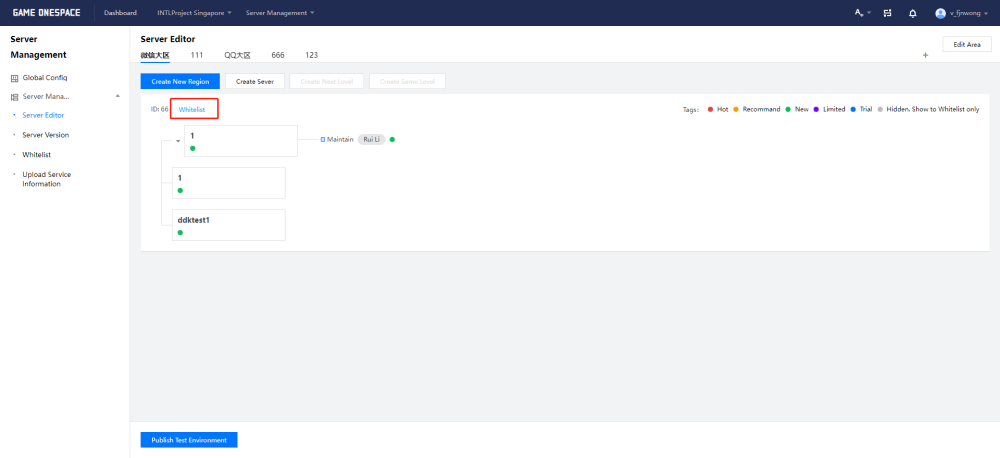
-
In the pop-up Select Whitelist, select the allowlist for the region.

Configure an allowlist for each zone. This allowlist applies to the entire zone.
Allowed list content can be added, deleted or edited on the Whitelist page.
Facebook Login Feature Disabled Pop-up Message: To ensure account security, the Facebook login feature embedded in your browser has been disabled. #
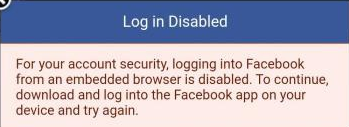
Install the Facebook app and sign in.If you need to log in through a browser, Facebook requires users to install a browser that supports custom tabs, such as Chrome.
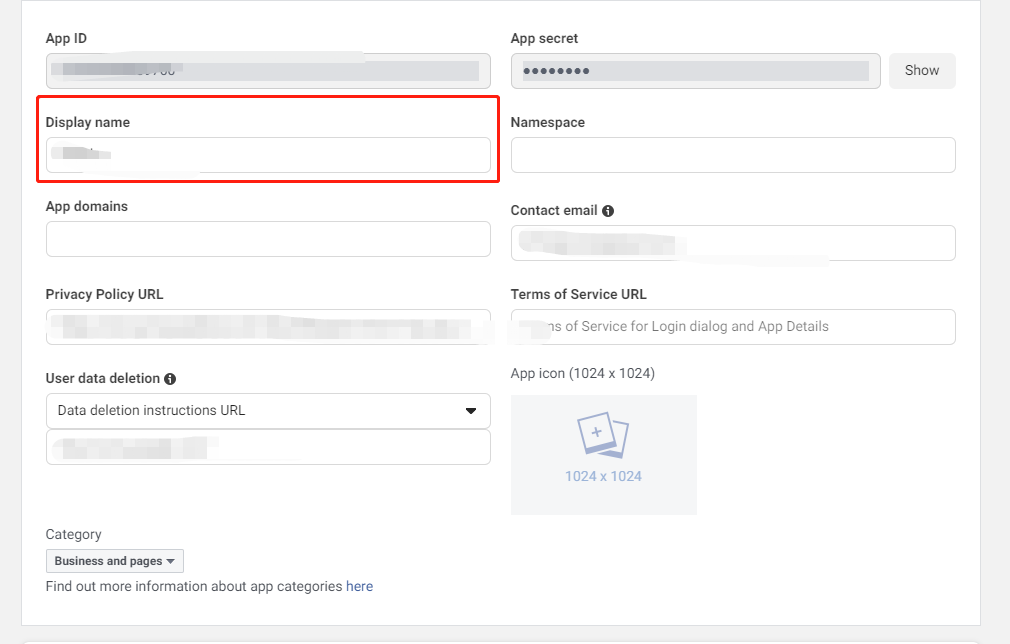
How do I change the app name displayed on the Facebook consent screen? #
Make changes on the Facebook Application Configuration page.
Facebook login failed, with an "App not active" error message. #
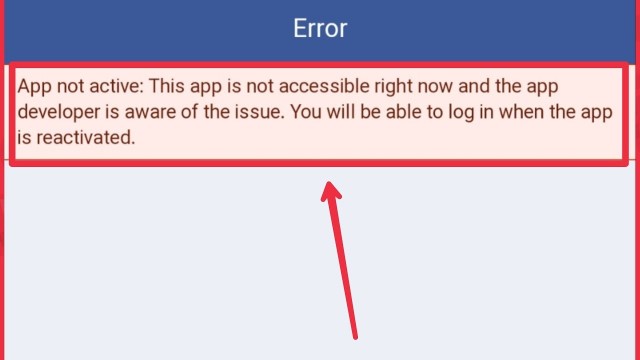
If the game is ready for release, change the App Mode from Development to Live.For more information, see Publish Checklist - Facebook. If the game is being tested internally, add the required users as Testers.For more information, see Prerequisites - 2. Configure the app on the Facebook Developer platform - 4. Adding tester privileges.
Facebook login failed; the web login was successful, but an "Invalid Claims" error was reported. #
- Make sure the following required fields have been filled in.
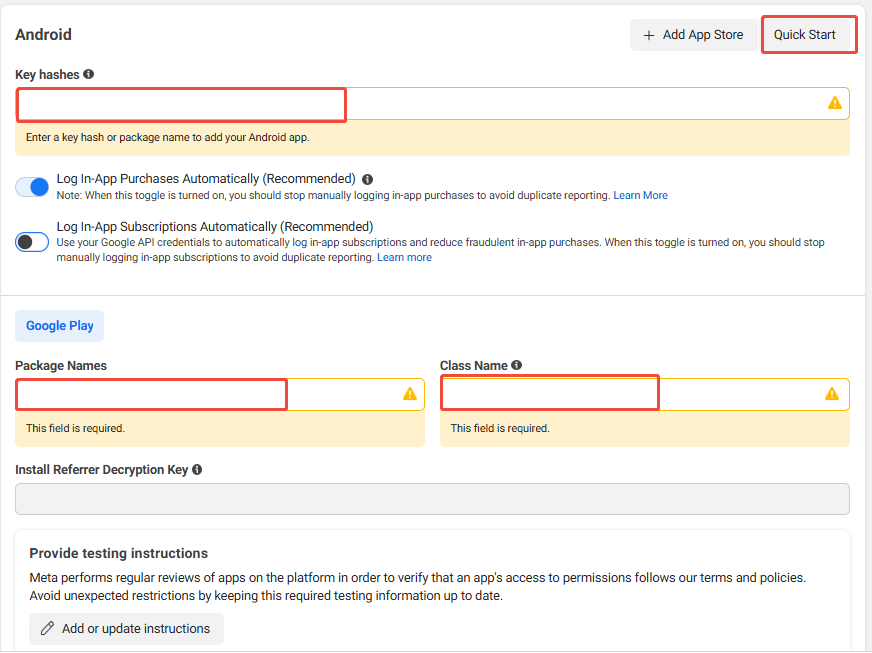
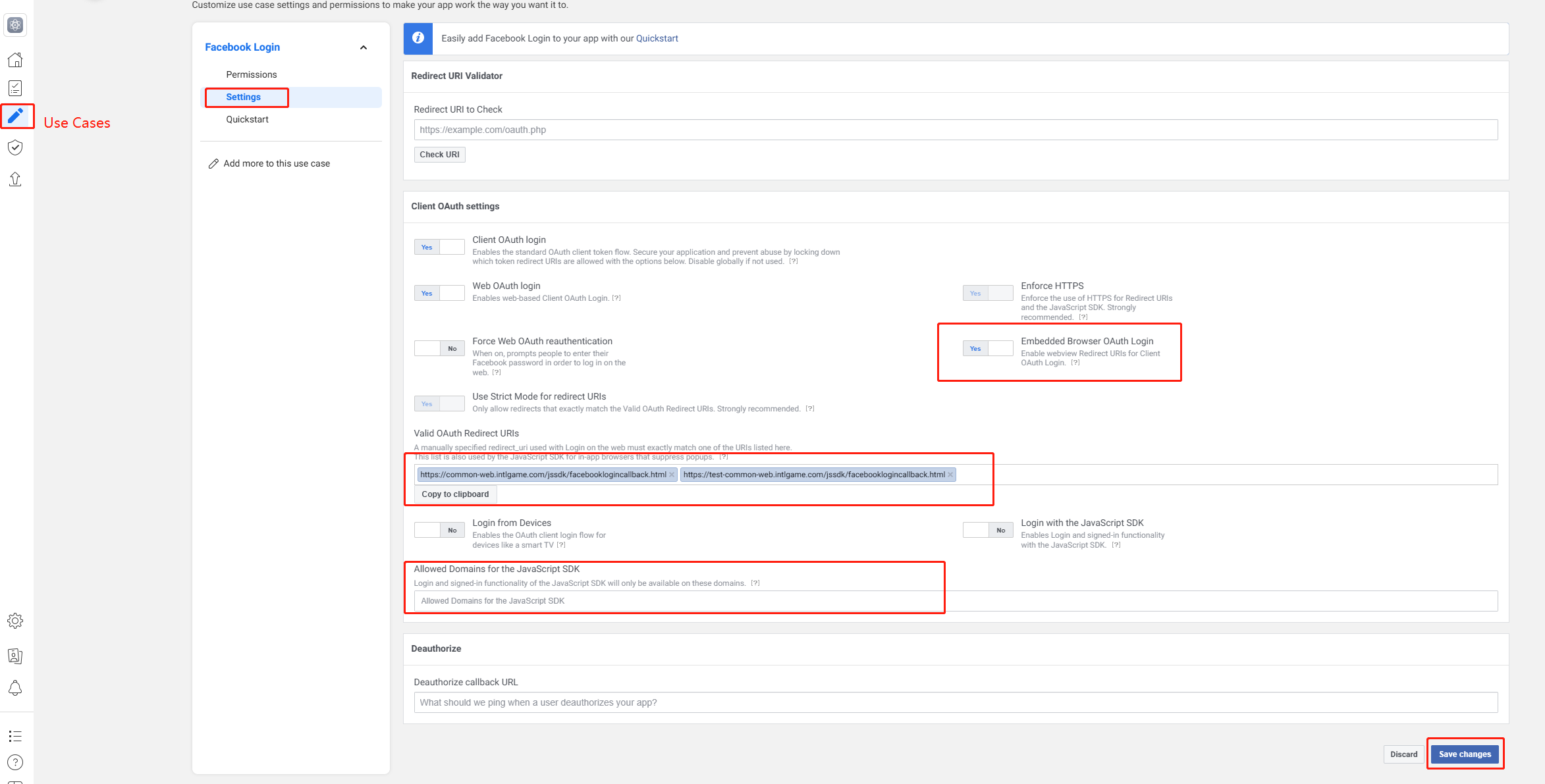
- Check whether
appidis correct and whether there are any extra spaces.
How do I generate a Facebook key hash? #
When your app is published to the store, the integration with Facebook may not work properly unless a publish key hash is generated in your Facebook app ID and added to the Android settings.This ensures that the information exchanged between Facebook and your app is verified.
For more information, see Creating a Publishing Key Hash.

- Obtain the app signing key hash from Google Play
Google's Play App Signing does not provide a keystore, while configuring it on Facebook requires a keystore to generate the key hash.Follow these steps to get the hash value required by Facebook:
-
Open Google Play Console and select Release > Setup > App integrity.
-
In the App signing key certificate section, copy the SHA-1 value.
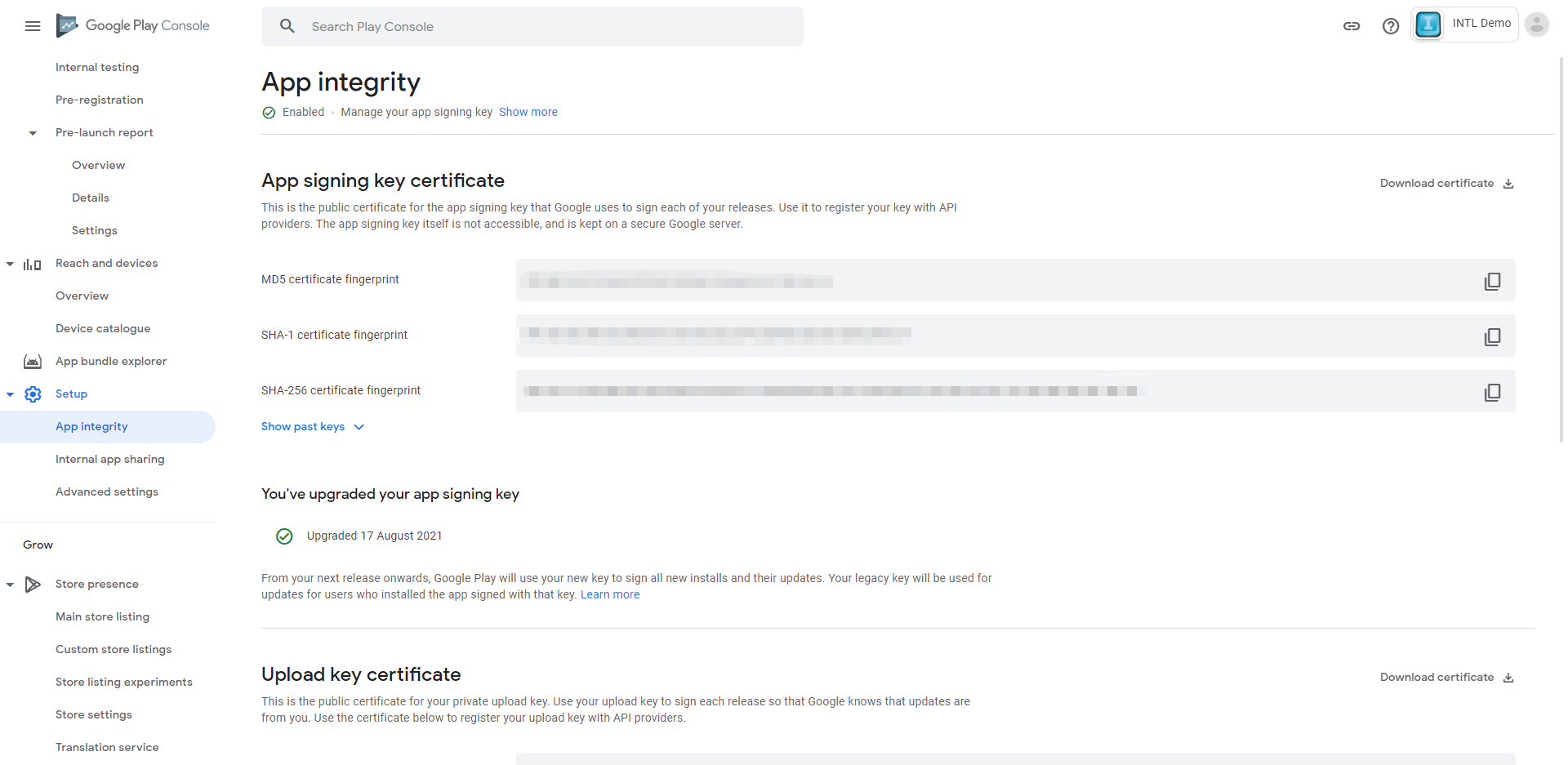
-
Open Terminal/Bash on Windows (for example, Git Bash), and enter the following command to obtain the hash value.
echo {INTL_SHA-1_KEY} | sed s/\\://g | xxd -r -p | base64
APK key hashing is only used for APK testing.Use Google Play's Application Signing Key Hash for public distribution.
- Obtain the APK key hash from the keystore
- Mac
- Windows
To generate a hash for the keystore, run the following command:
keytool -list -printcert -jarfile [path_to_your_apk] | grep "SHA1: " | cut -d " " -f 3 | xxd -r -p | openssl base64
For Windows systems, you must meet the following requirements:
- The key and certificate management tool (keytool) in the Java Development Kit
- OpenSSL for Windows Library in the Google Code Archive
To generate a hash value for the keystore, run the following command from a command prompt in the Java SDK folder and replace KEY_ALIAS and KEY_PATH:of the keystore accordingly
keytool -exportcert -alias <KEY_ALIAS> -keystore <KEY_PATH> | PATH_TO_OPENSSL_LIBRARY\bin\openssl sha1 -binary | PATH_TO_OPENSSL_LIBRARY\bin\openssl base64
Make sure to use the password you set when you first created the key.
- Obtain the APK key hash from the APK package
- Mac
- Windows
To generate a hash for the keystore, run the following command and replace KEY_ALIAS and KEY_PATH of the keystore accordingly:
keytool -exportcert -alias <KEY_ALIAS> -keystore <KEY_PATH> | PATH_TO_OPENSSL_LIBRARY\bin\openssl sha1 -binary | PATH_TO_OPENSSL_LIBRARY\bin\openssl base64
For Windows systems, you must meet the following requirements:
- The key and certificate management tool in the Java Development Kit (keytool)
- OpenSSL for Windows Library in the Google Code Archive
- Gitbash
To generate a hash for the keystore, use Gitbash to run the following command at the command prompt in the Java SDK folder:
keytool -list -printcert -jarfile [path_to_your_apk] | grep -Po "(?<=SHA1:) .*" | xxd -r -p | openssl base64
Make sure to use the password you set when you first created the key.
- Copy the key hash value to Facebook
This command generates a string of 28 characters.Copy and paste the key hash into your Android settings in your Facebook app ID.
Check that the Android settings in the Facebook app ID also contain the correct Android package name and main active class.
Facebook displays the message “Login error.” #
keyhash configuration error.
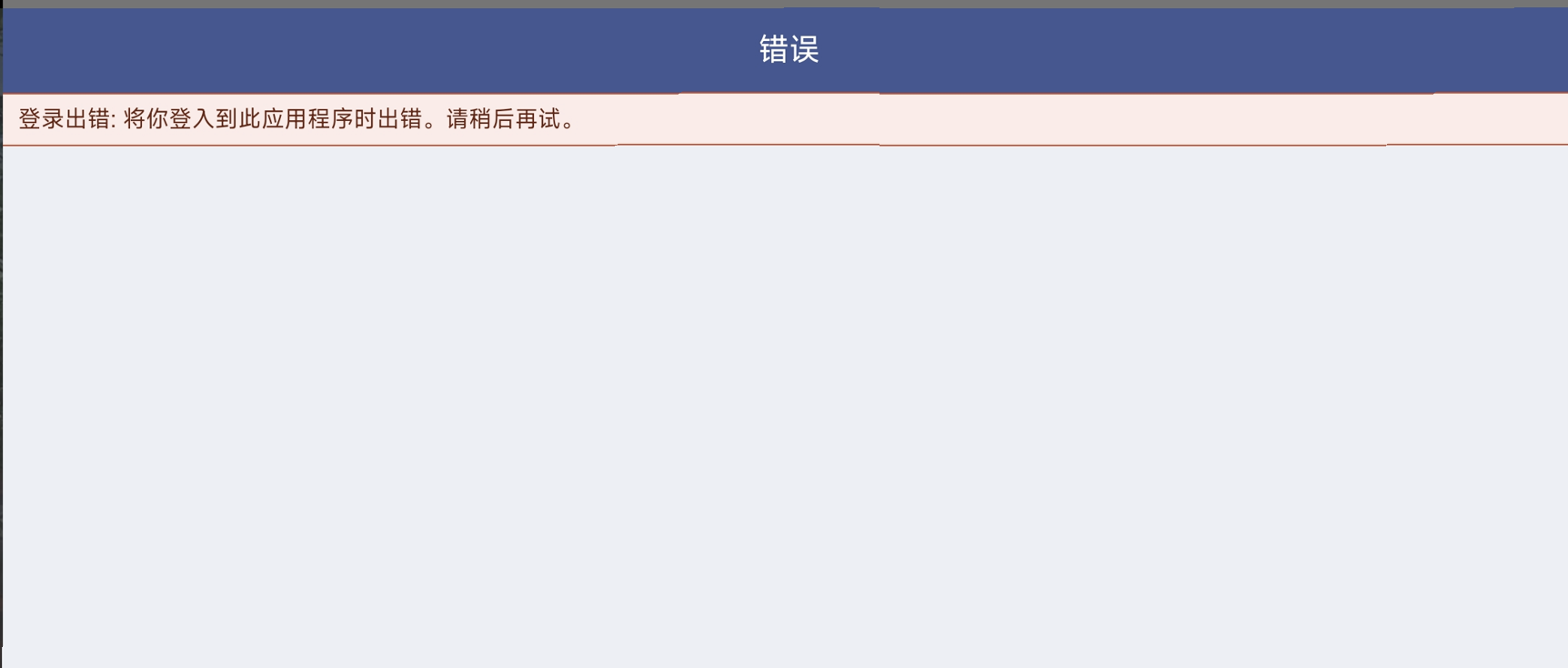
- Check whether
keyhashis configured in the Facebook App Dashboard - Confirm whether
keyhashis calculated correctly - If Google Play is used, Google's signing key also needs to be updated
Facebook app login error: "Invalid ID token from login response" ; iOS 9999-309 ; Android 9999 -1 . #
The phone failed Facebook's security check due to a modified system time.After finding the date and time settings in your phone's settings, turn on Set time automatically.
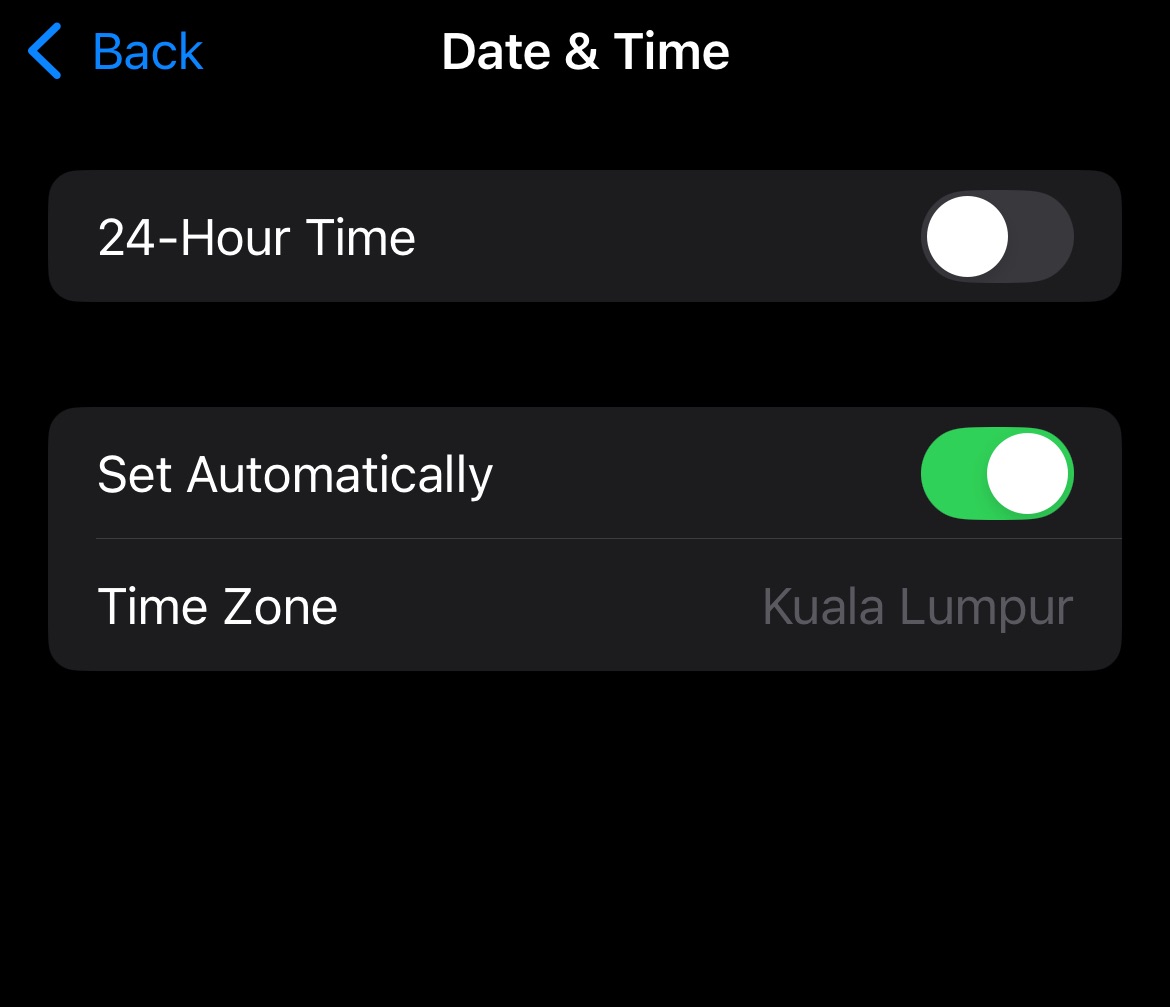
The link was successfully shared on Facebook via iOS, but the image failed to share, and the shared image is not visible on my Facebook profile page #
-
Confirm that the app name configured in the Facebook Developer Dashboard exactly matches
FACEBOOK_DISPLAYNAMEinINTLConfig.ini. -
Facebook does not provide explicit requirements for app names officially, so it is recommended not to use special characters.
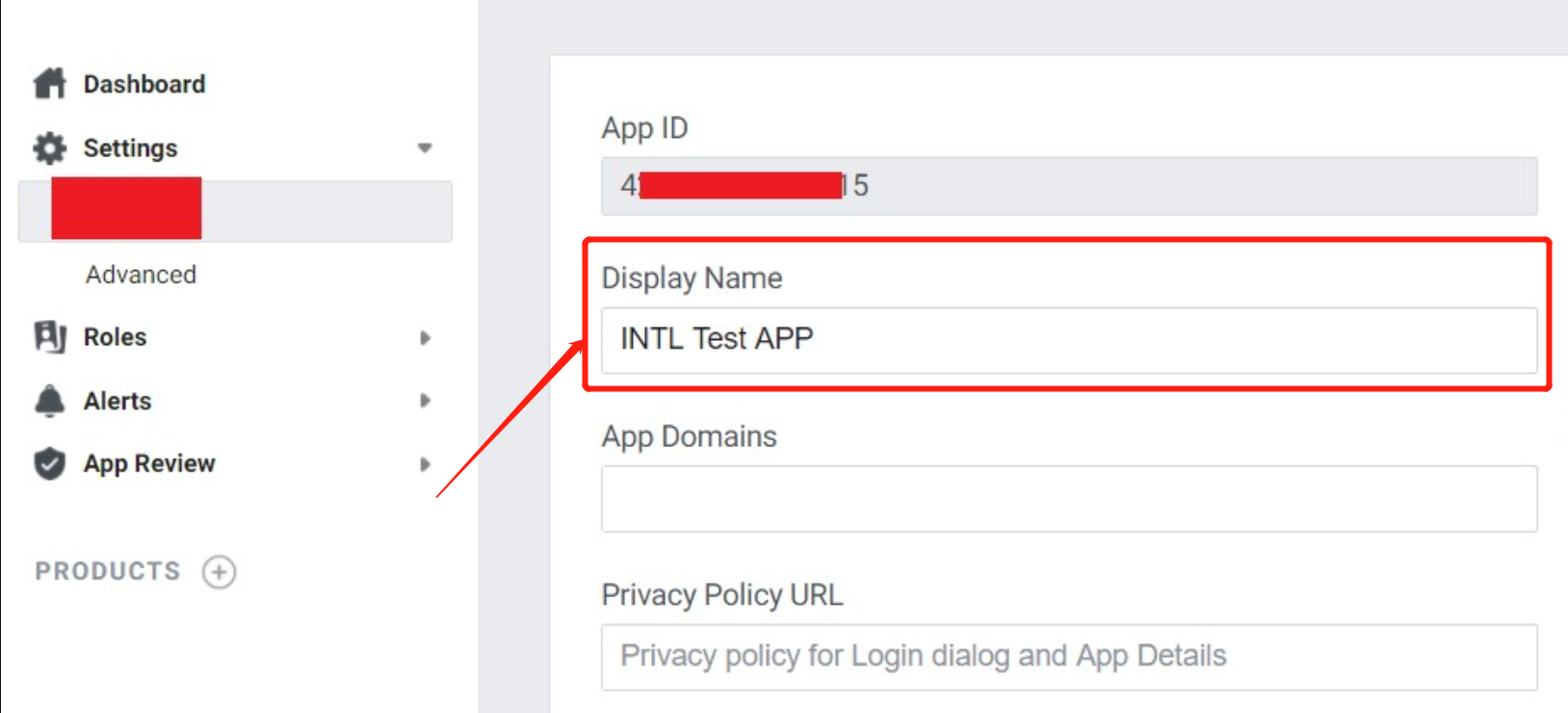
Failed to share an image via Facebook. Error message: "ret":-1, "msg":"Need Messenger installed or login!", "method_id":201, "ret_code":15, "ret_msg":"Need to install the app" #
-
Check whether the Facebook app is installed.
-
Install Messenger, open Messenger, and confirm that login is successful.
-
Confirm the declaration in the
AndroidManifest.xmlfile inside the installation package. If there is no declaration, it is impossible to determine whether the system has the Facebook app installed.
-
Use the demo feature to test whether the app is installed on the phone:
- Select Tool > isAppInstalled.
- Enter the package name in channel; extraJson does not need to be filled in.
For example, to test Facebook, enter:com.facebook.katan.
How do I change the app name on the Facebook login consent page in iOS? #
The Apple ASWebAuthenticationSession used by the Facebook iOS SDK for authentication gets the display name from the TargetName in the Xcode project, not the CFBundleName/CFBundleDisplayName.
If you want to adjust the application name, modify the TargetName in your Xcode project.
For a discussion of ASWebAuthenticationSession, see Display Name Issues for ASWebAuthenticationSession and SFAuthenticationSession.
Important Notes on Switching the Facebook App Category from "Games" to "Gaming Services" #
- The login permissions have changed, so you need to pass in the default permission
gaming_profile. - The domain name of the backend access API provided by Facebook has changed. You need to inform the Player Network backend colleague [v_fyjzhan] to update the domain name used by the Player Network backend to access Facebook.
Important Notes on Facebook's Invitation Feature (GameRequest) #
- Avoid sending invitations too frequently, otherwise the invitations may not be received
- There is a certain delay
- Messages can be blocked on the Facebook admin side
- If the Facebook app has not been published yet, the invitee must also have test permissions to receive the invitation
- During testing, use test accounts as much as possible to avoid the above issues
Facebook Login does not open the Facebook app for authentication #
Disabling App Tracking Transparency (ATT) on iOS 17 and later devices triggers Facebook's [Restricted Login] (https://developers.facebook.com/docs/facebook-login/limited-login/ios?locale=zh_CN) mode and app switching is not supported.Please use WebView for login authentication.
The Facebook Android SDK is incorrectly displayed as V0.x.x in the Facebook App Dashboard, with a "Needs upgrade" message #
Facebook Android SDK V16.x.x has a problem with version information showing up in the Facebook App Dashboard, and business can replace the Gradle version to fix it.
From V1.21.00 onward, Player Network SDK uses Facebook Android SDK V16.1.3 and may be affected by this issue. For version details, see SDK Version Relations.

For more information on the issue, see [issue #1191] (https://github.com/facebook/facebook-android-sdk/issues/1191) on the Github facebook-android-sdk.
Facebook login message: "You cannot log in to this app with your Facebook account" #
If a mini-game product is added within the Facebook Developer Platform, it is possible that this error will result.Please remove the mini-game product before trying to log in again.
The Facebook Developer Platform indicates that the Graph API version has been deprecated and must be updated to V15.0 or later #
The Player Network SDK has been updated to version V19.0 of the backend Facebook Graph API.The PNT account platform will continuously maintain and automatically upgrade the Facebook Graph API version to ensure full compliance with official Meta requirements.Developers don't need to worry about version expiration alerts in the Meta backend, which won't affect any of the game client's Facebook login, data reporting, etc.For the latest version compatibility information, please refer to [SDK Release Notes] (/docs/resources/KnowledgeBase/Common/SDK).
Unable to log in to the game after enabling 2FA on Facebook #
If a player has 2FA enabled on Facebook and selects No, it's not me when logging in to the game using Facebook, the page will jump to the main Facebook page without successfully logging in.
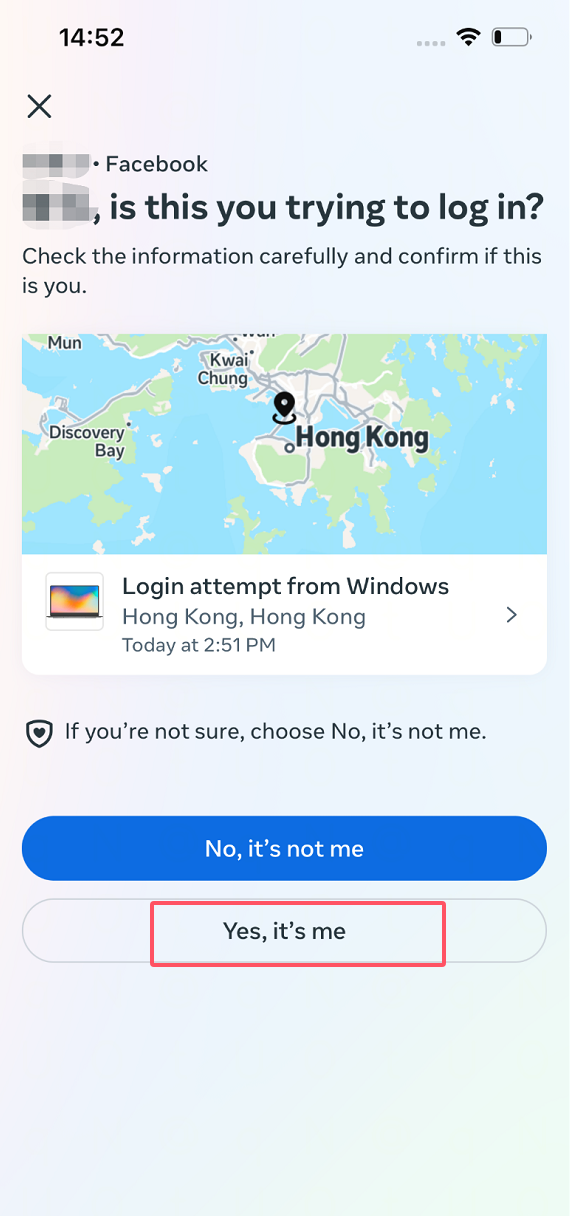
It is recommended that players select Yes, it's me to complete the 2FA certification.If you still fail to log in, you can temporarily disable 2FA and re-enable 2FA after successfully logging in the game.
When Facebook switches to launch mode, it displays the message “Problem URL detected.” #
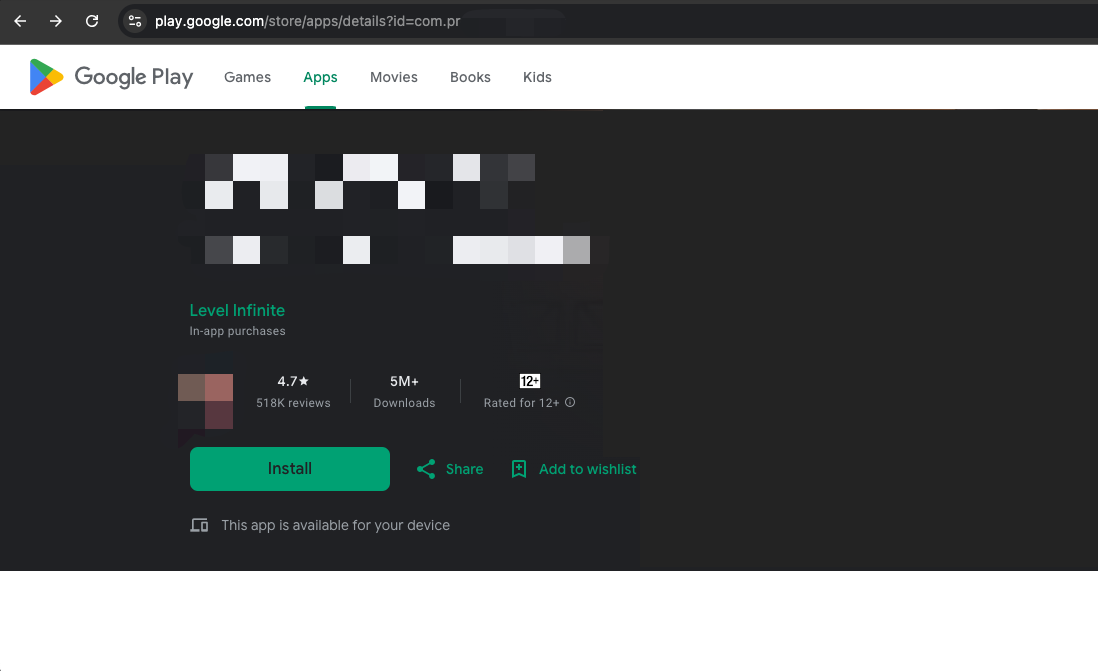
This is because Facebook was unable to find the corresponding Google Apps package name in Google Play, making the link inaccessible.Make sure the Google Play Store link is accessible.Once the link is fixed, you can switch to online mode.
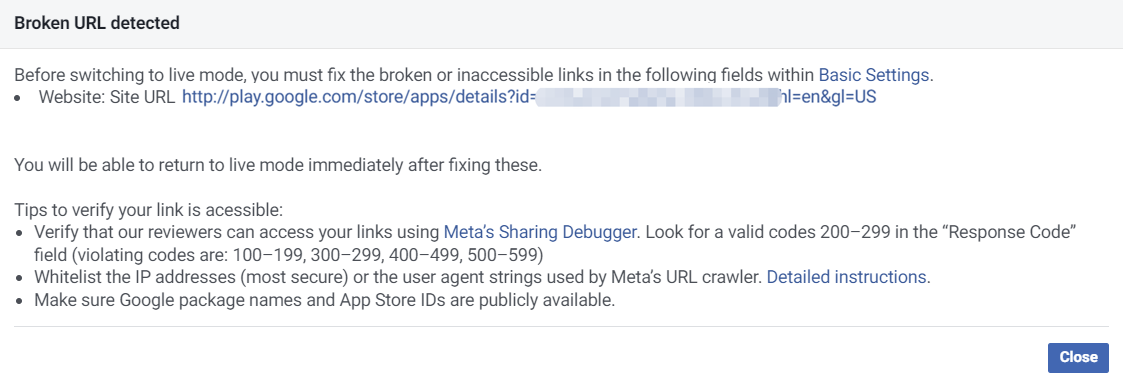
Google Play Link Format:http://play.google.com/store/apps/details?id= <package_name> `
- Refer to the accessible link example:
- Inaccessible link references:
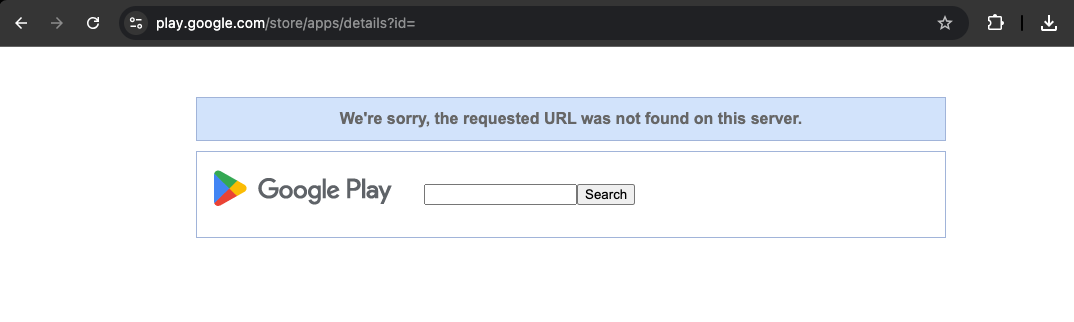
It takes up to 1 hour for your developer page URL to be previewed after the Google app is on the shelf and 24 hours to be shown to Google Play users.For more details, see Create or Update a Developer Page.
There may be a delay of up to 7 days in updating App Store app information.For more information, see Verifying Meta Audience Network Application Ownership (https://www.facebook.com/business/help/718352112419262?id=211412110064838&locale=zh_CN).
Facebook login error: Feature Unavailable: Facebook Login is currently unavailable for this app, as we are updating additional details for this app. #
The gaming_profile permission on the Facebook channel requires an advanced permission Advanced Access to be requested.
When using the Facebook login feature, you need to switch the access level of gaming_profile to advanced Advanced Access and apply it in Permissions and Features.
The language displayed on the Facebook login authorization screen does not match the phone's system language settings. #
The language used for the Facebook authorization interface will prioritize the language set within the Facebook app.
When logging in to the game using Facebook, if you remain on the login screen for an extended period of time, you may experience abnormal behavior or a sudden crash when returning to the game. #
Reason: The mobile system automatically clears background apps due to insufficient memory.When the Project switches to the Facebook Login interface, the Project runs in the background. If it stays for too long, the system may automatically close it to free up memory.
Solution: Turn off the phone's "power saving mode". Clear other applications running in the background to ensure sufficient memory.
On iOS channels, Facebook login cannot redirect to the Facebook app and can only open the web login. How can this be resolved? #
Reason: When logging in with the Facebook channel for the first time, the system will ask whether to redirect to the Facebook APP. If the user clicks "Cancel", subsequent logins will no longer redirect automatically.In addition, if the device does not have "Ad Tracking" enabled, it will enter Limited Login mode. In this mode, it is not possible to redirect to the APP and only web login is supported.
Solution: After clearing the Safari browser cache, restart the Facebook APP login process to restore normal redirection.
Facebook friends list cannot retrieve friend information, how to solve this? #
Before fetching the Facebook co-play friends list, you need to complete Facebook authorization login and ensure the current account has the user_friends permission (whitelisted accounts during testing can use it by default; for official launch, the permission must pass review).
If you still cannot retrieve the friend list, please check the following items one by one:
user_friendspermission status: In the Facebook developer console → App Review → Permissions and Features, confirm that this permission status is "Approved".- Test accounts are friends with each other: On the test user management page, confirm that the two test accounts have been added as friends.
- Both parties have installed the app: Both test accounts must have logged in to the game.
- access_token validity period: Confirm that the token currently in use has not expired.
- App mode match: In test mode, only test user accounts can be used. Before official launch, you need to switch to Live mode.
Game Center
Game Center Error Codes #
For more information on GameKit error field error codes, see GKError.Code.
- Unity
- Unreal Engine
void CheckThirdCode(INTLAuthResult result)
{
  if(result.RetCode == 9999)
  {
    switch(result.ThirdCode):
    {
        case 6:
        //GKError.Code.notAuthenticated: The system can’t complete the requested operation because the system hasn’t authorized the player.
        break;
        case 15:
        //GKError.Code.gameUnrecognized: The system can’t complete the requested operation because Game Center doesn’t recognize the app.
        break;
        case 3:
        //GKError.Code.communicationsFailure: The system can’t complete the requested operation due to an error communicating with the server.
        break;
        default:
        // Unknown error code
        break;
    }
  }
}
void CheckThirdCode(FINTLAuthResult result)
{
  if(result.RetCode == 9999)
  {
    switch(result.ThirdCode):
    {
        case 6:
        //GKError.Code.notAuthenticated: The system can’t complete the requested operation because the system hasn’t authorized the player.
        break;
        case 15:
        //GKError.Code.gameUnrecognized: The system can’t complete the requested operation because Game Center doesn’t recognize the app.
        break;
        case 3:
        //GKError.Code.communicationsFailure: The system can’t complete the requested operation due to an error communicating with the server.
        break;
        default:
        // Unknown error code
        break;
    }
  }
}
No callback after logging in or linking to Game Center #
If the user cancels the login or tethering operation three times, the Game Center login screen will not be opened.
Callbacks are returned on the first request only if the Game Center login or binding API is called by the game process.Therefore, when a user is unable to open the Game Center login box within the game, they will need to manually login to Game Center at Settings > Game Center.
Garena
Login failed; the response timed out. #
Check if requestExchangeFacebookToken in the log was returned successfully.If the return fails, please contact the person in charge of Garena.
My login frequently times out. How can I change the login timeout? #
The default value for the Login timeout is 90 seconds.Please set the login timeout using SDK_AUTH_OVERTIME and WEB_AUTH_OVERTIME in INTLConfig.ini.
SDK_AUTH_OVERTIME is to pull up the application login and WEB_AUTH_OVERTIME is to pull up the web login.It is recommended that both be configured at the same time.
The requestPlatformBindingInfo interface returned the following error: "ret":3008,"msg":"[3008] Login status is invalid, ","method_id":1301,"ret_code":9999 #
requestPlatformBindingInfo is only available for platform linking (such as: Facebook/LINE)
Garena does not support calling the platform linking API with Guest accounts
Google Internet company
Google FAQs #
- Unity
- Unreal Engine
void CheckThirdCode(INTLAuthResult result)
{
  if(result.RetCode == 9999)
  {
    switch(result.ThirdCode):
    {
      case 9 :
        //The version of the Google Play services installed on this device is not authentic.
        break;
      case 3:
        //The installed version of Google Play services has been disabled on this device
        break;
      case 10;
        //The application is misconfigured. This error is not recoverable and will be treated as fatal
        break;
      case 7:
        //The application is misconfigured. This error is not recoverable and will be treated as fatal
        break;
      case 16:
        //One of the API components you attempted to connect to is not available. The API will not work on this device, your app or this account, and updating Google Play services will not likely solve the problem
        break;
      default:
          // Google handle error
          break;
    }
  }
}
void CheckThirdCode(FINTLAuthResult result)
{
  if(result.RetCode == 9999)
  {
    switch(result.ThirdCode):
    {
      case 9 :
        //The version of the Google Play services installed on this device is not authentic.
        break;
      case 3:
        //The installed version of Google Play services has been disabled on this device
        break;
      case 10;
        //The application is misconfigured. This error is not recoverable and will be treated as fatal
        break;
      case 7:
        //The application is misconfigured. This error is not recoverable and will be treated as fatal
        break;
      case 16:
        //One of the API components you attempted to connect to is not available. The API will not work on this device, your app or this account, and updating Google Play services will not likely solve the problem
        break;
      default:
          // Google handle error
          break;
    }
  }
}
ConnectionResult
| error code | error message |
|---|---|
| 5 | Invalid account |
| 7 | network error |
| 10 | misconfiguration |
| 13 | Canceled by user |
| 16 | The requested API is disabled. |
For more information, see ConnectionResult.
GamesActivityResultCodes
| error code | error message |
|---|---|
| 10001 | Reconnect to GoogleApiClient. |
| 10002 | Login failed. |
| 10003 | The user is not authorized to play the game. |
| 10004 | Gaming Services configuration error. |
| 10006 | The server request failed due to a network error. |
For more information, see GamesActivityResultCodes.
For all channel error codes, see Channel Error Codes.
Configuration Crash #
Crash occurs if App ID and Server Client Key are not configured properly:
Caused by: java.lang.IllegalStateException: A fatal developer error has occurred. Check the logs for further information.
  at com.google.android.gms.common.internal.zzf$zza.zzb(Unknown Source)
  at com.google.android.gms.common.internal.zzf$zza.zzu(Unknown Source)
  at com.google.android.gms.common.internal.zzf$zze.zzxH(Unknown Source)
  at com.google.android.gms.common.internal.zzf$zzd.handleMessage(Unknown Source)
  ...
GMS Updates and Version Compatibility #
Earlier versions of Google Play Services do not work together due to version compatibility issues.Currently, Player Network SDK supports GMS version 16.0.1 and Firebase version 16.0.5.
DEVELOPER_ERROR: " " error #
Do not use the Android client key here or DEVELOPER_ERROR will appear.Ensure that the signature used for debugging matches the signature of the application uploaded to Google console.
GOOGLE_CLIENT_KEY is the Network Client Key required by the Player Network SDK.
Unable to sign in to Google; a third-party error code is returned: 10 #
The third-party error code 10 indicates DEVELOPER_ERROR, caused by a configuration problem.
You need to make sure that:when generating the installation package
- The Google Cloud Platform configuration matches the Player Network configuration
GOOGLE_CLIENT_KEY_ANDROIDin INTLConfig.ini contains the Web Client ID of Google Cloud Platform- The generated package name and
SHA-1match the Google Cloud Platform configuration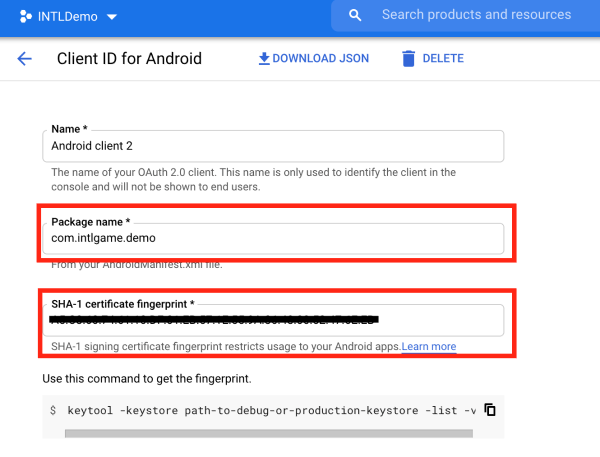
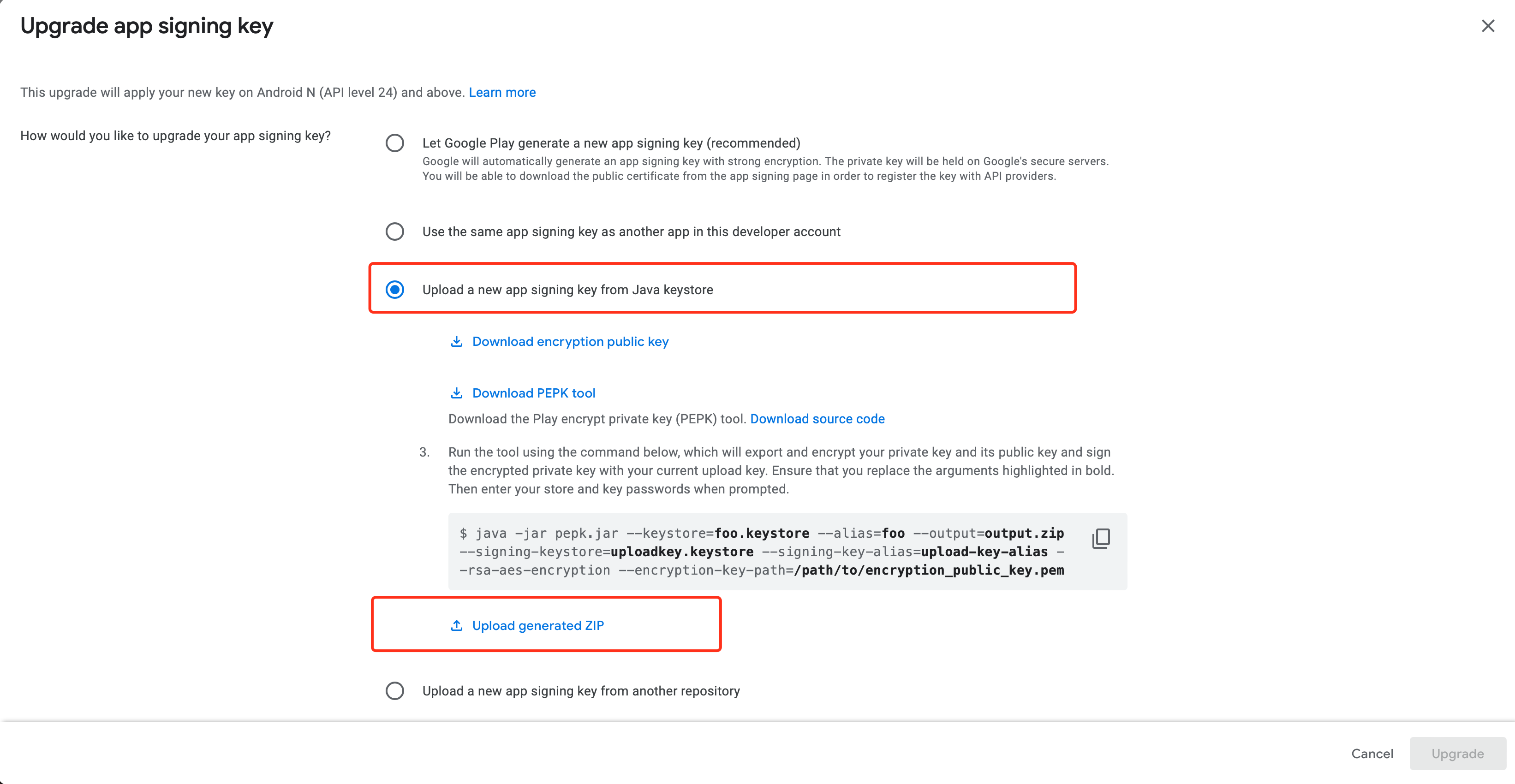
When uploading AAB packages to Google Play, Google Play may re-sign the package body, resulting in the SHA-1 of the actual downloaded AAB packages being inconsistent with that of the upload.
Google Play's App signing key certificate can be updated manually by following these steps:
- Go to Google Play Console and select Setup > App integrity in the left navigation bar.
- Select App signing.
- Click Request key upgrade.
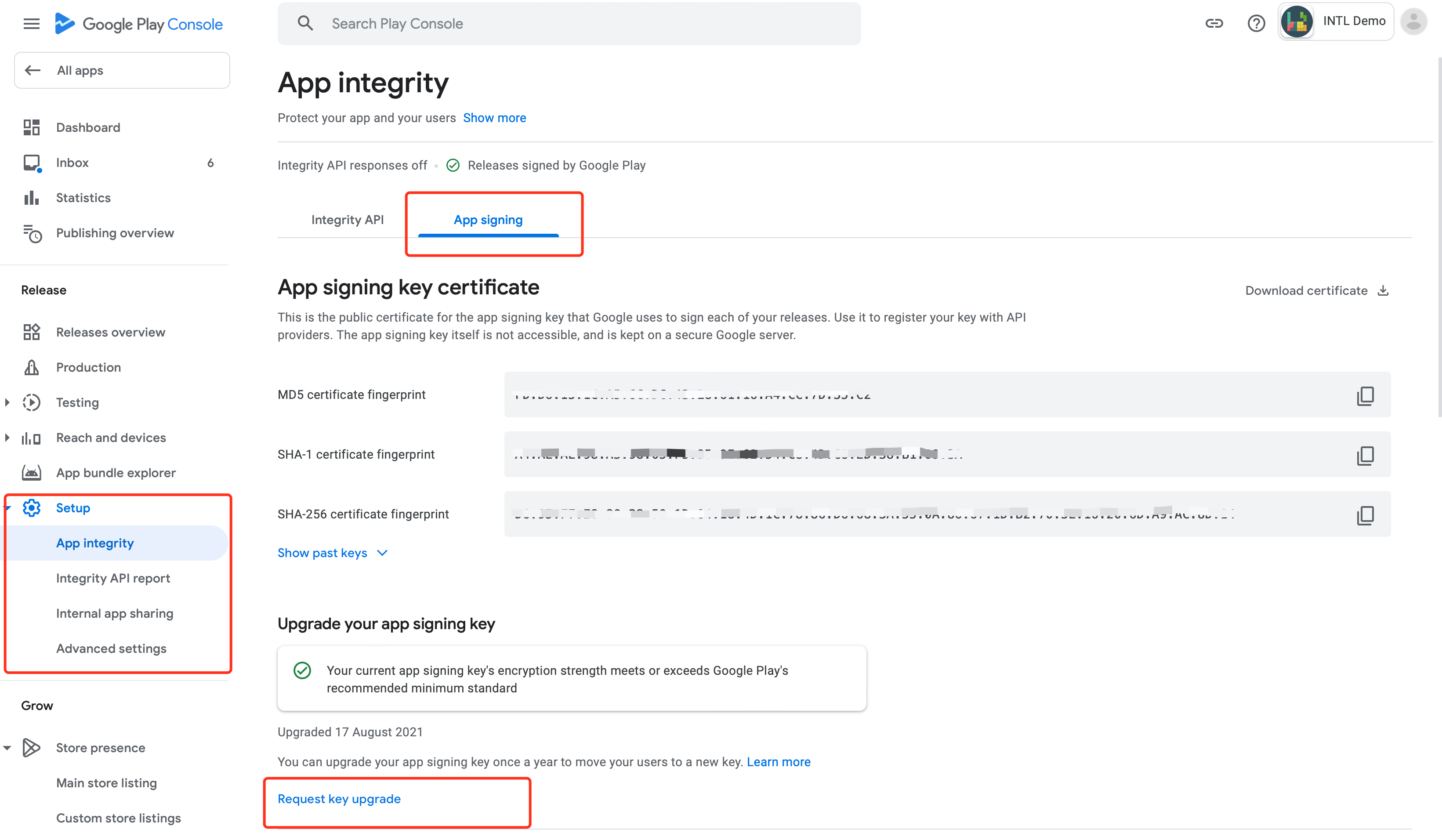
- Select Upload a new app signing key from Java keystore.
- Follow the steps provided by Google to download the key generation tool and upload the generated
ZIP keyfile. - After uploading, click Upgrade > Upgrade Google signing key certificate in the lower-right corner.
When logging in with a Google account, does Google return the account avatar? #
Yes, the Player Network SDK will return a Google account avatar.See PictureUrl for AuthResult in Unity SDK or Unreal Engine SDK.
I can't log in to Google. After selecting my email address, the login screen that appears displays "Loading" until the session times out. #
In the Google API console, set "Publishing status" to "PUBLISH APP".For more information, see Production Environment Configuration.
Apps Suddenly Close When iOS Starts Up #
Go to Plist Configuration and check if GoogleService-Info.plist is configured.
Google Login Authorization Error (403) #
Google API Console is not yet authorized.The application is still under development.Add a test user to the Google API console or set "Publishing status" to "PUBLISH APP".
On my Android device, when I tap "Sign in with Google," the authorization screen doesn't open, and I get the error code " ret_code:9999." #
- Check whether your phone can access the internet.
- Check whether your phone can access international (non-mainland China) websites.
- Check whether GMS is installed correctly. See How to install GMS.
On my iOS device, I can't sign in with Google. I'm getting the following error message: " . You must specify a client ID for GIDSignIn." #
Check if the main target has INTLSDK.bundle.If it is missing, add it manually.
On my iOS device, I can't sign in with Google. I'm getting the following error message: " . Audience is not a valid client ID ." #
Check that the GOOGLE_CLIENT_KEY_ANDROID configuration in INTLConfig.ini is correct.Follow the instructions in INTLConfig.ini Configuration to complete the iOS setup.
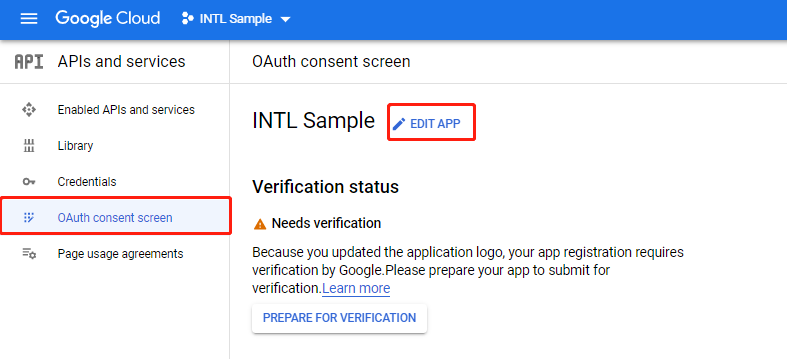
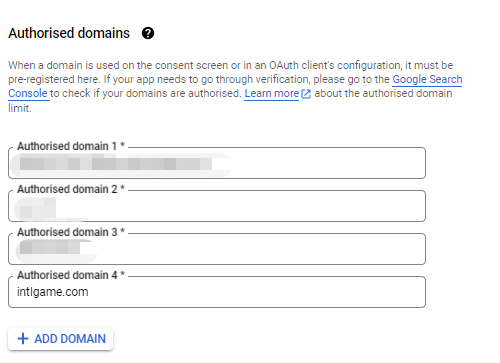
How do I change the app name displayed on the Google Web consent page? #
Make the change in [Authorized domain] on the OAuth Consent screen page.

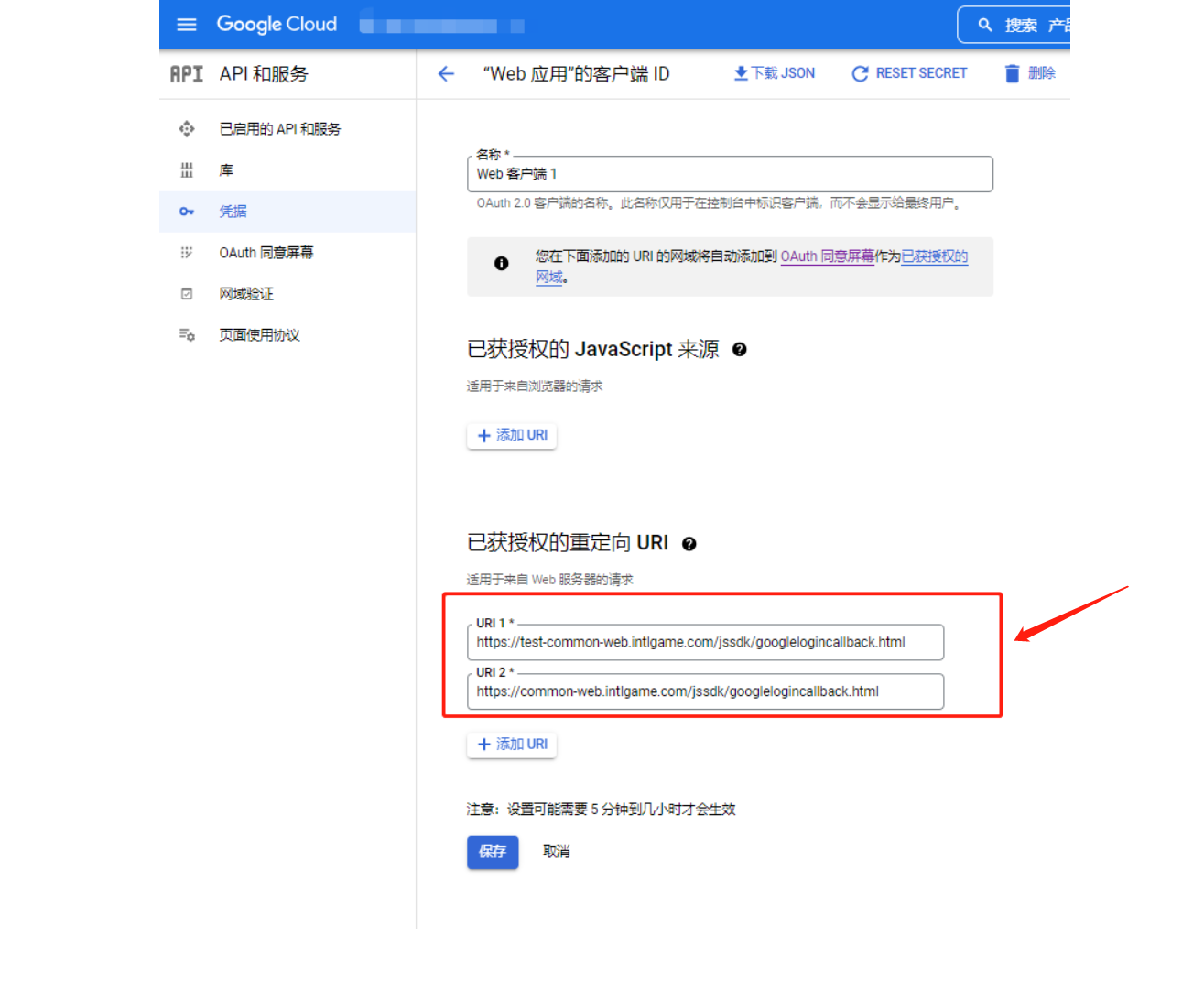
Google Sign-In Authorization Error: Error 400: redirect_uri_mismatch #
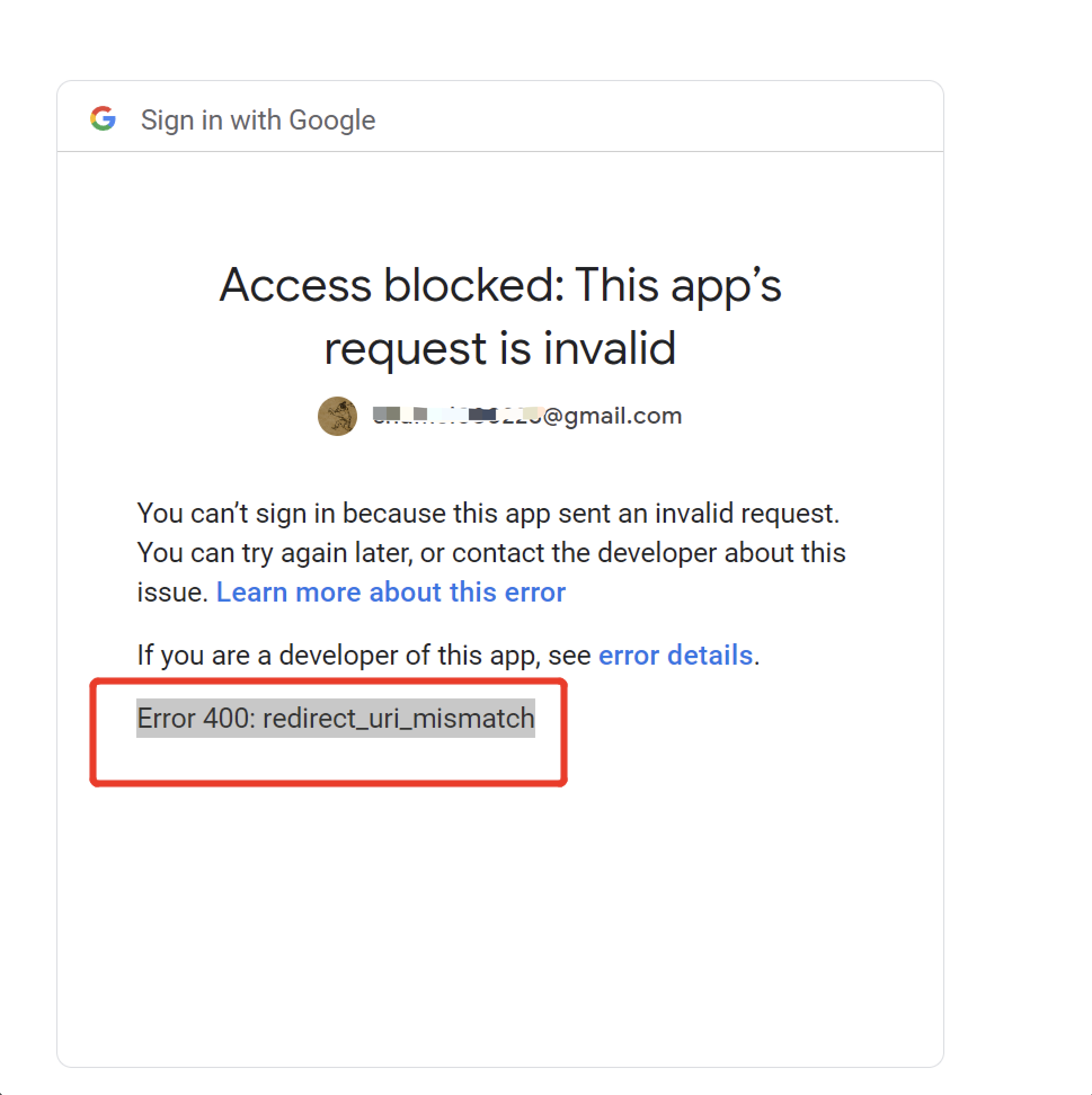
This may be caused by a mismatch between the redirect URI in the application settings and the authorized redirect URI, or by using a URI other than the one specified for the client ID in the Google API console.
Google sign-in error: 1281 #
idtoken expired.Google gets idtoken after login, idtoken itself contains token validity information.
If you set your phone's local time back to a past date and wait about an hour before logging in to Google, the token won't refresh and you'll get a 1281 error if you request it again.
The Google channel for the iOS platform has already been configured with GOOGLE_CLIENT_KEY_IOS . Do I still need to configure GOOGLE_REVERSED_CLIENT_ID ? #
The GOOGLE_REVERSED_CLIENT_ID field is deprecated and does not need to be configured. iOS platforms need to configure the GOOGLE_CLIENT_KEY_IOS and GOOGLE_CLIENT_KEY_ANDROID fields.
The GOOGLE_CLIENT_KEY_IOS field is the iOS Client key for the Google channel and is required for the iOS platform.
The GOOGLE_CLIENT_KEY_ANDROID field is the Android Web Client key for Google Channels and is required for both iOS and Android platforms.
For more information, see Google channel SDK configuration.
After failing to link a Google account, the Google account authorization screen cannot be displayed again. #
This issue has been optimized in SDK V1.26.00.
If you select the Google login option after logging out of the game, the system will immediately confirm that authorization was successful, and you will not be able to access the Google account authorization screen to switch accounts. #
In the case of non-Google login scenario for Android devices, the login state stored when binding to Google is not completely cleared when logging out of the game.
Either log out of the game again after logging in on the Google channel, clear the Google login state, or change the configuration GOOGLE_EVERY_LOGIN_CHOICE_USER = 1 in the INTLConfig.ini file.
Google login error: "ret":13,"msg":"Google AppID or ClientID not set" #
Please check whether the INTLConfig.ini file is included in the package.
Google PGS authentication failed: retCode=9999, retMsg=Google PGS is NOT Authenticated . How can I resolve this? #
Reason: The game has not been officially released, and the Google test account in use has not been added to the tester list in Google Play Game Service (PGS), resulting in PGS authentication failure.
Solution:
- Log in to Google Play Console and select the corresponding game project.
- In the left navigation, go to: Grow users > Play Games Services > Setup and management > Testers.
- Click the Add testers button and enter the Google account email addresses you want to add (separate multiple accounts with English commas).
- Click Add to save.
Note:
- After addition, configuration changes usually take several hours to take effect.
- After the game is officially released, all public users can use PGS normally without adding test accounts.
After setting GOOGLEPGS_ENABLE_PGS=0 to disable PGS, the authorization bubble still pops up. How can this be resolved? #
Reason:
UE 5.7 engine automatically enables the OnlineSubsystemGooglePlay Plugin by default. This Plugin has built-in Google Play Games Service authorization logic, so even if you configure GOOGLEPGS_ENABLE_PGS=0 to disable the client-side PGS process, the authorization pop-up will still be triggered.
Solution:
- In the UE project settings, find the OnlineSubsystemGooglePlay plugin configuration item.
- Change its enabled status to Disable, or turn off the relevant initialization logic in the plugin's configuration file.
- If you need to remove this feature completely, you can remove
OnlineSubsystemGooglePlayfrom the plugin list in the.uprojectfile or set it to disabled. - After recompiling or restarting the engine, package again, and the authorization popup will no longer appear.
LINE
LINE Code Error #
For more information on LINE error codes, see LINE iOS Error Codes and LINE Android Error Codes
For all channel error codes, see Channel Error Codes.
LINE Login Screen: Error 400 #
- Check adaptation to Swift-LINESDK.
- Check whether the configuration file, package name, and
LINE_CHANNEL_IDare entered correctly. - Check the
INTLLINEKit.projmodsfile. - Check the callback URL in LINE Developers Console.
After logging in with LINE and tapping "Allow," I can't return to the game from the WebView or the LINE app. #
In the Player Network SDK V1.10 AndroidManifest file, if the Android:taskaffinity property value is null, the LINE WebView will not be able to redirect after login.
Deleting this code solves the LINE login problem.
There is no icon on the LINE login screen. #
Enter [LINE PLATFORM] (https://developers.line.biz/console) to set the application icon.
LINE login prompt: " " Error: Cannot process properly . #
This may be caused by a network problem, please try again using a different network environment.
LINE login failed, error code: 3016, error message similar to: CryptoError: Verification failed for key: Swift.KeyPath<LINESDK.JWT.Payload, Swift.Optional<Foundation.Date>>. Got: 2022-04-19 12:15:12 +0000, expected earlier than 2022-04-19 12:10:47 +0000 . #
This error occurs when the user modifies the device time.
The LINE website cannot be accessed on the Chinese version of iOS; after opening LINE and logging in, there is no callback. #
This is a known issue with the LINE SDK.
How do I change the app name displayed on the LINE consent screen? #
Make changes on the [LINE App Basic Settings] (https://developers.line.biz/console) page.

When logging in via the LINE channel, the following error occurs: " " 403 Forbidden . #
The IP you are using may have been blocked by LINE. We suggest you try changing your IP, switching accounts, switching networks, clearing your cache and logging in again.
If the issue is still not resolved, please contact the LINE team for more information.
PS5
Sony has three environments: dev, QA, and production. Which environment does the Player Network SDK use? If the game is currently in the dev environment, will adjustments need to be made to the Player Network SDK configuration later during review and release? #
Sony's environment can be switched on the development engine.The SDK will automatically recognize the Sony environment and notify the SDK server, and the SDK server will access the different Sony servers based on the environment ID. Regardless of the environment, Player Network SDK can automatically switch from development to quality assurance to the official environment with no additional setup.
Login error: "ret":-2137653242 #
Check whether permissions includes psn:s2s openid id_token:psn.basic_claims. See Login permissions in Add PS5 Login.
Login error: "ret":-2141913082 #
Check if your PS5 local account is logged in online, if your PS5 account is logged in, try logging out and logging back in.
Steam
Login failed, error code: 5, third error code: 1206 #
This is due to a broken Steam connection.Open Steam and reconnect.
Steam Login Failed in the UE Editor #
Please place the steam_appid.txt file in the same directory where UE4Editor.exe is running, i.e. the yourEngine/Engine/Binaries/Win64 directory.
How do I set the program entry point when I get a Steam login error in the editor? #
Place the steam_appid.txt file in the same directory where UE4Editor.exe is running, i.e. the yourEngine/Engine/Binaries/Win64 directory.If the app has its own ID, replace it with your own, if not use 480.
When the game launches, the following message appears: " : SteamAPI_Init failed ," as shown at ret:17, retMsg "SteamAPI_Init failed. Please check your Steam client status" . According to , the Steam API #
The initialization function does not distinguish between error categories in detail, please follow these steps to try to troubleshoot:
- Confirm that the Steam client has been launched and logged in.
- Confirm that the Windows account you are using has administrator privileges.
- Uninstall and reinstall the Steam client, or switch devices.
- Go to the Steam Community for more solutions.
ret:33, retMsg "Please launch the app via the Steam Client" #
The game is not launching normally from the Steam client, delete steam_appid.txt from the game executable directory and retry.
ret:35, retMsg "STEAM_USER_NOT_LOGINED" #
The player is not logged in to the Steam Client causing the error, we recommend checking if the player's Steam Client is logged in successfully and if they are online.
Network error: error code: 5, third error code: 1200 #
The network timeout from the Player Network backend to the Steam backend can be reached by contacting the business interface person.
User Key vs. Publisher Key: Which of these two Steam Web API keys should I use? #
Integration of the Player Network SDK must use a publisher key because the SDK requires access to application-level data and authentication services to which only the publisher key has access.
The user key:is associated with an individual Steam account and can be used to access limited data associated with that user.Usually used for personal or non-commercial projects.
The publisher key:is associated with a Steamworks partner account and can be used to access broader application-level data such as game ownership, authentication, and user statistics for published games.
For more information about Steam Web API keys, see Authorization with Web API Keys.
Do I need to configure an IP whitelist for the Steam Web API key? #
In general, there is no need to configure an IP whitelist for Steam Web API keys.If the whitelist of keys is empty, Player Network's servers will be able to access and call the relevant interfaces normally.
If any of the IPs in the whitelist exist, the key will be restricted to allow only the whitelisted IPs to access the interface, and requests from other IPs will return a 403 - Forbidden error.The server IP of Player Network needs to be added to the whitelist to ensure that it can be accessed properly.
If you need to add Player Network's server IP to the whitelist, please contact the Player Network assistant.
Error e87 when logging in via the Steam web client #
You can try the following troubleshooting steps:
- Check the network connection to make sure it is stable, or try restarting the router.
- Clear your browser cache and cookies, or try using Trace Free Mode.
- Try using a different browser.
- If you are using a VPN or proxy, try disabling it and then try again.
- Check the official Steam status page to confirm there is no maintenance or outage.
- Try logging in on a different device or account.
If the above does not work, we recommend contacting Steam Customer Service for further support.
Steam Login Failed: OnlineIdentitySubsystem login complete fail, Server error #
- Check the stability of the network connection and ensure that Steam servers can be accessed normally. It is recommended to restart the router or switch network environments for testing.
- The Steam user session may have expired, and authorization login is required again. Please log out of the current account and log in again for verification.
- Old application resources may not have been completely removed, causing conflicts. It is recommended to fully uninstall and then reinstall the latest version of the client.
- Check whether the
APP IDin the localsteam_appid.txtfile matches the current application. Verify the integrity of the configuration file, and update it to the correctAPP IDif necessary.
When opening a game on Steam, the following error messages appear: 1. "msg":"error from steam: errcode=102, msg=Ticket for other app" ; 2. [36] The GetAuthSessionTicketfunction is not supported in Steam SDK v162 and later; 3. ret:"1206" #
The reason for the error is that the ticket obtained by the Steam interface is not part of the steam app id configured in the backend.
- Confirm whether the
steam_appidused by the UE4 plugin is consistent with the steam app id configured for the Steam channel in the Player Network console. - Check whether the
APP IDin the localsteam_appid.txtfile matches the current application. Verify the integrity of the configuration file, and update it to the correctAPP IDif necessary.
Steam login error: "ret":1202,"msg":"steam's response error: Forbidden. Access is denied. Retrying will not help. Please verify your key parameter." #
The cause of the error is an incorrect configuration of Steam's Web API key.
- Confirm that the WebAPI Key obtained from Steamworks was created under the Everyone Group. Log in to Steamworks (an account with administrator privileges is required) > Users & Permissions > Manage Groups > select Everyone > under Edit group, click Create WebAPI Key to create the key.
- Confirm that the Web API Key configured in the PNT console is the same as the WebAPI Key created in Steamworks.
X
X Error Code #
For more information on X error codes, see X response and error codes.
For all channel error codes, see Channel Error Codes.
- Unity
- Unreal Engine
void CheckThirdCode(INTLAuthResult result)
{
  if(result.RetCode == 9999)
  {
    switch(result.ThirdCode):
    {
        case 401:
        /*
            Unauthorized: There was a problem authenticating your request.
            This could be due to missing or incorrect authentication credentials.
        */
        break;
        case 500:
        /*
            Internal Server Error: Something is broken.
            This is usually a temporary error, for example in a high load situation or if an endpoint is temporarily having issues.
        */
        break;
        case 503:
        // Service Unavailable: The Twitter servers are up, but overloaded with requests. Try again later.
        break;
        default:
        // Unknown error code
        break;
    }
  }
}
void CheckThirdCode(FINTLAuthResult result)
{
  if(result.RetCode == 9999)
  {
    switch(result.ThirdCode):
    {
        case 401:
        /*
            Unauthorized: There was a problem authenticating your request.
            This could be due to missing or incorrect authentication credentials.
        */
        break;
        case 500:
        /*
            Internal Server Error: Something is broken.
            This is usually a temporary error, for example in a high load situation or if an endpoint is temporarily having issues.
        */
        break;
        case 503:
        // Service Unavailable: The Twitter servers are up, but overloaded with requests. Try again later.
        break;
        default:
        // Unknown error code
        break;
    }
  }
}
On Android devices, if a user logs in to X and then logs out, and then clicks "Sign Up" the next time they log in, a network error will be reported. #
This happens because the https://.api.twitter cookie has not been cleared.On Android devices, cookies can only be cleared by the RemoveAllCookie method, but this will remove cookie information from all websites.This issue is currently unresolved.
The X login screen continues to display "Loading." #
- Check whether a callback allowlist is configured in the X console.
- Check whether the Player Network
keyandsecretare correct.
How do I change the app name displayed on the X consent page? #
Make changes on the X Developer Portal page.
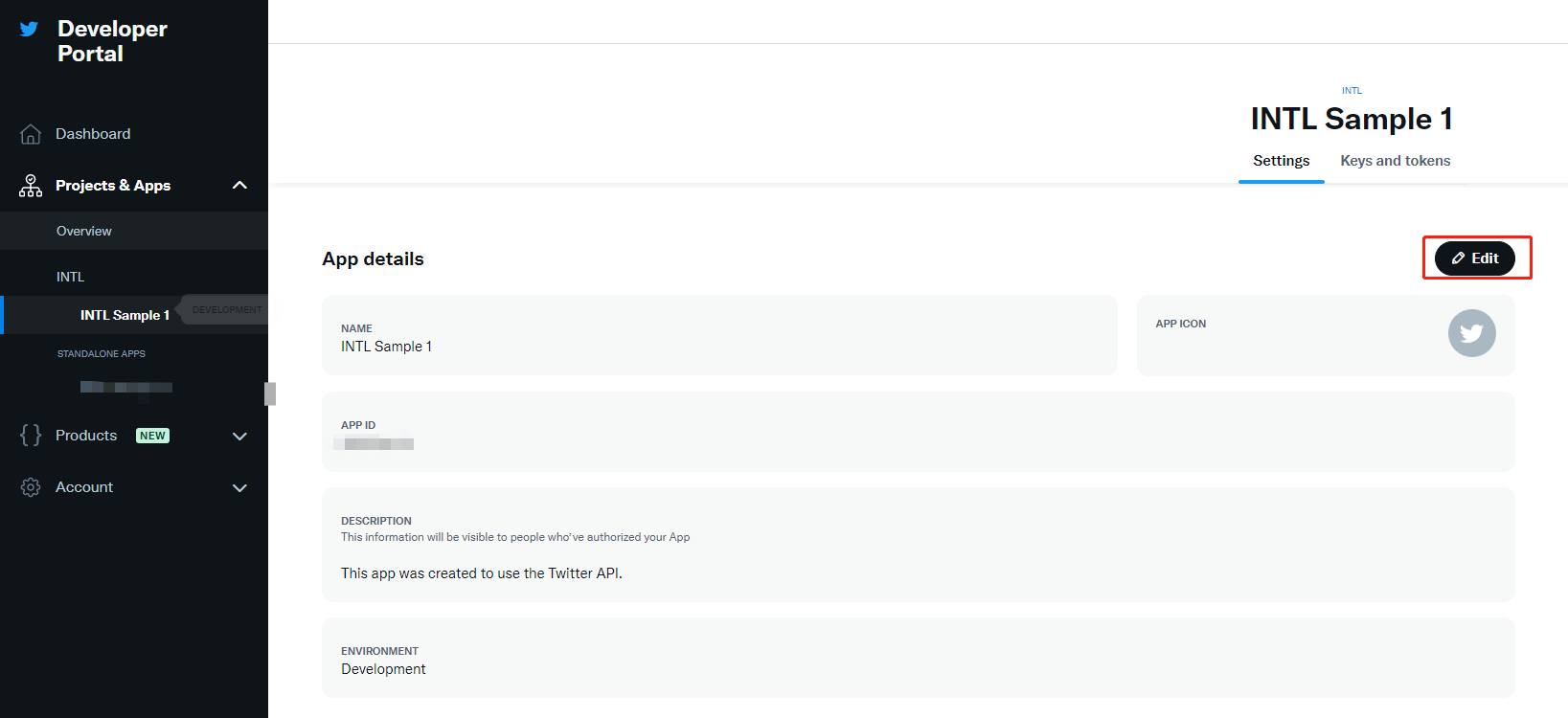
X will restrict sharing if you share too much within a short period of time. Please check the logs to confirm whether the sharing API has been restricted. If the logs show “ X API error: Your account is suspended and is not permitted to access this feature (code 64) ,” then the API has been restricted. #
On iOS devices, versions of Player Network SDK before V1.18 do not support switching X accounts. Only the first shared account can be used for sharing; to switch accounts, reinstall the game package.
X iOS sharing error: ret_code: 9999 , third_code: 32 #
The login state of the X SDK is invalid.This issue has been resolved after V1.16.05.If this problem persists after V1.16.05, configure {"login_first":1} in extra_json.For more information, see X Friends Known Issues.
X: Unable to log in to the game after enabling 2FA #
If a player has 2FA enabled on X, logging in to the game using their X account may fail and the page jumps to the main X page without successfully logging in.Players are advised to temporarily disable 2FA and re-enable it after completing the login process to improve account security.
Ubisoft
Ubisoft Error Codes #
- Unity
- Unreal Engine
void CheckThirdCode(INTLAuthResult result)
{
  if(result.RetCode == 9999)
  {
    switch(result.ThirdCode):
    {
    case 0:
    //Success
    break;
    case -4:
    //Failed to request Uplay Roaming Profile
    break;
    case -6:
    //Failed to create a roaming profile
    break;
    case -1:
    //Failed to create a Guest user
    break;
    case -8:
    //Failed to create a roaming session (Flow2 login)
    break;
    default:
    // Unknown error code
    break;
    }
  }
}
void CheckThirdCode(INTLAuthResult result)
{
  if(result.RetCode == 9999)
  {
    switch(result.ThirdCode):
    {
    case 0:
    //Success
    break;
    case -4:
    //Failed to request Uplay Roaming Profile
    break;
    case -6:
    //Failed to create a roaming profile
    break;
    case -1:
    //Failed to create a Guest user
    break;
    case -8:
    //Failed to create a roaming session (Flow2 login)
    break;
    default:
    // Unknown error code
    break;
    }
  }
}
| Error Code List | clarification |
|---|---|
| 0 | successes |
| -1 | Failed to create visitor user |
| -2 | Failed to create visitor session |
| -3 | Failed to create UplayRoaming session |
| -4 | Request for Uplay Roaming Profile failed |
| -5 | Failed to create Roaming user |
| -6 | Failed to create Roaming Profile |
| -7 | Failed to create Roaming session (Flow 1 first login) |
| -8 | Failed to create Roaming session (Flow 2 login) |
| -9 | Failed to create Roaming session (Flow 3 auto-login) |
| -10 | Failed to rename user |
| -11 | Automatic login without user data |
| -12 | Automatically logging in invalid users |
| -13 | Invalid binding parameter |
| -14 | Guest Facade is empty or Session is invalid |
| -15 | Uplay Facade is empty or Session is invalid |
| -17 | Login Cancel |
| -18 | link Cancel |
| -10000 | Visitor binding official account, the user through WebAuth login success, UbiservicesSDK request Ubiserver to determine that the official account can be bound. |
| -10001 | The visitor binds the official account. After the user logs in successfully via WebAuth, ubiservicesSDK requests ubiserver to determine that the official account is not bindable. |
| -20000 | After the user has successfully logged in via WebAuth, the UbiservicesSDK detects that there is an existing local Guest account and lets the user choose whether to bind to the current Guest account. |
WeChat
iOS login error: 9999_9999, "Call to the WX API sendReqreturned a failure" #
Check the WECHAT_UNIVERSAL_LINK_IOS configuration in the local INTLConfig.ini file.
Web Scenario: When selecting a third-party login channel within the WeChat app, the user cannot be redirected back to the campaign page, or a blank screen is displayed. #
WeChat login currently only supports WeChat channel authorization, the rest of the channels will be due to WeChat's built-in WebView component does not support third-party channel login resulting in a white screen or unable to jump back to the event after successful authorization.For more details, see Implementing Third-Party Channel Login.
Social
X Share failed, error -1011 , NSLocalizedDescription=Request failed: unauthorized (401) #
If permissions are changed from Read and write to Read on the X Developer Platform, players will not be able to share content.
-
Go to the Permissions page of the X developer platform.
-
Click Edit.
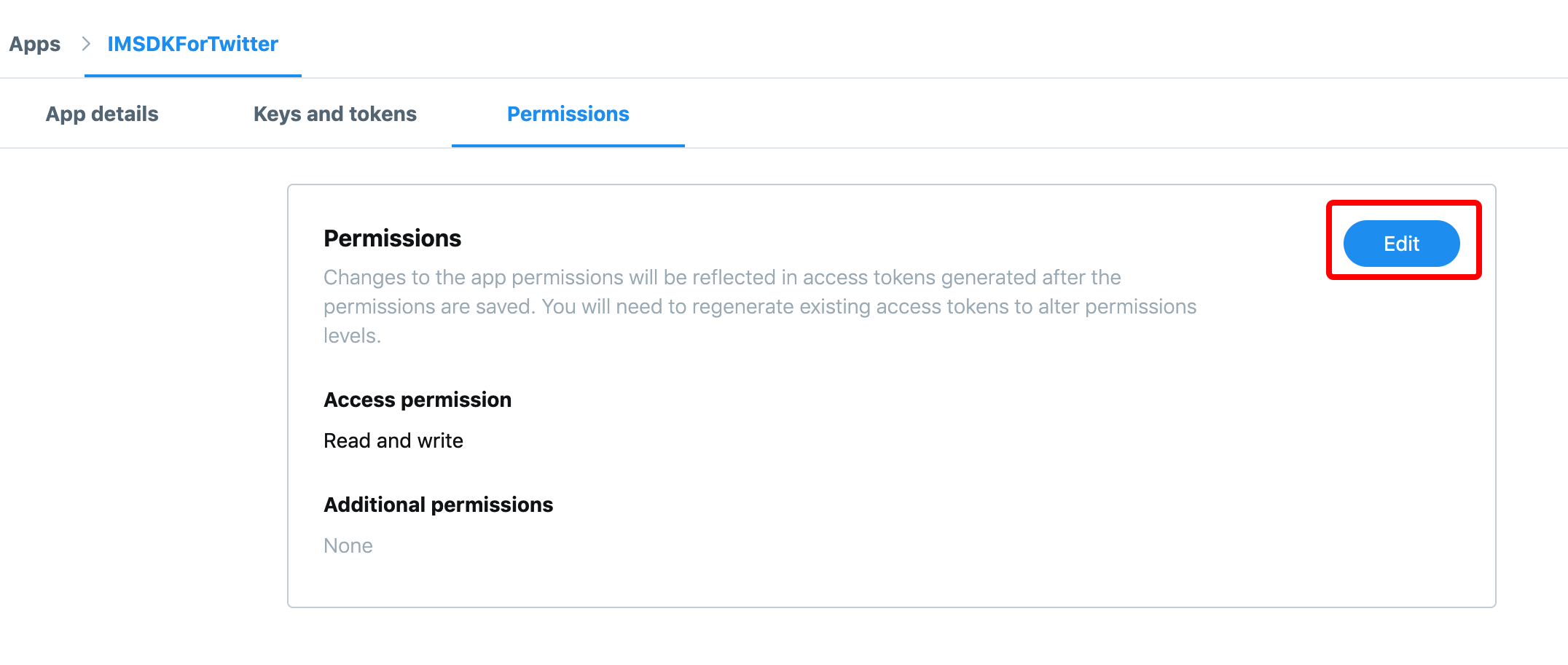
-
Under Access permission, select Read and write and click Save.
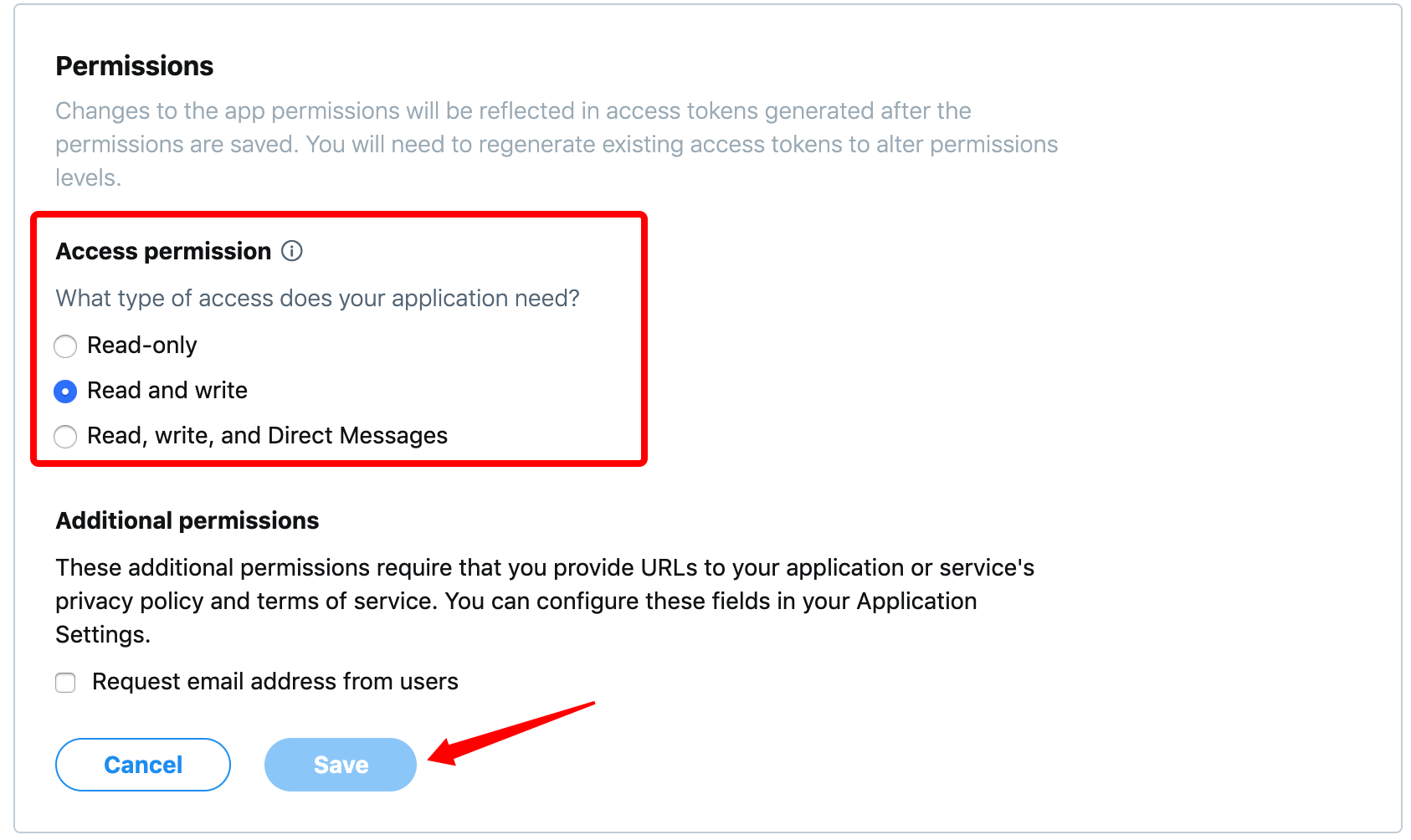
-
X regenerates the access token and access token secret.
Due to changes to the access token and access token secret, players need to reopen X and log in again before they can share content again.
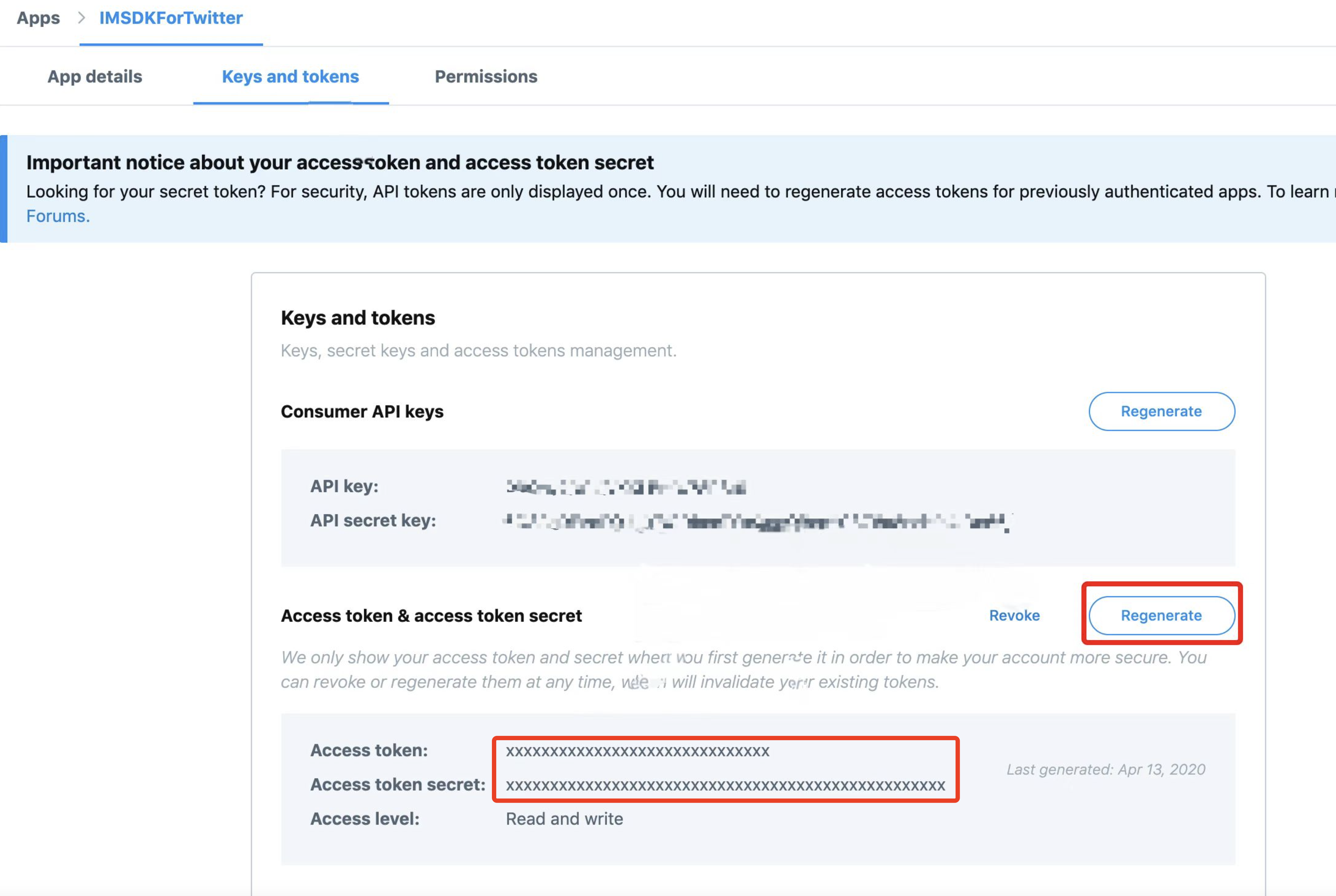
Failed to share a video on Facebook on iOS (401) #
The INTLFriendReqInfoHelper.cs file is missing.
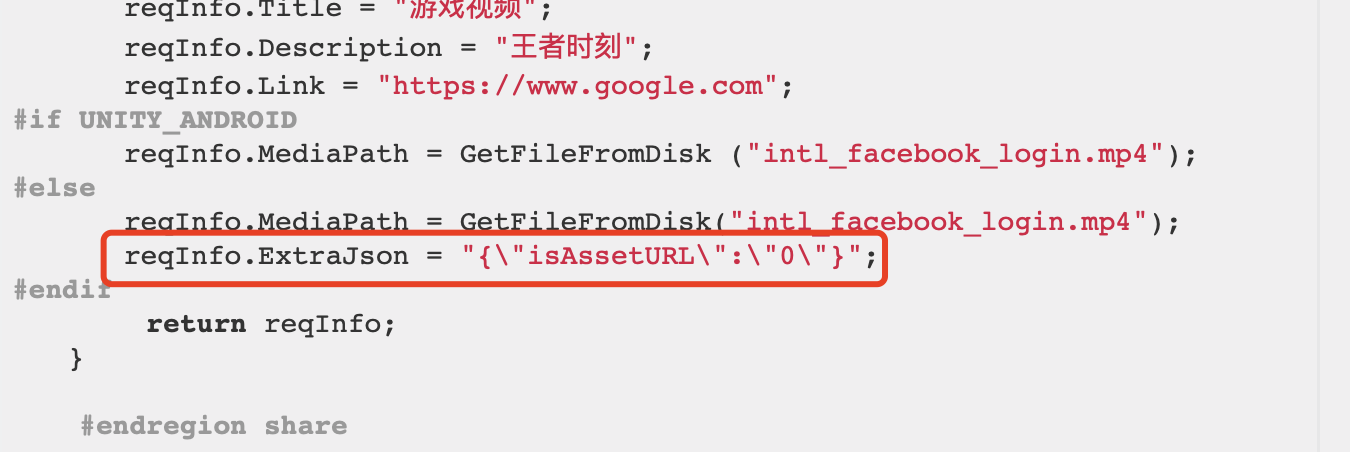
[iOS-Facebook-ShareVideo] When I enter a custom video path and add the corresponding video, the share attempt fails with the error: ret: "2" . Sharing the video directly without specifying a custom path works fine. I tried using the video path from a successful share, entered it in the custom path field, and attempted to share again, but the error still occurred: ret: "2" . #
- The game must be registered with Facebook Gaming Services in order to use the video sharing feature.
- For video sharing, you need to pass
extrajson={"isAssetURL":"0","mode":1)in the extension field.
The Xiaomi phone's share page displays an error, and I can't pull down the notification shade either. #
MIUI 11, MIUI 12 phones have problems, other models share normally.
iOS cannot launch the Facebook app when sharing content #
There are Chinese language versions of iOS 11/12 telephones that have this issue.All other models are fine.
When sharing images to WhatsApp on the iOS platform, is it possible to share both text and images at the same time? #
No support.Must remove description and only share images.
When sharing on the iOS platform, why can’t I tap the “Cancel” button in the upper-right corner to close the sharing screen after opening the Instagram sharing screen? #
This is a known bug in the Instagram iOS sharing feature in landscape mode, which may occur on some devices on iOS 16 and earlier, requiring a subsequent version of Instagram to fix the issue. The SendMessage send link feature of the INTLInstagram sharing plugin uses Instagram iOS for sharing, so it will have this issue as well.
X Channel sharing error: " " does not support sharing to X . How can this be resolved? #
Reason: The value of the subChannel parameter in ExtraJson was entered incorrectly.
Solution: Please change the parameter value from "X" to "Twitter".
Correct example: ExtraJson = "{\"subChannel\":\"Twitter\"}"
Failed to share a YouTube video. Error message: "ret_code":19, "ret_msg":"User has no channel". #
To share on YouTube for the first time, you need to create a channel.Create a YouTube channel with your authorized Google account, using any of the following methods:
- Mobile browser: Sign in to YouTube → click the avatar → click "Create channel" → enter the channel name → done.
- YouTube App: After signing in, go to the avatar → "Your channel" → the system will guide you through creation.
- Google Account panel: Sign in to Google → open the dashboard → YouTube → create a channel.
Announcement
Why can't I access the announcement? #
- Check whether the RequestNoticeData API is called.
- Check whether the notice is within the validity period
- Check whether the time zone is set correctly
- Check whether the language parameter is standardized
- Check whether the region parameter is standardized
- Check whether the environment configured for the notice matches the client (test/production environment).
Even after the announcement was updated, the old version is still being pulled. #
Clear cached notices by restarting the game or modifying the cache configuration NOTICE_INTERVAL.
Unable to retrieve the Portuguese announcement #
The correct language type for Portuguese passes the reference pt.For updated information, see the [[Language Type Definitions]] of notices (/docs/resources/KnowledgeBase/Common/LangType).
No callback when the announcement is published or taken down #
Announcements need to be obtained manually.
Which field in the announcement is used to distinguish between custom values? #
Distinguished by INTLNoticeInfo of ExtraData.
Understand the relationship between the parameters passed to the announcement data and the announcement callback information #
The callback information INTLNoticeInfo is returned by the request parameter region and the list of content to which the notice belongs ContentList is returned by the request parameter langType.
Example:
- If the notice is configured only in Portuguese (pt), but the notice is fetched using English (en), then an
INTLNoticeInfowill be fetched, butContentListwill be empty.
Not receiving announcements? PictureList ? #
Both INTLNoticeInfo and INTLNoticeContent contain PictureList.Check that PictureList is configured in the correct data structure.
What's the difference between a Player Network announcement, a "slap in the face," and a news story? #
News is not pulled through the SDK, face slaps (popups) and announcements are the same.
Push
Why can't I receive remote push notifications? #
- Check whether the configuration and certificates in Firebase Console match the
GoogleService-Info.plistused for packaging and thegoogle-services.jsonfile in Google Play Console. - Check the network status and ensure that the phone can use Google services.
- iOS:
- Confirm that the
Firebaseproject is configured with anAPNscertificate. - Add the
Push Notification capabilityto the iOS project. - Set
UNITY_USES_REMOTE_NOTIFICATIONSto 1 in the iOS project exported by Unity. - Check whether
RegisterPushwas called and whether Allow was selected in the push notification authorization prompt. - Android:
- Configure the
keystorefingerprint in the Firebase project. - Check whether Google Mobile Service (GMS) is installed on the device
Firebase registration failed. #
Replace your cell phone or VPN.
When I test push notifications using pushToken, I receive them, but I don't receive them in the production environment. #
Check if there are multiple registration pushes, 1 registration push call is sufficient.If not, please contact Firebase to submit a work order for processing.
iOS Firebase is not receiving push notifications. #
Because FirebaseAppDelegateProxyEnable : NO is configured in info.plist.This deactivates the mapping of method provisioning:APNs tokens to FCM registration tokens.See Get current registration token to resolve the problem.
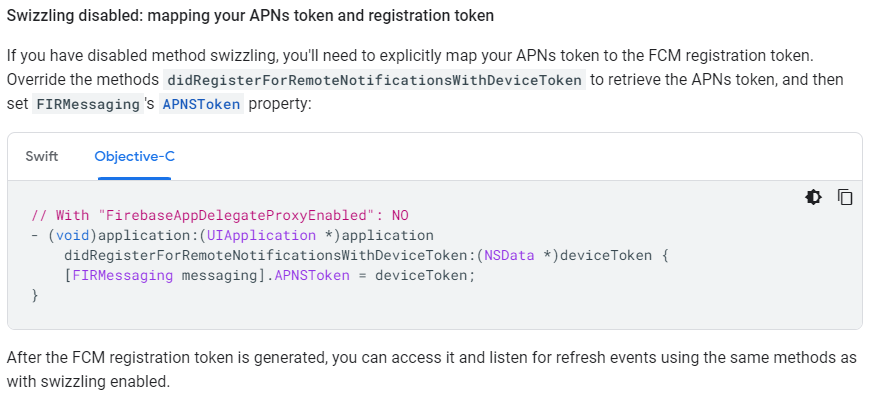
After re-signing the iOS app with an enterprise certificate, it cannot receive remote push notifications. #
Use the enterprise certificate to re-sign the IPA, i.e., it is not signed by the original development certificate, and the existing push certificate does not match with the re-signed IPA, so you cannot receive the push.
The icon badge showing the number of push notifications does not disappear. #
Please configure iOS according to Clearing App Badges via iOS Remote Push.
When the game is running in the background, push notification callbacks are not received. #
The game can receive callbacks in the foreground and in the background callbacks are pushed to the notification bar.
There is no callback for iOS AddPushBaseResultObserver either. #
Change UNITY_USES_REMOTE_NOTIFICATIONS to 1.
I'm not receiving messages via local push notifications. #
- Enable notification permissions on the device
- Set
ANDROID_LOCAL_NOTIFICATION_ENABLEto 1 inINTLConfig.inifor the Android platform.
In Android 12, I don't receive local push notifications after closing an app. #
Android 12 and above adds permission control to AlarmManager alarm clock API, Player Network SDK relies on delay trigger mechanism to realize local push.When the app is closed, the system restricts the triggering of the relevant alarms, resulting in the push not being delivered properly.
We have researched the issue.To enable the local push to be triggered even after closing the app, you need to apply the USE_EXACT_ALARM permission to ensure that the Precision Alarm Clock feature is available.However, according to Google Play policy, applying for this permission may result in a failed review, so this option is not recommended.
How can we send messages in different languages to different regions? #
Firebase can only send one tag per push, and pushes are sent in different languages for different regions.
Images are not displayed in iOS push notifications. #
To receive and work with notification images in the Apple app, you must add the Notification Services extension.For more information, see Sending Pictures in Notification Loads.
Android push notifications do not display an icon. #
- The Android push notification icon must have a transparent channel
- Check whether the icon image resource is being overwritten by other images
How do I send a push notification to an unreleased version of the game? #
Firebase Messaging can create versions when editing pushes.
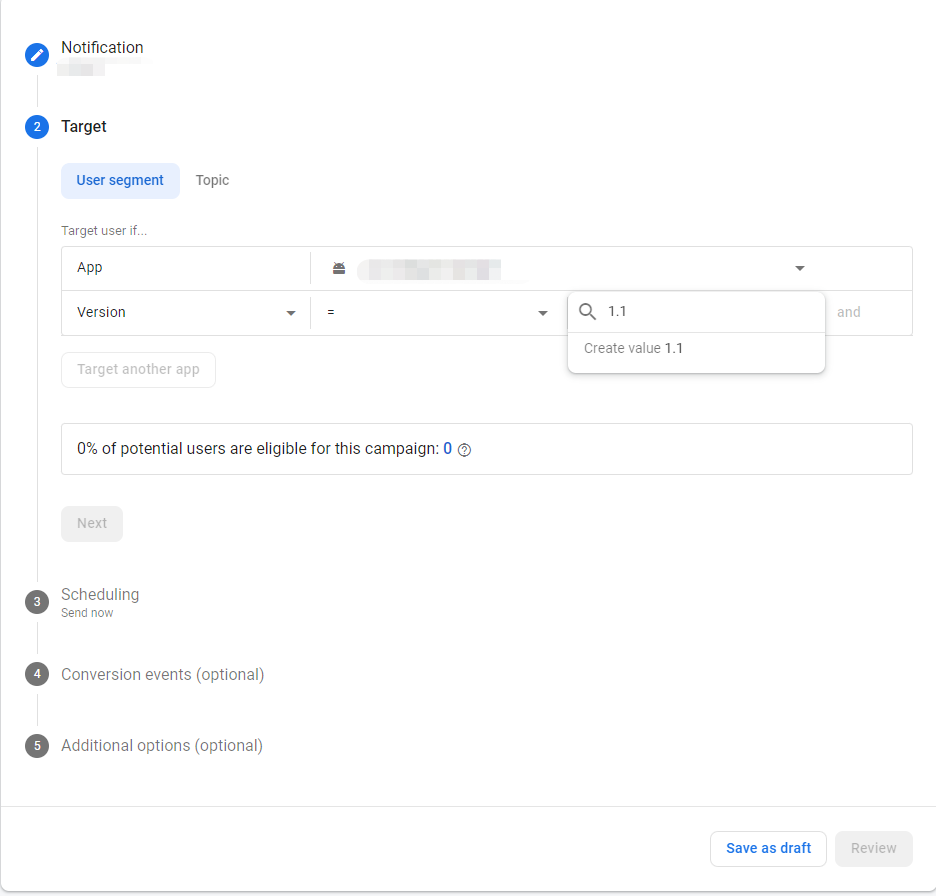
How can I implement recurring push notifications on Android without the ``RepeatType fields? #
Android does not support repeated cycle pushes.
If players are in different regions, how will the FireTime timestamp handle time zone differences? #
FireTime timestamps are in UTC time and notifications are pushed regardless of the player's time zone.
What do the "Android SmallIcon" and "iOS Badge" parameters represent? #
Android:small icons support customization via the SmallIcon parameter, which uses app icon by default.The system of domestic models needs to harmonize the small icon with the app icon, so the setting is invalid in some models.(Test models with Samsung, Vivo, older Xiaomi devices, etc. can change the small icon)
iOS:does not support changing icons. The Badge field is the number of push corners, which defaults to 0, i.e. no corners are shown.
I am not receiving iOS push notifications and am getting the following error: Error Domain=NSCocoaErrorDomain Code=3000 "no valid 'aps-environment' entitlement string found for application" #
You need to add the aps-environment attribute to the Info.plist file, refer to the step:
- Open the app's
Info.plistfile in Xcode. - If the
aps-environmentkey does not exist, click the + button to add a new key. - Set the key name to
aps-environmentand the type toString. - Set the key value according to the current environment:
developmentfor the development environment andproductionfor the production environment.
Push notification certificates from the Apple Developer Center should correspond to environments, with development certificates being used for the development and testing phases and production certificates being used for official releases after publishing to the App Store.
- Save the
Info.plistfile and rebuild your app.
Firebase failed to retrieve the FCM token, with the following error: Error Domain=NSURLErrorDomain Code=-1001 "Request timed out" #
A network request timeout error occurs when an iOS app tries to obtain a Firebase Cloud Messaging (FCM) device token:
[INTLPushFirebase.mm:346] firebase register, get fcmToken failed, error msg:
Error Domain=NSURLErrorDomain Code=-1001 "请求超时。"
UserInfo={
    _kCFStreamErrorCodeKey=-2103,
    _NSURLErrorFailingURLSessionTaskErrorKey=LocalDataTask...
    }
Reference steps:
- Check the network connection. If you are in mainland China, make sure Google services are accessible normally. You may need to configure a proxy, VPN, etc.
- Verify the Firebase configuration, and ensure that the
GoogleService-Info.plist fileexists in the project root directory and that the Bundle ID exactly matches the Xcode project. - Check the Firebase console, verify that the app
Bundle IDmatches, and check whether console usage and quotas have been exceeded.
Firebase Push Notification Error: " " Failed to open database (SQLite Error Code 10) #
Firebase Analytics fails to open the SQLite database during initialization, triggering a disk I/O error (SQLite error code 10) as follows:
[FirebaseAnalytics][I-ACS810001] Failed to open database (Init):
Error Domain=com.google.gmp.measurement.ErrorDomain Code=3
"Database operation 'validate database' failed with sqlite code 10 and error message 'disk I/O error'"
UserInfo=
{
    NSLocalizedDescription=Database operation "validate database" failed with sqlite code 10 and error message "disk I/O error",APMMonitorContext=validate database,10,A
}
Firebase relies on SQLite to store local data, the following scenarios may cause this error:
- SQLite library conflict (common on iOS): Firebase uses the iOS system library
sqlite3.tbdby default. If the project introduces another SQLite version (for example, UE's SQLiteCore), it will cause symbol conflicts. - Storage issues: insufficient device storage space or database file corruption (caused by abnormal exits).
- Permission issues: abnormal write permissions for the app sandbox directory (iOS), or storage access permissions denied (Android).
The Firebase activated_app event is being reported multiple times, and the number of reports exceeds that of the screen_view event. #
This phenomenon is typically caused by the background synchronization mechanism within the Firebase SDK and is a known issue. Duplicate activated_app reports are mostly “synthetic synchronization events” and do not represent actual user launches.
Troubleshooting steps:
- Check the number of in-app calls, enable INTL logs, and verify whether the actual number of calls to
FirebaseAnalytics.logEvent("activated_app", ...)matches expectations. - Enable Firebase Debug mode to analyze real-time logs, and check the reporting of activated_app in the firebase debug adb logs (if the event name additionally contains the _syn field and has no xwid parameter, it is a duplicate event internally generated by SDK synchronization).
- Turn off Debug View in the Firebase console and compare the total reported counts of the screen_view event and the activated_app event.
This issue is discussed in detail in the GitHub Issue for the Firebase Android SDK.
The Android app crashes upon launch after integrating push notifications. #
The RegisterPush parameter cannot be empty.
WebView
Android cannot open the privacy policy; it says "No permission." #
If you have access to MiMaster or configured a network license list, you need to add the domain name of the privacy protocol to the license list in the network_security_config.xml file.
iOS WebView displays the following error when opening: " . Could not find the specified service." #
This will not affect function.
Android devices display a blank screen when opening the built-in WebView #
Please use https://.
When Android calls `` orOpenUrl( ) to open the built-in WebView, the game freezes on the main thread. #
Calling the OpenUrl interface starts a new process, not a thread, and the process where the WebView is located goes to the foreground, while the app cuts to the background.The game logic is handled in the same way as if the game was cut to the background.
How can I determine if a player is opening an H5 page through the game's built-in browser? #
The userAgent can be obtained similarly through the getUserAgent interface in INTLWebViewSample.html.If the page is opened using INTLWebView, the word INTLBrowser will be returned.
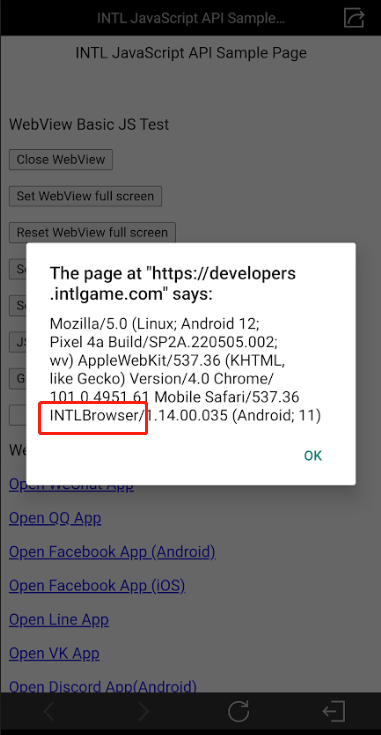
When opening a web page (OpenUrl) and entering the code space , the characters % are added. #
Currently when OpenUrl is called, encode encodes space as %%20, which should normally be %20.This is just a log printing error and does not affect the actual URL opened.If you need to use the URL in the log, remove the extra %.
I haven't included the WebView module, so why am I getting WebView errors during compilation? #
Please check if you are logged in to X.X login depends on the Player Network SDK WebView module, and accessing only X without WebView will result in errors.
INTLWebView Causes the Game Window to Shrink #
2 configurations need to be added to the INTLConfig.ini file:
WEBVIEW_DPI_AWARENESS_ENABLE = 0WEBVIEW_DYNAMIC_RESOLUTION_ENABLE = 1
How do I disable the sharing feature? #
Either set visibleShareMore to false or set WEBVIEW_SHARE_CHANNEL to NONE.
visibleShareMore: Whether or not to show the sharing feature, with higher priority, as detailed in the OpenUrl extension field configuration of Unity SDK or Unreal Engine SDK.
WEBVIEW_SHARE_CHANNEL: When the sharing feature is enabled, specifies which sharing channels are supported. If set to NONE, the share option will not be shown. See Configure Webview Module for details.
Code example:
visibleShareMore:false
WEBVIEW_SHARE_CHANNEL:Facebook, System
visibleShareMore:true
WEBVIEW_SHARE_CHANNEL:NONE
When opening a web page in the Unity Editor, a blank screen appears and the close button doesn't work? #
The built-in browser cannot be used within the Unity editor, so it is recommended to use the system browser.
If the game opens Android WebView, then closes WebView and returns to the game, does it need to reconnect? #
No reconnection is required if using same process mode.If you are using multiprocess mode, you will need to reconnect after the game disconnects.
Windows INTLWebView The window displays a blank screen, and the following error appears in the log: " CraftSDLUserInterface SDL_CreateRenderer return NULL error: Couldn't find matching render driver" #
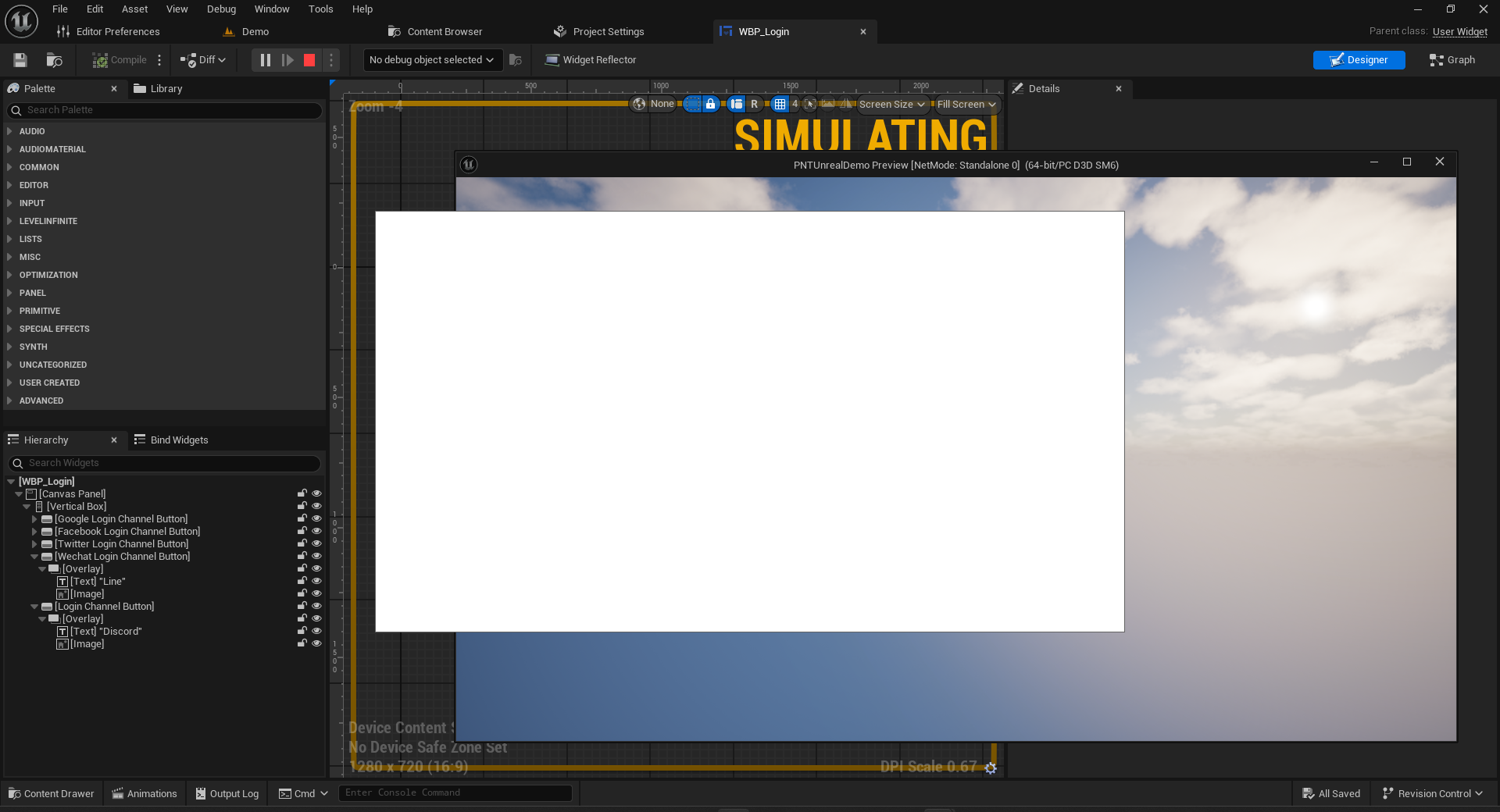
The issue may occur in Unity or Unreal Engine scenes. You need to add the following WebView configuration in the INTLConfig.ini file:
[WebView]
WEBVIEW_NAVIGATION_BUTTON_DISABLE = 0
WEBVIEW_UI_COLOR_THEME = Dark
WEBVIEW_VIEWPORT_DPI = 96
For operations using Unreal Engine, you will also need to delete the following folders to clear the cache and rebuild the scripts.
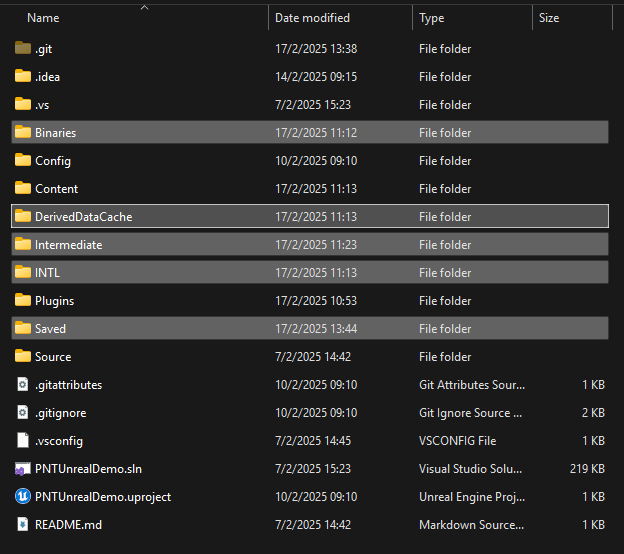
Flickering Issue in WebView on the PC #
This issue is not caused by the WebView component itself, but by the dynamic resolution used by the game, which causes the WebView to flicker when rendered.By default, games usually use a fixed resolution, with dynamic resolution enabled for only a few scenarios.Therefore, the default configuration of WebView is in fixed resolution mode.If flickering occurs, add the parameter WEBVIEW_DYNAMIC_RESOLUTION_ENABLE = 0 to INTLConfig.ini to force dynamic resolution to be disabled.
Opening INTL WebView on the PC platform causes a crash, and the initialization and loading of qbcore.dll fail. #
INTL WebView may load a component during initialization that conflicts with the runtime environment that qbcore.dll depends on (e.g., the CEF that comes with UE4.27), causing qbcore.dll to fail to load or to initialize abnormally and cause the program to crash.
To avoid such compatibility issues, we strongly recommend using WebView2 as the WebView solution for the PC platform. See Microsoft Edge WebView2 for details.
Some Android phones experience a black screen when opening certain links. #
Update or uninstall and reinstall Android System WebView.
In Unreal Engine games, when opening a URL's privacy policy via OpenUrl , the settings configured via screenOrientation do not take effect for INTLWebViewOrientation . #
The SDK handles the Unreal Engine differently than the Unity Engine, which locks orientation with the application settings.
Why does the app display a push notification badge when opening WebView after the device has enabled desktop badge settings? #
This is normal.WebView's foreground service notifications (and corner markers) automatically disappear when the protocol window closes normally.
When an Android device opens the game's privacy policy page via a URL, a blank screen appears in WebView, and the following error is logged: Failed to validate the certificate chain, error: java.security.cert.CertPathValidatorException: Trust anchor for certification path not found. #
This error means that when Android is validating the HTTPS certificate, it cannot establish a trusted certificate chain (Trust Anchor not found), so it refuses to load the page, resulting in a white screen in WebView.
Common causes:
- The server certificate chain is incomplete (most common), with the Intermediate CA (intermediate certificate) missing.
- A self-signed certificate is used, and the certificate was not issued by a publicly trusted CA.
- An internal enterprise CA is being used, and the Android device does not trust this CA.
- Abnormal server certificate configuration prevents Android from correctly verifying the certificate chain.
Recommended solutions:
- Check and fix the server HTTPS certificate configuration to ensure the server returns a complete certificate chain.
- Use a certificate issued by a publicly trusted CA.
- If multiple available domain names exist, it is recommended to switch to the official domain name with proper certificate configuration.
Data Insight
Firebase Crash has not been initialized in the background #
The Firebase backend will be initialized only after the client has reported 1 crash successfully.
How do I disable Firebase Crash Reporting? #
Android.
-
Check whether the console configuration, certificates, .plist, and .json files are aligned.
-
In the
applicationsection of theAndroidManifest.xmlfile, add a meta-data tag to disable automatic collection<meta-data
android:name="firebase_crashlytics_collection_enabled"
android:value="false" />
For more information, see Customizing Firebase Crashlytics Crash Reports.
iOS:
Add new key-value pair to Info.plist file:
- Key:
FirebaseCrashlyticsCollectionEnabled - Value:
false
For more information, see Customizing Firebase Crashlytics Crash Reports.
Firebase Crash: Crash Stack Trace Not Restored #
The business needs to upload a symbol table.
The Windows platform logs an error stating that it cannot create the files Custom.logand . #
This is due to the fact that there are no read/write permissions to the directory and CrashSight does not currently provide a way to change the path.
The editor reported the following error: " . Unable to get the ReportException function from the library ." Player Network SDK error codes: 9999 ; Windows error codes: 126 #
Crashsight does not support editors at this time.
Firebase Push Notification Issues #
Once the client has access to Player Network SDK push, the remote push message is configured in the Firebase Console and the client receives it.
Firebase provides a backend API, the business can develop these functions themselves, through the backend API interface, let Firebase to send push messages, you can send notifications to the client.
For more information, see the Firebase backend API documentation (https://firebase.google.com/docs/cloud-messaging/server).
A warning appears when integrating the Facebook iOS SDK #
If FacebookAutoLogAppEventsEnabled and FacebookAdvertiserIDCollectionEnabled are not configured, the Facebook SDK will prompt with a Warning.
<Warning>: Please set a value for FacebookAutoLogAppEventsEnabled. Set the flag to TRUE if you want to collect app install, app launch, and in-app purchase events automatically. To request user consent before collecting data, set the flag value to FALSE, then change it to TRUE once user consent is received. Learn more: https://developers.facebook.com/docs/app-events/getting-started-app-events-ios#disable-auto-events.
<Warning>: You haven't set a value for FacebookAdvertiserIDCollectionEnabled. Set the flag to TRUE if you want to collect Advertiser ID for better advertising and analytics results. To request user consent before collecting data, set the flag value to FALSE, then change it to TRUE once user consent is received. Learn more: https://developers.facebook.com/docs/app-events/getting-started-app-events-ios#disable-auto-events.
For details, see Event reporting instructions.
Facebook reports that tracking must be enabled in the iOS app #
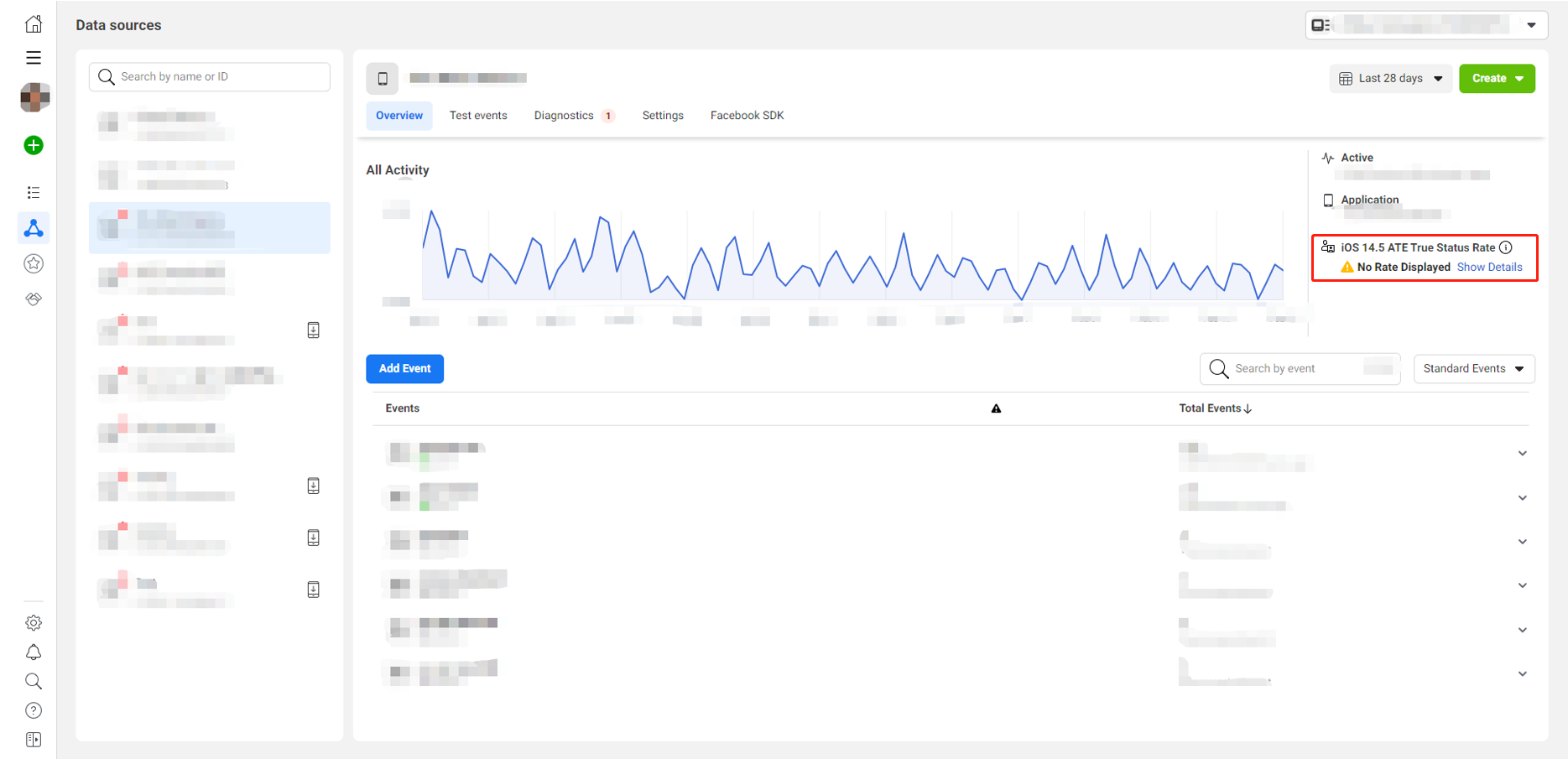
Facebook reporting after iOS 14.5 requires iOS app tracking to be turned on.Before reporting Facebook events, the RequestTrackingAuthorization API must be called.
Facebook data reporting failed; the event reporting feature in the Facebook App Dashboard is not linked to the game app. #
Since the project account is not tied to and authorized with the company's account, no data feeds will be displayed in Facebook Events Manager.Please complete Facebook Business Verification first.
Troubleshooting steps:
-
Check local configurations in INTLConfig.ini, such as
ANALYTICS_REPORT_CHANNELandANALYTICS_AUTH_REPORT_ENABLE -
Confirm whether local reporting is successful by searching for
ReportEvent with channel = Facebook, eventName =xxin the INTL logs
For more details, see Data Reporting Acceptance.
Does the "Adjust token" field need to be defined? #
The reported event must use the token field of the Adjust console, implementation definition needed.
Adjust initialization failed? #
If initialization fails, it's generally due to incomplete configuration of the Adjust project STAT_ADJUST_APP_TOKEN and ADJUST_INFO1.
Adjust supports two methods: the callback parameter and the partner parameter. #
- For details, see ReportEvent event reporting API.
- For integration examples, see Analytics.
Adjust cannot see the data updates. #
It is recommended to enable sandbox mode for Adjust channel event reports.The update of management terminal data depends on the real-time nature of background calculations.Generally, updates can be completed within minutes to a dozen minutes, but there are also cases of daily updating.If no data update is seen within half an hour, please check again the next day.
AppsFlyer Event Reporting Limits #
-
For the same event in the same app on the same device, if the reporting interval is within 10 seconds, it will be displayed only once.
-
For the same event on different devices, this restriction does not apply, and all events will be recorded in real time.
This restriction is set by AppsFlyer based on statistical data, as normal users would not perform the same event multiple times within 10 seconds.
AppsFlyer: Organic vs. Non-Organic Installations #
Organic and non-organic data are both recorded in the AppsFlyer dashboard.
- An organic install (Organic) refers to an installation through a natural channel, without using an AppsFlyer promotional ad link, such as a direct install.
In-app events corresponding to organic installs (Organic) will not appear in the report for directly downloaded in-app events in our dashboard, because in-app event downloads contain information related to in-app events corresponding to non-organic installs. - A non-organic install (Non-organic) refers to an installation through an AppsFlyer promotional ad link.
AppsFlyer Official Documentation #
-
Integration documentation
-
For Android integration, please refer to AppsFlyer official integration guide (Android).
-
For iOS integration, please refer to AppsFlyer official integration guide (iOS).
-
Testing documentation before publishing to the app store
-
Before publishing to Google Play Store, for Android testing please refer to AppsFlyer testing (Android) (before publishing to the App Store).
-
Before publishing to the App Store, for iOS testing please refer to Testing manual SDK integration (iOS) (not published).
-
Testing documentation after publishing to the app store
-
After publishing to Google Play Store, for Android testing please refer to Testing manual SDK integration (Android) (not published).
-
After publishing to the App Store, for iOS testing please refer to Testing manual SDK integration (iOS) (not published).
Contact AppsFlyer #
If you need to contact AppsFlyer to troubleshoot data, please provide the following data:
- App ID
- The selected time range
- Event ID
- Device IDFA
- Package name
The PID field in the test link, for example, inhttps://app.appsflyer.com/id1089079153?pid=locky0508-2&idfa=A56EC65B-DF48-42F4-B74C-DCE6B818E729, id1089079153 is neither the bundle ID nor the package name.
The AppsFlyer Android platform relies on Google services #
For Android platform, using AppsFlyer requires Google Services to be installed on the phone, so test AppsFlyer integration on devices with Google Services.
AppsFlyer Packaging #
AppsFlyer no longer supports ANT packaging.
Facebook Error Codes #
| Error code | error message |
|---|---|
| 1 | Unknown error |
| 4 | Application's request limit reached |
| 10 | Application does not have permission for this action. |
| 17 | User's request limit reached |
| 100 | Invalid parameters |
| 200 | Permission error |
For more information, refer to Facebook Error Codes.
Can't see data updates on TikTok? #
The TikTok channel event reporting default enables Debug mode.The update of management terminal data depends on the real-time nature of background calculations.Generally, updates can be completed within minutes to a dozen minutes, but there are also cases of daily updating.If no data update is seen within half an hour, please check again the next day.
AppsFlyer-related logs show: Failed to connect to oio62a.inapps.appsflyersdk.com/0.0.0.0:443 #
This indicates that the AppsFlyer domain was resolved to 0.0.0.0, preventing an HTTPS connection from being established.
This situation is usually caused by ad-blocking DNS or DNS filtering being enabled on the player's device or network environment, such as Android Private DNS configured with AdGuard, NextDNS, and so on.
Adjust Sandbox Data Reporting Overview #
- Configuration
Add Adjust in the DEBUG_CHANNEL configuration in INTLConfig.ini.
Set LOG_LEVEL = 1 or LOG_LEVEL = 0 in the INTLConfig.ini.
When publishing your game and reporting data to the official Adjust environment, set LOG_LEVEL = 3.
To report data to the official Adjust environment, remove Adjust from the DEBUG_CHANNEL in the configured INTLConfig.ini.
When data is successfully reported to Sandbox Mode, the log file appears as follows:
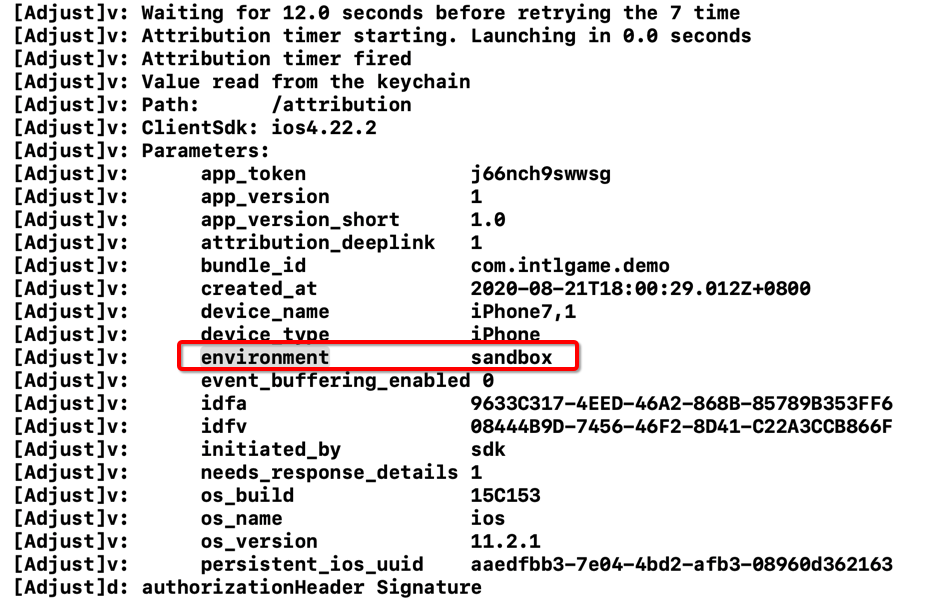
- On the Adjust console, go to the testing console

- Enter the advertising ID to view device data (refer to the next step for how to obtain the advertising ID)

Scroll down to Last Event Time to see the specific event name and the time of the last event (Delay in Sandbox Mode is about 10 minutes)

- Obtaining advertising ID
- Android
- iOS
On your device, select Settings > Google > Ads to view the advertising ID for this device.
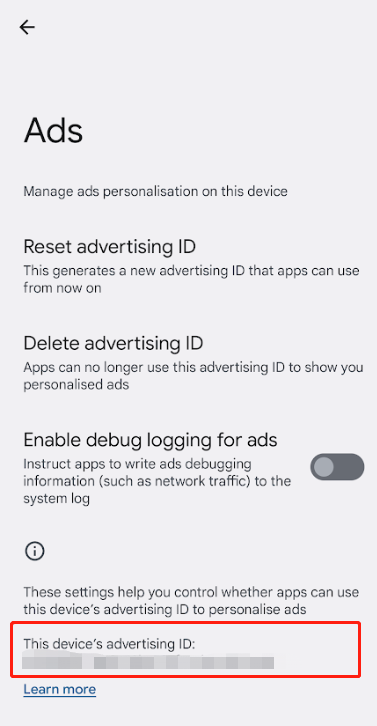
A third-party tool is needed to view the device's ad ID.There are many applications on the App Store providing this feature, such as My Device ID (by AppsFlyer) and Adjust Insights, as shown below:
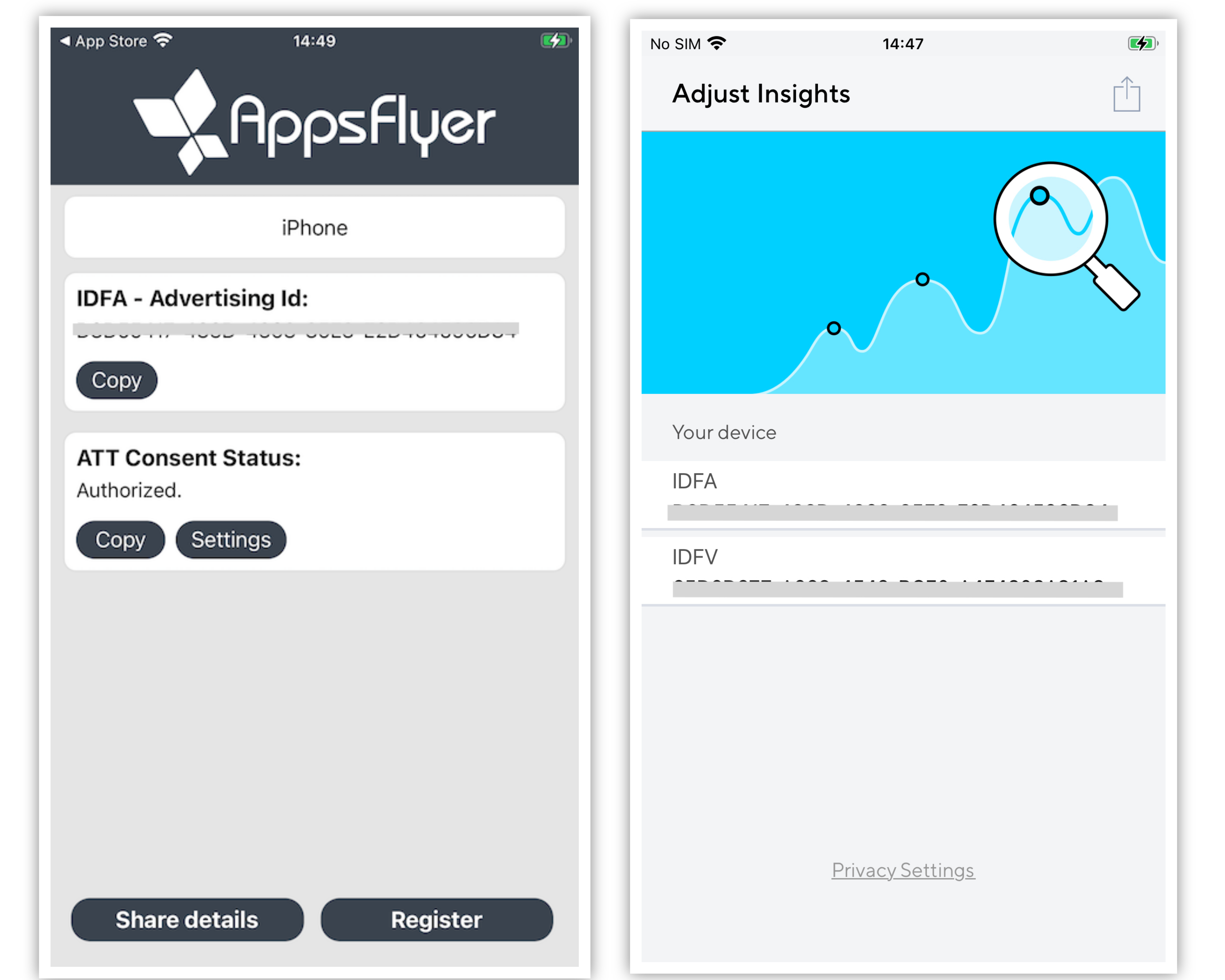
Open the app on the device, initialize Player Network SDK, and upload events to obtain the string corresponding to gps_adid on the control panel.
AI Translation Service
Do I need to specify the source language when calling the function? #
No need.The engine supports automatic detection of the language type of input text, so there is no need to include the source language parameter in the request.
The interface response does not include the detected language information.
Is the term database required to be overridden? #
It is not mandatory to overwrite.The content of the terminology library will be input to the model as context, and the final translation result is determined by the model through comprehensive reasoning based on the context.
How Can We Improve Translation Quality? #
The following approaches can be used to optimize results:
- Provide glossaries: Upload game-specific termbases, slang glossaries, and translation memories to ensure accurate and consistent translation of proper nouns and community-specific expressions.
- Provide historical corpora: Provide reviewed historical corpora for model training. Frequently matched content will be retrieved from cache first, further improving consistency and response efficiency.
- Differentiate business scenarios: Distinguish between different scenarios such as real-time chat, subtitles, and localization, and match the most suitable glossary configuration and translation style.
- Custom training: Perform dedicated model fine-tuning for specific games or language pairs to deeply adapt to business language style and terminology systems.
What languages are supported? #
Supports 20 key optimized languages and provides general translation capabilities for additional languages.For the complete language list, see Supported Languages List.
How do I view my translation service usage? #
You can view metrics such as request volume, character count, language distribution, success rate, and latency through the data analytics dashboard.For detailed instructions, refer to the AI Translation Service Operation Guide.
Do you offer customized translation services? #
Supports terminology library configuration, translation style adjustments, and model customization solutions.
Utilities
How should I test the RequestIPInfo interfaces? #
You can switch VPN zones for testing.
Issue with iOS Not Being Able to Load In-App Ratings #
- During development, you can bring up the review prompt at any time.
- In TestFlight builds, the review prompt cannot be displayed.
- After the app goes live on the App Store, each user can be shown the review prompt at most 3 times within 365 days.
For more information, see requestReview.
When using the dynamic configuration update interfaces `` andUpdateConfig( ), subsequent cloud control configurations do not take effect. How can this be resolved? #
Reason: The configuration set by UpdateConfig will be persisted and cached. Subsequent calls require manual clearance for changes to take effect.
Solution: For example, call the corresponding interface in the following sequence:
- Call
UpdateConfigto write custom configuration (for scenarios where cloud config is not read):
TMap<FString, FString> config;
config.Add("ACCOUNT_THIRD_CHANNEL_IOS", "Google");
config.Add("ACCOUNT_THIRD_CHANNEL_ANDROID", "Google");
UINTLSDKAPI::UpdateConfig(config, "LIPASS");
- To resume reading cloud configuration, call
RemoveCustomConfigKeyto clear the specified config item:
UINTLSDKAPI::RemoveCustomConfigKey("ACCOUNT_THIRD_CHANNEL_IOS", "LIPASS");
UINTLSDKAPI::RemoveCustomConfigKey("ACCOUNT_THIRD_CHANNEL_ANDROID", "LIPASS");
Usage scenario:
INTL initialization→ no need to read cloud config →UpdateConfig→ LI PASS initialization.INTL initialization→ need to read cloud config →RemoveCustomConfigKey→ LI PASS initialization.
Note: The configuration written by
UpdateConfigwill be persisted. If you need to restore the cloud control configuration, you must callRemoveCustomConfigKeyproactively to clear.
Compliance Assurance
Minor compliance failure, error code: 30010 #
The region passed the parameter incorrectly.Check the country area code, [ISO 3166-1] (https://www.iso.org/obp/ui/#search/code/) standard, for the corresponding three-digit code.
For example,:region passed the wrong parameter, 76 should be written as 076.
Minor compliance failure, error code: 30004 #
The compliance program may not be configured, contact the Player Network assistant.
Email verification failed; I cannot click the "Agree" button. #
Please clear your browser cache and try again.
Does it record the country the player selects? #
Yes, the region selected by the player will be recorded in the region field of the callback.
After successful self-certification, will the game ask players if they are adults the next time they launch it? #
The ParentCertificateStatusExpiration is returned only after email and credit card authentication. Self-authentication returns a ParentCertificateStatusExpiration of 0, which will lead you directly to the game.
If multiple emails are sent to parents, which one should be used as the primary verification? #
When multiple parent authentication emails are received, only the first email authentication takes effect.After the first email authentication, re-authentication of other emails will not change the parental authentication status of the first email.
In the credit card payment process for minors, is it impossible to go back after clicking to accept the privacy policy? #
Because the credit card payment process is uninterrupted and a user return would result in unsuccessful authentication, the business needs to add back button processing to the privacy agreement screen.
What is the difference between the ComplianceQueryUserInfo interface and the ``ComplianceQueryUserStatus interface? #
Although the ComplianceQueryUserStatus interface returns the same data structure as the ComplianceQueryUserInfo interface, which returns the compliance status of the current Openid, the ComplianceQueryUserStatus interface also includes the ability to set the region The ComplianceQueryUserStatus interface also includes the ability to set the region.
Since the function of setting the region is already implemented with other interfaces, it is recommended to use the ComplianceQueryUserInfo interface to query the compliance status of the Openid.
For more information, see the ComplianceQueryUserStatus API and the ComplianceResult API.
Why does the username appear as blank in the account deletion email? #
Deletion emails are sent via Account Logout Process, where the user_name field needs to be passed the name of the in-game character.Passing an empty string will cause the character's name to appear blank in the email and may cause players to misunderstand.
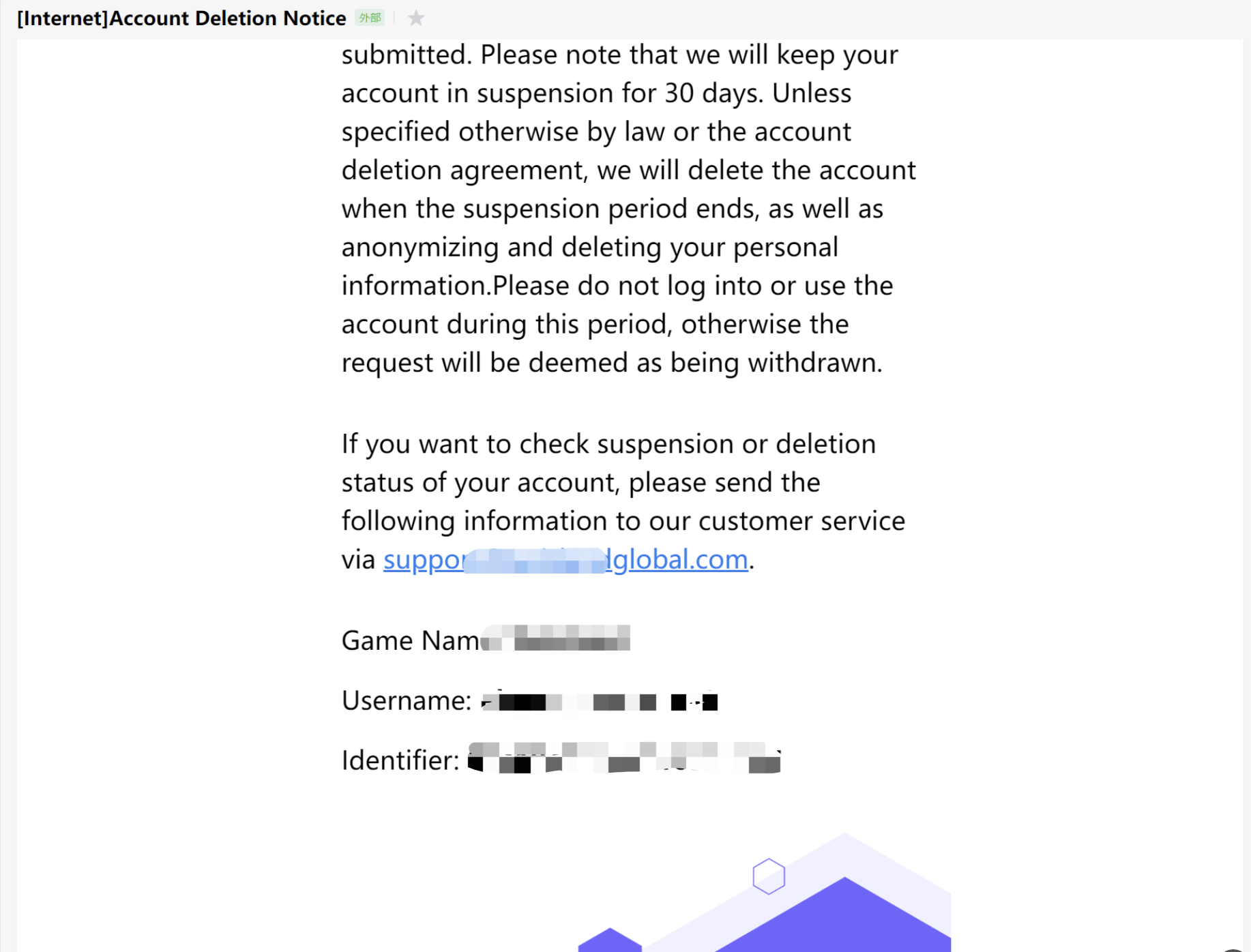
On the account deletion page, when accessing the deletion function through the Customer Service Center, the following error occurs: "ret": 10007, "msg": "decrypt input empty" . #
The player must be logged in for encryptEnable in OpenUrl to be passed automatically.This scenario is due to the fact that the business enters the game directly through the admin command, skipping the login process of the Player Network SDK.Since the SDK does not have a local login state, accessing the customer service area does not carry the encodeParam login state, resulting in an error when entering the account logout screen.
An error occurred during credit card verification in the U.S.: [Scene-credit-card] Page Error: failed to fetch [game_name,terms_of_service] - Please contact Customer Service. #
The credit card authentication is not configured; please contact Player Network Assistant.
Multi-Store Channel Package Building
What is a Multi-Store Channel Package? #
Each channel package has a different package name, and apps with different package names are uploaded to stores like Amazon, Samsung, Google Play, etc.
Why Consider a Multi-Store Channel Package? #
Business Perspective: When publishing multiple identical package names, only one can be installed on a single phone.Therefore, the Samsung channel installer already installed on a player's Samsung phone might be overwritten by the Google Play channel installer when the player uses Google Play to update the game.This situation is also known as package washing.Because the revenue sharing in stores like Amazon, Samsung, Google Play differs, package washing affects the profit sharing of the game.Therefore, different package names are needed to solve the package washing problem.
Does the multi-store channel package support account synchronization? #
Yes, the current Player Network SDK solution can generate the same OpenID with the same Game ID to enable account synchronization.
What is the scope of development for the multi-store channel package? #
You need to assess the adaptation of various SDKs under different package names:
- The Player Network SDK already supports adaptation for multi-store channel packages. Game development only needs to code once, and then package according to the configuration of different channels during the build process.
- The Midashi SDK requires integration with different channel packages. Game development needs to call the payment SDK according to different channels, and package according to different channel configurations during the build process.
Please contact the Midashi team to confirm the details. - For other component SDKs, please have the game contact the corresponding team.
Do services that have integrated the Player Network SDK support upgrading to the multi-store channel package? Will this cause any functionality issues? #
This supports unpublished games to avoid account issues before CBT goes online after file clearance.It is recommended to use this method, considering the multi-store channel package right from the game's initial integration.It also supports published games in upgrading to multi-store channel packages without player awareness.
Using this solution will impose certain functional restrictions, such as no support for the LoginWithConfirmCode feature in Unity SDK and Unreal Engine SDK.
Should new businesses consider a multi-store channel package right from the start? #
Yes, it is recommended that businesses consider multi-store channel packages from the initial integration and adopt the multi-store channel package approach to facilitate future account synchronization.
Is there a packaging tool platform that supports packaging for multiple store channels? #
You can contact the Player Network Assistant.
SDK Platform Specific
iOS
Why aren't the callback methods in the iOS AppDelegate being called? #
Typical scenarios include:
- After Facebook app authorization login, the
OpenURLmethod of AppDelegate cannot be called. - Firebase SDK automatic method swizzling fails, and the
didRegisterForRemoteNotificationsWithDeviceTokenmethod of AppDelegate cannot be called.
Please check all third-party libraries introduced in the iOS App for incorrect use of Objective-C automatic method swizzling and other dynamic features that may interrupt the callback execution chain of AppDelegate methods.A known issue with GluAppTracking.framework requires resolution based on the specific game engine.
Why can't the iOS app receive deferred deep links from the Facebook channel? #
To properly receive Deferred DeepLinks on iOS, both the Facebook app and the game itself must have ad tracking enabled.
If ad tracking is disabled in either, the Facebook Deferred DeepLink feature cannot be used normally.
Enable ad tracking in the Facebook app:
- Click Allow when the ATT permission prompt pops up in the Facebook app.
- Or you can manually go to Settings > Privacy > Tracking and then turn on the switch for the Facebook app.
Enable ad tracking in the game:
- Call the
RequestTrackingAuthorizationAPI. For more details, see theRequestTrackingAuthorizationAPI in Unity SDK or Unreal Engine SDK.
Error during iOS packaging: "Could not find or use auto-linked library. Undefined symbols for architecture arm64" #
iOS Swift modules cannot be directly added to Unreal Engine. You must modify engine configurations and add a bridge/bridging layer.
For more details, please refer to Swift SDK Bridging.
iOS app crashes after getting stuck on the logo screen with a "Watchdog Violation" error #
Watchdog Violation is an iOS system protection that terminates the process after a period of lag.The crash is caused by incompatibility between Unity Mobile Notifications and Firebase SDK.
You can choose to remove the Firebase SDK, or follow the steps in Unity Issue Tracker to update Unity Mobile Notifications.
For more error information, see iOS 15 crash with build on Xcode 13.
When logging in via LINE or Facebook, the AppDelegate application:openURL:options callback is not triggered, resulting in a login failure. #
Typical scenarios include:
-
Unable to return to the game after LINE web authorization.
-
After returning to the game following LINE app authorization, the channel reports
Code 3003 (userCancelled). -
Facebook opens a web page and then redirects to the Facebook app. After authorization and returning to the game, the web page cannot be closed.
-
Check the app configurations on the LINE and Facebook platforms.
-
If the LINE channel reports the error
Code 3003 (userCancelled), check the app status. If it is in Developing mode, only the channel administrator and testers can use the LINE login feature. For detailed steps on adding testers, see Add user permissions under the LINE app configuration steps. -
Check whether the game has manually modified the event definition of Unreal Engine
FIOSCoreDelegates::OnOpenURL. If theapplication:openURL:optionsmethod is implemented inIOSAppDelegate.cppand the event is broadcast throughFIOSCoreDelegates::OnOpenURL, you need to modifyINTLAppDelegate.mmaccordingly so thatapplication:openURL:optionsis triggered correctly.
Does Player Network directly rely on the sensitive iOS permissions requested by INTLCore? #
Permission descriptions:
- NSPhotoLibraryUsageDescription - Access the player's photo library, generally used to select an image as the player's avatar, or to select images/videos for sharing.
- NSCameraUsageDescription - Use the camera feature, generally used to take and upload photos as the player's avatar, or to take photos or record videos for upload in the customer service system.
- NSLocationWhenInUseUsageDescription - Obtain the player's location, generally used to find nearby players.
- NSPhotoLibraryAddUsageDescription - Add photos to the photo library, generally used to save images in the game, such as highlights, match results, etc.
- NSMicrophoneUsageDescription - Use the microphone/recording feature, generally used for in-game voice communication.
Player Network does not directly rely on these permissions.If the game needs to save images to the photo library or read from it, NSPhotoLibraryUsageDescription and NSPhotoLibraryAddUsageDescription should be retained.
Why can LI PASS users access their photo gallery directly when uploading photos after opening the H5 page, without needing to grant permission? #
H5 photo access permissions are independent from client-side photo permissions; when the game accesses files/photos through an H5 page, it won't trigger an authorization popup and will be directly granted private access without authorization.
Can I create a .swift file in the INTLCoreLib directory? How do I select the project target during compilation? #
Starting from PlayerNetwork V1.28.00, it is recommended to place iOS bridging files (including UE.swift and the automatically generated project_name-Bridging-Header.h) in the Source directory of the game project, at the same level as the main module.
It is no longer recommended to put them in the INTLCoreLib directory.If using the old directory structure, you must manually add the search path in INTLCore.Build.cs, such as PublicIncludePaths.Add(Path.Combine(ModuleDirectory,"Lib"));.
Main Target (Main Target) is the final target to build; when compiling, choosing the main project Target usually does not require specifically checking _Index and _Build.
When submitting the IPA to the App Store, the following error occurred: " " Missing Code Signing Entitlements. Validation failed. #
Complete error message:
Missing Code Signing Entitlements. Validation failed. Error Domain=ITunesSoftwareService Code=19241, status=409, code=STATE_ERROR_VALIDATION_ERROR. Missing Code Signing Entitlements. No entitlements found in bundle 'intlgame.INTLWebViewResource' for executable 'Payload/YourApp.app/INTLWebViewResource.bundle/INTLWebViewResource'
INTLWebViewResource.bundle is a pure resource file package. The file WebViewResource.bundle/NITUWebViewResource inside it is recognized by the system as either an executable file or a dynamic library, which triggers Apple’s strict signature verification mechanism.
Delete the executable file in the INTLWebViewResource.bundle to resolve the issue, or upgrade to Player Network SDK V1.29.00 or above.
Android
Generate an Android key hash #
With OpenSSL tool
-
Download OpenSSL.
-
Configure the OpenSSL environment variables.
-
Configure the JDK to use keytool.
-
Generate the key hash
- To generate the key hash on Mac, run the following command:
keytool -exportcert -alias androiddebugkey -keystore ~/.android/debug.keystore | openssl sha1 -binary | openssl base64 - To generate the key hash on Windows, run the following command:
keytool -exportcert -alias androiddebugkey -keystore %HOMEPATH%\.android\debug.keystore | openssl sha1 -binary | openssl base64
-
After entering the keystore password, you can obtain a 28-character string, which is the target hash.
For Unity, the default Debug keystore it uses is located at:C:\Users\XXXXX\.android\debug.keystore. -
Supplement the information for the default
debug.keystore
The defaultdebug.keystoreinformation is as follows:Keystore name: "debug.keystore"
Keystore password: "android"
Key alias: "androiddebugkey"
Key password: "android"
CN: "CN=Android Debug,O=Android,C=US"
Android: Retrieving SHA1 / MD5 Values #
Get SHA1 using keytool
Keytool is a tool that comes with JDK.The steps to obtain SHA1 using keytool are as follows:
- Open the console
- cd to the project's keystore directory
- Enter the command:
keytool -list -v -keystore android.keystoreandroid.keystoreis your APK's keystore - Enter the keystore password
On Android, Unity experiences a black screen issue on version 12+ (API 31+) systems. #
This is an issue with Unity itself.Try resolving the issue by clicking Mute Other Audio Sources in Player Settings.
For more information, refer to Unity Forum Android 12 Telephony Crash and Unity Documentation PlayerSettings.muteOtherAudioSources.
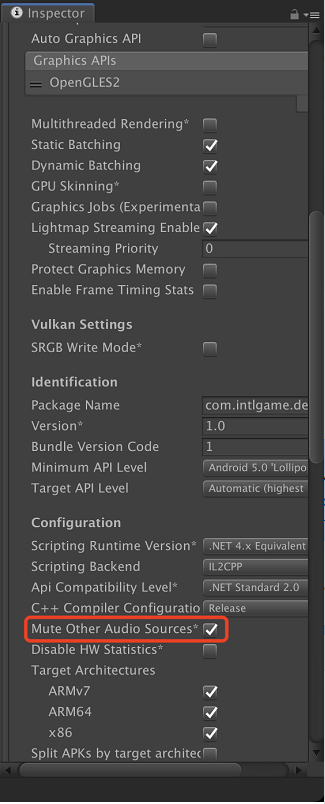
Android crashes on startup, with the error message: "java.lang.NoClassDefFoundError: Failed resolution of: Lcom/google/android/gms/common/api/Apiszzf at com.google.android.gms.games.Games,<clinit>(Unknown Source:0)" #
In Unreal Engine, upgrade the Google version in the aar-imports file to V1.17.
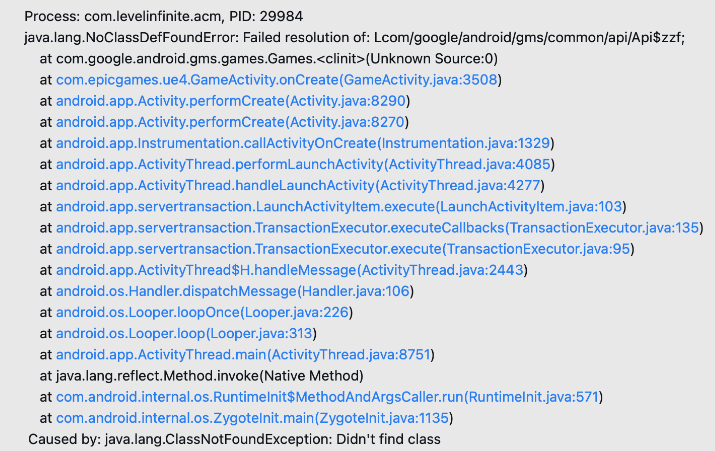
Will duplicate .so files included in different AAR plugins affect the size of the output? #
No.From version V1.24.00 onwards, the Player Network SDK includes the .so files the AAR plugin depends on, such as the INTLUnityAdapter.aar plugin that contains the INTLCore.so file.Thus, pickFirst has been defined in the gradle file to avoid duplicate .so files, so the final product APK will not contain multiple duplicates and will not affect the package size.
Player Network SDK V1.24.01 has removed other .so files from AAR plugins.
Google Play Review Team notification regarding a policy violation related to permission requests: Your app does not comply with the Google Play Developer Program Policies. #
Starting October 31, 2024, Google Play will impose stronger restrictions on apps requesting photo and video permissions, such as android.permission.READ_MEDIA_IMAGES and android.permission.READ_MEDIA_VIDEO.These permissions generally relate to media file access (such as channel sharing functions), but are no longer used in the current version.
If your current SDK version is V1.22.01 to V1.24.00, please remove these permissions from the AndroidManifest file or upgrade to V1.24.01 or later.
<manifest xmlns:android="http://schemas.android.com/apk/res/android"
          xmlns:tools="http://schemas.android.com/tools"
          ... >

    <uses-permission android:name="android.permission.WRITE_EXTERNAL_STORAGE" tools:node="remove" />
    <uses-permission android:name="android.permission.READ_EXTERNAL_STORAGE" tools:node="remove" />
    <uses-permission android:name="android.permission.READ_MEDIA_IMAGES" tools:node="remove" />
    <uses-permission android:name="android.permission.READ_MEDIA_VIDEO" tools:node="remove" />

    ...
</manifest>
For more information, see Android channel permission statement and Detailed information on Google Play's photo and video permission policy.
When I select " **" > "File" > "Build and Run" in the Unity Editor, I get an error: " ** " #
Error message:
FAILURE: Build failed with an exception.
* Where:
Build file '/Users/***/launcher/build.gradle' line: 1
* What went wrong:
A problem occurred evaluating project ':launcher'.
> Failed to apply plugin 'com.android.internal.application'.
   > The option 'android.enableR8' is deprecated.
     It was removed in version 7.0 of the Android Gradle plugin.
     Please remove it from `gradle.properties`.
The enableR8 configuration has been deprecated after AGP 7.0, and R8 is enabled by default.
In Edit > Project Settings > Player > Android > Publishing Settings > Minify, simply check Use R8 to allow Build And Run to work properly.
Error during the mergeDex phase of Unity 2021 packaging #
Error message:
> Task :launcher:mergeDexDebug FAILED
AGPBI: {"kind":"error","text":"com.android.tools.r8.kotlin.H","sources":[{}],"tool":"D8"}

com.android.tools.r8.kotlin.H

Execution failed for task ':launcher:mergeDexDebug'.
> Could not resolve all files for configuration ':launcher:debugRuntimeClasspath'.
   > Failed to transform play-services-measurement-api-21.5.0.aar (com.google.android.gms:play-services-measurement-api:21.5.0) to match attributes {artifactType=android-dex, asm-transformed-variant=NONE, dexing-enable-desugaring=true, dexing-is-debuggable=true, dexing-min-sdk=16, org.gradle.status=release, org.gradle.usage=java-runtime}.
      > Execution failed for DexingWithClasspathTransform: /Users/diemliang/.gradle/caches/transforms-3/e44e9aeb559794f90081ea4f47c131bc/transformed/jetified-play-services-measurement-api-21.5.0-runtime.jar.
         > Error while dexing.
This issue is caused by Unity 2021 specifying R8 version 4.0.48, which is incompatible with AGP 7.1.2. According to Google’s official documentation, the recommended R8 version to use with AGP 7.1.2 is 3.1.51.
You need to modify the R8 version in settingsTemplate.gradle to 3.1.51:
dependencies {
    // classpath("com.android.tools:r8:4.0.48")
    classpath("com.android.tools:r8:3.1.51")    // Change to 3.1.51
}
After upgrading to Player Network SDK V1.24, Assets/Plugins/Android/settingsTemplate.gradle has already updated R8 to version 3.1.51, so no modification is required.
Compilation error: 'shortService' is incompatible with the flags of the foregroundServiceType (attr) attribute #
Both compileSdkVersion and targetSdkVersion must be upgraded to 34.
After configuring Google foreground service permissions for the game, the Google review was rejected. How to resolve this? #
If your game is rejected by Google due to including foreground service permissions such as FOREGROUND_SERVICE_MEDIA_PLAYBACK, you can handle it using any of the following methods:
Method 1: Remove the permission in AndroidManifest.xml
Add the following configuration to your project's AndroidManifest.xml to remove permissions:
<uses-permission
    android:name="android.permission.FOREGROUND_SERVICE_MEDIA_PLAYBACK"
    tools:node="remove" />
For details on removal methods, see: Foreground service permission removal methods
Method 2: Modify the internal logic of the PlayerNetwork SDK
Repackage PlayerNetwork and replace SDK resources, removing related permission declarations at the code level.
Note: If permission removal still results in rejection, it is recommended to take a screenshot of the detected permissions list and upload it to the Google Play console. Please clarify in the appeal that the package no longer includes:
Permissions such as android.permission.READ_MEDIA_IMAGES, android.permission.READ_MEDIA_VIDEO, FOREGROUND_SERVICE_MEDIA_PLAYBACK.
Windows
Network error 60; see CURLCode for more details #
For CA certificate problem, you can delete the cacert.pem file and download the cacert.pem file again from Player Network console.
After upgrading the INTL SDK, an error similar to the following appears when launching the Unreal Editor or running a project: Failed to preload 'D:/ProjectR2/Game/Plugins/INTLSDK/Binaries/Win64/UnrealEditor-INTLCore-Win64-DebugGame.dll' #
After upgrading the SDK, the underlying DLL files and interfaces may change, but the local project still caches binaries from the old version (Binaries).
When loading modules, Unreal gives priority to using cached files, resulting in a mismatch between the new and old DLL and triggering a preload failure.
Clear the relevant caches and recompile your project:
Game/Plugins/INTLSDK/Binaries/
Game/Plugins/LevelInfinite/Binaries/
Game/Binaries/
/>


How does the client retrieve the friends list? #
Currently the client only supports the Epic channel for friend lists.Other channels require backend retrieval, see the QueryFriends API for details.