Overview
Passkey 功能适用于 Player Network V1.27 及以上版本,目前仅支持移动平台:
-
iOS: Supports iOS 17.4 and above
-
Android: Supports Android 9.0 and above, requires Google Play Services 20.33 or later
Passkey is a passwordless authentication technology based on the FIDO2/WebAuthn standard.It uses public/private key encryption to provide players with a more secure and convenient authentication method.Players can log in using biometric verification (fingerprint, Face ID) or device PIN without a traditional password, reducing the risk of account theft and improving user experience.
Passkey Advantages:
-
More secure: Utilizes asymmetric encryption. Private keys are stored only on the user's device, not on the server, effectively preventing phishing, credential stuffing attacks, and hacking.
-
More convenient: Users can directly log in using fingerprint or Face ID without entering a password, improving login efficiency.
-
Cross-device support: Supports Apple iCloud Keychain and Google Password Manager for seamless login across multiple devices.
Create Passkey
Players can create a Passkey in two ways:
-
Guided creation after registration: After registering a LI PASS account, if the device supports Passkey, a guided creation window will pop up.
-
Account Center creation: Registered LI PASS users can manually create a Passkey via Account Center > Passkey List.For more details, see Manage Passkey.
- Players click �Create Passkey to start the creation process.

- The system will display an authentication window where players can verify identity using fingerprint, Face ID, or device PIN.
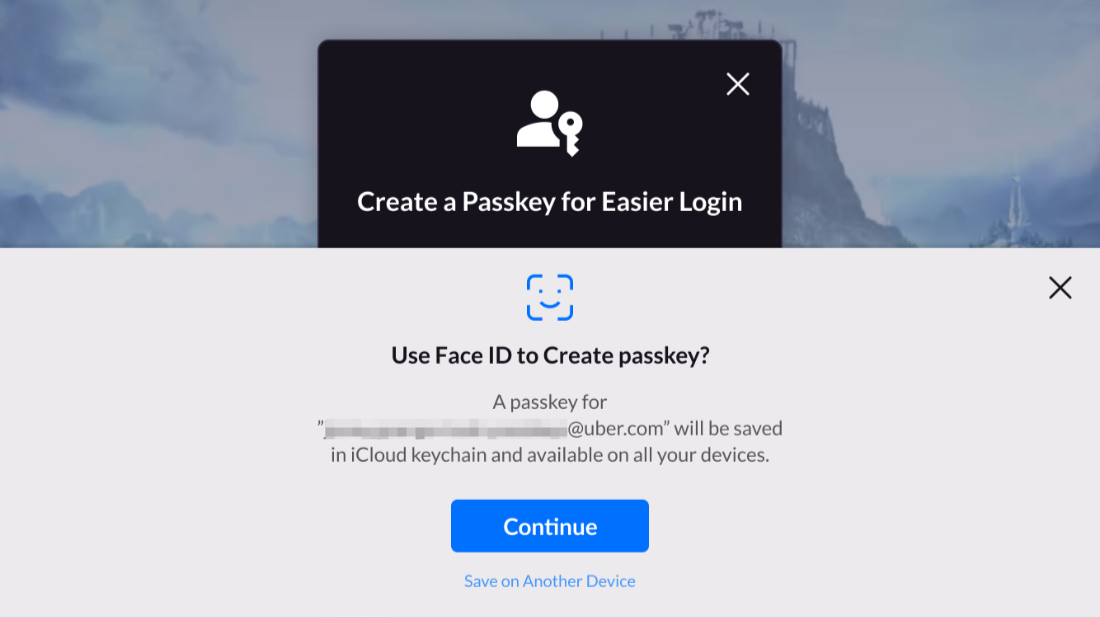
- The device generates a Passkey and saves it in iCloud Keychain (iOS) or Google Password Manager (Android).
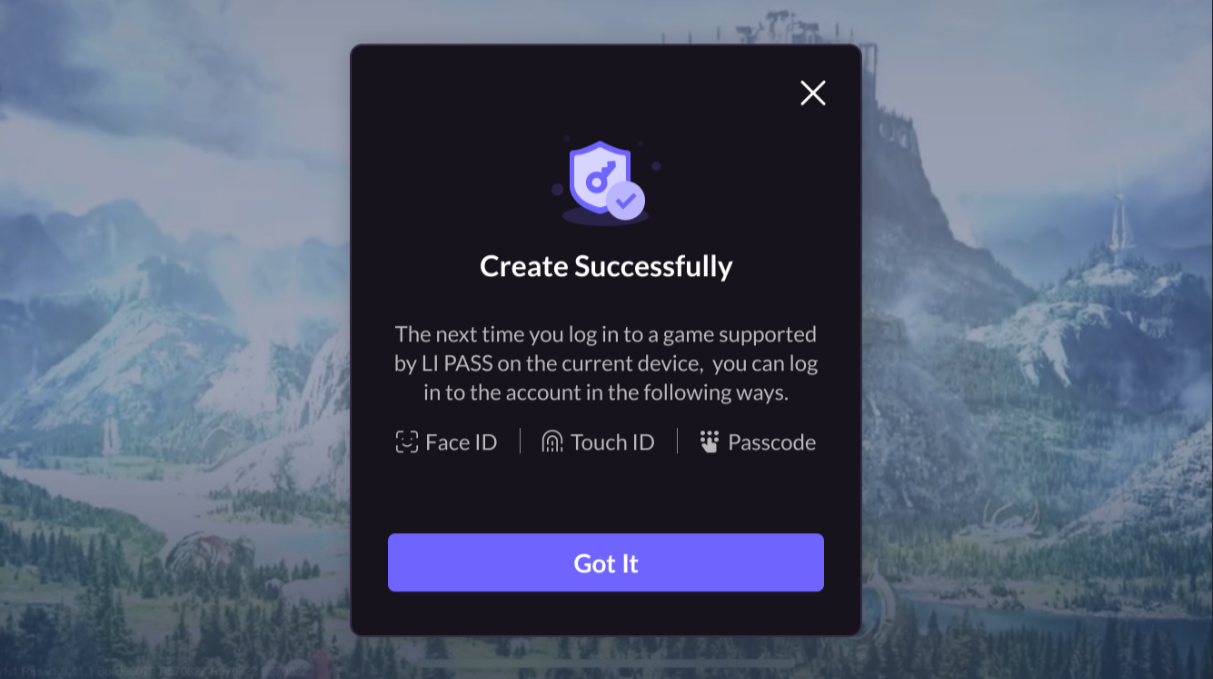
- After successfully creating the Passkey, the system will return a confirmation message, and players can use the Passkey to log in immediately.
If a device does not support Passkey, the creation option will not be displayed.If players close the Passkey creation pop-up, they can manually create it in the Account Center.
Log in on this device
If the iOS device has saved the account�`s Passkey, Passkey login will be automatically triggered when entering the LI PASS login page.If using an Android device or if the Passkey pop-up was manually closed, players can manually trigger login by clicking �Passkey�.
If a device has not saved the account�`s Passkey, Passkey login will not be automatically triggered on iOS devices; players must manually select another login method.
This section uses iOS as an example to illustrate the Passkey login user flow.
- A Passkey authentication window will appear; players can verify identity using fingerprint, Face ID, or device PIN.
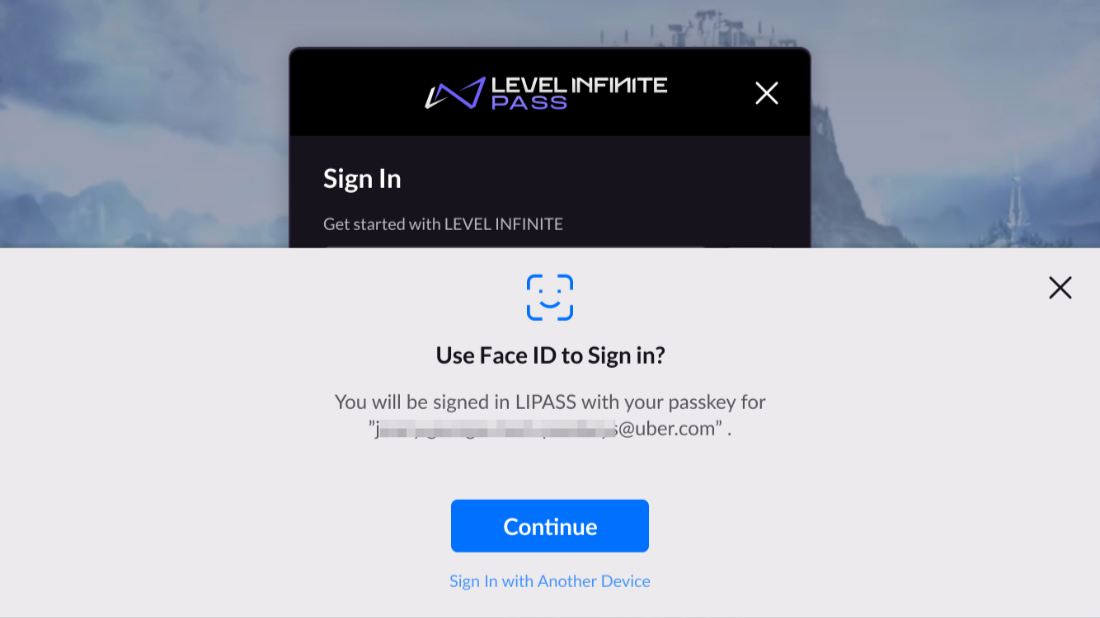
- Upon successful authentication, the system will log in automatically and the player will enter the game lobby.If authentication fails, the system will display an error message and allow players to retry or select another login method.
Configuration
PassKey client configuration can be found at PassKey configuration for Android and iOS.

