Configure Facebook reporting
This article introduces how to set up the Facebook analytics platform so your game can report analytics data directly to Facebook.
Prerequisites
1. Configure the app on the Facebook Developer platform
You can configure the Facebook analytics platform directly without setting up Facebook authentication.
Follow the steps described below to configure your application on the Facebook Developer Platform and obtain your Facebook App ID and App secret for your game:
It is recommended to enable app event permissions. For details, see Auto-report Events.
2. Obtain user consent for tracking user and device information
In iOS 14.5 and higher, Apple requires applications to obtain user consent when collecting IDFA, in order to enhance privacy management for iOS users.
- Add dependencies in iOS's
AppTrackingTransparency.framework. - In the
Info.plistfile, addNSUserTrackingUsageDescriptionfor displaying the player consent prompt text and configuration. - Call
static void RequestTrackingAuthorization();to prompt for player consent to collect IDFA.
This interface is specifically designed for iOS devices running iOS 14.5 or later, and developed using Xcode 12 or higher.This interface issues a one-time request, and the system saves the user's choice.Unless the user uninstalls and reinstalls the application, no further notifications will appear.
Step 1: Configure Event Reporting
The Facebook SDK automatically enables event tracking features (including app installations and app launches) and client ID collection (Android uses Google's advertising ID, iOS uses IDFA).The reported data generally only includes the event name, but you can add parameters yourself. On the Manager, you can see reporting data's time, device system, app version, values, and parameter information.
Auto Report Events
To automatically report registration and login events, enable ANALYTICS_AUTH_REPORT_ENABLE in INTLConfig.ini, and enable Auto Login In-App Events for Android and iOS platforms in the Facebook App Dashboard.
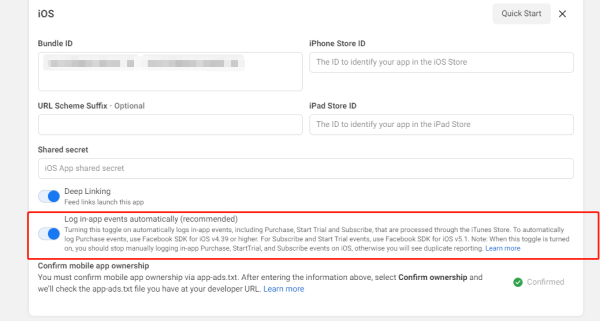
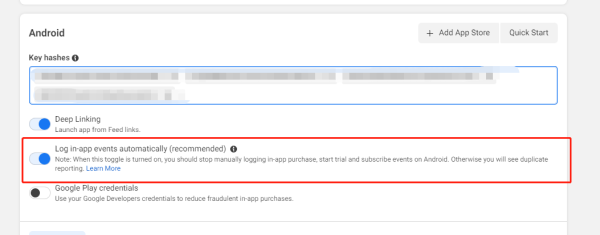
To disable automatic reporting and data collection, refer to Facebook's Android Guide and iOS Guide on the official site.
Report events manually
Facebook requires event names and parameters to consist of 2 to 40 alphanumeric characters, and each parameter value must not exceed 100 characters in length.
For manual event reporting, see Facebook's Android Guide and iOS Guide for configuration instructions.
For more information on Facebook event reporting, see Meta App Events FAQ.
Funnel Events
Supported from Player Network SDK V1.20 onward
By adding the Facebook channel to ANALYTICS_REPORT_FUNNEL_CHANNEL configuration in INTLConfig.ini, Player Network SDK will sync funnel event reporting to the Facebook channel.
[ANALYTICS]
ANALYTICS_REPORT_FUNNEL_CHANNEL = Facebook
For reference, see View Reported Data in Management Console for reported events.
Step 2: Initialize the Analytics Module
- Unity
- Unreal Engine
Initialize Analytics Module, then call ReportEvent to start reporting data to Facebook.
Initialize Analytics Module, then call ReportEvent to start reporting data to Facebook.
Data Reporting Acceptance
Manager view reported data
Calling the event reporting interface, the reported events will have a certain degree of delay (related to network environment, Facebook's network fluctuations, etc.), so it often happens that there is a reported event name but no detailed data.This is normal, generally recommended to check about half an hour after receiving a successful callback for the report.
Go to Facebook Events Manager, and click the event name of the reported event to view data.
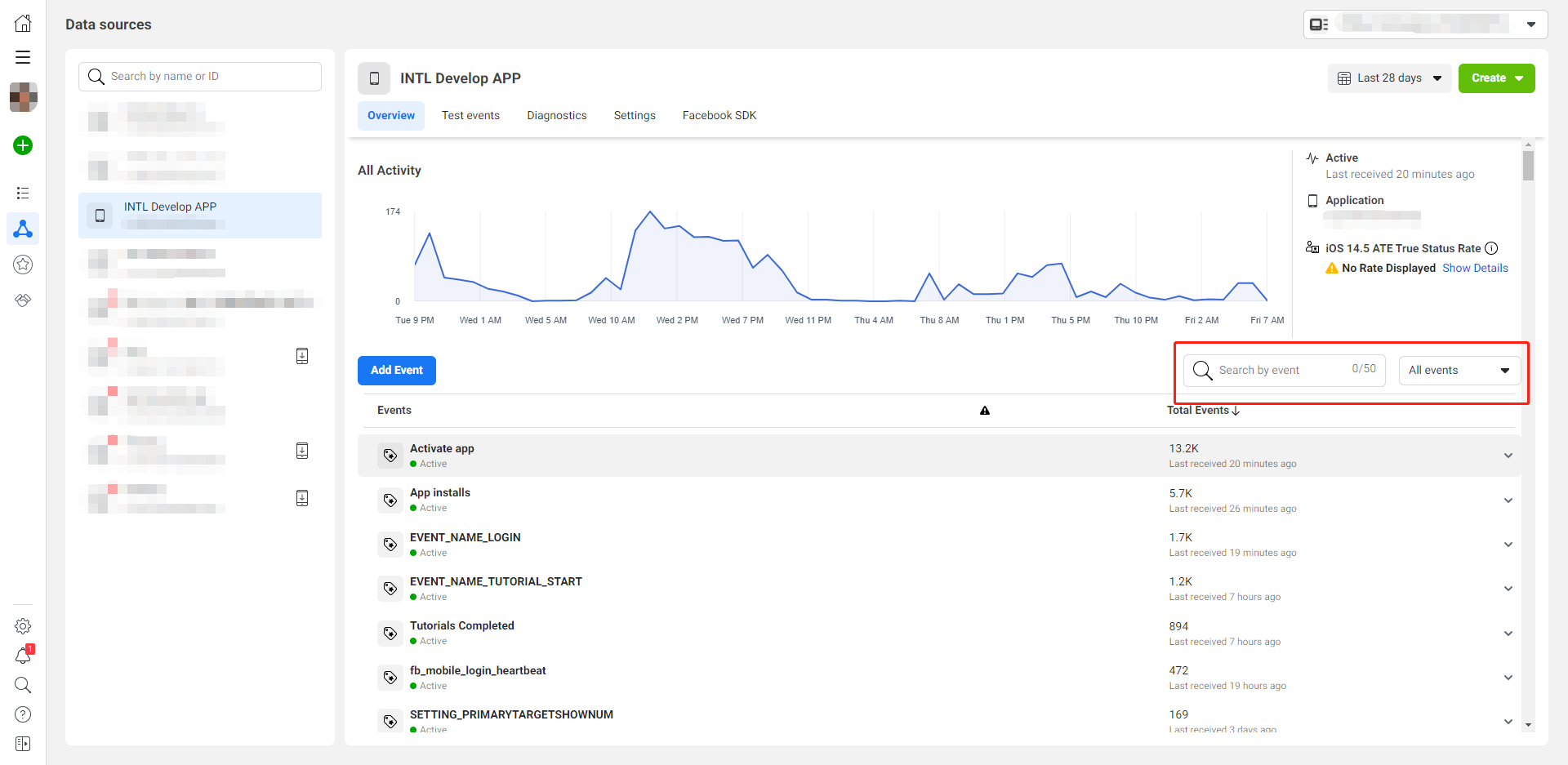
You can click View Recent Events under the corresponding event to see details.
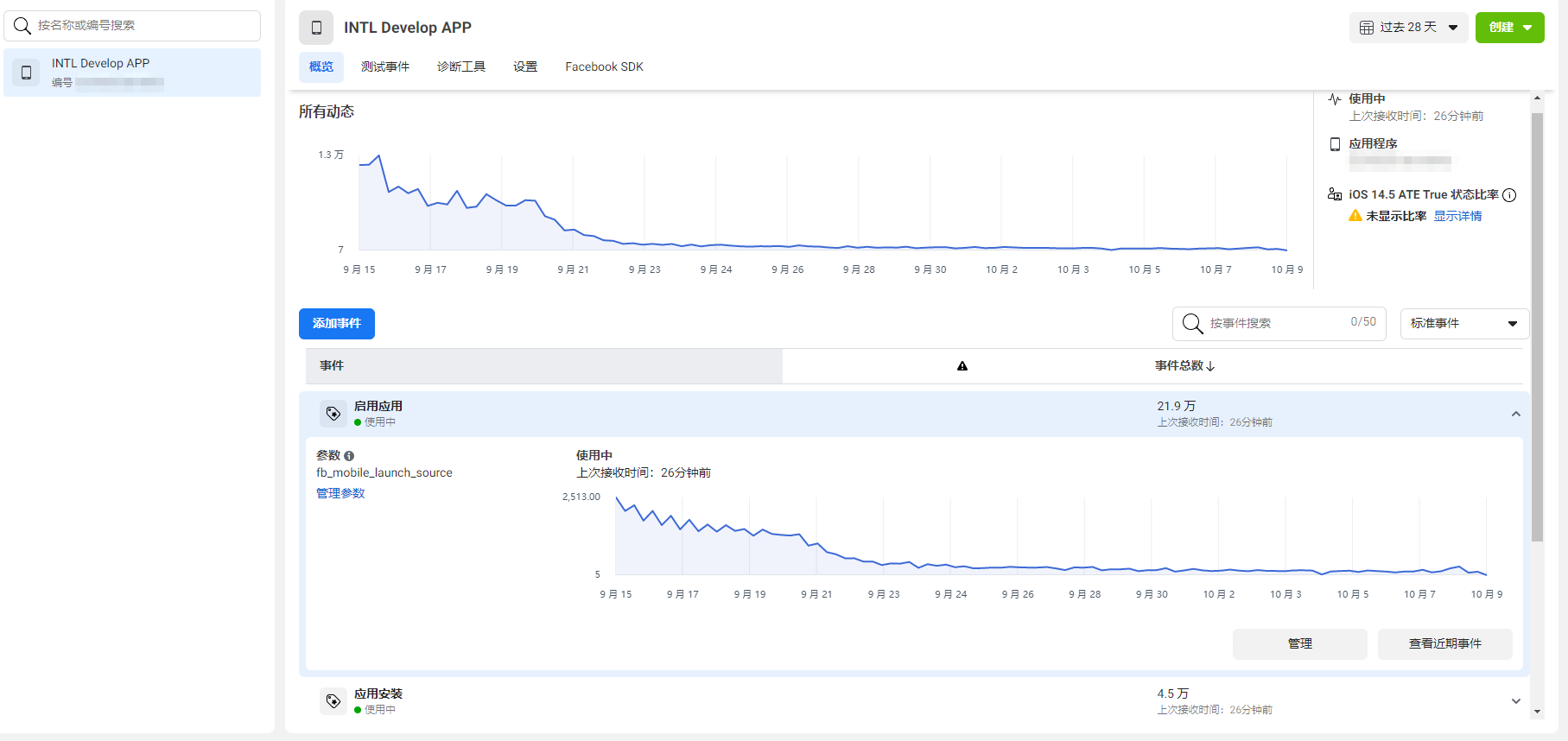
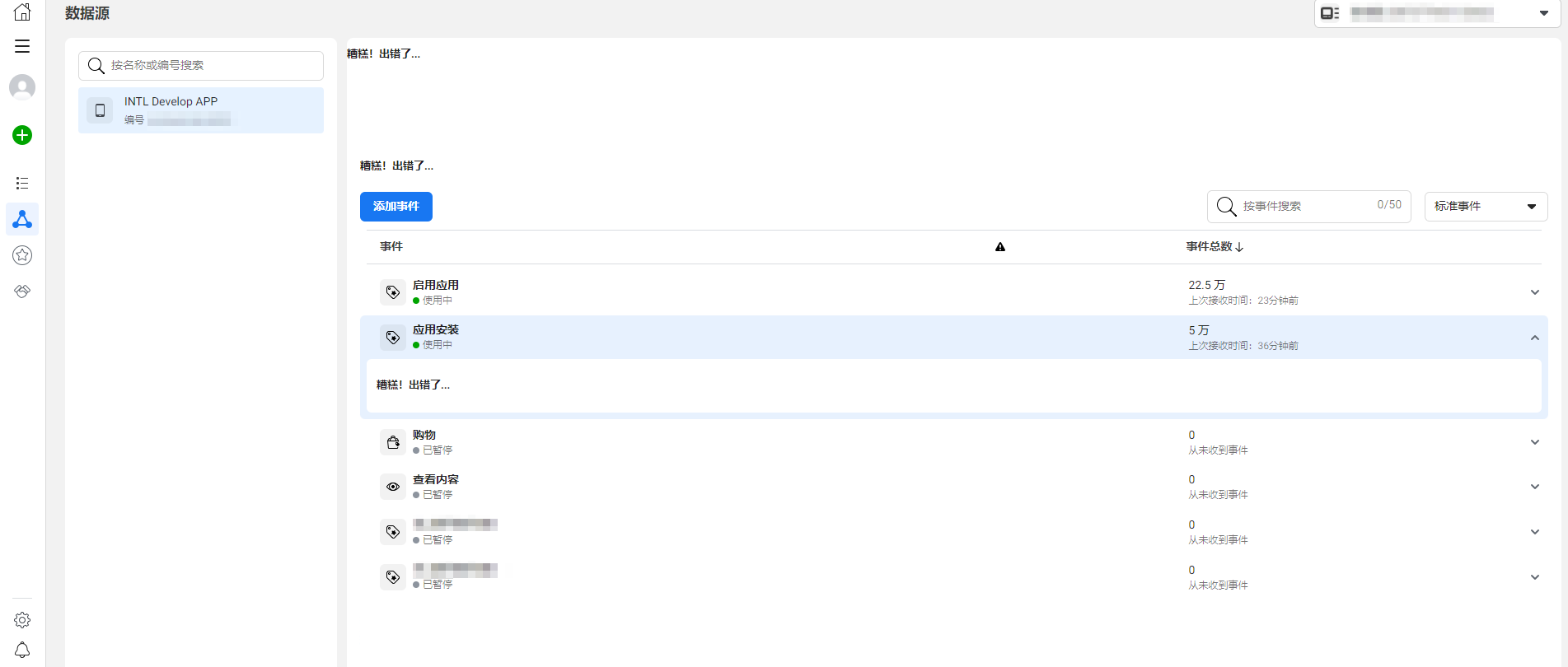
Facebook events are divided into standard events and custom events.
- Standard events: Currently viewable standard events include app installations and app launch events. After successful initialization, data will be reported, and the total event count can be seen in standard events.
- Custom events: After reporting custom events through the app, you can find corresponding event names in custom events and see the total event count increase.
Acceptance Case 1
- Sub-feature module: Reporting
- Feature point: Event Reporting
- Test Point: Log in to Facebook Manager, create custom events, install the app, launch the app
- Prerequisite: Initialize Analytics Module
- Operation steps/inputs
- First-time Facebook login
- Fill in custom event names and parameters
- Successfully install and enter the app for the first time
- App launch
- Export data on the management end to view reported events
- Expected output information reporting success, check the following:
- Fill in custom event names and parameters event: reported quantity +1
- Successfully install and enter app event: reported quantity +1
- App launch success event: reported quantity +1
Acceptance Case 2
- Sub-module: ReportRevenue
- Feature Point: Event Reporting
- Test Point: Request
ReportRevenuefollowed by query report (Facebook) - Prerequisite: Network connection normal
- Operation steps/inputs
- Request
ReportRevenue - eventName = (customizable), spChannels =
Facebook, Currency =USD, Revenue = 100 - Facebook query report event
- DD Platform query
AnalyticsReportRevenueevents
- Request
- Expected output information reporting success, check the following:
- After connecting to the network, Facebook-related event statistics +1, the event detail display shows related USD100 value.
- DD platform successfully queries
methodNameasAnalyticsReportRevenueandmethod_id=715event reports.
Acceptance Test Case 3
- Sub-module: ReportRevenue
- Feature Point: Event Reporting
- Test Point: Request
ReportRevenuequery reporting under disconnected network conditions (Facebook) - Prerequisite: Disconnect network state
- Operation steps/inputs
- Request
ReportRevenue - eventName = (customizable), spChannels =
Facebook, Currency =USD, Revenue = 1000 - Reconnect to the network
- Facebook query report event
- DD Platform query
AnalyticsReportRevenueevents
- Request
- Expected output information reporting success, check the following:
- After connecting to the network, Facebook-related event statistics +1, the event detail display shows related USD1000 value.
- DD platform successfully queries
methodNameasAnalyticsReportRevenueandmethod_id=715event reports.
Error Codes
For more information, please refer to the FAQs.

