Configure TikTok reporting
This article introduces how to set up the TikTok Analytics platform so your game can directly report analytics data to TikTok.
Prerequisites
- Create a TikTok account and configure your app on TikTok For Business.
2. Obtain Application Configuration Information
-
Access TikTok For Business.
-
Select your application.
-
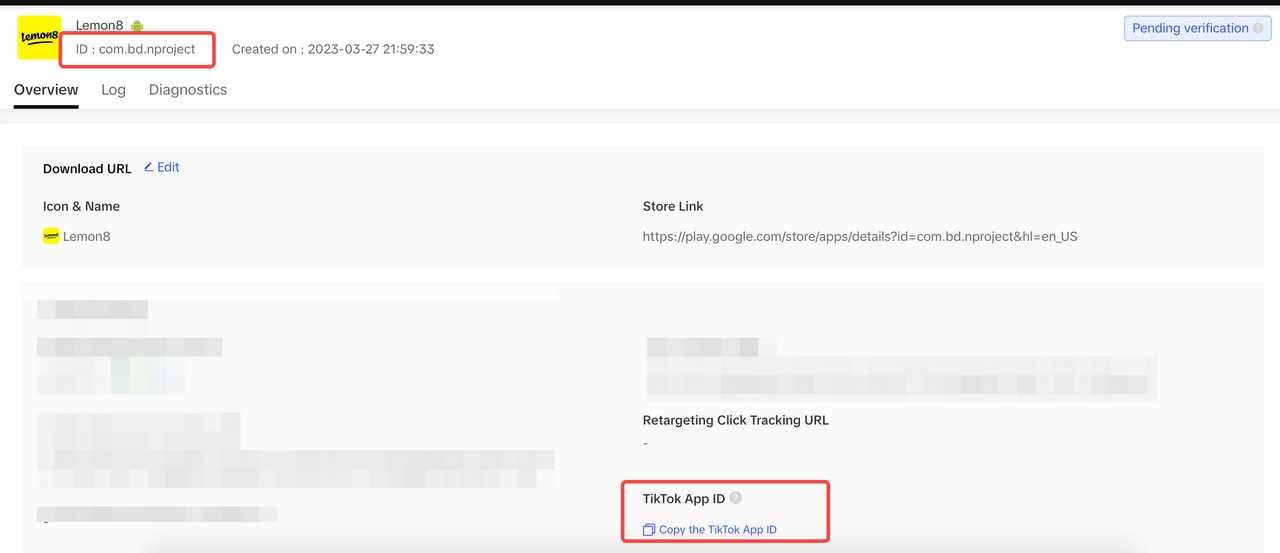
View detailed information about the application.
- ID: Application ID
- TikTok App ID: TikTok Application ID
Step 1: Permissions and Project Configuration
Currently, TikTok event reporting is supported only on Android.
Android
User Permissions
TikTok requires INTERNET and AD_ID permissions.
<uses-permission android:name="android.permission.INTERNET" />
<uses-permission android:name="com.google.android.gms.permission.AD_ID" />
Project Configuration
Add the following configuration in the INTLConfig.ini file:
[TikTok]
TIKTOK_EVENT_APPID = {TIKTOK_EVENT_APPID}
TIKTOK_EVENT_TT_APPID = {TIKTOK_EVENT_TT_APPID}
- Replace
{TIKTOK_EVENT_APPID}with the Application ID, which can be found in TikTok For Business. - Replace
{TIKTOK_EVENT_TT_APPID}with the TikTok Application ID, which can be found in TikTok For Business.
Step 2: Configure Event Reporting
The TikTok SDK will automatically enable event tracking features (including app installation, app launch, etc.) and client ID (Google provides the ad ID for Android) collection.Reported data typically includes only the event name, but you can add parameters yourself. In the management , you can see the report data's time, device system, app version, value, and parameter information.
Auto-report Events
TikTok Events:
| Event | Trigger Timing |
|---|---|
| LaunchApp | Launch Application |
| InstallApp | First-time Application Launch |
| 2DRetention | Launch Application Again on the Second Day After First Launch |
SDK Events:
| Event | Trigger Timing |
|---|---|
| Registration | Successful First Registration |
| Login | Login Successful |
Report events manually
| Event | Trigger Timing |
|---|---|
| CreateRole | Character Naming |
| CompleteTutorial | Complete the Beginner's Guide |
| Checkout | Open Recharge Interface |
| Purchase | Successful Recharge |
| Achieve Level | Reach a Level |
| Unlock Achievement | Unlock Achievement |
For more information about TikTok event reporting, please see the list of supported in-app events.
Step 3: Initialize the analytics module
- Unity
- Unreal Engine
Initialize Analytics Module, then call ReportEvent to start reporting data to TikTok.
Initialize Analytics Module, then call ReportEvent to start reporting data to TikTok.
Reporting Data Acceptance
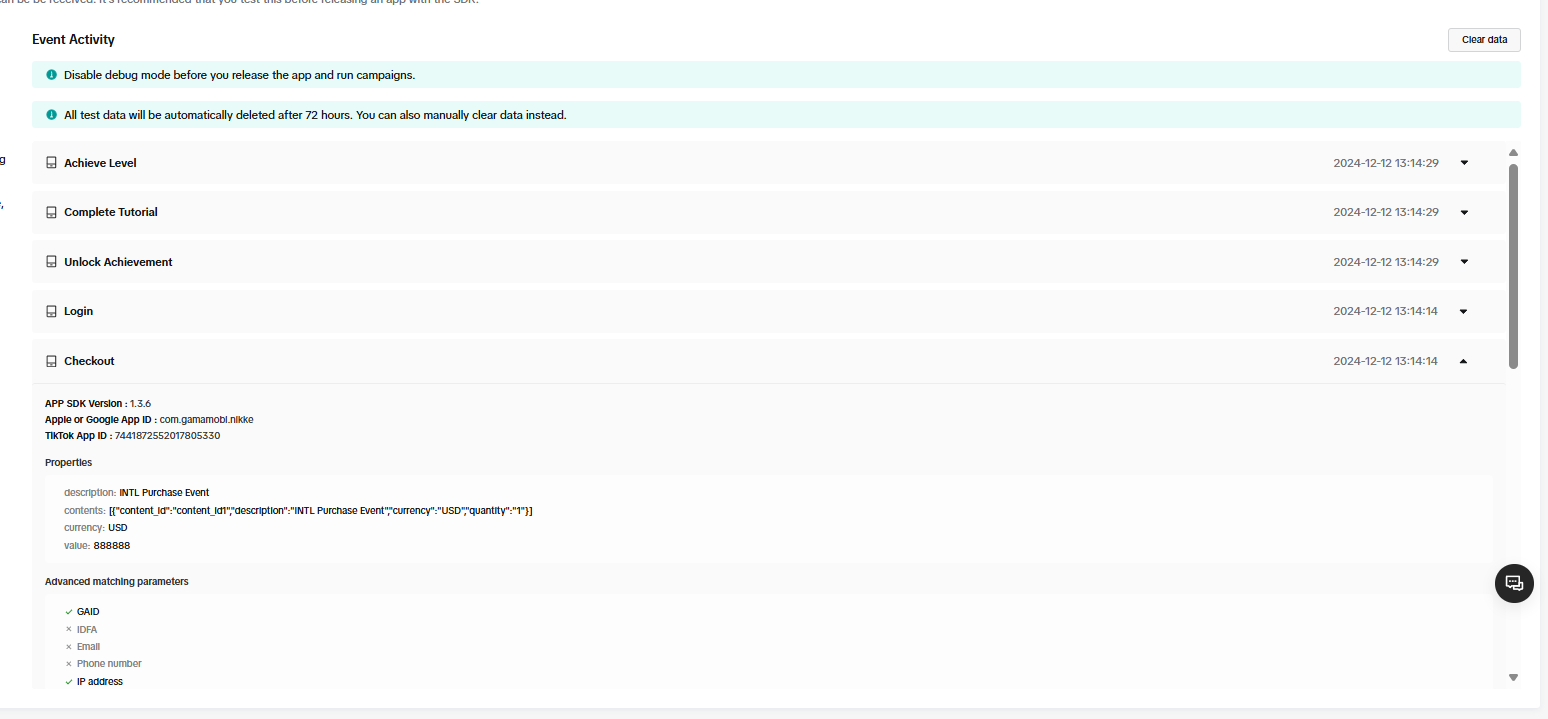
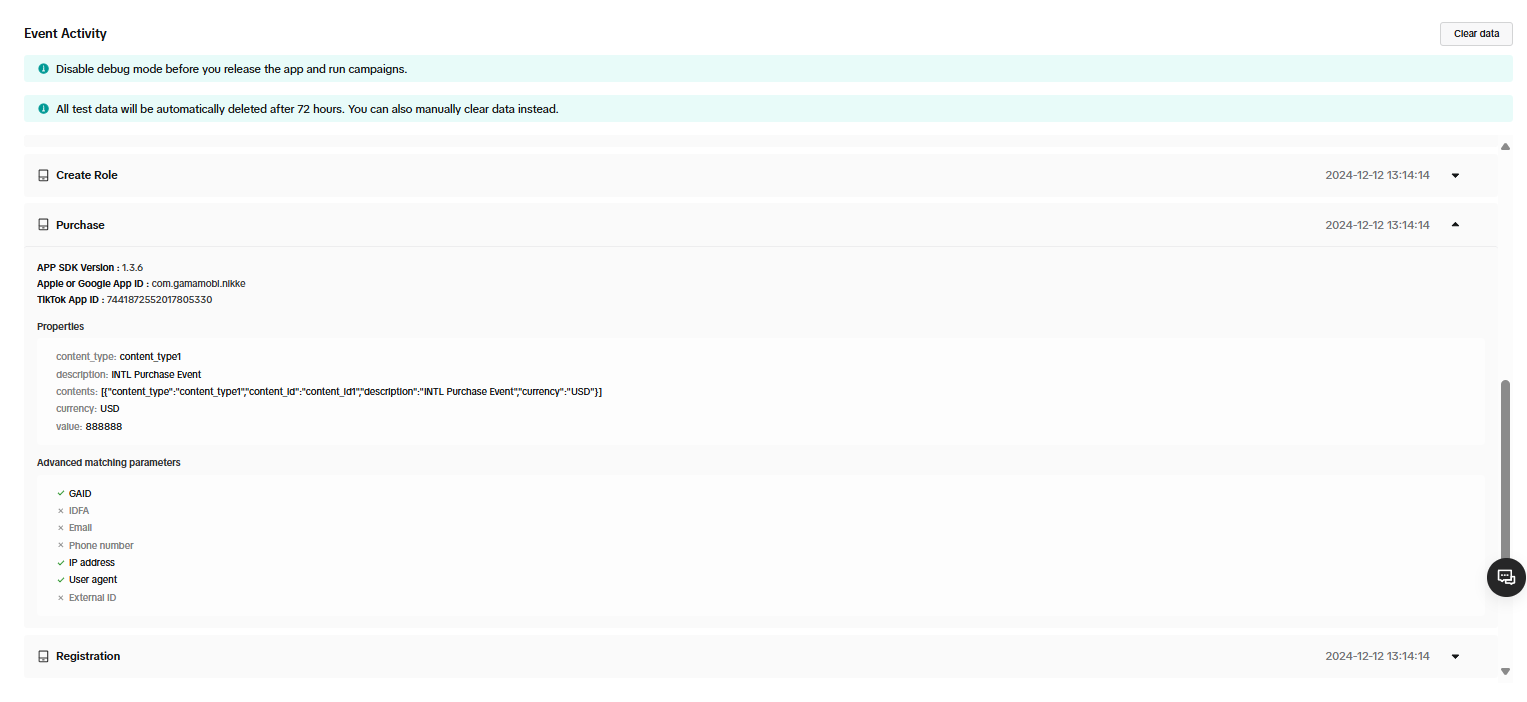
View Reported Events from Management Console
Events are not reported in real-time, with a delay of over 1 hour.
Go to TikTok For Business, and check tracking data.
Acceptance Case 1
- Sub-feature module: Reporting
- Feature point: Event Reporting
- Test Point: Successful TikTok Event Information Report
- Prerequisite: Initialize analytics module
- Operation steps/inputs
- Request Report Event
- eventName =
Report_Event, paramsDic-key1=k1, paramsDic-value1=v1, paramsDic-key2=k2, paramsDic-value2=v2, spChannels=TikTok - Uninstall and install SDK and start the game
- View reported data on the management end and export INSTALL data table
- Expected output information reporting success, check the following:
- Management end view:
- Custom Event: TikTok can view the reports with the custom
Report_Eventevent count increased by 1 - Installation Event: View the number of reported INSTALL events for uninstalling and installing increased by 1 (only reported once without clearing the device)
- Custom Event: TikTok can view the reports with the custom
- Export Data Verification: Contact [killuachen] to pull the group and export the log for final confirmation.
- Custom Event: Corresponding reporting data is correct (management terminal exports data that can correspond)
install_time={installed_at}comparison, check if it is installation time.event_name={event_name}Custom Event. - Installation Event: Uninstall and install INSTALL data table installation Installs report count +1 (only reported once without clearing the device)
activity_kind={activity_kind}will add a new installation.
- Custom Event: Corresponding reporting data is correct (management terminal exports data that can correspond)
- Management end view:
Acceptance Case 2
- Sub-feature module: ReportRevenue
- Feature Point: TikTok Payment Event Reporting
- Test Point: Request
ReportRevenueand then Query Reporting (TikTok) - Prerequisite: Network connection normal
- Operation steps/inputs
- Request
ReportRevenue - eventName = (customizable), spChannels =
TikTok, Currency =USD, Revenue = 100 - Query TikTok Reported Events
- DD Platform query
AnalyticsReportRevenueevents
- Request
- Expected output information reporting success, check the following:
- View
ReportRevenueevent +1 in TikTok delivery data.ReportRevenue(revenue) event amount +100. - Export Data Verification (2-4 Hours): Exported data includes revenue events, amount data
- DD platform successfully queries
methodNameasAnalyticsReportRevenueandmethod_id=715event reports.
- View
Frequently Asked Questions
For more information, see FAQs.
Error Codes
For more information, please refer to TikTok Help Center.

