pro-lipass-compliance
This article aims to explain the default standard compliance process for LEVEL INFINITE PASS.When players register an account, they enter the compliance process based on the country/region selected.For more information on registration, see Login Example.
When players register LI PASS, use LI PASS or log in for the first time via third-party channels, the compliance checks and processes are triggered.Due to the cross-game nature of LI PASS, players who have already completed compliance certification within other games do not need to re-certify.
Terms of Agreement
Display the corresponding compliance agreement based on the country/region selected by the player.For services not issued by Proxima Beta, players must also agree to the LEVEL INFINITE PASS terms of service.
- DMA Advertisement Notification [Required, mobile only in EEA]
- LEVEL INFINITE PASS Terms of Service [Required, non-Proxima Beta services only]
- LEVEL INFINITE PASS Privacy Agreement [Required]
- Terms of Service [Required]
- Privacy Agreement [Required]
- Marketing Email Subscription [Optional]
- Nighttime Marketing Email Subscription [Optional, South Korea only]
// todo Supplement email marketing subscription with smartlink agreement interoperability.
Because the selection status of the agreement terms for the same game will be conveyed to the game client, the web-end game protocol terms cannot be configured as specific scenario agreement terms, such as activity terms, otherwise it may affect the player registration process.If needed, you can develop additional pop-ups for confirming other terms after the login process.
LI PASS Client: 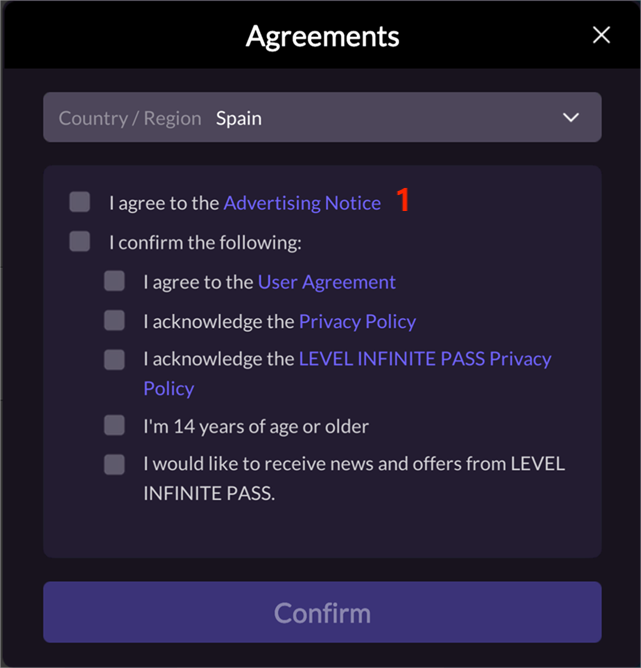
LI PASS Web: 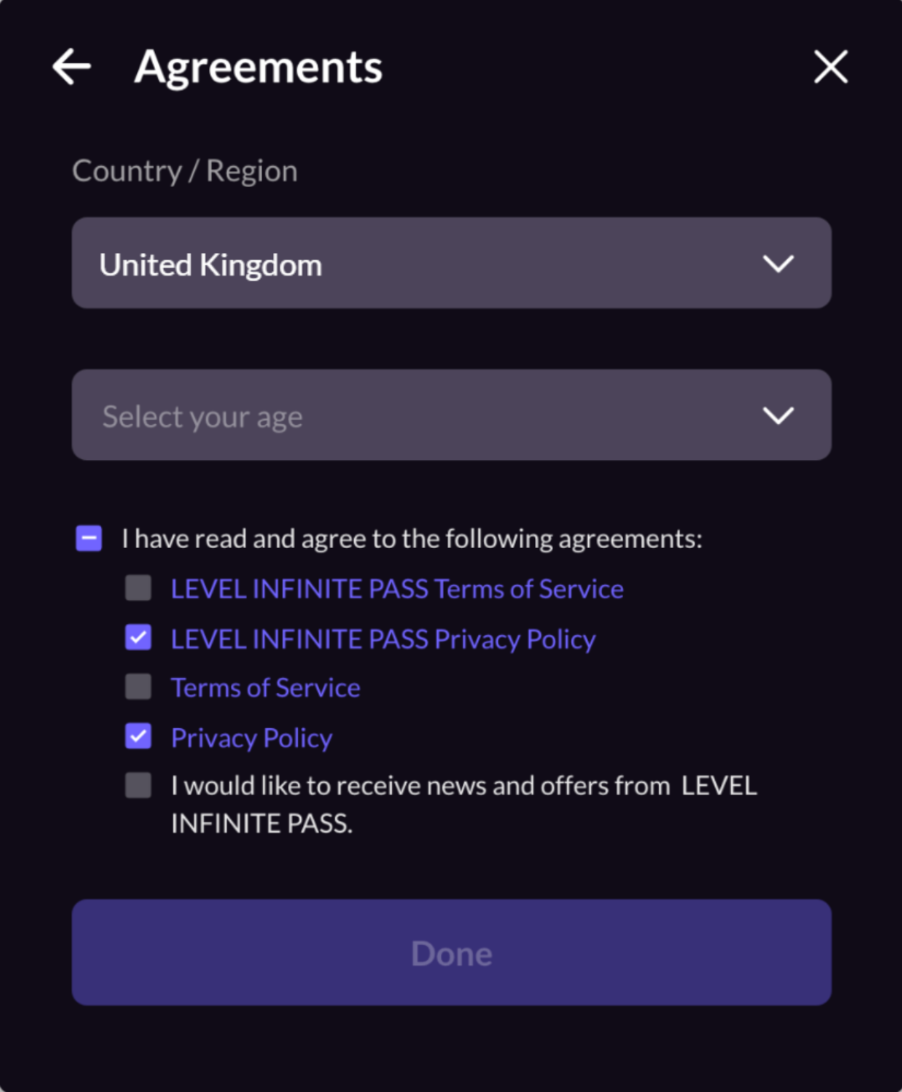
Minor Certification
Display the corresponding minor certification type based on the country/region selected by the player. The minor certification process includes real-name verification for PC games in South Korea:
- No Certification Required
- Self-certification
- Credit Card Certification (United States only)
- Email Certification (Includes South Korea)
Basic Minor Certification Process:
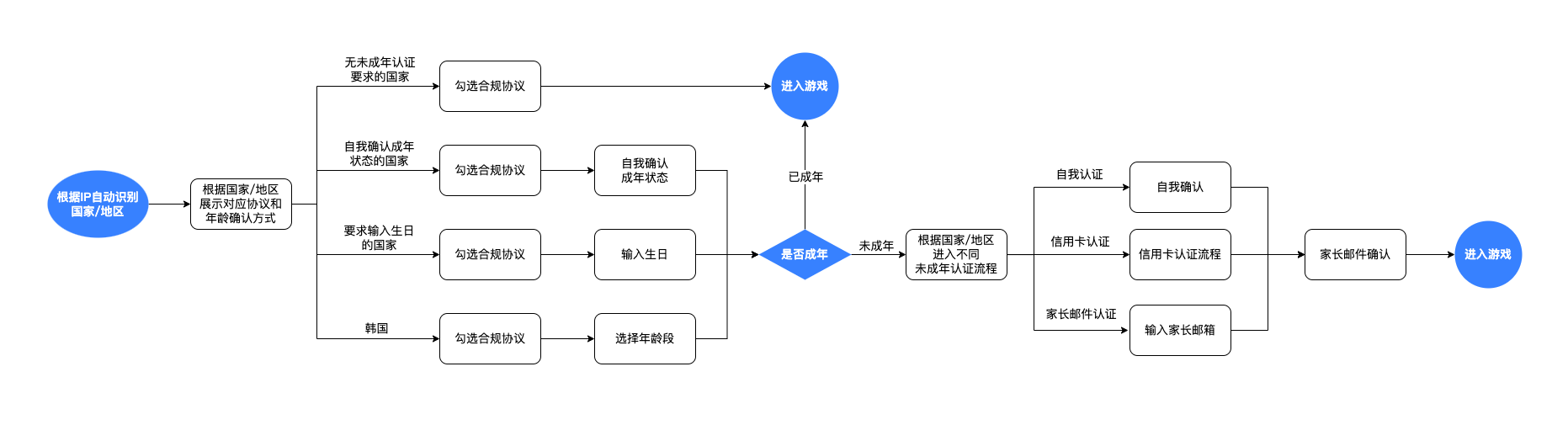
For information regarding the minor chat authorization minor certification process, see Minor Chat Authorization.
No Certification Required
When players register an account, if the region selected does not require user certification, prompt players to select the compliance agreement.
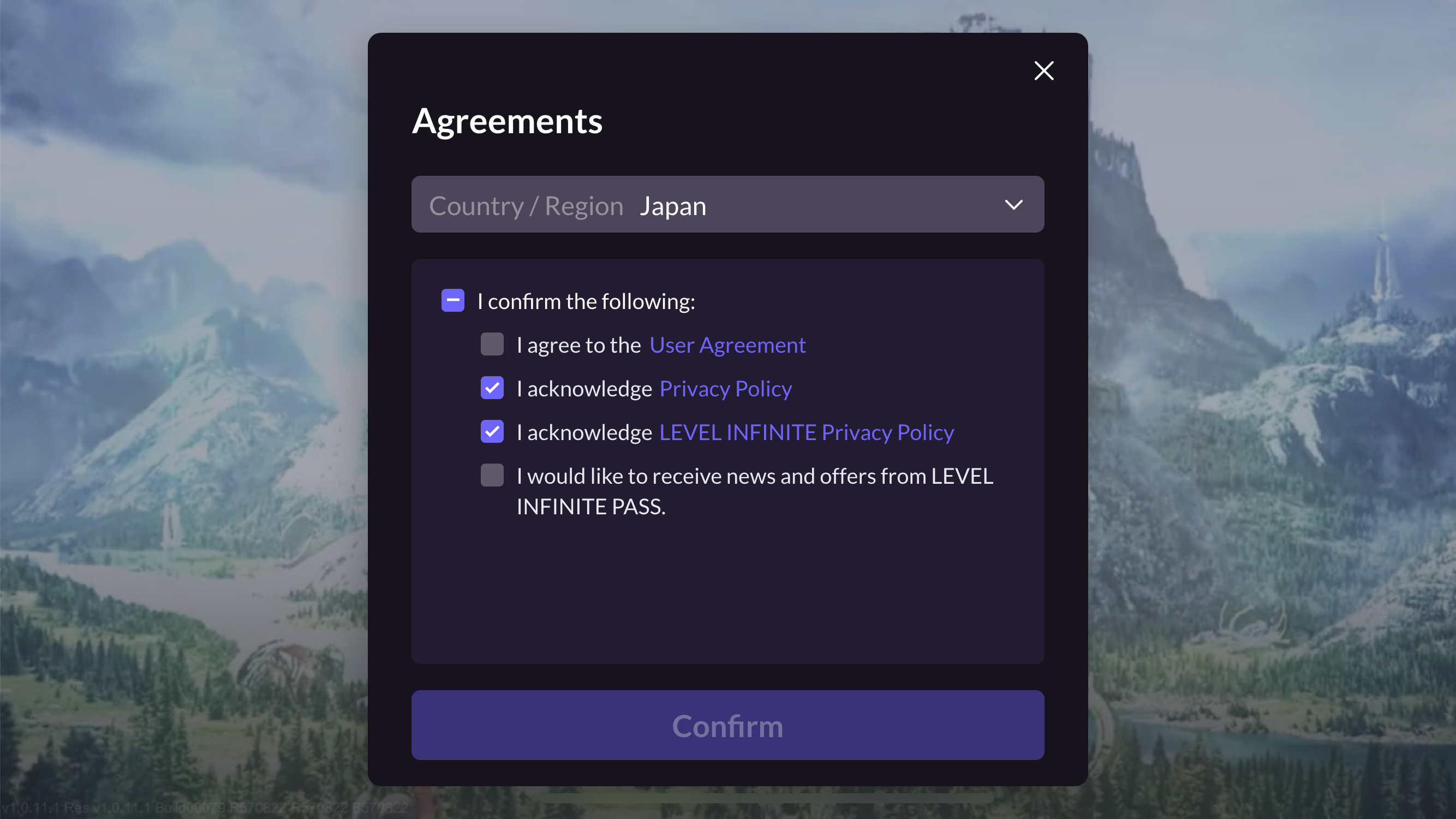
Self-certification
-
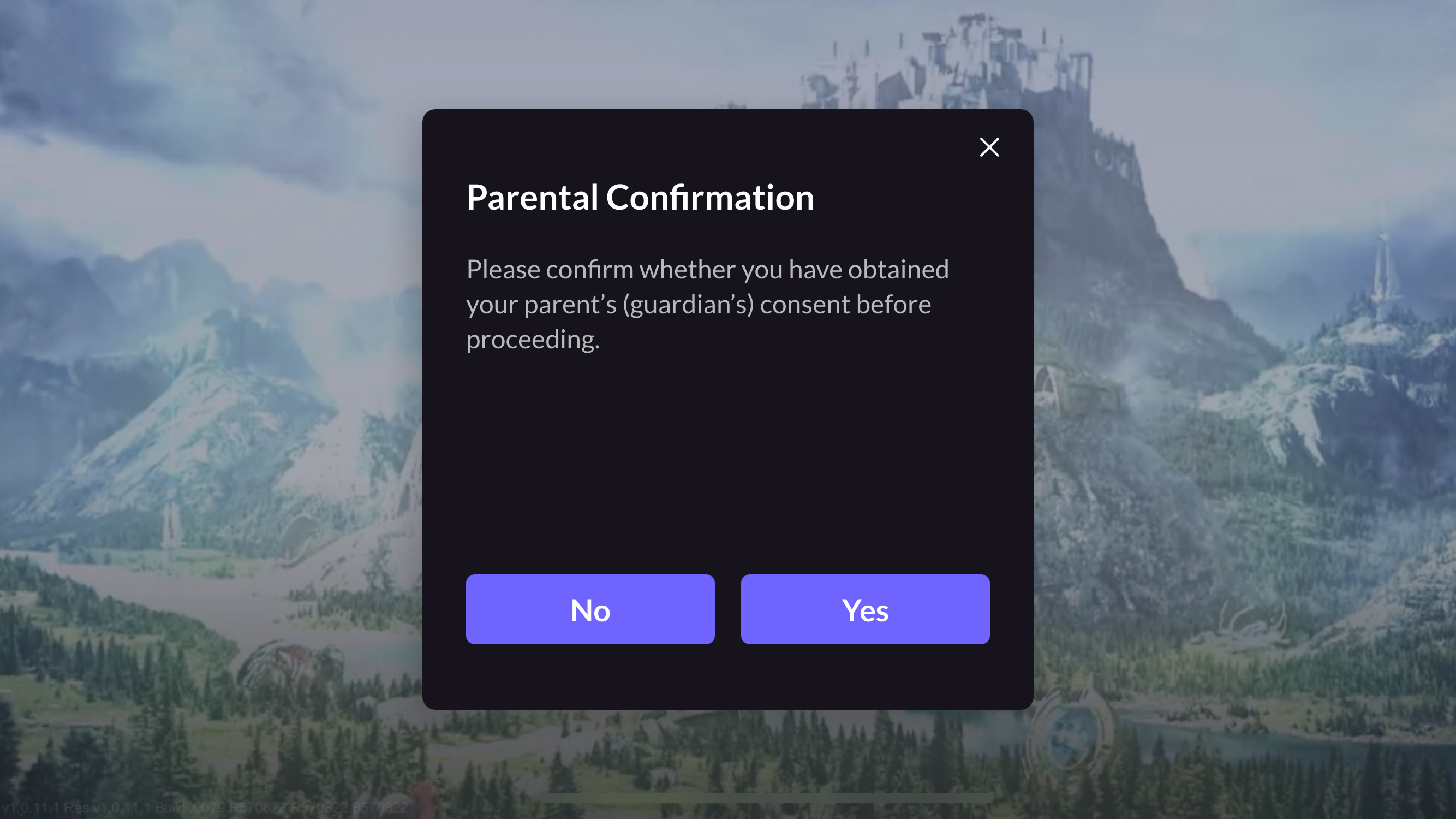
When players register an account, if the user's authentication method selected is self-certification, prompt players to select the compliance agreement and the adult option.

-
If players select the adult option, they can either continue with the compliance process or enter the game; if players are minors, please proceed to Step 3.
-
Display the authorization pop-up and continue the compliance process or enter the game after obtaining parental authorization.
Credit Card Certification
-
When players register an account, if the country selected is the United States, prompt players to complete the compliance agreement and enter their birth date.
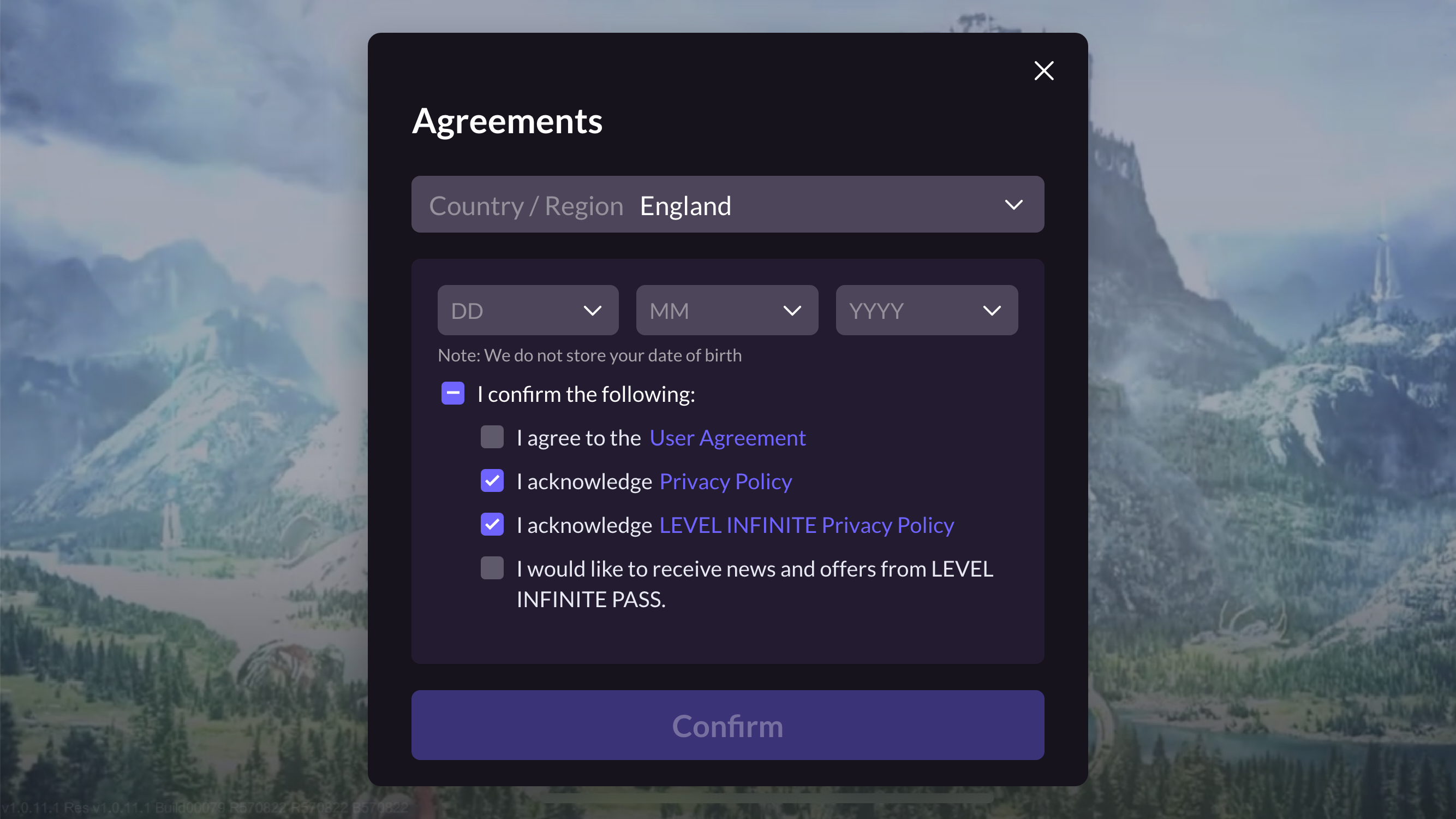
-
If players have reached the legal adult age in the United States, they can continue with the compliance process or enter the game; if players are minors, please continue to Steps 3~4.
-
Minor players enter the standard credit card certification web process.
-
Continue the compliance process or enter the game after obtaining parental authorization.
Email Certification
-
When players register an account, if the default user authentication method chosen is email certification and is not in South Korea, prompt players to complete the compliance agreement and enter their birth date.
-
If players have reached the legal adult age in the chosen region, they can continue with the compliance process or enter the game; if players are minors, please continue to Steps 3~6.
-
Minor players enter the parental email certification process, input the parent's email and click Send email, which will send a parental certification email.
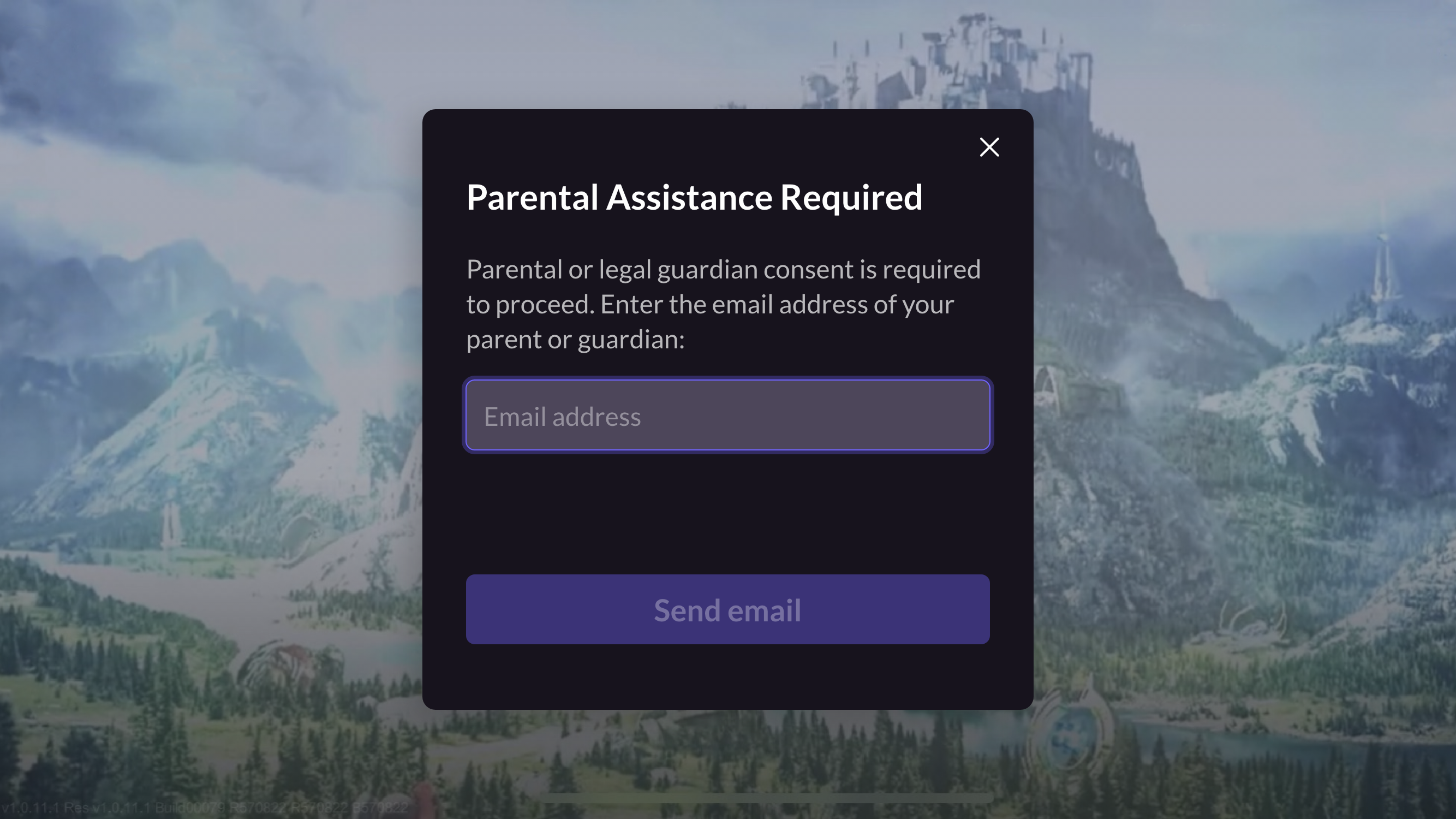
-
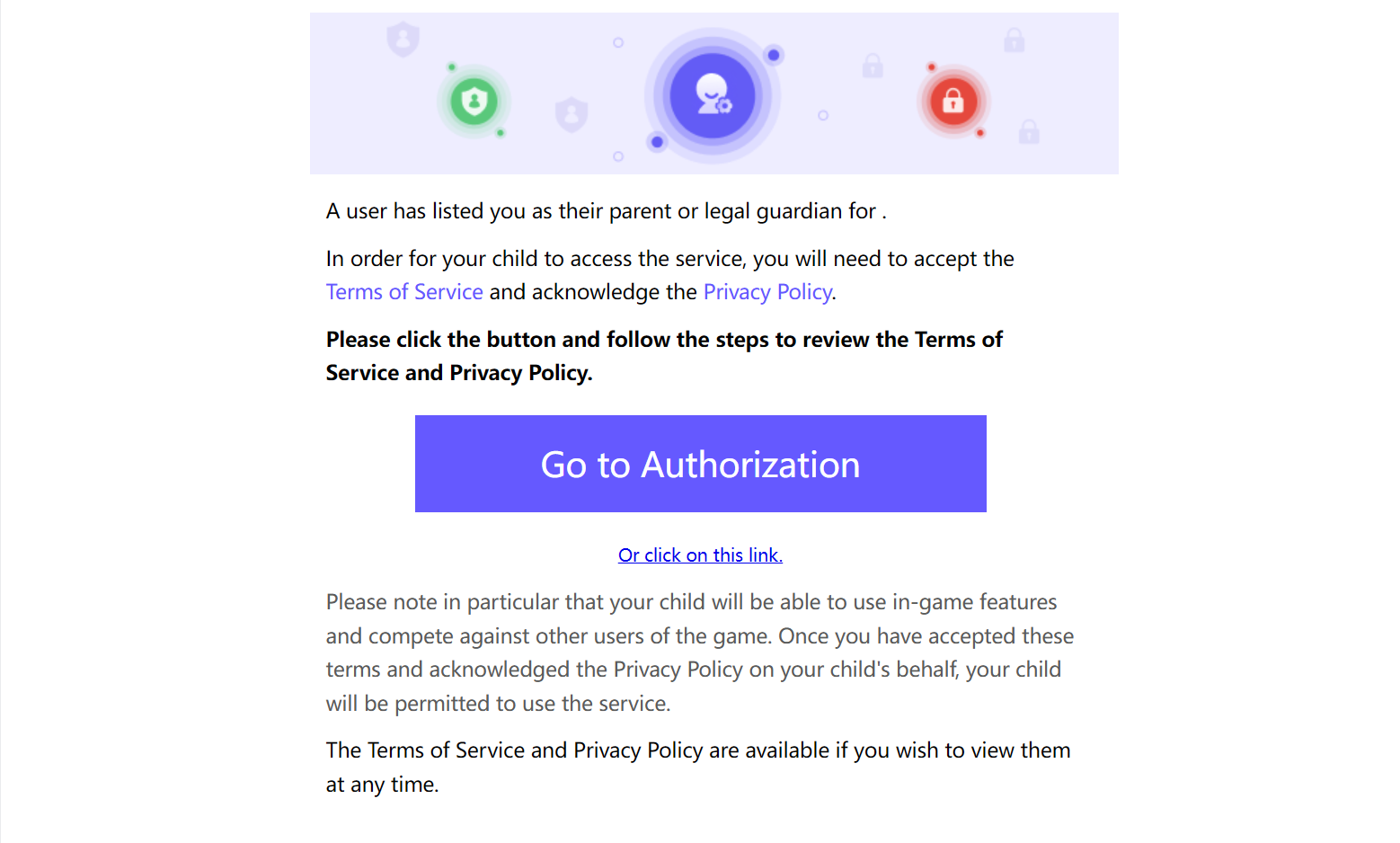
In the email, player parents click Go to Authorization or Or click on this link to open the authorization page.
-
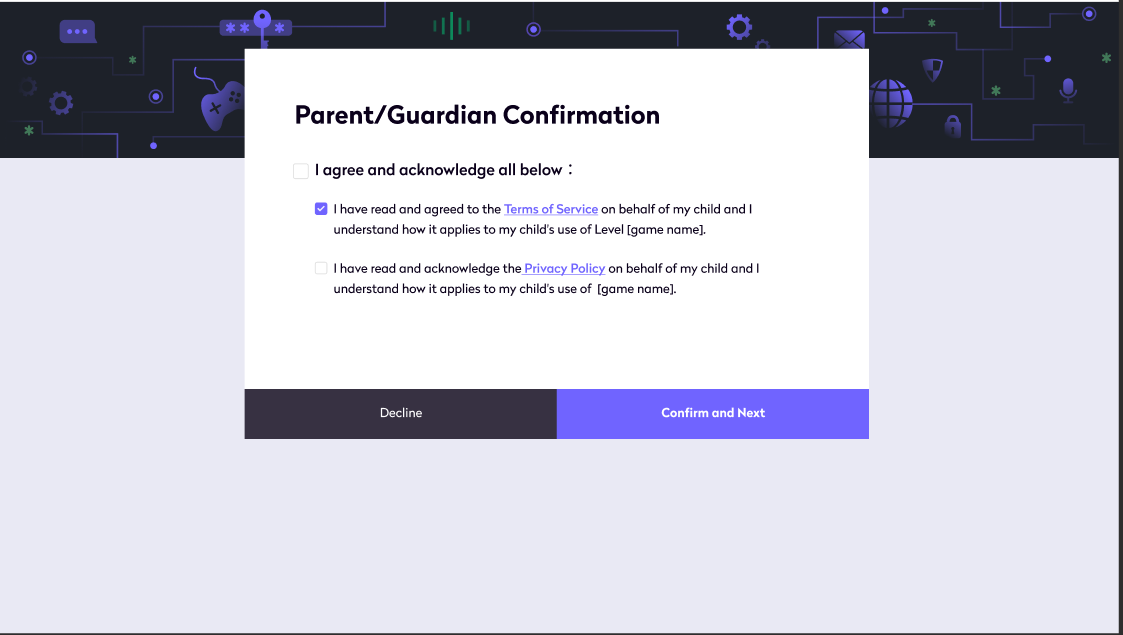
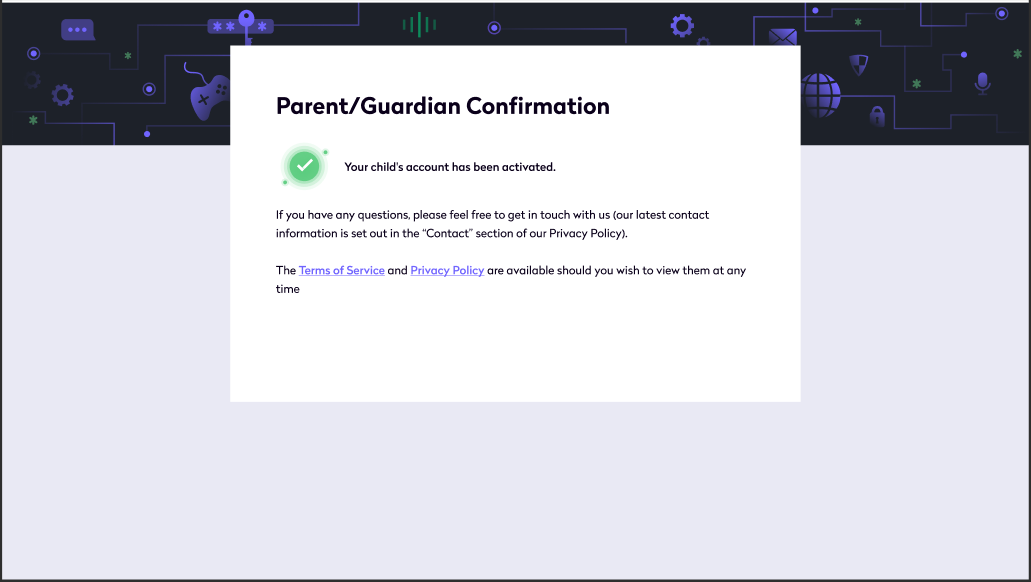
On the authorization page, player parents click Confirm and Next to complete account activation and receive parental certification confirmation email.
-
Continue the compliance process or enter the game after obtaining parental authorization.
South Korea Region
-
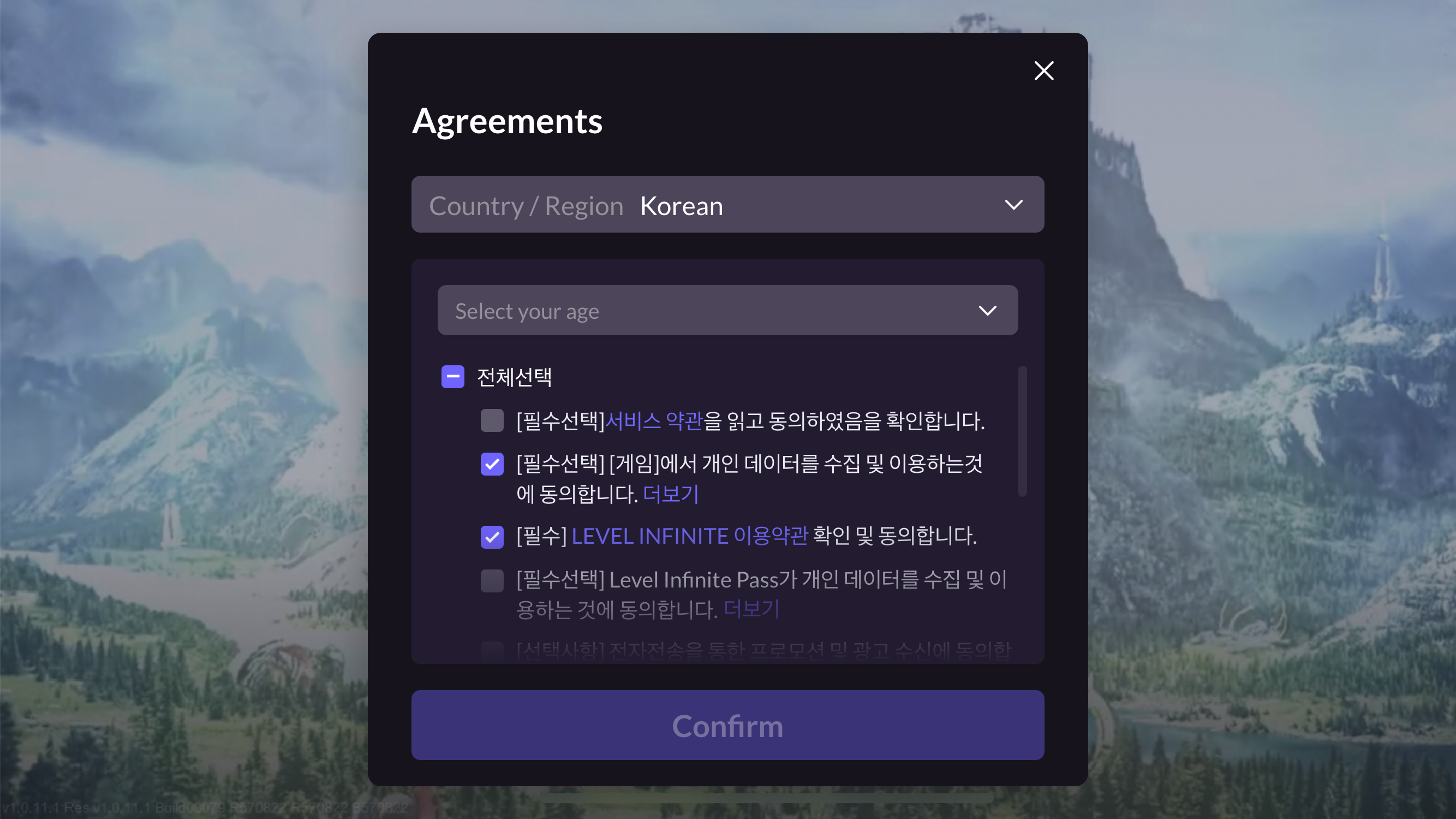
When players register an account, if the country is South Korea, prompt players to select the compliance agreement and choose the age verification method based on the player's platform.
- Mobile: Authenticate according to the player's age group, prompt players to select the age group.
- PC: In accordance with South Korea's compliance requirements, you need to open a web page for real-name verification which is implemented by the webpage.
- Mobile: Authenticate according to the player's age group, prompt players to select the age group.
-
If players have reached the legal adult age in the selected region, they can continue with the compliance process or enter the game; if players are minors, please continue to Parental Email Certification Process.
Minor Chat Authorization
To use the minor chat authorization function, first enable social functionality control via backend configuration, please contact the Player Network assistant for more information.
After minor players pass minor certification, they will undergo minor chat authorization based on game needs:
Registration-login stage
Minor players will undergo parental authorization after completing credit card or email certification.
Credit Card Certification
-
After parents complete the credit card certification, the process prompts Next to enter minor chat authorization.
\n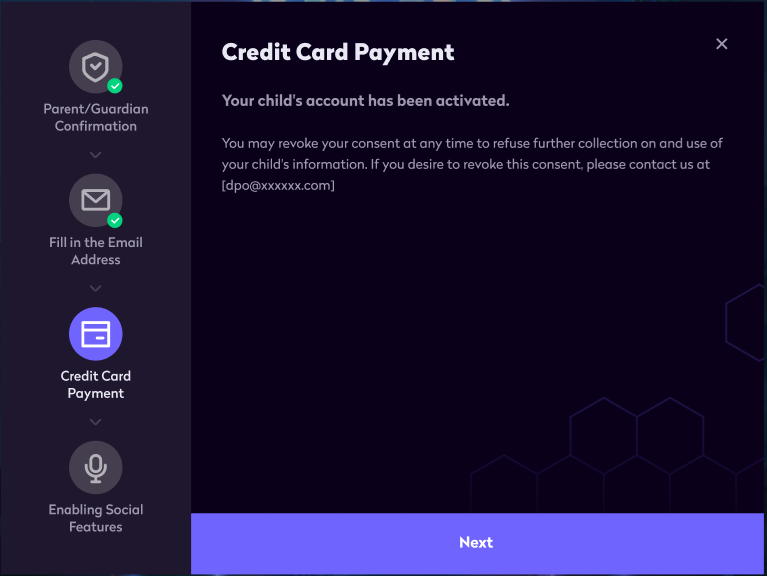
-
On authorization page, click Agree to send the certification confirmation email.
\n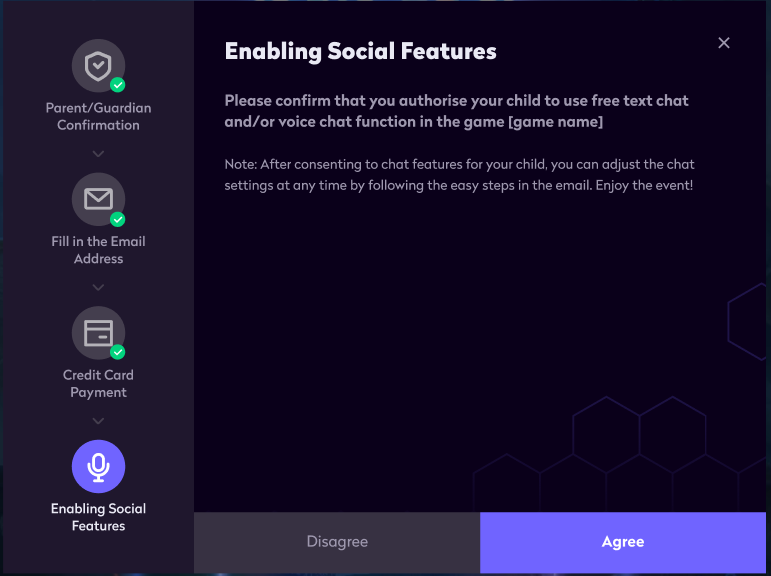
Email Certification
-
After parents complete the email certification, the process prompts Confirm and next to enter minor chat authorization.
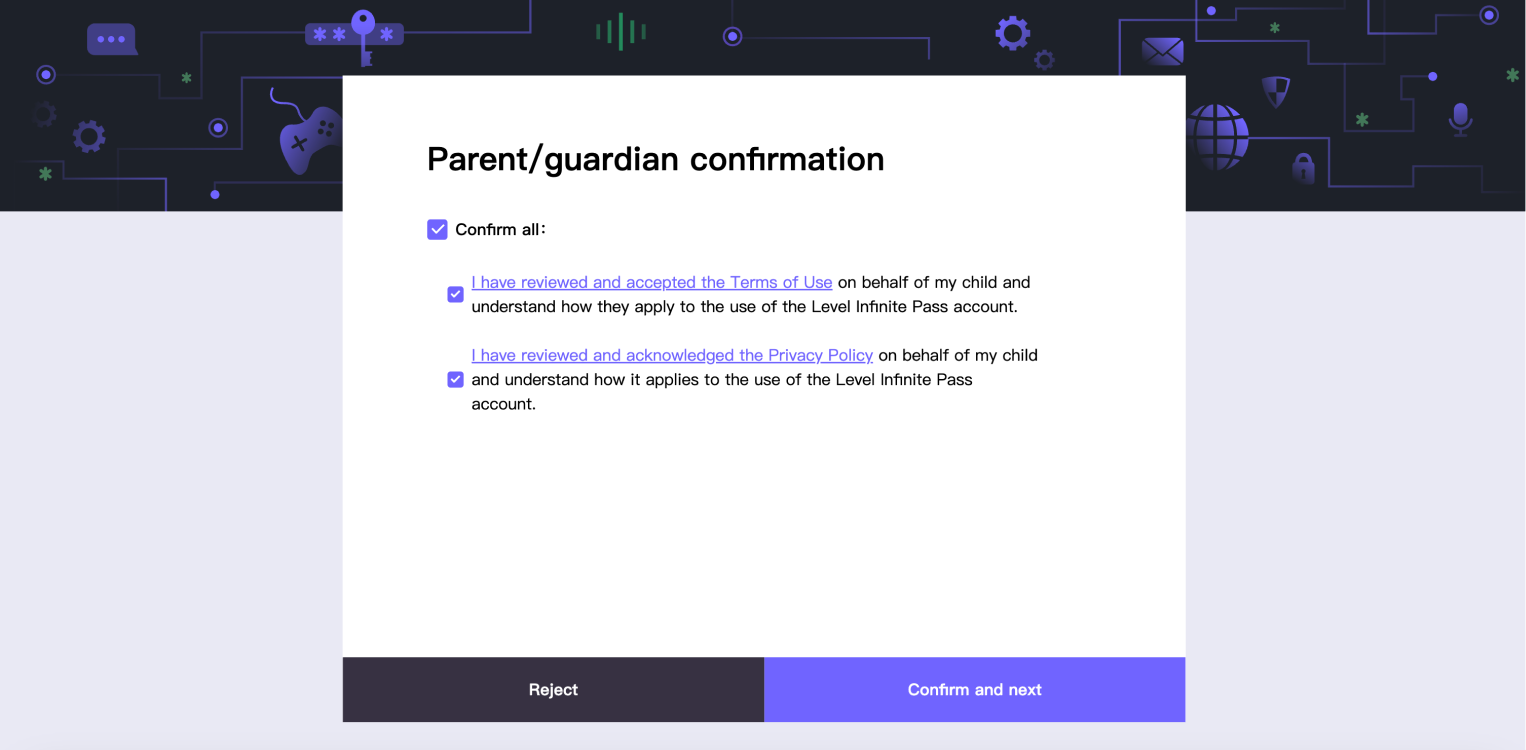
-
On authorization page, click Agree to send the certification confirmation email.

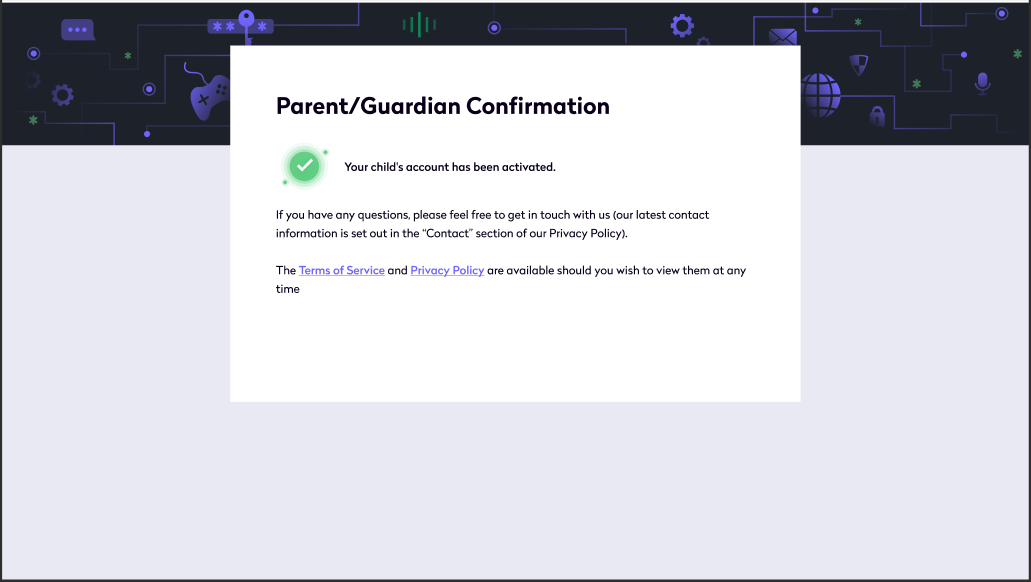
Before using chat functionality
Minor players will undergo parental authorization before using chat functionality.
-
Minor players use chat functionality in-game for the first time.
-
System prompts players to complete parental email information for authorization application.
\n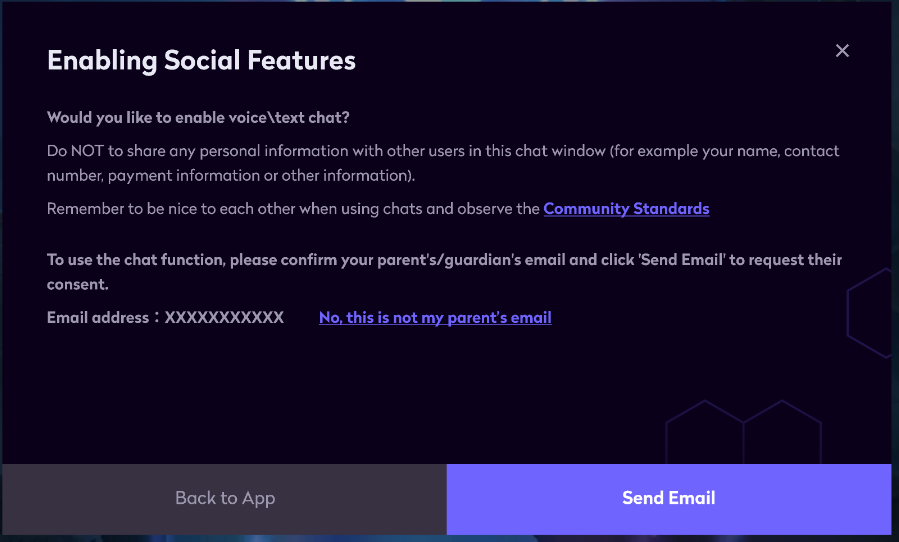
-
Players click Send Email, and the email is sent to the filled parental email address for authorization.
\n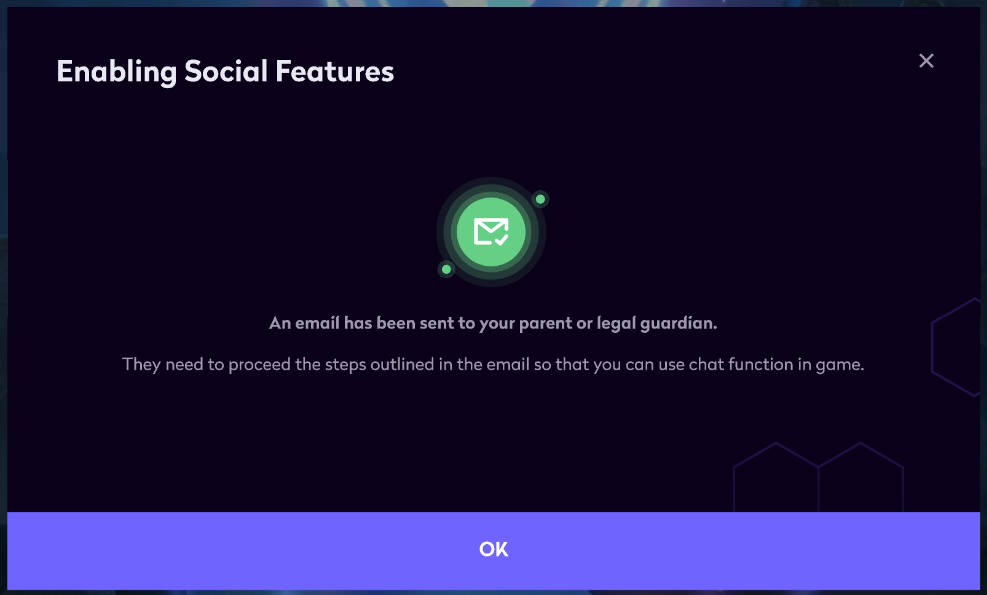
-
Once parents receive the email, complete the email certification process.
\n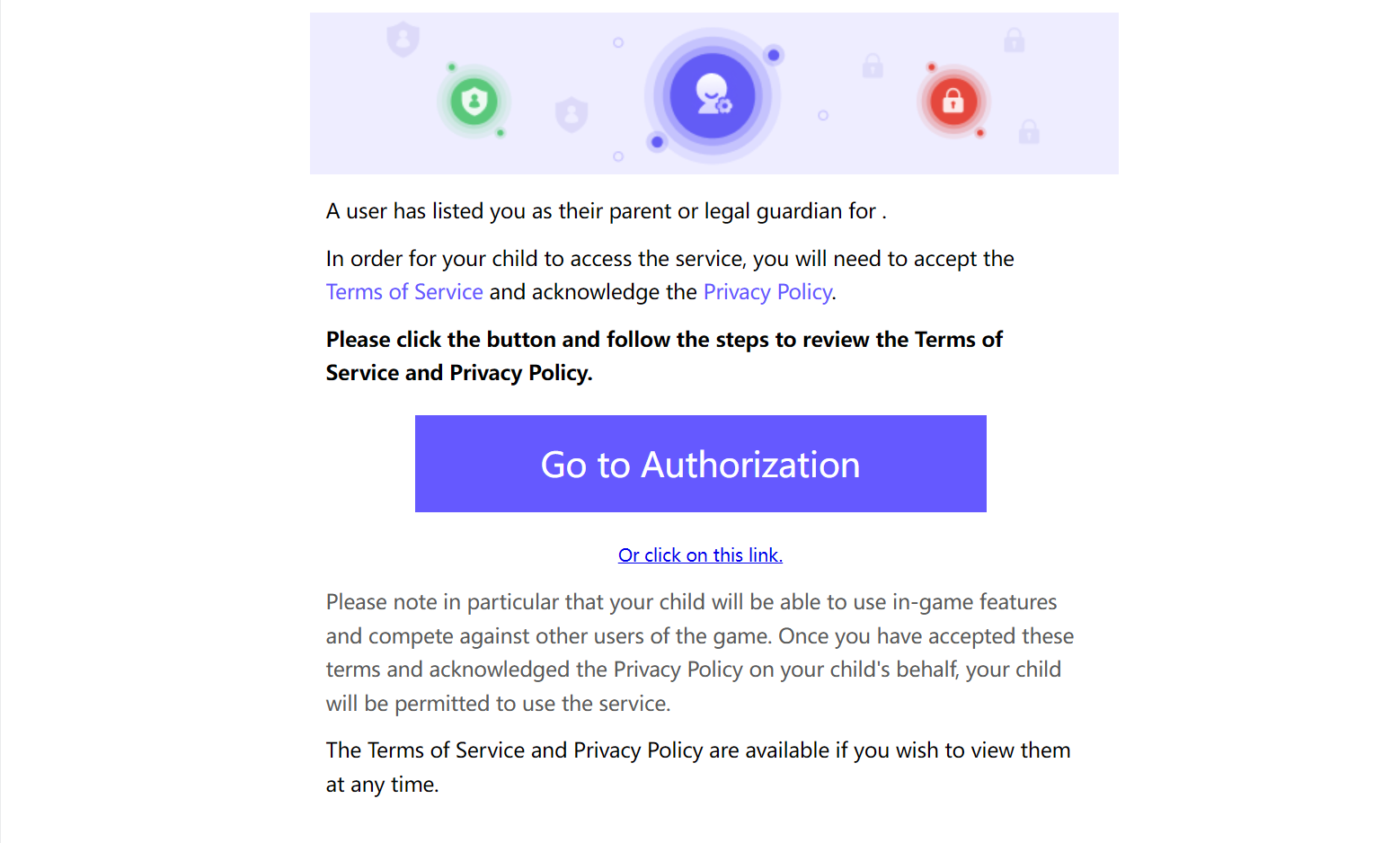
Account Cancellation
-
Players open the LI PASS account center interface, which contains the account deletion button.
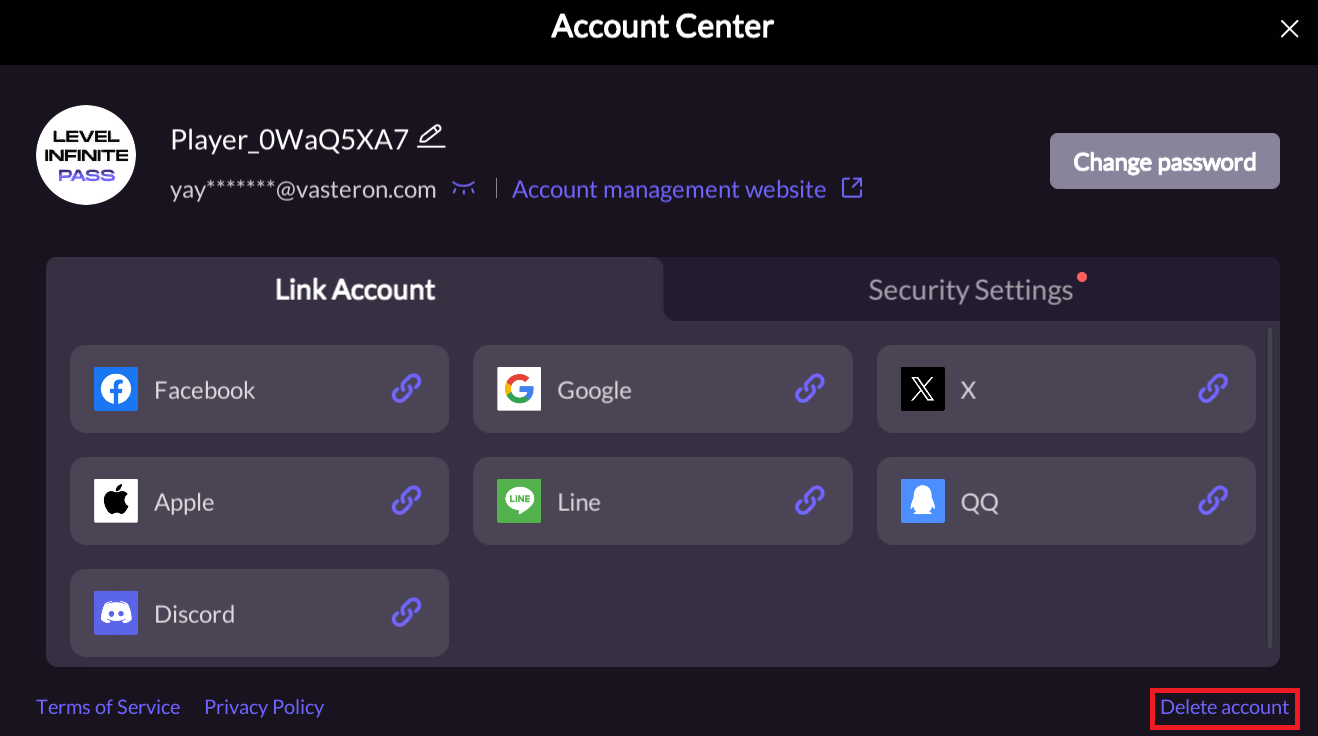
-
Players click the account deletion button and apply for account cancellation on the H5 page.
-
If players do not log into the account during the silent period, the account will be automatically cancelled after the silent period.
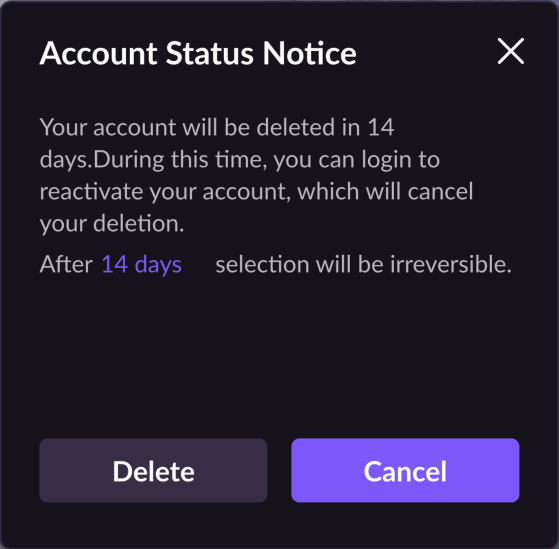
If a player logs into their account during the deletion silence period, a silence period pop-up will appear: - clicking Cancel will reactivate the account and access the game. - Clicking Delete or the Close button in the upper right corner will maintain the Delete Silent Period status and return you to the login screen.