ACCOUNT_FLOW_SWITCH
Optional
Supported in: LI PASS V1.06.00
Format
ACCOUNT_FLOW_SWITCH = 0
Show the third-party channel binding area in Account Center
Show the change password button in both the login interface and Account Center, and the password login button in the login interface
Show the third-party channel unbind button
Show the third-party channel login button in the login interface
Hide the button to skip LI PASS binding in the login interface (only applies to Steam/Epic on PC)
Default value: 0, for Steam/Epic it is 8
Description
This configuration controls the LI PASS UI flow and follows bitwise operation rules.
The switches follow bitwise operation rules.The decimal value 0, which is binary 000000, means all other UI features are shown except for the button to skip LI PASS binding for Steam/Epic on PC.
| Match Order | Decimal Value | UI Function | Display |
|---|---|---|---|
| 1 | 1 | Third-party channel binding area in Account Center | Hidden |
| 2 | 2 | Change password button in both login interface and Account Center, and password login button in login interface | Hidden |
| 3 | 4 | Third-party channel unbind button | Hidden |
| 4 | 8 | Third-party channel login button in login interface | Hidden |
| 5 | 16 | Button to skip LI PASS binding in the login interface, only for Steam/Epic on PC; after clicking, users will log in with platform accounts | Shown |
| 6 | 32 | Login grid layout interface | Shown |
The ACCOUNT_FLOW_SWITCH calculation rule: add together the decimal values for the required UI functions.
Typical configuration for Mobile: ACCOUNT_FLOW_SWITCH = 7 (1 + 2 + 4 = 7)
- Hide the third-party channel binding area in Account Center
- Hide the change password button and hide the password login button in the login interface
- Hide all third-party account unbind buttons
- All other UI features retain their default behavior
Typical configuration for Steam/Epic on PC: ACCOUNT_FLOW_SWITCH = 24 (8 + 16 = 24)
- Hide the third-party channel login button in the login interface
- Show the button to skip LI PASS binding in the login interface; allow skipping the binding process
- All other UI features retain their default behavior
Login grid layout interface
This function is supported in LI PASS V1.17.01 and above.
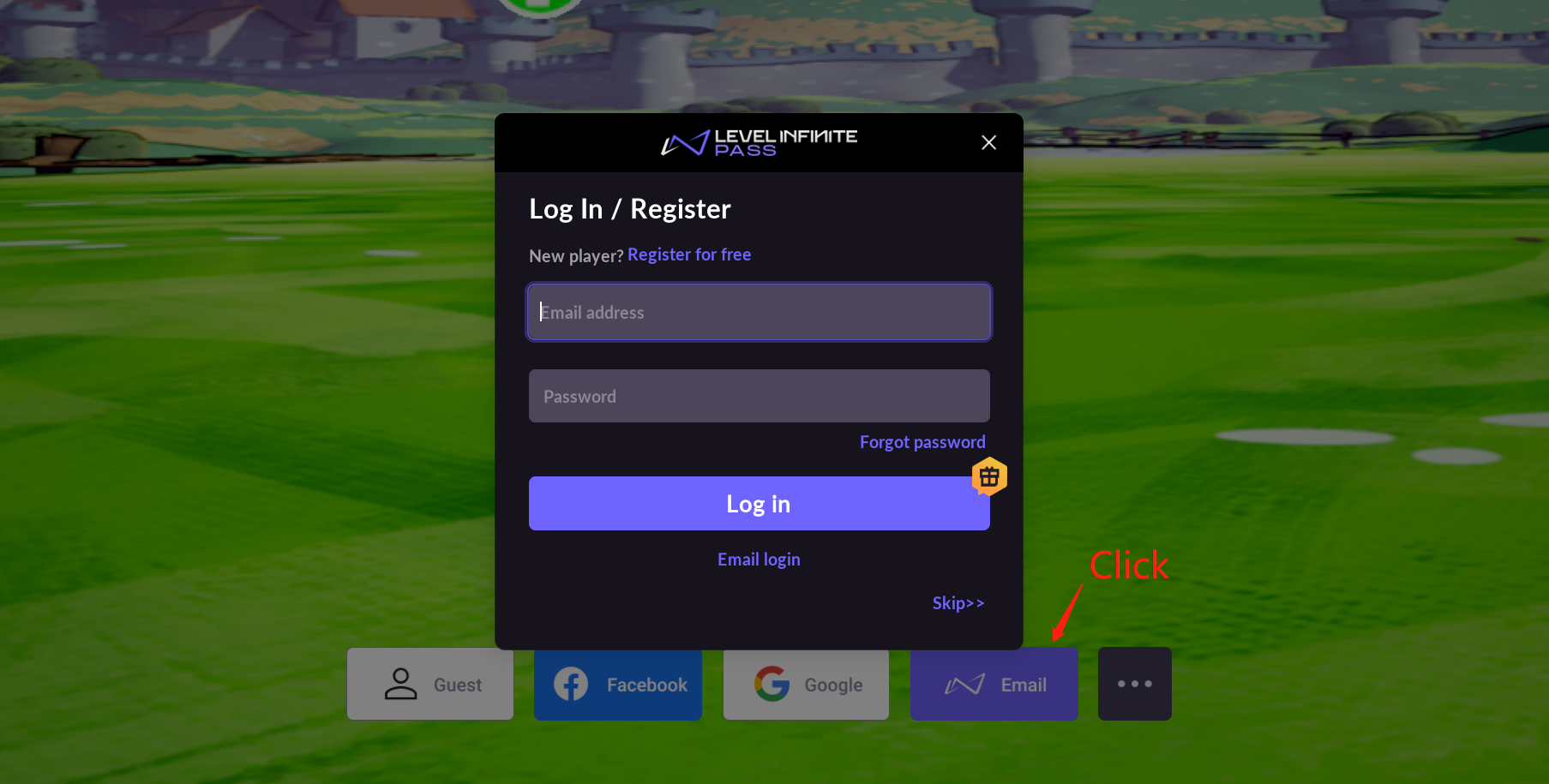
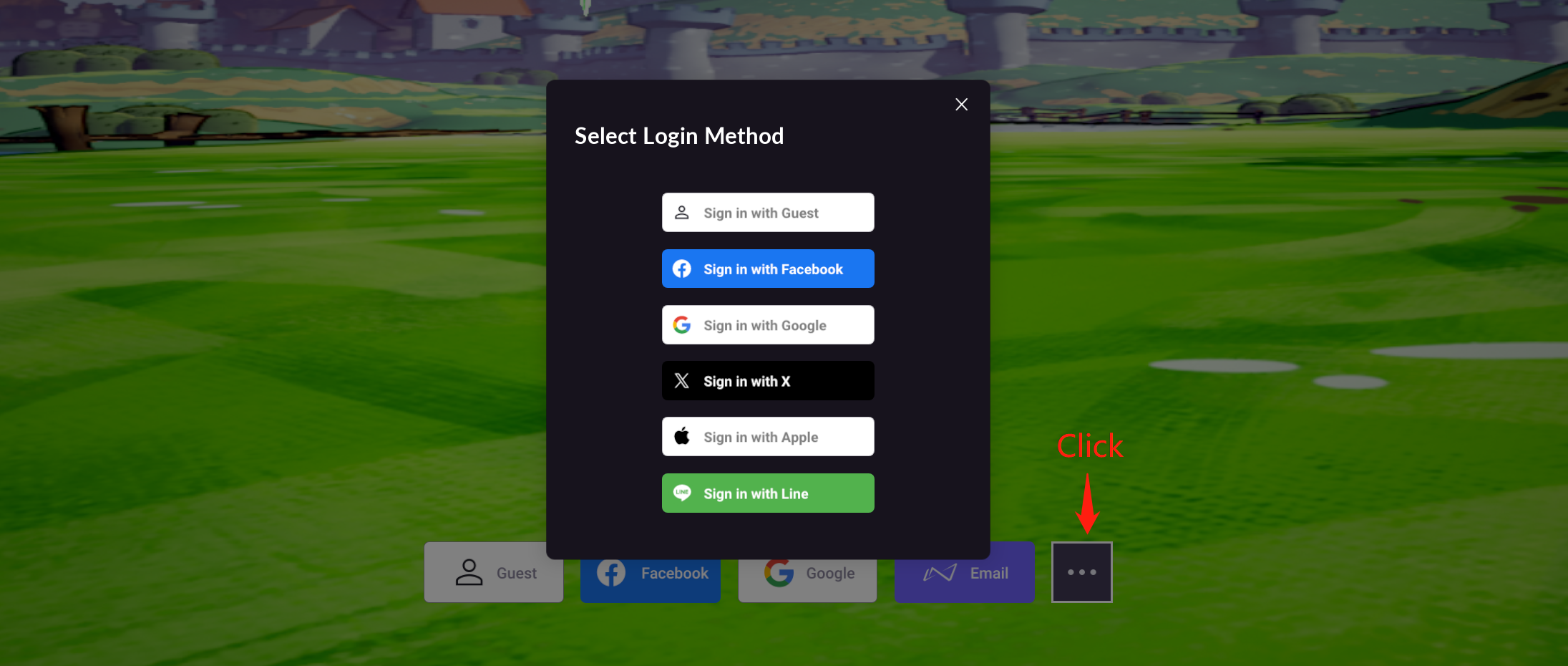
Once enabled, when calling OpenLoginPanel to bring up the login interface, the login grid layout interface is shown by default:
- Channels shown are configured in ACCOUNT_THIRD_CHANNEL_[PLATFORM]
- Up to 4 channels can be displayed; any additional channels will be folded into the ... list
- LI PASS login can be opened by clicking Email
- Third-party channel display under the LI PASS login interface will be hidden
Landscape display:

After clicking Email:
After clicking ...:
Portrait display: