Custom Font
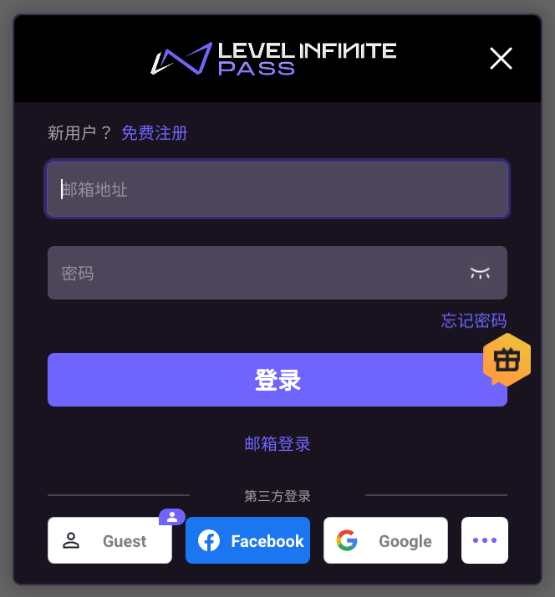
Given the perspective of multilingual or unified UI design, it is required to change the LEVEL INFINITE PASS font to the game font. This section introduces the setup method.
The replacement font resource needs to support Roman characters.
Font
- Unity
- Unreal Engine
Unity does not provide font resource files by default. Before opening the LI PASS interface, call the SetPriorityFont API to change the font.If not specifically specified, Unity Arial font is used by default.
Arial font used by Unity cannot display Thai correctly on iOS. See the relevant topic on Unity Issue Tracker for details.
If Thai needs to be displayed, it is recommended to use other specialized Thai font resources.For more details on configuration, please refer to Multilingual Font.
Unreal Engine Font Resource Description
Unreal Engine font files are divided into Font Resources and Font Style Resources.For more information, please refer to UE Official Documentation.
Among them, font resource files are smaller and are referenced by UMG blueprints.Such as Lato.uasset in the diagram.
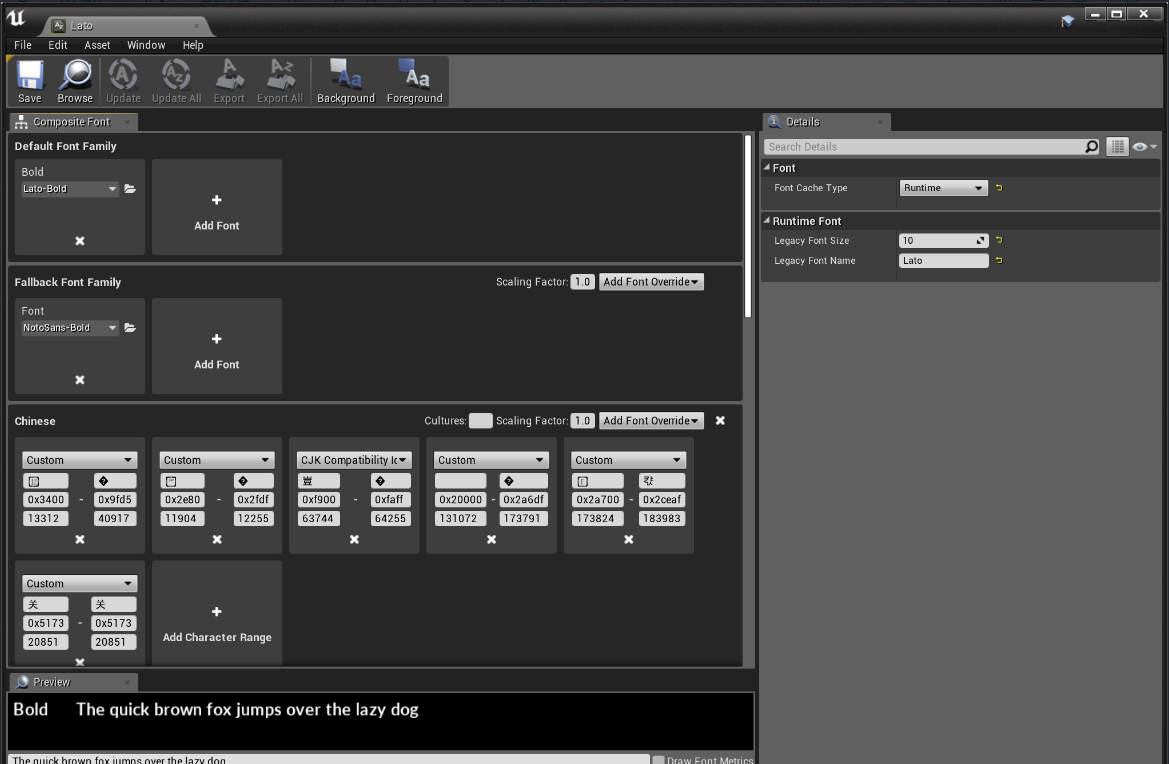
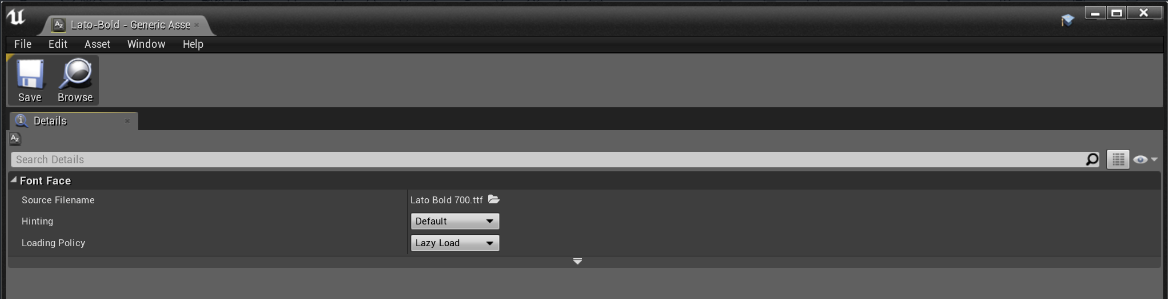
Font style resource files are larger, save font data, and are referenced by font resources.The same font style resource can be reused among multiple font resources.As shown in the figure, the font style resource Lato-Bold.uasset is used by the font resource Lato.uasset.
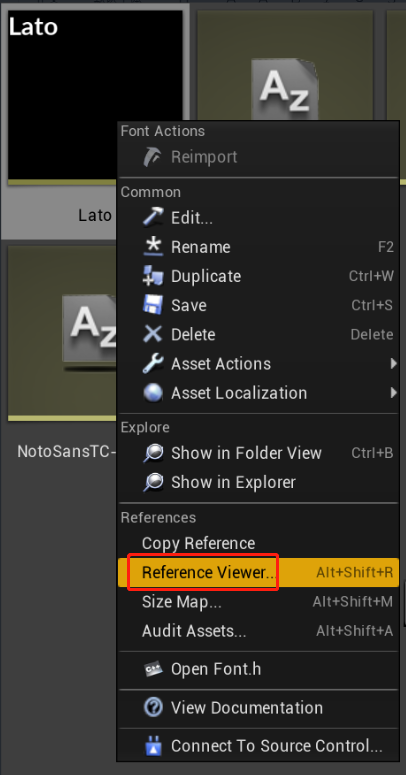
The font reference relationship can be viewed through the engine's reference tools.
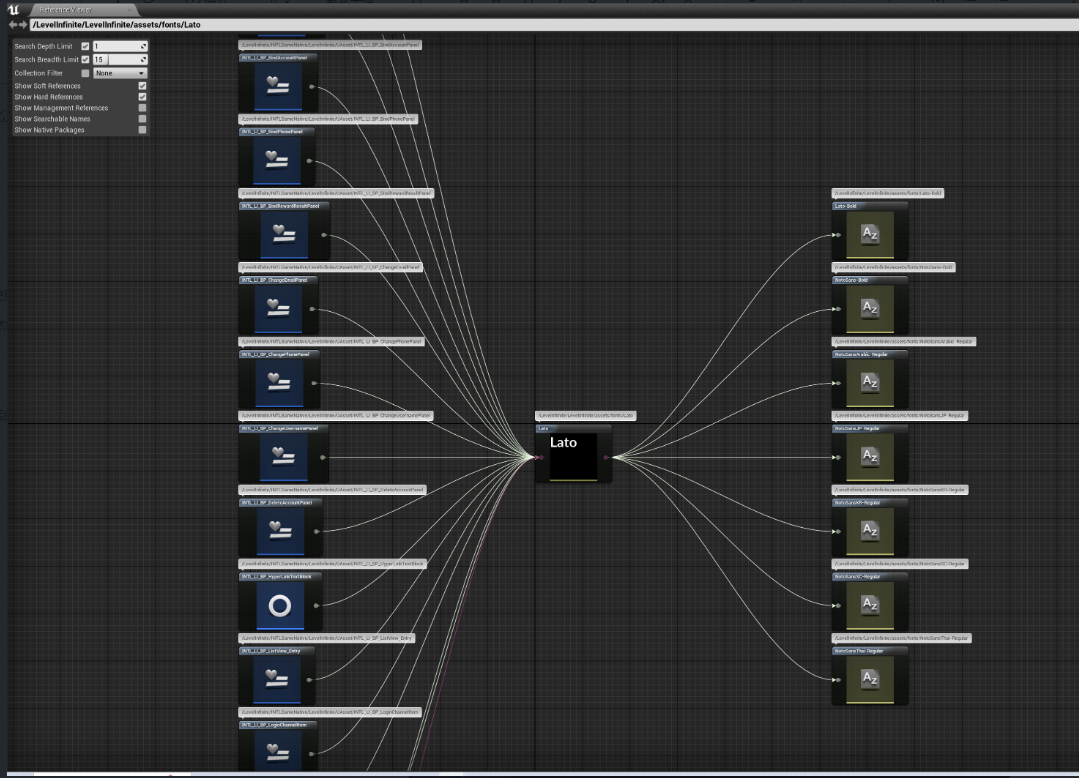
Manually Replace Unreal Engine Fonts
Preparation
Prepare the font resources that need to be replaced (font) and place them in the project's font directory.Take the Stainless font resource as an example, compile the Stainless.uasset file by opening the editor.
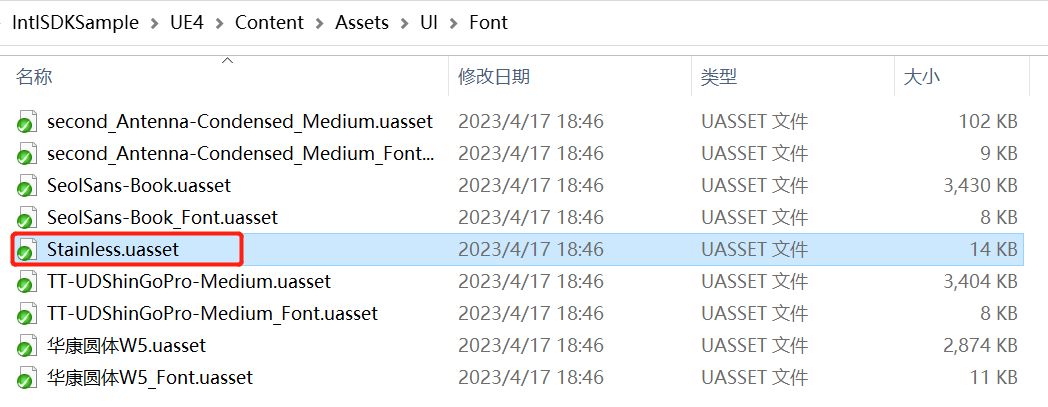
Back up the Stainless font resource file (Stainless.uasset) in the folder, record the font storage location, then delete the Stainless font resource file.
The backed-up font resource file will be used for font replacement.
Manually back up and delete the font in the folder, the font resource reference will not change.It is not recommended to forcibly delete font resources in the editor, as it may cause font reference changes and potentially fail to replace fonts.
Modify LI PASS font resource file
Find the Lato font resource file used by LI PASS in the editor.
-
Rename the Lato font resource in the editor to the name of the font (to be replaced) and use the reference viewing tool to view the reference relationship.
For example: After renaming Lato to Stainless.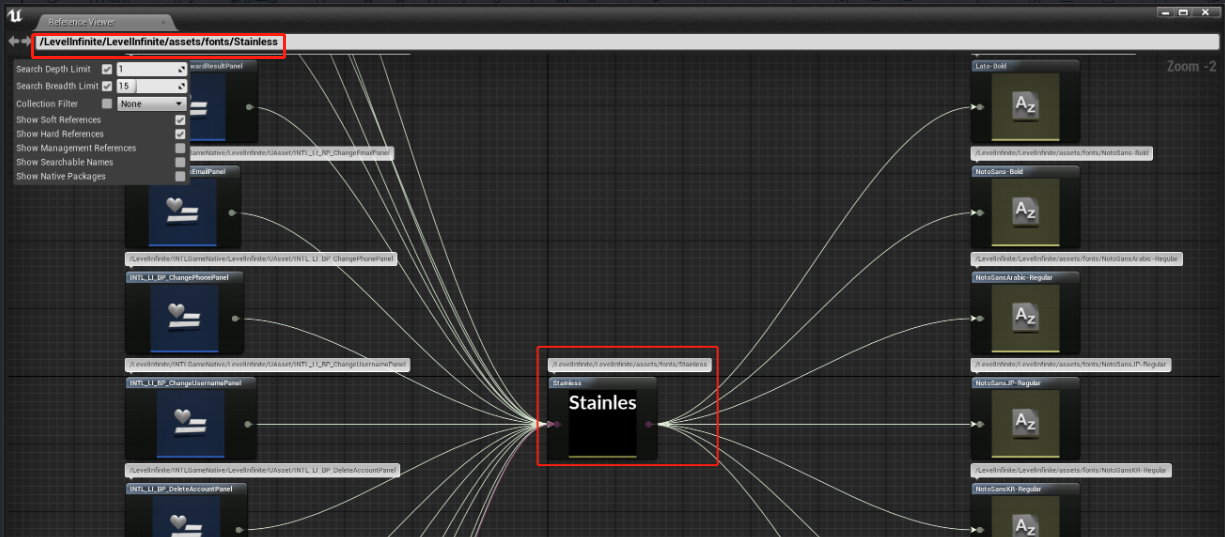
-
Move the renamed Lato font (now Stainless font) to the original location of the font (to be replaced), at this time the editor will prompt for copy or move, select move.
For example: Move the renamed Stainless font (originally Lato) to the original location of the deleted game font Stainless (the recorded location).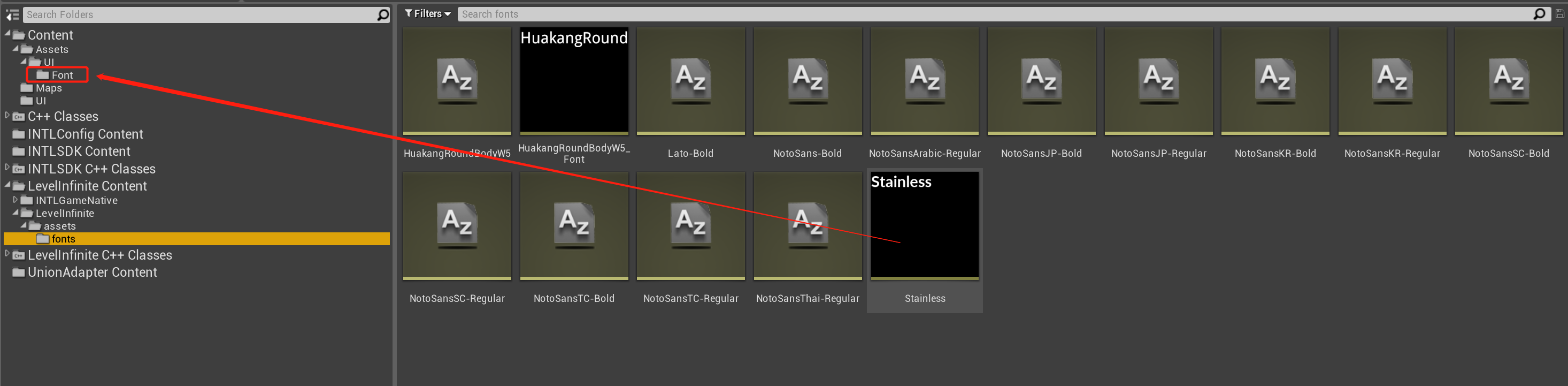
Use the reference viewing tool to view the reference relationship.
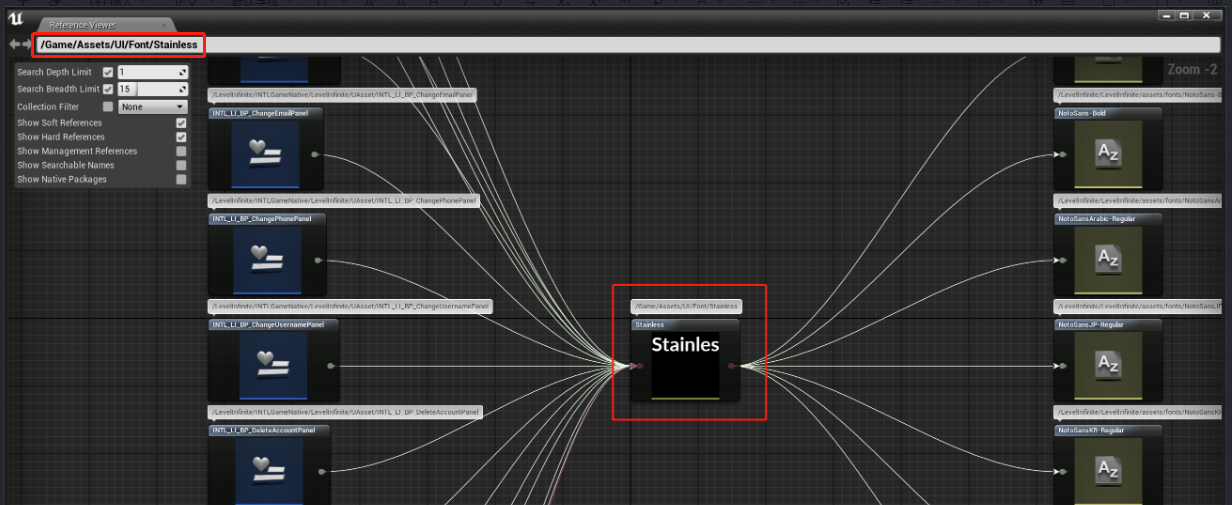
Rename and move the original Lato font to change the LI PASS font reference relationship to point to the original location of the Stainless font to be replaced.
Replace LI PASS Font Resource File
Close the editor and use the previously backed-up font resource file (Stainless.uasset) to overwrite the existing LI PASS font resource (Stainless.uasset) file.
Override the font resource file in the folder, the font resource reference will not change, it is recommended to close the editor before operating to avoid replacement failure due to file reference.
Check LI PASS Font Reference
Open the editor and use the reference viewing tool to check the font reference in the UMG blueprint of LI PASS, which has been changed to the expected new font resource file.
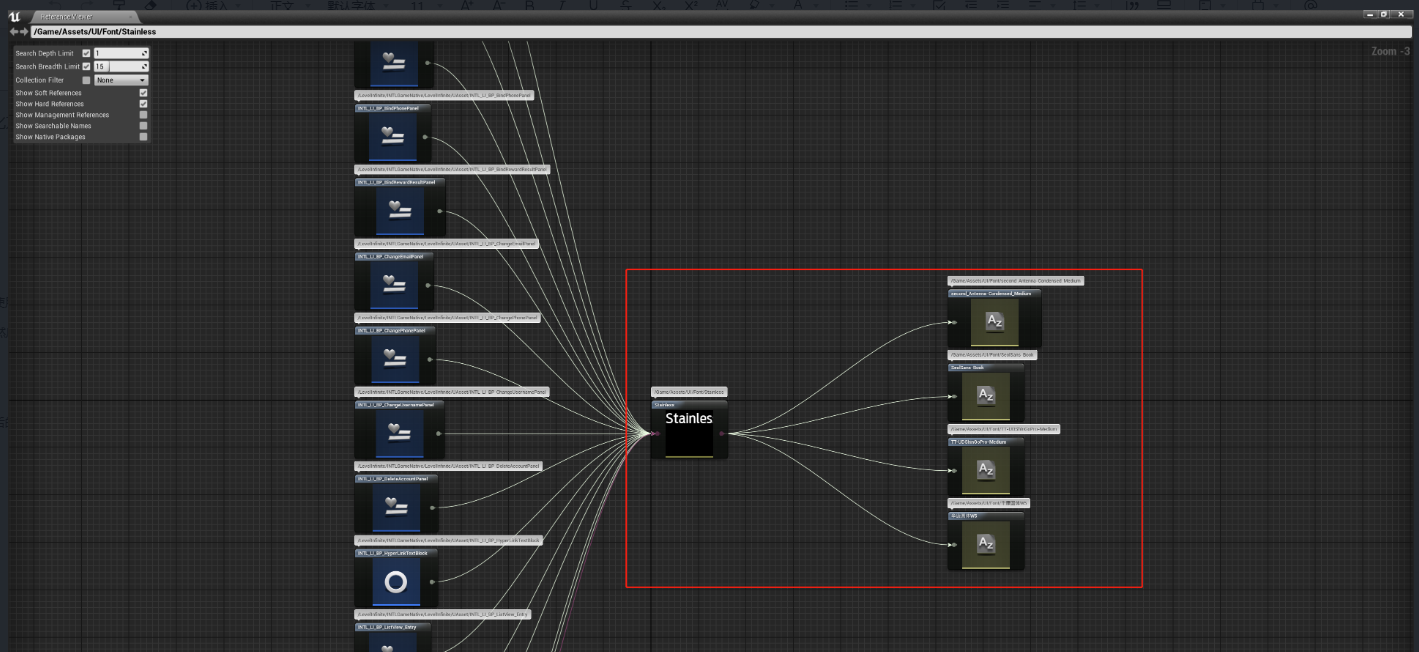
The font used by LI PASS has been completely replaced and you can view the changes in the interface text from the editor.
Script Replacement of Unreal Engine Fonts
Python scripts are required, and the script tool is in the INTLSample UE project.
Preparation
Prepare the font resources that need to be replaced (font) and place them in the project's font directory.Take the Stainless font resource as an example, compile the Stainless.uasset file by opening the editor.
Modify script configuration
-
Modify the configuration of the
Tools/Config.pyfile in the project directory:GAME_FONT_FILE_PATH: The path to the font resource file to be replaced.
ENGINE_PATH: Engine installation path. -
Modify the configuration of the
Tools/RenameLIFont.pyfile in the project directory:GAME_FONT_ASSET_PATH: The path of the font resource used by the game, for example: /Game/Assets/UI/Font/Stainless.Stainless
-
Close the editor, execute the script command:
Execute the command in the Tools work directory:
python .\LITools.py -t ReplaceLIFont -unreal 4.21Where the parameter following -unreal is the Unreal version used in game development.
The font used by LI PASS has been completely replaced and you can view the changes in the interface text from the editor.
Acceptance
Run the game in the editor or on a physical device to verify whether the font has changed as expected.
For example, the default font Lato has been updated to Tencent Sans.
Lato:
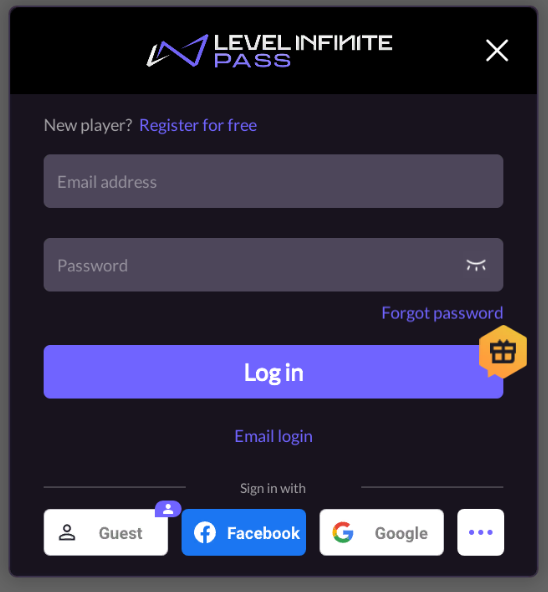
Tencent Sans:

Multilingual Font
- Unity
- Unreal Engine
To solve the problem of fonts not being displayed correctly in different character encodings, add default fonts to imported fonts in the FontName field.
FontNames Format: FontName1, FontName2, FontName3
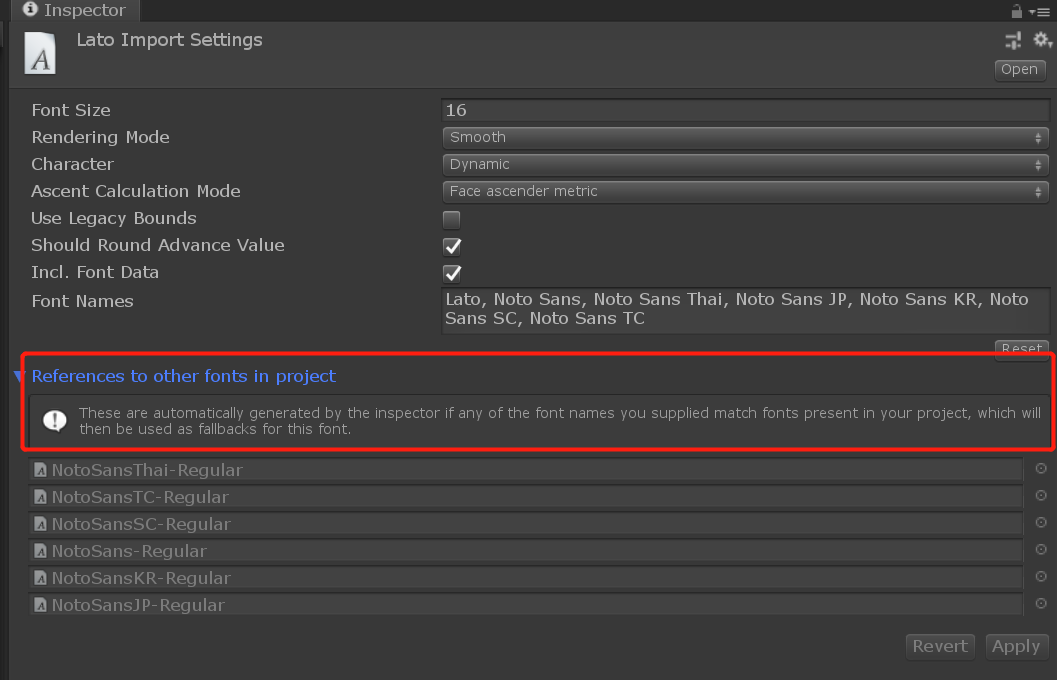
For more information, see Font assets.
When Unity tries to render text with a dynamic font but cannot find the font (because Include Font Data is not selected and the font is not installed on the user's computer) or the font does not contain the requested glyph (such as trying to render text in East Asian script using Latin fonts, or using bold/italic glyph text), it will try each font listed in the Font Names field. Checking whether it can find a font that matches the project font name (including font data) or whether the font installed on the user's computer has the requested glyph.If no listed backup fonts can be found or these fonts do not have the requested glyph, Unity will fall back to a hard-coded global fallback font list that includes various international fonts usually installed on the current runtime platform.
— Unity Documentation
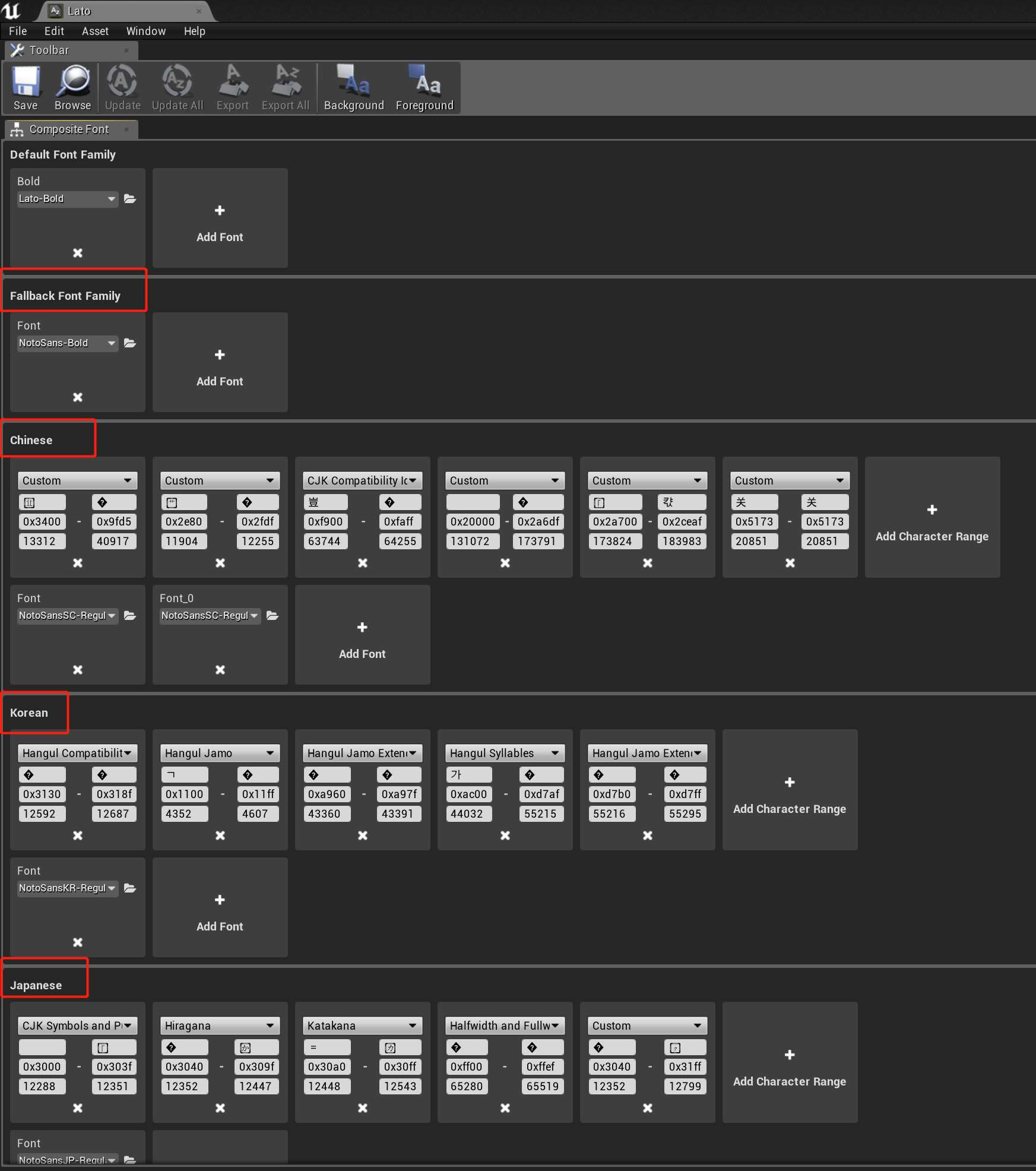
To solve the problem of fonts not displaying correctly in different character encodings, it is necessary to configure font resources to include different font families for different characters.
Currently, the LI PASS default font Lato and subsequently provided NotoSans both have the problem that a single font cannot be applied to all languages.Therefore, it is necessary to use fonts with different encodings together with the default font to ensure that each language can be displayed correctly.
Configure a composite font using Lato as the default font family, and additionally include font families for Simplified Chinese, Japanese, Korean, Traditional Chinese CJK, and Thai.Additionally, configure NotoSans as a backup font to display various other languages that most fonts do not support, such as Hindi.
Optimize Default Font
As LI PASS default font resources involve multilingualism, if optimization is needed, unnecessary font resource files can be deleted. Refer to the following:
| File Name | Description | Remarks |
|---|---|---|
| HuakangRoundBodyW5.uasset | Deleted in LI PASS V1.14.00 | Can be deleted |
| HuakangRoundBodyW5_Font.uasset | Deleted in LI PASS V1.14.00 | Can be deleted |
| Lato.uasset | LI PASS Default Font Resource | Cannot be deleted |
| Lato-Bold.uasset | LI PASS Default Font Style | Cannot be deleted |
| NotoSansArabic-Regular.uasset | Arabic Font Style used by LI PASS | Not recommended to delete Can be deleted if Arabic is not supported |
| NotoSans-Bold.uasset | LI PASS Default Backup Font Style | Cannot be deleted |
| NotoSansJP-Bold.uasset | Japanese Font Style deleted in LI PASS V1.14.00 | Can be deleted |
| NotoSansJP-Regular.uasset | Japanese Font Style used by LI PASS | Not recommended to delete Can be deleted if Japanese is not supported |
| NotoSansKR-Bold.uasset | Korean Font Style deleted in LI PASS V1.14.00 | Can be deleted |
| NotoSansKR-Regular.uasset | Korean Font Style used by LI PASS | Not recommended to delete Can be deleted if Korean is not supported |
| NotoSansSC-Bold.uasset | Chinese Font Style deleted in LI PASS V1.14.00 | Can be deleted |
| NotoSansSC-Regular.uasset | Chinese Font Style used by LI PASS | Not recommended to delete Can be deleted if Chinese is not supported |
| NotoSansTC-Bold.uasset | Traditional Chinese Font Style deleted in LI PASS V1.14.00 | Can be deleted |
| NotoSansTC-Regular.uasset | Traditional Chinese Font Style deleted in LI PASS V1.14.00 | Can be deleted |
| NotoSansThai-Regular.uasset | Thai Font Style used by LI PASS | Not recommended to delete Can be deleted if Thai is not supported |
Multilingual Font Acceptance
Run the game in the editor or on a physical device to verify whether the font has changed as expected.
If only one font is used in the game, you can directly switch between two languages to test the multilingual adaptation of the UI interface.
If the game is configured with different fonts for different languages, it is recommended to switch between languages that use different fonts for acceptance testing.
For example, English and Chinese use font A, while Thai uses font B.Acceptance testing can switch between English (font A) and Thai (font B) to confirm effect.
Below is an example of the same font adapted to both Chinese and English:
English:
Chinese: