Account Center Module
LEVEL INFINITE PASS account center is a unified page for players to manage accounts, including the following main modules:
- Account Binding
- Personal Information
- Passkey
- Marketing Center
- Security Settings
- Compliance Clause
The account center only supports access on mobile and PC platforms, not yet available for console platforms.
From LI PASS V1.26, the UI layout of the account center has been comprehensively optimized and updated. The interfaces discussed in this document are of the latest UI and may differ from older versions.
Account Binding
Bind LI PASS
If the game is set to allow skipping binding LI Pass, players may skip this step. For these accounts, binding can be done by accessing the account center after entering the game.
The game should add an entrance to the LI Pass account center at an appropriate location in the game lobby.To encourage users to bind LI Pass, game services can integrate a gift package feature. See Gift Package for details.
The account center offers two binding methods: Binding Popup and Link Button.
Binding Popup: After entering the account center, players can click Link in the displayed binding popup to enter the binding process.
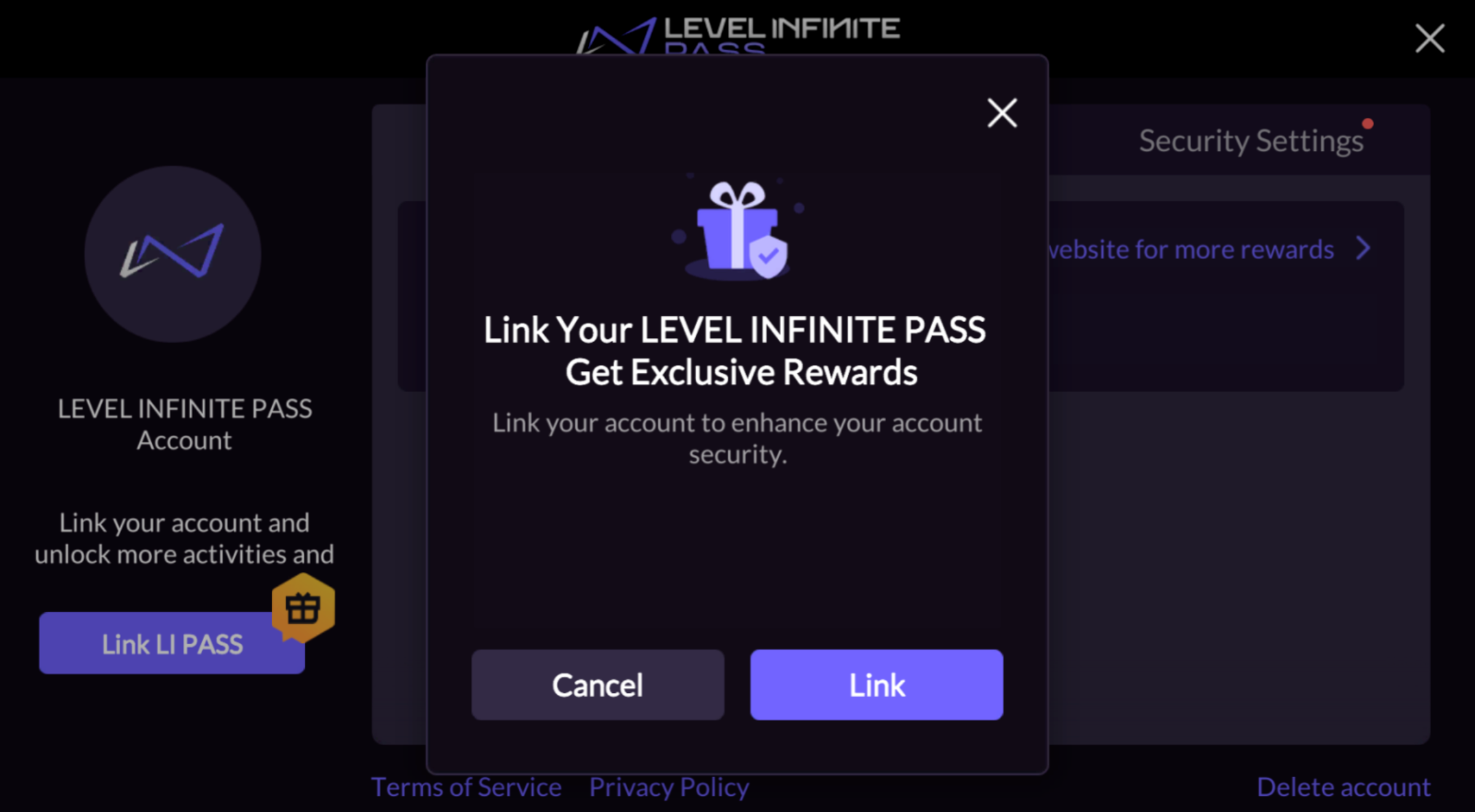
Link Button: Click the Link on the right of personal information to enter the binding process.

After entering the binding, LI PASS email verification is required. Binding can proceed once verification is successful.
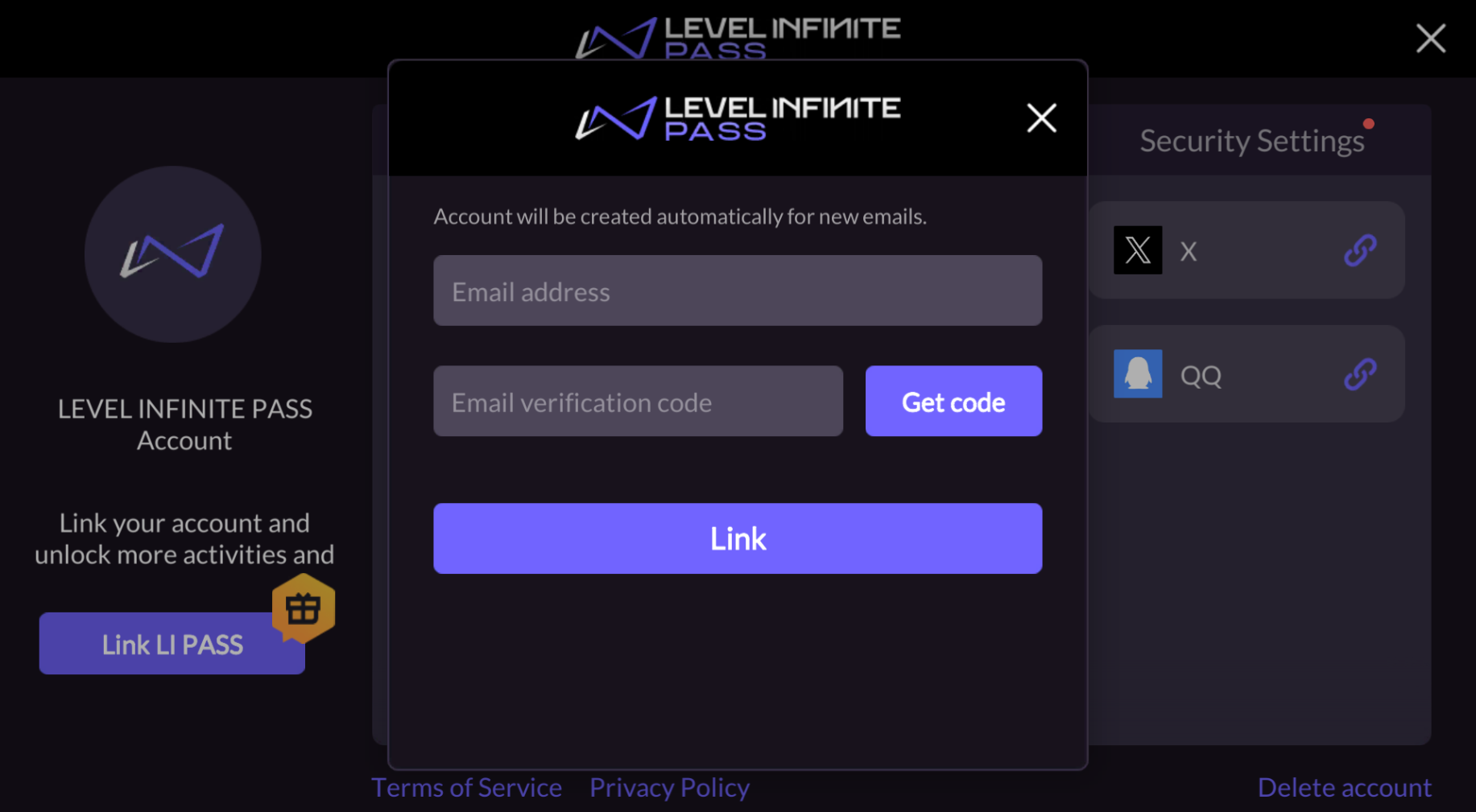
Quick Binding:
This function is supported in Player Network SDK V1.25 and above. It is only available after completing the step of obtaining a player email during third-party channel login.
If players use Facebook, X, or Google to log in and haven't bound LI PASS, the player's email on the respective channel will be automatically obtained upon entering the account center with the player's authorization.
A popup will ask players if they would like to use the email for LI PASS binding every 30 days when entering the account center. Players only need a maximum of 2 clicks to quickly create and bind LI PASS.
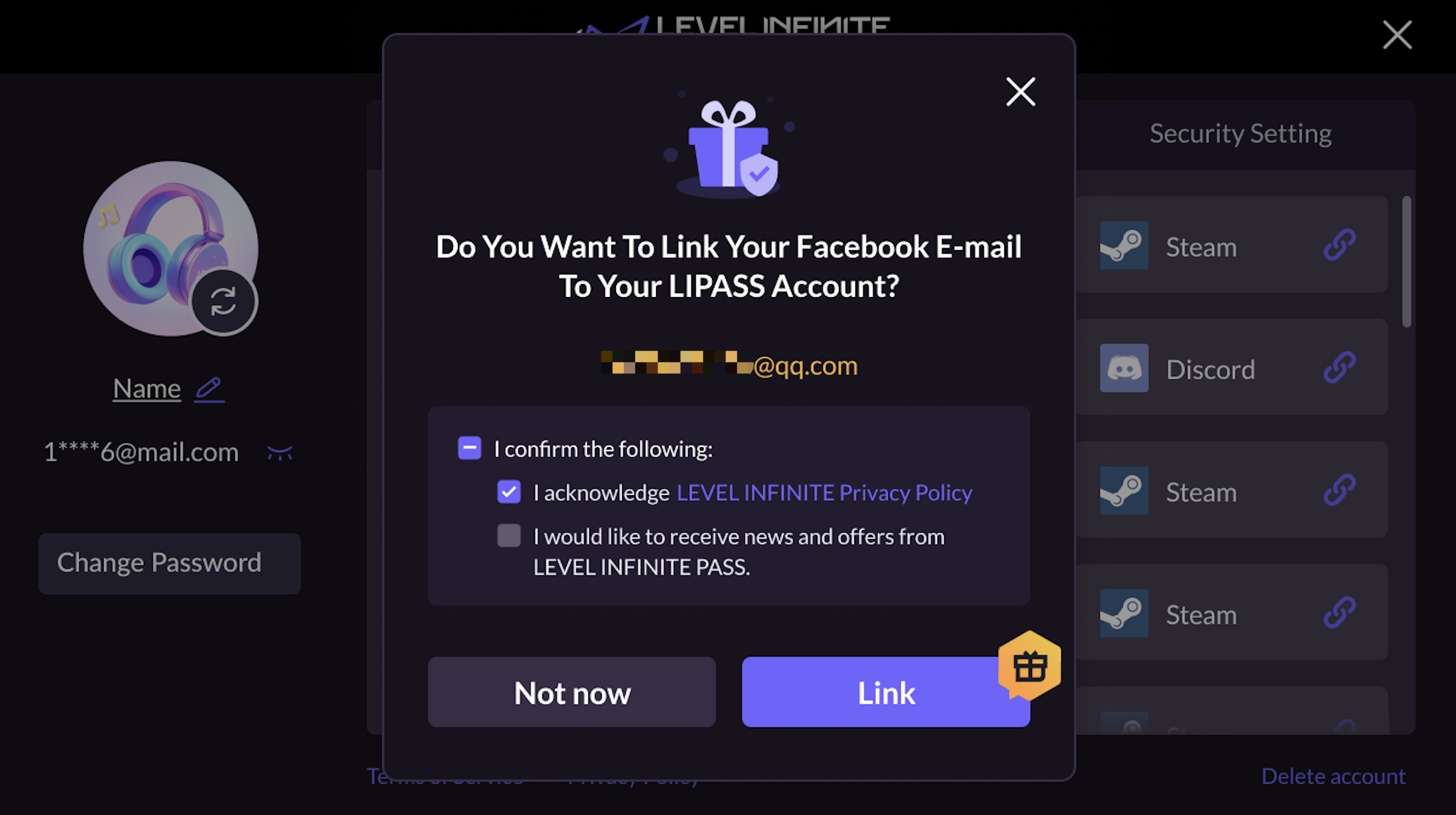
Bind Third-party Channels
Accounts that haven't bound LI PASS need to do so before binding other third-party channels.
Click the channel you wish to bind in the third-party binding area to initiate the corresponding account authorization binding process.
Guest Account Binding
Guest users can enter the account center to bind their accounts. If they choose to bind LI PASS first, click Link on the right of personal information to enter the binding process.
Guest users can enter the account center to bind their accounts. If they choose to bind third-party channels first, LI PASS must be bound first.
Personal Information
After binding LI PASS, it supports modifying the player's username and login password.
Modify Username
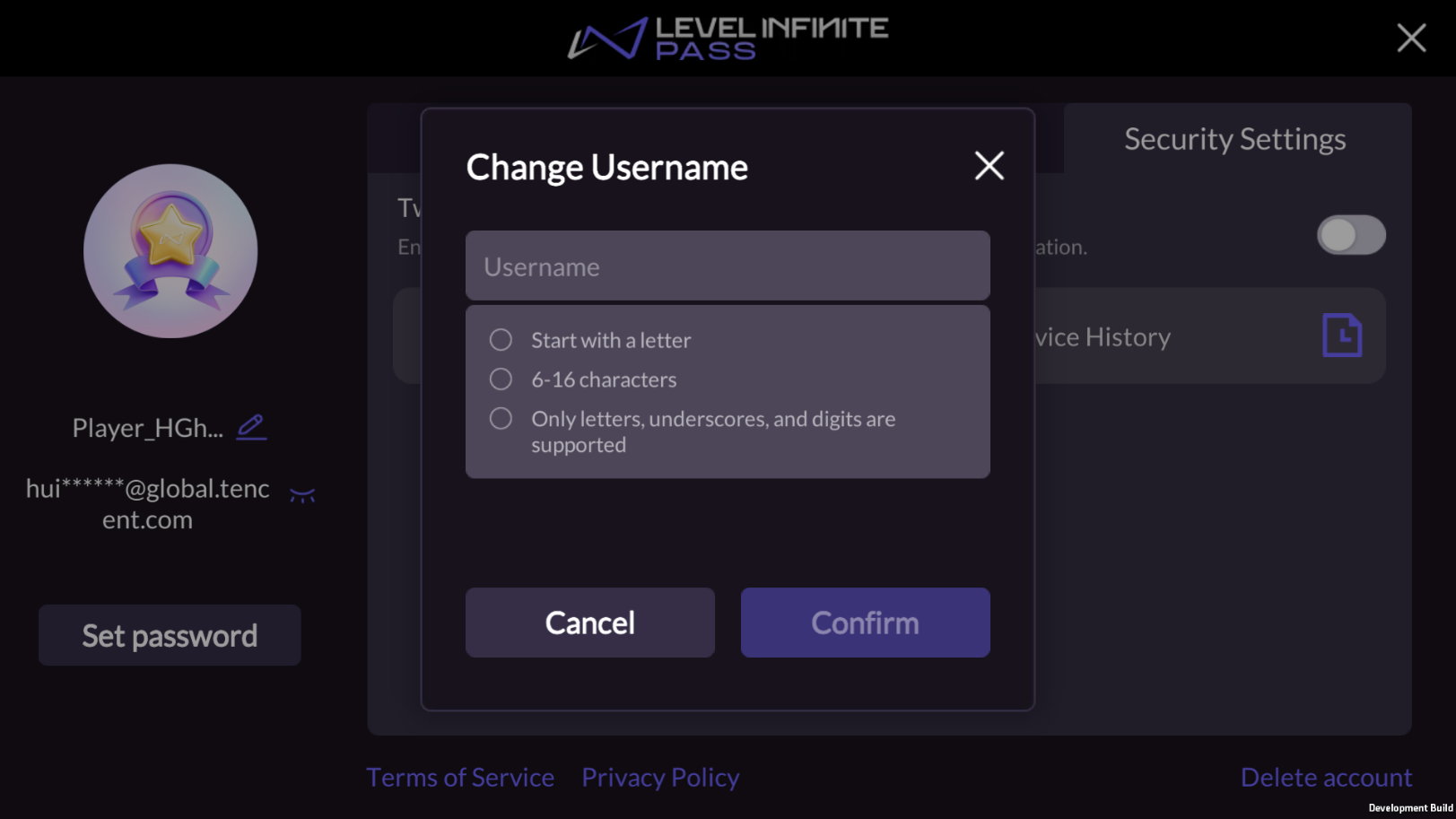
Click the edit icon beside Name to modify the LI PASS username with the following format restrictions:
- Must start with a letter
- 6~16 characters
- Only letters, numbers, and underscores are allowed
Modify Password
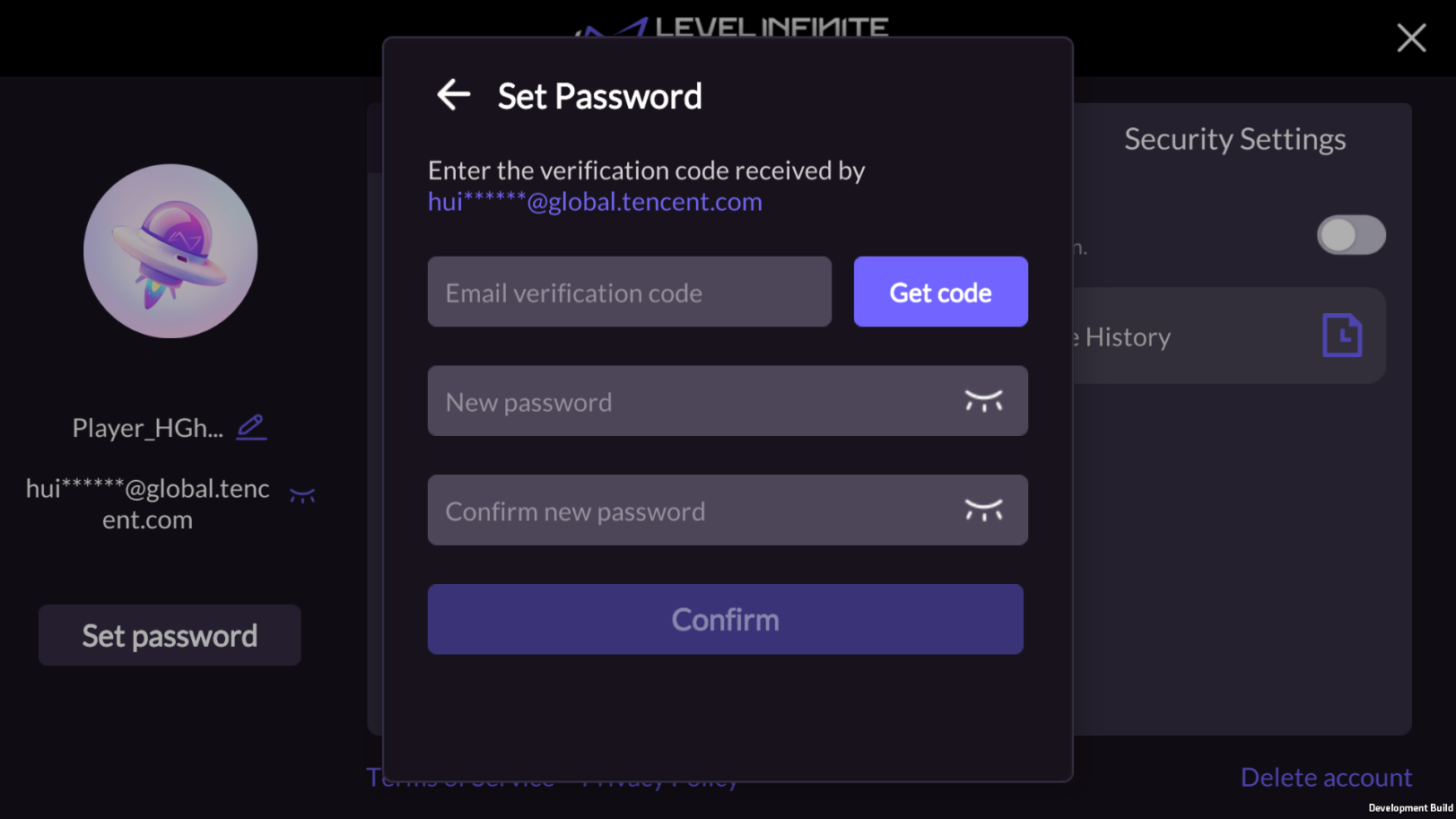
For a LI PASS that hasn't set a password, click Set Password to do so.For a LI PASS with an existing password, click Change Password to change it.Email verification is required before setting or modifying a password. Once verified, a new password can be set.
Successfully modifying your password within any game or on the official website of LI PASS will apply across all games, as the LI PASS password is globally unique.
Change/Modify Avatar
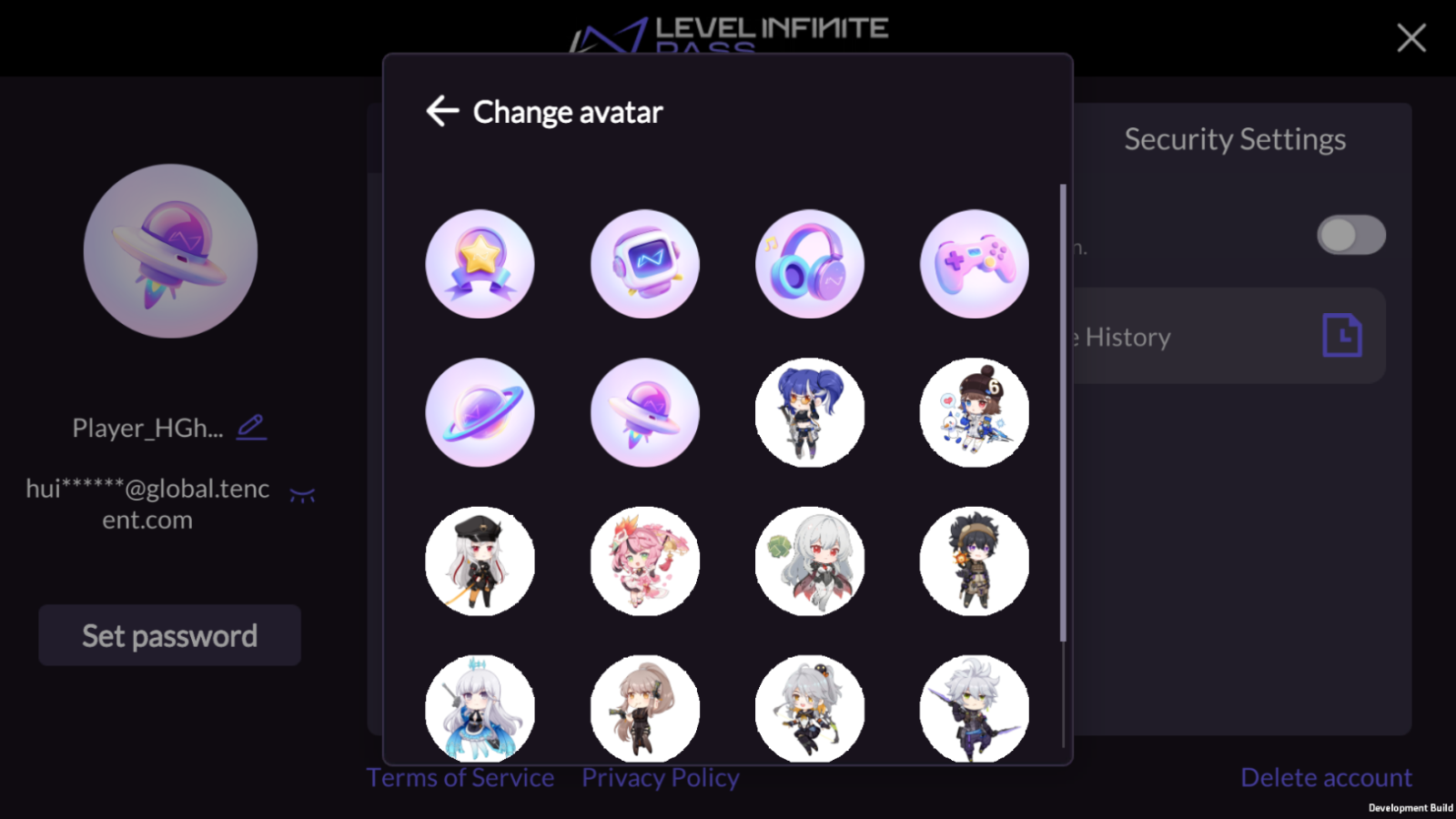
This feature is supported in Player Network SDK V1.26 and above.
Click the image in the top left corner of the user center to open an edit avatar popup to change the avatar.
Passkey
This feature is supported in Player Network V1.27 and above and is currently only available on mobile platforms:
- iOS: Supports iOS 16 and above
- Android: Supports Android 9.0 and above and requires Google Play Services 20.33 and above
Manage Passkey
When players enter the Passkey List page, the system will request the server to obtain Passkey information and display the Passkeys stored in the current LI PASS (up to 20).
Display Information:
- Passkey Bound Device Name
- Passkey Creation Time
- The last time the Passkey was used for login
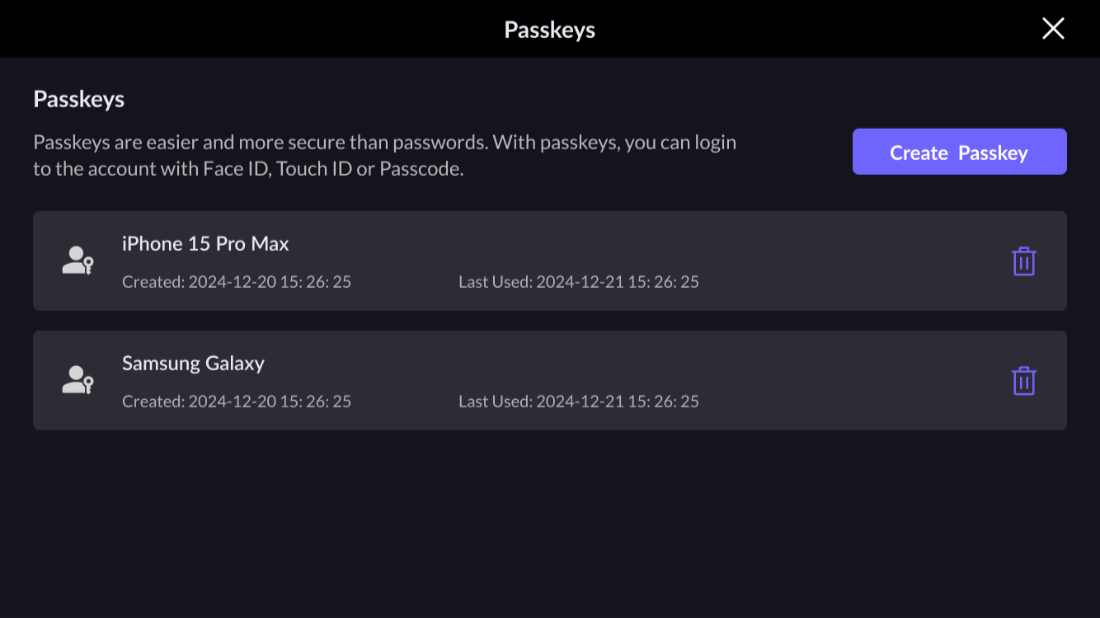
Players can also click Create Passkey to create a new Passkey on the current device.
If the device does not support Passkey, the system will prompt that the current device cannot create a Passkey.If the player's device has stored the account's Passkey, the system will display a prompt, A Passkey already exists on your device, to avoid duplicate creation.
Delete Passkey
Players can delete Passkeys stored on the current device or other devices.
- Enter the Passkey List to confirm which Passkey to delete.
- Click the delete icon corresponding to the Passkey, and a secondary confirmation popup will be displayed.
- If the current device has a Passkey, authenticate identity using fingerprint, face ID, or device PIN to complete the deletion.
- If the current device has no Passkey, the system will send a verification code to the player's bound email. After entering the verification, confirm deletion.
- Once deleted successfully, the Passkey list refreshes to remove the deleted Passkey.
Marketing Center
This feature is supported in Player Network SDK V1.26 and above.
The business must integrate the points feature on the LEVEL INFINITE PASS official website before enabling the marketing center's related services.For technical support or business connections, please contact [kerenyqzhou(周月乔)] for communication and collaboration.
To enhance player engagement and optimize experience, the LI PASS account center has added a marketing center module, offering LI PASS mail subscription features, LI PASS website coin management and exchange features, website and social media access features, and marketing activity display and access features.
The marketing center module can be enabled or disabled through SHOW_AS_MARKETING_MODULE.
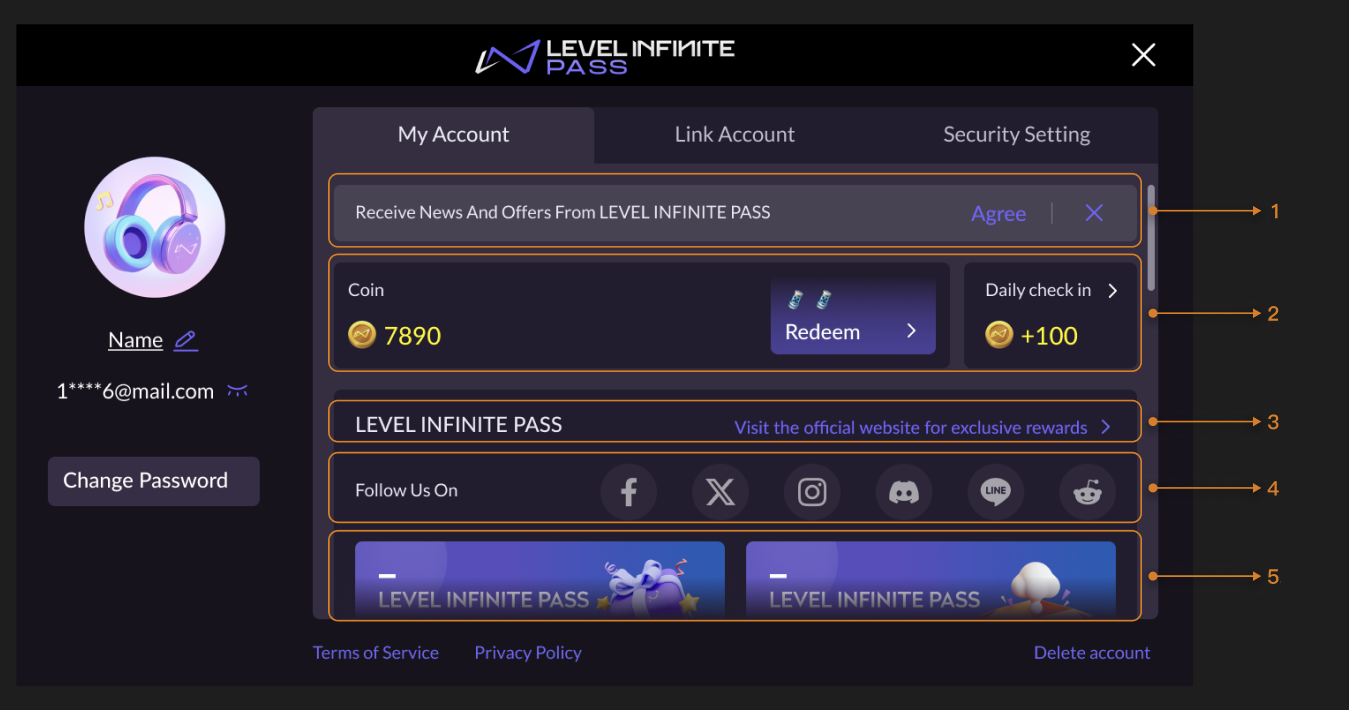
- LI PASS Mail Subscription Options
- Coins and Daily Sign-in
- LI PASS Official Website Redirection
- Social Media Channel Redirection
- Marketing Activity Display Area
LI PASS Mail Subscription Options
Click Agree to subscribe to LI PASS mail, or click the ✕ button to remain unsubscribed.Mail subscription options are displayed only to players who haven't subscribed yet.
Coins and Daily Sign-in
The module shows players' LI PASS coin balance and provides a portal to the LI PASS official site for daily sign-in.
- Coins: Click Exchange to redirect to the LI PASS website to exchange game resources with coins.
- Daily Sign-in: Click the Daily Sign-in module to be redirected to the LI PASS website to sign in and receive coins.
Can be displayed or hidden through the configuration of SHOW_ACTIVE_POINT_EXCHANGE.
The Coins and Daily Sign-in module supports individual display and hide, and customization of 0 to 5 game resource icons, showing game resources that can be exchanged for coins.Business must provide corresponding icon resources as a 1x1 aspect ratio PNG file no larger than 500KB.For configuration details, please contact the Player Network Assistant.
LI PASS Official Website Redirection
Click Visit the official website for more benefits for a quick redirect to the LI PASS website, allowing players to browse exclusive reward activities and the latest information.
Social Media Channel Redirection
Click the social media channel icons for a quick redirect to official social media accounts, aiding players in discovering more content or participating in community interactions.
Configured through LI_SOCIAL_MEDIA_CHANNELS and displays up to 6 channels.
The URL for the channel redirection can be configured via LI_SOCIAL_MEDIA_URL_[CHANNEL].
Marketing Activity Display Area
The marketing activity display area shows recent LI PASS marketing activities, and clicking on an activity image redirects to the activity page to participate.
Marketing activities support enabling or disabling configurations, configuring activity redirect URLs, and customizing multilingual image resources.Business must provide corresponding image resources with a 419x160 aspect ratio PNG file no larger than 500KB.For configuration details, please contact the Player Network Assistant.
Security Settings
The Security Settings page supports the configuration of the following account security functions. For detailed description and configurations, please refer to Account Security.

Two-factor Authentication (2FA)
Players can choose to enable or disable the two-factor authentication feature in the account center.Once enabled, players logging in with new devices using non-verification code authentication will require email-based secondary verification, aimed at preventing unauthorized device access to player accounts and ensuring data security.

Device History
Players can monitor detailed login behaviors of their account and take immediate action upon detecting anomalies. Security measures include enabling two-factor authentication (2FA), logging out from all devices, and navigating to the relevant page for security settings through text buttons at the page bottom.

Log Out from All Devices
Players can quickly log out of sessions on all logged-in devices, except the current one.This feature ensures immediate protection against unauthorized access when players detect unusual login activity or lose their device.

Compliance Clause
The bottom of the account center provides compliance agreements, including:
- Terms of Service: View detailed terms of service
- Privacy Agreement: View detailed privacy agreement
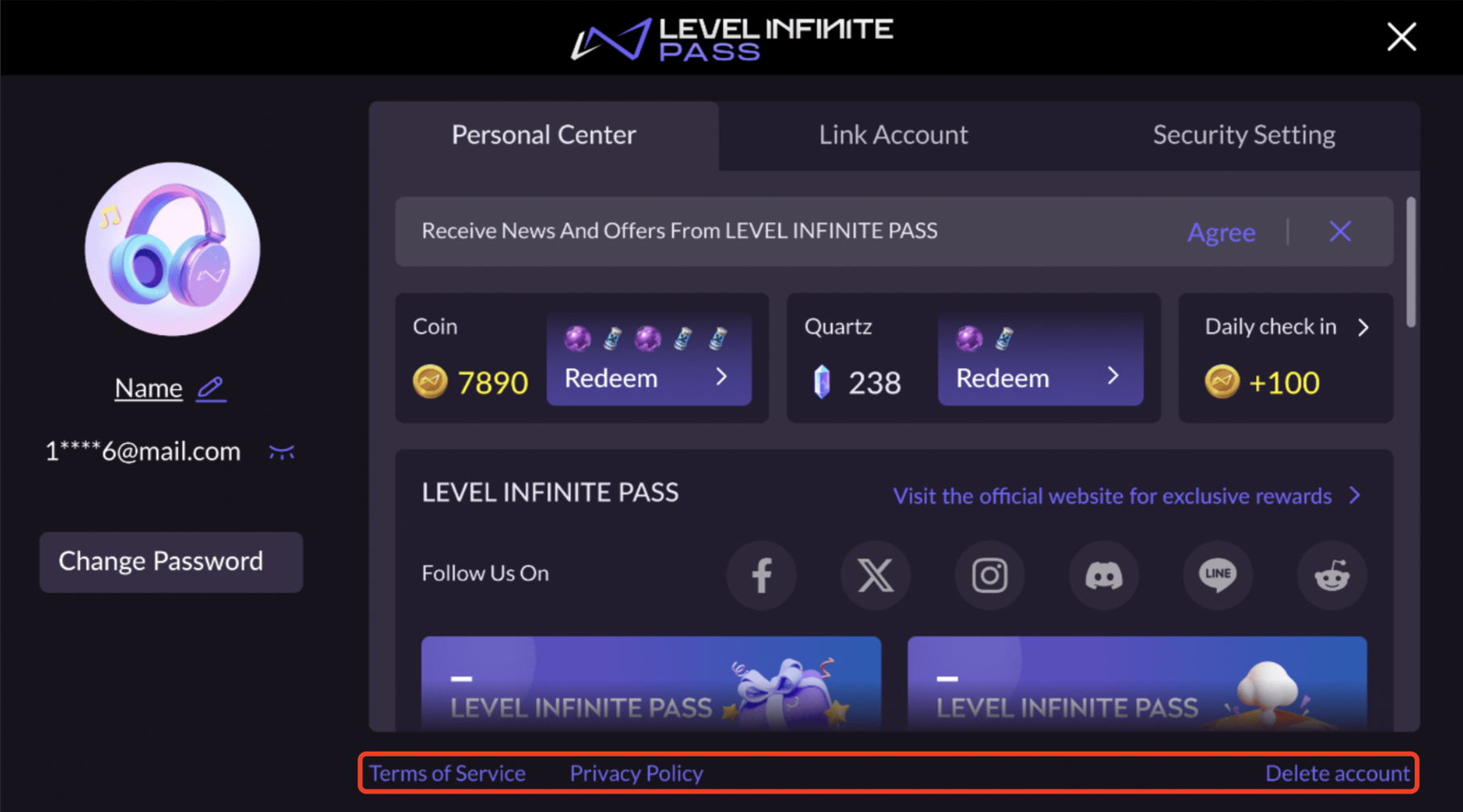
Delete Account
The game needs to integrate the Delete Account feature, setting an option to display the delete account button in LI Pass configuration. Players can click Delete Account to enter the account cancellation process.
As in the bottom right corner of the picture, there is a delete account entrance.

