Compliance Module
This document aims to illustrate the default compliance process for LEVEL INFINITE PASS.When players register for an account, they will enter the compliance process based on the country/region they select.For more information on the registration process, please see the earlier article on the Login module.
Upon first login, players will trigger compliance checks and the compliance certification process.Due to the cross-game nature of the LI Pass login channel, if a player’s LI Pass has completed compliance certification in other games (LI Pass Agreement, Age, Country), there is no need to re-certify.
Publishing Country/Region and Agreement Terms
LI Pass Client Interface:
Publishing Country/Region
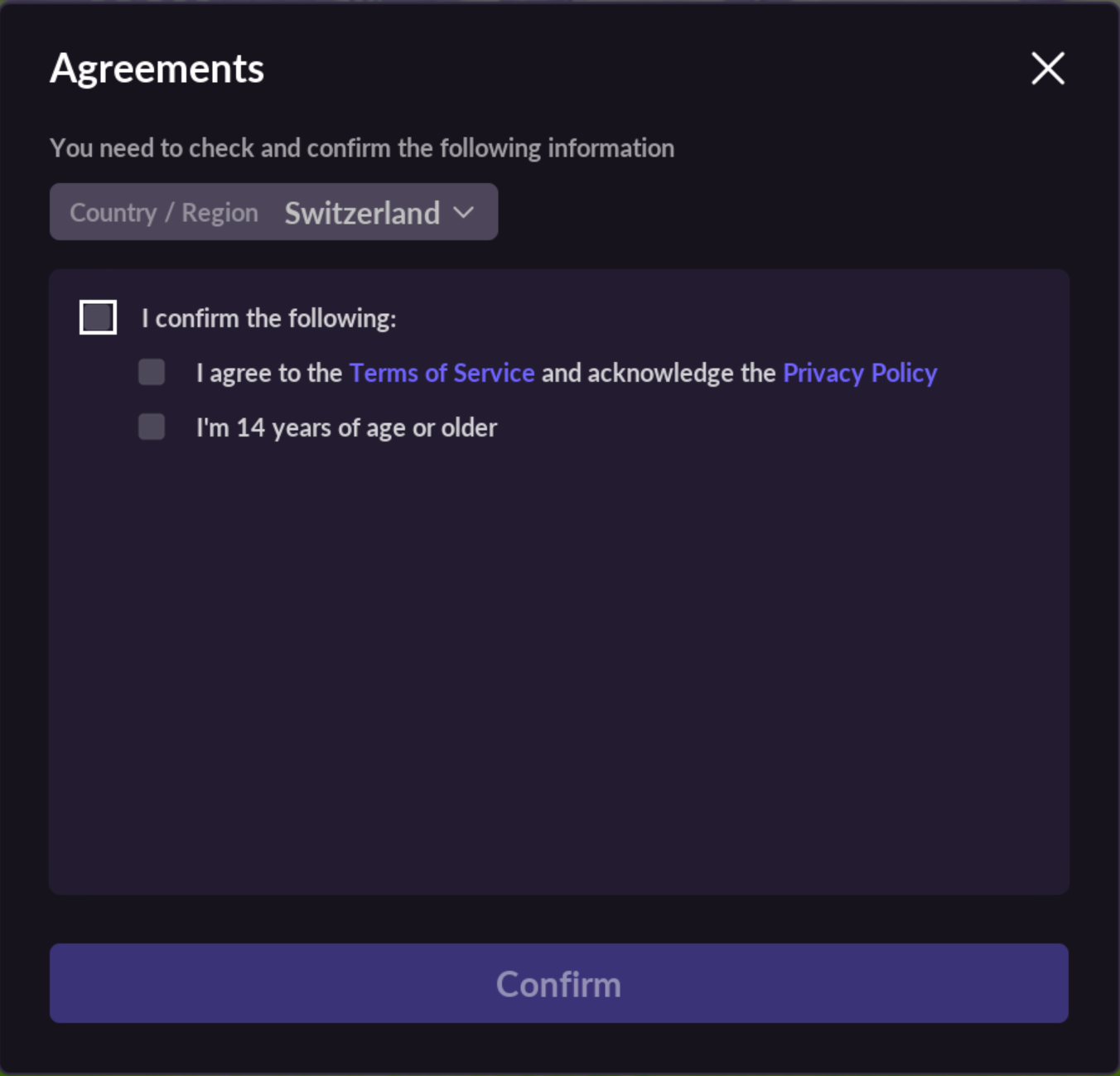
LI Pass allows games to configure their own list of publishing countries/regions. Once configured, the list will be displayed on the client.Games need to consult with the company’s legal team to identify suitable countries/regions for publishing.
All Agreement Terms
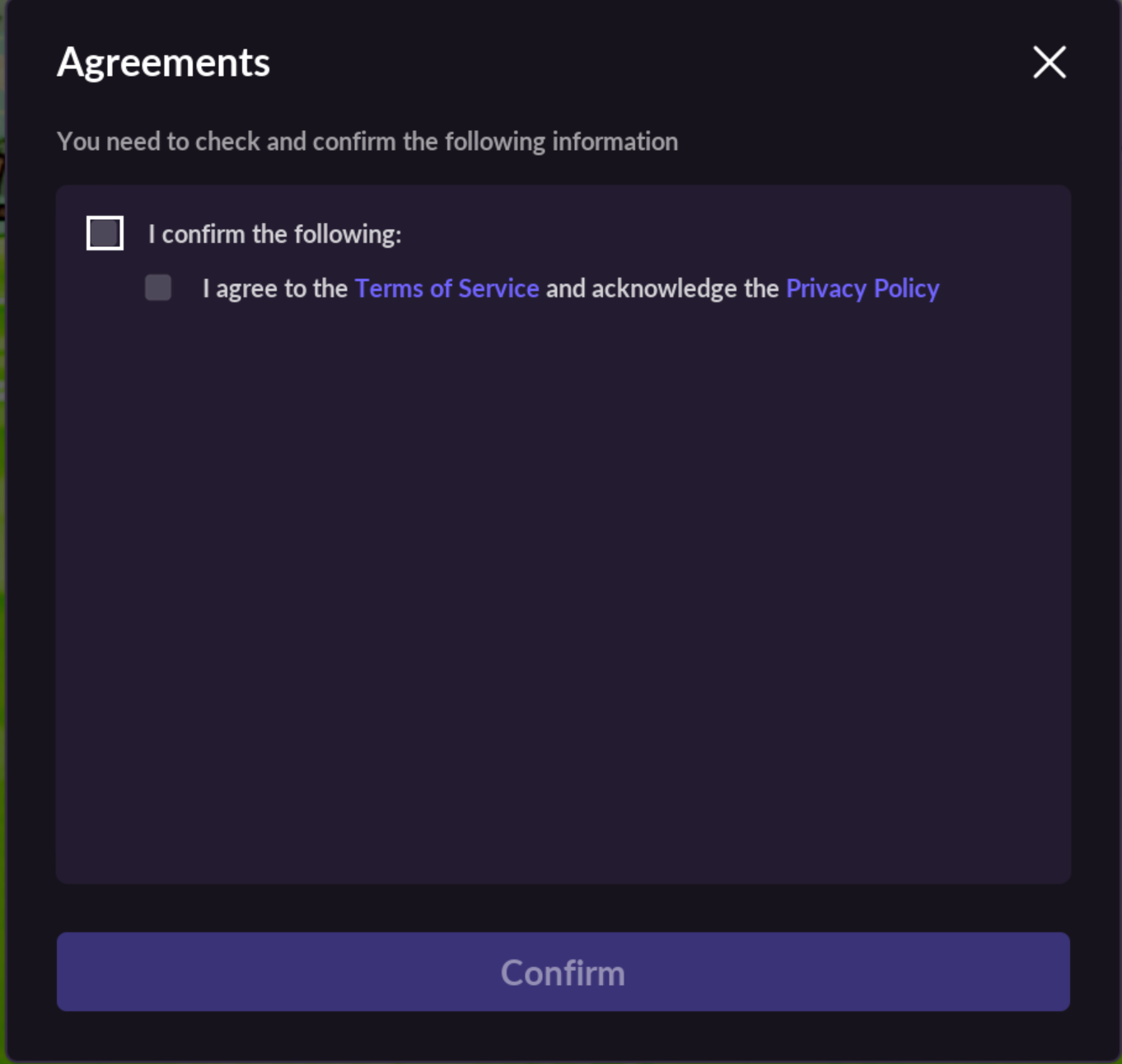
The LI Pass displays the corresponding compliance agreements based on the player’s selected country/region, and the number of compliance agreements varies by country/region.The agreement terms are as follows:
- [Mandatory] Game Service Terms
- [Mandatory] Game Privacy Policy
- [Mandatory] LEVEL INFINITE PASS Service Terms
- [Mandatory] LEVEL INFINITE PASS Privacy Policy
- [Optional] LEVEL INFINITE PASS and Game Marketing Email Subscription
- [Optional, Korea only] Nighttime Marketing Email Subscription
- [Mandatory, EEA Region Mobile only] DMA Advertising Notice
Among these, the Game Service Terms, Game Privacy Policy, Korean Game Privacy Policy, and DMA Advertising Notice need to be completed on the game side, made into web pages, and the webpage URLs configured on the Player Network Console for client configuration.Clicking on these agreement terms will open the webpage for viewing.
Agreement Terms Update
If the game needs to update agreement terms, new agreements can be configured on the Player Network Console, and the "Changes Apply" option selected. Upon opening the game, the updated agreement pop-up will be presented, and the player must agree to the terms before entering the game.
Minor Verification
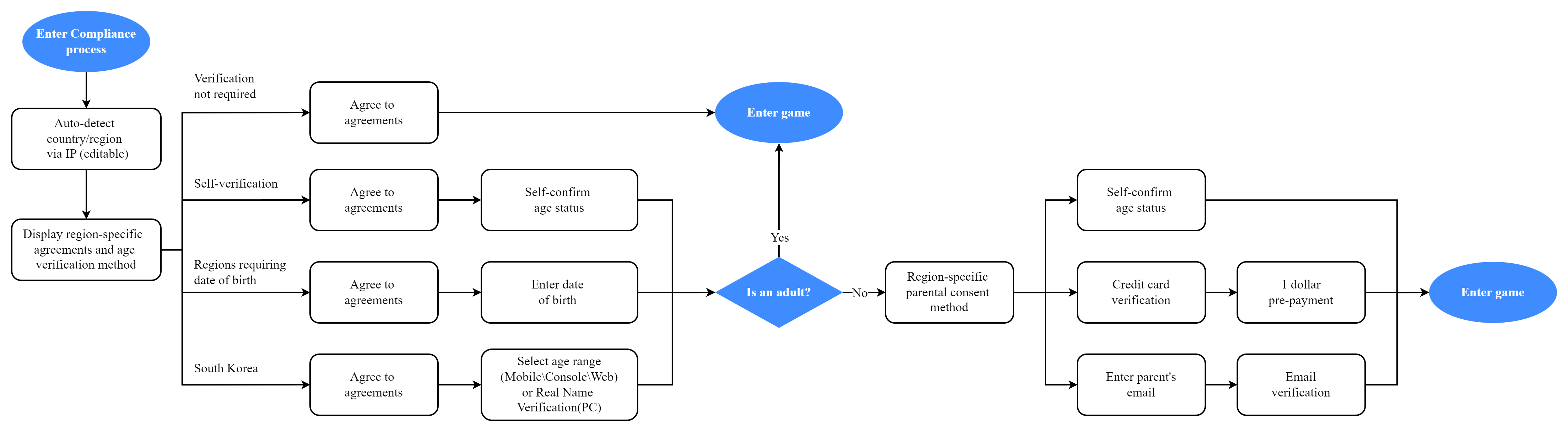
The minor age and verification methods vary by country/region. LI Pass shows the corresponding types of minor verification based on the player's selected country/region.
The minor verification process includes:
- No Verification Required
- Self-certification
- Credit Card Verification (United States only)
- Email Verification
- Korean PC Game Real-Name Verification
Basic Minor Verification Process:
For more information on minor verification processes involving minor chat authorization, refer to Minor Chat Authorization.
No Verification Required
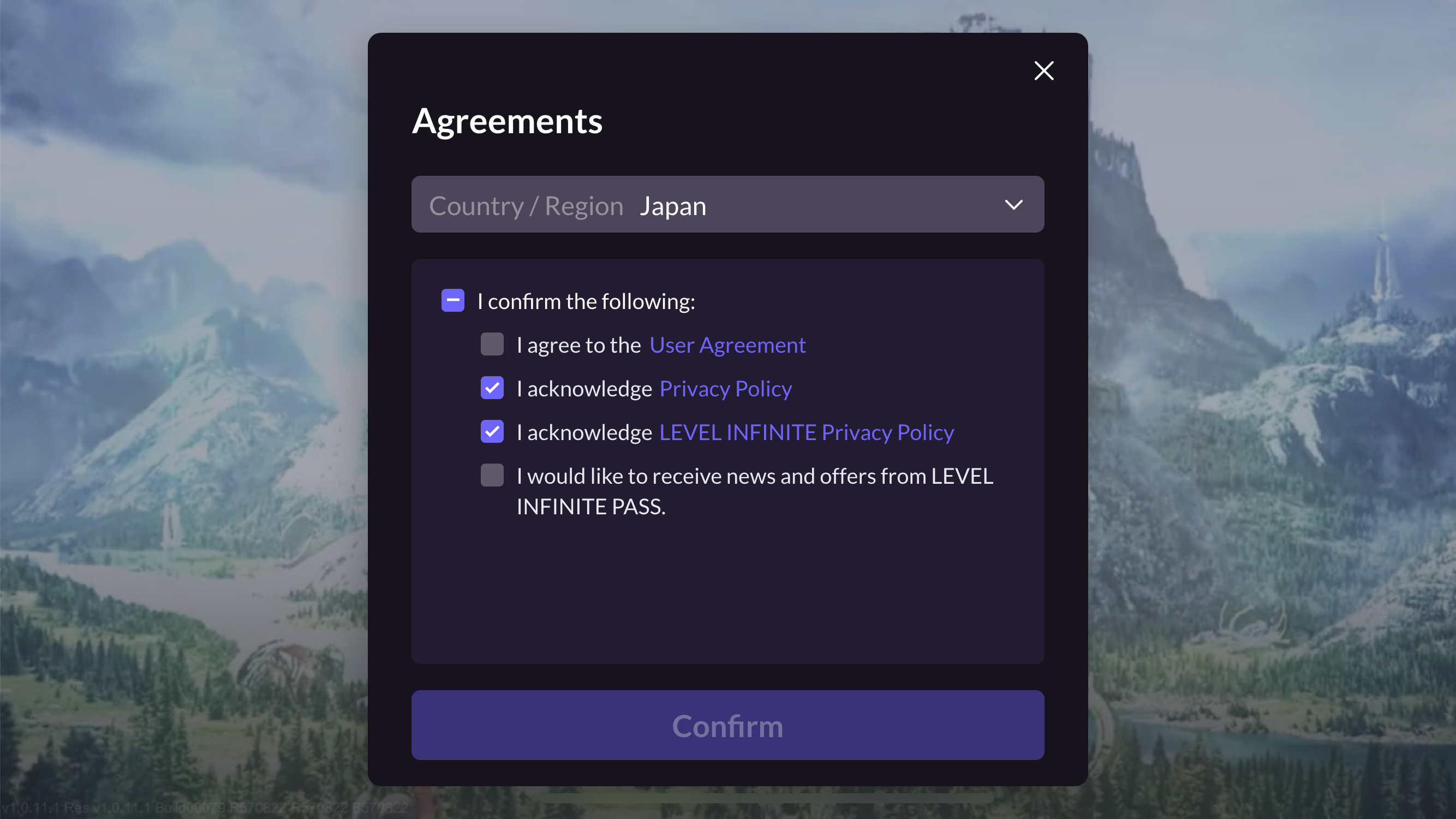
During account registration, if the player selects a region where user verification is not needed, prompt the player to select the compliance agreement:
Self-certification
-
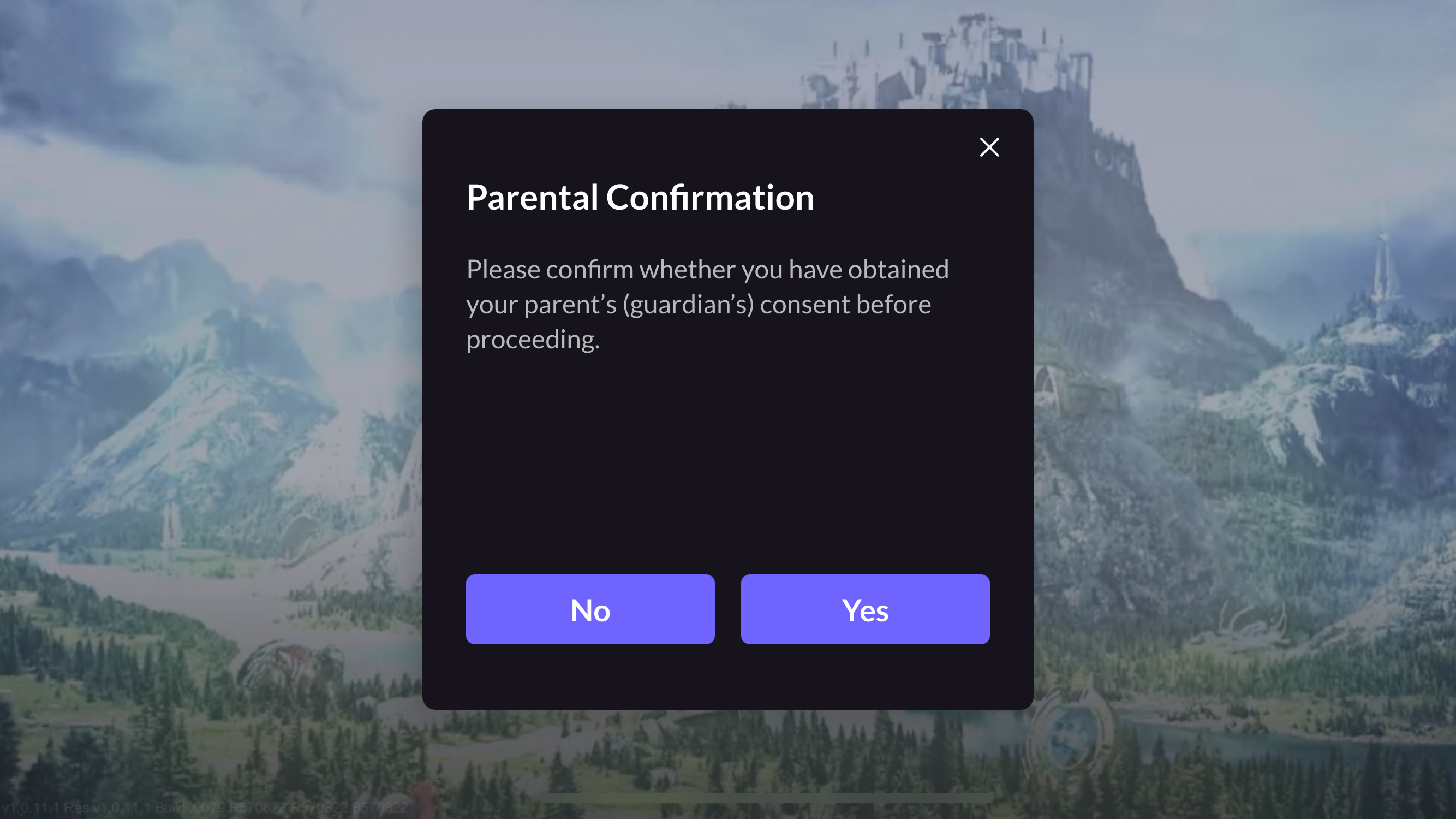
During account registration, if the region's user verification method is self-certification, prompt the player to select the compliance agreement and the "Of Age" option.

-
If the player selects the "Of Age" option, continue the compliance process or enter the game. If the player is underage, proceed to Step 3.
-
Display an authorization pop-up, and proceed with the compliance process or enter the game after obtaining parental consent.
Credit Card Verification
-
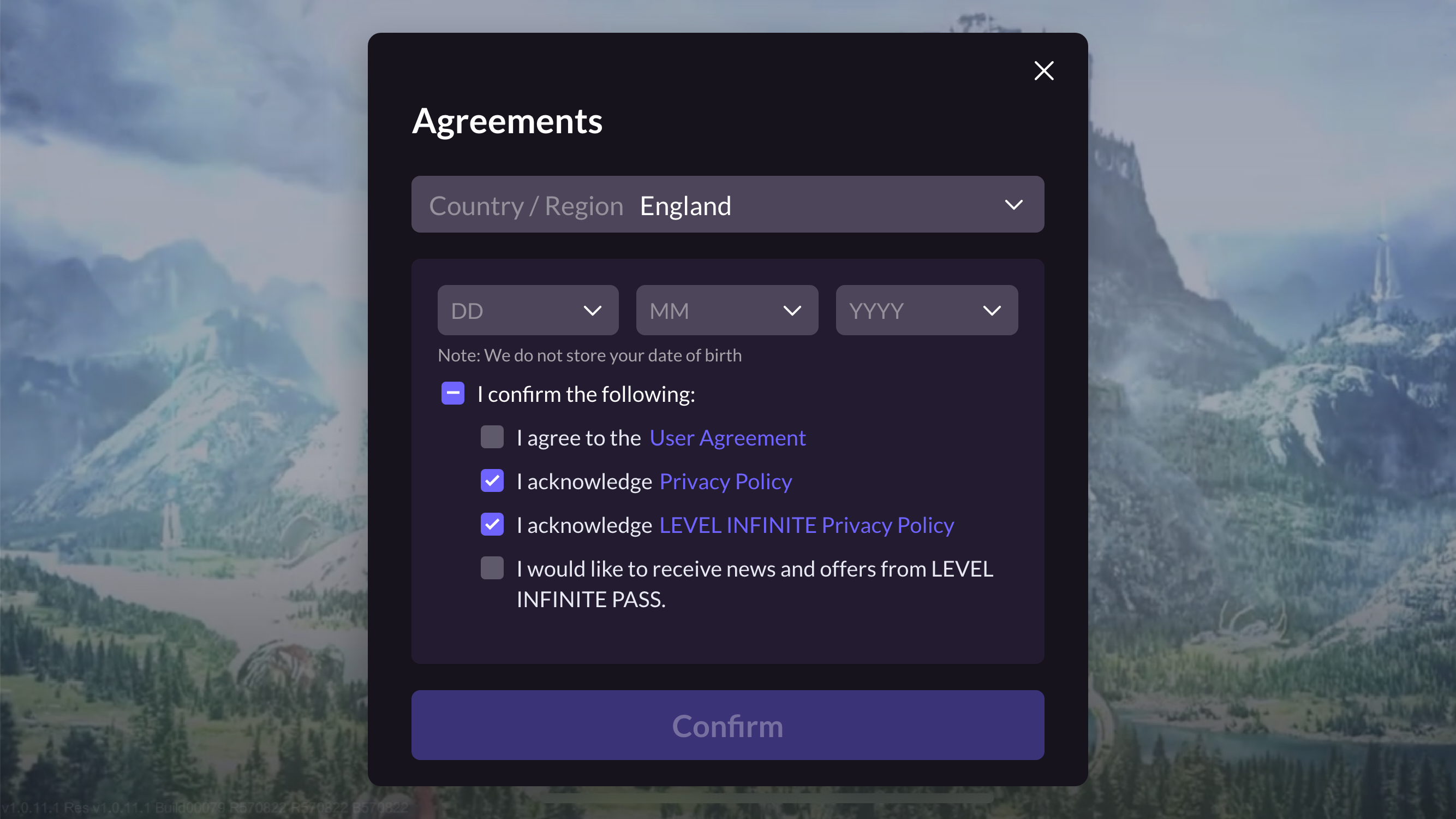
During account registration, if the player's country is the United States, prompt the player to select the compliance agreement and enter their birthdate.
-
If the player has reached the legal age of adulthood in the United States, continue the compliance process or enter the game. If the player is underage, continue to Steps 3-4.
-
Underage players enter the standard credit card verification web process.
-
Continue the compliance process or enter the game after obtaining parental consent.
Email Verification
-
During account registration, if the region's user verification is by email (excluding South Korea), prompt the player to select the compliance agreement and enter their birthdate.
-
If the player has reached the legal age of adulthood in the selected region, continue the compliance process or enter the game. If underage, proceed to Steps 3-6.
-
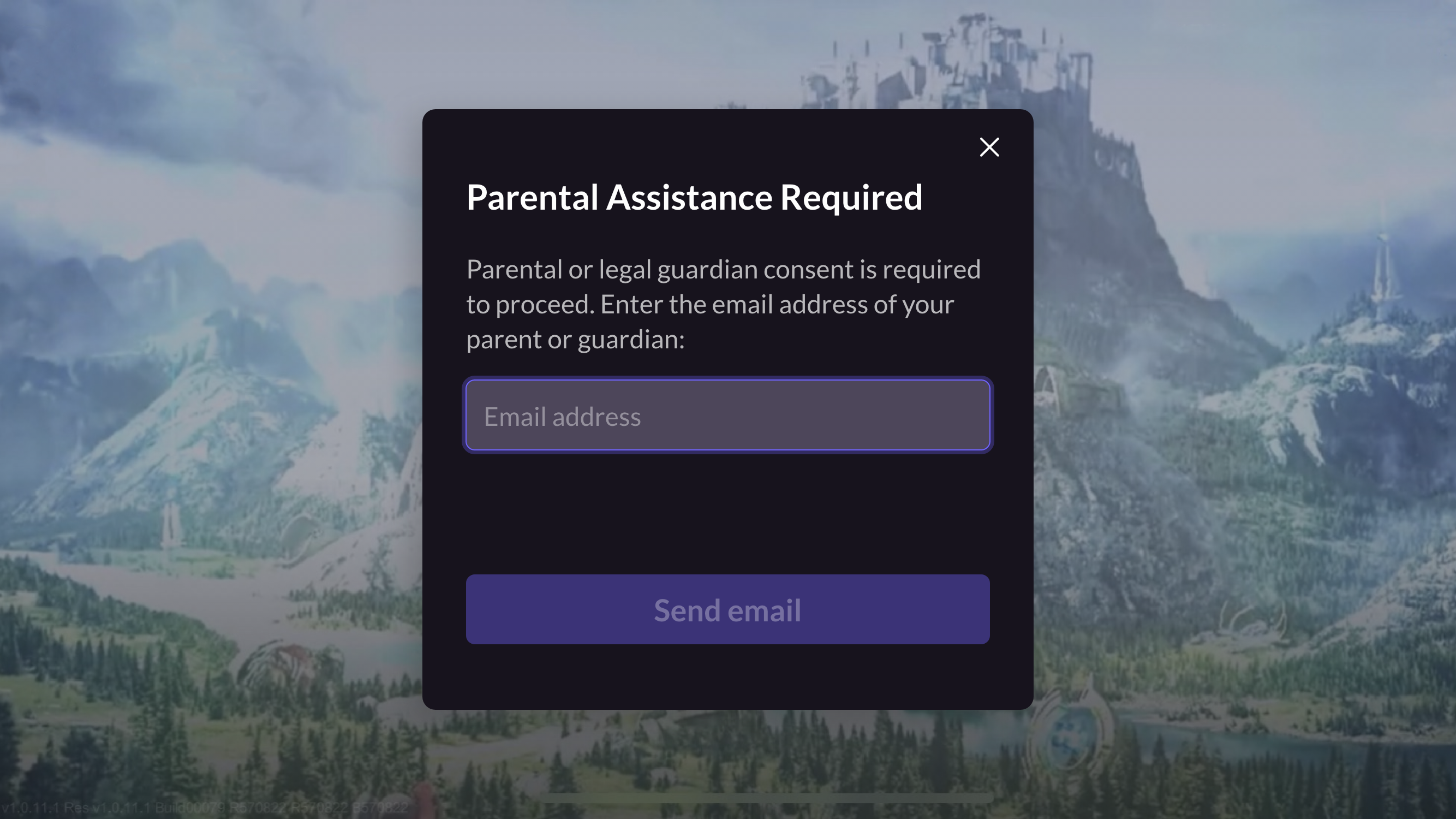
Underage players will enter the parental email verification process, entering the parent’s email and clicking ** Send Email ** to send the parental verification email.
-
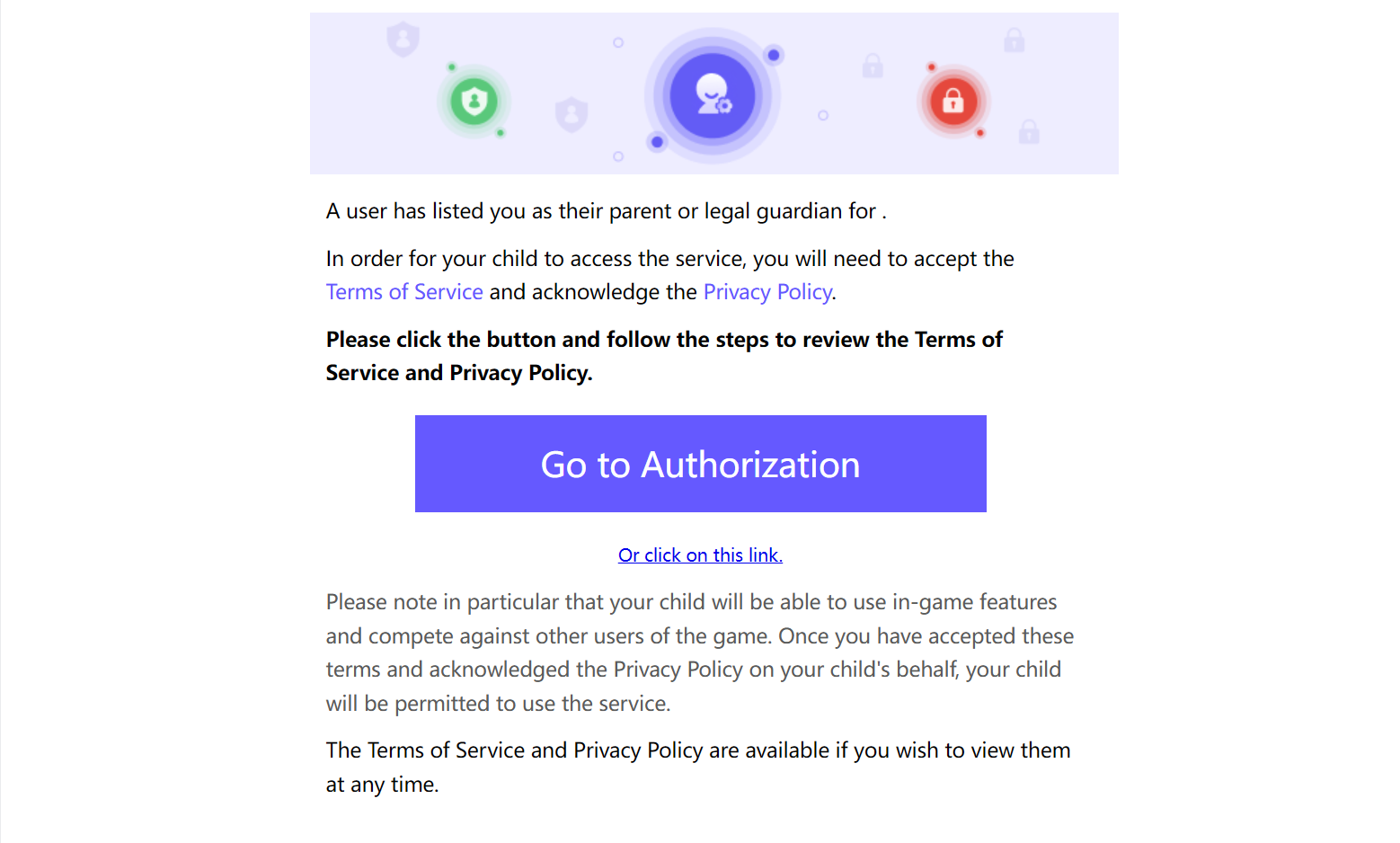
In the email, the player’s parent clicks ** Go to Authorization ** or ** Or click on this link ** to open the authorization page.
-
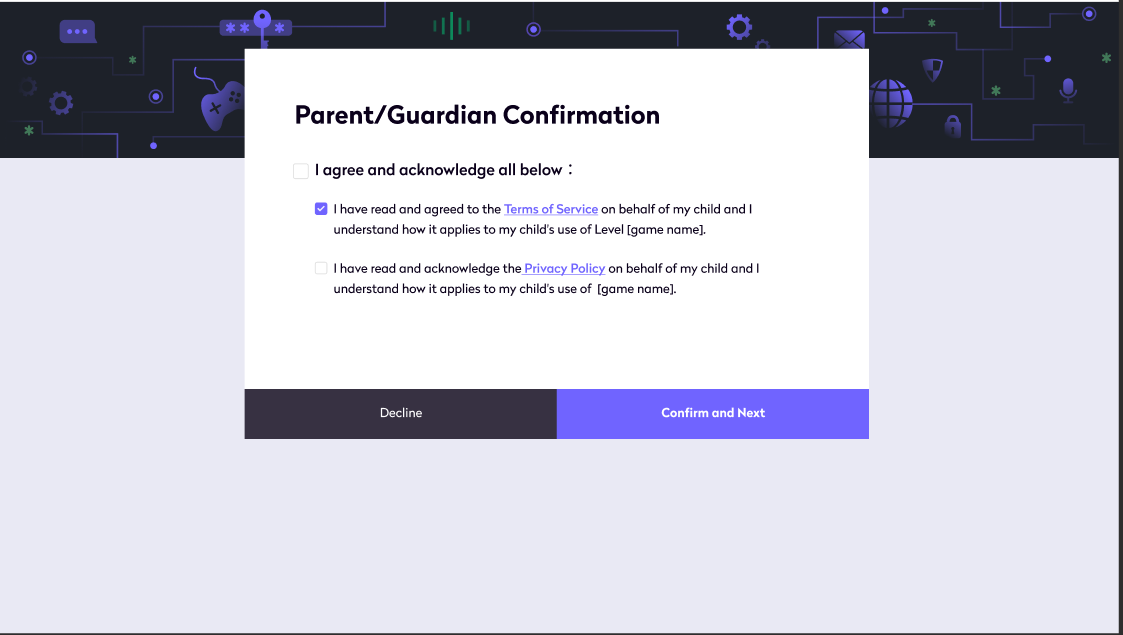
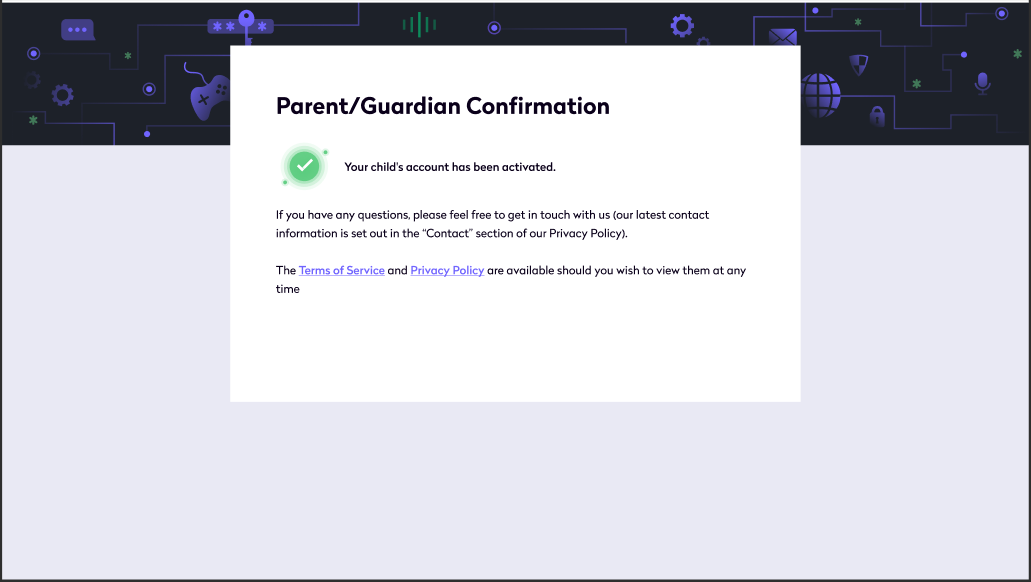
On the authorization page, the player’s parent clicks Confirm and Next to complete account activation certification and receive the parental verification confirmation email.
-
Continue the compliance process or enter the game after obtaining parental consent.
South Korea
-
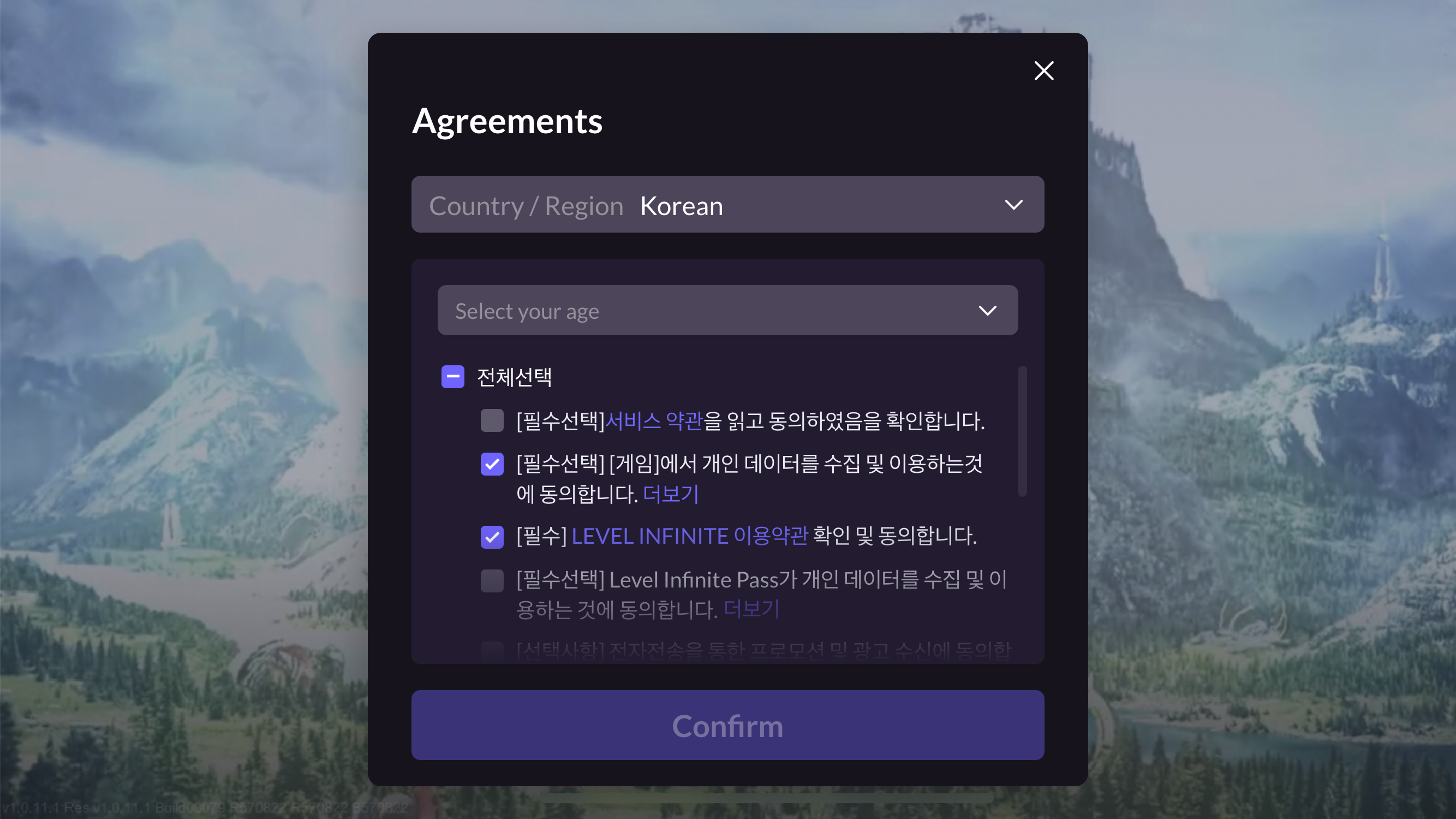
During account registration, if the player's nation is South Korea, prompt the player to select the compliance agreement and the appropriate age verification method based on the platform used.
- Mobile: Perform certification based on the player’s age group, prompting them to select the age group.
- PC: According to Korean compliance regulations, open the web page to conduct real-name verification using the specified logic on the webpage.
- Mobile: Perform certification based on the player’s age group, prompting them to select the age group.
-
If the player has reached the legal age of adulthood in the selected region, continue the compliance process or enter the game. If underage, continue to the Parental Email Verification Process.
Minor Chat Authorization
As required by international privacy laws and regulations, if a game is published in certain countries/regions and allows minors to enter the game, the chat function for minors (including text and voice chat) must be disabled by default.The chat function for minor players can be enabled only after obtaining parental authorization.
Countries/regions include: United Kingdom, United States, Singapore, India, South Korea, Russia, and all the countries of the European Economic Area (30 countries).
LI Pass supports minor chat authorization in different scenarios:
- Registration/Login Phase (Credit Card/Email Verification)
- Before Using Chat Function
Registration/Login Phase
Minor players will undergo parental authorization chat either after completing credit card or email verification.
Credit Card Verification
-
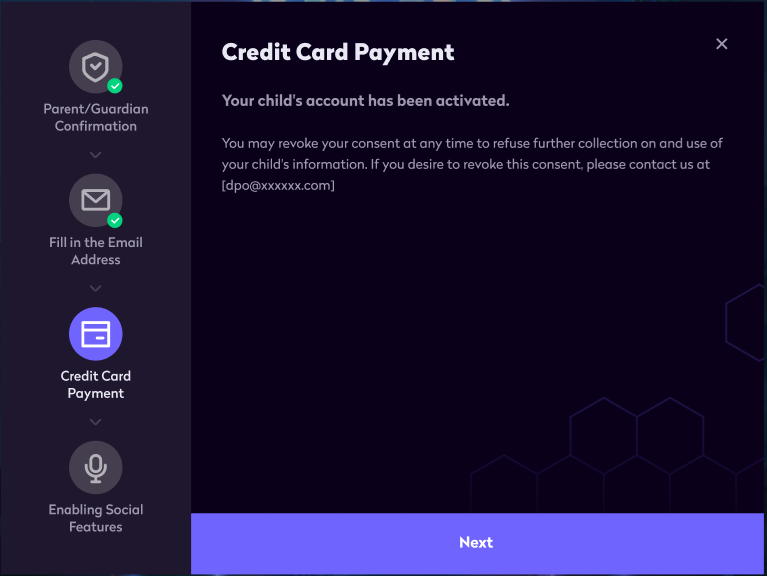
After parents complete Credit Card Verification, the process prompts Next to enter minor chat authorization.
-
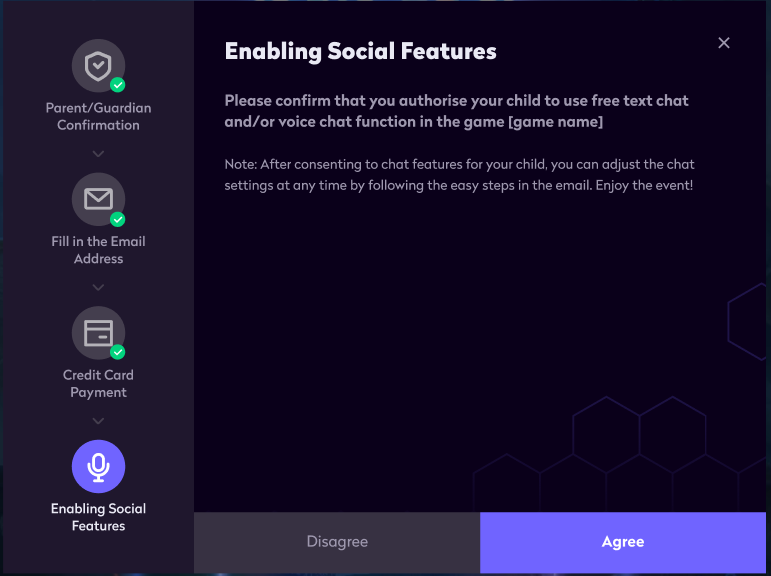
On the minor chat authorization page, clicking Agree will send a verification confirmation email.
Email Verification
-
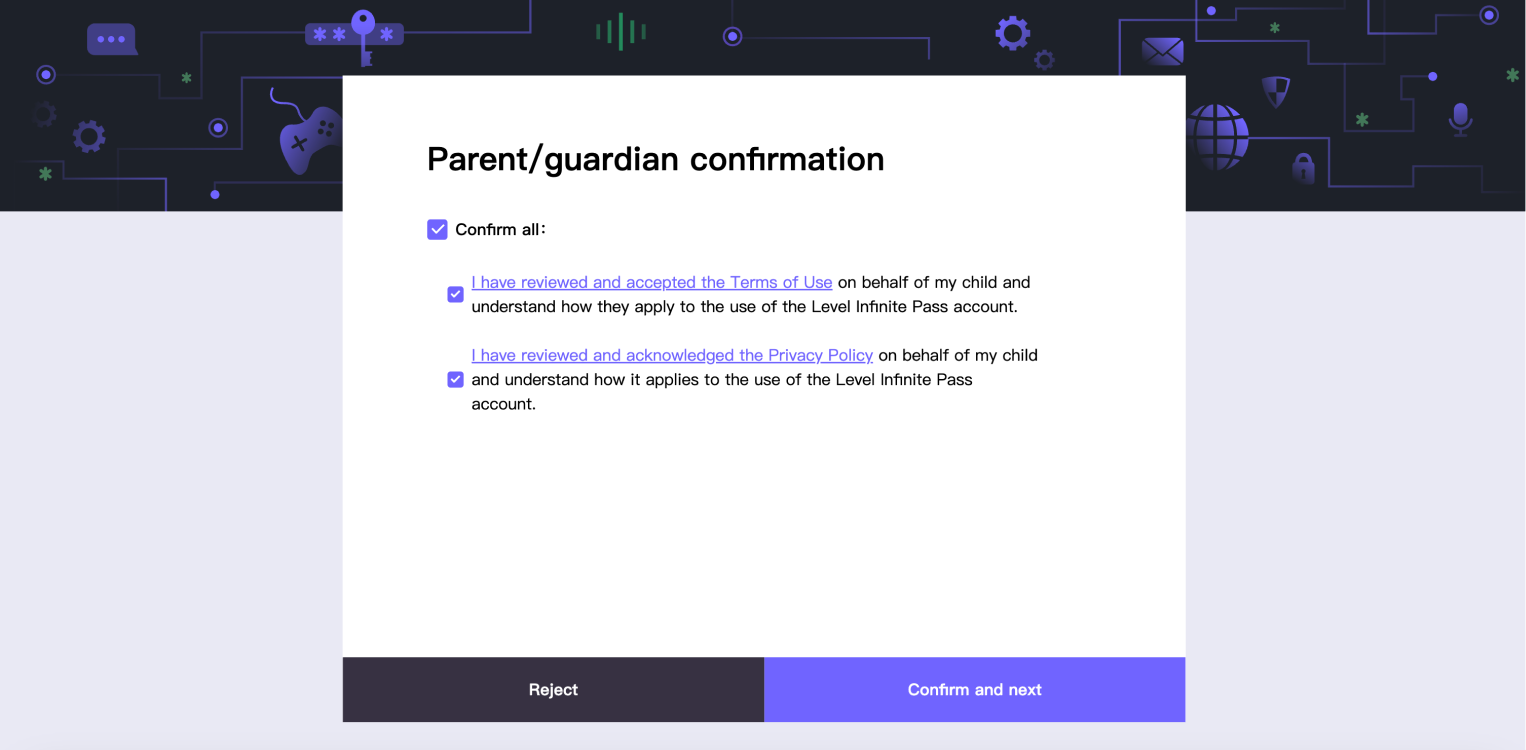
After parents complete Email Verification, the process prompts Confirm and next to enter minor chat authorization.
-
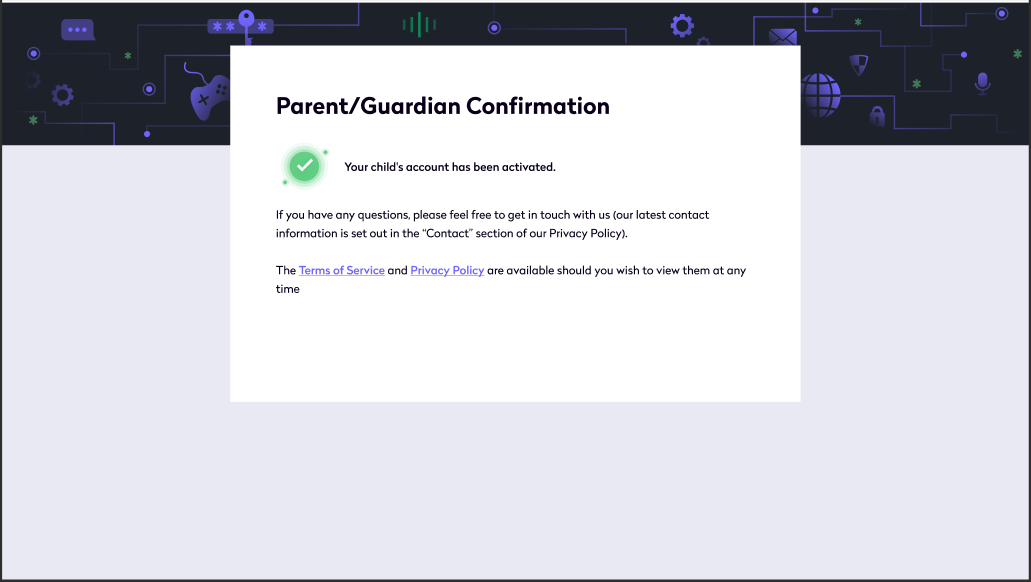
On the minor chat authorization page, clicking Agree will send a verification confirmation email.

Before Using Chat Function
Minor players must obtain parental authorization before using the chat function.
-
Minor players first use the chat function in the game.
-
The system prompts the player to complete parental email information and apply for authorization.
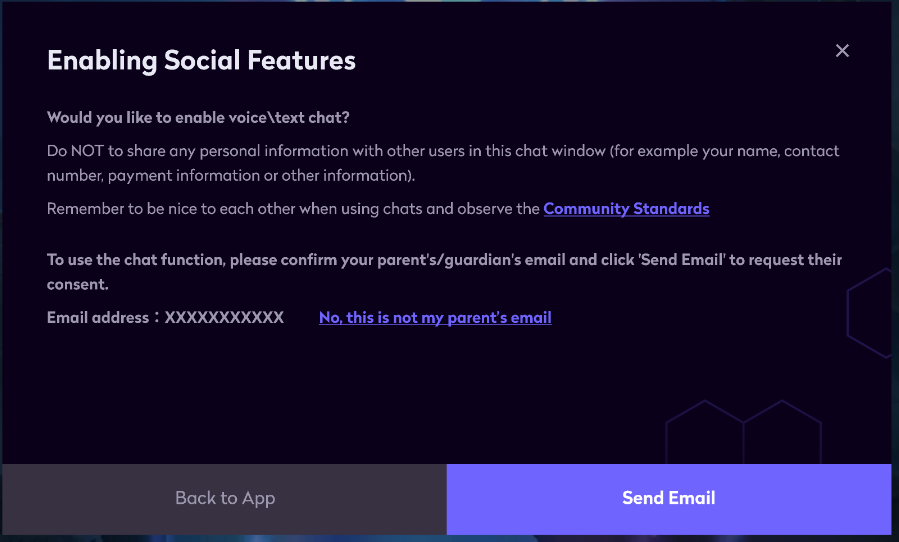
-
After clicking Send Email, the email is sent to the entered parent’s email for authorization.
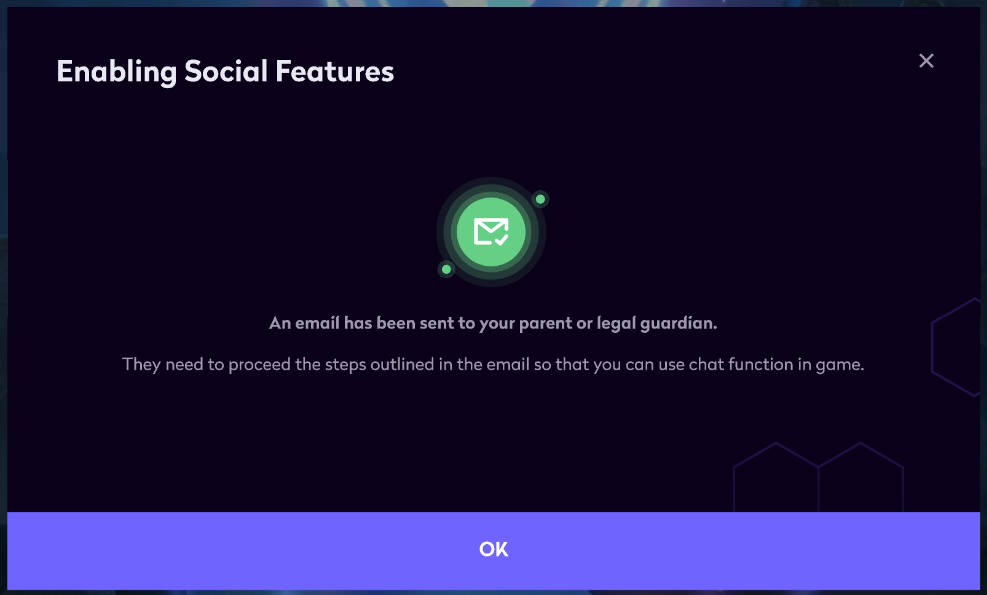
-
Parents can complete the Email Verification process after receiving the email.
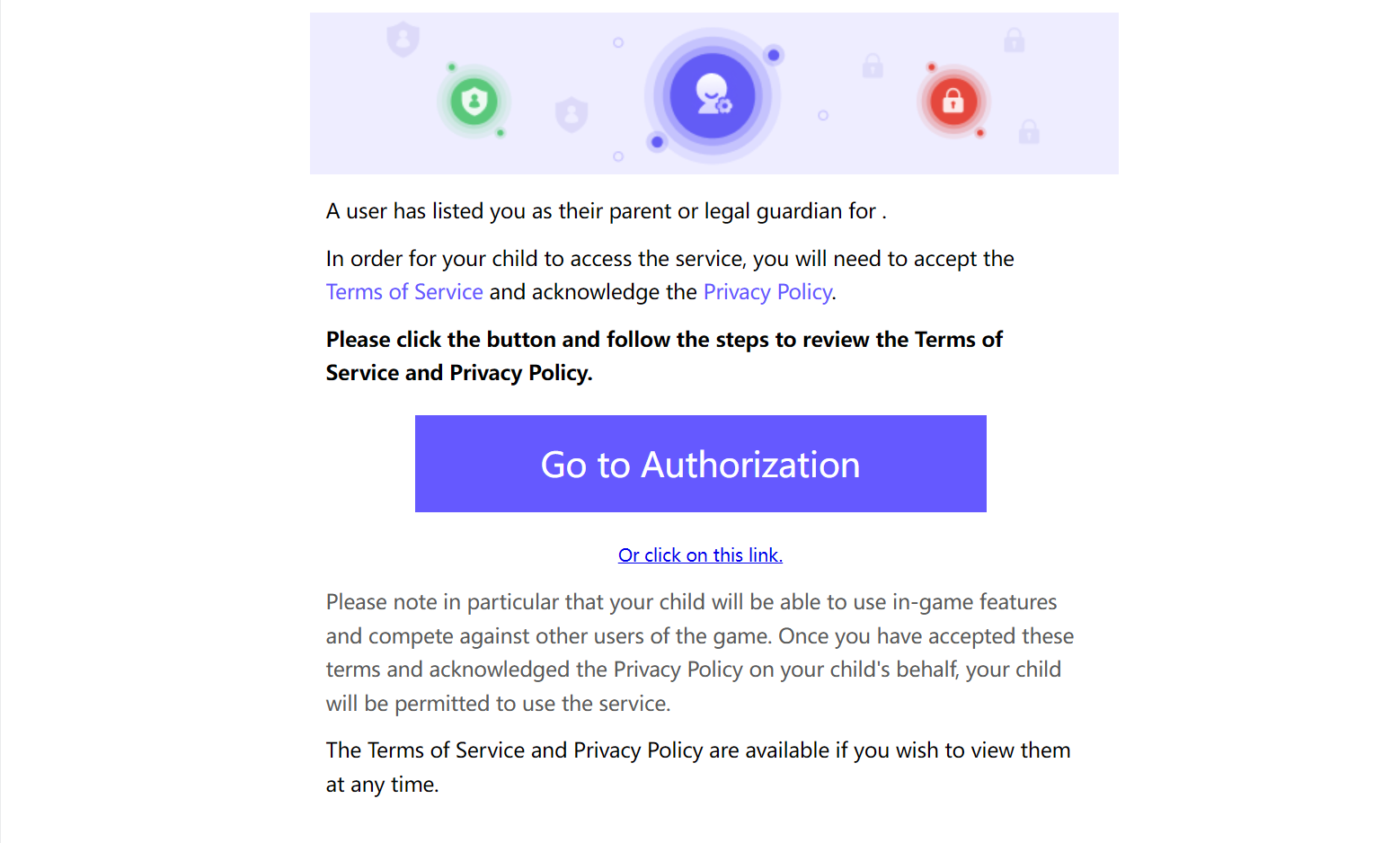
Account Deletion
Account Deletion Operation
-
Players open the LI Pass Account Center interface containing the account deletion button.
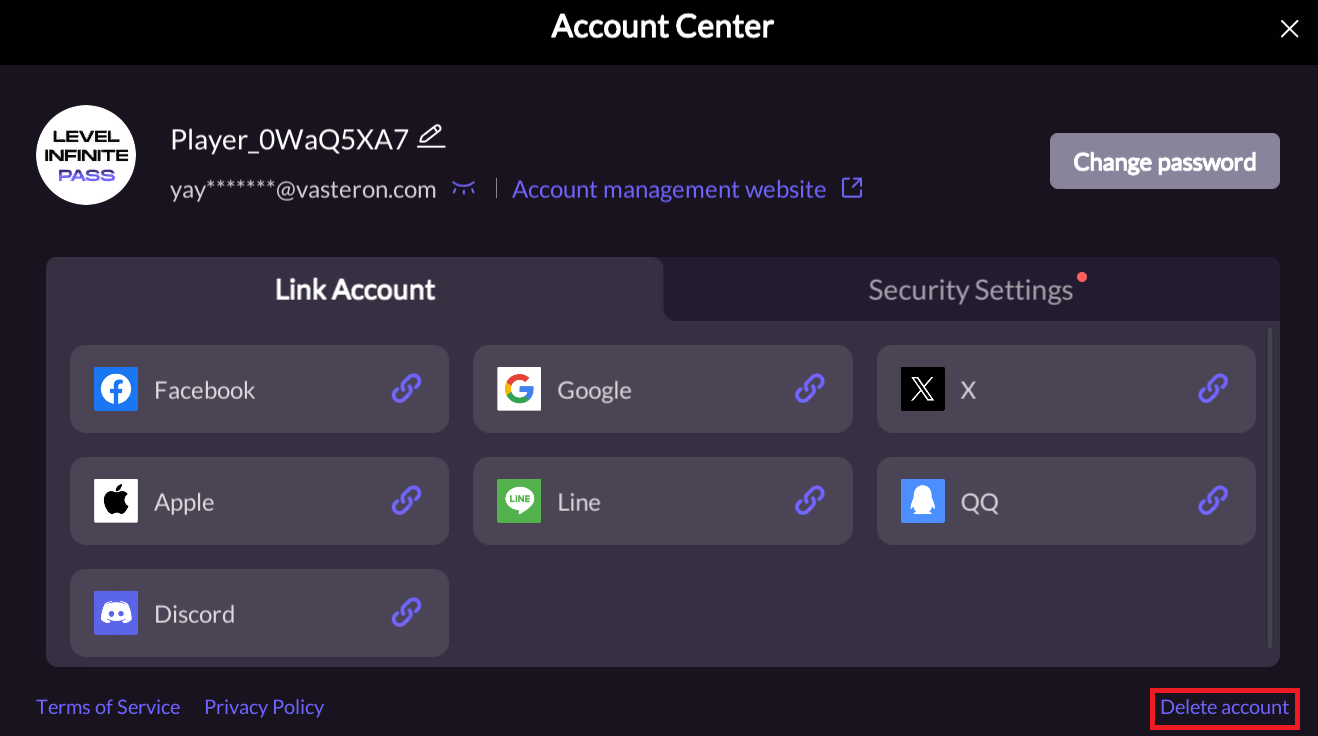
-
Players click the account deletion button and request account deletion on the H5 page.
-
If players do not log in during the silent period, the account will be automatically deleted by the system after the silent period.
Silent Period Login
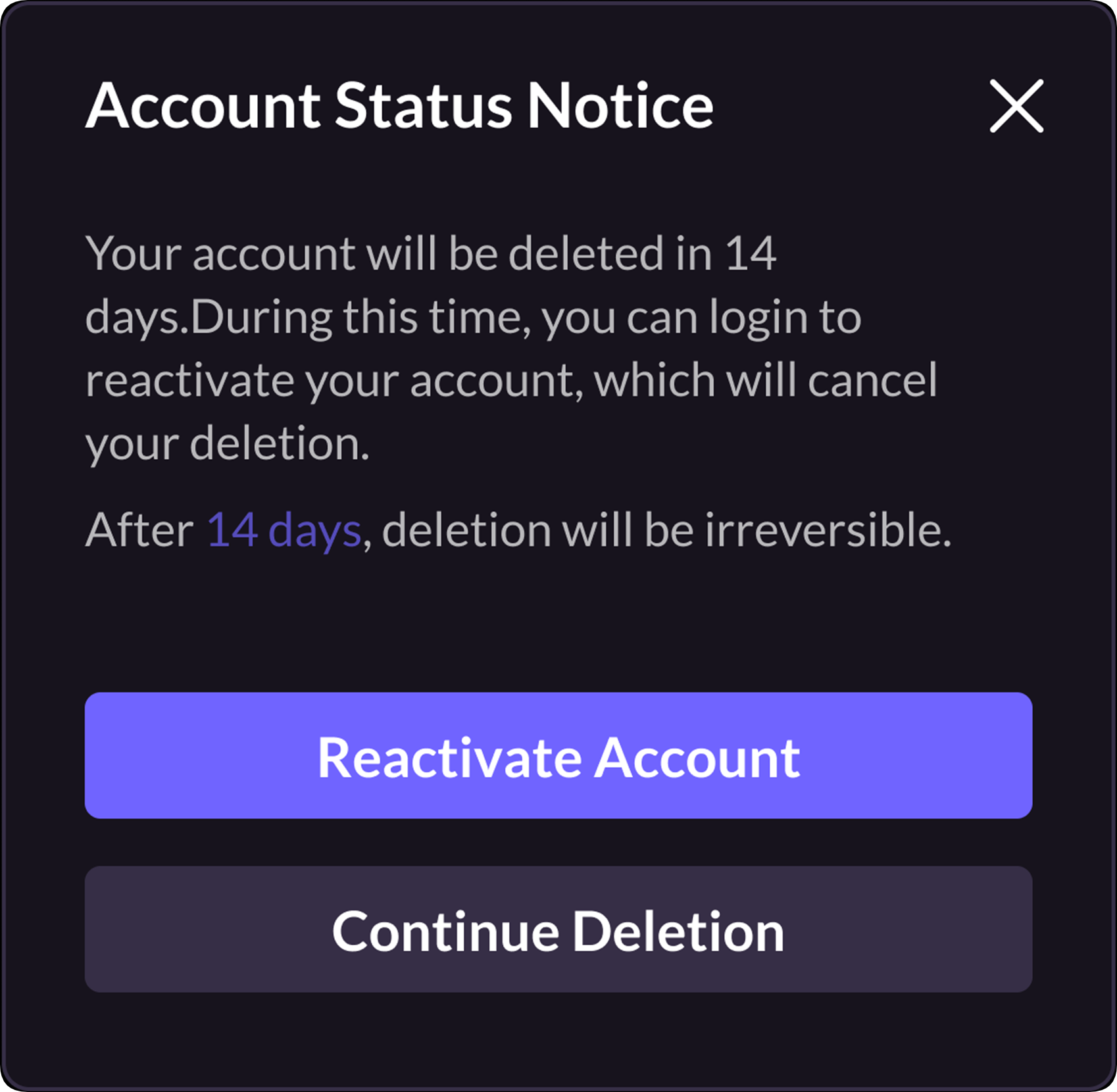
If players log in during the account deletion silent period, a silent period pop-up will appear: - Click Reactivate Account to reactivate the account and enter the game. - Click Continue Deletion or the close button in the upper right corner to keep the account deletion silent period and return to the login interface.