Console Account Solution
Overview
LI Pass Console Account Solution is tailored for console games released on PlayStation, Xbox, and Switch platforms.These games can only be launched on consoles, where the player's account is usually already logged in.To address the inconvenience of console input, LI Pass has created a QR Code scanning login for consoles, allowing users to register, log in, and link their LI PASS account on the web for faster access.
Go to Console Integration Guide to see the quick integration steps.
Login Flowchart
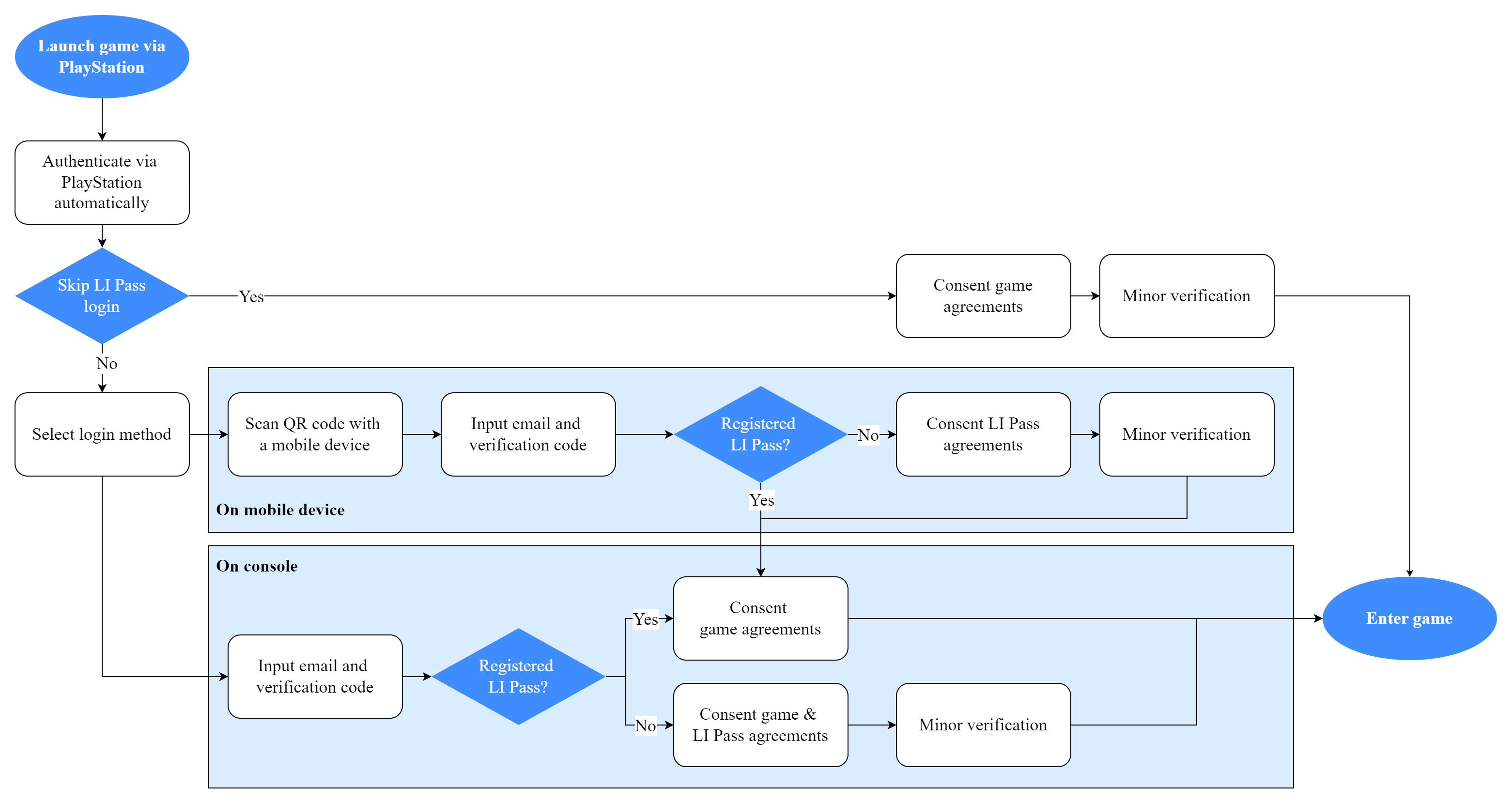
The login process below uses the PlayStation channel as an example:
- During game startup, LI Pass automatically calls PlayStation authorization;
- If it's a returning player, they can directly enter the game
- If a new player is detected, the system checks if the PlayStation ID is already linked to an LI Pass account. The player must agree to the in-game terms and the user agreement to proceed.
- If the PlayStation ID is not linked to an LI Pass account, new players need to complete LI Pass registration or login, including the underage compliance verification, user agreement, and privacy policy confirmation before entering the game.
- The process to link an LI Pass account can be completed on a mobile device, including underage compliance certification and user agreement with LI Pass; then, return to the console to complete other actions.
Detailed Product Features
Registration/Login
On the console side, after registering an LI Pass account, it automatically logs in and enters the compliance screen.
-
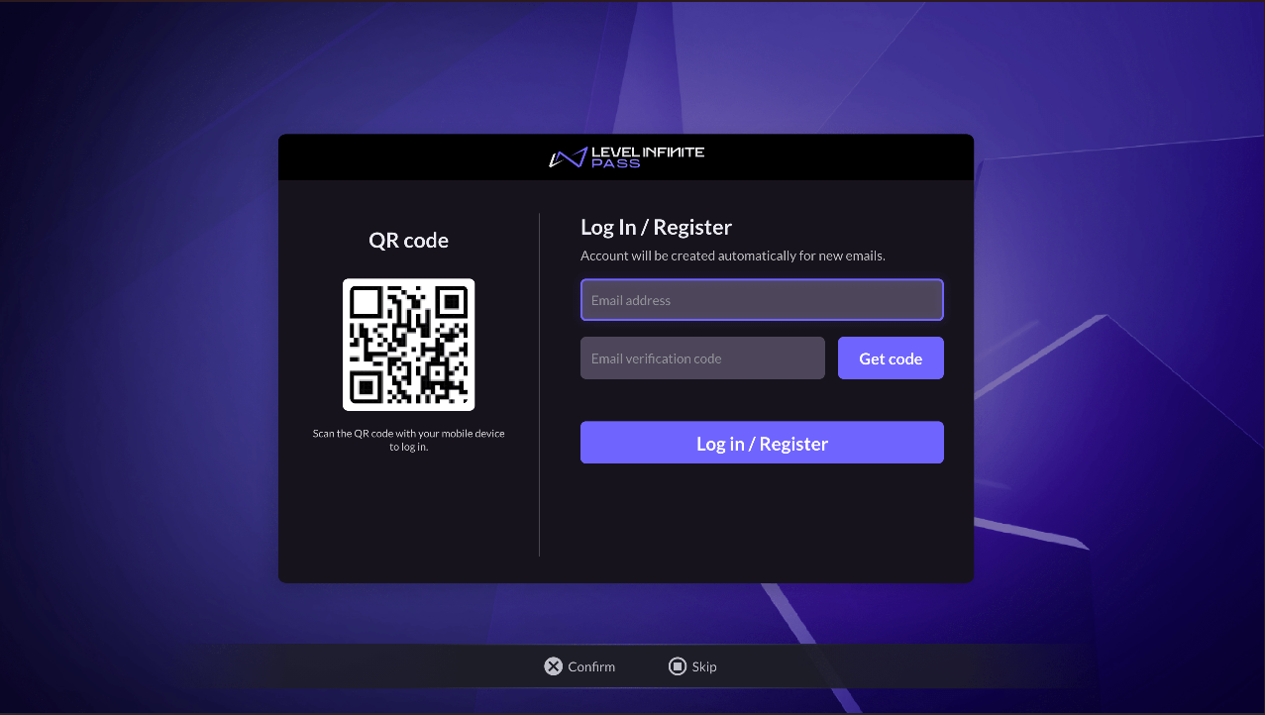
On the Log In/Register page, users enter their email address, retrieve a verification code, then click the Log in/Register button to open the Agreements page.
-
On the Agreements page, users select Country/Region, age, and must agree to the user terms and game privacy agreements, etc.
LI PASS first displays the player's default region based on their IP, as well as the required compliance protocol for that region.Players can choose to switch to another country, the compliance requirements of each country are different, LI Pass will switch the corresponding compliance program according to the compliance configuration.See Compliance Examples for detailed compliance processes by region.
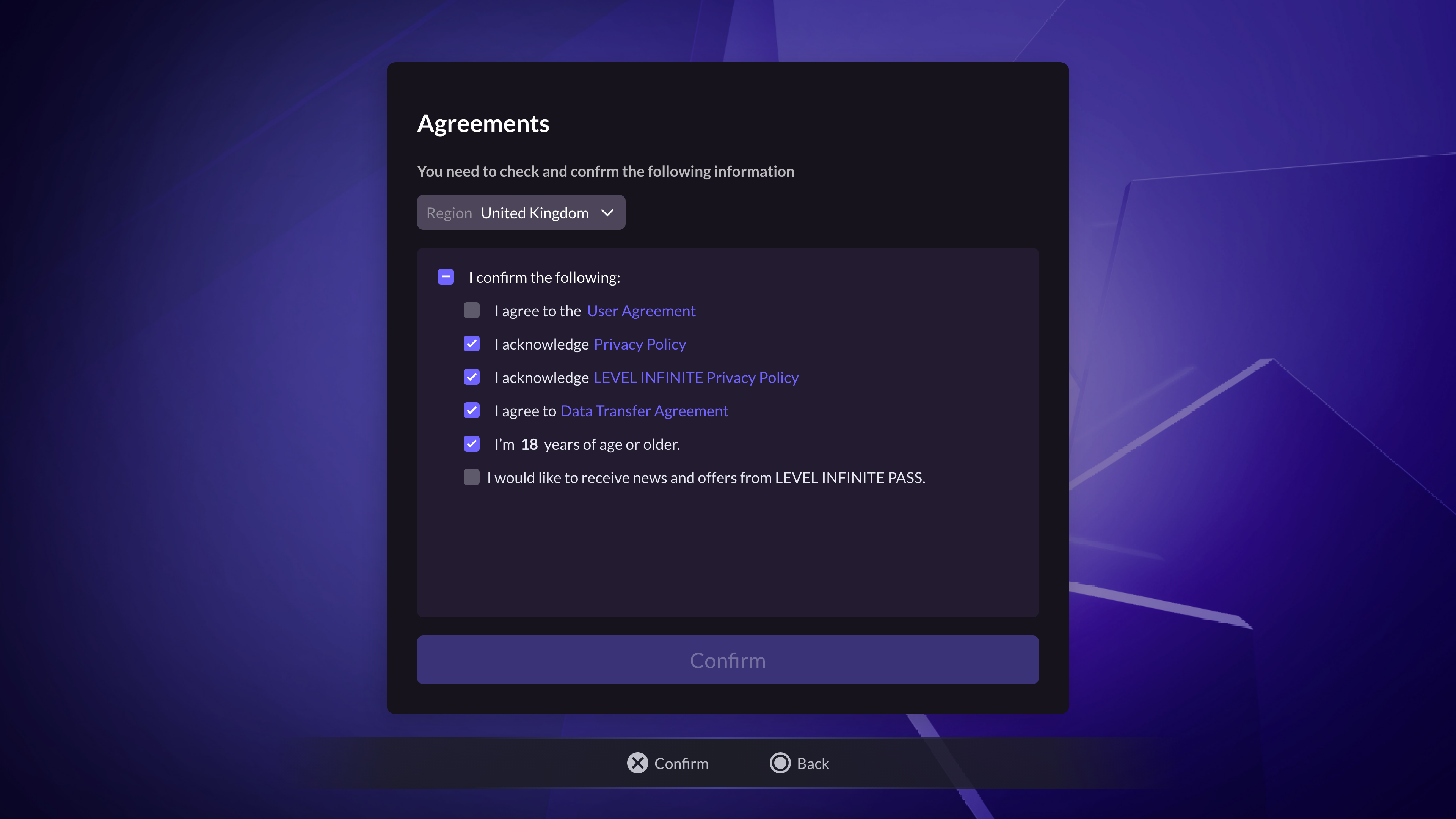
- Once the player clicks Confirm, the player will continue the login process as described below.
Scan Code Login
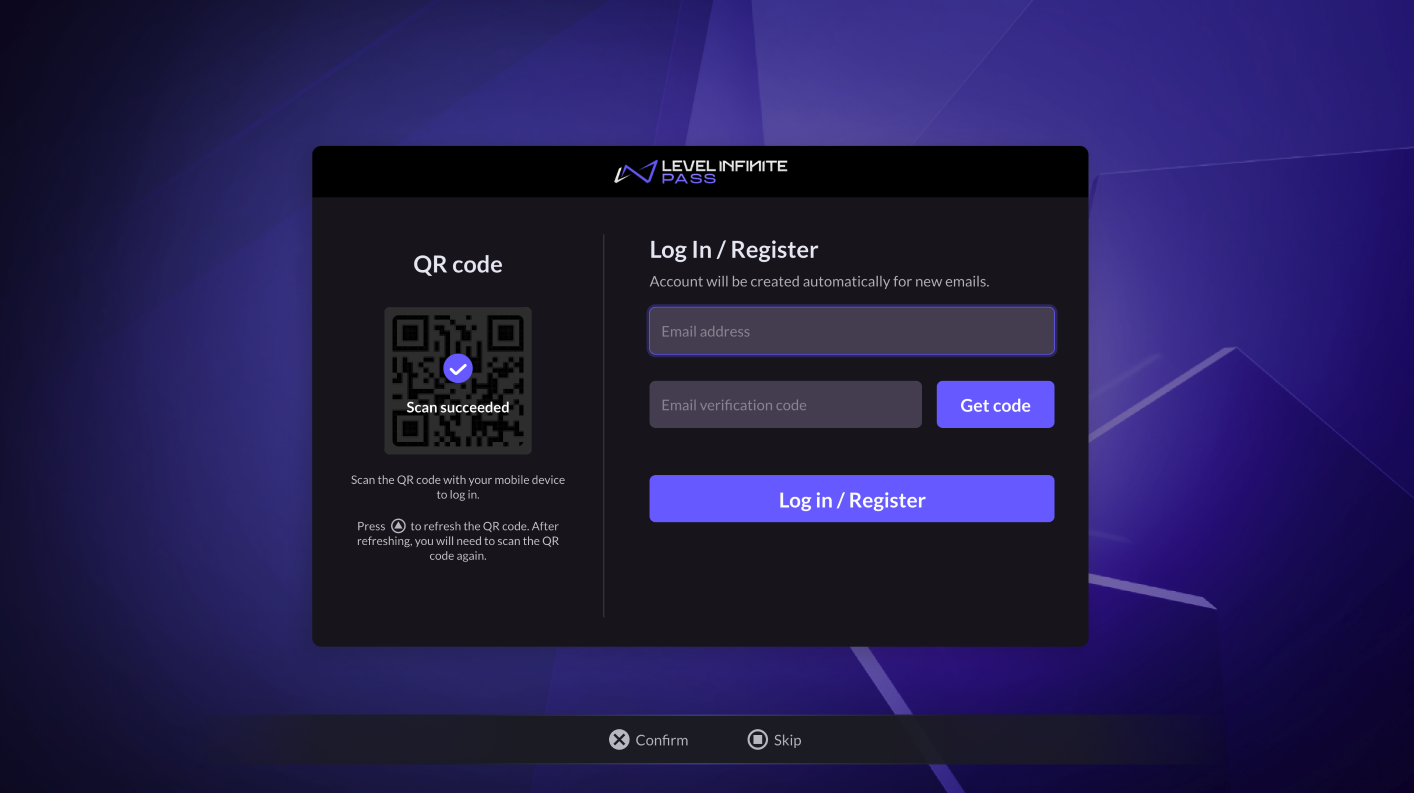
After scanning the QR code with a phone, users are directed to a web page opened on the mobile device to complete the registration and login process.
-
If a player is already registered with LI PASS, they only need to log in.
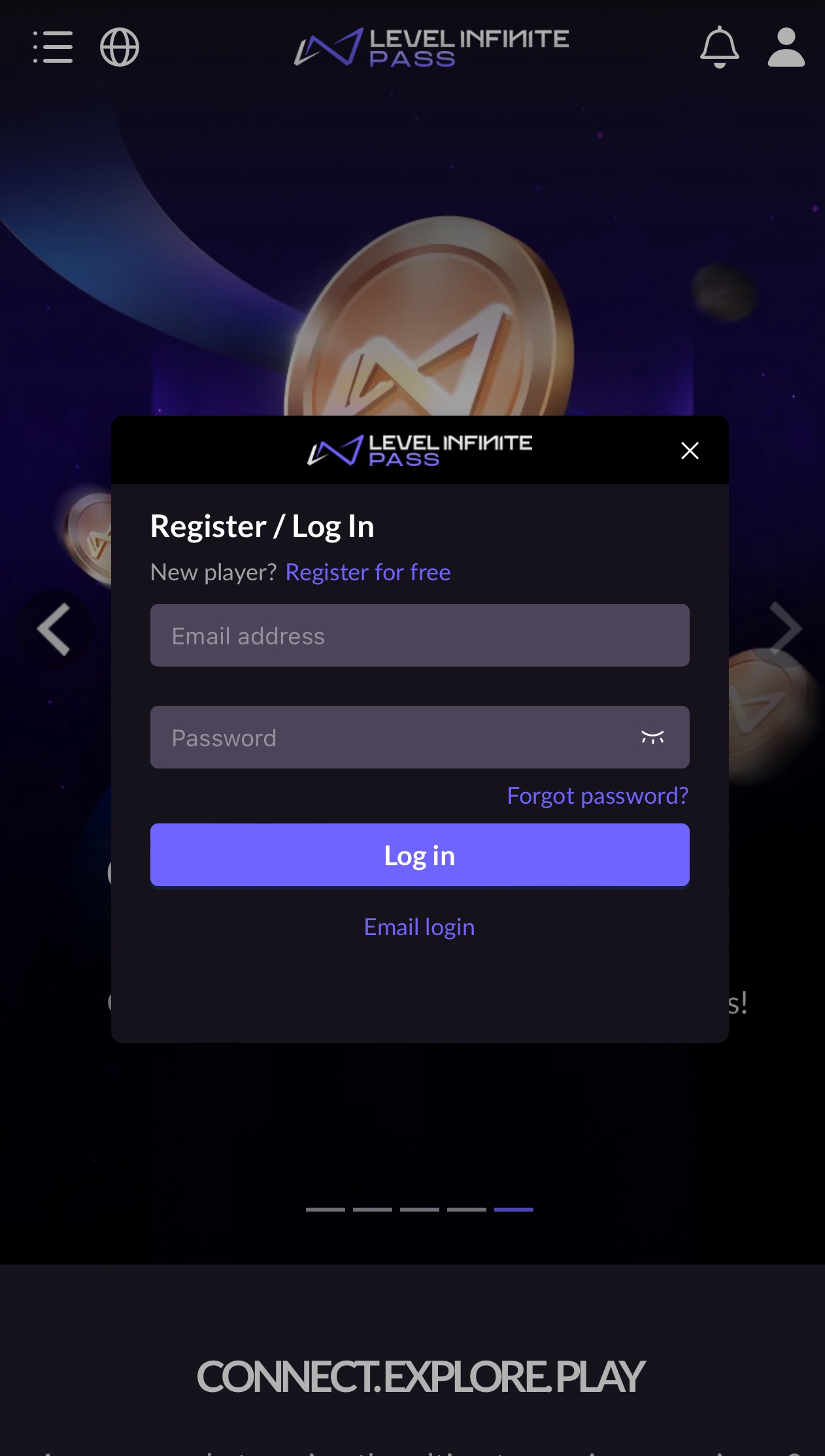
-
If a player hasn't registered with LI PASS, they need to complete registration, the LI Pass compliance process on the mobile device, and then on the console to select game agreements to enter.
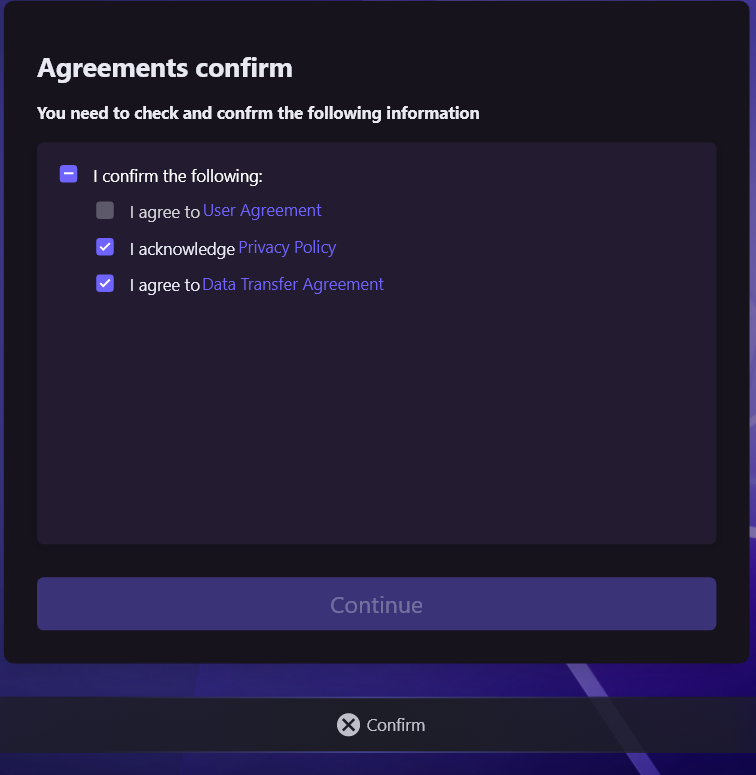
Skip LI Pass Link Instructions
Support skipping LI Pass email account linking, which can be flexibly set in Player Network Skip Link.After setting skip link, a Skip button appears on the Registration/Login interface, allowing players to go directly to the compliance verification page.
Login Channel Description
LI Pass Email Account
LI Pass Email Account is a brand account under Level Infinite. All its games will integrate with the LI Pass account, which includes the player’s email account password information, compliance info, subscription news status, etc., shared across different games.For instance, if a player registers an LI Pass account and completes compliance certification in Game A, they can log into Game B using their email account password without redoing compliance certification, only needing to agree to the game agreement.
Console Channel
Currently, LI Pass supports store channels including PlayStation 5, Xbox, and Switch.

