Mobile Account Solution
Overview
LI PASS Mobile Account Solution provides a comprehensive account authentication solution for mobile platform games, covering core functions such as registration, login, compliance, and binding.
Core Capabilities
- LI PASS Email Account: Offers LI PASS unified identity verification service across games based on email.
- Third-Party Channel Login: Incorporates over 30 mainstream third-party channels, including Google, Apple, Facebook, LINE, and X.
- Guest Login: Provides a registration-free guest login method, allowing players to quickly experience game functions with the option to seamlessly upgrade their guest identity to a formal account, ensuring continuous data.
- Passwordless Authentication via Passkey: Integrates Passkey technology based on WebAuthn standard, supporting biometric (fingerprint, Face ID) authentication for a more secure and convenient passwordless login experience, aligning with modern identity verification trends (see Passkey Introduction).
- Global Compliance: Embeds a global compliance regulation adaptation engine, meeting GDPR, COPPA, and other compliance requirements.Supports player agreement management, minor certification, minor chat authorization, and data rights protection.
- Unified Account Management: Provides a centralized account center supporting multi-channel account binding, security strategy configuration, and privacy permission control.
Visit Mobile Integration Guide for technical integration steps.
Login Process Description
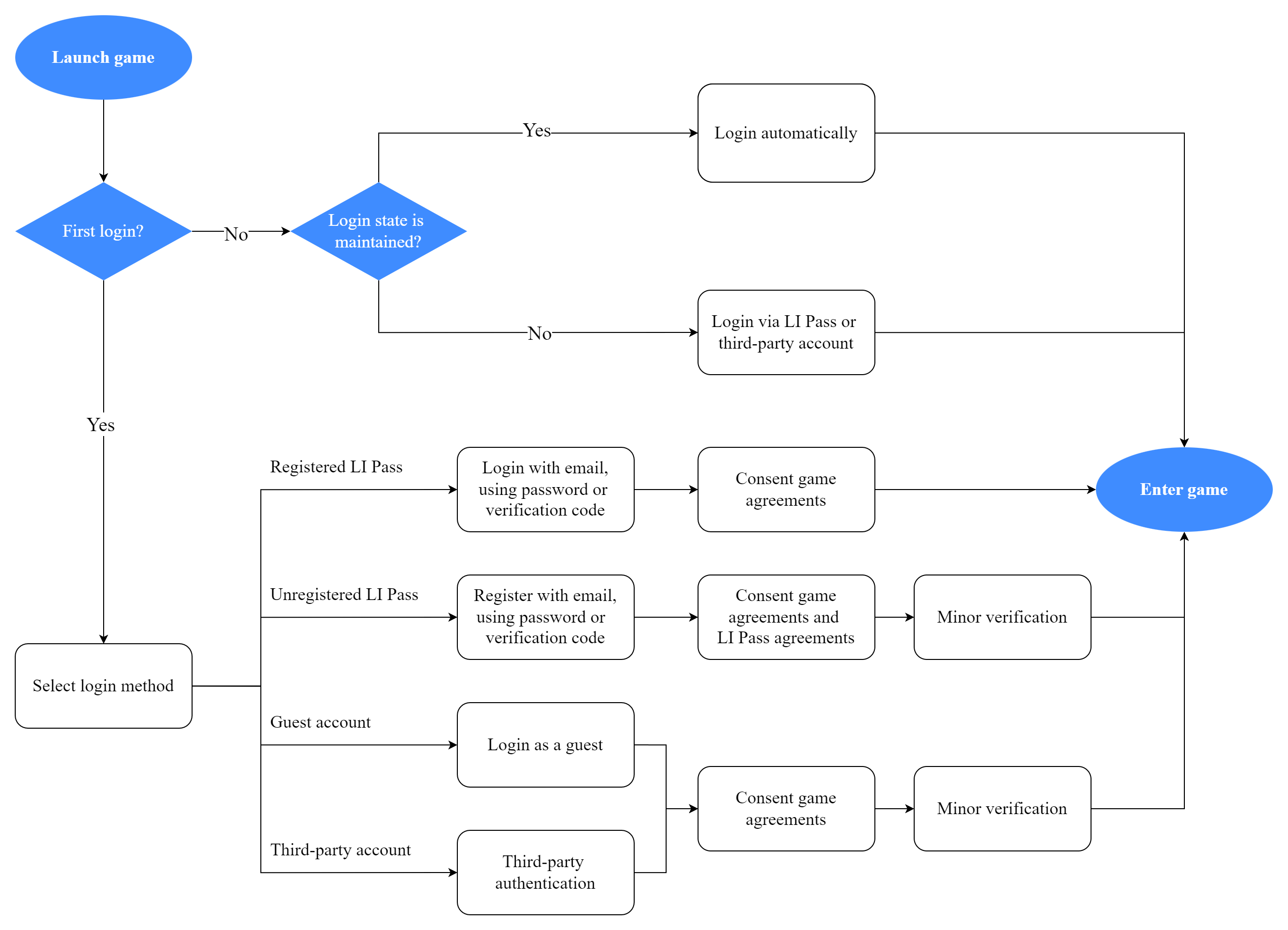
The mobile side offers different login processes based on the player's account status.The system automatically identifies the player type and guides the corresponding authentication process.
Player Types and Process Differences
-
New Players Using for the First Time Need to complete the full registration and compliance process: Register account → Identity authentication → Compliance certification (including region selection, age confirmation, agreement consent) → Enter the game.
-
Players with Valid Login State Upon detecting valid login state information, the system automatically completes identity authentication, allowing players to enter the game without manual operation.
-
Players with Expired Login State When a login state expiration is detected, the system requires players to re-authenticate. Once verified, they may enter the game.
New Player Registration Options
New players can choose any of the following ways to complete account registration as needed:
-
Email Registration Method Players enter their email address, and the system sends a verification code for email verification.Depending on the game configuration, players need to set a password (manual registration) or complete registration directly (automatic registration).
-
Third-Party Social Platform Registration Players can use social accounts such as Google, Apple, Facebook, and LINE for quick registration.The system will redirect to the corresponding platform for authorization. Upon successful authorization, a game account is automatically created.
-
Guest Mode Experience Players can choose to enter the game directly as guests, skipping the registration process.Guest accounts within the game will prompt binding to a formal account to prevent data loss.
Login State Management Mechanism
-
Login State Preservation After a player successfully logs in, the system encrypts and saves the login state information locally.Upon the next game startup, the system will automatically read and verify this information.
-
Validity Period Management The validity period of the login state information is 30 days.During the validity period, players can start the game without re-entering their account password, as the system will automatically complete verification.
-
Expiration Handling When login state information surpasses the 30-day validity period, the system will clear local information and require players to re-login to ensure account security.
LI PASS Login
LI PASS Email Account is a brand account under Level Infinite, offering two login process plans:
- Smart Guided Login Process: Automatically guides players based on account status to the corresponding registration or login interface, simplifying player operation.
- Traditional Login Process: Provides separate registration and login entries for precise control of player processes.
Additionally, LI PASS supports Passkey Passwordless Login, allowing players to quickly complete authentication through biometrics (fingerprint, Face ID), enjoying a more secure and convenient login experience.
The business can choose the suitable plan according to its needs.
Smart Guided Login Process
This feature is supported in Player Network SDK V1.28 and later.
The smart guided login process dynamically guides players into the most suitable registration or login process based on account status, simplifying operations and optimizing player experience.
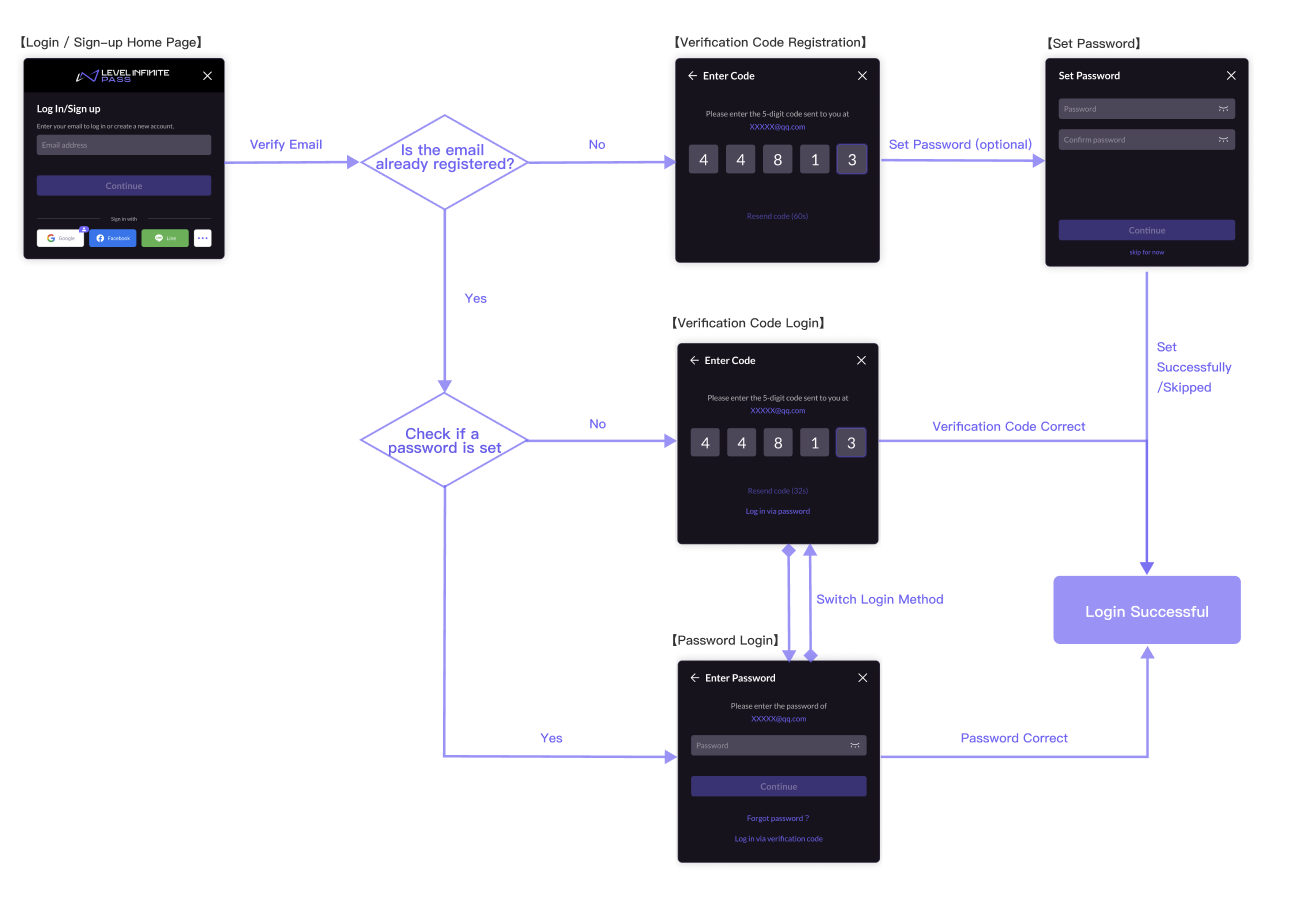
After entering the email, the system automatically detects the account status and guides to the corresponding process:
- For unregistered players, it will directly enter the Register LI PASS process.
- For registered and password-set players, the Password Account Login interface is directly displayed, allowing players to enter their password or switch login methods and choose to use email login.
- For registered but password-not-set players, the Passwordless Account Login interface is directly displayed, allowing players to enter the email verification code or switch login methods to choose a new password setting.
Players can also select to use third-party channels or guest accounts for login from the smart guided homepage base, echoing the steps of the Traditional Login Registration Process:
- Standalone distribution business for mobile/PC - Third-Party Channel Login, Guest Login.
Registration
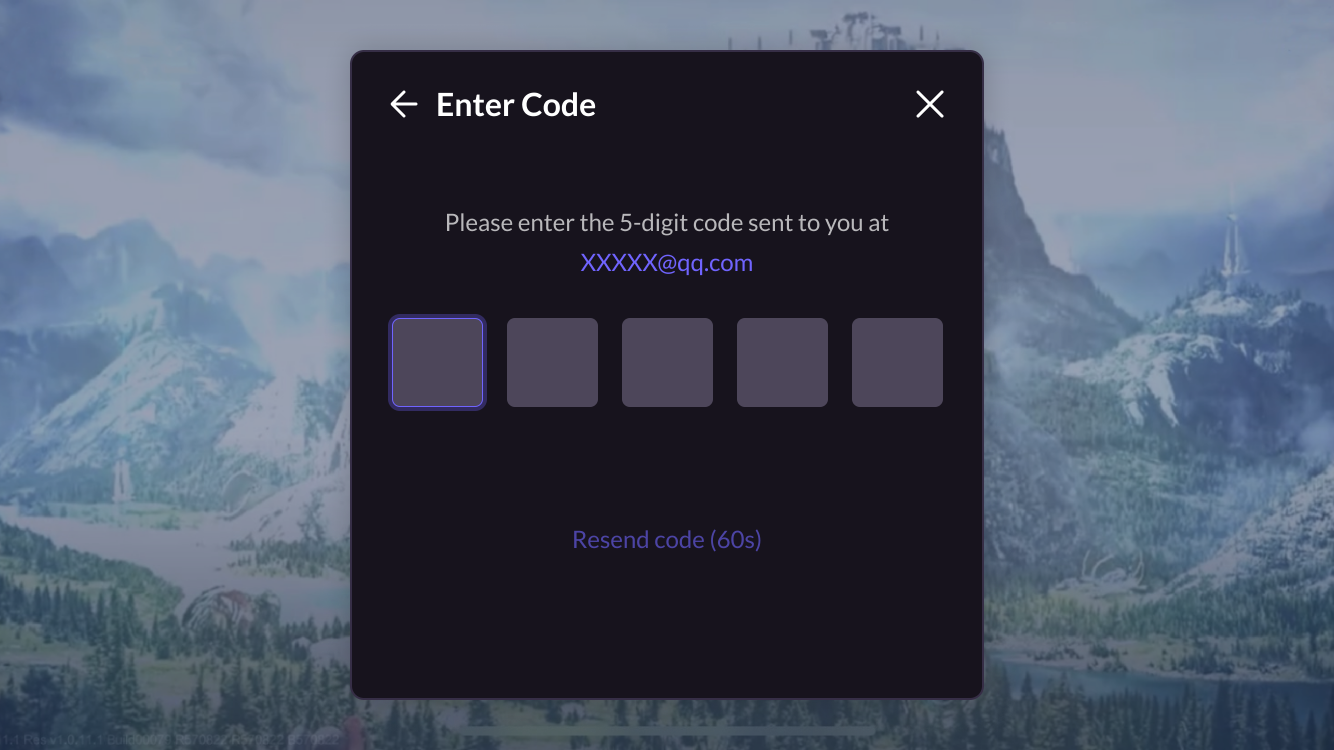
After entering the email, the system detects the account status as unregistered:
-
Players enter a verification code to complete registration.
-
After successful registration, players can choose to set an account password to enhance security or click Skip Setting to bypass this step.
![Image: Password Setting [Optional]](/assets/images/mobile-smart-guide-register-set-password-7df75b7f35ff035e693deabdbe15652c.png)
-
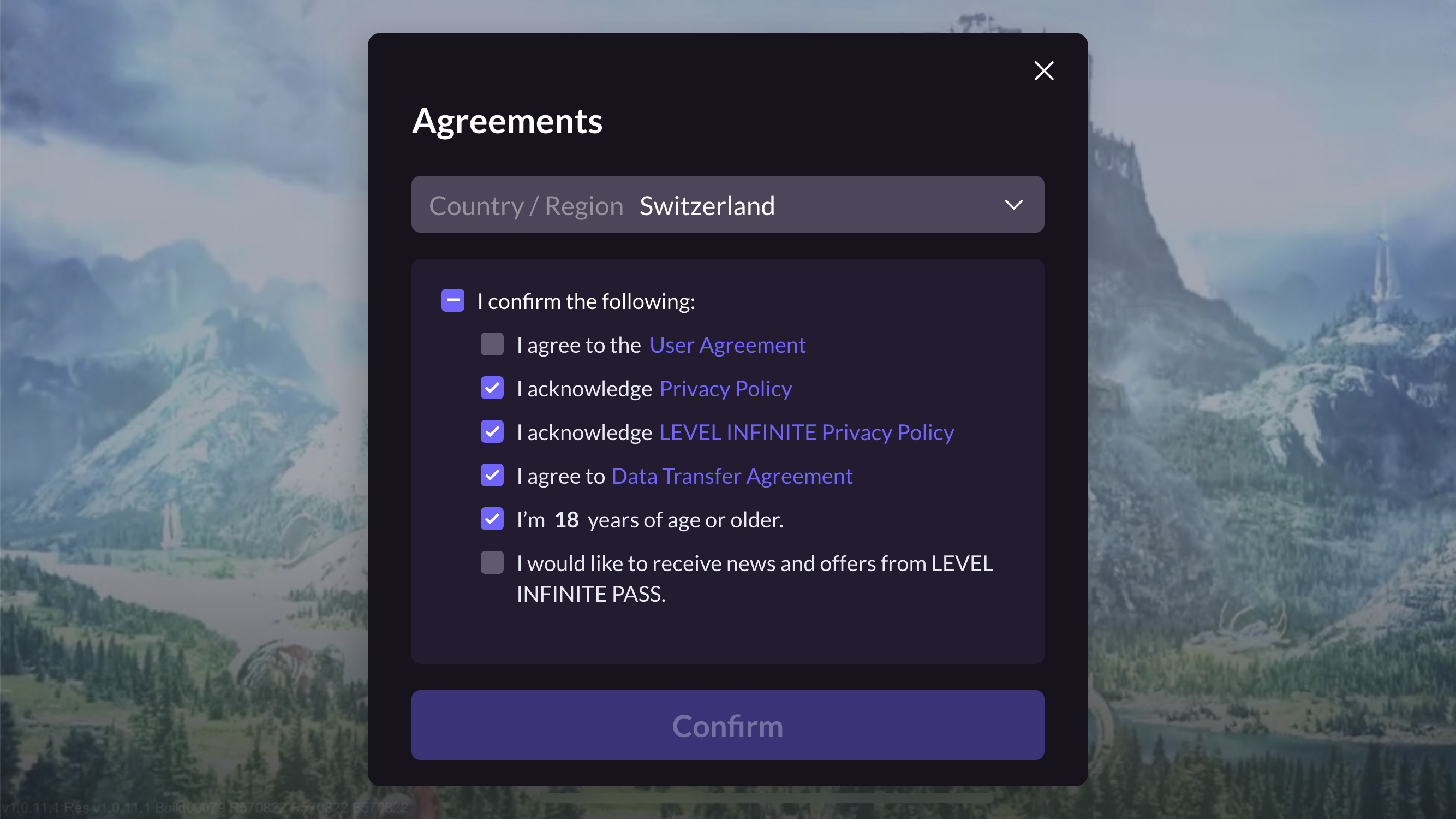
Players select their Country/Region.The agreement that players must agree to be automatically adjusted according to the selected country or region.
LI PASS first displays the player's region based on their IP and the required compliance protocols for that region.See Compliance Examples for detailed compliance processes by region.
Login
After entering the email, the system intelligently guides to the respective login method based on the account status (whether a password is set):
- Password Login
- Passwordless Login
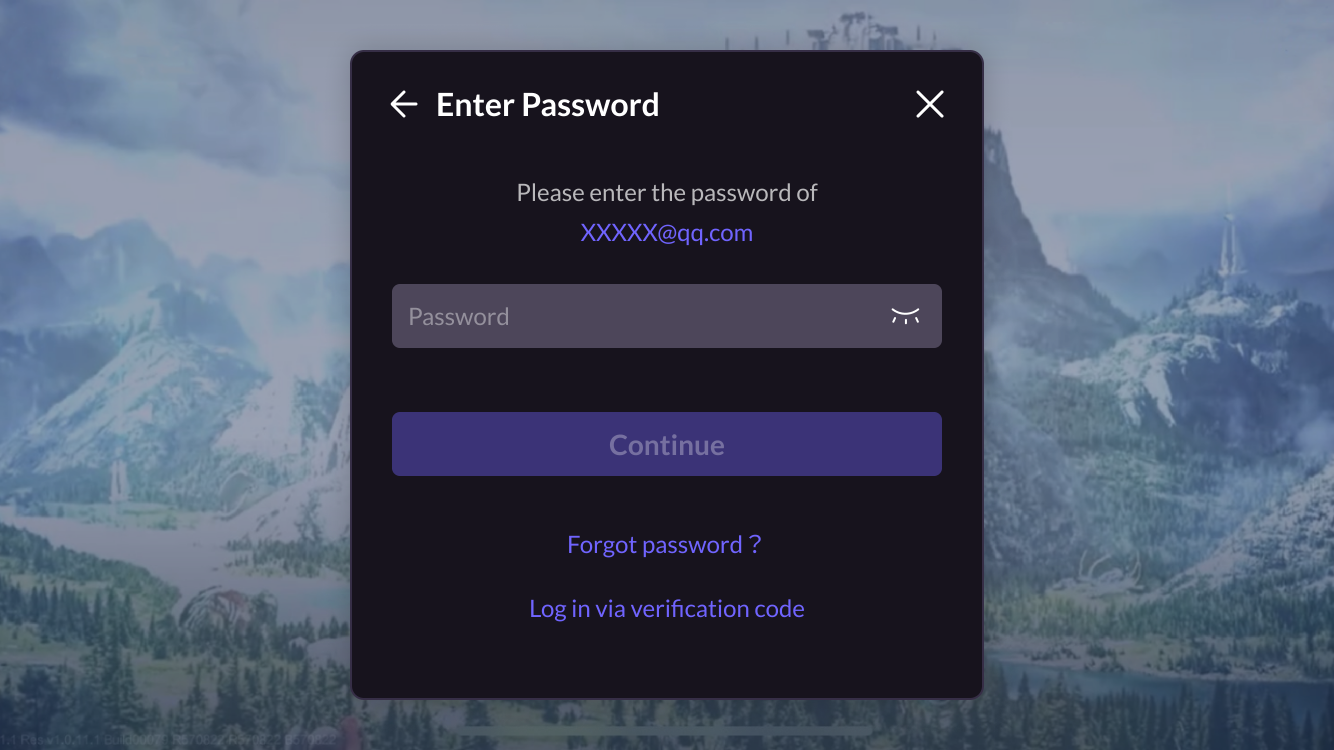
After entering the email, the system detects the account status as registered and password-set:
-
After entering the password, players click Next to enter the game.
-
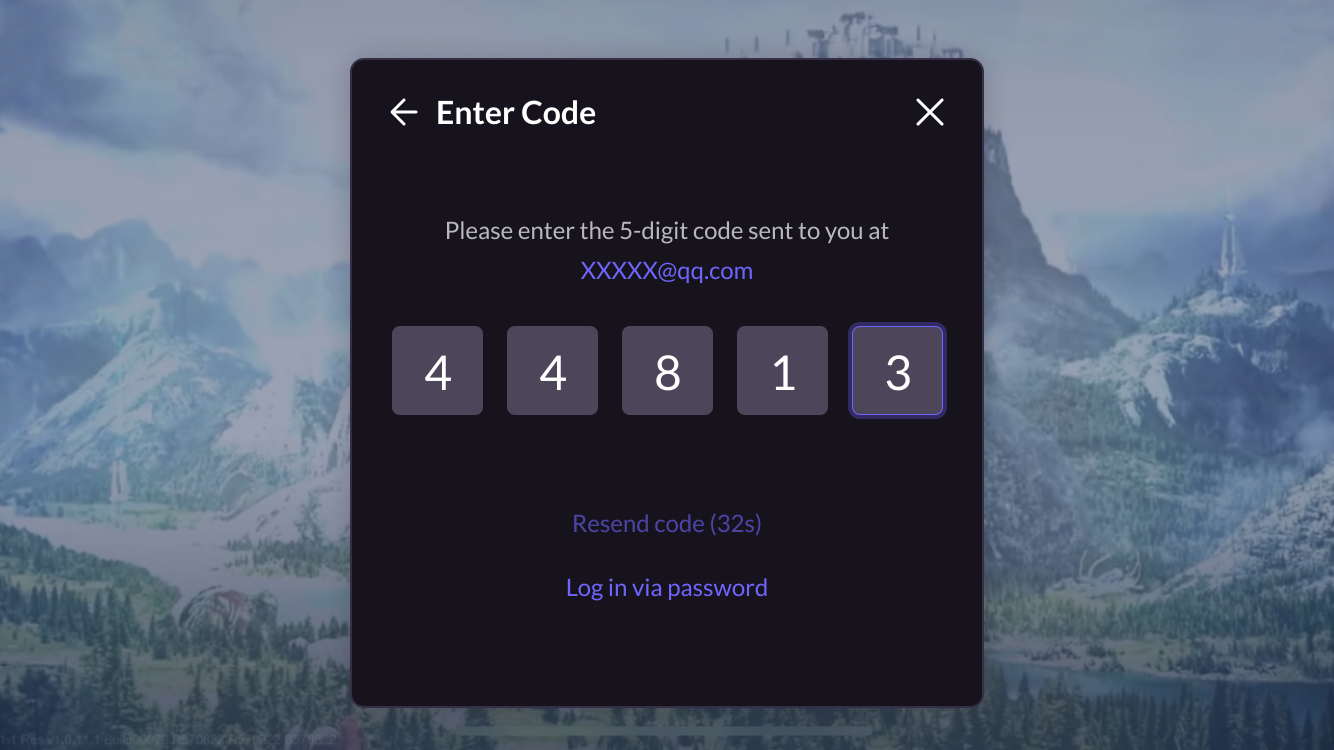
Players can also click Use Verification Code Login to switch login methods and enter the verification code to access the game directly.
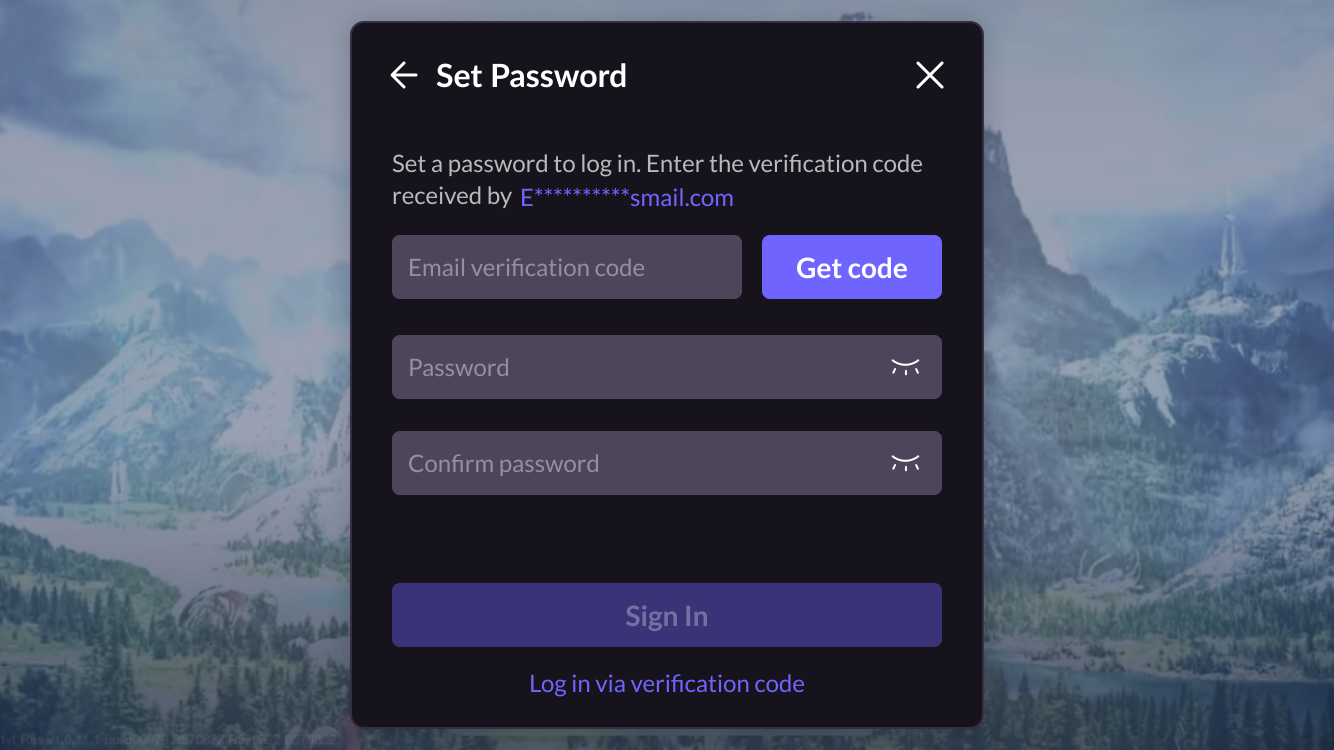
After entering the email, the system detects the account status as registered but password-not-set:
-
Players enter the verification code to access the game directly.
-
Players can also click Use Password Login to switch login methods and, if no password is set, select to enter the game after setting a password.
Traditional Login Process
The traditional login process provides separate registration and login entries, requiring players to clearly choose to register or login.This process suits scenarios needing precise control of player processes.
Registration
LI PASS offers manual registration and automatic registration modes, allowing the business to configure registration methods on the Player Network Console. For more details, refer to Setting Registration Mode.
- Manual Registration requires entering an email, obtaining verification code, and entering a password twice.After registration, the password must be entered again for login.
- Automatic Registration only requires entering an email and verification code; if the player is already registered, automatic login succeeds; if not registered, automatic registration and login succeed, with no need for re-login.Players can set up a password in the Account Center after entering the game.
- Manual Registration
- Auto Registration
-
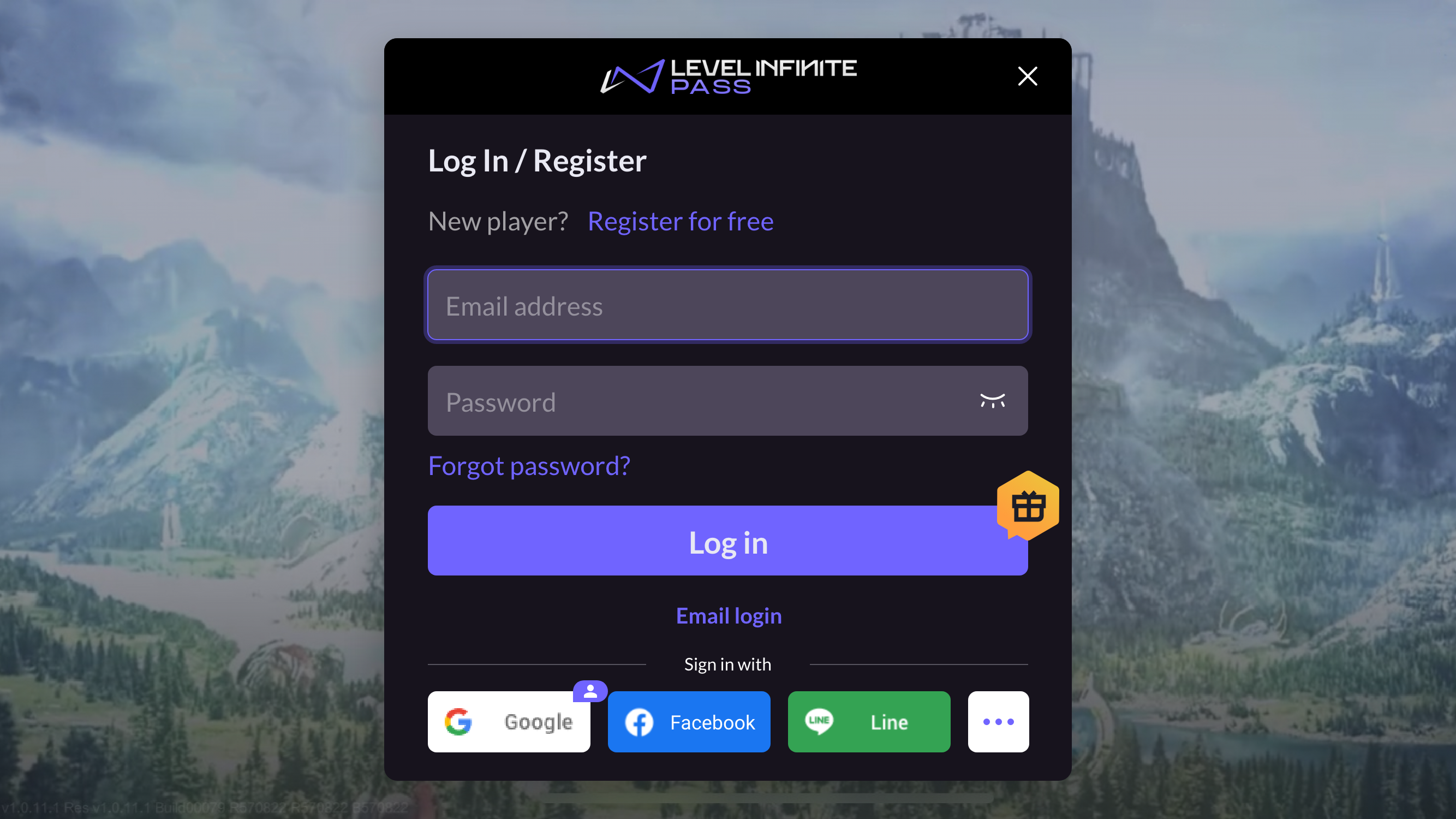
On the Log In/Register page, players click Register for Free, opening the Create Account page.
-
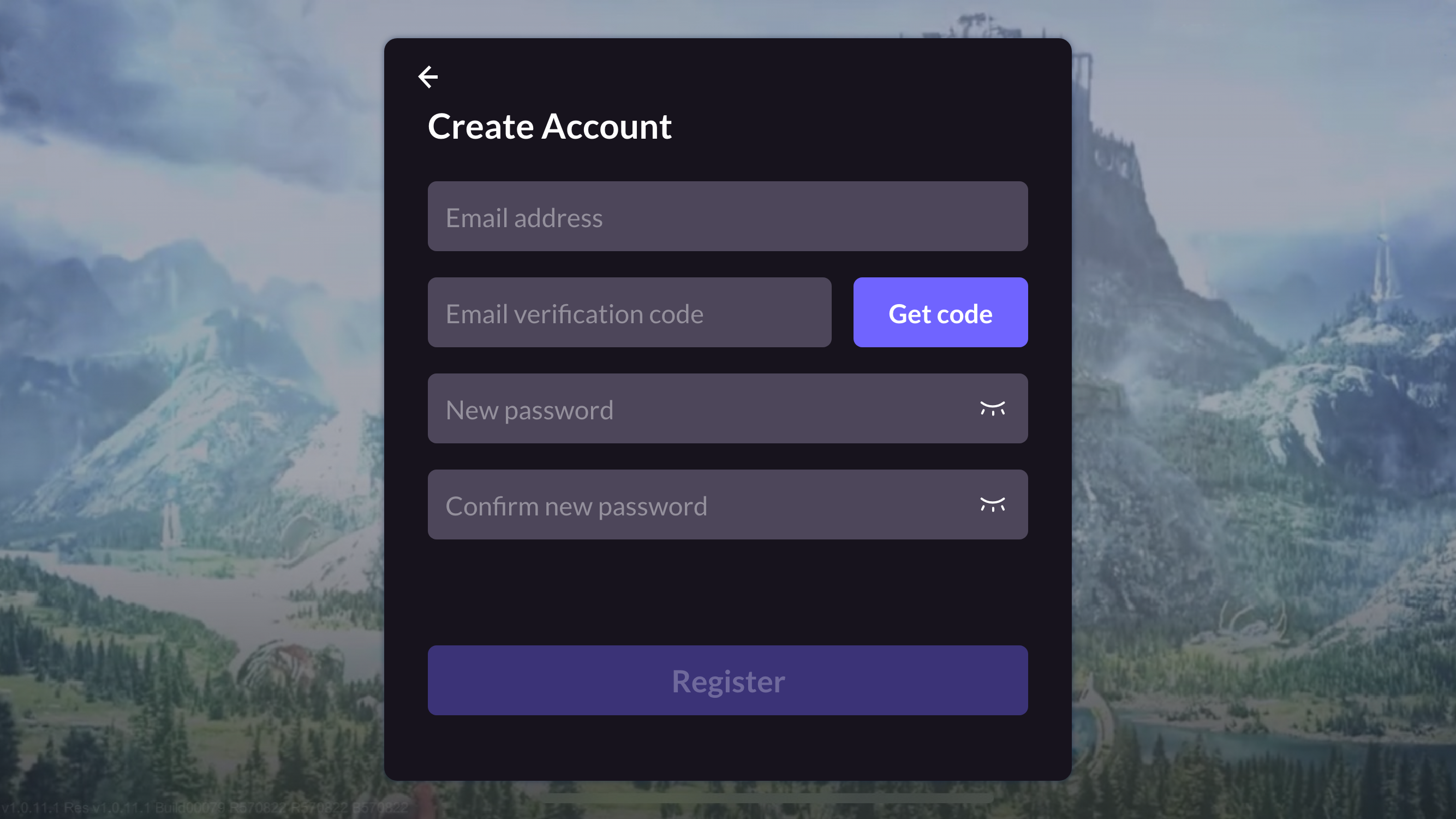
On the Create Account page, players enter their email address, obtain verification code, enter their password, and click Register, opening the Agreement page.
-
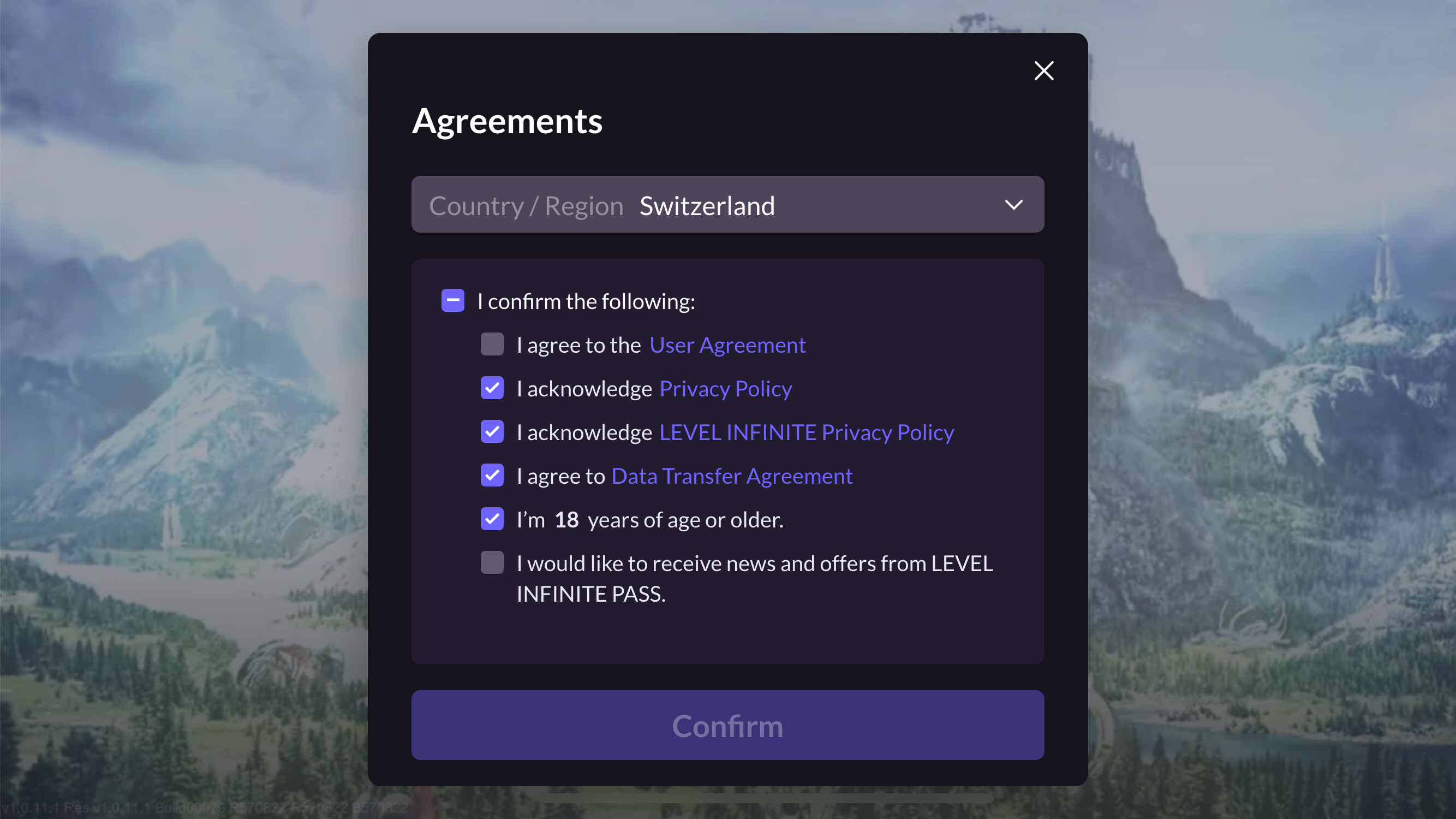
On the Agreements page, players complete necessary compliance operations, including selecting Country/Region, age, and agreeing to player terms and game privacy agreements.
LI PASS initially displays the player’s default location based on IP and the compliance agreements required by that location.Players can choose to switch countries, each having different compliance requirements; LI PASS switches corresponding compliance projects according to compliance configuration.For detailed compliance processes in various regions, refer to Compliance Example.
-
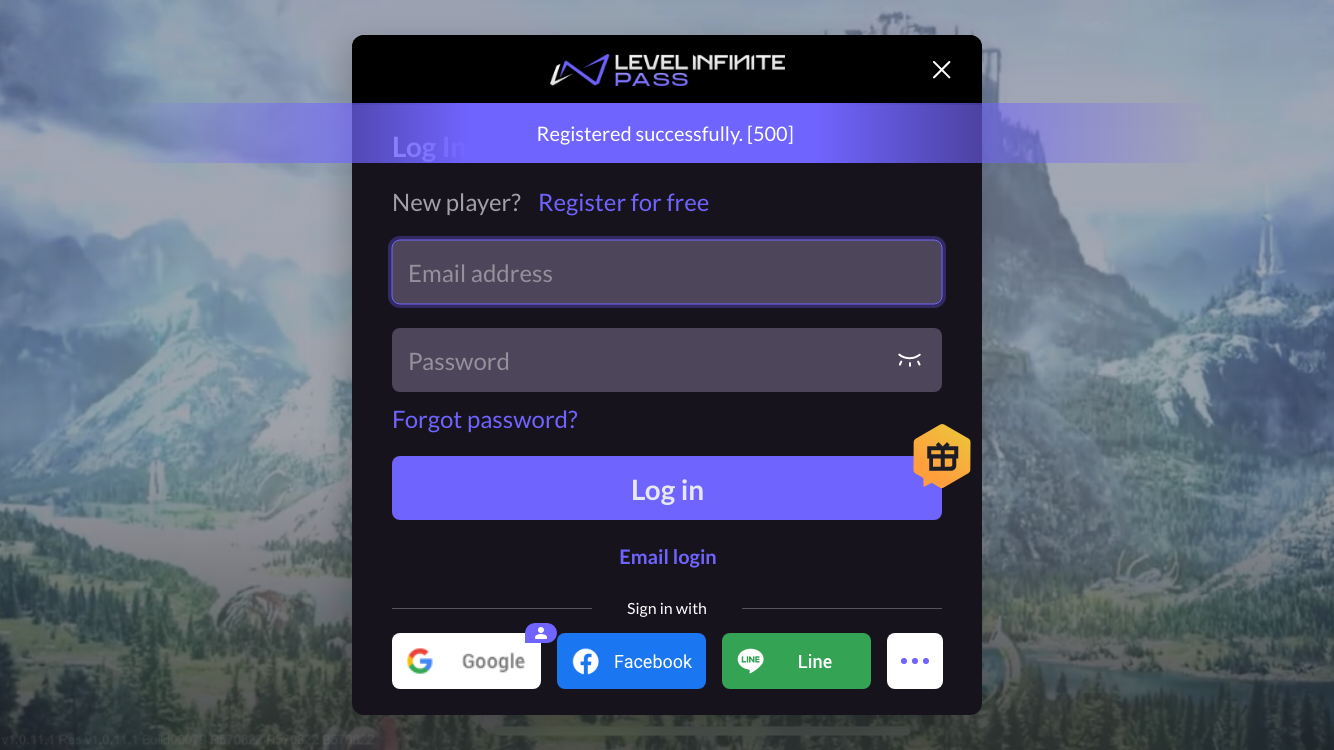
After the player clicks Confirm, the player will be redirected back to the login screen and a notification will be displayed indicating successful registration.
-
After completing registration, players will continue the Login process below.
-
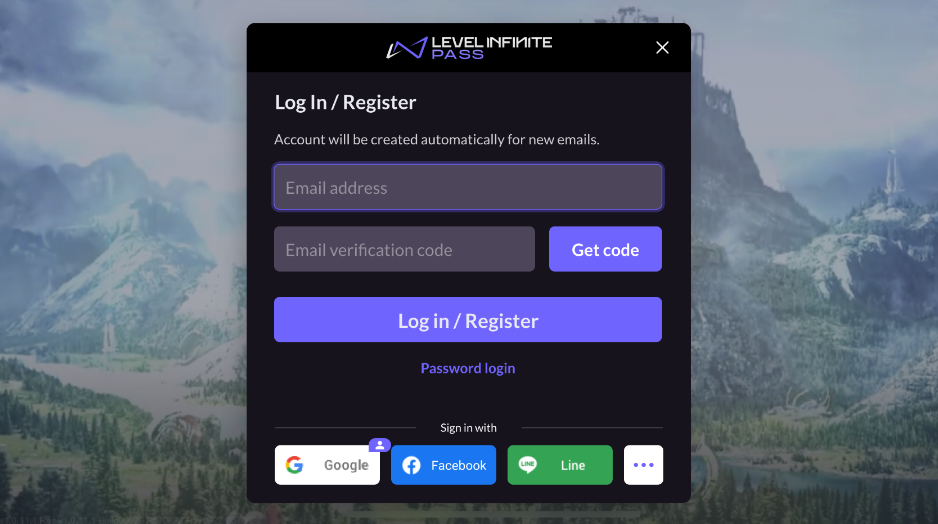
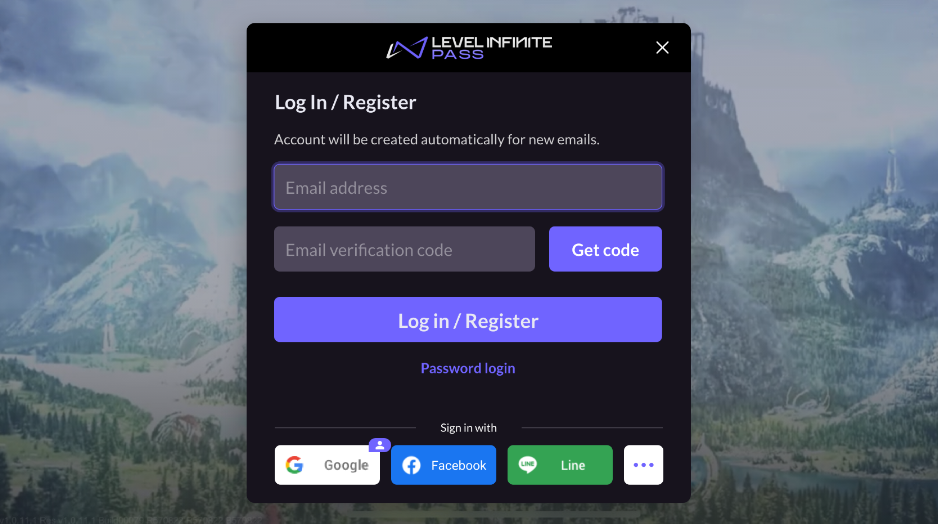
When the Player Network Console is configured with the Auto-Register option, the following Log In/Register page opens by default, and the player enters his e-mail address, Get code, and then clicks the Log in/Register button. The system determines whether there is an existing account:
- If registered:Direct Login
- If not registered:automatically completes registration and logs you in.
Once you have successfully logged in, the Compliance Agreements page opens.
-
On the Agreements page, the player completes the necessary compliance actions, including selecting a Country/Region, age, and must agree to the Player Terms and Conditions and Game Privacy Agreement.
LI PASS first displays the player's default region based on their IP, and the compliance protocol required for that region.Players can choose to switch to other countries, each country's compliance requirements are different, LI PASS will switch the corresponding compliance program according to the compliance configuration.See Compliance Examples for detailed compliance processes by region.
- After players click Confirm, automatic login succeeds, and they enter the game lobby interface.
Login
LI PASS supports multiple login methods:
- Email Account Password Login
- Email Verification Code Login
- Third-Party Channel Login
- Guest Login.
Email Account Password Login and Email Verification Code Login
With these login methods, players can switch on the Log In/Register page by clicking Email login and Password login.
- Password Login
- Email Verification Login
On the page, enter the email address and password, then click Log in to enter the game.
Players enter their email address and click Get Verification Code (Get code), then enter the email verification code, click Log in to enter the game.
Passkey Login
Passkey features are available in Player Network V1.27 and above, currently supported only on mobile platforms:
- iOS: Supports iOS 17.4 and above
- Android: Supports Android 9.0 and above, requiring Google Play Services 20.33 and later versions
Passkey is a passwordless authentication technology based on the FIDO2/WebAuthn standard.It provides a more secure and convenient authentication method for players through public-private key encryption.Players can log in using biometrics (fingerprint, Face ID) or a device PIN, eliminating the need for traditional passwords, thus reducing account theft risk and enhancing user experience.
Advantages of Passkey:
- More secure: Utilizes asymmetric encryption, with private keys stored only on user devices and not on servers, effectively preventing phishing, credential stuffing, and hacking attacks.
- More convenient: Users can log in directly using fingerprint or Face ID without entering passwords, improving login efficiency.
- Cross-device support: Works with Apple iCloud Keychain and Google Password Manager for seamless login across multiple devices.
Create Passkey
Players can create a Passkey in two ways:
- Guided creation post-registration: After completing LI PASS account registration, if the device supports Passkey, a guided creation window will appear.
- Account center creation: Registered LI PASS users can manually create a Passkey under Account Center > Passkey List. More details at Manage Passkey.
-
Players click Create Passkey to enter the creation process.

-
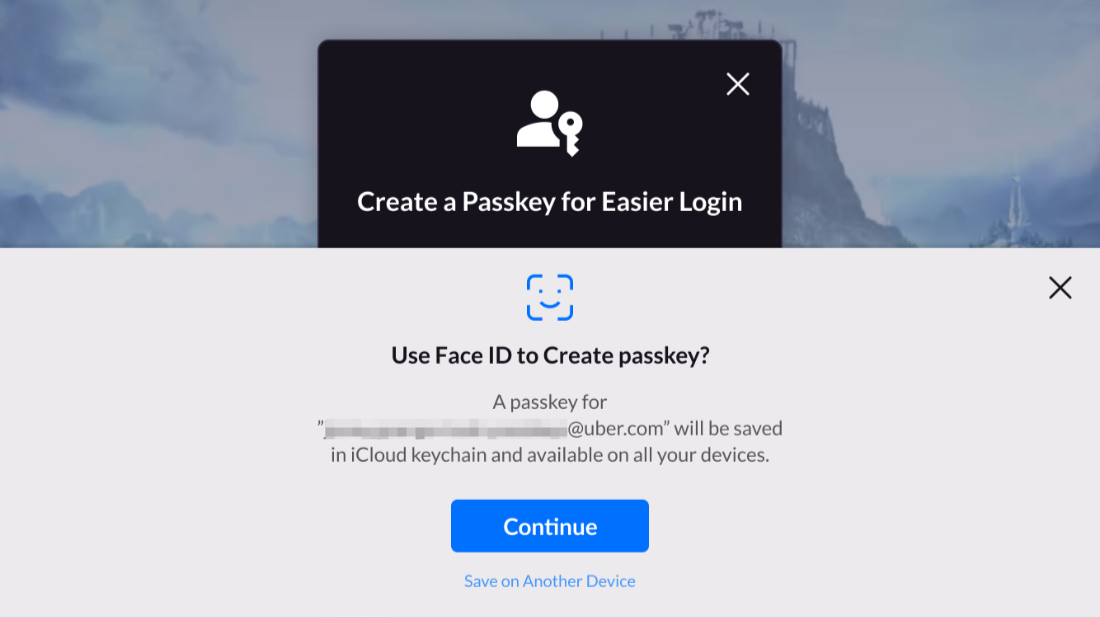
A system authentication window appears, and players authenticate using fingerprint, Face ID, or device PIN.
-
The device generates a Passkey and saves it to iCloud Keychain (iOS) or Google Password Manager (Android).
-
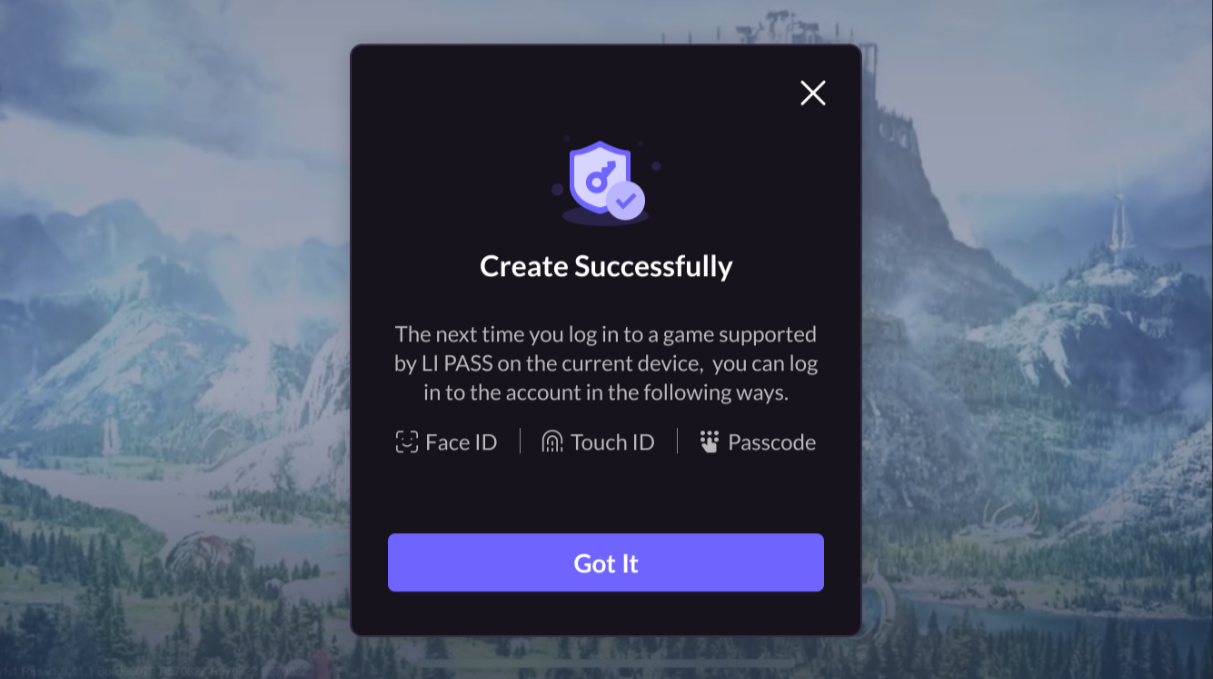
Once the Passkey is successfully created, the system returns a confirmation message, and the player can use the Passkey to log in immediately.
If a device does not support Passkey, the creation option will not be displayed.If players close the Passkey creation popup, they can manually create it in the account center.
Login on This Device
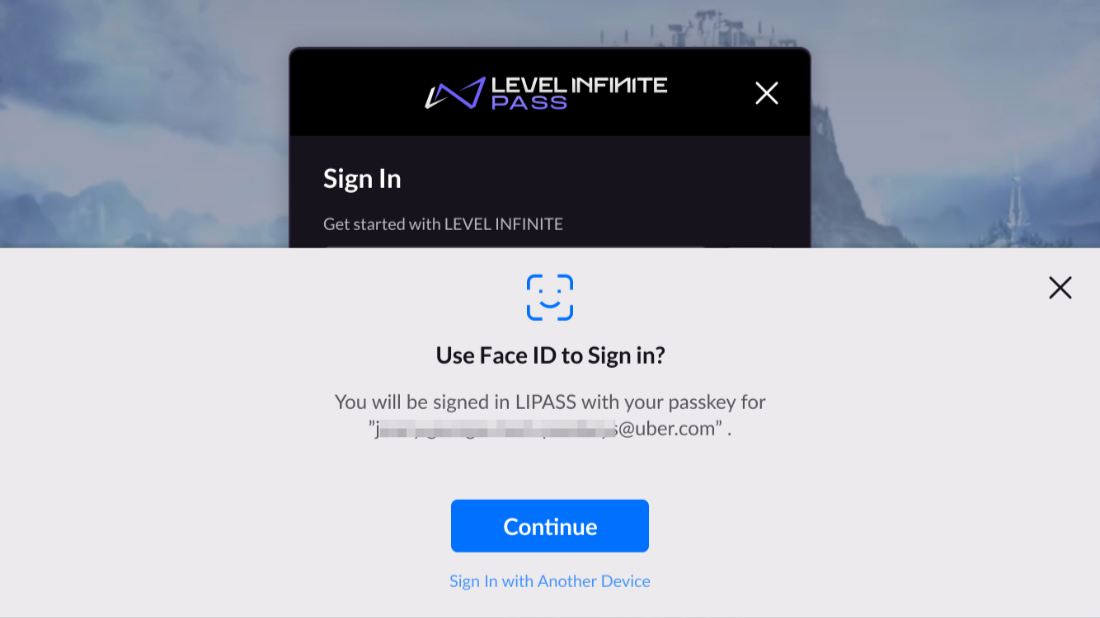
If an iOS device has stored the account's Passkey, the Passkey login will be automatically invoked upon entering the LI PASS login page.If using an Android device, or if the Passkey popup has been manually closed, players can manually trigger login by clicking Passkey.
If the device does not contain the account's Passkey, iOS devices will not trigger Passkey login automatically; players must manually select another login method.
This section uses iOS as an example to illustrate the Passkey login user flow.
-
A Passkey authentication window appears, and players authenticate using fingerprint, Face ID, or device PIN.
-
Upon successful authentication, login is completed automatically, and players enter the game lobby.If authentication fails, the system displays an error message and allows players to retry or choose another login method.
Cross-device Login
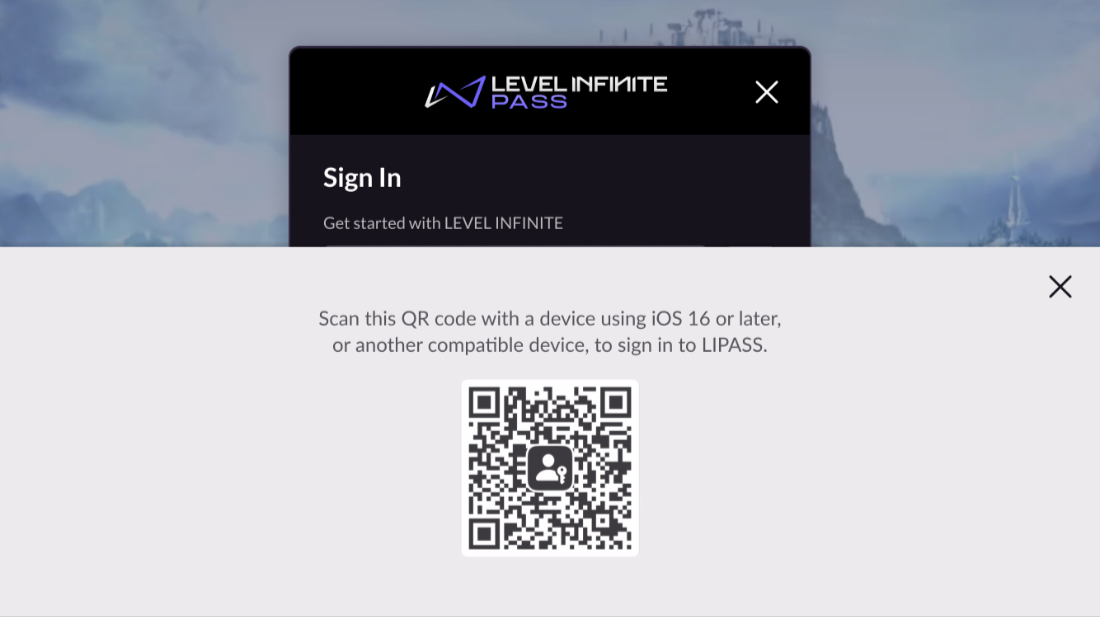
If players attempt to use Passkey login on a device without a stored Passkey for LI PASS, cross-device QR code login is triggered.Players can also choose QR code login manually on devices with a stored Passkey.
-
In the Passkey authentication window, players select
Log in with another device. -
A QR code is generated, prompting players to use a device with the stored Passkey to scan.
-
Players use a device with the stored Passkey to scan the QR code, triggering a Passkey authentication window on that device.
-
Players authenticate using fingerprint, Face ID, or device PIN to complete cross-device authorization.
-
The target device receives the authorization information, completes login automatically, and players enter the game.
Third-Party Channel Login
LI PASS encapsulates the logic of accessing mainstream third-party social platforms, providing a unified third-party login experience.Quick authentication supports rapid identity verification and user information extraction, automatically obtaining basic player information like nickname and avatars.Simultaneously unifies the access logic of various channels to reduce integration complexity, allowing game teams to freely configure supported channels and display order.
Currently, LI PASS supports mobile channels including (but not limited to):
For more third-party channel integration guidance, please proceed to the corresponding channel for viewing.
Login Process
Below using Google as an example, explains the player process for third-party channel login:
-
Players click the Google icon and redirect to the Google login page.
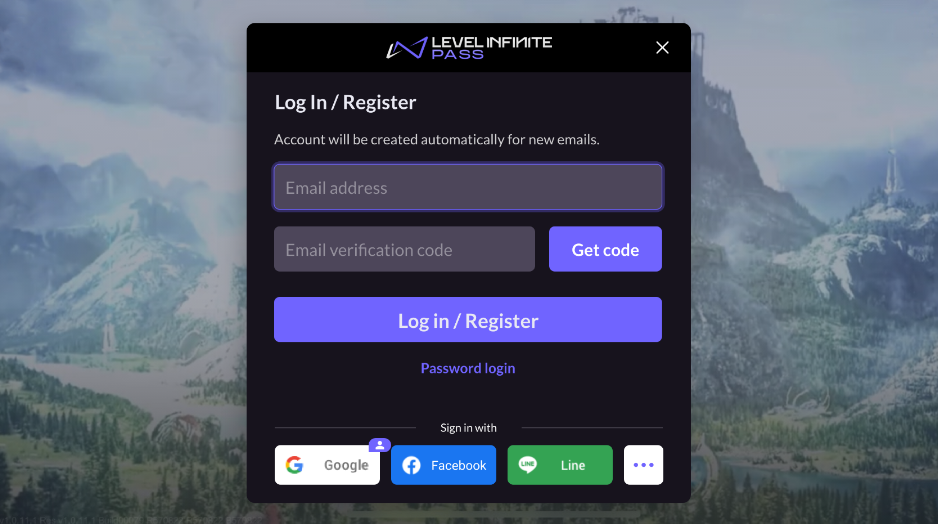
If the login interface does not display the required third-party channels, players can click the ... (More) icon to view the complete list of third-party channels supported by the game.
The icon at the upper right corner of the Google channel in the picture above indicates that the player previously used Google Login, reminding the player to continue using the Google channel for login.
-
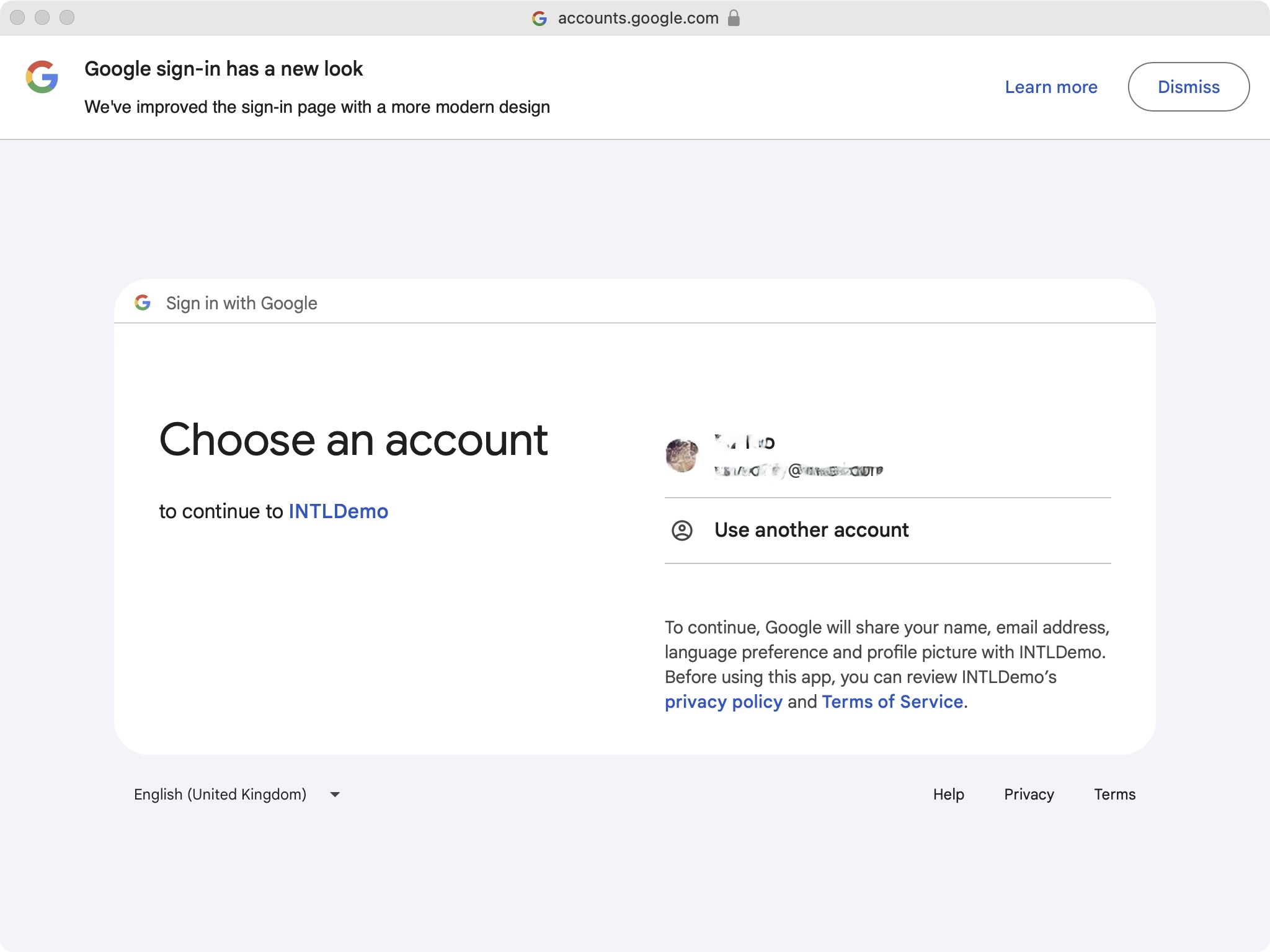
Player logs into their Google account and returns to the game.
-
Players logging in for the first time need to proceed through the compliance process.
Players logging into the game for the first time must verify the game terms concerning minors to continue playing.Returning players will directly enter the game.
-
Player successfully uses their Google account to enter the game.
Guest Login
Guest login is popular in several markets such as Japan.To enhance the player experience, after using guest login, the player will be guided to link their account to LI PASS in the account center.
Guest accounts are unstable and may lead to the loss of guest account credentials, also inconvenience in searching for accounts and resolving issues with customer service.It is recommended to remind players to bind their guest accounts to LI PASS accounts during subsequent processes.
For technical implementation logic and relevant details regarding guest accounts, please refer to the Guest Channel document.
Login Process
-
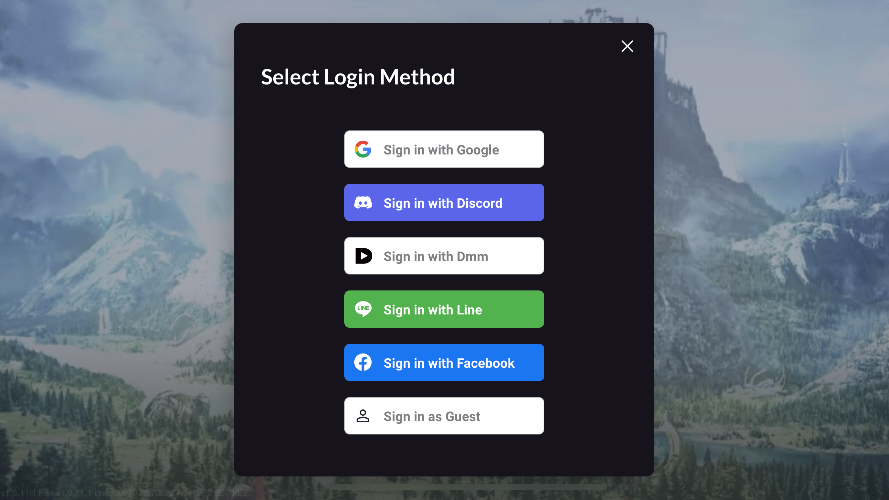
Players click the ... (More) icon to view the complete list of supported third-party channels.
-
Player clicks Sign in as Guest.
-
Players logging into the game for the first time need to pass through the compliance process.
Players logging into the game for the first time must verify the game terms concerning minors to continue playing.Returning players will directly enter the game.
-
Upon successful login, the player enters the game.
Account Binding
When players use guest login, the system will recommend binding their account to LI PASS to prevent loss. When players log in through third-party social channels, they can also bind their account to LI PASS.
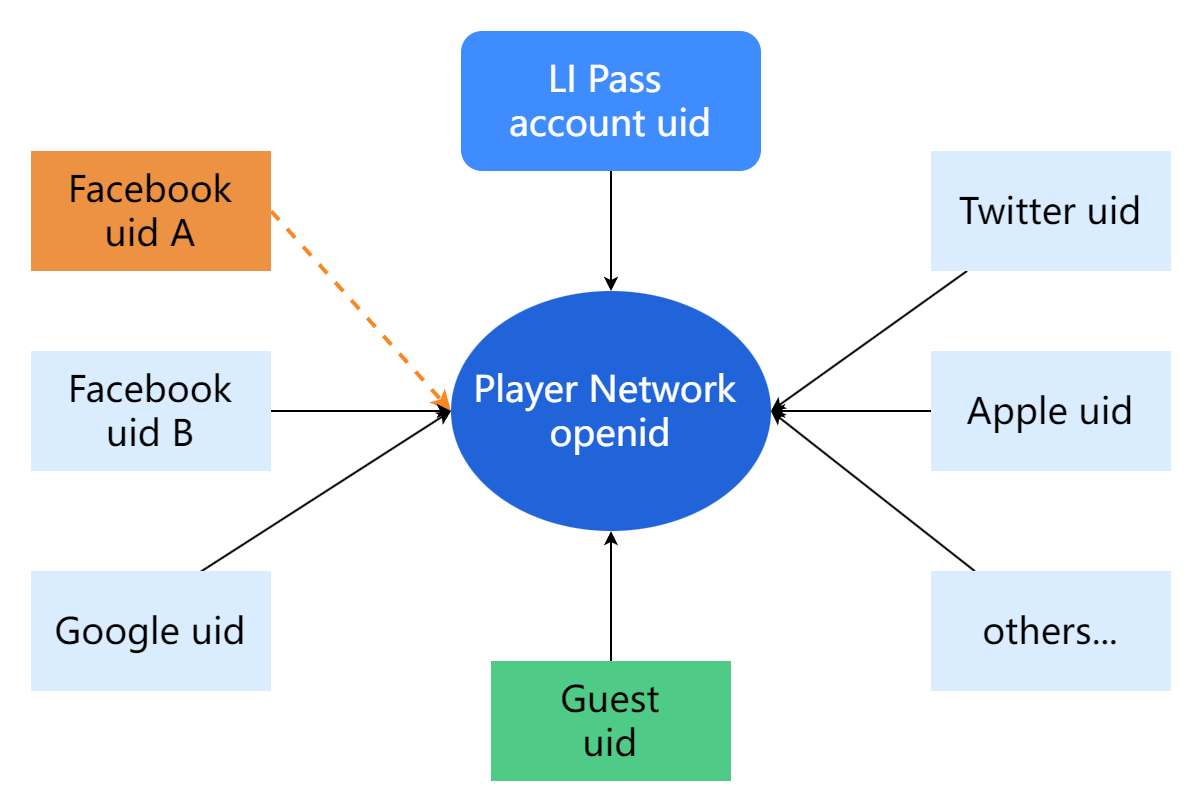
The binding relationship exists between the channel and openid, and is internal to the game rather than cross-game.
LI PASS has completed the account binding feature, so no additional operations are needed.
Account Binding Relationship Chart
Binding Rules
-
Each game allows multiple channel bindings:
Players can bind multiple social channels simultaneously, then use any channel to log in to the game, and the system will identify the same OpenID and load the related player data. -
Only one UID is allowed per channel:
As shown above for the Facebook channel, you must unbind Facebook UID A before you can bind a new Facebook UID B. -
Guest accounts bind other login channels:
For games allowing guest login, a game OpenID is generated at login, and when players later opt to bind a social account or other channels, the channel ID is linked to this game OpenID, allowing login with the bound channel account thereafter.

