PC Standalone Account Solution
Overview
LI Pass PC Standalone Account Solution is designed for PC games with standalone launchers or in-game login capabilities.
This solution offers secure, compliant, and diverse account access capabilities.It supports:
- Registration and login using LI Pass email account;
- Performing compliance operations such as underage verification, user agreement, and privacy policy confirmation during the login process;
- Supports multiple third-party social channels such as Google, Apple, Facebook, LINE, Steam for one-click login;
Additionally, LI Pass offers a built-in account center where players can enter the account center from the game lobby to complete account binding, security settings, view agreements, and other operations.
This solution is essentially the same as the mobile solution. Channels supported on mobile can also be used for PC login, and businesses can add some PC channels commonly used, such as Steam.It is recommended to use this solution to simultaneously launch on mobile and PC platforms.
Go to PC Standalone Access Guide to see the quick integration steps.
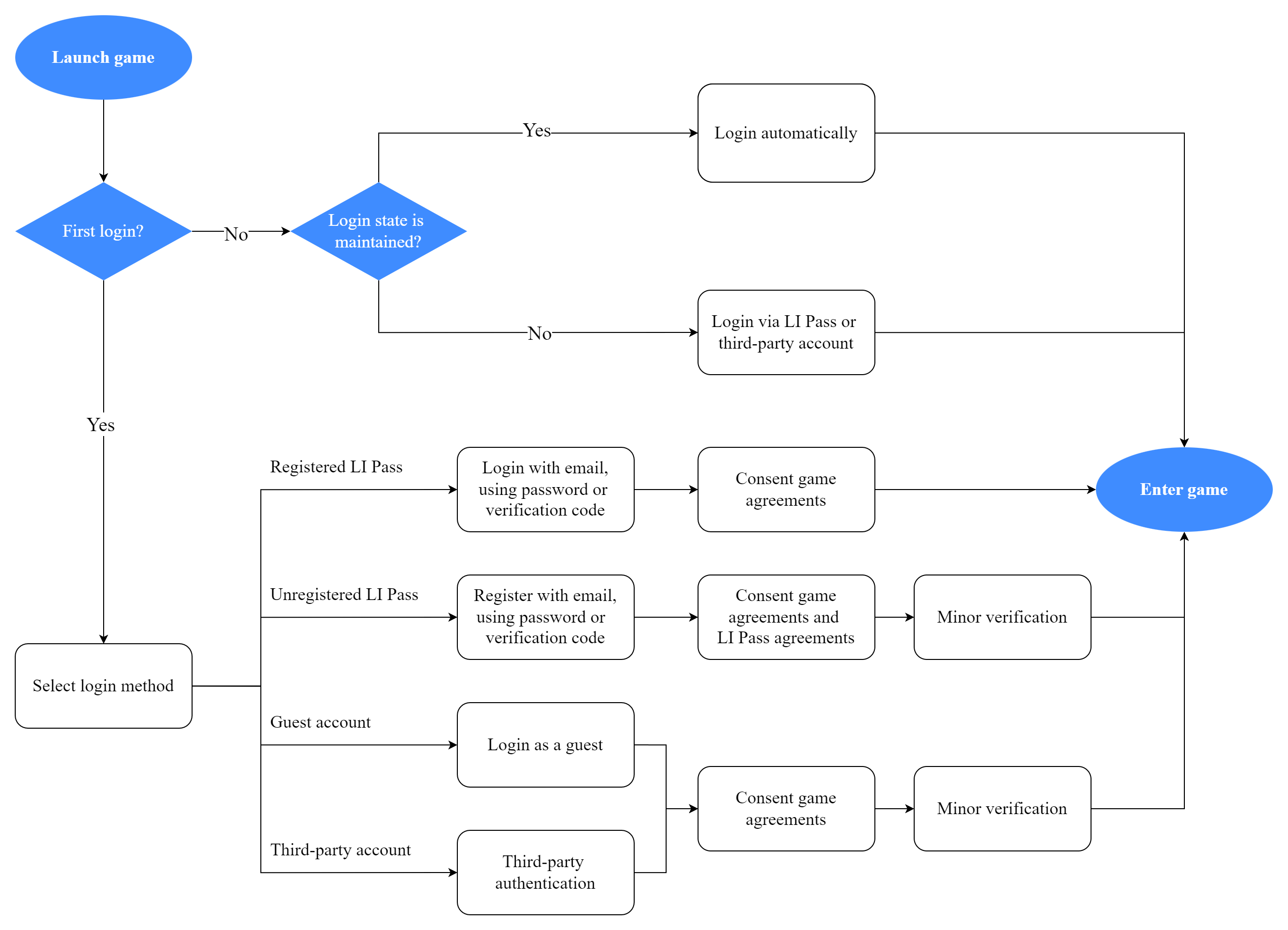
Login Process Diagram
The login process varies slightly for different types of users:
- New players using LI Pass for the first time: Need to complete registration and compliance verification;
- Returning players with active sessions: Can automatically enter the game;
- Returning players with expired sessions: Need to log in again.
New players can register via email or enter the game through third-party channels.
After a successful login, the login status information is stored in an encrypted session file, and upon next login, it will automatically retrieve the session information for authentication.The validity period of the login status is generally 30 days. After 30 days, the login status information will expire, and players will be required to log in again.
Detailed Product Function Explanation
Registration
LI PASS provides manual registration and automatic registration modes, supporting businesses to set up registration methods configurations on the Player Network Console. For details, see Setting Registration Mode.
- Manual registration requires entering an email, obtaining verification, and then entering the password twice.After the registration is complete, the password must be re-entered to log in.
- Automatic registration only requires entering email and verification. If the player has already registered, they will automatically log in successfully. If not, they will be automatically registered and logged in successfully without having to log in again.Players can enter Account Center after entering the game to set up a password.
- Manual Registration
- Auto Registration
-
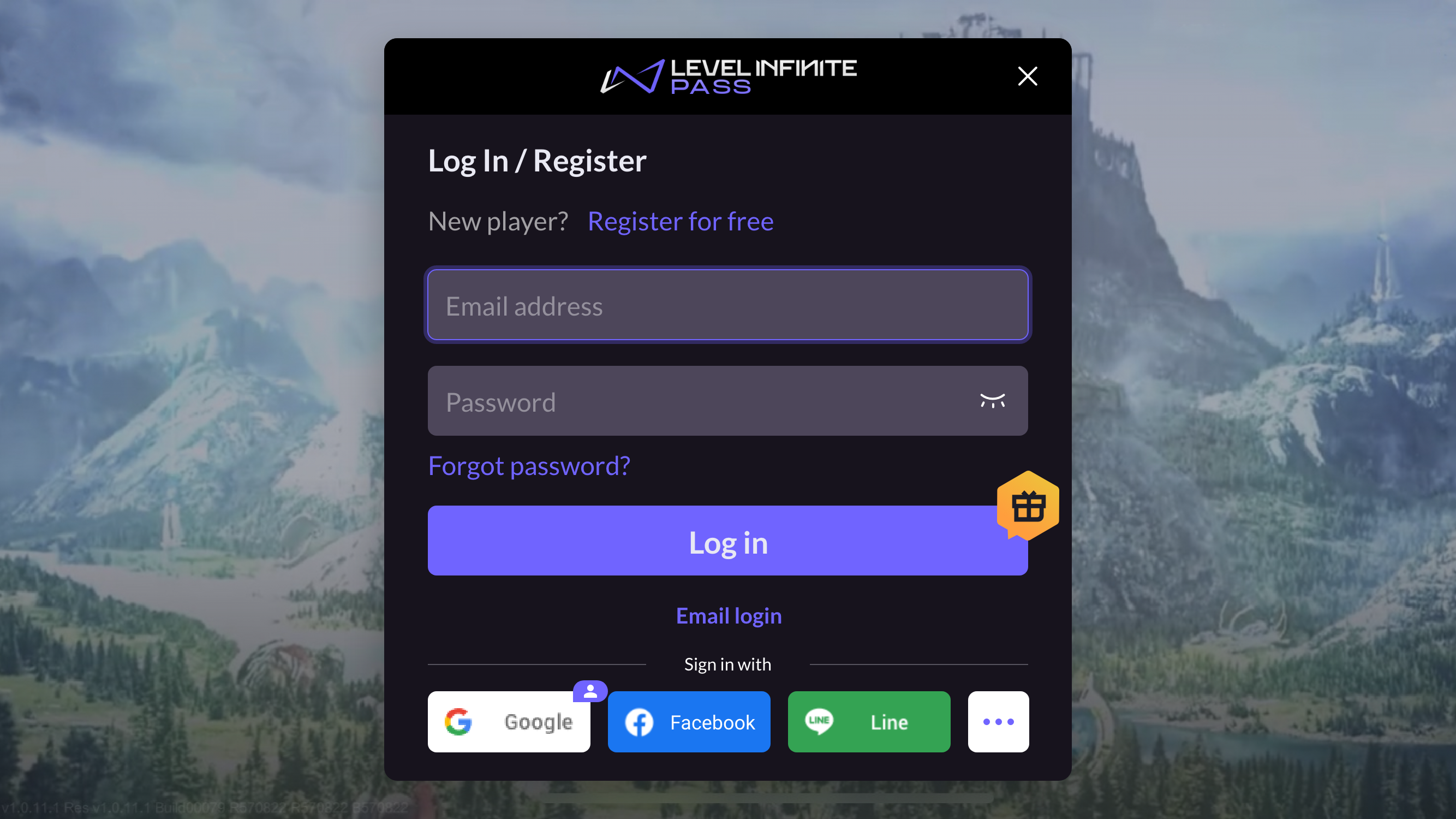
On the Log In/Register page, players click Register for Free, open the Create Account page.
-
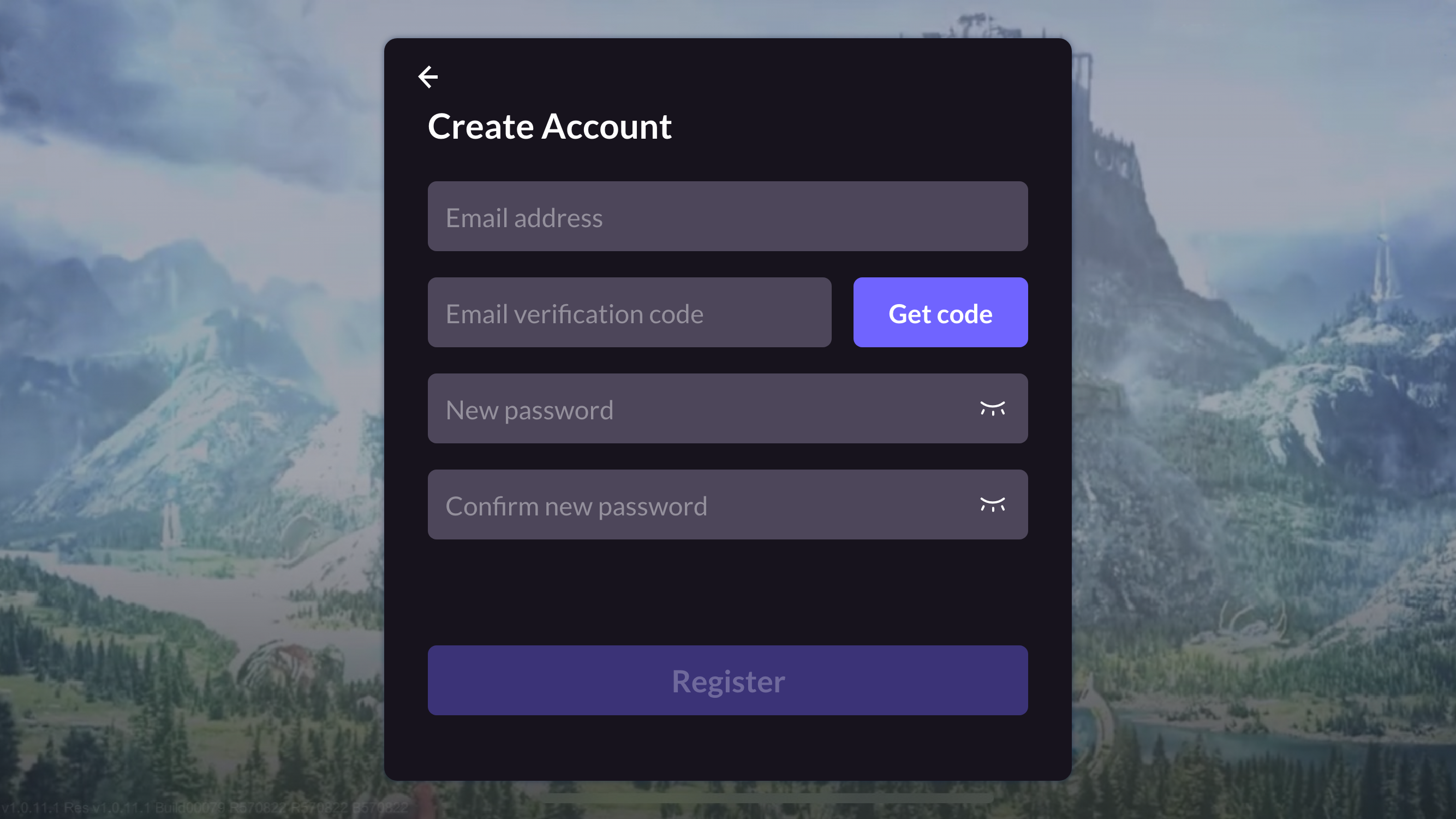
On the Create Account page, players enter an email address, get a verification code, enter a password, and click Register to open the Agreements page.
-
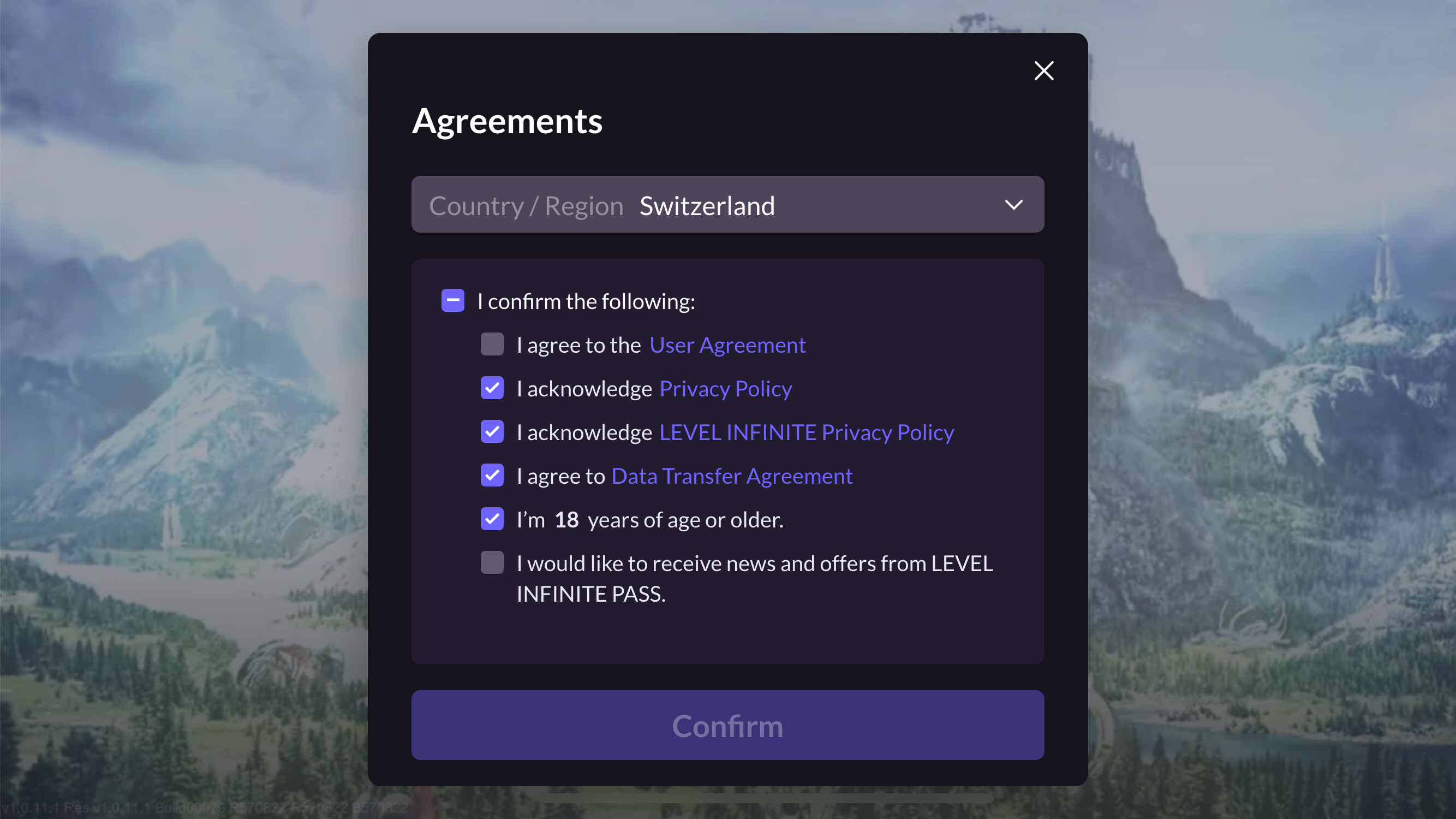
On the Agreements page, players choose their Country/Region, age, and must agree to the user terms and game privacy policies.
LI PASS displays default region based on player IP and necessary compliance agreements.Players can choose to switch countries, and each country's compliance requirements are different. LI Pass will switch the corresponding compliance projects according to the compliance settings.For detailed compliance processes by region, see Compliance Sample.
-
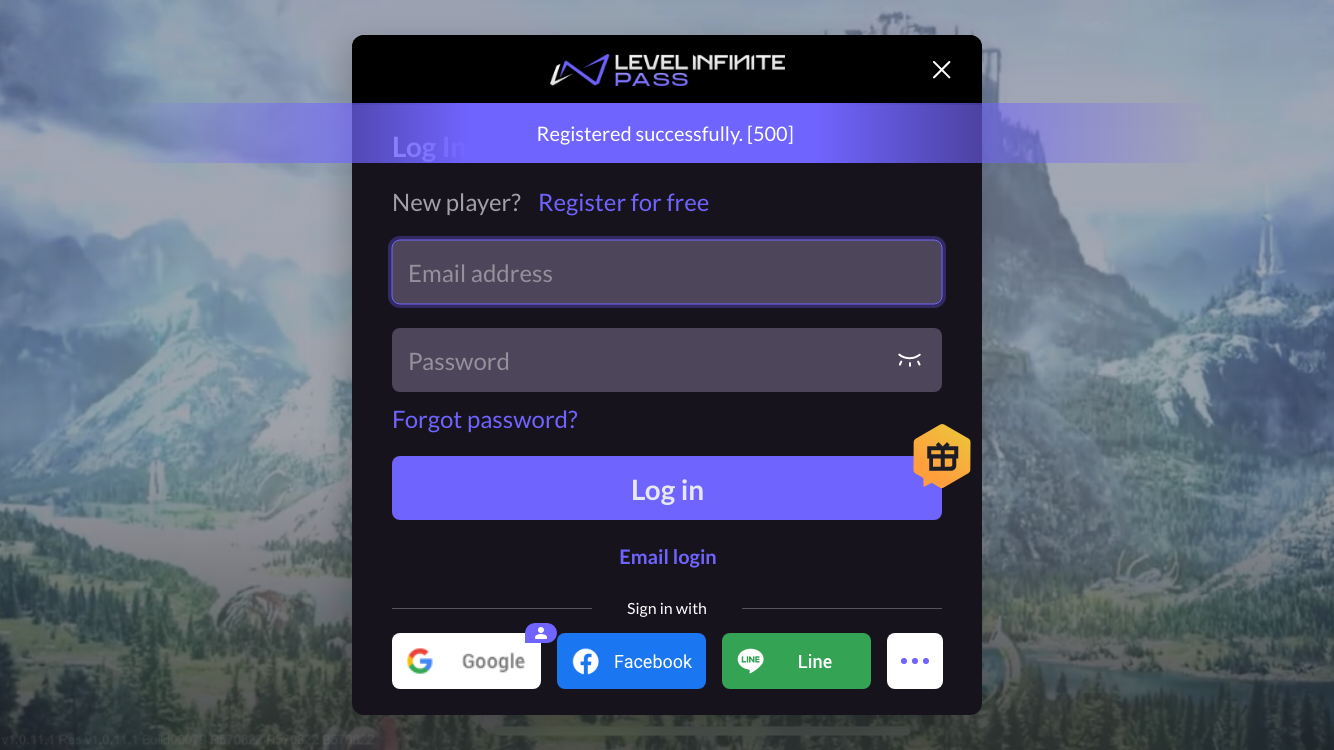
After clicking Confirm, players will be redirected back to the login screen, and a notification will indicate successful registration.
-
After completing registration, players will continue with the Login process below.
-
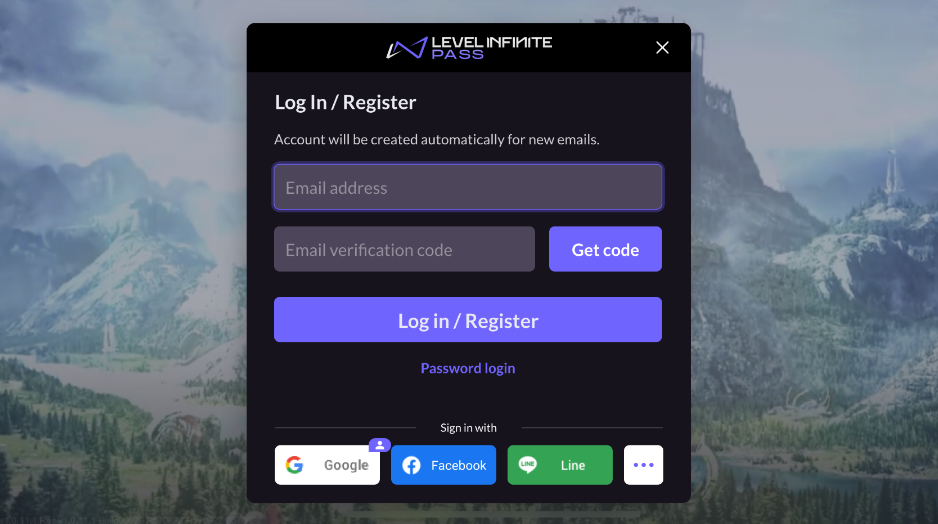
When the auto-registration option is configured on the Player Network Console, the Log In/Register page opens by default. Players enter their email address, Get code, then click the Log in/Register button. The system determines if an account already exists:
- If registered: Log in directly;
- If not registered: Automatically complete registration and log in.
Upon successful login, the Agreements page opens.
-
On the Agreements page, players complete the necessary compliance actions, including selecting Country/Region, age, and agreeing to the user terms and game privacy policies, etc.
LI PASS will first display the player’s default region based on their IP and the compliance agreements required by that region.Players can choose to switch to another country, with each country having different compliance requirements, and LI Pass will switch to the corresponding compliance items based on the configuration.For detailed compliance processes in various regions, see Compliance Examples.
- After clicking Confirm, players will be automatically logged in and transitioned to the game lobby screen.
Login
LI PASS supports the following multiple login methods:
- Email account password login;
- Email verification code login;
- Third-party channel login;
Email account password login and email verification login
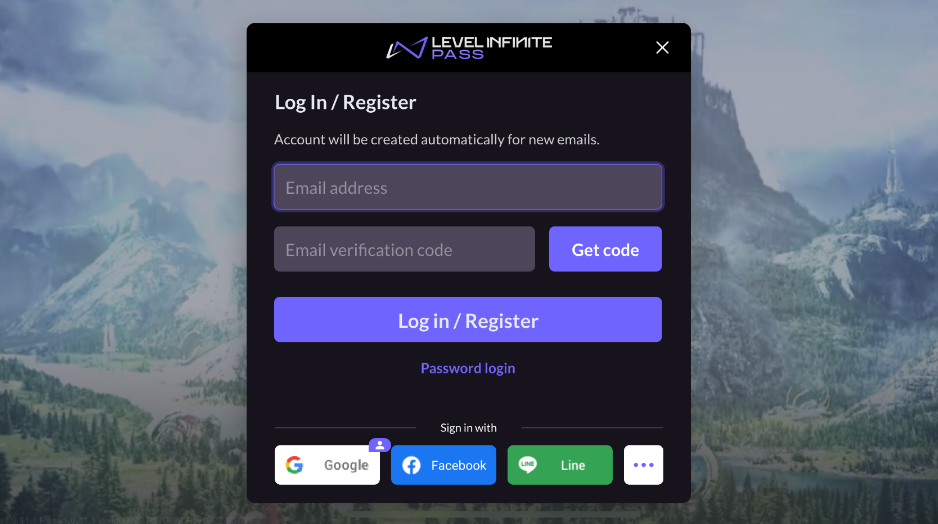
For these two login methods, players can switch between Log In/Register pages by clicking Email login and Password login.
- Password Login
- Email Verification Login
On the page, enter your email address and password, then click Log in to enter the game.
Players enter their email address and click Get code, enter the email verification code, and click Log in to enter the game.
Third-party Channel Login
LI PASS supports login through multiple third-party channels.This section will take Google as an example to illustrate the user process for third-party channel login.
-
Players click on the Google icon and are redirected to the system browser for the Google login page.
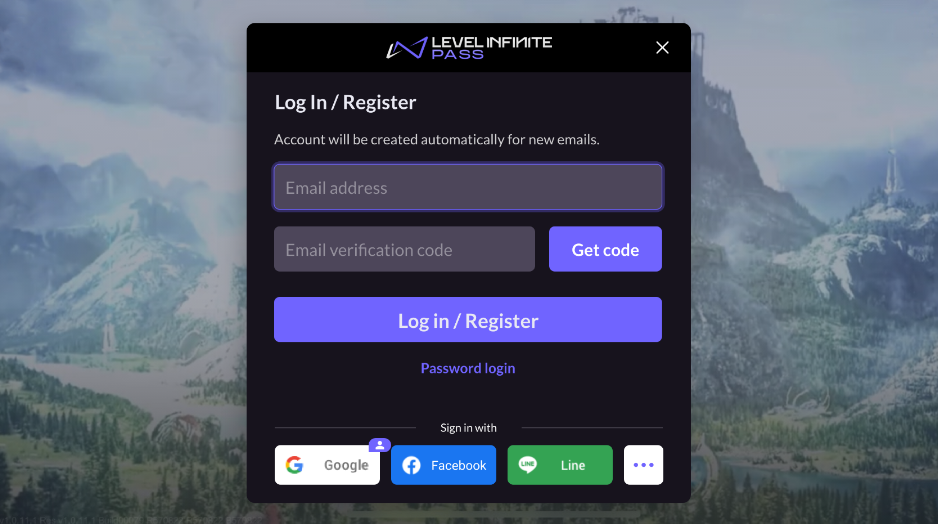
If the login screen does not show the required third-party channels, players can click the ... (more) icon to view the full list of third-party channels supported by the game.
The icon in the upper right corner of the Google channel indicates that the user last used Google login, reminding the user to continue using the Google channel login.
-
Players log in to their Google account and return to the game.
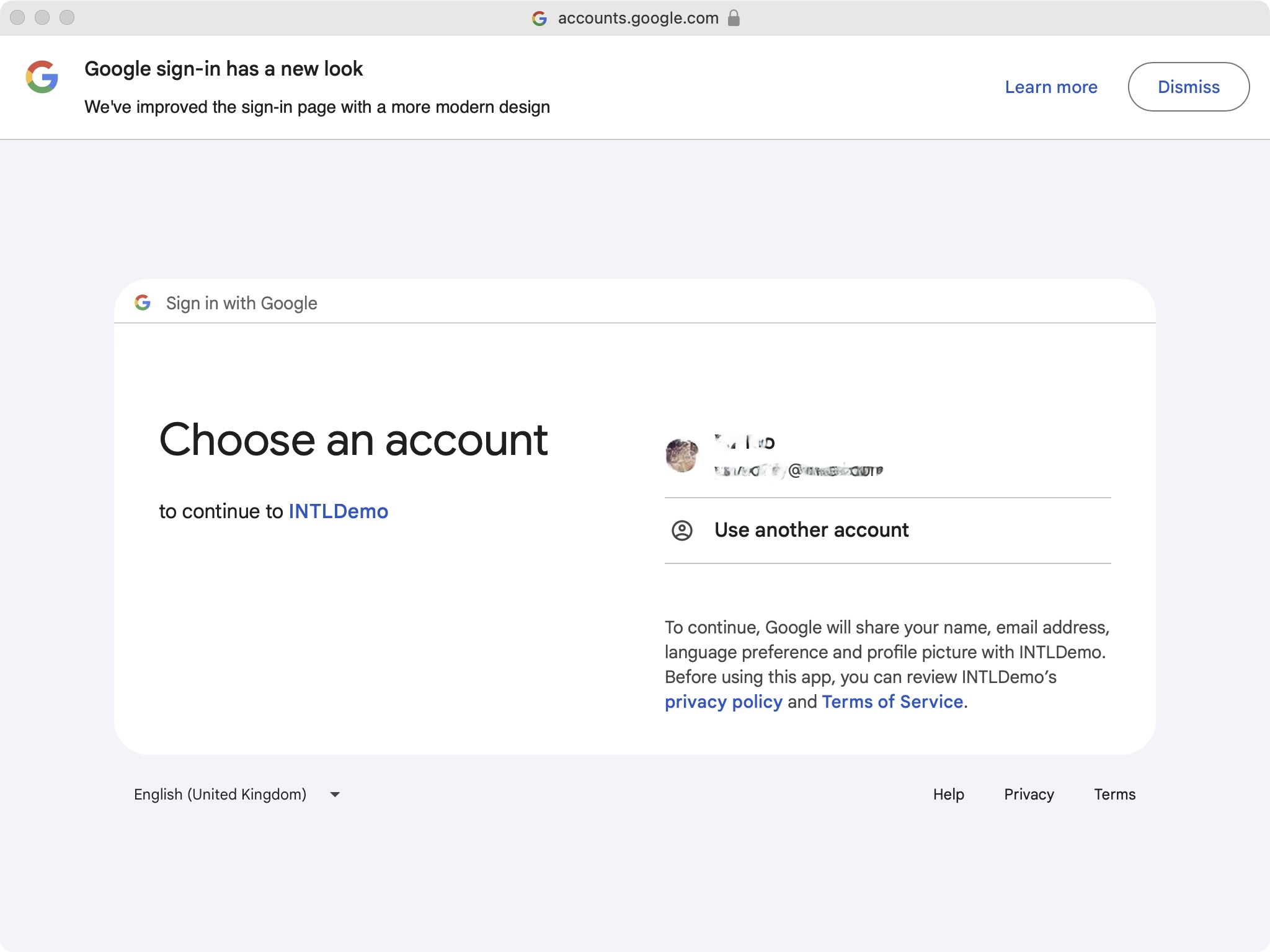
-
New players need to go through the compliance process when logging in for the first time.
Players logging into the game for the first time must verify the game terms for minors before playing.Returning players will enter the game directly.
-
Players successfully enter the game using their Google account.
Login Channel Description
LI Pass email account
The LI Pass email account is a branded account under Infinite Level, and all games under it will integrate with the LI Pass account. The account contains the player's email account password information, compliance information, subscription status, etc. This information can be shared across different games.For example, if a player registers an LI Pass account in Game A and completes compliance verification, then the email account and password can be directly used to log into Game B, without having to complete compliance verification again, only needing to agree to the game agreement and user terms to enter the game.
Third-party Channels
LI Pass encapsulates the access logic for mainstream third-party social platforms, supports quick authentication, and extracts user information (such as nicknames, avatars, etc.), greatly reducing integration costs.The game team can freely configure supported channels and their display order according to business needs.
Current channels supported by LI Pass include (but are not limited to):
- Apple
- GameCenter
- Line
- Discord
- LI Pass integrates the main stream third-party social platform access logic, supporting fast authentication and extracting user information (such as nickname, avatar, etc.), significantly reducing integration costs between various channels.
- Game teams can freely configure the supported channels and their display order based on business needs.
- Currently, LI Pass supports the following channels (including but not limited to):
- Apple
Account Binding Introduction
When players log in with third-party social channels, they can also bind their LI Pass account.
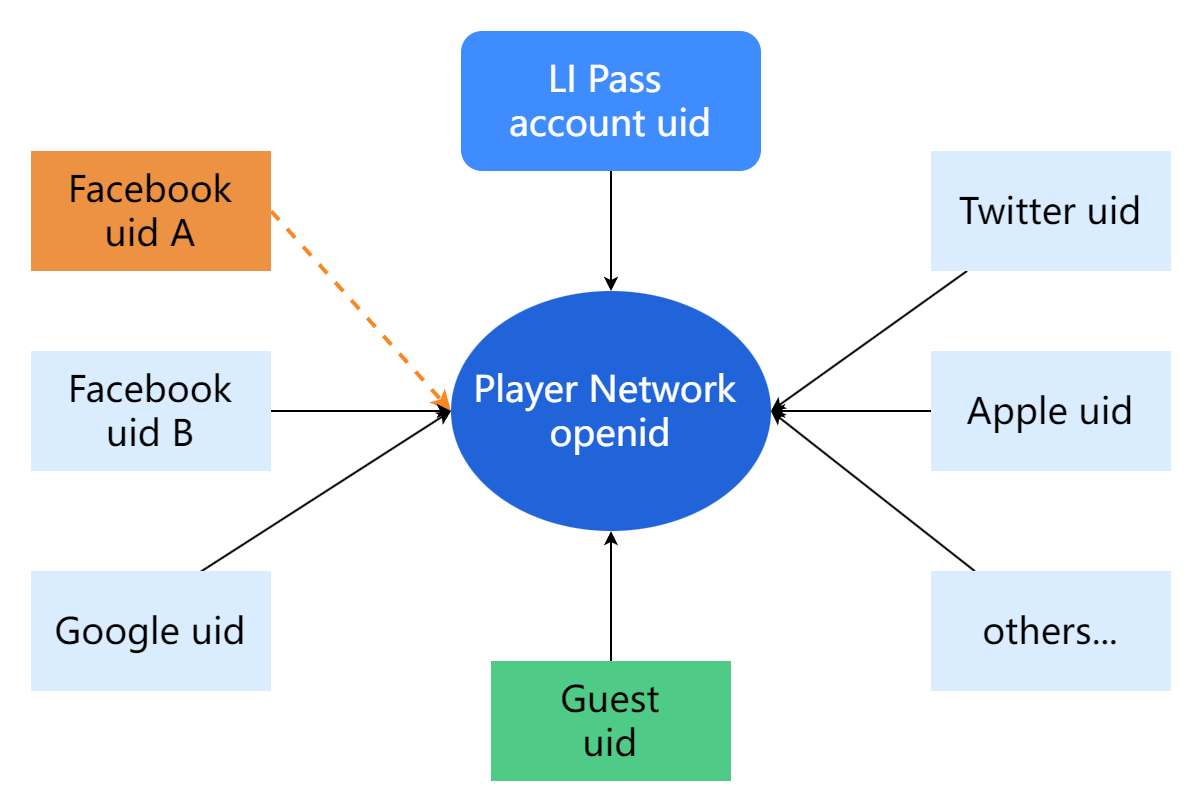
The binding relationship exists between the channel and openid; the binding relationship is internal to the game rather than cross-game.
LI Pass has completed the account binding function. No additional operations are required for the service.
Account Binding Relationship Diagram
Binding Rules
-
In each game, an account can bind multiple channels:
Players can simultaneously bind multiple social channels and then log into the game through any channel. The system will recognize the same OpenID and load the relevant player data. -
Only one uid is allowed to be bound per channel:
For the same login channel, such as the Facebook channel in the above diagram, you need to unbind Facebook uid A before re-binding to a new Facebook uid B.

