Web Account Solution
Overview
The login/registration is completed through the Web widget, which generates a game account (i.e. OpenID). The account data from the web interface is interoperable with the game on other platforms.
The Web widget supports LI PASS account login/registration. By integrating LI PASS into the game webpage, it ensures the validity of activities and improves operational effectiveness.
Use scenarios
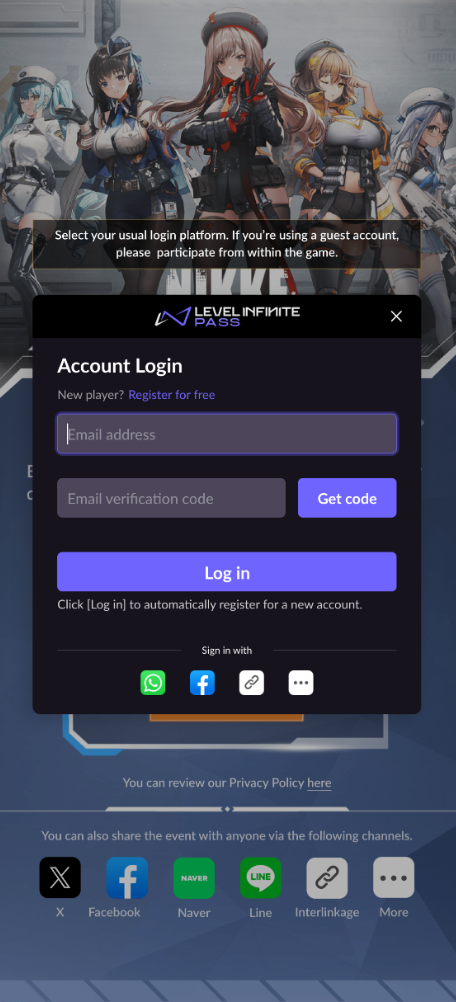
For games or applications that choose to use LI PASS as a login channel, the Web widget and API provided by LI PASS enable faster development of official game websites or events. Below are some example use cases for reference.
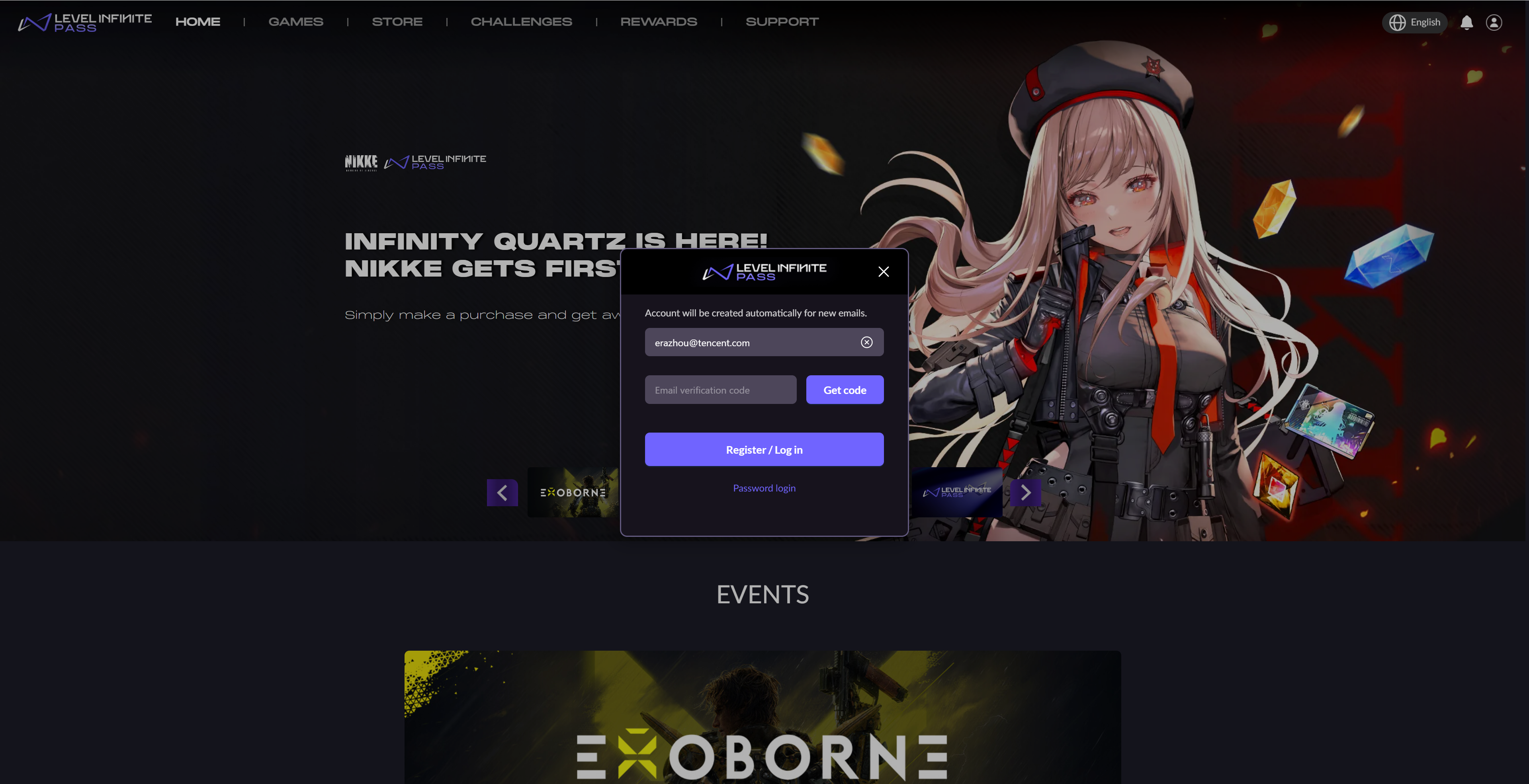
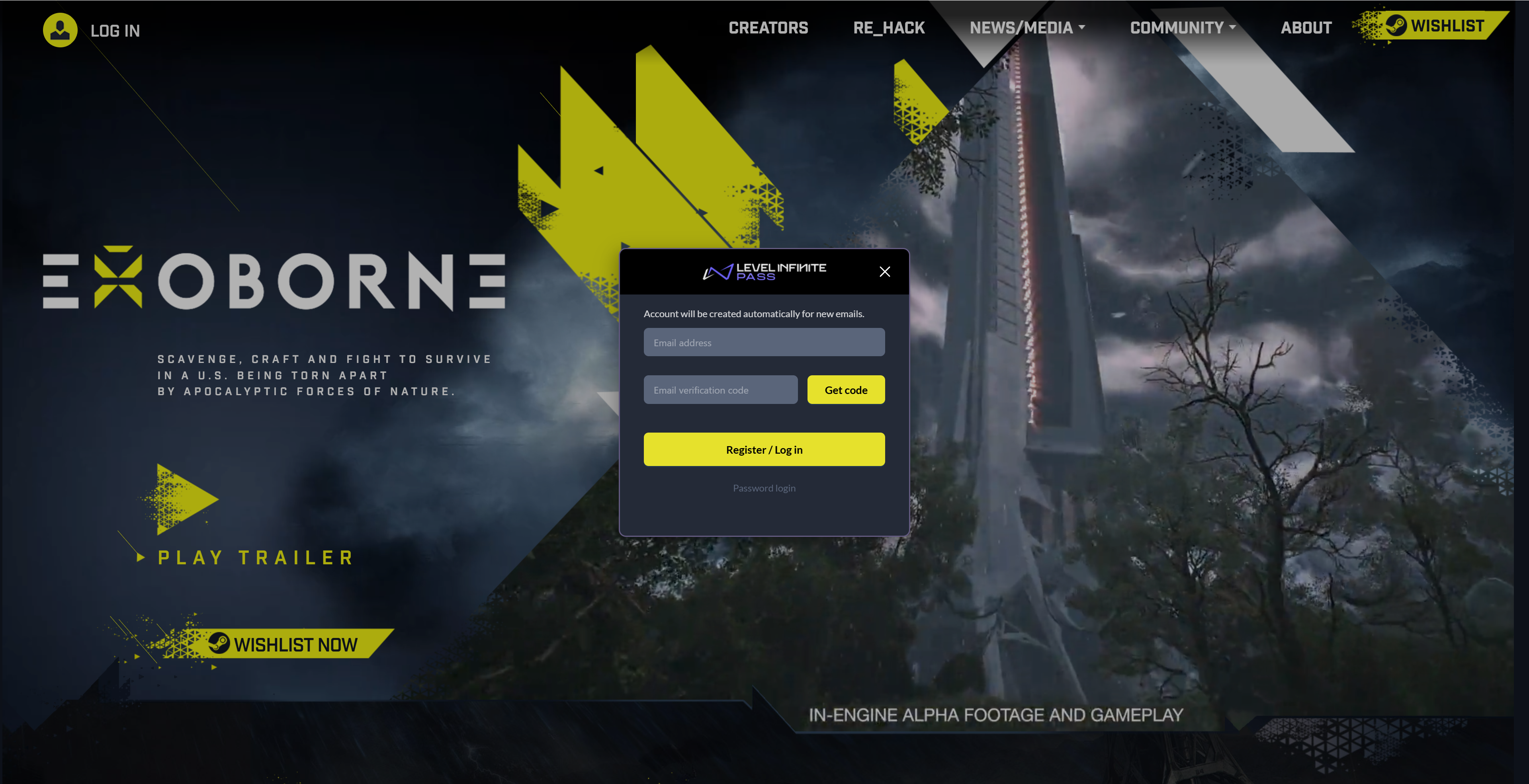
Official website login
By integrating the Web widget into your official game website, players can log in or register for game accounts outside the game client. User account data enable precise website analytics and seamless integration with future events, supporting long-term website operations.
Required features: Login/Registration
Linking
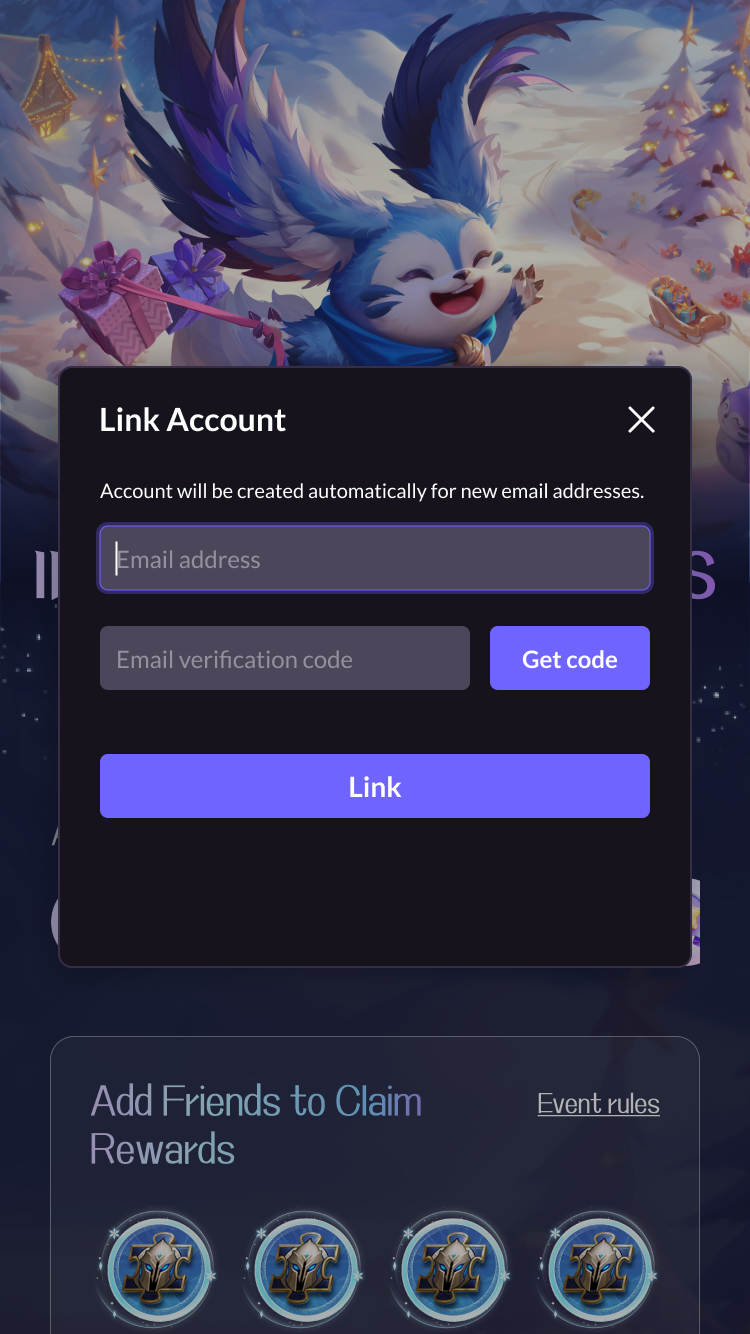
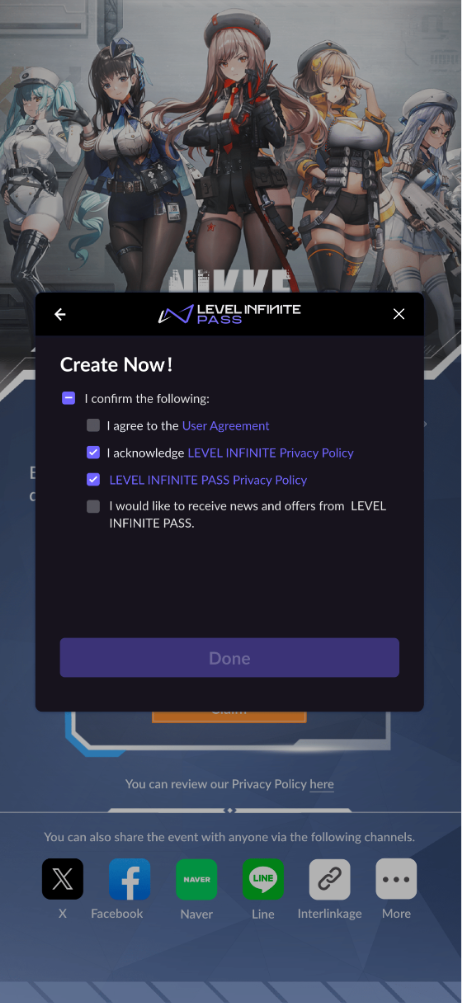
Games often want players to link more channels. Using the linking function in the Web widget, you can quickly guide players to link LI PASS or third-party channel accounts, significantly reducing the development cost of linking activities. Additionally, the linking function supports both automatic and manual triggering methods after login, allowing you to flexibly design the player flow based on operational needs.
Required features: Login/Registration, Linking
Subscription
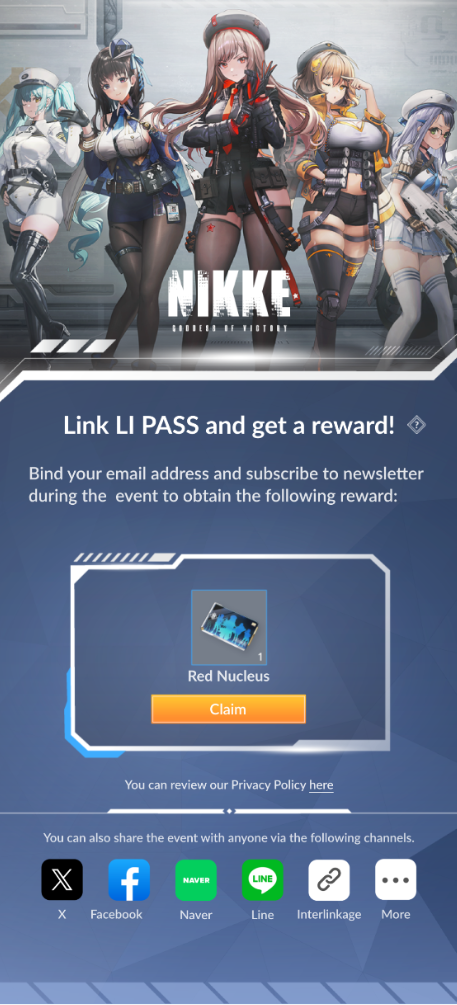
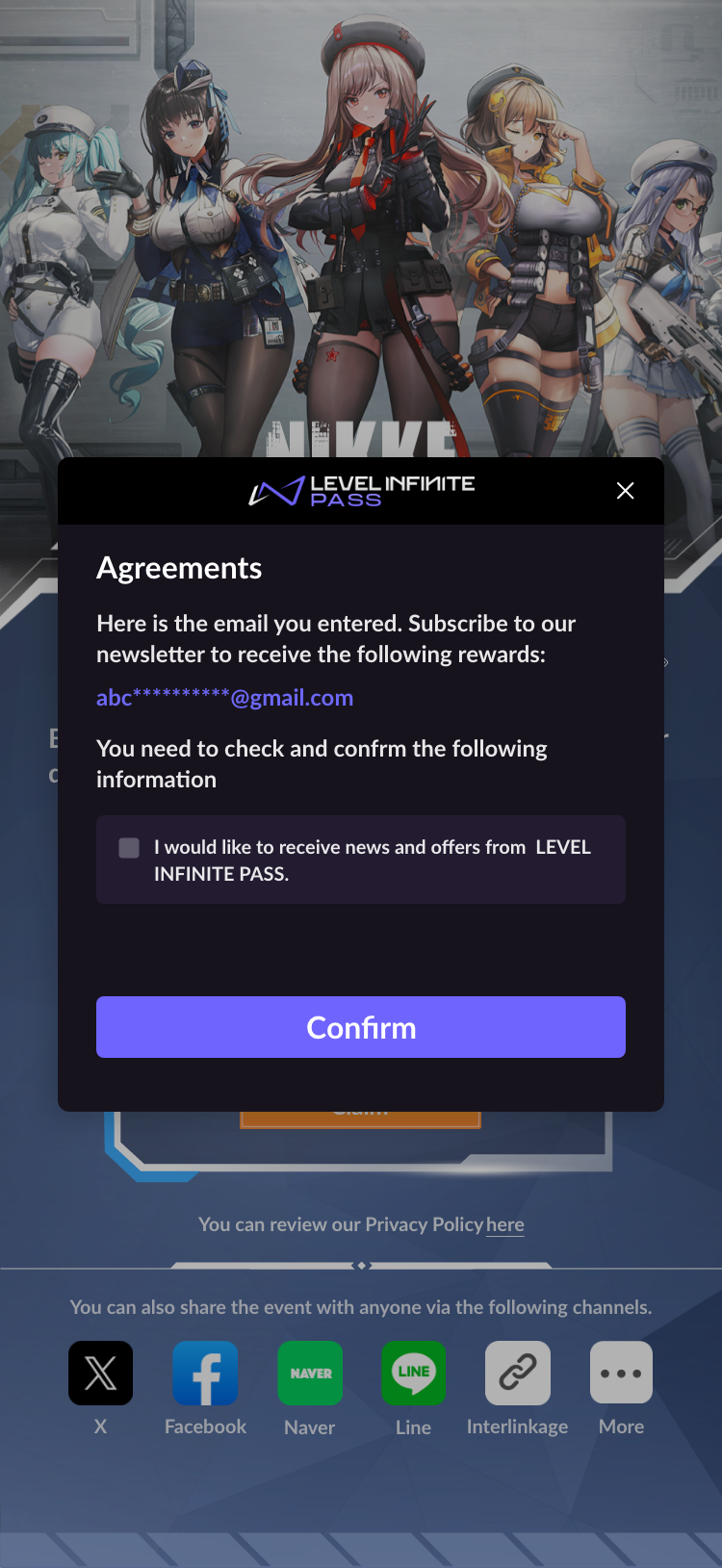
The LI PASS Web widget currently does not include the full subscription process. The game needs to call the Web API provided by LI PASS after the player logs in to implement this. The popup UI and logic must be developed independently. This is only an example. In the future, we will plan such features based on game requirements. Please stay tuned.
Games can boost subscription conversion rates through targeted campaigns. After integrating the Web widget on the event page, developers can retrieve player subscription status via the Web API and guide unsubscribed users to subscribe via a popup.
Required features: Login/Registration
Detailed Product Features
Traditional Registration/Login
Traditional Registration
The default LI PASS user journey provides two ways for new players to register for an LI PASS, manual registration and automatic registration. If the game only wants to allow existing players to log in, you can choose to hide the registration entry.
- Manual registration
- Automatic registration
Manual registration requires players to fill in information to complete the registration
-
The player clicks Register for free to enter the manual registration process.
-
The player enters their email address, and verifies its validity with a verification code.
-
The player selects their Country/Region. The required fields and agreements that the player must consent to are automatically adjusted according to the selected country or region.
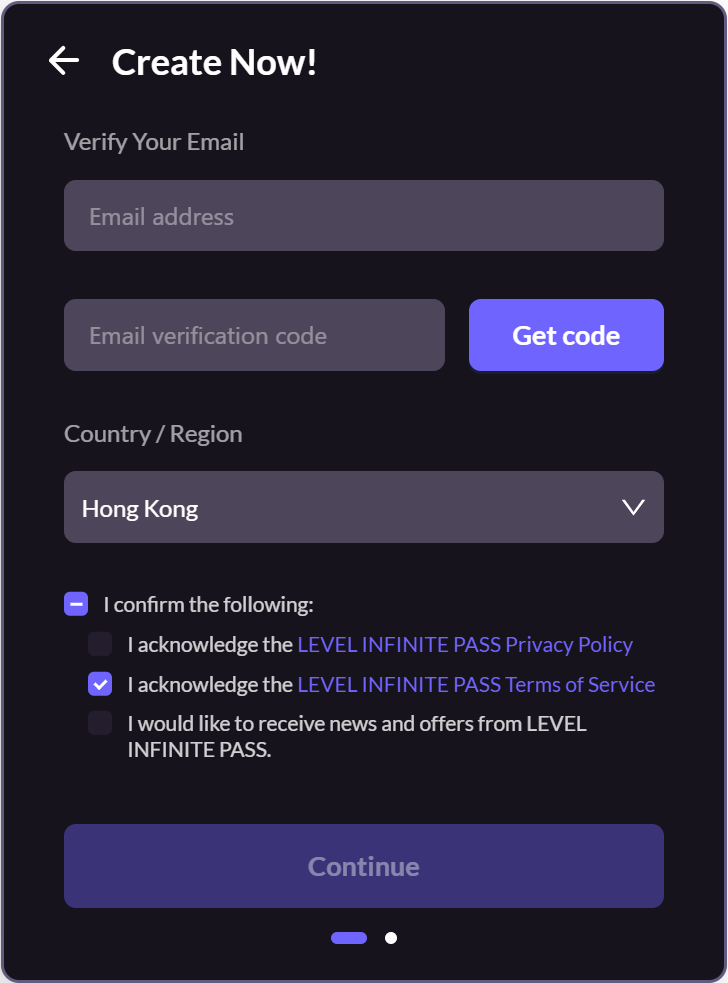
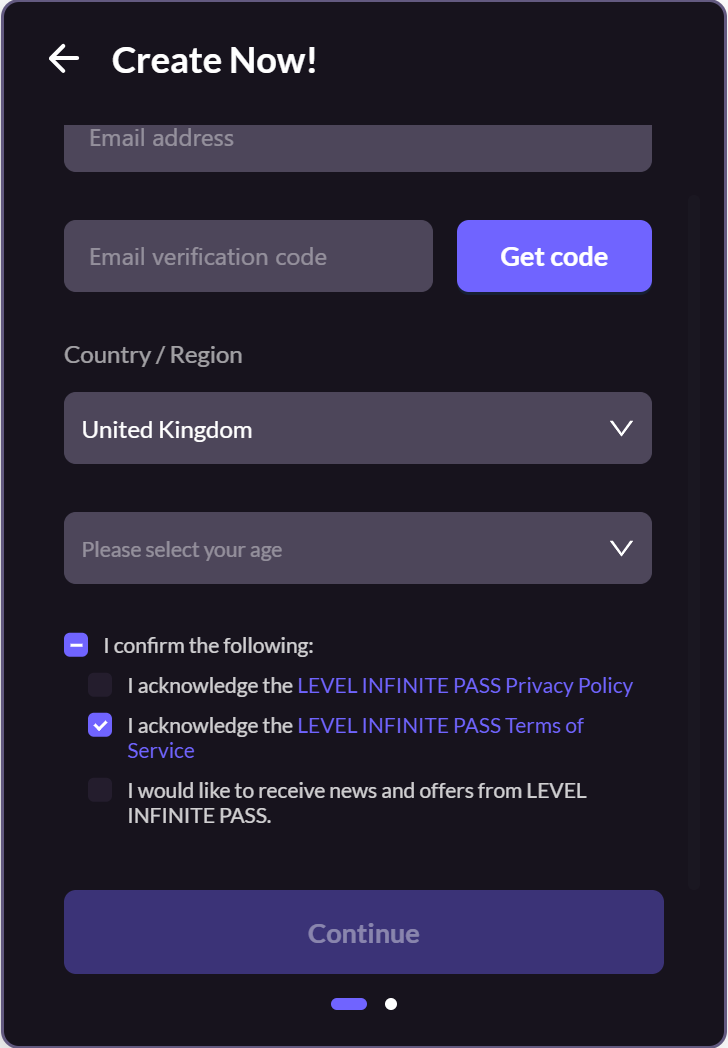
- [Optional] According to the required information configured, the player may be required to fill in and confirm the password for LI PASS.
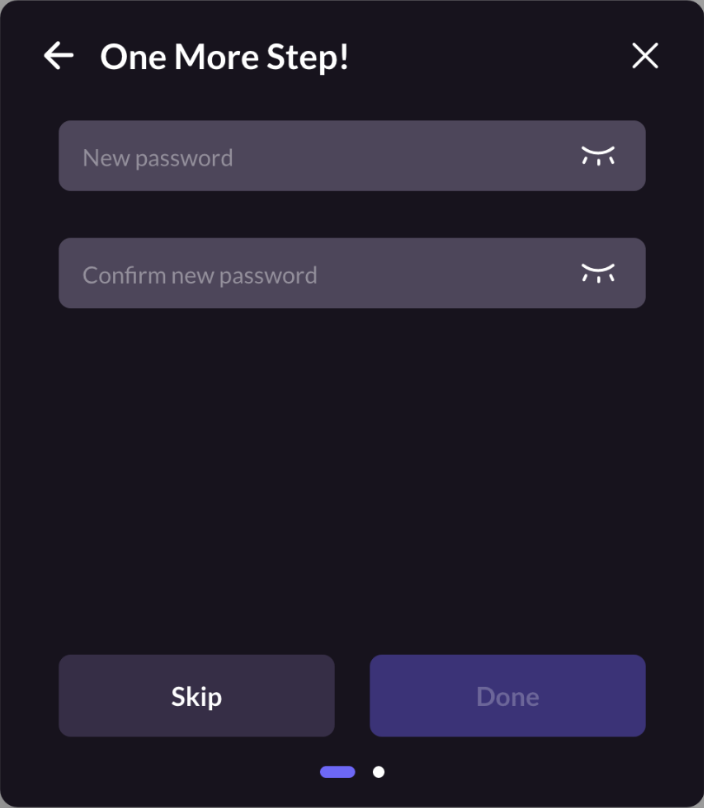
- The player can then click Done to complete the registration.
When logging in with a verification code, if automatic registration is enabled, an account will be automatically created when an unregistered email tries to log in. This method allows quick account registration.
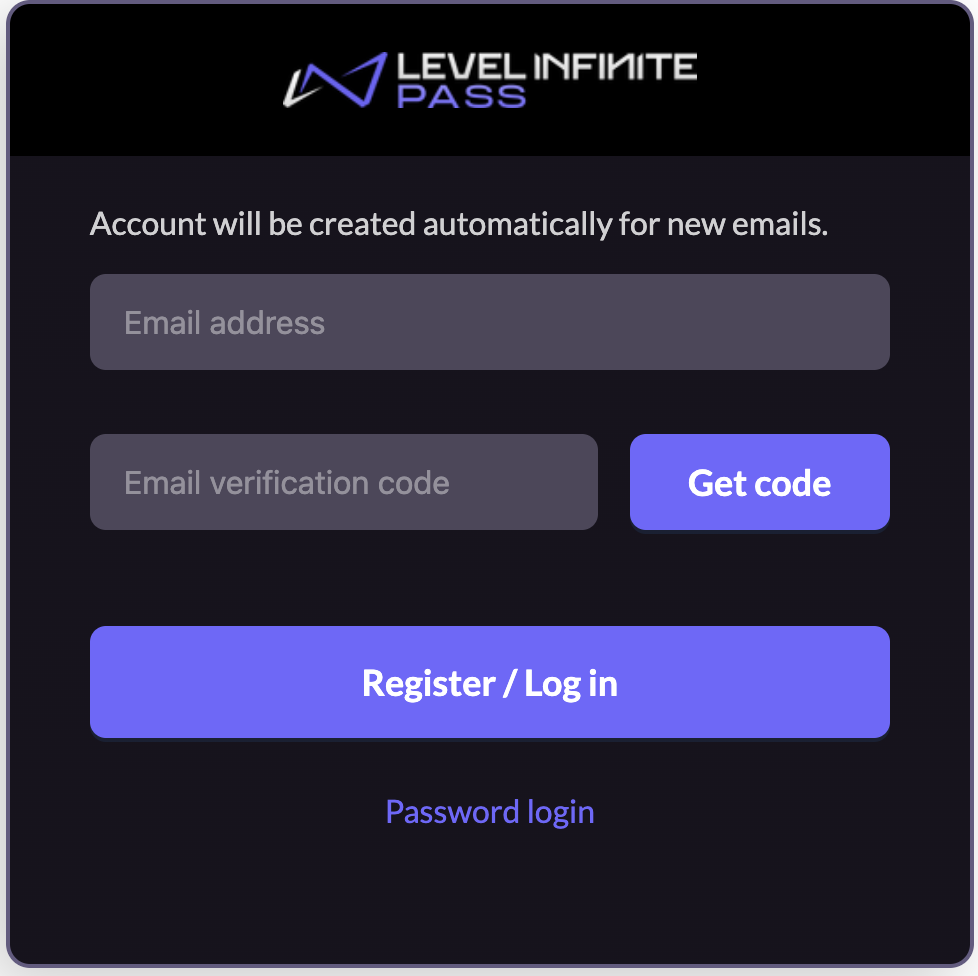
Traditional Login
The default LI PASS user login process supports player email password login 、 email verification code login , or third-party channels.
Account login and Email login
- Email Password Login
- Email Verification Code Login
This is a commonly used login method, where users can complete the login on a single interface.
Login by entering an email and password.
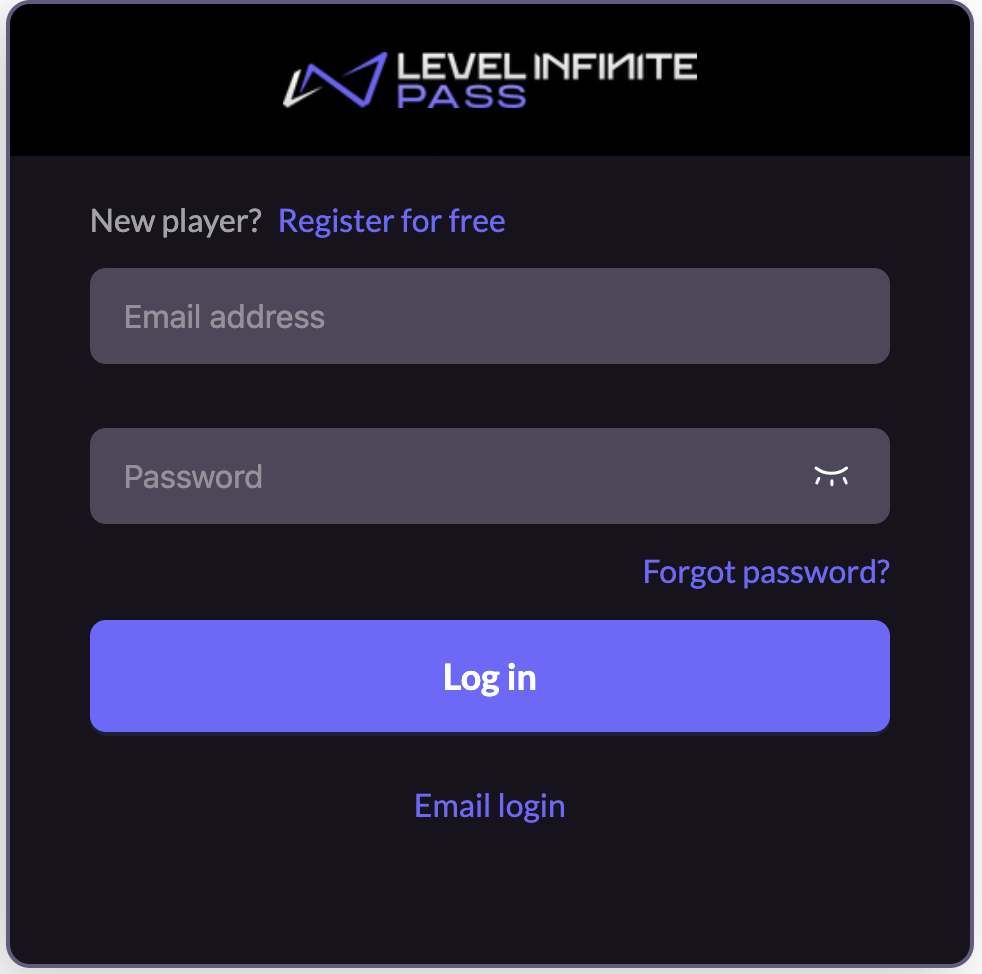
When users log in using an already registered email and password, a prompt will appear if no password has been set for the account.
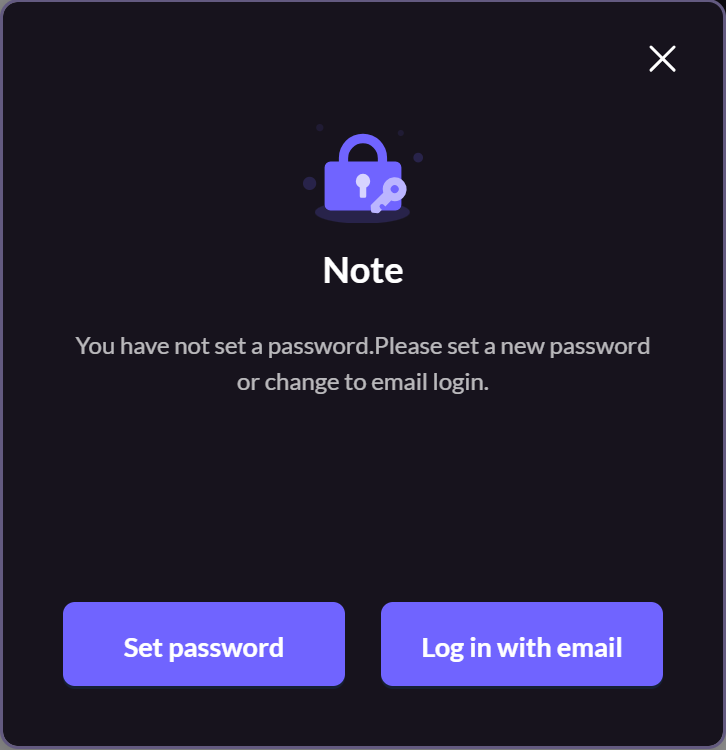
This is suitable for various scenarios where users don’t need to worry about forgetting their password, as they can simply verify their email to log in.
Login via email verification code.
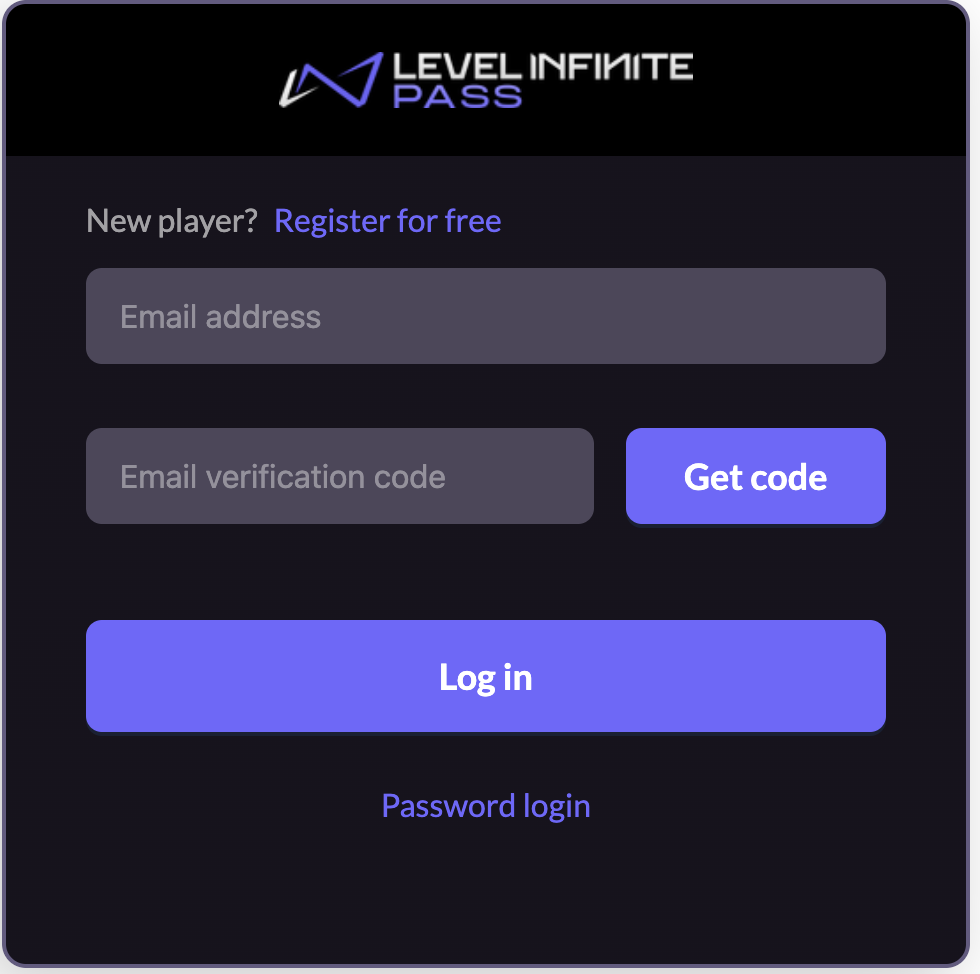
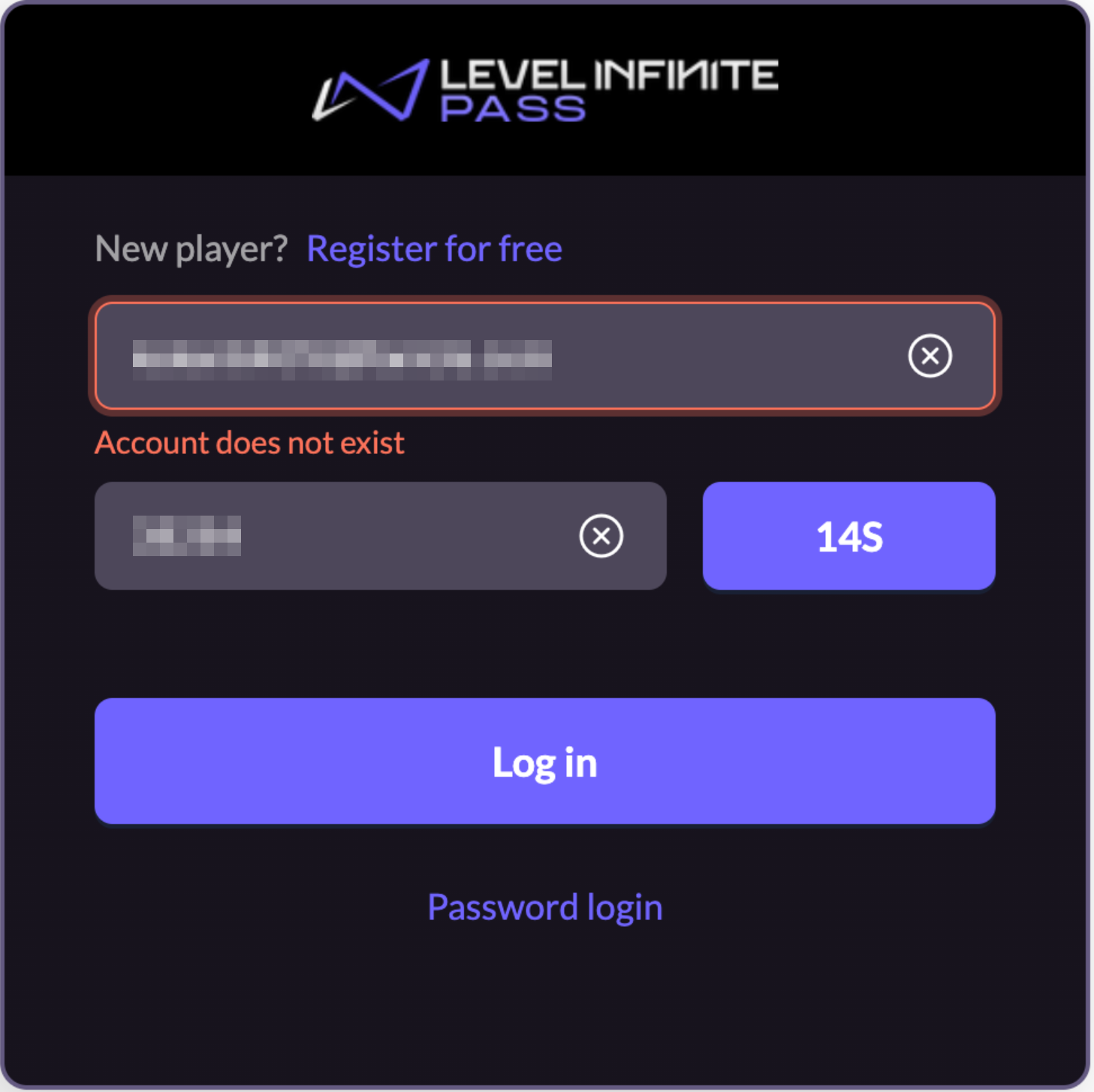
If automatic registration by verification code is not enabled, an unregistered email will be prompted with an account not existing message.
When automatic registration by verification code is enabled, the top message and button text will change accordingly, and unregistered emails will automatically register an account when attempting to log in.
Third-party channel login
The Web widget supports login through over a dozen third-party channels such as Facebook, Google, Apple, and others, ensuring that no channel opportunity is missed, allowing more users to smoothly access activities.
This section uses Google as an example to explain the user journey for third-party channel login.
- The player clicks the Google icon and is redirected to the Google login page. Whether a provider will launch an app to complete authorization is up to the third-party provider.
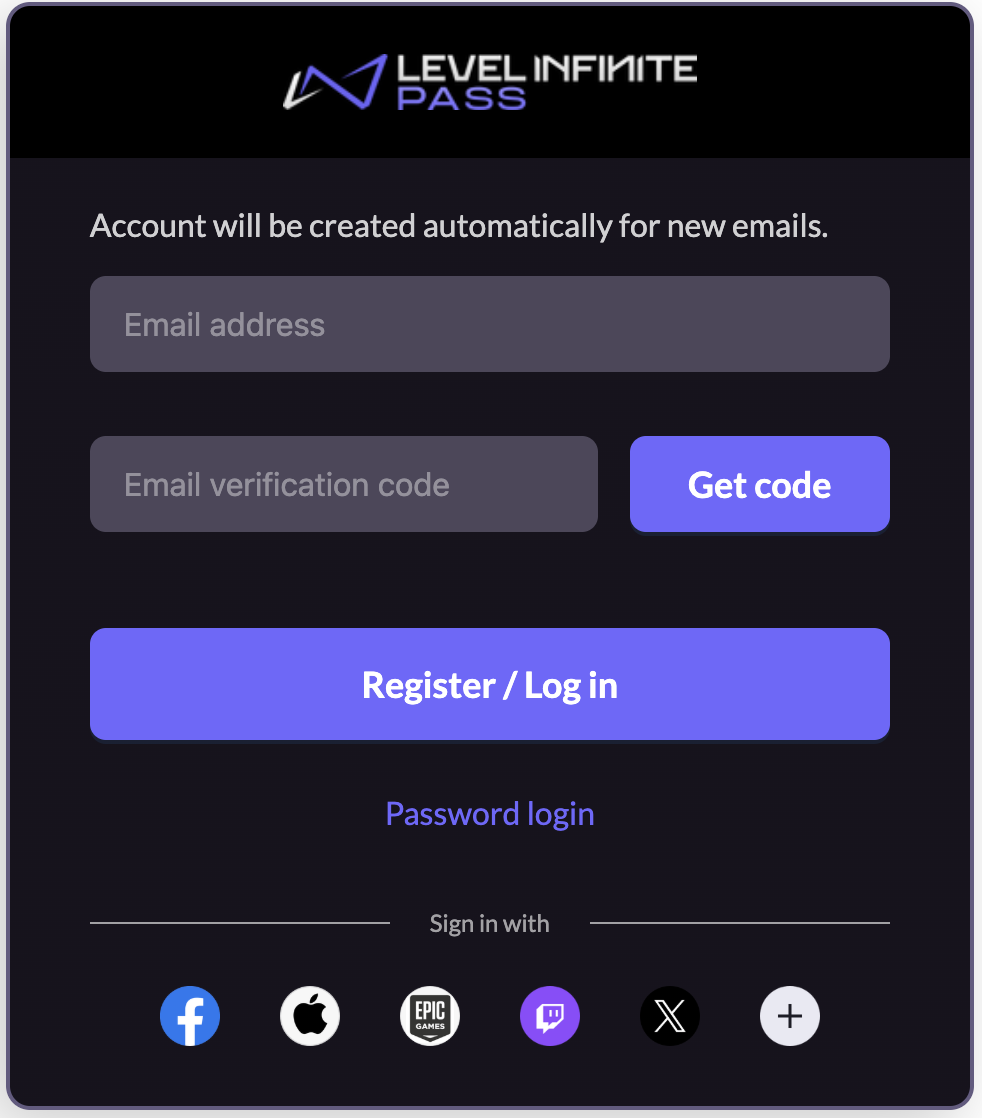
- [Optional] If the desired third-party channel is not displayed in the login panel, players can click the ⋯(more) icon to view the full list of third-party channels supported.
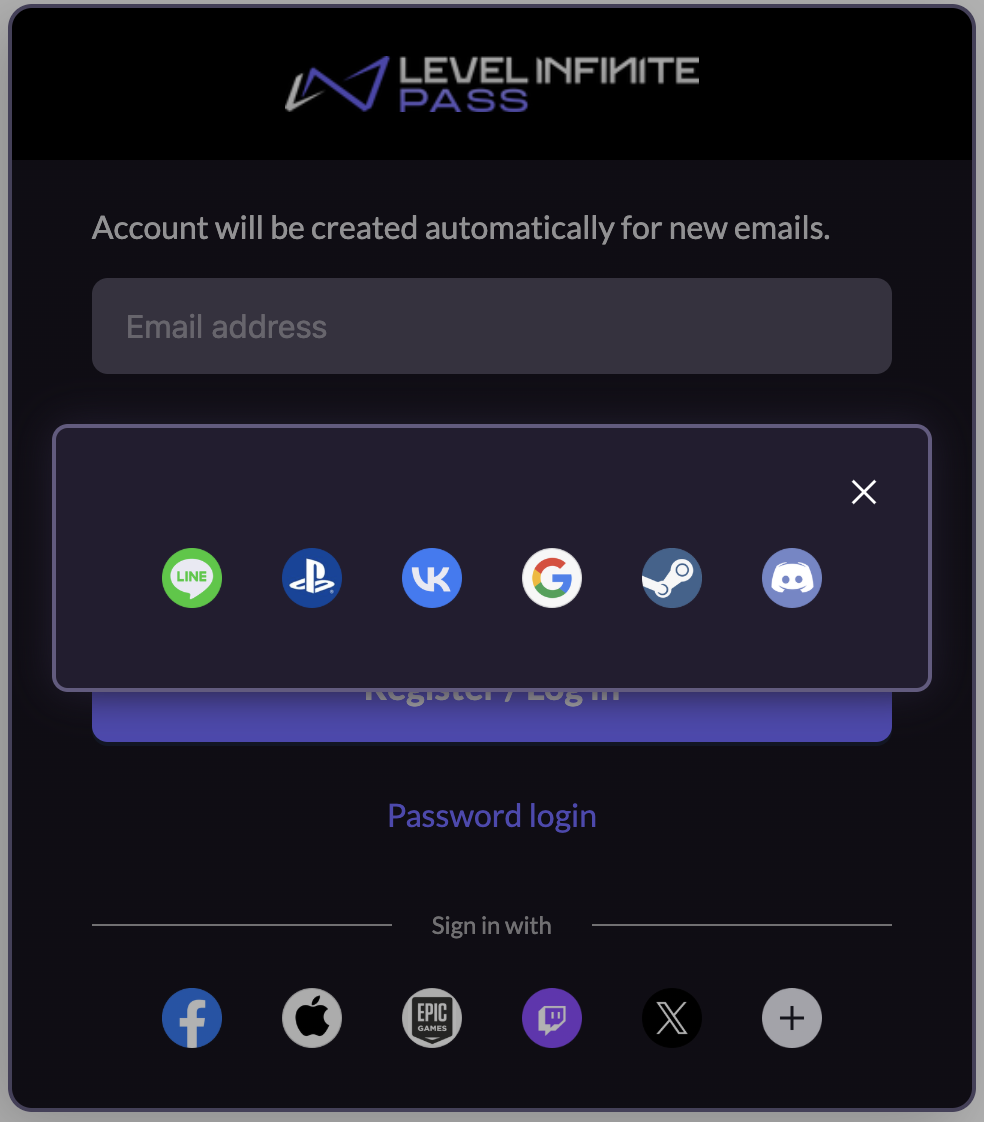
- The player logs in to their Google account and is then redirected back to complete the login process.
Smart Guided Registration/Login
This feature is supported in Player Network SDK V1.28 or later.
SmartGuide Login is a dynamic process incorporating both registration and login. Players will be directed to the process that corresponds to their account status, simplifying the login/registration steps for a better user experience.
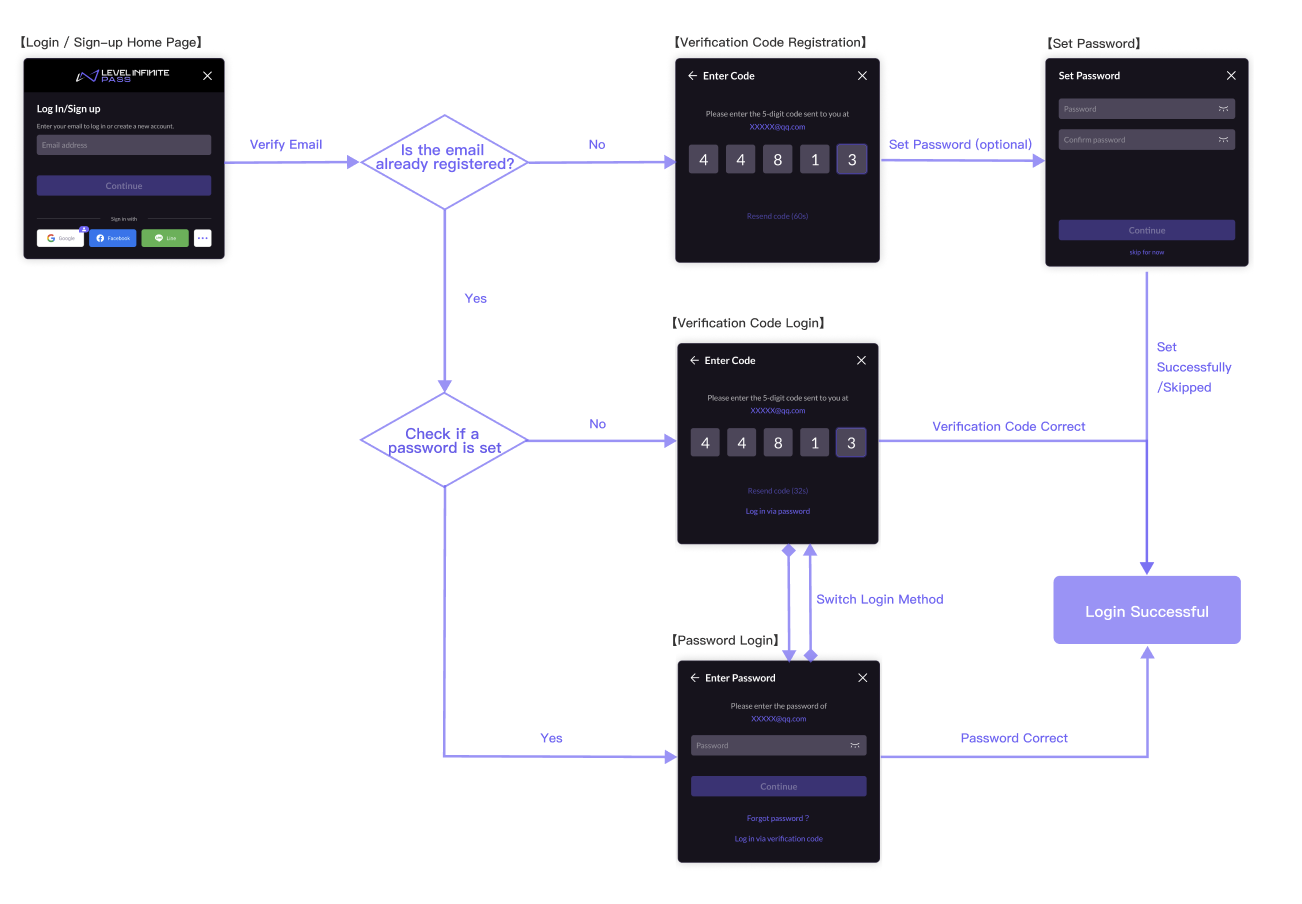
After a player enters their email address, the system automatically determines their account status and directs them to the appropriate process:
- For unregistered players, they can register for an LI PASS directly.
- For registered accounts with a set password, the account login screen is shown, and players can choose to enter their password, or use their email to login by switching the login method.
- For registered accounts without a set password, the email login screen is shown, and players can choose to enter the verification code from their email, or set a new password switching the login method.
Alternatively, the player can also choose to log in with a third-party channel or their guest account, procedures similar to those from the Standard Login process:
- Mobile or PC independent releases - Third-party channel login, Guest login
- Web - Third-party channel login
Registration
The player enters their email address, which has not been registered:
-
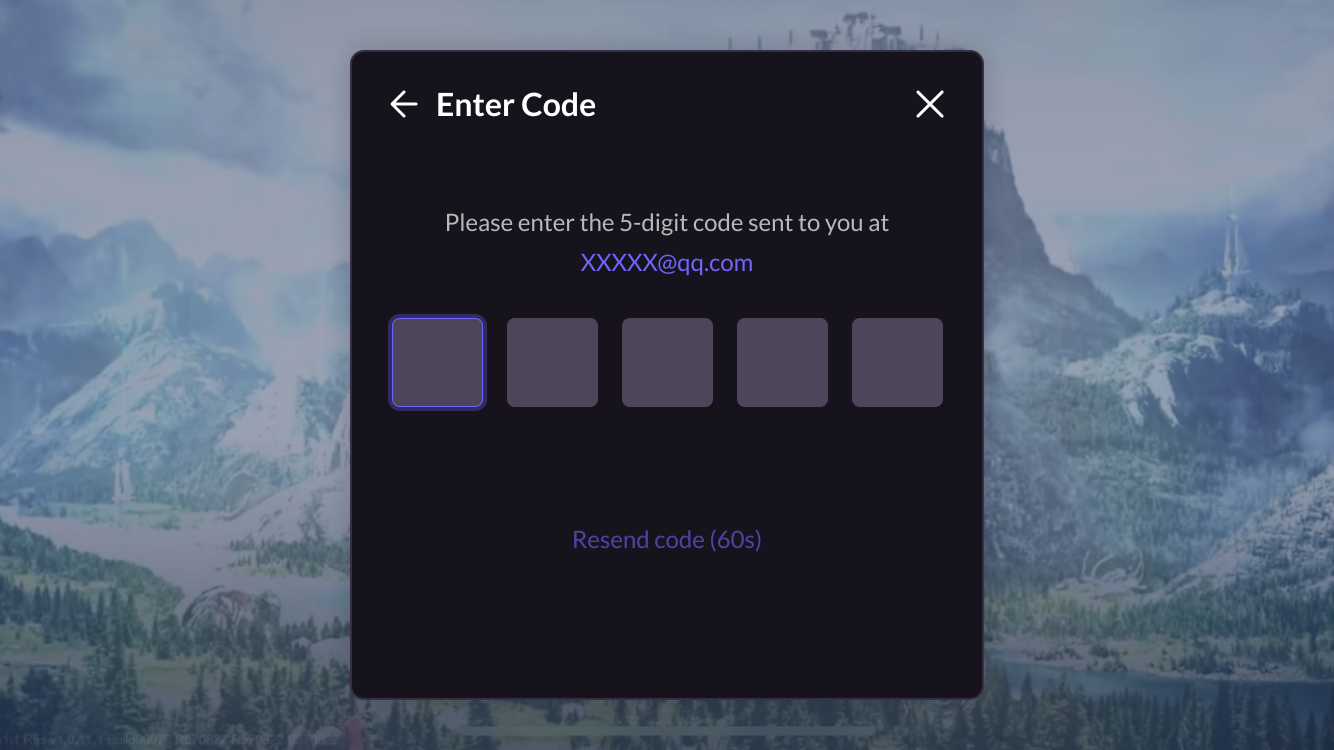
The player enters a verification code to complete the registration.
-
After registration is successful, the player can choose to set an account password to enhance their account security, or click skip for now to skip the process.
![Image:Setting a password[Optional]](/assets/images/SetPassword-7df75b7f35ff035e693deabdbe15652c.png)
-
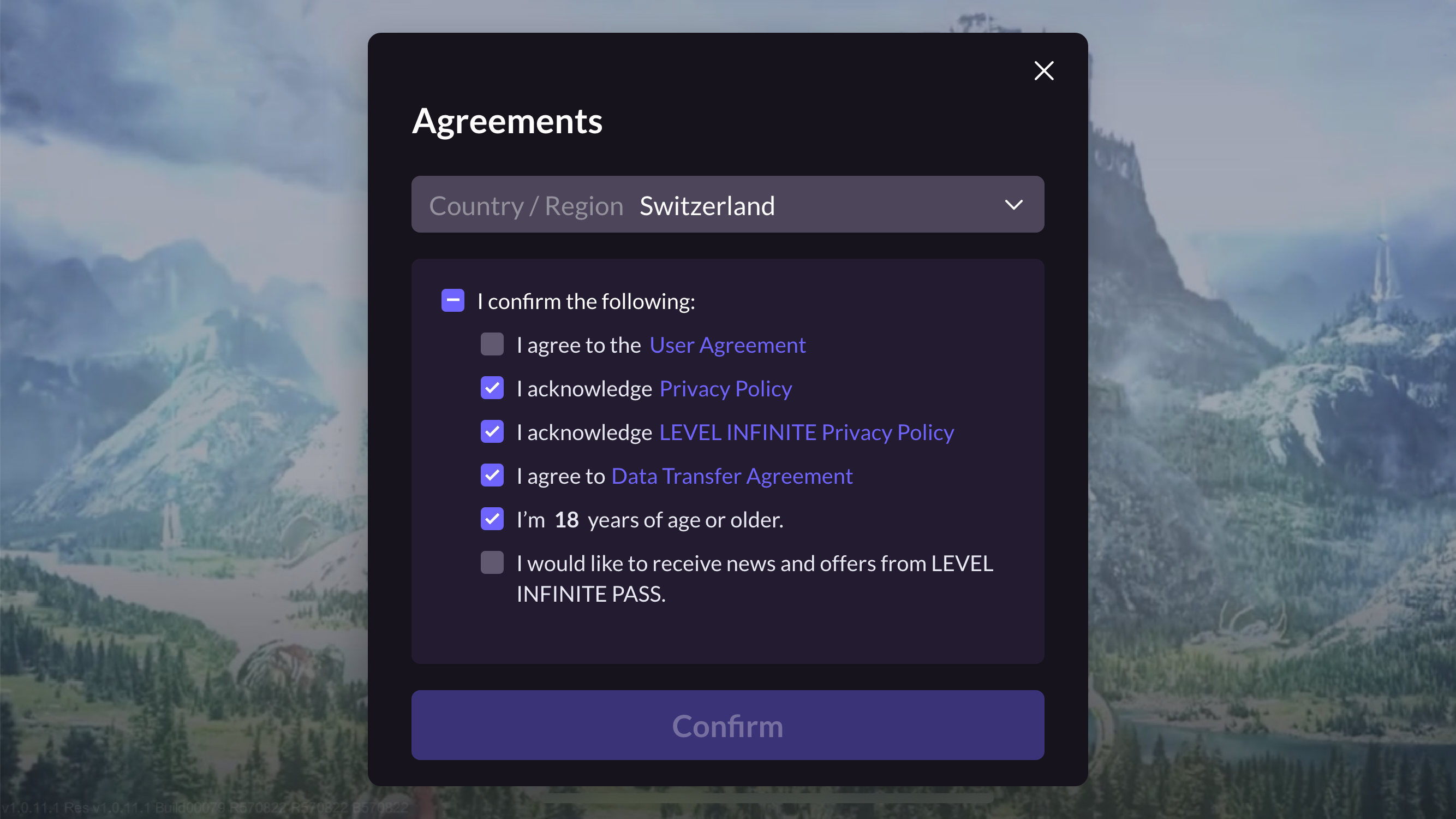
The player selects their Country/Region. The agreements that the player must consent to are automatically adjusted according to the selected country or region.
Before player selection, LI PASS will display the region as well as the required agreements based on the detected IP. For more details about the compliance process for each region, see Compliance Sample.
Account login
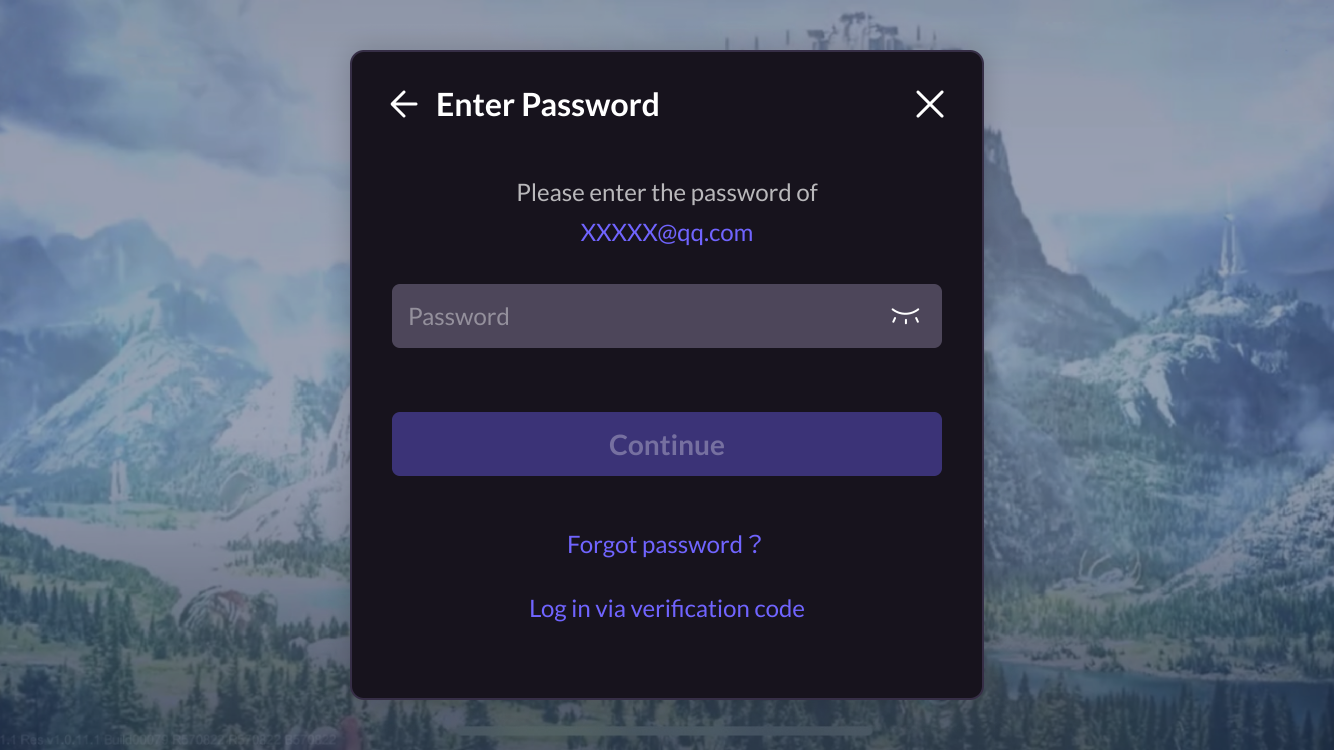
The player enters their email address, which is determined to be from a registered account with a set password:
-
After entering their password, the player clicks Continue to enter the game.
-
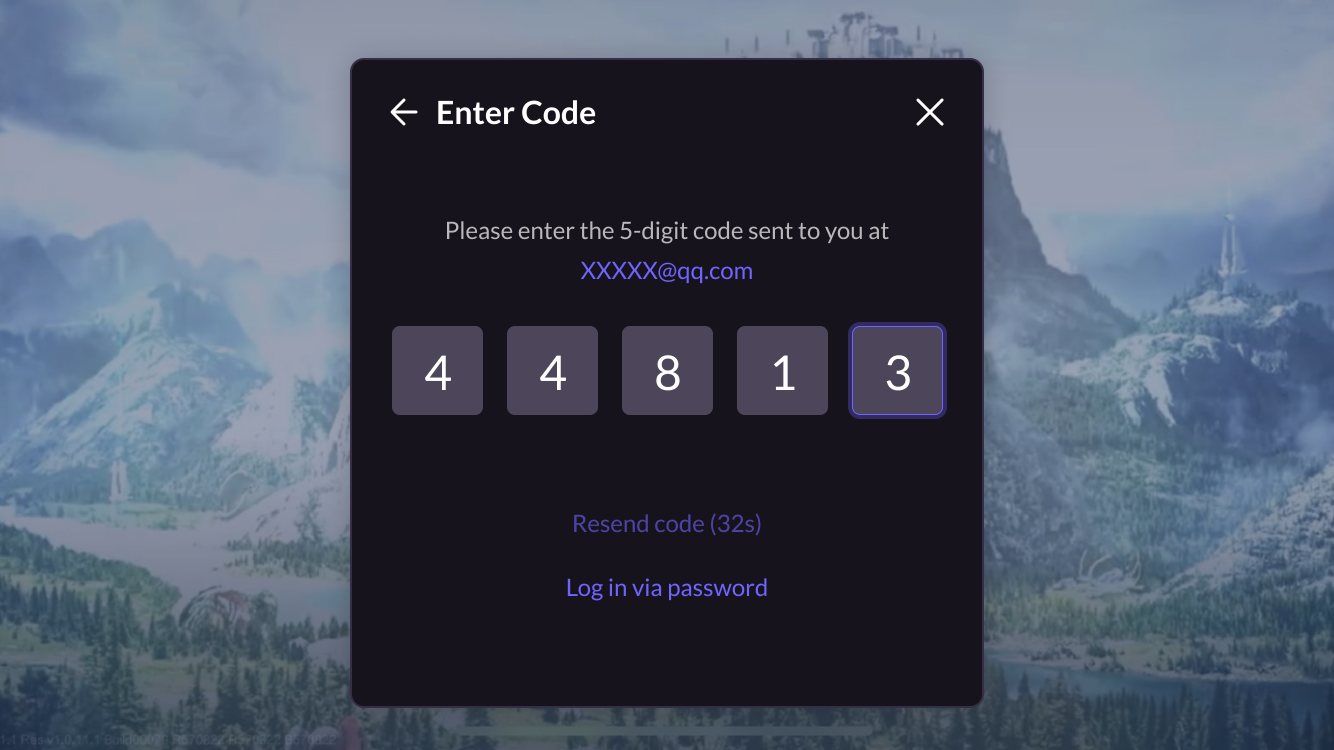
Alternatively, the player can click Log in via verification code to switch the login method, and can enter the game directly after entering the verification code.
Email login
The player enters their email address, which is determined to be from a registered account without a set password:
-
After entering the verification code, the player enters the game directly.
-
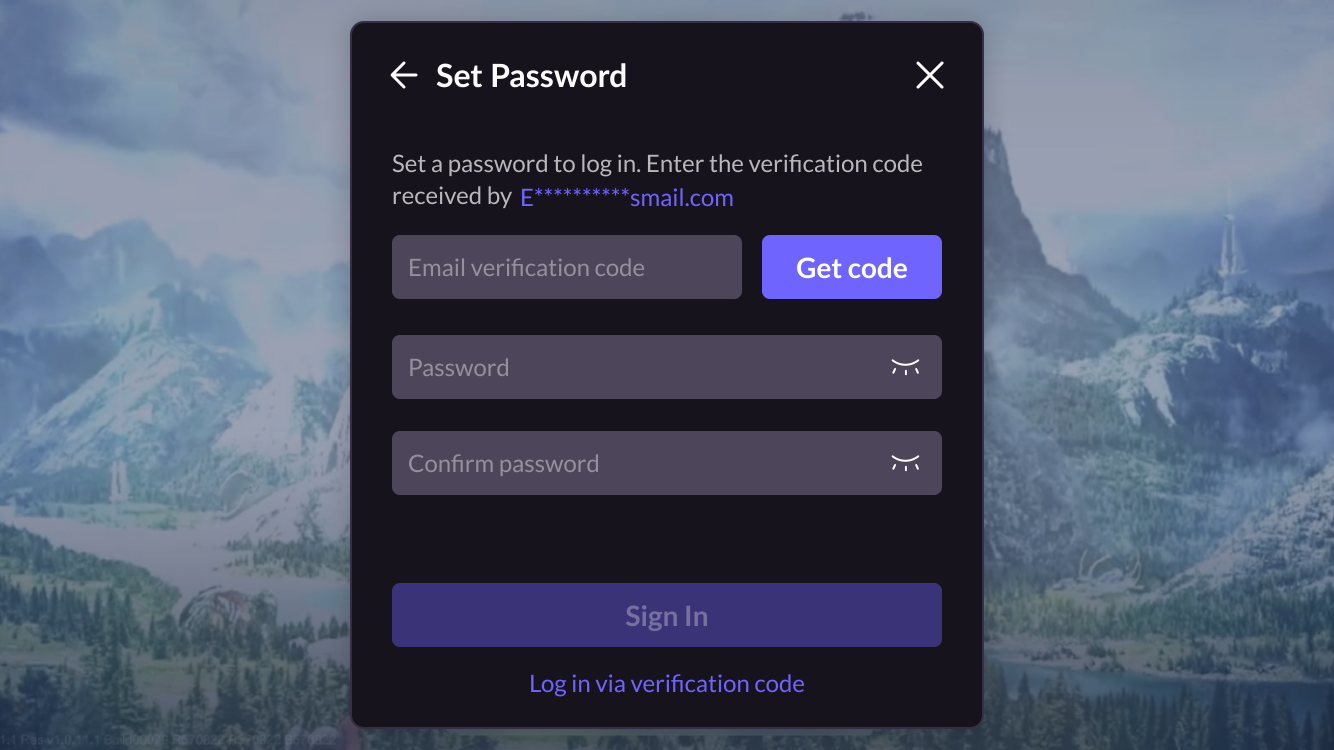
Alternatively, the player can click Log in via password to switch the login method, and if a password has not been set yet, choose to set a new password before entering the game.
Web linking
Games often plan linking-related operational activities. For this purpose, the Web widget supports the function of linking accounts, making your operational activities efficient and low-cost.
If your game client requires players to link LI PASS accounts, the same logic should be maintained on the web by forcing players to link their accounts. Forced linking is typically used in PC games released on platforms like Steam. Be sure to confirm your account strategy with your team in advance.
Link to LI PASS
Players can be prompted to link to LI PASS on your website, with support for both automatic and manual triggering methods.
Automatic triggering
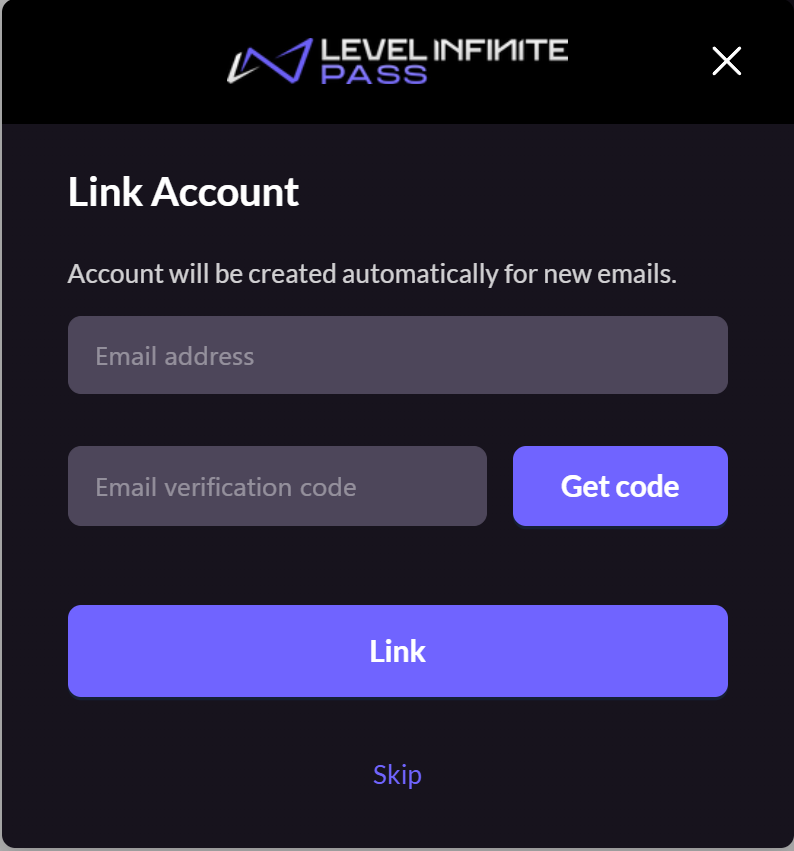
After logging in through the Web widget, if the player has not linked to LI PASS, a linking popup will automatically appear. Depending on the configuration, the player must complete or skip the linking before accessing the webpage.
-
Allow players to skip linking: A Skip button is displayed on the linking email screen, enabling players to skip the email linking step.
-
Force players to link: The Skip button is hidden on the linking email screen, and the player must link the email before completing the login process.
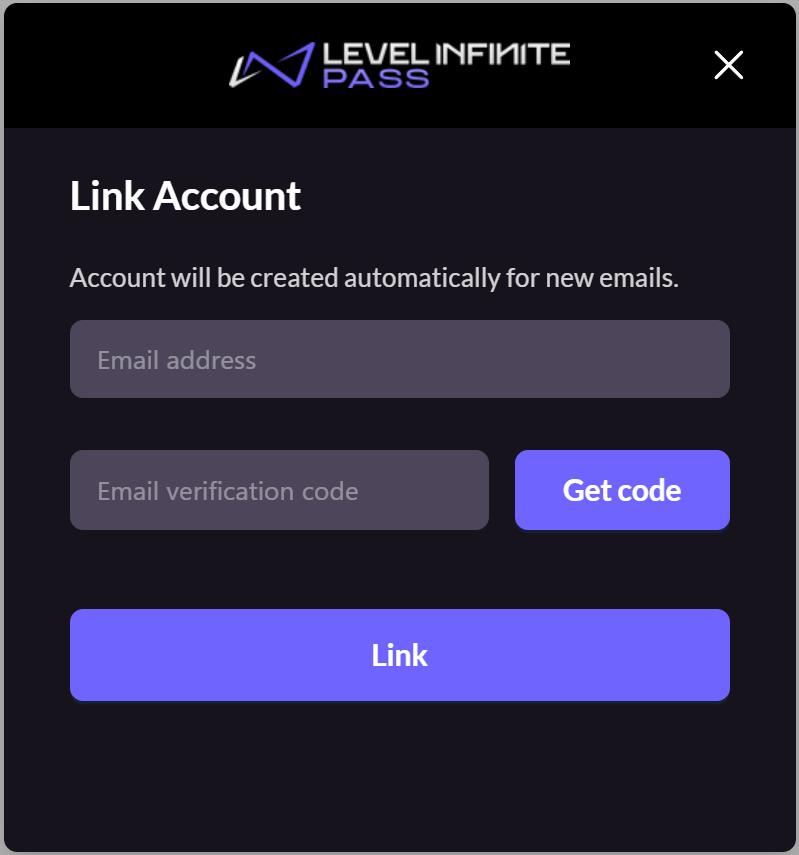
Manual triggering
After logging in via the Web widget, players are already on the webpage. They can manually trigger the linking popup by clicking a button or link embedded on the webpage.
If players do not wish to link, they can close the popup and continue browsing the webpage. This popup does not have a skip button.
Some third-party channels support returning the player email address, which can be used to quickly link to the player's existing or auto-registered LI PASS.
The procedures in Obtain the email of players during third-party channel login must be completed before this feature can be used.
- If this email is already registered with LI PASS, the screen is displayed according to the status of the agreements of the LI PASS.
- Players can also choose to link a different LI PASS, manually entering their email and verification code.
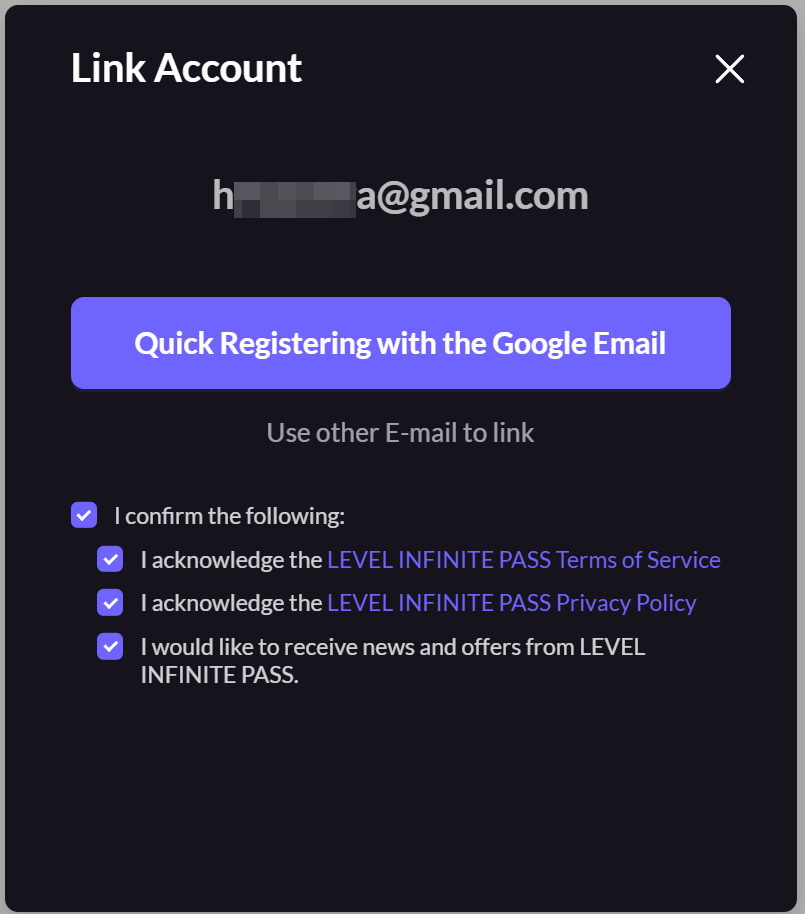
Link to third-party channel accounts
Players can be prompted to link to third-party channel accounts, with support for both automatic and manual triggering methods, and allows multiple third-party channels to be configured.
When running a campaign where players receive rewards for linking to specific channels, an icon badge can be configured. (This badge is only for display, the event logic and reward popups will have to be implemented separately by your project team.)
To ensure account security, players must link to LI PASS first before they can link to other third-party channel accounts.
Automatic triggering
Only one third-party channel account can be linked at a time. To link multiple accounts consecutively, use the Manual triggering method.
When logging in with a third-party channel, if the player has not linked to LI PASS, the third-party channel linking popup will be skipped to avoid disrupting the login flow. Players can manually trigger the link process after logging in, for linking with multiple third-party channels.
If both LI PASS and third-party linking are enabled, the Web widget will only trigger one linking screen on each login, prioritizing LI PASS linking. If the player has already linked to LI PASS, the third-party linking screen will be displayed.
Manual triggering
If the player has not linked to LI PASS, the Web widget will automatically display the manual LI PASS linking screen, regardless of your settings.
After a channel is linked, the Web widget will return to the third-party linking screen to allow for more accounts to be linked.
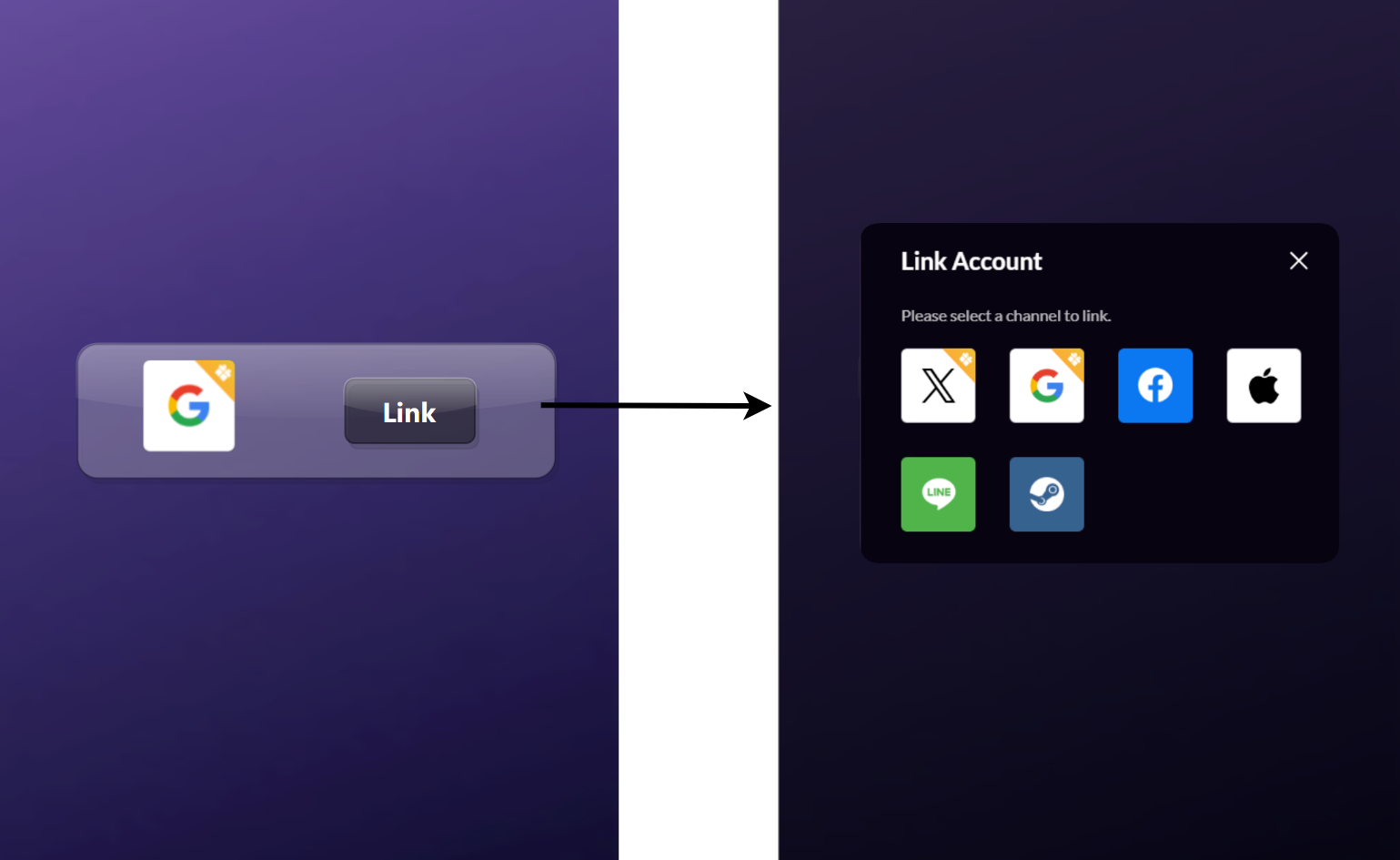
Security
Go to the security module to view.
Multi-language Support
The Web component supports over 20 country and region-specific languages, enabling the vast majority of players to complete account registration and login without barriers. The component will display in the language specified via your page configuration. If the provided language parameter is not yet supported, it will default to English.
For the list of supported languages, please refer to the Language Type Definitions.
Mobile Responsive
The Web widget is compatible with mainstream mobile devices and browsers, offering a consistent experience on the mobile platform.
Supported third-party channels
The Web component supports login via more than ten third-party services, including Facebook, Google, and Apple. This ensures a seamless experience for a broader user base and helps maximize conversion from every possible channel.
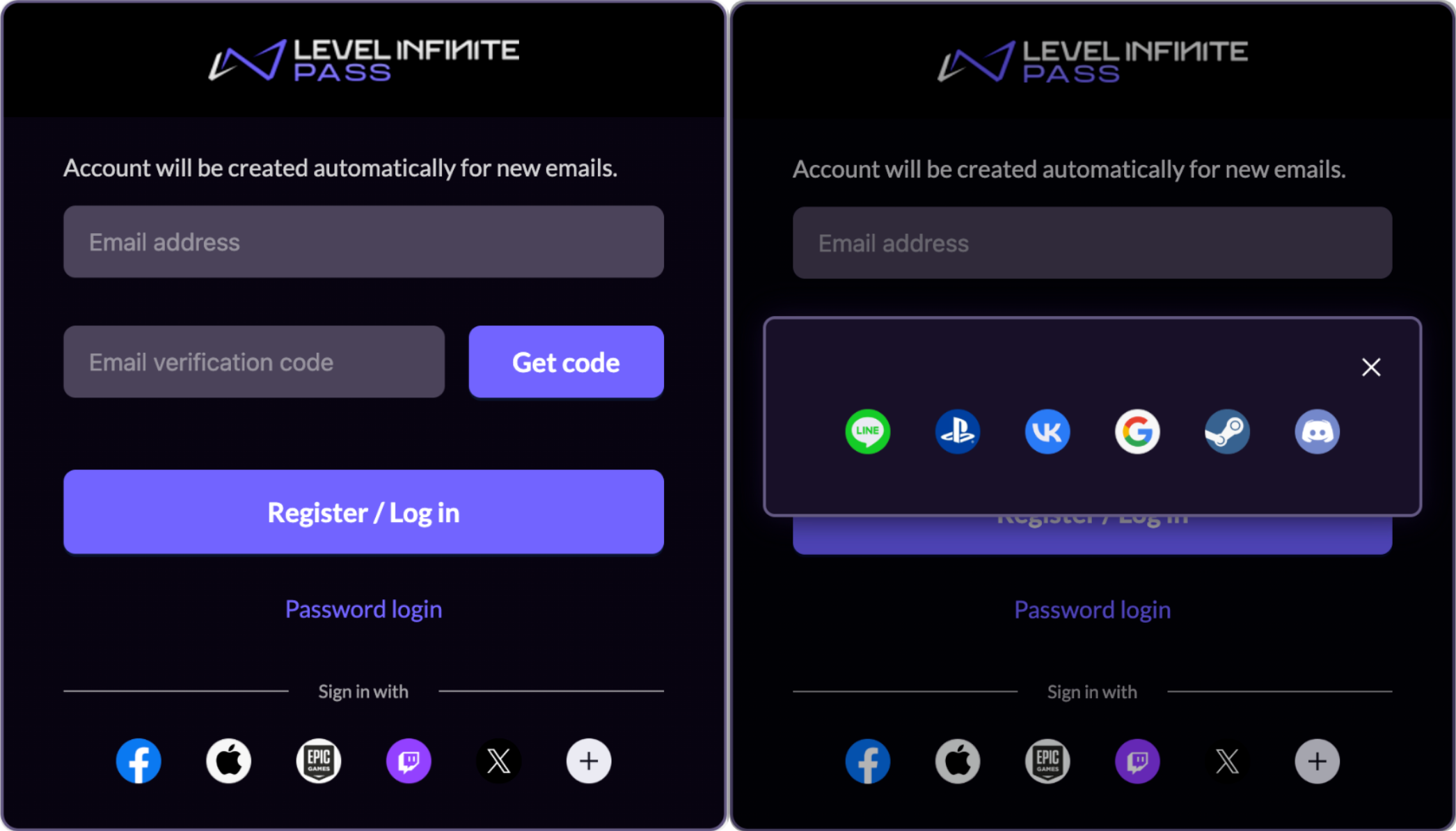
For third-party channel login, the display order of the channels will be consistent with the configuration order in Player Network Console . If more than five channels are configured, the first five will be displayed on the main login screen, while the rest will be accessible in an expanded view.
The supported third-party channels include:
- Apple
- Line
- Steam
- Epic
- Vk
- Discord
- Twitch
- PS5
- Xbox
Third-party channel accounts will be displayed as secondary login channels in the lower part of the widget, and the layout cannot be swapped with LI PASS.

