Discord Social SDK
This feature only provides data access and does not provide a UI.You need to design the interface yourself according to the Discord UI design guidelines.
The Discord Social SDK enables players to interact across platforms with Discord friends, enhancing the social experience in games.
Independence: Social features and login functions are independent of each other. You can log in to any channel and bind relationships with Discord friends.
Main Features
- Friend management: List, add, delete, request handling
- Text chat: Send messages to Discord friends
- Game status: Display activity information via Rich Presence
- Game invitation: Initiate invitations through the lobby
- Voice chat: Not integrated yet (please contact us if you need this feature)
Integration Flow
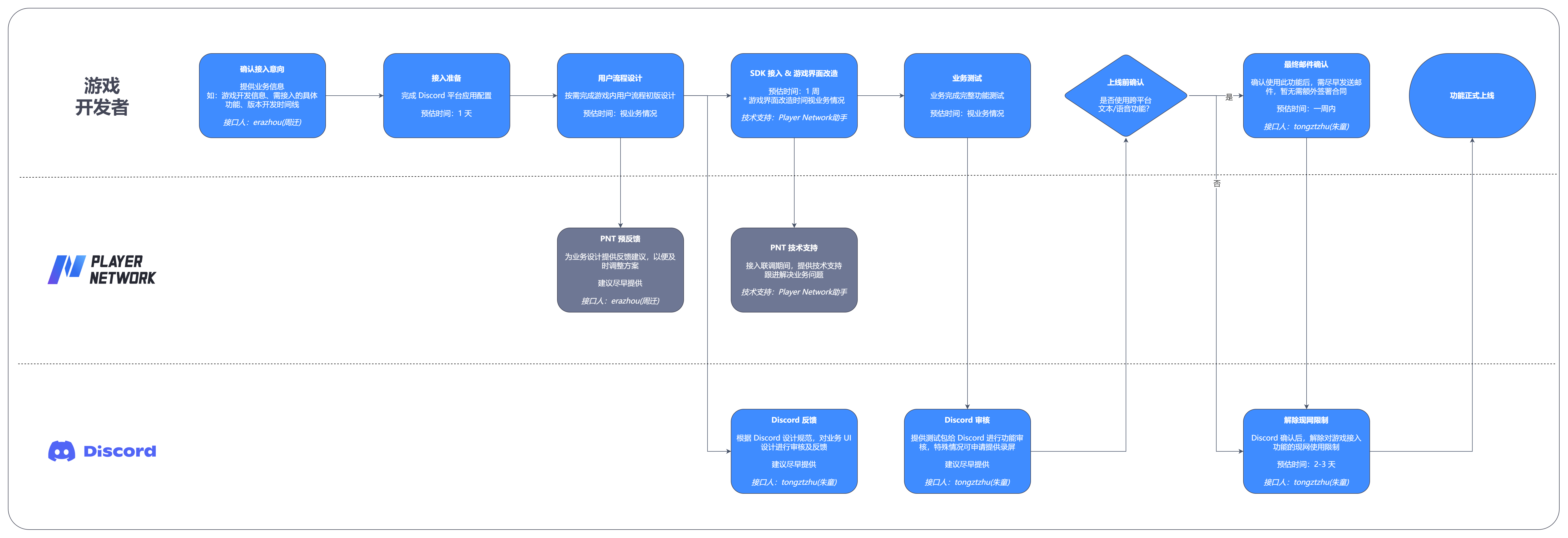
Feature details
Discord temporary account authorization is currently not supported.Players need to be guided to bind their Discord account and grant OAuth2 Scope before use.
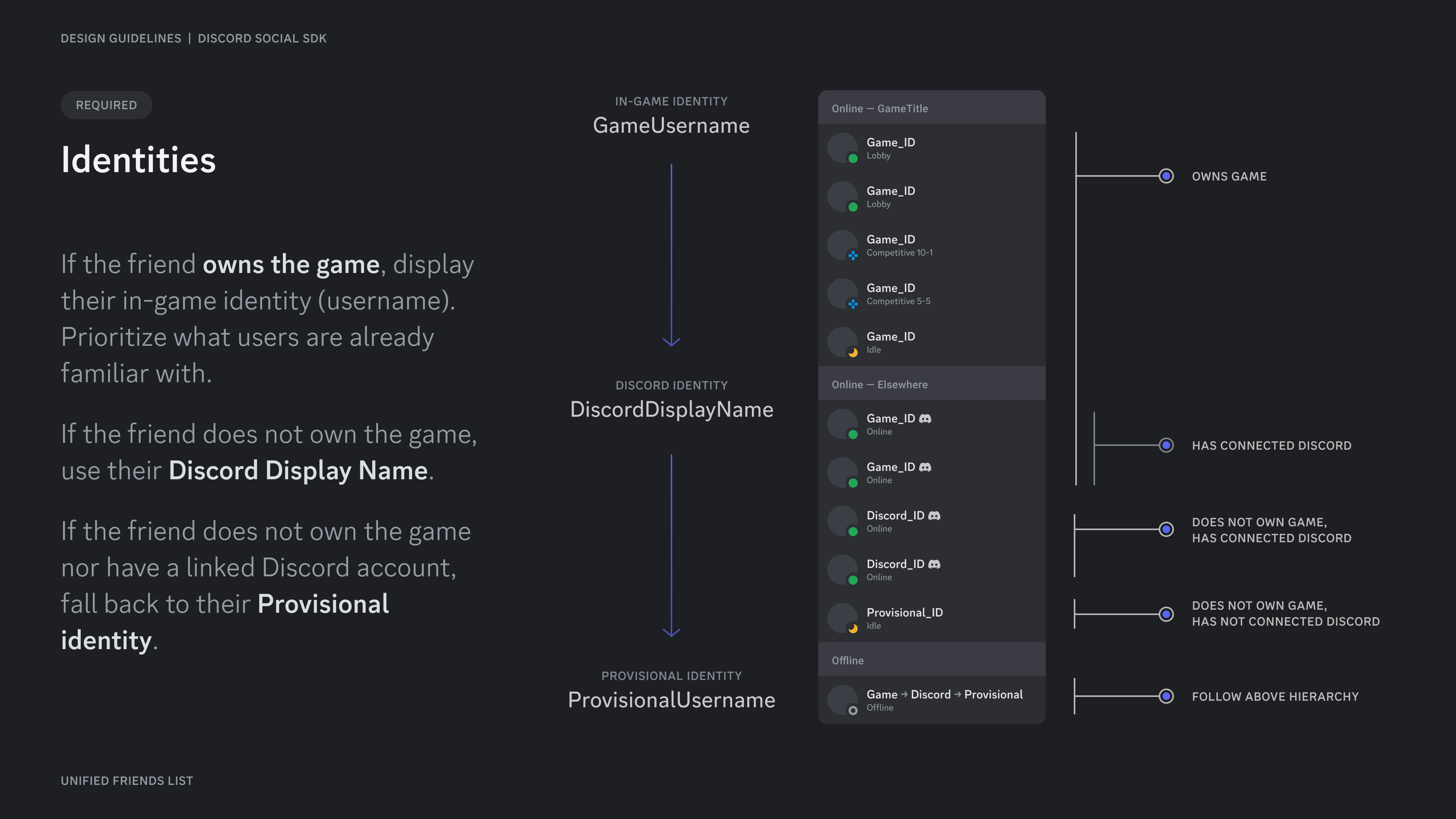
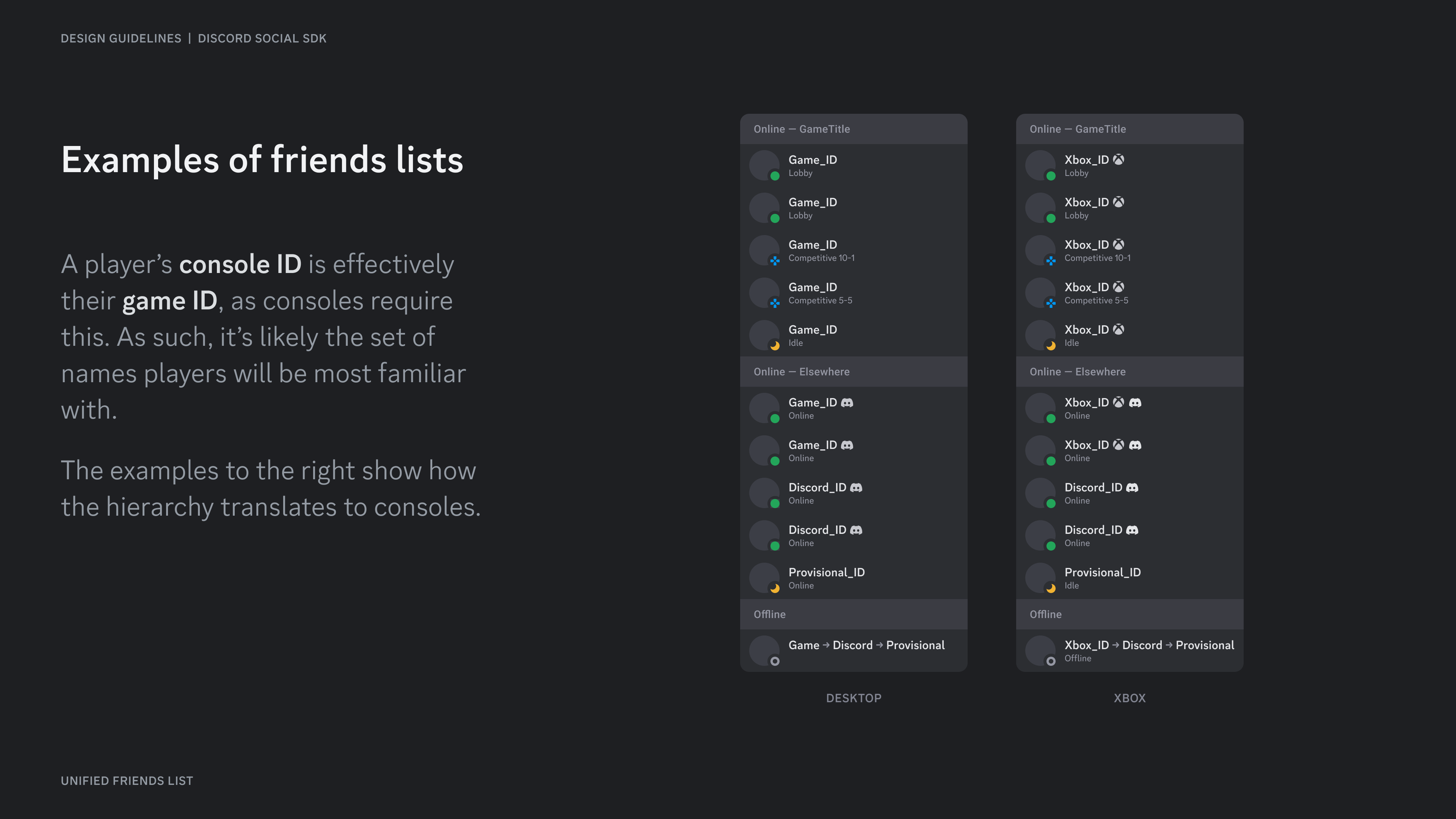
Friend List
Displayed information:
- Basic information: ID, username, avatar, online status, etc.
- Friend types: Platform friends, co-play friends
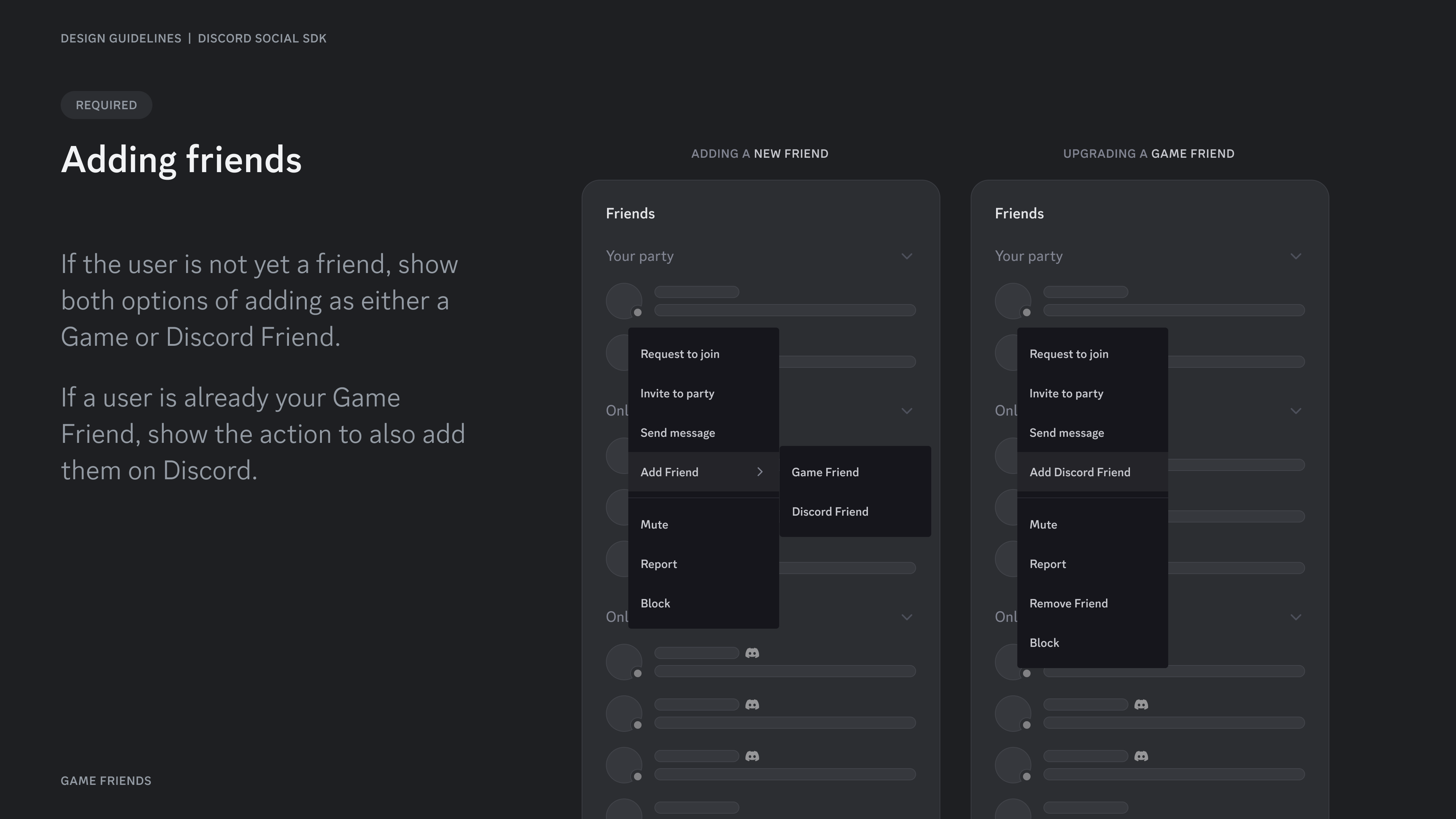
Supported actions:
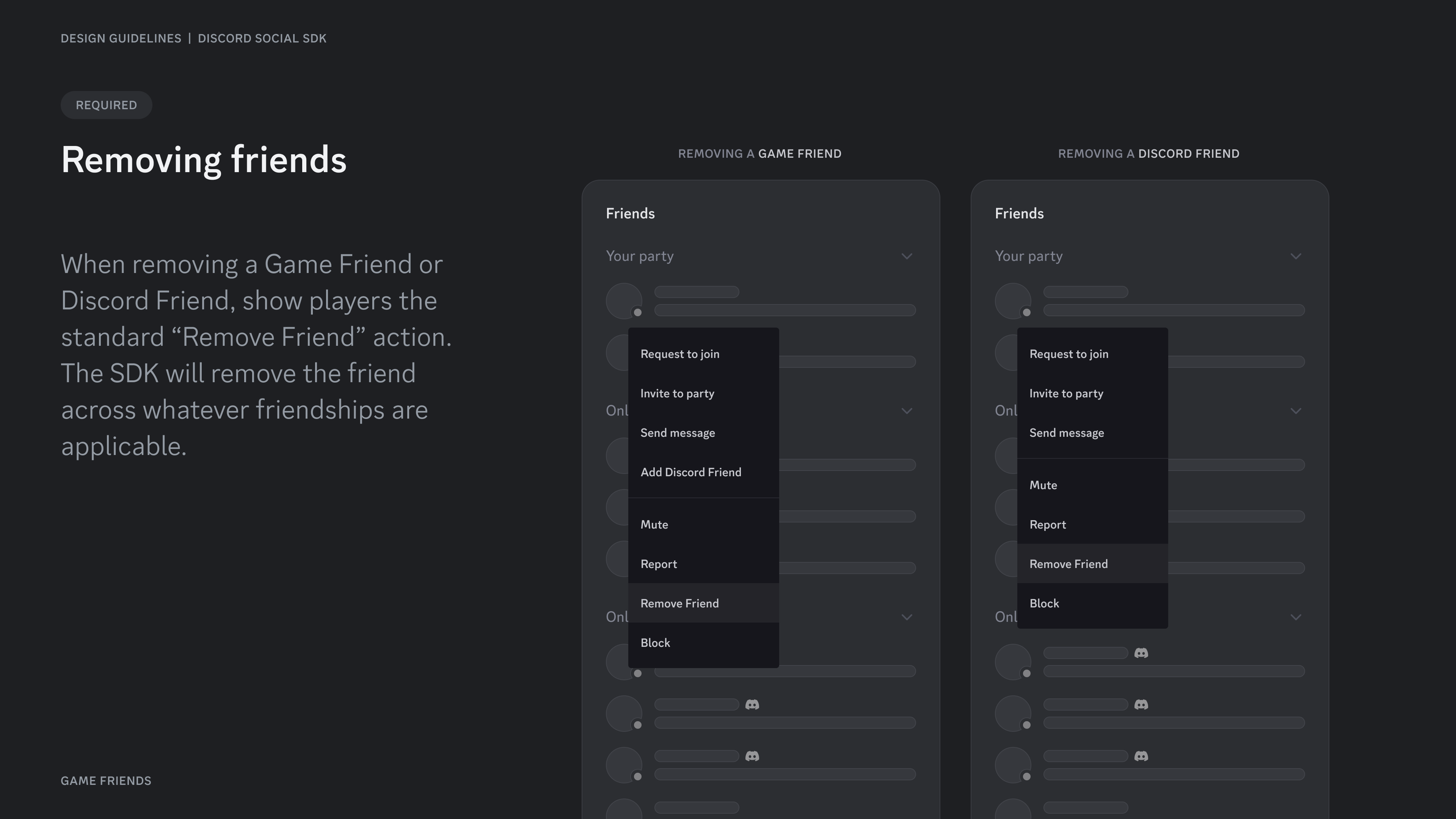
- Add/Delete/Block friends
- Manage friend requests
The list returned by Discord is unordered.Player Network provides the recent online time of OpenID for game sorting.
Text chat
To enable this feature, you must provide additional information to Discord before launch to enable production environment permissions.
- Send messages from inside the game to Discord friends outside the game
- Discord does not provide sensitive word filtering, so the game must implement this function itself
Game status (Rich Presence)
Features:
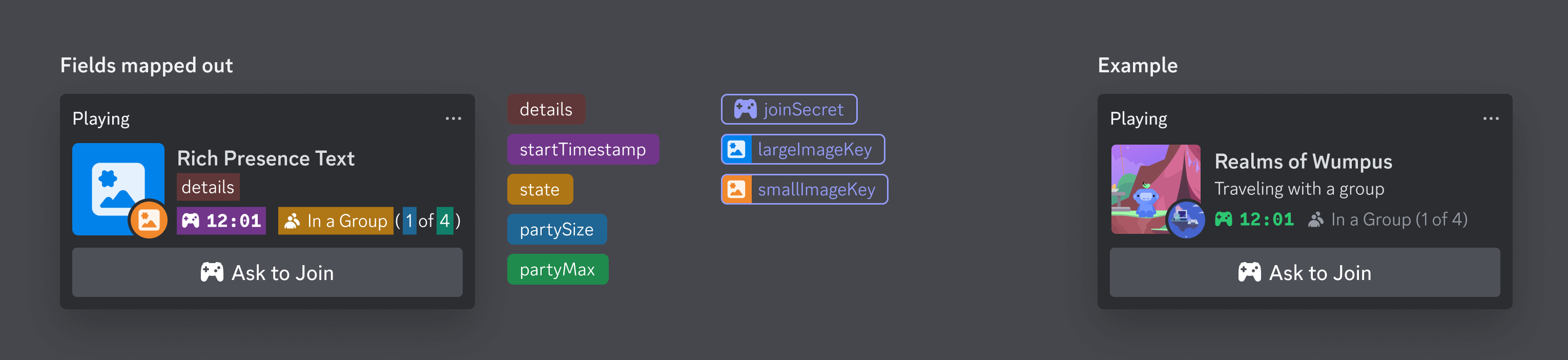
- Display game activity details: status, progress, custom icons, interactive buttons
- Friends can join the game via buttons
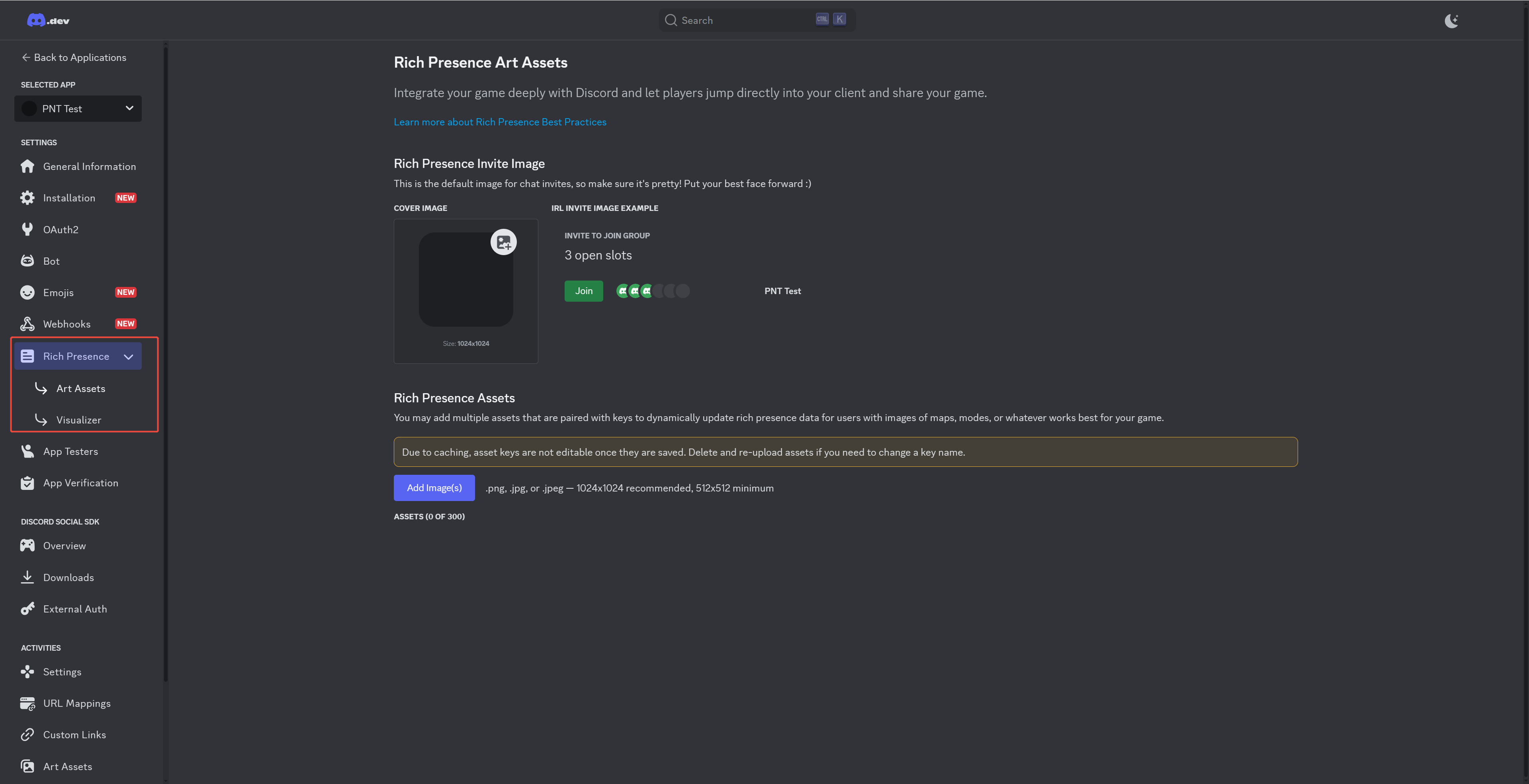
Configuration requirements: Upload art resources in Discord Application Settings
Game Invitation
Implementation method:
- Cross-platform invitations are realized by setting game status + lobby feature.
- Lobby: A virtual space for text and voice communication
Process example:
- Player starts game → lobby is automatically created
- Publish Rich Presence → set join key
- Friend sees Rich Presence → requests to join
- Request approved → friend joins the lobby

