Android Dynamic Permission Request Popup
Dynamically Obtain System Permissions
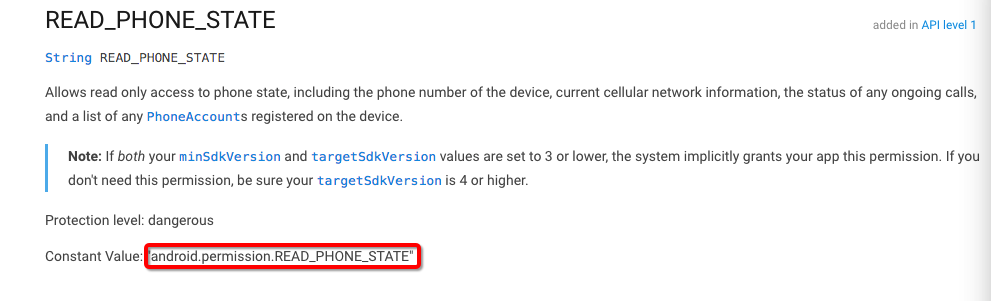
For the full list of permissions, please visit the official website.In the diagram, the READ_PHONE_STATE permission refers to android.permission.READ_PHONE_STATE.
info
For the list of required Android permissions by different channels, refer to Android Channel Permission Description. :
Customize Dialog and Dialog Prompt Language
- Configure the launch screen in
AndroidManifest.{YOUR_START_ACTIVITY}is the page to redirect to after the game finishes requesting permissions.
<activity android:name="com.intlgame.tools.permission.PermissionGrantActivity">
    <meta-data android:name="INTLSDK_GAME_ACTIVITY_CLASSNAME" android:value="{YOUR_START_ACTIVITY}"/>
    <meta-data android:name="INTLSDK_DENY_SETTINGS_TYPE" android:value="setting" />
    <intent-filter>
      <action android:name="android.intent.action.MAIN"/>
      <category android:name="android.intent.category.LAUNCHER"/>
    </intent-filter>
</activity>
- Add the following configuration in
res/strings.xmlto complete the permission prompts.
caution
If the following content is not configured, the authorization action will proceed directly.Direct authorization risks not meeting Google Play guidelines and may cause approval failure.
<string name="intl_permission_confirm">Confirm</string>
<string name="intl_permission_cancel">Cancel</string>
<string name="intl_permission_settings">Settings</string>
<string name="intl_always_denied_warning">Please enable permissions on the settings screen, otherwise you cannot enter the game normally.</string>
<string name="intl_permission_grant_warning"> Reason for requesting xxx permission: 1. Saving videos in the game requires camera permission; 2. Reading and writing files in the game requires read and write permissions.</string>

<string name="intl_permission_title">INTL</string>
<!-- Configure the permissions to apply for (optional) -->
<string-array name="intl_permission_granted_list">
 <item>android.permission.CAMERA</item>
 <item>android.permission.INTERNET</item>
 <item>android.permission.WRITE_EXTERNAL_STORAGE</item>
 <item>android.permission.READ_EXTERNAL_STORAGE</item>
</string-array>
- (Optional) Add the following content to
res/styles.xmlto configure the dialog style.For more dialog styles, see https://developer.android.com/reference/android/R.styleable.html#Theme.
 <?xml version="1.0" encoding="utf-8"?>
   <resources>
      <style name="INTLPermissionTheme" parent="@android:style/Theme.DeviceDefault.Light.Dialog">
        <!-- Set background here -->
        <item name="android:windowBackground">@android:color/white</item>
        <item name="android:windowNoTitle">false</item>
        <!-- Change top title background color here, set specific color yourself, can be an image -->
        <item name="android:topDark">@android:color/holo_purple</item>
        <!-- Change main content area background color here -->
        <item name="android:centerDark">@android:color/background_light</item>
        <item name="android:windowIsTranslucent">false</item>
      </style>
    </resources>

