Resolve ANT packaging 65536 issue
When packaging with Unity using ANT, because each DEX package has a size limitation (a DEX supports up to 65536 methods), errors may occur during packaging.For more details, see Enable MultiDex for apps with more than 64K methods.
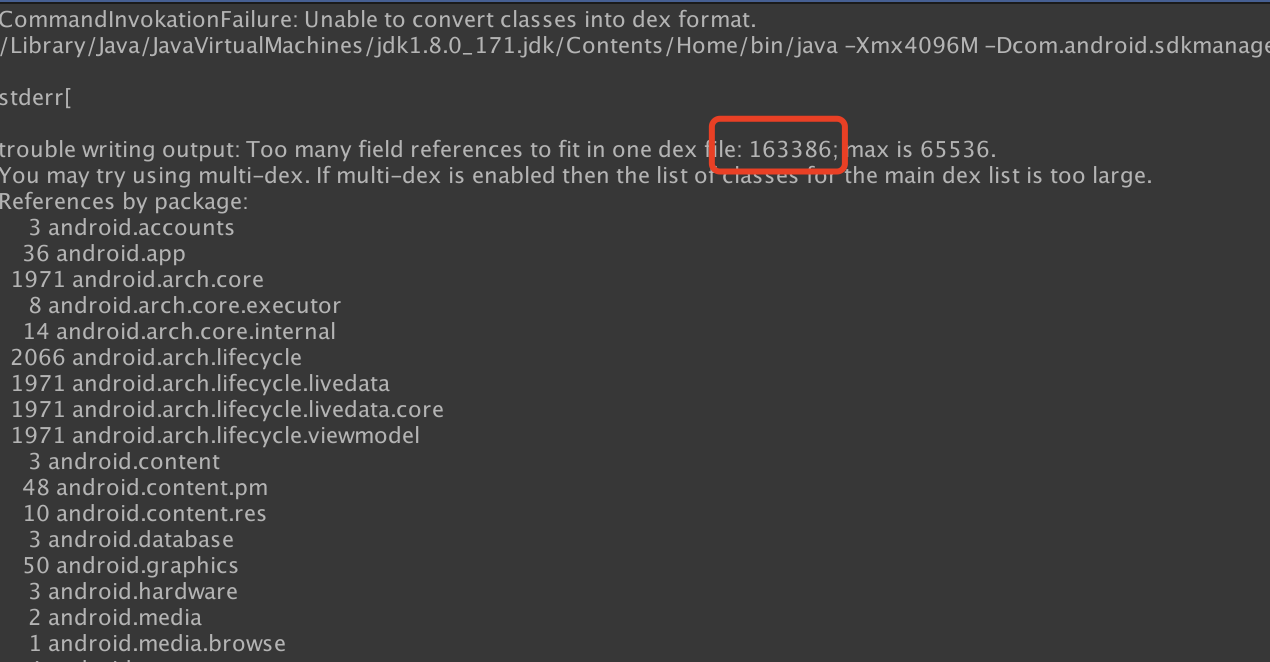
There are two methods to resolve this issue:
- Package using Gradle and enable the MultiDex option for apps with
minSdkVersionbelow 21. For details, see Configure your app for MultiDex. - Manually merge JAR packages and resource files, then import
multidex.jar.
For apps with minSdkVersion 21 or higher, MultiDex is enabled by default. No need to enable the MultiDex option. For details, see MultiDex support for Android 5.0 and higher.
When MultiDex does not need to be enabled, remove android.multidex.MultiDexApplication from AndroidManifest.xml.
Since lower versions of Unity do not support Gradle packaging, only ANT packaging is available; therefore, you must manually merge JAR packages and resources.Currently, Google does not provide corresponding tools. To address this issue, Player Network SDK provides the INTLUtils tool for packaging JAR packages and resource files.
Manual merging principles
During Android compilation, all Java methods are written into the DEX file. If MultiDex is not enabled, only one classes.dex exists in the APK.
After enabling MultiDex, Gradle packaging will group Java methods, placing important (needed at startup) methods into dex1 (methods required during startup) and other methods into dex2 (classes2.dex), dex3 (classes3.dex), etc.
The principle of manual merging is to simulate Gradle's grouping and packaging process to group methods for packaging.
A simplified process reveals the handling steps as follows:
-
Ant project grouping
Divided into group 1, group 2, ... -
Manually merge group 2, group 3, and other groups into dex2, dex3, etc.
-
Group 1 is placed into Unity
-
Unity packaging outputs APK
-
Merge dex2, dex3, etc., into the APK.
-
Re-sign the APK.
Merging process
ANT projects include not only Java methods, but also the AndroidManifest.xml file and resource res files, which need to be packaged into the APK by Unity.
INTLUtils provides the following functions:
-
Merge JAR packages of each Ant project into a DEX file
-
Merge the AndroidManifest of each Ant project
-
Merge the resource res files of each Ant project
To merge the AndroidManifest.xml file and resource res files, the main sorted process is:
-
Ant projects are grouped into group 1, group 2, ...
-
Except for group 1, merge the AndroidManifest.xml and res files of other groups and copy the merged files to group 1.
-
Groups 2, 3, ... manually merge into dex2, dex3, ...
-
Group 1 is placed into Unity
-
Unity packaging outputs APK
-
Merge dex2, dex3, etc., into the APK.
-
Re-sign the APK
Operational guide
Copy the packages to be merged into the INTLUtils directory
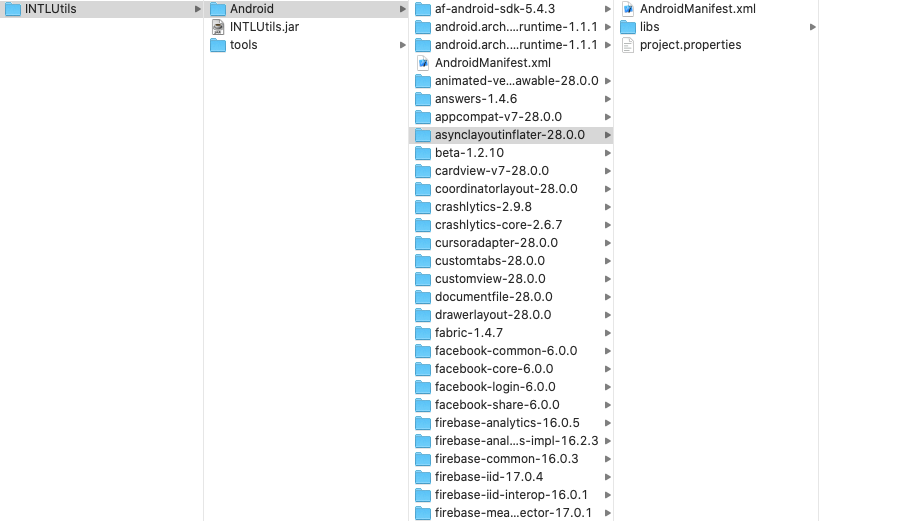
Note:
-
Configure the main
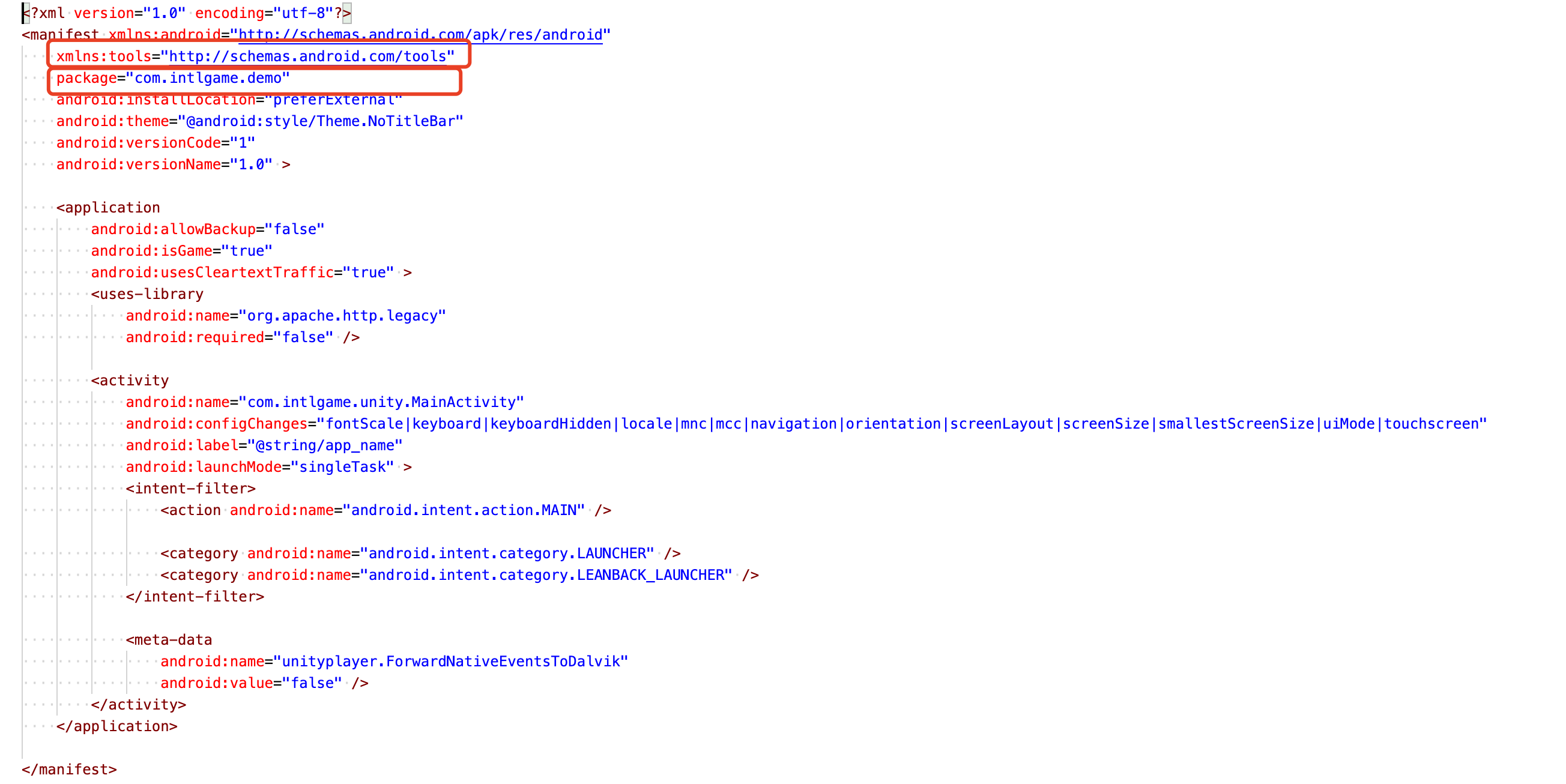
AndroidManifest.xmlfile.In the main AndroidManifest.xml file, the manifest attribute must include
xmlns:tools="http://schemas.android.com/tools"and thepackageshould be set to the test demo’s package name.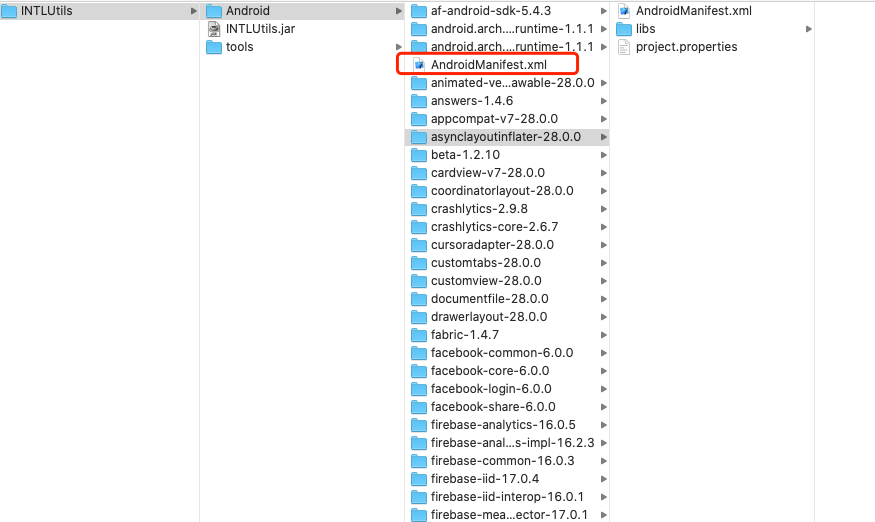
-
Copy the external JAR package into the libs directory.
The libs directory serves as Unity’s main JAR directory and will be packaged along with group 1.
Copy the
multidex-1.0.3.jarfile into the libs directory; multidex must be included in dex1.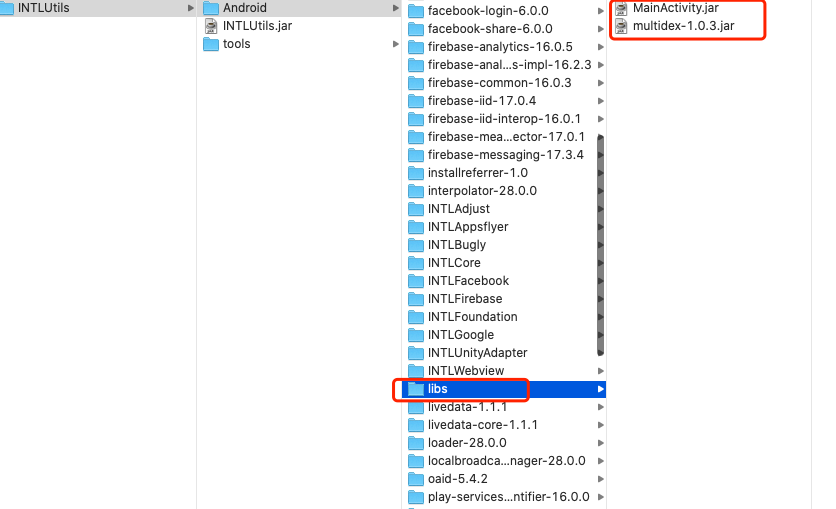
Ant grouping
The outer AndroidManifest.xml file and libs directory must be placed in group 1. Other projects can be considered as any group; groups can simply be divided by 4 MB (excluding the .so file size, since some libraries have .so files that are several MBs, and .so files do not affect the Java method count) per group.Ensure that no DEX exceeds 65536 methods.
The number of groups is based on the number of methods.
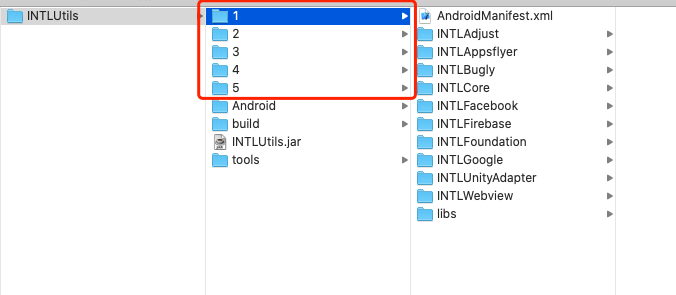
Merge AndroidManifest and resources other than branch 1
-
Place all groups except group 1 (groups 2, 3, ...) together.
-
Copy the
AndroidManifest.xmlfile from group 1 to the groups outside branch 1 (mainly for writing other groups'AndroidMainfest.xmlinto the main one), and create the libs folder.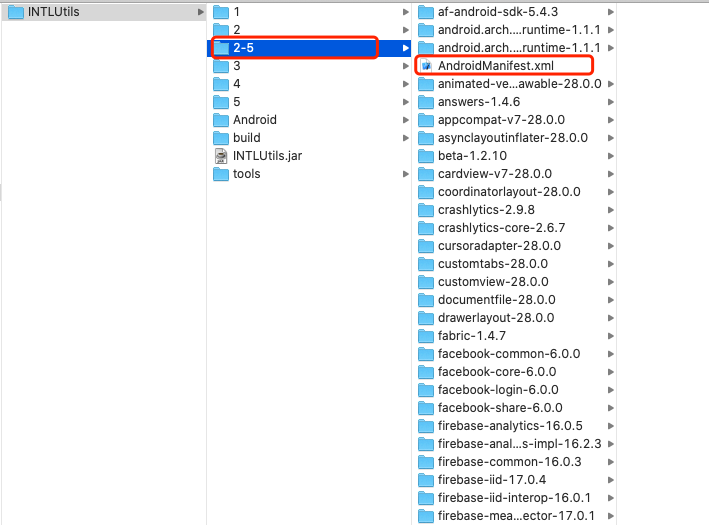
-
Merge
AndroidManifest.xmland resources using INTLUtils.java -jar INTLUtils.jar -unityRoot ./2-5 -buildTools /Users/lucasfan/Library/Android/sdk/build-tools/28.0.3 -output ./output2-5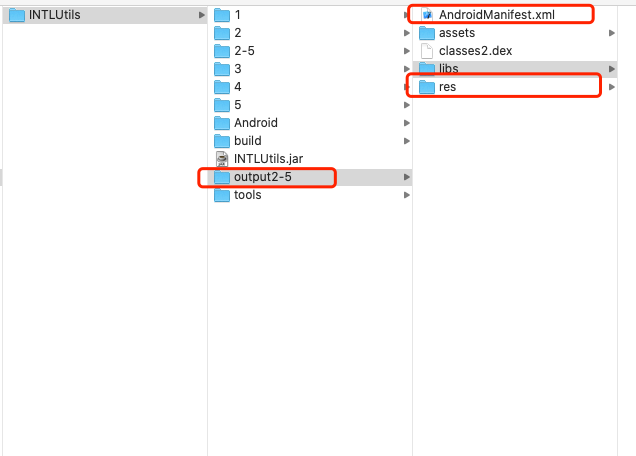
-
Copy the generated
AndroidManifest.xmland res to group 1.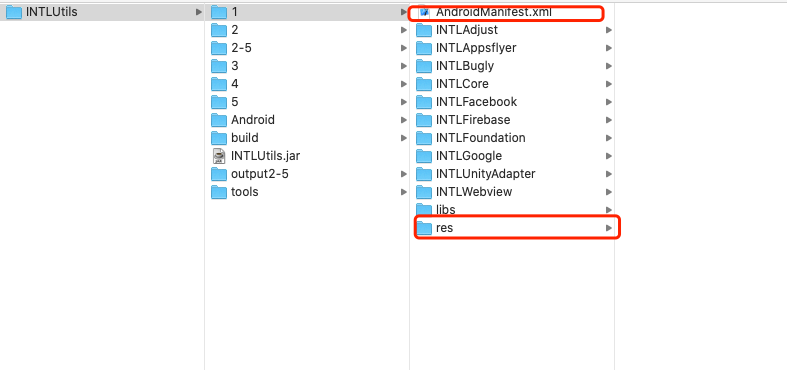
Individually generate dex2, dex3, ...
-
Add an empty
AndroidManifest.xmland libs folder to each group.The manifest attribute in the
AndroidManifest.xmlfile must includexmlns:tools="http://schemas.android.com/tools"and thepackageshould be set to the test demo’s package name. -
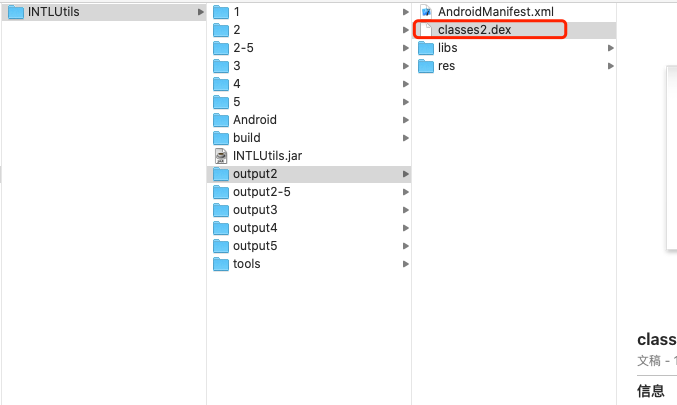
Merge Java methods using INTLUtils.
java -jar INTLUtils.jar -unityRoot ./2 -buildTools /Users/lucasfan/Library/Android/sdk/build-tools/28.0.3 -output ./output2
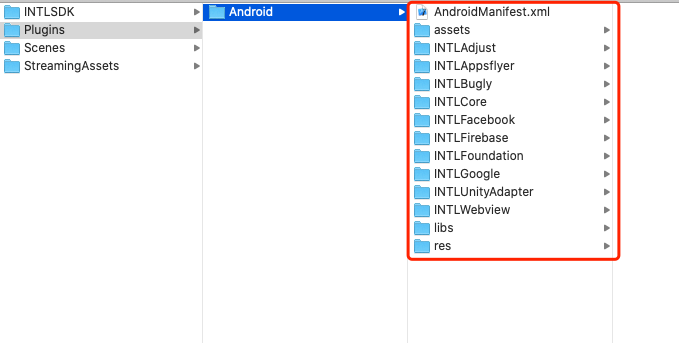
Place group 1 back into Unity
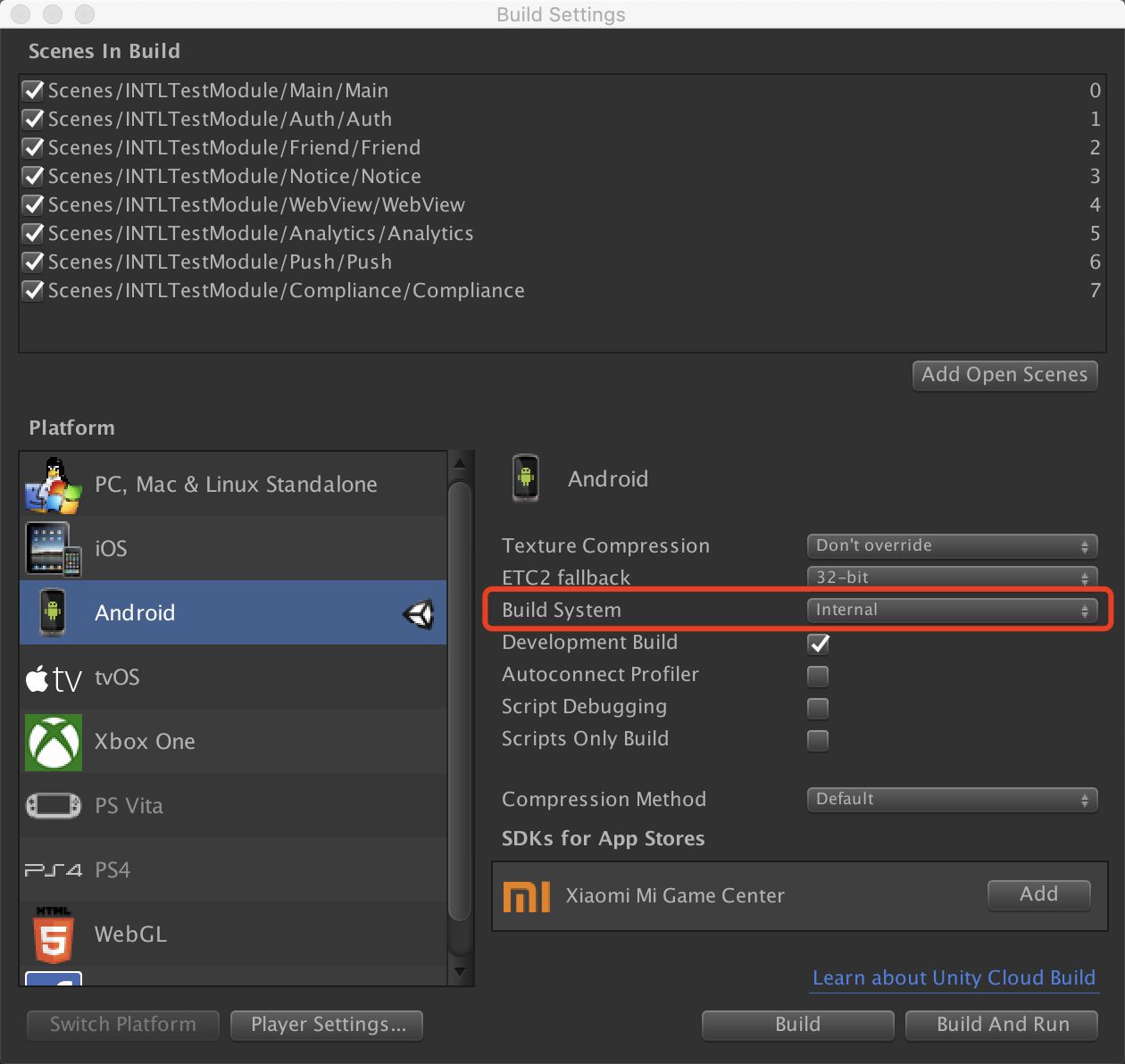
Unity packages into Android APK
Merge dex2, dex3, ... into APK
All DEX files generated by the tool are named classes2.dex. Based on the dex number, you need to specifically rename to classesX.dex.
Use aapt to merge the dex files into APK
aapt a test.apk classes2.dex
Both the APK and DEX files must be placed in the same directory to ensure the DEX files are added to the root directory of the APK.
Re-sign the APK
apksigner sign --ks debug.keystore --ks-key-alias XXXX --ks-pass pass:XXXX --key-pass pass:XXXX -out test-signed.apk test.apk
Note, if the password contains (!) and other special characters, add \, e.g.: --ks-pass pass:\!1234.
INTLUtils parameter description
-
-mainProject: main project directory. IfunityRootis set, this can be omitted. -
-subProject: sub-project (directory), separate multiple projects with a space.IfunityRootis set, this does not need to be set. -
-buildTools: Android build tools directory (required). -
-output: output directory (optional). -
-package: target package name (optional).Defaults to main project package name. -
-unityRoot: standard Android Unity project directory (optional).Setting this option is equivalent to setting both-mainProjectand-subProject. -
-useD8: whether to use the D8 compiler (optional).By default, the DX compiler is used.Set to1to enable. -
-androidJar: path to Android SDK's
android.jar, required when using the D8 compiler.Path:android_sdk/platforms/api-level/android.jar.
FAQs
Failed to generate DEX from JAR dependent on JDK1.8
When compiling JAR to DEX using the DX compiler, the following error will be prompted:
: invalid opcode ba - invokedynamic requires --min-sdk-version >= 26 (currently 13)
The reason is that DX does not support converting JARs based on JDK1.8 to DEX; the D8 compiler must be used.
Set useD8 to 1 and configure androidJar.You can enable the D8 compiler.

