Bitcode Configuration
Xcode 14 no longer supports Bitcode, and games should not enable the Bitcode switch. If Bitcode must be enabled, it is recommended to review with Xcode 13. Currently, iOS has not released this, but enabling Bitcode may risk re-review or rejection.
What is Bitcode?
Bitcode compilation has been supported since Xcode 7.When creating a new project, Bitcode is enabled by default. If any third-party libraries that the app depends on do not include Bitcode, the project will fail to compile. If an app wants to enable Bitcode, all third-party libraries it relies on must also support Bitcode.
Player Network SDK does not support Bitcode
The game itself depends on many third-party libraries in addition to Player Network SDK, so Player Network SDK will not consider enabling Bitcode configuration in the future.
Apple Bitcode Support Statement
If Bitcode is provided, every app and framework in the bundle (all targets in the project) must contain Bitcode.
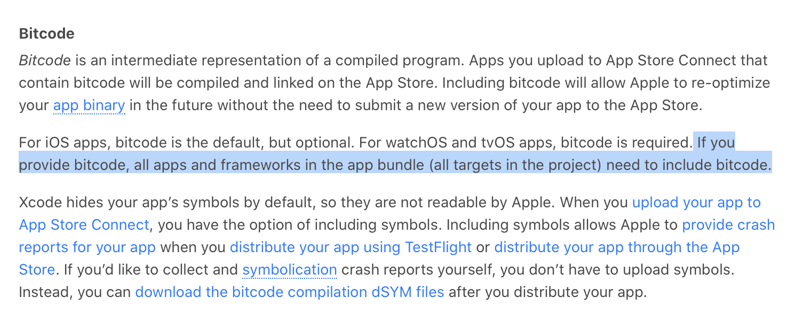
For more information, see What is app thinning?.
Unity disables Bitcode, set ENABLE_BITCODE to NO
Bitcode feature started in Xcode 7 and is only supported from Unity 5.3.2, so earlier versions need to be manually set to NO.
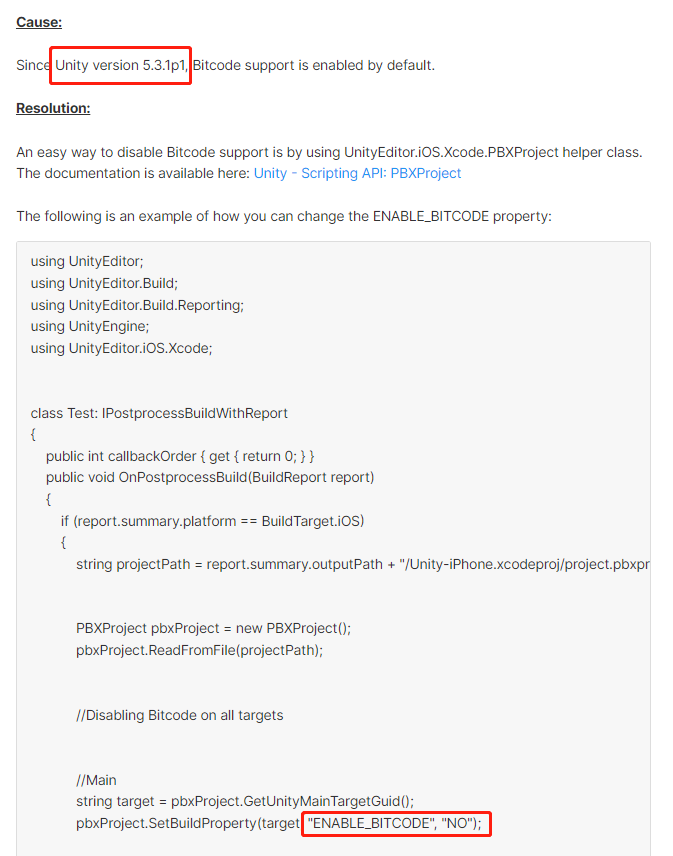
For more information, see How can I disable Bitcode support?.
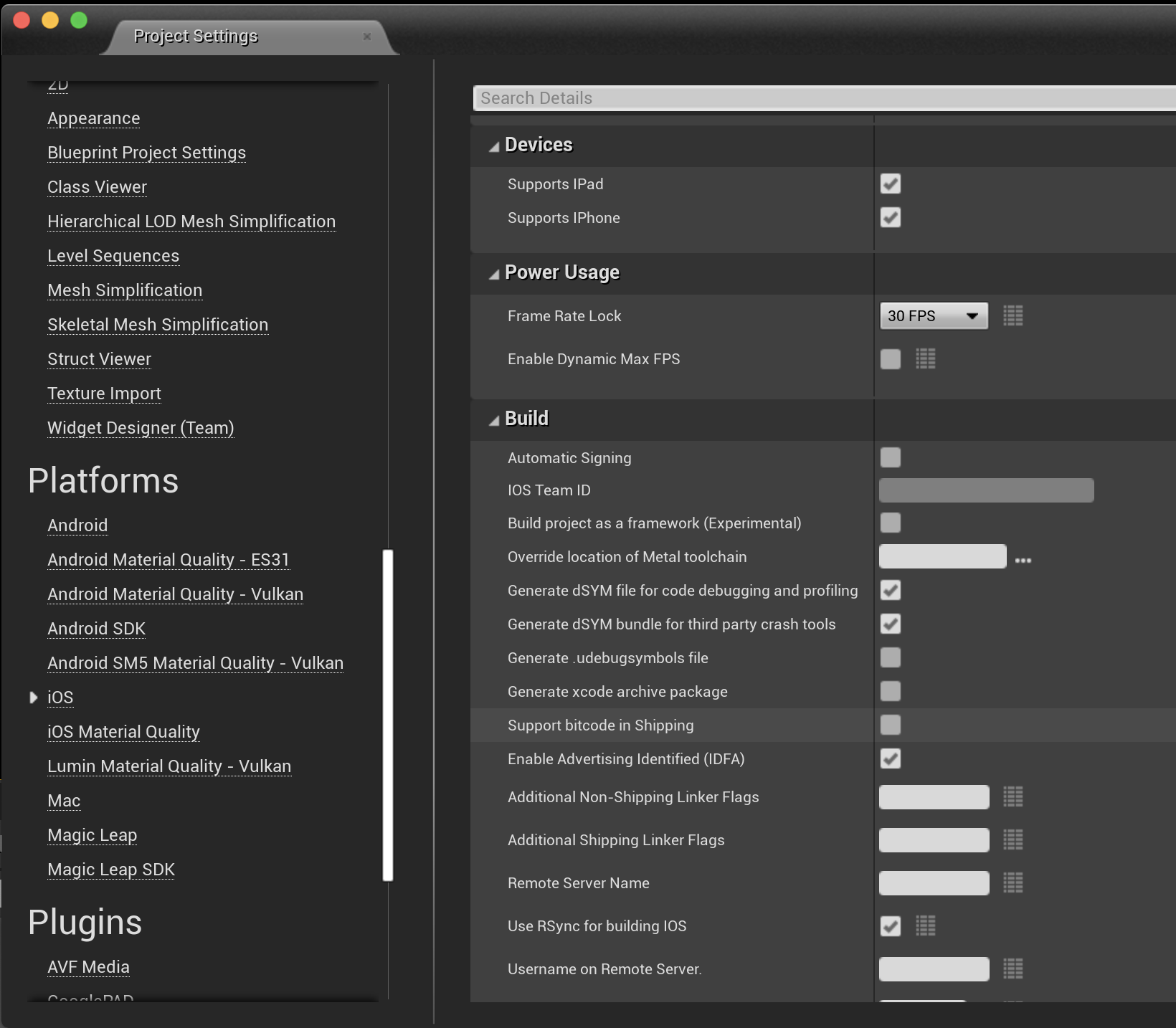
Unreal Engine disables Bitcode
Open Editor > Project Settings> Platforms > iOS > Build, and uncheck Support Bitcode in Shipping.