Login and launch the LI PASS binding interface (LoginChannelWithLIPass)
caution
This interface is only applicable to LI PASS V1.08 and higher versions.Support for PlayStation 5 and Xbox X/S platforms from V1.08, support for PC gaming platforms (Steam/Epic) from V1.10.
This interface encapsulates the following login processes:
- Perform account login.
- Query the channel binding list for the account.
- If the account is entering the game for the first time
is_first_call = 1, and has not bound any channel or LI PASS, it will launch the binding LI PASS page, the player can skip directly into the game or bind LI PASS. - Complete login, continue compliance process, then enter the game.
This login process has the following scenarios:
-
Player has bound LI PASS
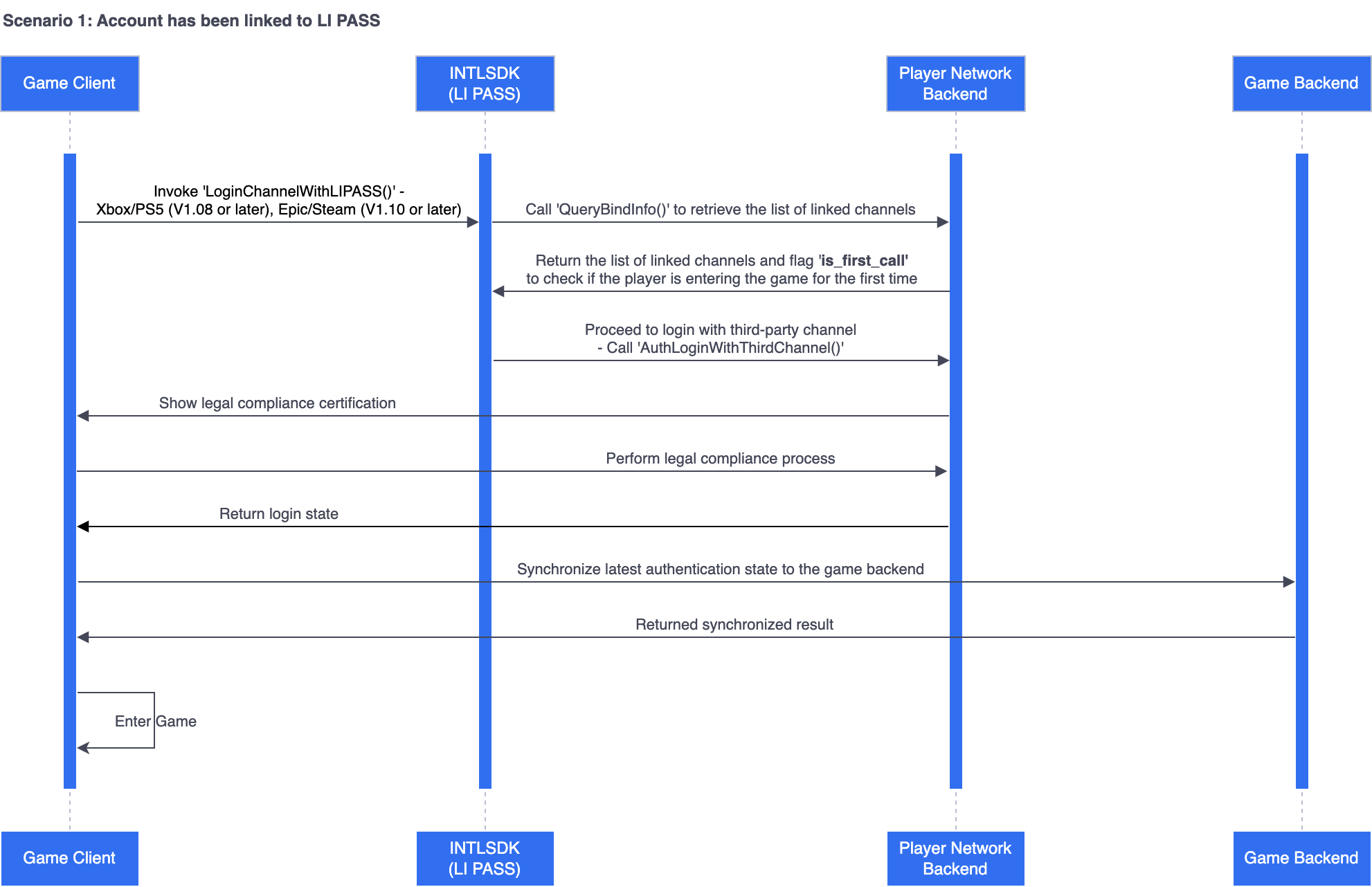
-
Player's first login without binding LI PASS
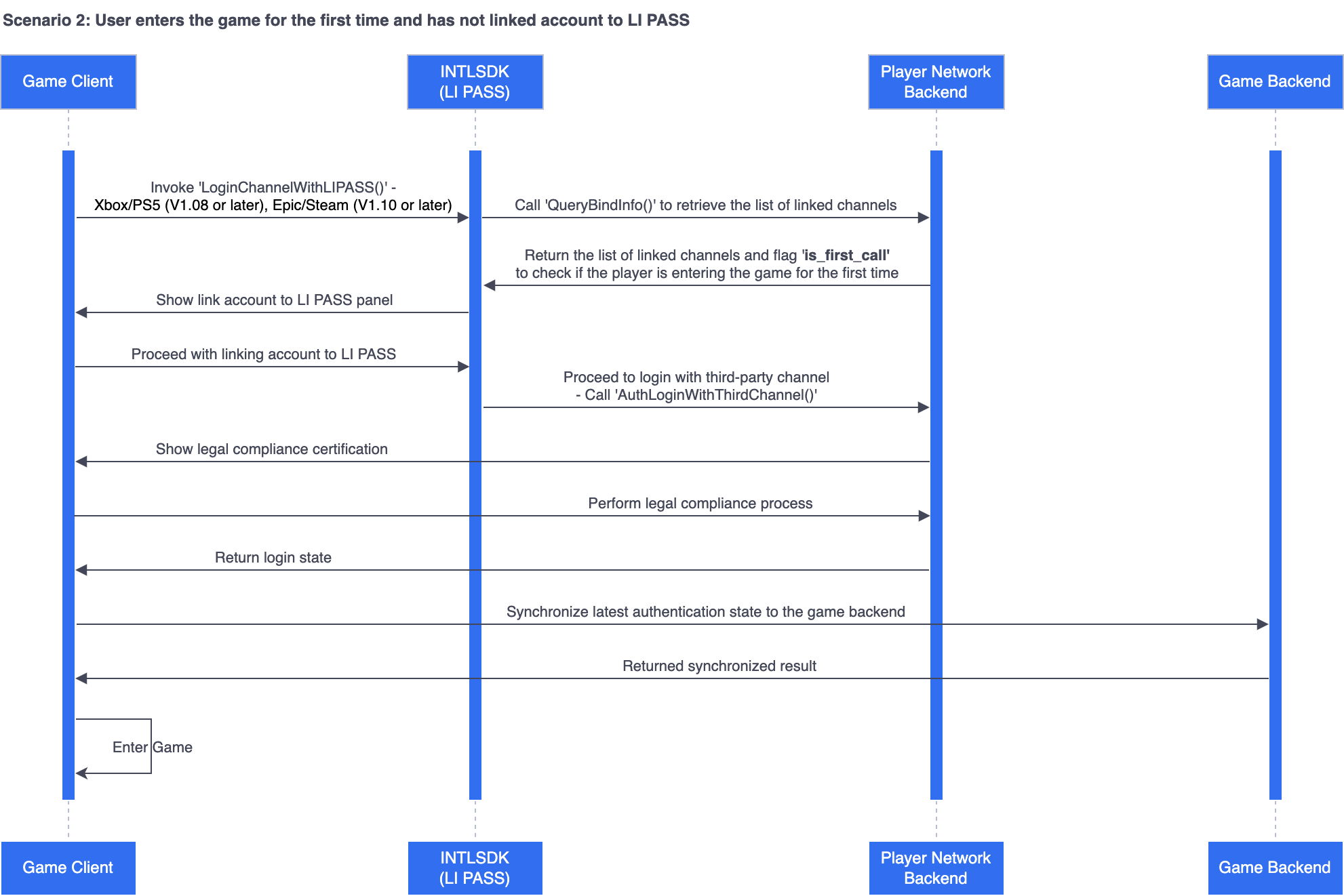
-
Player's first login without binding LI PASS and skipped binding interface
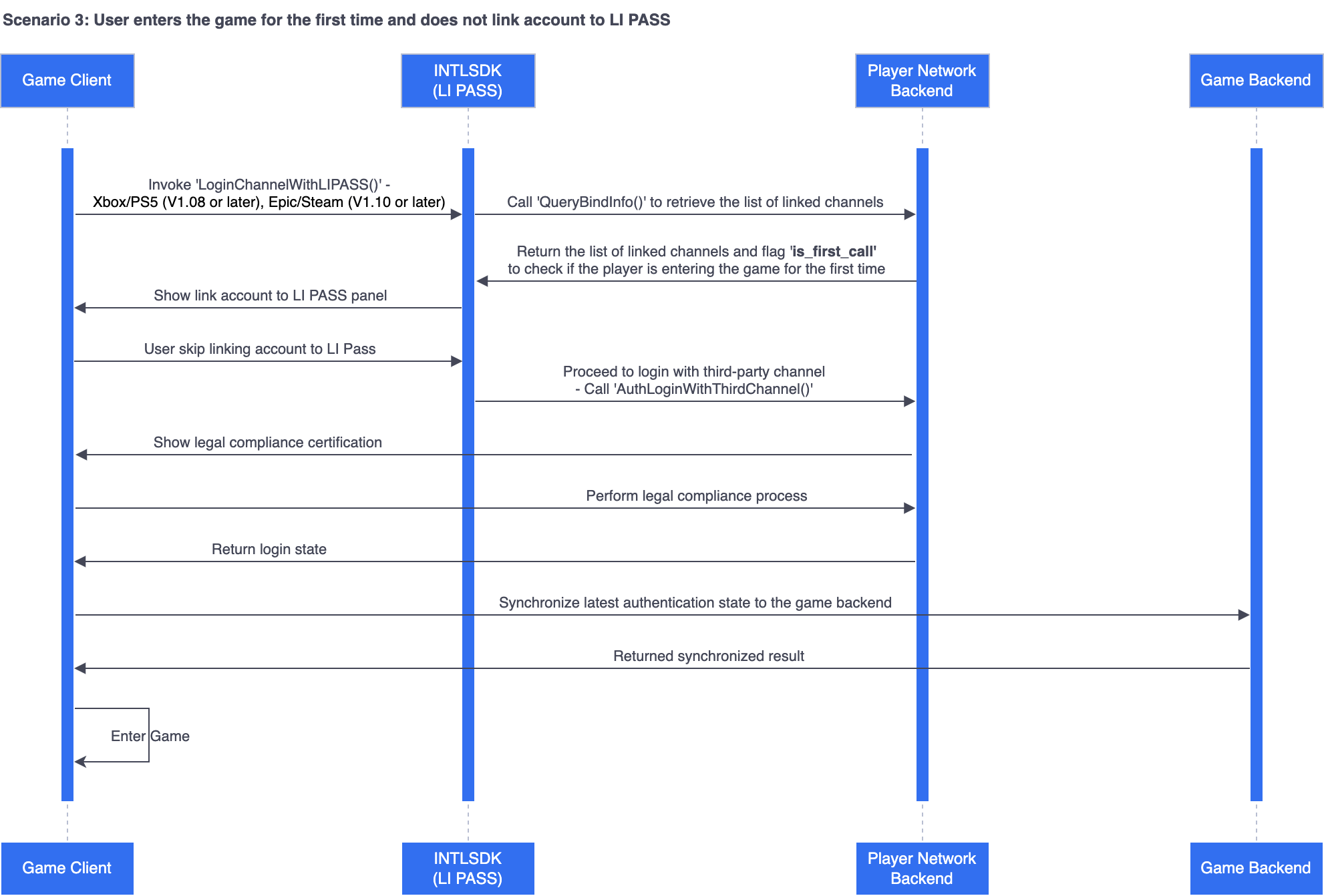
Function Definition
UFUNCTION(BlueprintCallable, Category = "LevelInfinite")
static void LoginChannelWithLIPass(EINTLLoginChannel channel, const FString& permissions = "", const FString& extraJson = "{}");
Input Parameters
| Parameters | Type | Explanation |
|---|---|---|
| channel | EINTLLoginChannel | Specify the login channel. For more information, see INTLChannel. |
| permissions | FString | Permission application Mandatory for some channels, such as PlayStation5 channels. |
| extraJson | FString | Extension field |
Observers
The callback handling interface is AuthResultObserver.The callback data structure is AuthResult.
Callback ID is kMethodIDAuthLoginChannelWithLIPASS.
Code sample
ULevelInfiniteAPI::LoginChannelWithLIPass(EINTLLoginChannel::kChannelXbox);

