Open the Account Center that includes account deletion (OpenAccountCenterWithParams)
Supported in: LI PASS V1.14.00
If you are using Unreal Engine, see OpenAccountCenterWithParams for Unreal Engine SDK.
Open the LI PASS Account Center interface with a Delete Account button.Deleting an account in the Account Center will remove the linkage between the game and LI PASS, but will not delete the player's LI PASS account.
The OpenAccountCenterWithParams interface supports Unreal Engine applications starting from LI PASS V1.13, and supports Unity starting from LI PASS V1.14.
Function Definition
public static void OpenAccountCenterWithParams(GNDeleteAccountParams deleteAccountParams);
Parameter Description
| Parameter | Type | Description |
|---|---|---|
| params | GNDeleteAccountParams | Parameters required for account deletion |
GNDeleteAccountParams
| Member Variable | Type | Description |
|---|---|---|
| AreaId | int | Region ID of the account to be deleted |
| ZoneId | int | Zone ID of the account to be deleted |
Callback Handling
Callback for LI PASS events. The game needs to handle the callback logic.For more information about callback data structures, see LIEventObserver.
The callback LIEventType can be ACCOUNT_CENTER_OPEN and ACCOUNT_CENTER_CLOSE, which are used to open or close the Account Center.
The callback LIEventType can be DELETE_ACCOUNT_SUCCESS, DELETE_ACCOUNT_FAIL, and DELETE_PARAMETERS_MISSING, which are used for account deletion.Users can listen to related events to get the current account deletion status and handle subsequent processes.
Code Example
var param = new GNDeleteAccountParams();
param.AreaId = 1;
param.ZoneId = 1;
LevelInfinite.OpenAccountCenterWithParams(param1);
UI Example
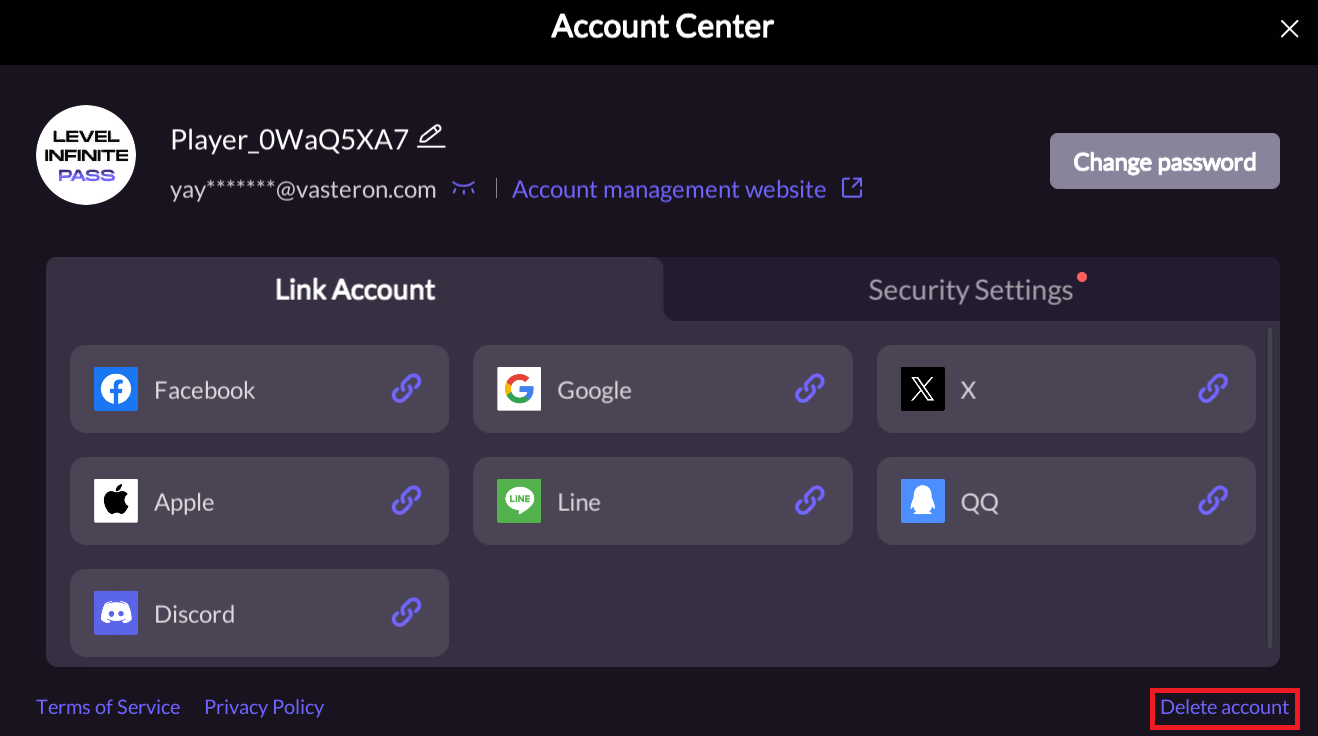
The player can enter the Account Deletion H5 page and start the account deletion process by clicking the Delete Account button.Developers can use the SHOW_DELETE_ACCOUNT_BUTTON field in the configuration file to set whether to display this button.

