iOS
Do not integrate on your own.The TikTok channel requires formal cooperation with TikTok before you can register an application and obtain the configuration required for integration.If you need to integrate, please consult your business contact first.
The purpose of this article is to explain how to set up TikTok authentication so that your project can be logged in through the TikTok channel using the Player Network login authentication service.
Prerequisites
1. Configuring the application on the TikTok Developer Platform
1. Register and login to TikTok Developer account
Use your email to register and log in to the TikTok Developer Platform.
2. (Optional) Create a company Organization
TikTok recommends creating an organization to facilitate future collaboration and role/permission management.
3. Create TikTok App
- Go to Apps, and click Connect an app.
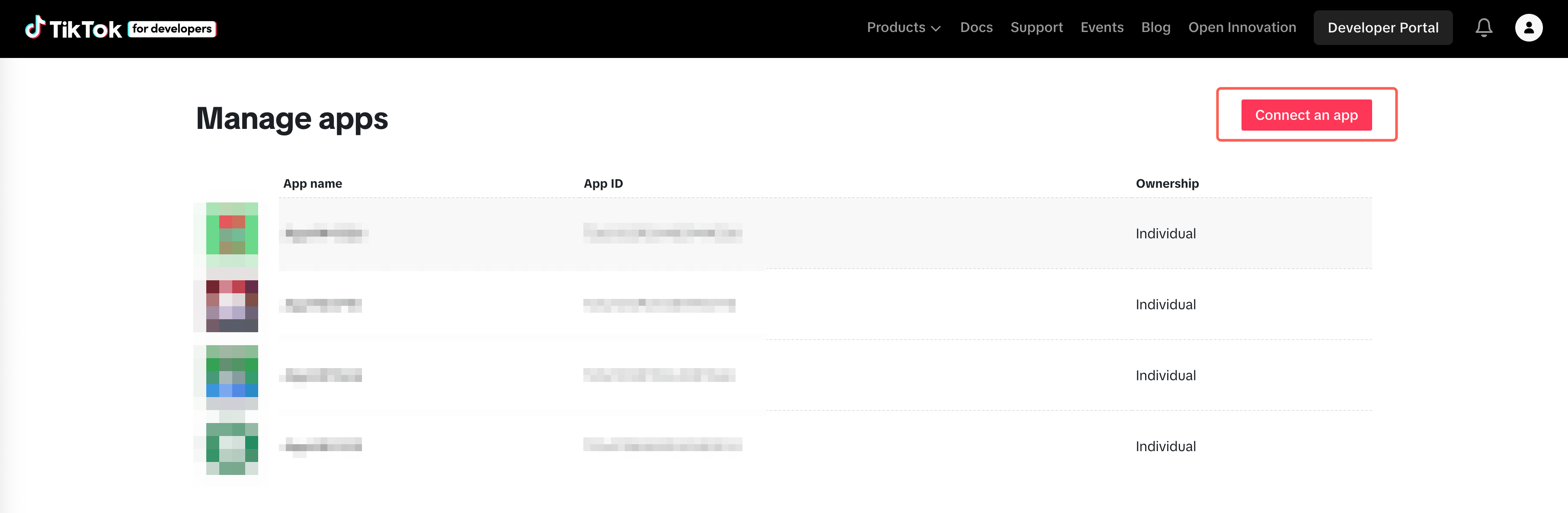
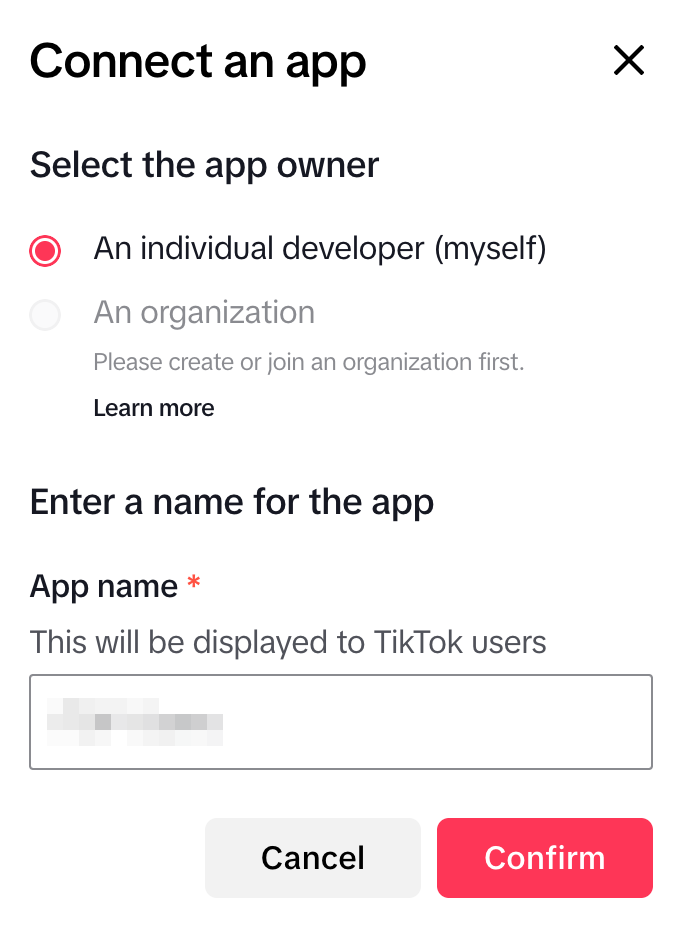
- Choose Individual Developer or Company Organization.
- Enter the App name and click Confirm to finish creation.
4. Configure App Basic Information
- Fill in basic app information: icon, name, app type, description, Terms of Service, Privacy Policy.
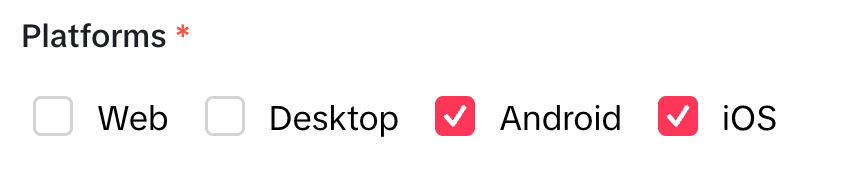
- In Platforms, check iOS.
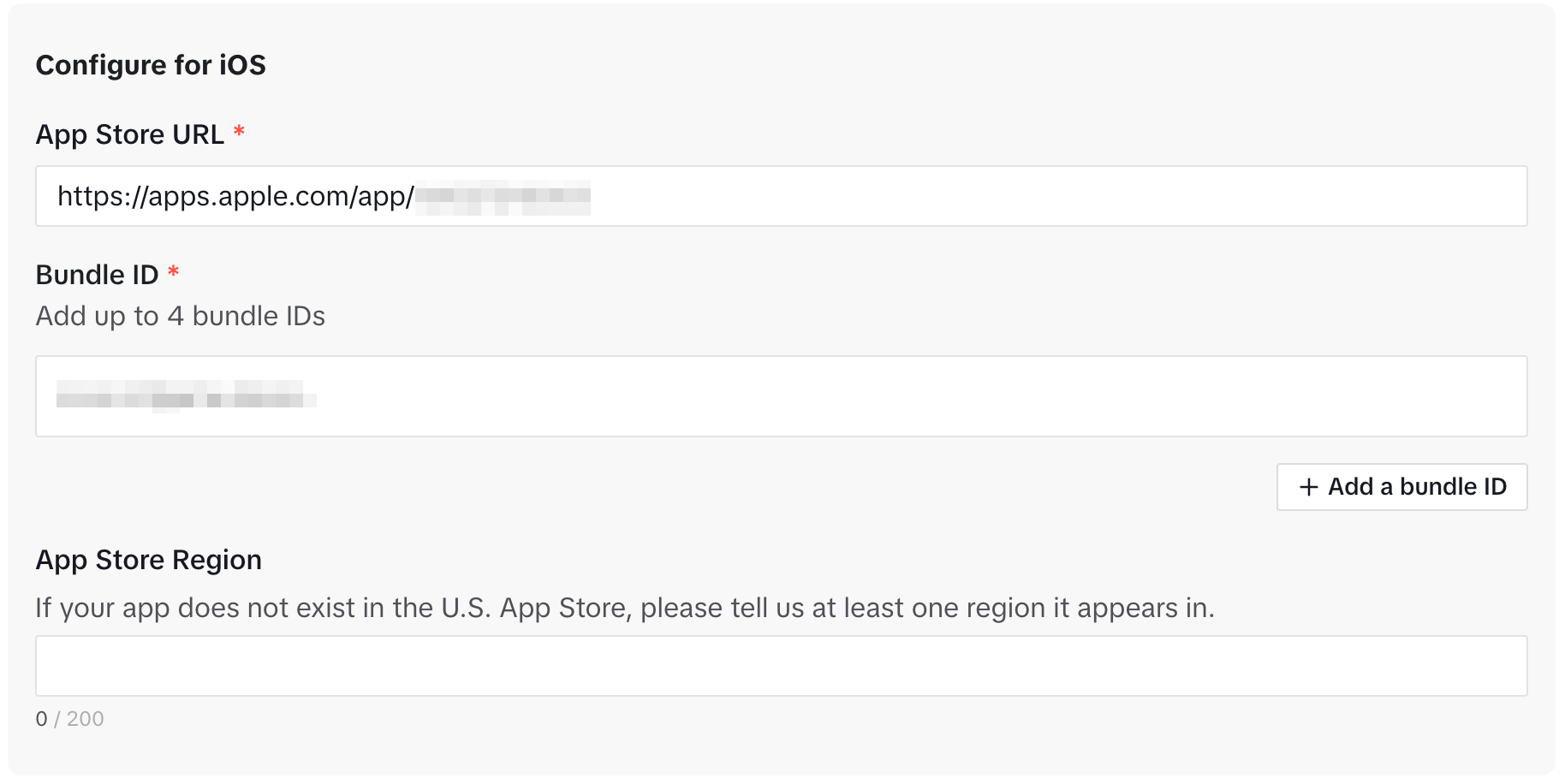
- In Configure for iOS, provide iOS package details (ask your developer teammate).
5. Terms of Service & Privacy Policy URL domain authentication
TikTok requires authentication of the domain for your ToS/Privacy Policy URL; only after verification can you save and submit for review.
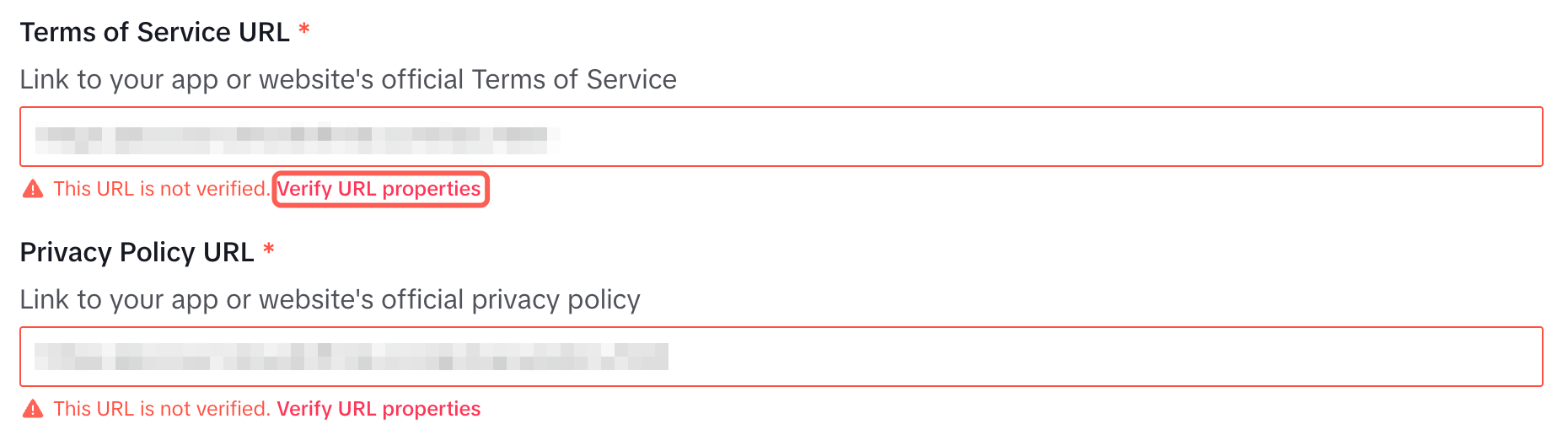
- Click Verify URL properties.
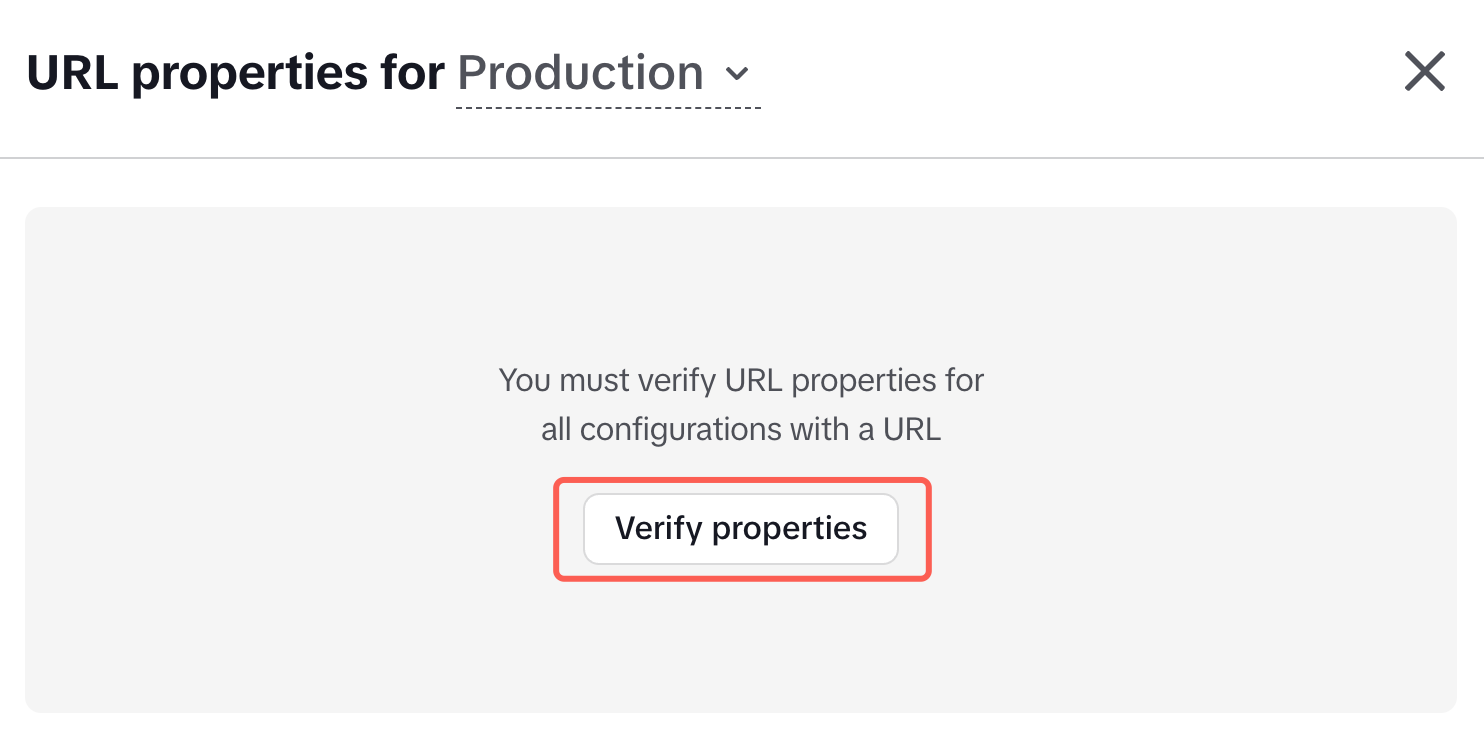
- In the pop-up, click Verify properties.
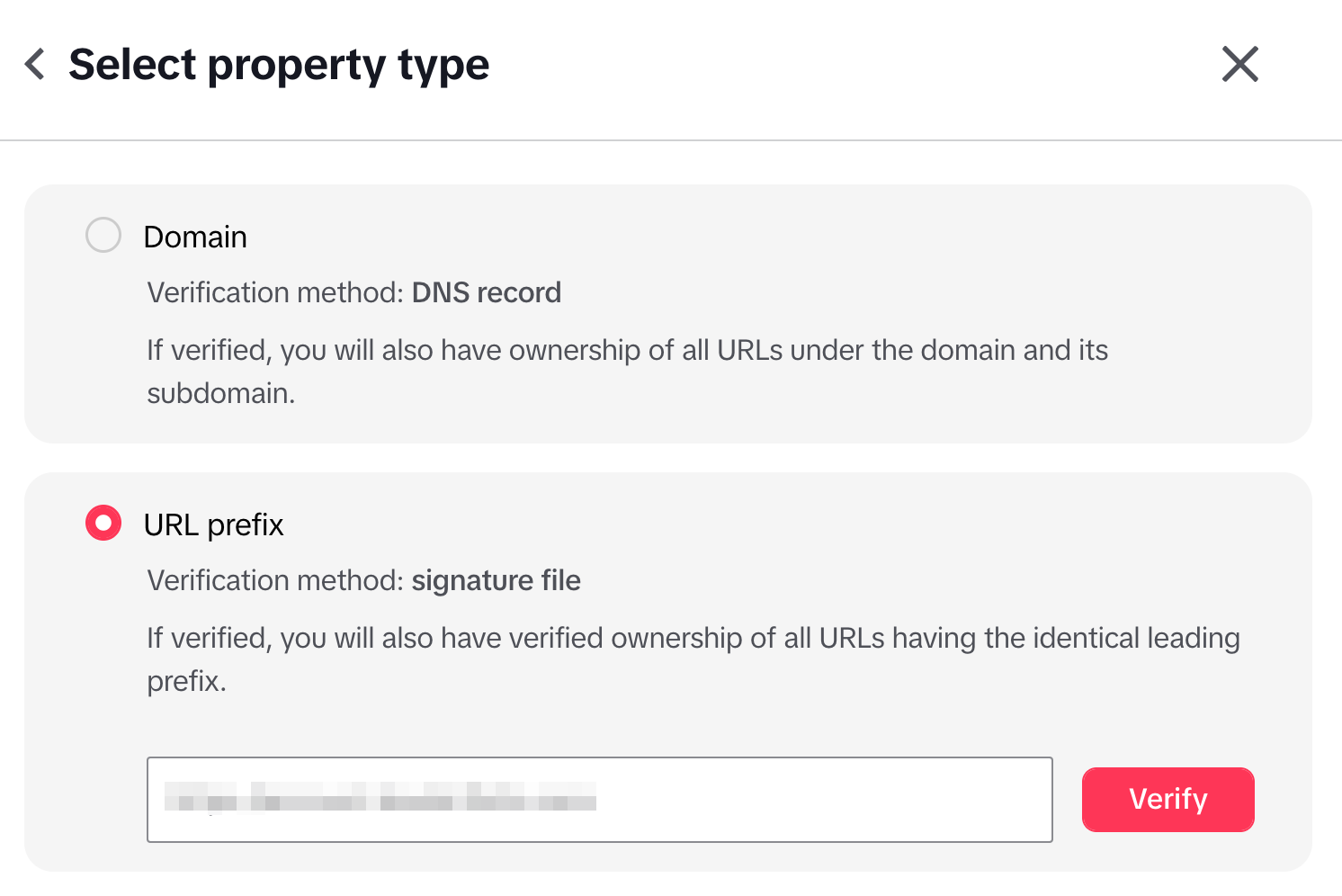
- Select URL prefix, enter the domain URL, and click Verify.
- Download the signature file generated by TikTok (e.g.:
tiktokxxxx.txt).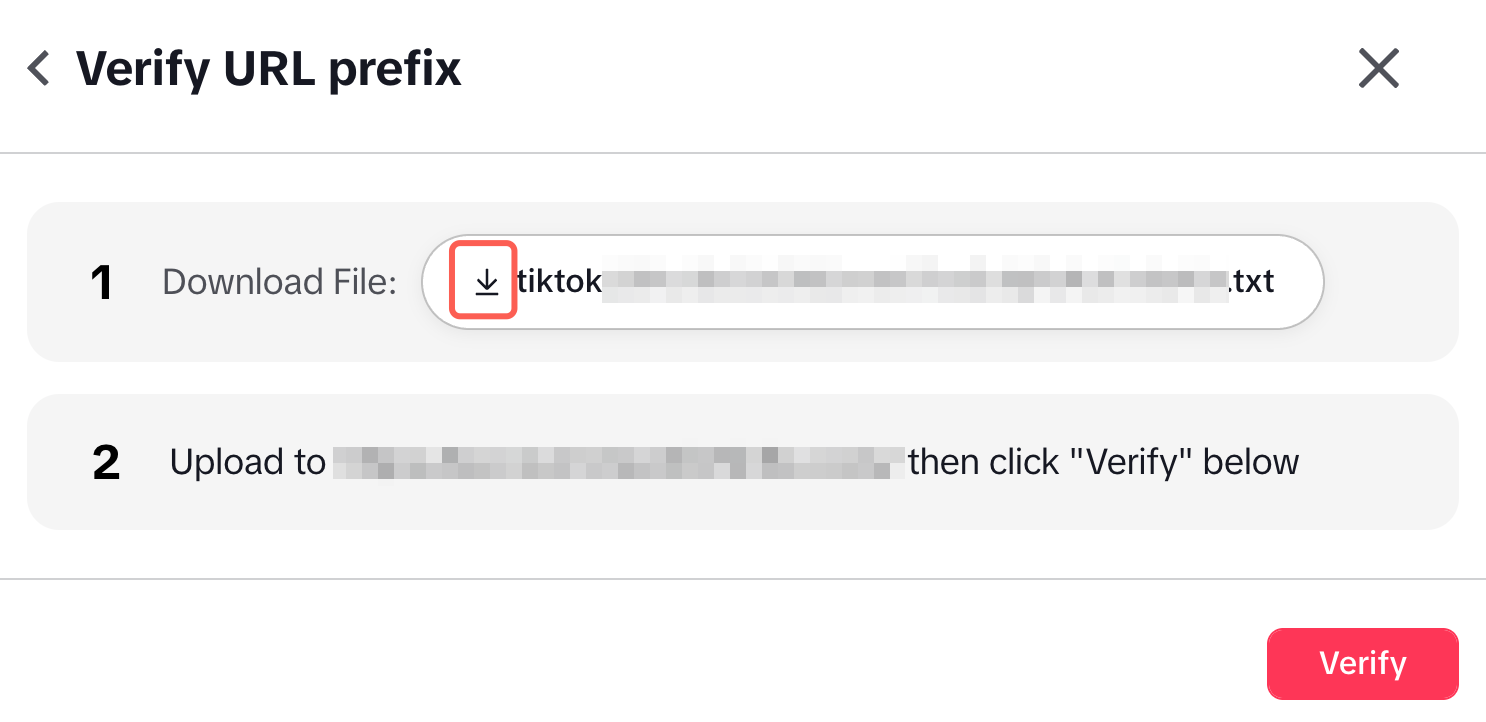
- Contact your operations/website teammate to upload this file to the corresponding domain server, making sure it can be directly downloaded via browser.
- After uploading, return to the TikTok page and click Verify to complete final authentication.
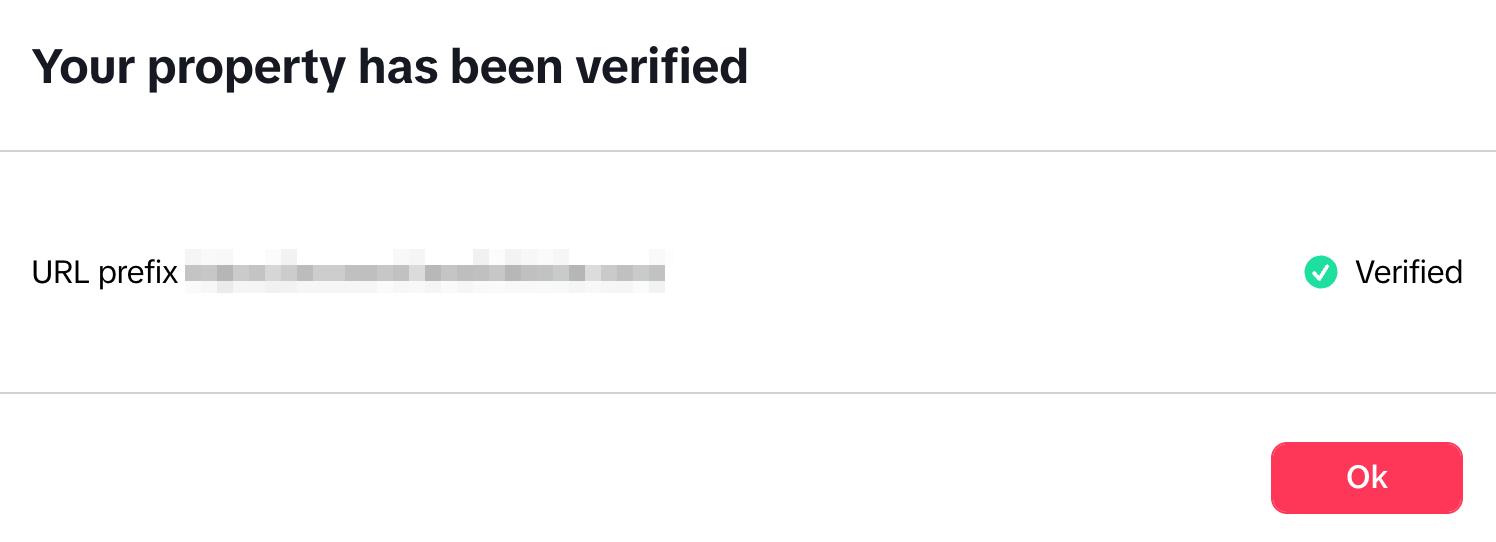
- If it fails: Check whether the signature file can be downloaded normally in the browser (file path/permissions/CDN cache, etc.).
6. App review information
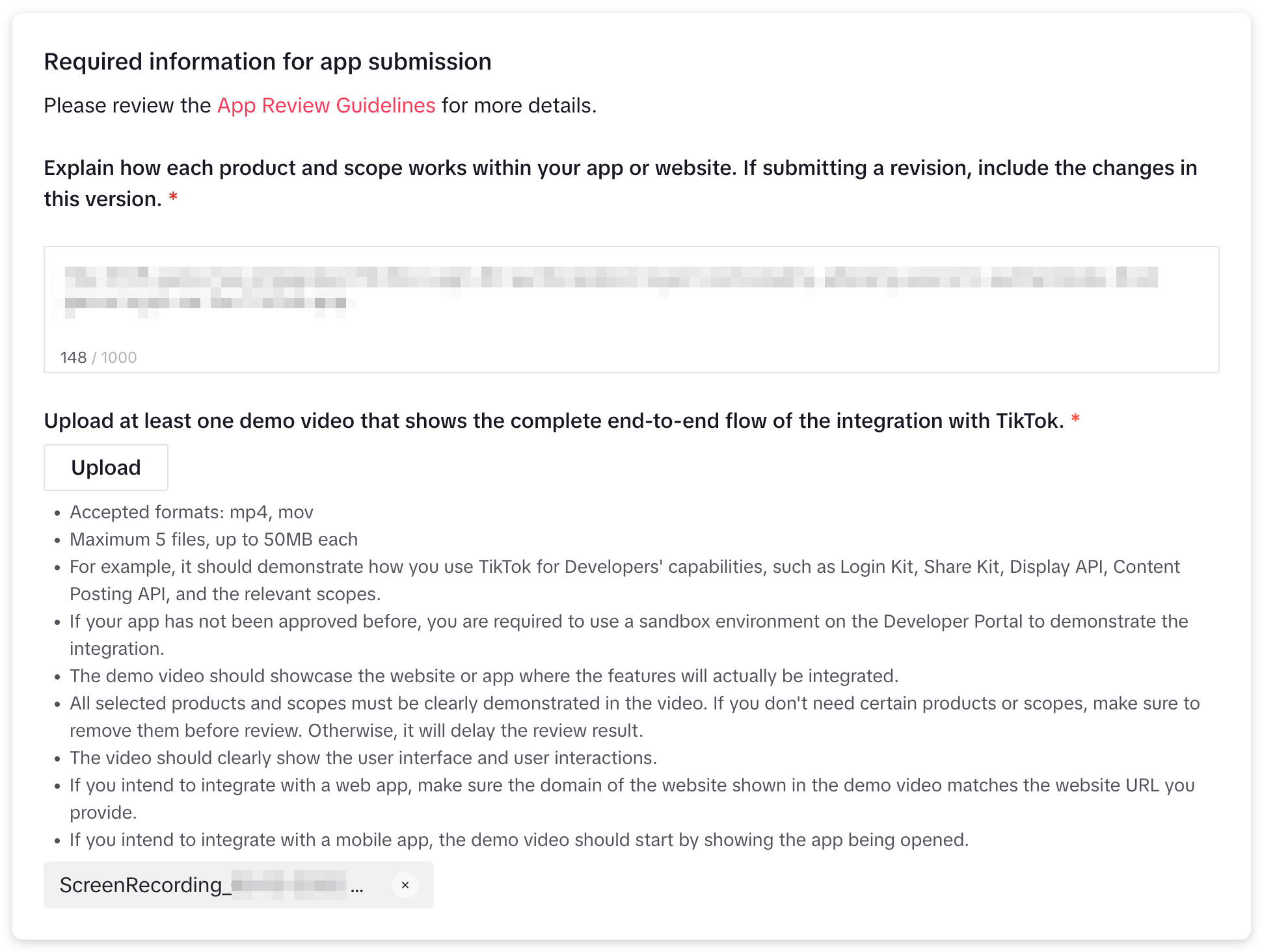
- Describe in detail how your project uses the TikTok Login Kit authentication feature.
- Record a complete video of your project using TikTok authorized login. Since TikTok integration may not be complete at this stage, you can temporarily upload any video and provide the correct one when submitting for review.
7. Configure Products: enable Login Kit
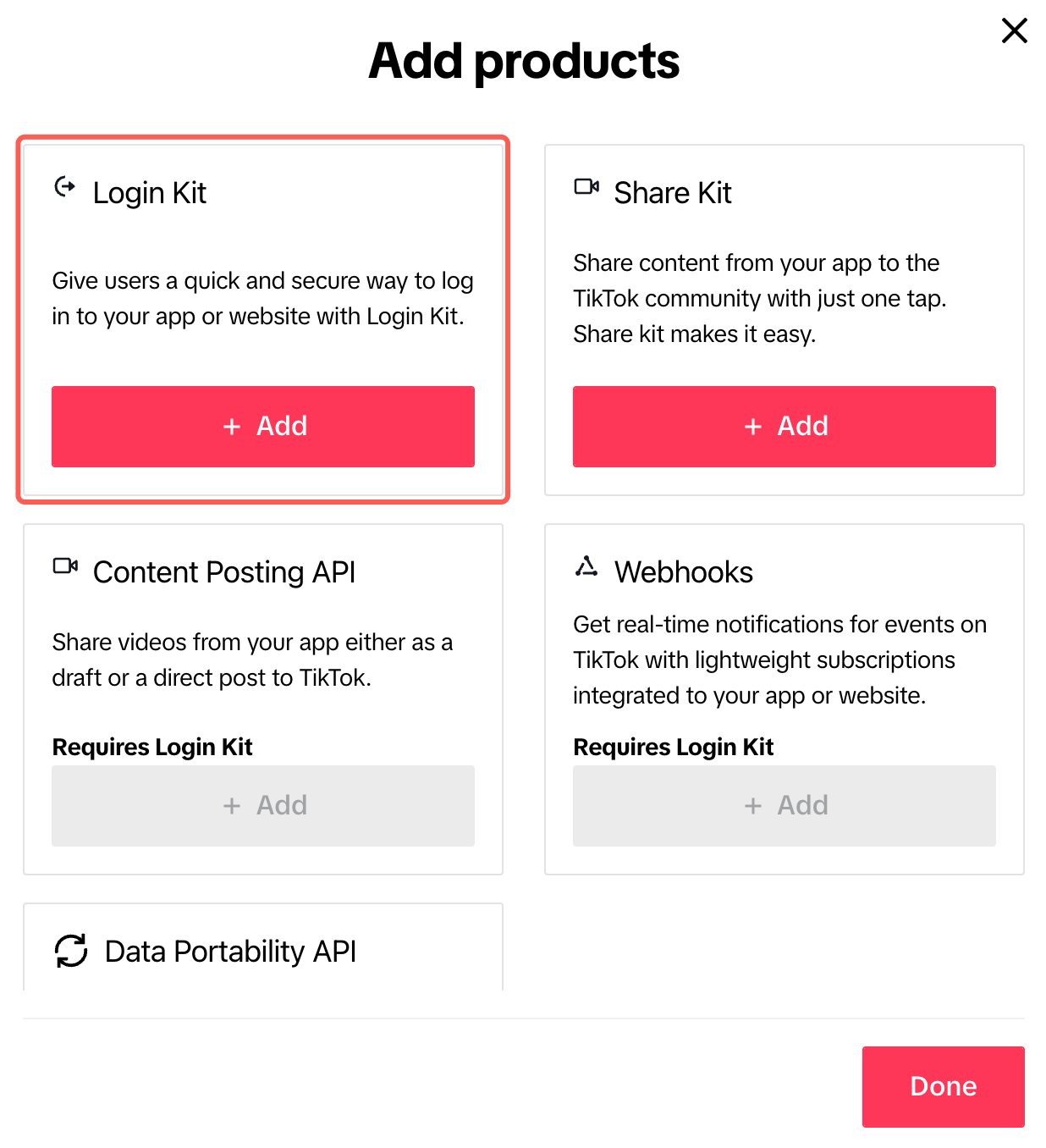
- Go to Products and click Add products.

- Click + Add to add Login Kit.
- Configure the Login Kit:
- iOS Universal Link (ask your developer teammate)
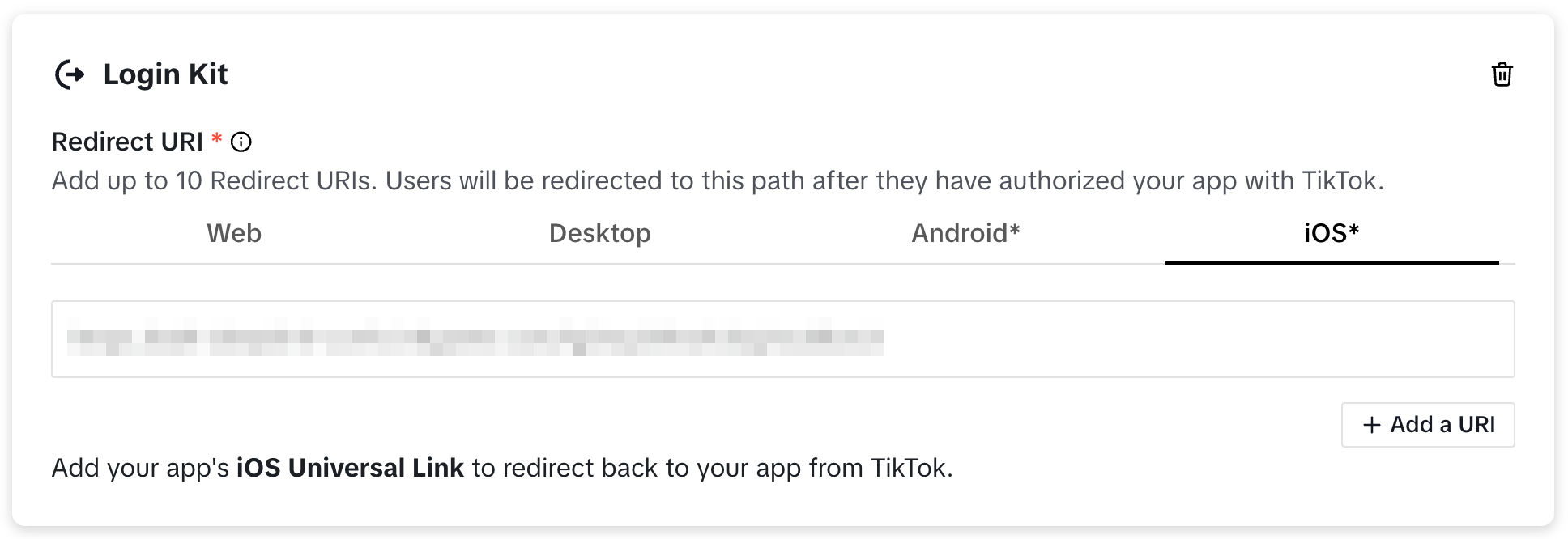
- iOS Universal Link (ask your developer teammate)
- Replace the link with your project's Deep Link, but keep the callback path suffix:
.../pnt/tiktok/logincallback
8. Scopes configuration
- After Login Kit is added, TikTok automatically adds the
user.info.basicpermission. - Usually, no extra Scopes are needed (unless clearly required by business needs).
9. Save App configuration
- In the top right corner, click Save to save the configuration.
- Since integration and joint debugging have not been completed, please do not click “Submit for review” for now.
- If saving fails, please fill in all required fields according to the page error prompt (almost all of the above steps are necessary).

10. (Recommended) Create Sandbox and add test users
Before submitting for review, it is recommended to conduct development integration in the Sandbox environment.
- Switch to Sandbox in the top left corner, and click Create Sandbox.

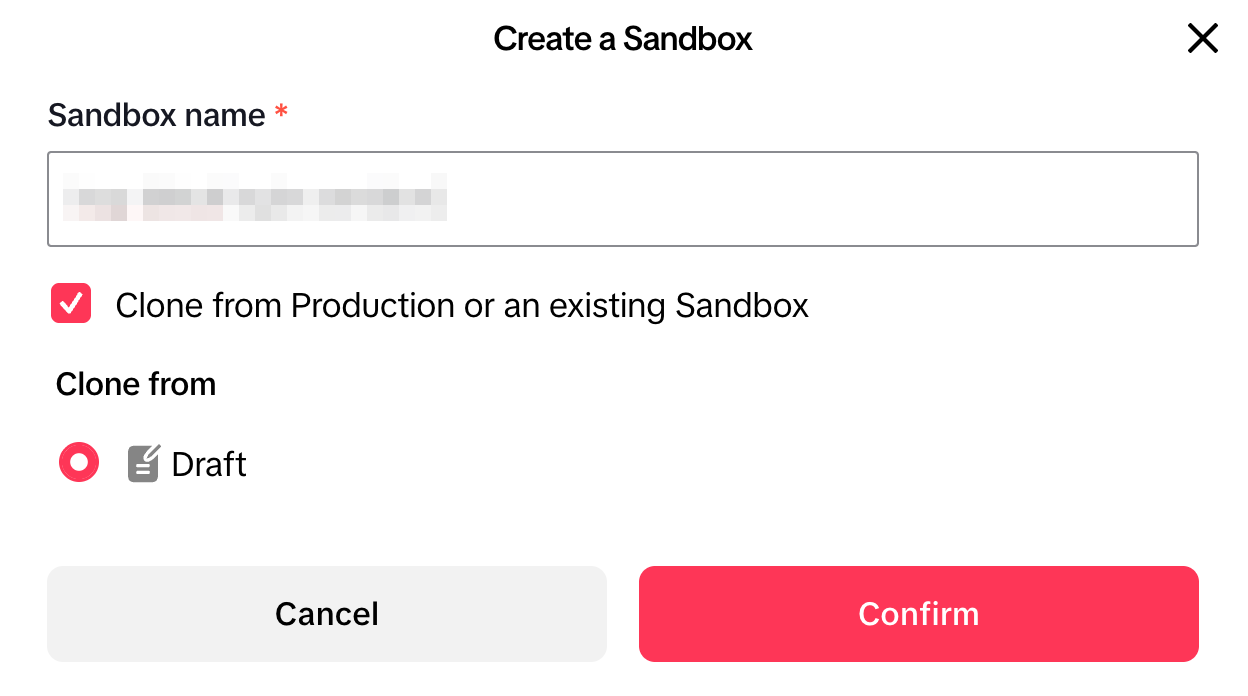
- Enter a Sandbox name, check Clone from Production or an existing Sandbox, and click Confirm.
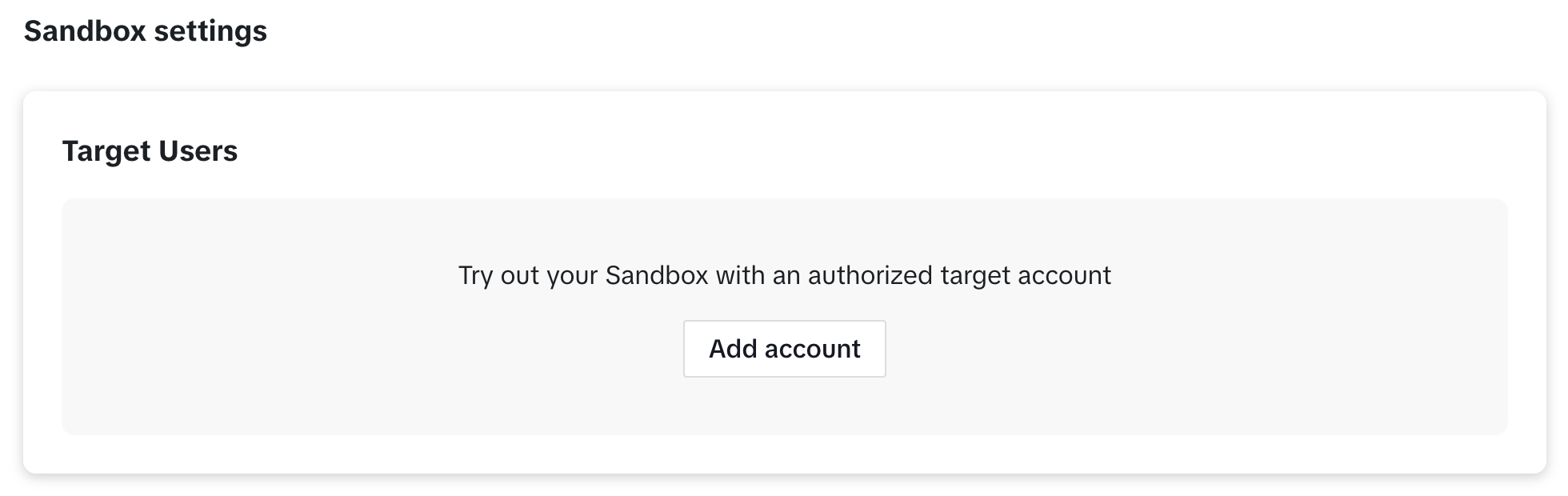
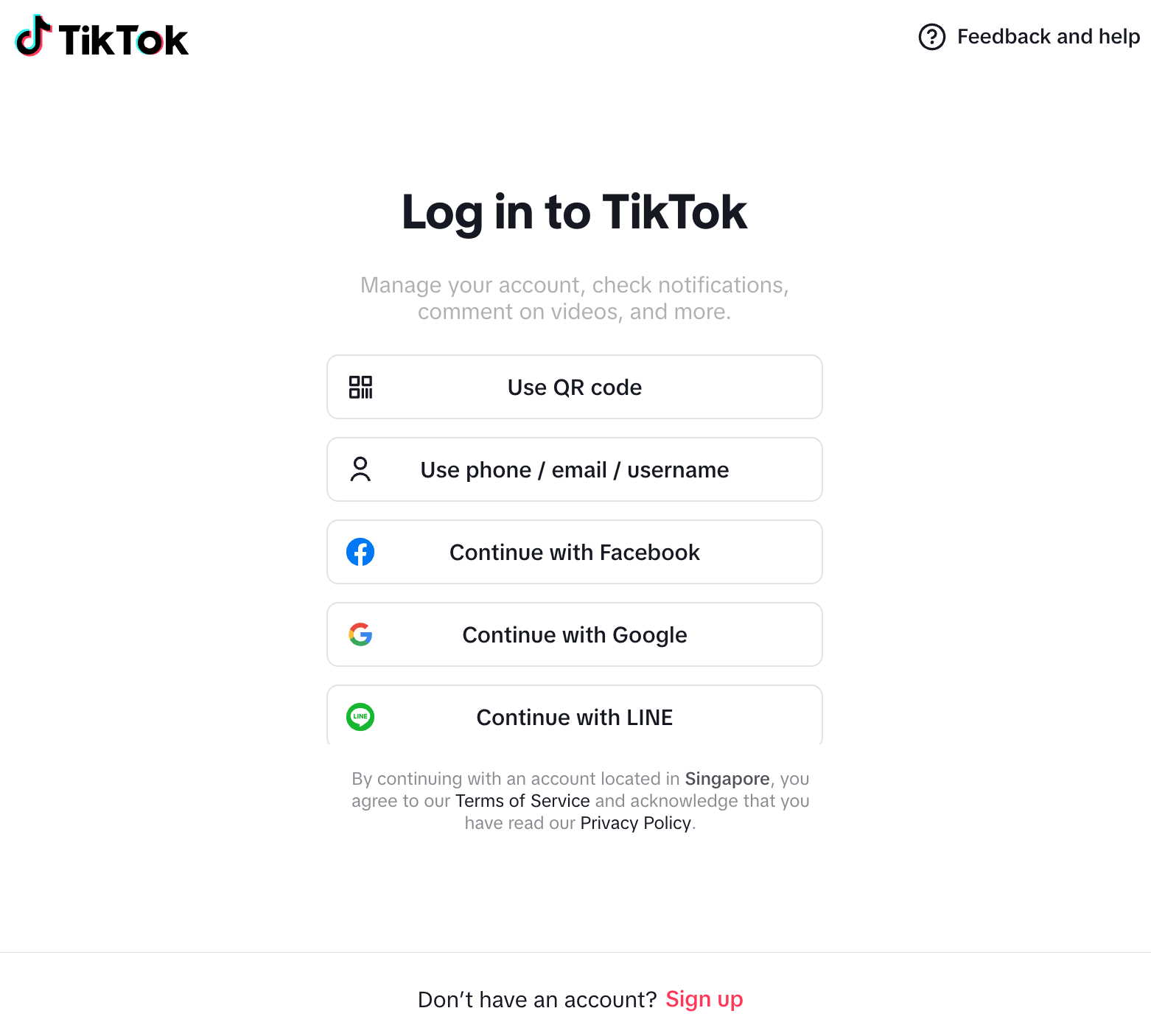
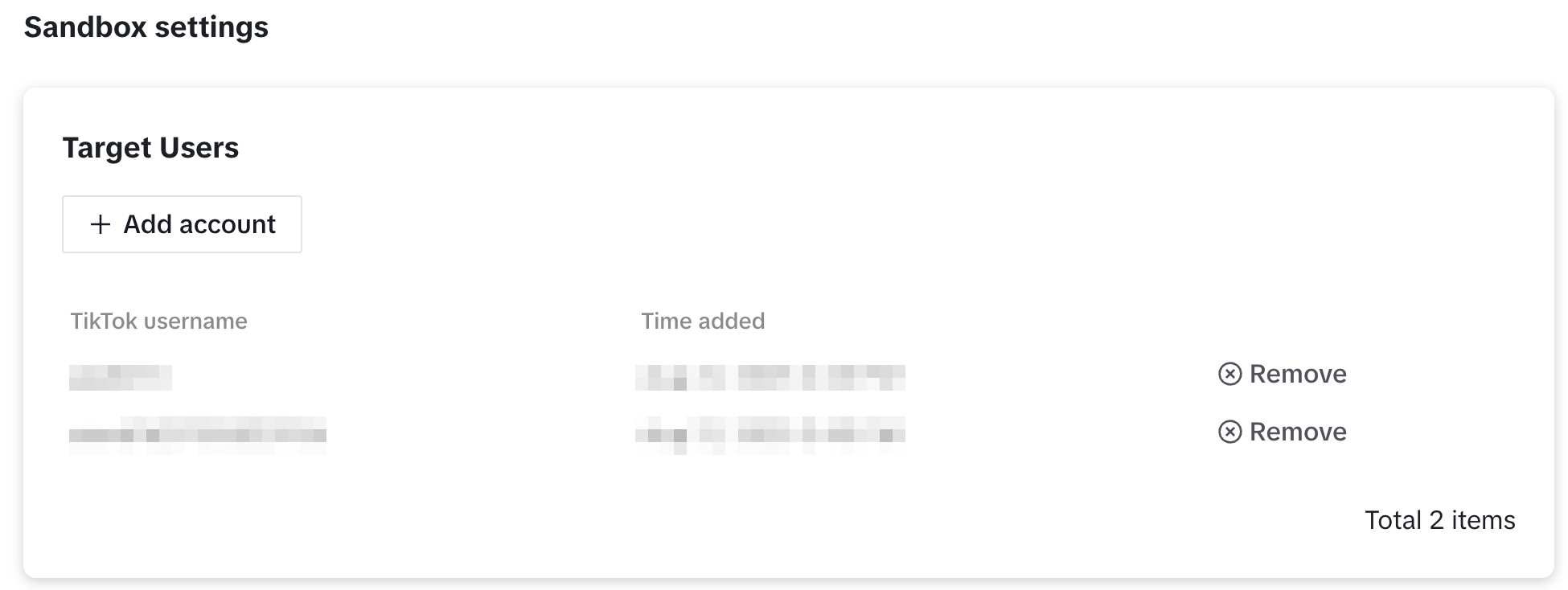
- In Sandbox, click Add account to add a test TikTok account:
- After successfully logging in, the account will appear in the Target Users list.
- Only accounts in Target Users can perform TikTok login tests
- Get Player Network Console login account.
- Create a new project for your game or join an existing project.
- Download SDK.
- Integrate SDK.
- Add TikTok as the login authentication method for business in Player Network Console.
Step 1: Configure SDK for TikTok Login
-
Open the project INTLConfig.ini file:
INTLConfig.ini[INTL environment]
# WARNING: You should change this URL to the production environment when you release your project.
INTL_URL = https://test.intlgame.com
GAME_ID = {INTL_GAME_ID}
SDK_KEY = {INTL_SDK_KEY}
[INTL Log]
LOG_LEVEL = 1
LOG_CONSOLE_OUTPUT_ENABLE = 1
LOG_FILE_OUTPUT_ENABLE = 1
LOG_ENCRYPT_ENABLE = 0
LOG_COMPRESS_ENABLE = 0
[TikTok]
TIKTOK_APP_ID = {INTL_TIKTOK_APP_ID}
TIKTOK_CLIENT_KEY = {INTL_TIKTOK_CLIENT_KEY}
TIKTOK_REDIRECT_URI = {INTL_TIKTOK_REDIRECT_URI}
TIKTOK_REWARD_BIND_URI = {INTL_TIKTOK_REWARD_BIND_URI}
TIKTOK_SCOPE = user.info.profile- Set the SDK backend environment
INTL_URLtohttps://test.intlgame.com. - Replace
{INTL_GAME_ID}and{INTL_SDK_KEY}with theGAME_IDandSDK_KEYvalues assigned by Player Network Console. - Set
LOG_LEVEL = 1,LOG_CONSOLE_OUTPUT_ENABLE = 1,LOG_FILE_OUTPUT_ENABLE = 1,LOG_ENCRYPT_ENABLE = 0, andLOG_COMPRESS_ENABLE = 0to output console and log files without encryption or compression. - Replace
{INTL_TIKTOK_APP_ID}with the App ID assigned by TikTok. - Replace
{INTL_TIKTOK_CLIENT_KEY}with the Client Key assigned by TikTok, which identifies your project in the TikTok login process. - Replace
{INTL_TIKTOK_REDIRECT_URI}with the Redirect URI where TikTok will redirect after the authorization is complete, so the user returns to the project with login results.The callback path must end with/pnt/tiktok/logincallback. - Replace
{INTL_TIKTOK_REWARD_BIND_URI}with the Reward Bind URI used by the TikTok reward-bind flow.The callback path must end with/pnt/tiktok/rewardsbind.Leave this empty if you are not using reward bind function. - The SDK automatically adds the default scopes
user.info.basic,video.list, andgame.entitlement.managementon mobile.UseTIKTOK_SCOPEonly for additional permissions required by your business, such asuser.info.profile.
- Set the SDK backend environment
-
Add TikTok entries to the project's
Info.plist:Info.plist<key>TikTokClientKey</key>
<string>{INTL_TIKTOK_CLIENT_KEY}</string>
<key>TTGPAppID</key>
<string>{INTL_TIKTOK_APP_ID}</string>
<key>LSApplicationQueriesSchemes</key>
<array>
<string>tiktokopensdk</string>
<string>tiktoksharesdk</string>
<string>snssdk1233</string>
<string>snssdk1180</string>
</array>
<key>CFBundleURLTypes</key>
<array>
<dict>
<key>CFBundleURLName</key>
<string>TikTok</string>
<key>CFBundleURLSchemes</key>
<array>
<string>m{INTL_TIKTOK_CLIENT_KEY}</string>
</array>
</dict>
</array>- Replace
{INTL_TIKTOK_CLIENT_KEY}and{INTL_TIKTOK_APP_ID}with the values assigned by TikTok. LSApplicationQueriesSchemeslets your app check whether the TikTok app is installed and open it when needed.The TTGP SDK checkssnssdk1233andsnssdk1180;tiktokopensdkandtiktoksharesdkcover TikTok Open SDK fallback flows.CFBundleURLTypesis required.Register the TikTok URL scheme asm<CLIENT_KEY>— the value must bemfollowed by your TikTok Client Key exactly.Themprefix is required because iOS App Store review (ERROR ITMS-90158) rejects URL schemes that consist entirely of numeric characters, and the TikTok SDK uses this scheme as its fallback callback path.
- Replace
-
Configure the Universal Link callback so TikTok can return the authorization result to your app over HTTPS.Because
TIKTOK_REDIRECT_URIis an HTTPS URL, iOS routes the callback via Universal Link:-
Add the redirect domain to your app's Associated Domains entitlement:
YourApp.entitlements<key>com.apple.developer.associated-domains</key>
<array>
<string>applinks:{INTL_TIKTOK_REDIRECT_URI_HOST}</string>
</array>Replace
{INTL_TIKTOK_REDIRECT_URI_HOST}with the host ofTIKTOK_REDIRECT_URI.For example,example.comifTIKTOK_REDIRECT_URI = https://example.com/pnt/tiktok/logincallback. -
Host an
apple-app-site-associationfile on that domain so iOS can route the callback to your app.The file must list your app's Team ID and Bundle ID under theapplinkssection. -
In the TikTok developer console, set the iOS Universal Link to the same value as
TIKTOK_REDIRECT_URI, ending with/pnt/tiktok/logincallback.
-
Step 2: Add TikTok Login
Player Network checks the application login status before opening the app for login.
- If the TikTok app is installed, Player Network will open the TikTok app for login.
- If the TikTok app is not installed, the Player Network login page will not display the TikTok channel login option.
- Register login-related callbacks.
- Unity
- Unreal Engine
// Add callbacks
public void AddAuthObserver()
{
    INTLAPI.AddAuthResultObserver(OnAuthResultEvent);
}

// Remove callbacks
public void RemoveAuthObserver()
{
    INTLAPI.RemoveAuthResultObserver(OnAuthResultEvent);
}

// Process the INTLAuthResult callback
public void OnAuthResultEvent(INTLAuthResult AuthResult)
{
    Debug.Log($"MethodID: {AuthResult.MethodId}");

    string methodTag = "";
    switch (AuthResult.MethodId)
    {
        case (int)INTLMethodID.INTL_AUTH_LOGIN:
            methodTag = "Login";
            break;
        case (int)INTLMethodID.INTL_AUTH_BIND:
            methodTag = "Bind";
            break;
        case (int)INTLMethodID.INTL_AUTH_AUTOLOGIN:
            methodTag = "AutoLogin";
            break;
        case (int)INTLMethodID.INTL_AUTH_QUERY_USER_INFO:
            methodTag = "QueryUserInfo";
            break;
        case (int)INTLMethodID.INTL_AUTH_GET_AUTH_RESULT:
            methodTag = "GetAuthResult";
            break;
    }
}
C++ Event Handling (above v1.15)
//configure callback
FINTLAuthEvent authEvent;
authEvent.AddUObject(this, &OnAuthResult_Implementation);
UINTLSDKAPI::. SetAuthResultObserver(authEvent);
// Remove callbacks
UINTLSDKAPI::GetAuthResultObserver().Clear();
void OnAuthResult_Implementation(FINTLAuthResult ret)
{
 UE_LOG(LogTemp, Warning, TEXT("MethodID: %d"), ret.MethodId);
}
- Call the
AutoLogininterface for automatic login.
- Unity
- Unreal Engine
INTLAPI.AutoLogin();
UINTLSDKAPI::AutoLogin();
- If automatic login fails, call the
Loginmethod to let players log in manually.
- Unity
- Unreal Engine
INTLAPI.Login(INTLChannel.TikTok);
UINTLSDKAPI::Login(EINTLLoginChannel::kChannelTikTok);
- Synchronize client authentication status with the game backend, waiting for final validation results.
If you encounter issues during integration, see FAQs.

